




Simplify and standardize your student enrollment process with our School Admission Form – a professional, easy-to-edit template available in MS Word and Google Docs. Whether you’re an administrator at a private school, preschool, or educational institution, this ready-to-use form captures all the essential information required for new student registration in a clear and structured layout.
This comprehensive form includes sections for student information, parent or guardian details, emergency contacts, and medical disclosures, making it suitable for both offline and online admissions. It’s ideal for use during school intake periods, walk-in registrations, or digital form submissions.
Perfect for school administrators, front-office staff, and education coordinators, this form saves time, ensures consistency, and improves data collection during the admission process.

📋 Key Sections Included:
✅ Student Information: Name, DOB, gender, class applied for, previous school, nationality
✅ Parent / Guardian Details: Name, relationship, contact, email, occupation
✅ Residential Address & Emergency Contact Info
✅ Medical Information: Allergy or condition disclosure
✅ Declarations & Signatures from guardian and school representative
🎯 Benefits:
✳️ Editable in MS Word and Google Docs
✳️ Structured for complete student and guardian data collection
✳️ Print-friendly and digital form-ready
✳️ Can be reused for multiple academic years
✳️ Ideal for schools, preschools, institutions, and academic consultants
Compatibility and Requirements
- Microsoft Word (desktop or Microsoft 365).
- Google Docs, free with a Google account. Upload the file to Google Drive and open it with Google Docs. Google explains the steps in Work with Office files.
Frequently Asked Questions
What sections does the School Admission Form include?
Student information (name, date of birth, gender, class applied for, previous school and nationality), parent or guardian details, the residential address and emergency contact, medical information and declarations with signatures.
Who signs the admission form?
The declarations section has signature space for the parent or guardian and for a school representative.
Can I use it for online admissions?
Yes. Parents can fill it in on screen in Word or Google Docs, or you can print it for walk-in registrations during intake periods.
Can I add my school’s name and logo?
Yes. The form is fully editable, so you can add your school name, logo and any extra fields your admission process needs.
Is the School Admission Form free?
Yes, it is a free download.
How to Use the School Admission Form
- Download the file and open it in Microsoft Word or Google Docs.
- Add your school name and adjust any fields you need.
- Share it with parents digitally or print copies for the front office.
- Collect the student information, guardian details, address, emergency contact and medical disclosures.
- Get the guardian and school representative signatures, then file the form or save it digitally.
Related School Templates
- Student Information Sheet Form in MS Word and Google Docs: update student records after admission.
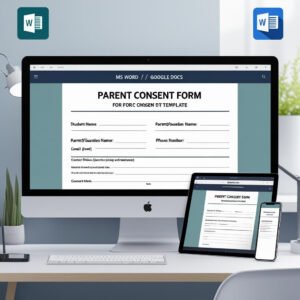
- Parent Consent Form in MS Word and Google Docs
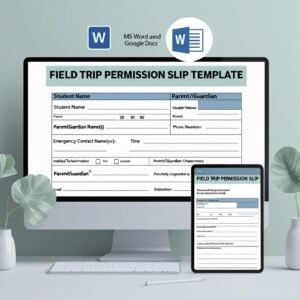
- Field Trip Permission Slip Microsoft Word and Google Docs
- Student Enrollment KPI Dashboard in Excel: track enrollment numbers once admissions start.
- Education & School Management Bundle: 8 Excel and Google Sheets templates for schools.
Browse all form templates or the education templates.



























Reviews
There are no reviews yet.