

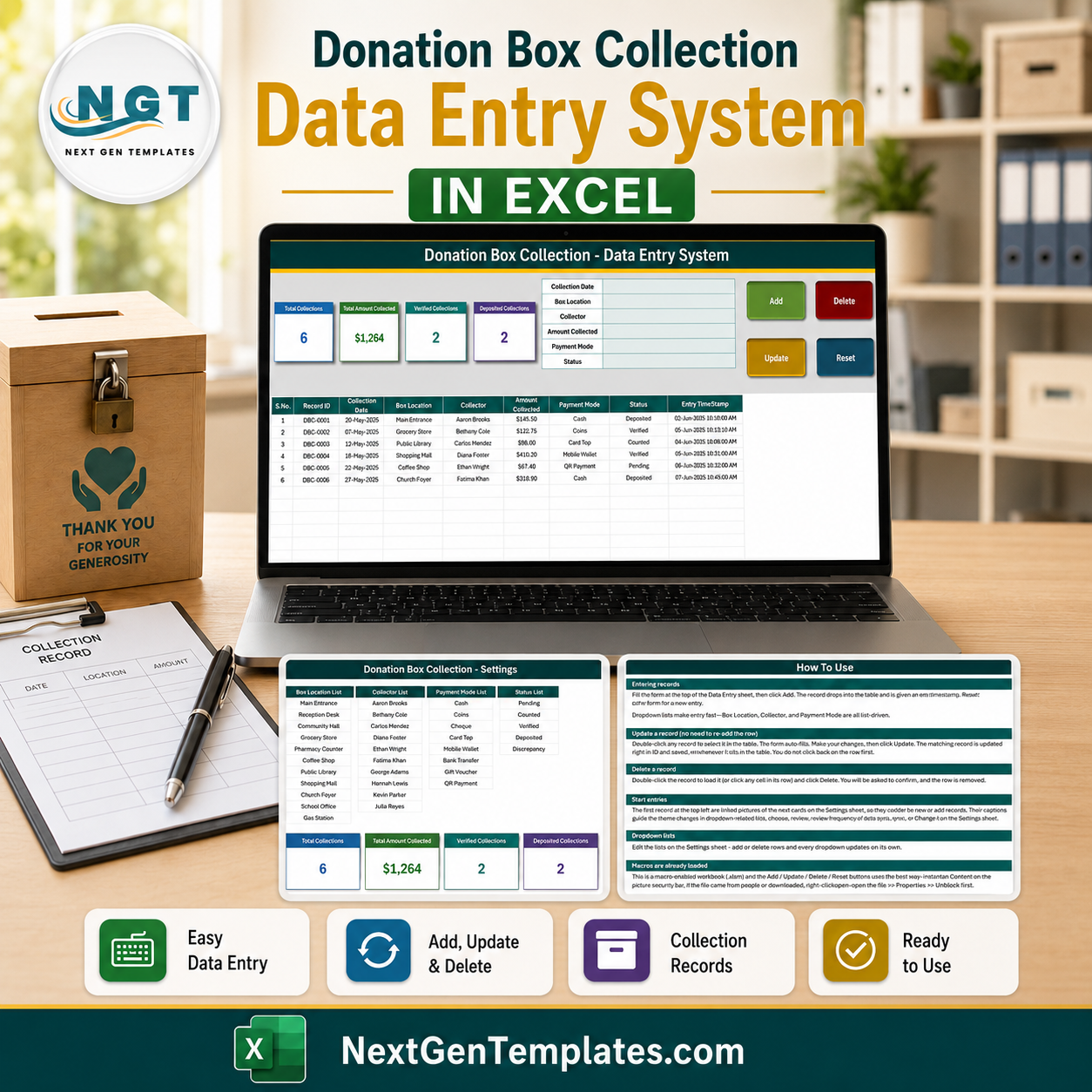

The Donation Box Collection Data Entry System in Excel is a four-sheet macro-enabled workbook for logging what comes out of a physical collection box each time it is opened. One record holds six fields – Collection Date, Box Location, Collector, Amount Collected, Payment Mode and Status – and four VBA buttons (Add, Update, Delete, Reset) write it into a 200-row table with an automatic DBC-0001 Record ID and an entry timestamp. It ships with 12 box locations, 10 collector names, 8 payment modes and 5 status values already loaded, plus a How To Use sheet inside the file. One-time payment, instant download, no subscription, and every list in it is yours to rewrite.
Key Features of the Donation Box Collection Data Entry System in Excel
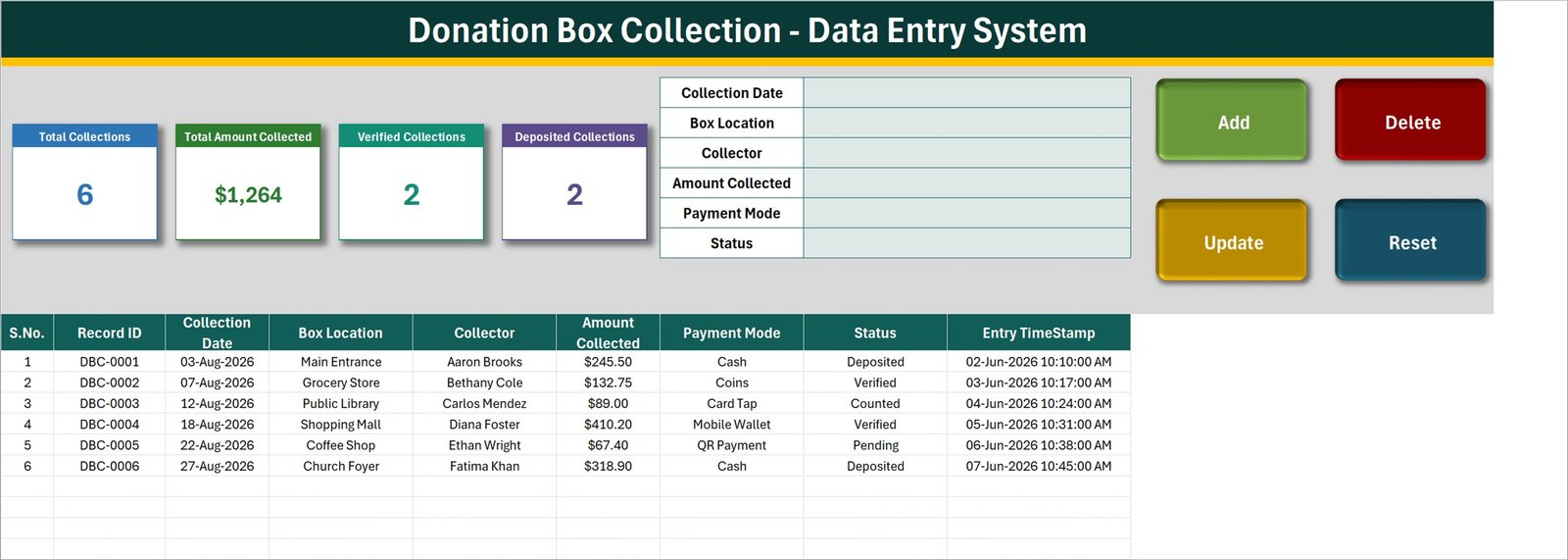
- Six-field entry form – Collection Date, Box Location, Collector, Amount Collected, Payment Mode and Status, laid out in cells G4:H9 of the Data Entry sheet.
- Four real VBA buttons – Add, Update, Delete and Reset are macros in
Module1(Add_Record,Update_Record,Delete_Record,Reset_Form), not worksheet formulas. - Automatic Record ID – each collection is stamped
DBC-0001,DBC-0002and so on, allocated as one more than the highest number already used, so IDs stay unique even after rows are deleted. - Edit by double-click – double-click any row to pull it back into the form. The Record ID is held in a hidden cell, so Update finds and rewrites that record wherever it sits in the table.
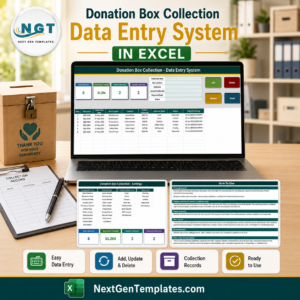
- Four live stat cards – Total Collections, Total Amount Collected, Verified Collections and Deposited Collections. They live on the Setting sheet and appear on the Data Entry sheet as linked pictures, so they refresh as you type.
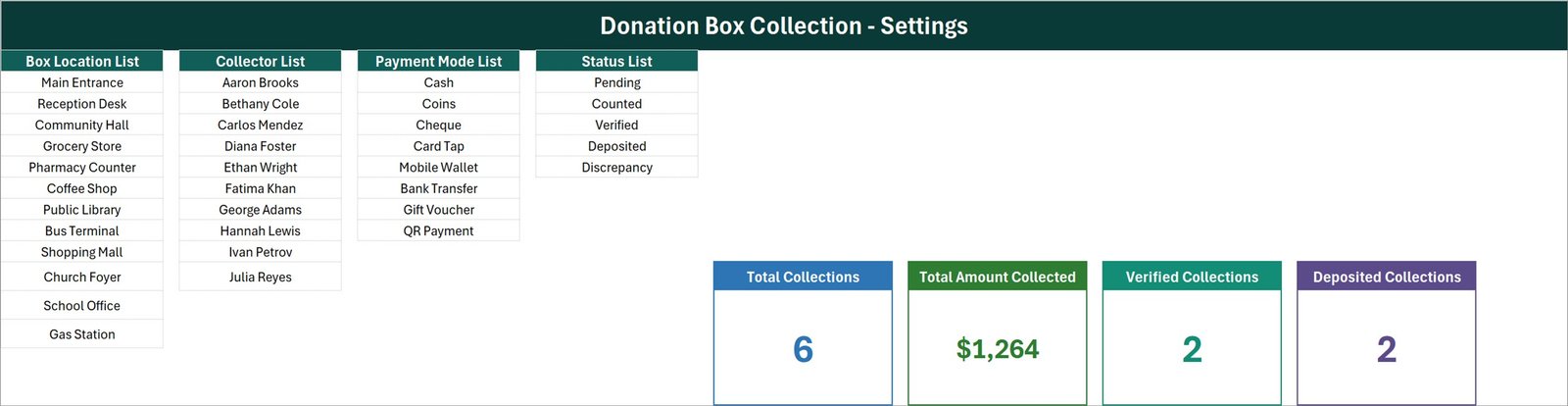
- Four editable dropdown lists – 12 box locations, 10 collectors, 8 payment modes and 5 statuses, all held as plain text on the Setting sheet.
- 200 pre-formatted rows – rows 15 to 214 already carry the dropdowns, the date format and the currency format.
- Entry timestamp on every row – a separate column records when the record was keyed, next to the date the box was actually emptied.
- Built-in How To Use sheet – six sections written into the workbook itself, so the instructions travel with the file.
- Macro-enabled .xlsm – for Microsoft Excel on Windows desktop; enable macros on first open.
What’s Inside the Donation Box Collection Data Entry System in Excel
The download is a single ZIP containing one macro-enabled workbook with four sheets. There is no separate manual, no add-in and no installer.
1. Data Entry. The working sheet. The entry form sits top right, the four stat-card pictures top left, and the Add / Delete / Update / Reset buttons to their right. Below row 14 is the record table with nine columns: S.No., Record ID, Collection Date, Box Location, Collector, Amount Collected, Payment Mode, Status and Entry TimeStamp. The S.No. column is a formula that numbers only the rows that actually hold a Record ID. Six sample collections are supplied so you can see the shape of a filled sheet before you clear them.
2. Setting. Four list columns – Box Location List, Collector List, Payment Mode List and Status List – and the four real stat cards that the Data Entry pictures point at. The shipped locations run from Main Entrance and Reception Desk through Grocery Store, Pharmacy Counter, Coffee Shop, Public Library, Bus Terminal, Shopping Mall, Church Foyer, School Office and Gas Station. Payment modes are Cash, Coins, Cheque, Card Tap, Mobile Wallet, Bank Transfer, Gift Voucher and QR Payment. Statuses are Pending, Counted, Verified, Deposited and Discrepancy.
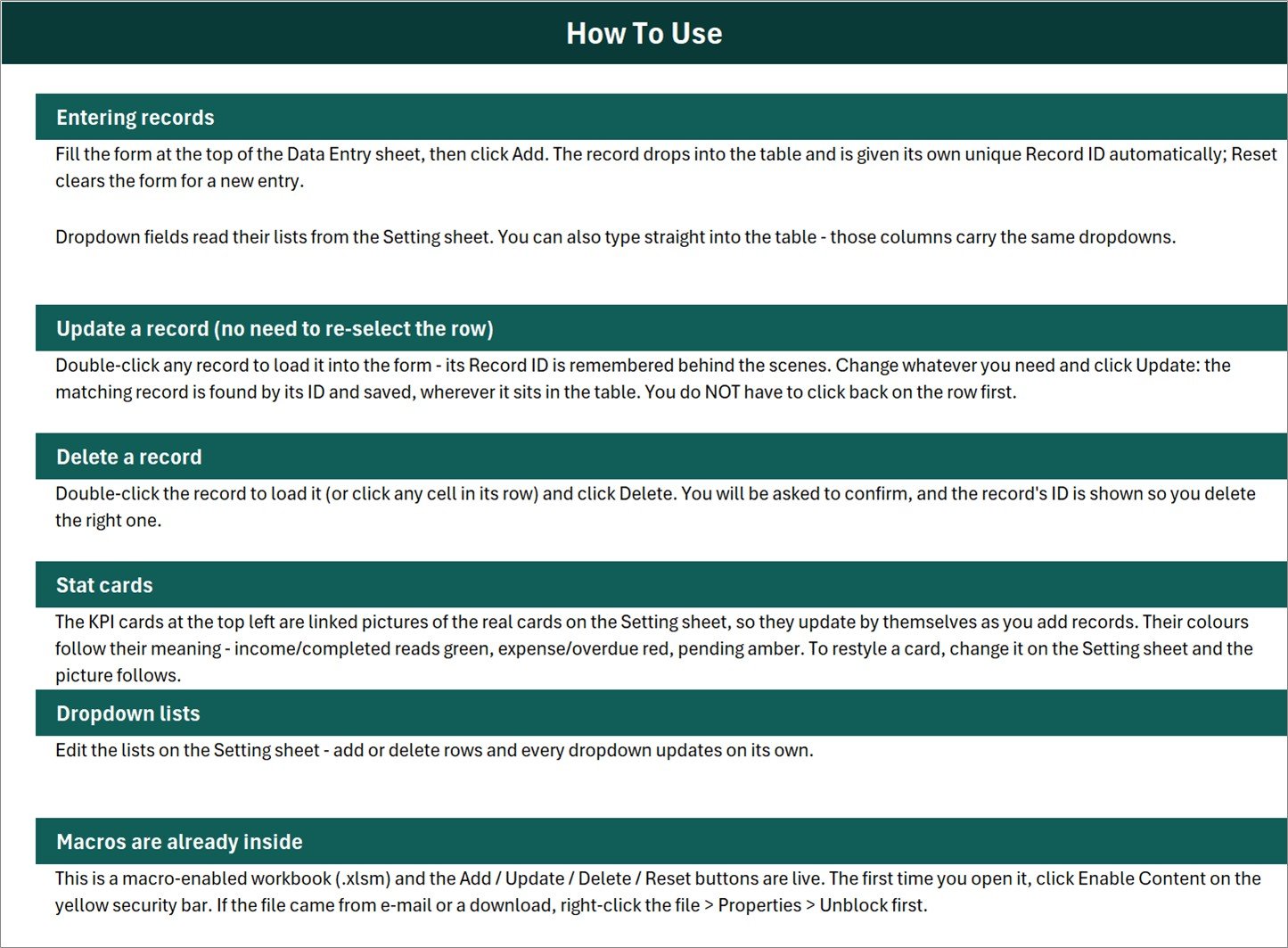
3. Instructions. A How To Use page covering entering records, updating by ID, deleting, the stat cards, editing the dropdown lists and enabling macros.
4. Get More Templates. A links page pointing back to the NextGenTemplates store.Donation Box Collection Data Entry System in Excel
Excel vs. Google Sheets vs. Paid Nonprofit Software – Where This Fits
| This workbook | A Google Sheets equivalent | Paid donor / fund software | |
|---|---|---|---|
| Cost | One payment of $6.99 | Free tools, or a paid Sheets template | Typically $50-$200+ per month |
| Platform | Microsoft Excel, Windows desktop | Browser, any device | Browser plus mobile app |
| Setup time | Minutes – open, enable macros, edit four lists | Minutes | Days to weeks, usually with onboarding |
| Real-time team collaboration | No – one file, one person at a time | Yes | Yes |
| Mobile access | No – the VBA buttons need Excel for Windows | Yes | Yes |
| Customisable fields | Column headings and all four lists are editable text | Editable | Configurable, often on a paid tier |
| Share with a link | No – you send the file | Yes | Yes |
| Year-1 cost at 5 users | $6.99 once | $0-$20 once | $600-$2,400+ |
| Receipts and acknowledgement letters | No | No | Usually included |
| Charts and monthly reports | No – four number cards only | Varies | Yes |
| Works with no internet | Yes | No | No |
Who This Template Is For – and Who It’s Not For
It fits a small team that empties a handful of collection boxes on a route and wants one tidy, offline record of who opened which box, on what date, how much came out and where that money has reached in the counting process. It is a data-entry workbook: a clean keyed record with four running numbers on top.
It does not fit anyone who needs the workbook to be an accounting system. To be plain about what is absent: there is no donor name or contact field, no fund or purpose field, no receipt or acknowledgement output, no denomination or coin-count breakdown, no expected-versus-counted variance field, no second-counter or countersign field, no charts, no monthly report sheet, no search or filter sheet, no bank reconciliation, no multi-currency handling and no reminders. It does not produce statutory returns and it makes no claim about any charity, tax or audit requirement anywhere – if you are subject to rules on how collections must be counted, witnessed, receipted or reported, this file does not satisfy them for you and is not evidence that they were met. It is also single-user and offline: no cloud sync, no shared editing, and the macros do not run in Excel for Mac, Excel for the web or the mobile apps.
Two behaviours in the shipped build are worth knowing before you buy, because they change how you read the cards. Total Amount Collected is an unfiltered sum of the whole amount column – it does not exclude rows still marked Pending, Counted or Discrepancy. In the sample data it reads $1,264 (the true figure is $1,263.75; the card format rounds), of which only $564.40 sits on Deposited rows, $89.00 is merely Counted and $67.40 is still Pending. Read it as “everything logged”, not “money banked”. And only two of the five statuses have cards – Verified and Deposited – so 2 + 2 will not add up to Total Collections 6. Pending, Counted and Discrepancy are tracked in the column but not carded. Donation Box Collection Data Entry System in Excel
How to Use the Donation Box Collection Data Entry System in Excel
- Unzip the download and open the .xlsm in Excel on Windows. Click Enable Content on the yellow bar. If the file came by e-mail, right-click it first, choose Properties and tick Unblock.
- Go to the Setting sheet and overwrite the four lists with your own box locations, collectors, payment modes and statuses.
- Delete the six sample rows from the Data Entry table once you have seen how a filled sheet looks.
- Fill the form and press Add. The record drops into the table with its own Record ID and a timestamp. Collection Date must be filled – the macro refuses to add a record without it.
- To correct a record, double-click its row, change what you need and press Update. To remove one, load it and press Delete; you are asked to confirm and shown the Record ID first.
- Watch the four cards. They recalculate as soon as a record lands.
Real-World Use Cases
Priya, who runs a volunteer rota for eleven donation boxes. Her volunteers bring the boxes back on a Saturday. She keys one row per box – date, location, who collected it, the amount, how it was given, and Counted. When the money is checked by a second person she reopens the row and moves it to Verified, then to Deposited after the bank run. The Status column is her whole workflow, and the two cards tell her how much of Saturday’s work is finished.
Daniel, a shop-front coordinator with boxes in six local businesses. He replaces the shipped locations with the six shop names and uses Payment Mode to separate the coins in the box from the card taps on the reader beside it. He never touches the amount column after a row is verified, so the sheet doubles as a plain record of what each shop’s box produced month by month.
Reena, a treasurer who only needs a clean handover file. She wanted the offline, single-file version rather than a cloud tool: one .xlsm on one machine, backed up with the rest of her files, that anyone can open in Excel without an account.
Frequently Asked Questions
Do I need macros enabled?
Yes. Add, Update, Delete and Reset are VBA. With macros disabled the buttons do nothing – though you can still type directly into the table, which carries the same dropdowns. Donation Box Collection Data Entry System in Excel
Does it store donor names?
No. There is no donor name, address, phone or e-mail field anywhere in the workbook. The only personal data it holds is the collector name – your staff or volunteer – alongside the box location, so treat the file with the same care you would any staff record.
Is this an accounting or fund-management system?
No. It records collections and nothing more. It does not post to ledgers, allocate to funds, reconcile to a bank statement, issue receipts or produce any return. Pair it with whatever accounting your organisation already uses. Donation Box Collection Data Entry System in Excel
Will the dropdowns grow if I add a 13th box location?
Not on their own. The How To Use sheet says the lists update themselves, but each named range is fixed and currently exactly full – 12 locations, 10 collectors, 8 payment modes, 5 statuses. Type a new value below the last one and you must also extend the named range in Formulas > Name Manager before it appears in the dropdown.
How many records will it hold?
The dropdown validation and formatting are applied to rows 15 to 214, so 200 collections per file is the practical limit before you extend the ranges yourself or start a new file per year.
How is this different from the Donation Register Data Entry System?
The Donation Register Data Entry System in Excel is donor-side: it captures a donor, a mobile number, an amount, a purpose and a mode. This one is box-side: no donor at all, but a Box Location, a Collector and a counting Status the register does not have. Teams that run both often buy both.
Can I use it on a Mac or in Excel for the web?
The sheets will open, but the buttons will not run. This is a Windows-desktop Excel workbook.
About the Author
Built by PK – Microsoft Certified Professional with 15+ years of Excel, Google Sheets, and Power BI experience. Founder of NextGenTemplates, reaching 300K+ subscribers across YouTube channels. Every template is hand-built and tested before release.
Explore Related Templates
- Donation Register Data Entry System in Excel – the donor-side companion to this box-side sheet.
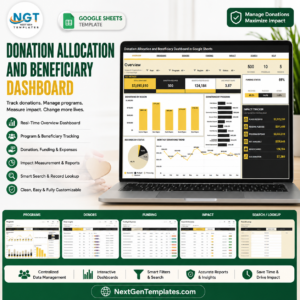
- Donation Allocation and Beneficiary Dashboard in Google Sheets – for what happens to the money after it is banked.
- Charitable Giving and Tithe Tracker in Google Sheets – the giver-side view.
- Church Transaction Analysis Dashboard in Google Sheets – reporting over a longer transaction history.
- Nonprofit & NGO Operations Bundle – seven templates at a bundle price.
- Browse more in MS Excel and VBA Tool. Donation Box Collection Data Entry System in Excel
Buy once, own it forever. Add to cart to download the Donation Box Collection Data Entry System in Excel straight away, then read the full walkthrough on the PK-AnExcelExpert blog post.
Last updated: 1 September 2026.Donation Box Collection Data Entry System in Excel
Watch the demo video:
Compatibility and Requirements
- Works in Microsoft Excel desktop on Windows with macros enabled. The Add, Update, Delete and Reset buttons are VBA, so the file does not run in Excel for the web, Google Sheets or mobile apps.
- If Excel blocks the macros on first open, follow Microsoft’s steps in Enable or disable macros in Microsoft 365 files.





























Reviews
There are no reviews yet.