

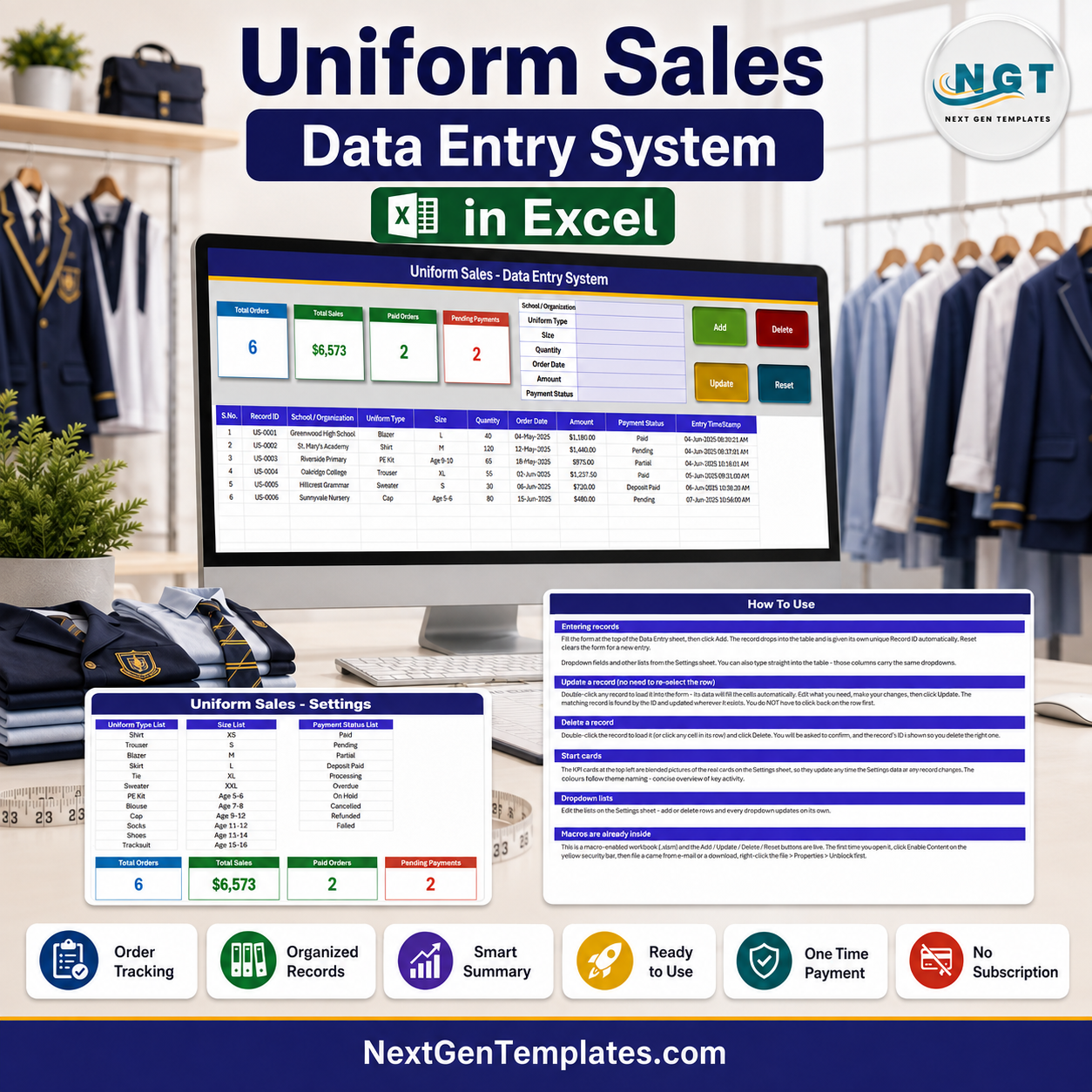
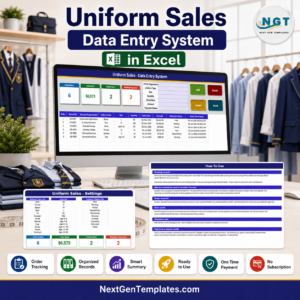
The Uniform Sales Data Entry System in Excel logs every school and corporate uniform order through a 7-field VBA form with Add, Update, Delete and Reset buttons, 4 live KPI cards and 3 editable dropdown lists. Each order is stamped with its own Record ID and Entry TimeStamp in a 10-column register. Setup takes under 10 minutes — unzip, enable macros, clear the six sample orders and start entering your own.
🌍 Join 8,400+ teams in 40+ countries using NextGenTemplates to replace paid SaaS tools with one-time-purchase Excel, Google Sheets, Power BI, and HTML templates.
✅ Instant download · One-time payment · No subscription · No per-user fees · Lifetime access
🔑 Key Features of the Uniform Sales Data Entry System
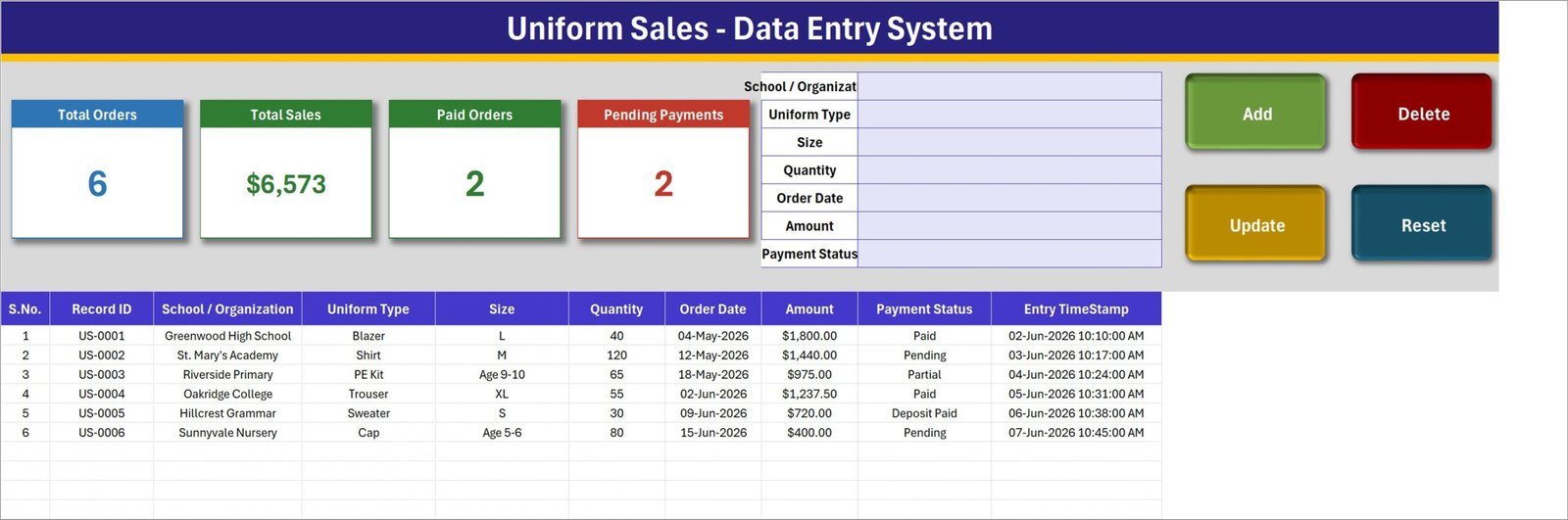
📝 A real data-entry form, not a spreadsheet you type into. The form at the top of the Data Entry sheet carries seven fields — School / Organization, Uniform Type, Size, Quantity, Order Date, Amount and Payment Status — and four live VBA buttons: Add, Delete, Update and Reset. Click Add and the order drops into the register below with its Record ID and Entry TimeStamp already filled in.
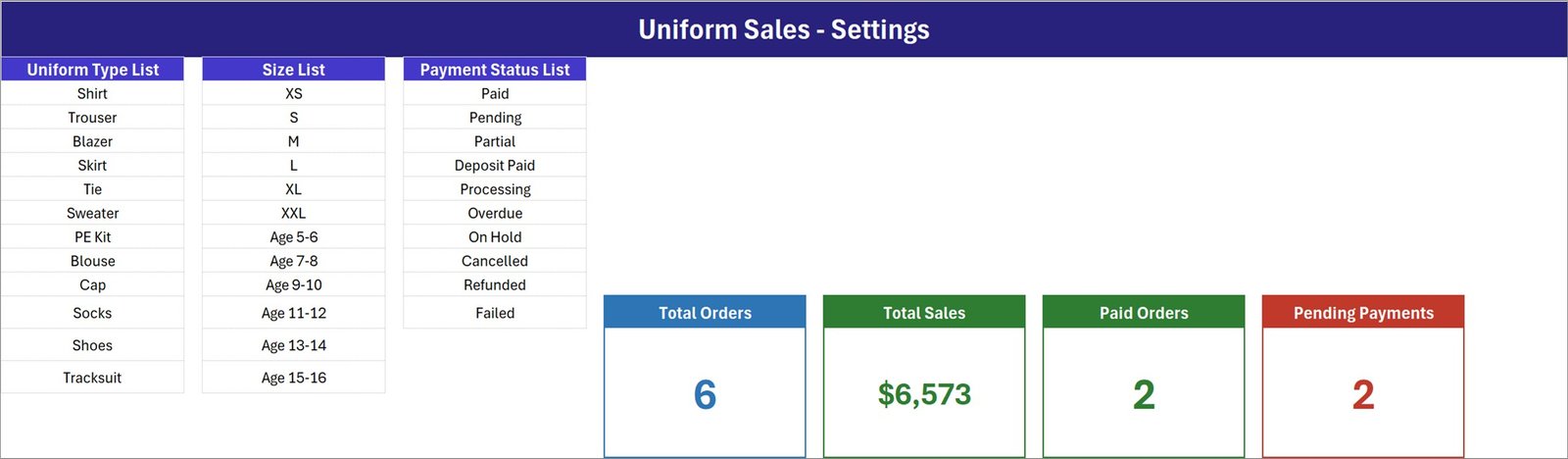
🏷 Twelve uniform types and twelve sizes out of the box. The Uniform Type List ships with Shirt, Trouser, Blazer, Skirt, Tie, Sweater, PE Kit, Blouse, Cap, Socks, Shoes and Tracksuit. The Size List covers both sizing conventions schools actually use — XS, S, M, L, XL and XXL alongside age bands from Age 5-6 through Age 15-16 — so a nursery cap and an adult blazer go in the same register without a workaround.
💳 Ten payment statuses, because uniform orders rarely settle in one go. Paid, Pending, Partial, Deposit Paid, Processing, Overdue, On Hold, Cancelled, Refunded and Failed are all on the Payment Status List. A parent who has left a deposit and a bulk school order still awaiting a purchase order are two different states, and this system can tell them apart.
🆔 Record IDs that never collide. Each order is assigned a sequential reference in the US-0001 format the moment it is created. Update and Delete both find the record by that ID rather than by row position, so re-sorting the register or inserting rows never breaks anything.
📊 Four KPI cards that keep themselves current. Total Orders, Total Sales, Paid Orders and Pending Payments sit across the top of the Data Entry sheet. They are linked pictures of live cards on the Setting sheet, so they recalculate as you work and can be restyled by editing the Setting sheet copy — the picture follows. Total Sales sums the Amount column; Paid Orders and Pending Payments count the orders sitting at those two statuses.
✏️ Editing without hunting for the row. Double-click any record to load it into the form. Its ID is remembered behind the scenes, so you change what you need, click Update, and the right order is saved wherever it lives in the table. You never have to click back on the row first.
🗑️ Deletes that ask first. Delete loads the record, shows you its Record ID, and waits for confirmation before removing it. In the middle of a September rush that confirmation is worth having.
📋 Lists you control, not lists you are stuck with. All three dropdowns read from the Setting sheet. Add house colours to the Uniform Type List, swap the age bands for your own size chart, or trim the statuses to the four you actually use — every dropdown in the form and in the table columns updates on its own. If you later want charts on top of this register, our Excel dashboard templates pick up where it leaves off.
📦 What Is Inside the Uniform Sales Data Entry System
Sheet 1: Data Entry
The working sheet. Four KPI cards (Total Orders, Total Sales, Paid Orders, Pending Payments) sit beside the seven-field entry form and the Add / Delete / Update / Reset buttons, with the 10-column register underneath — S.No., Record ID, School / Organization, Uniform Type, Size, Quantity, Order Date, Amount, Payment Status and Entry TimeStamp — pre-filled with six sample orders from Greenwood High School through Sunnyvale Nursery.
Sheet 2: Setting
Where the system is configured. Three master lists — Uniform Type List, Size List and Payment Status List — feed every dropdown in the workbook, and the four live KPI cards that the Data Entry sheet mirrors are built here.
Sheet 3: Instructions (How To Use)
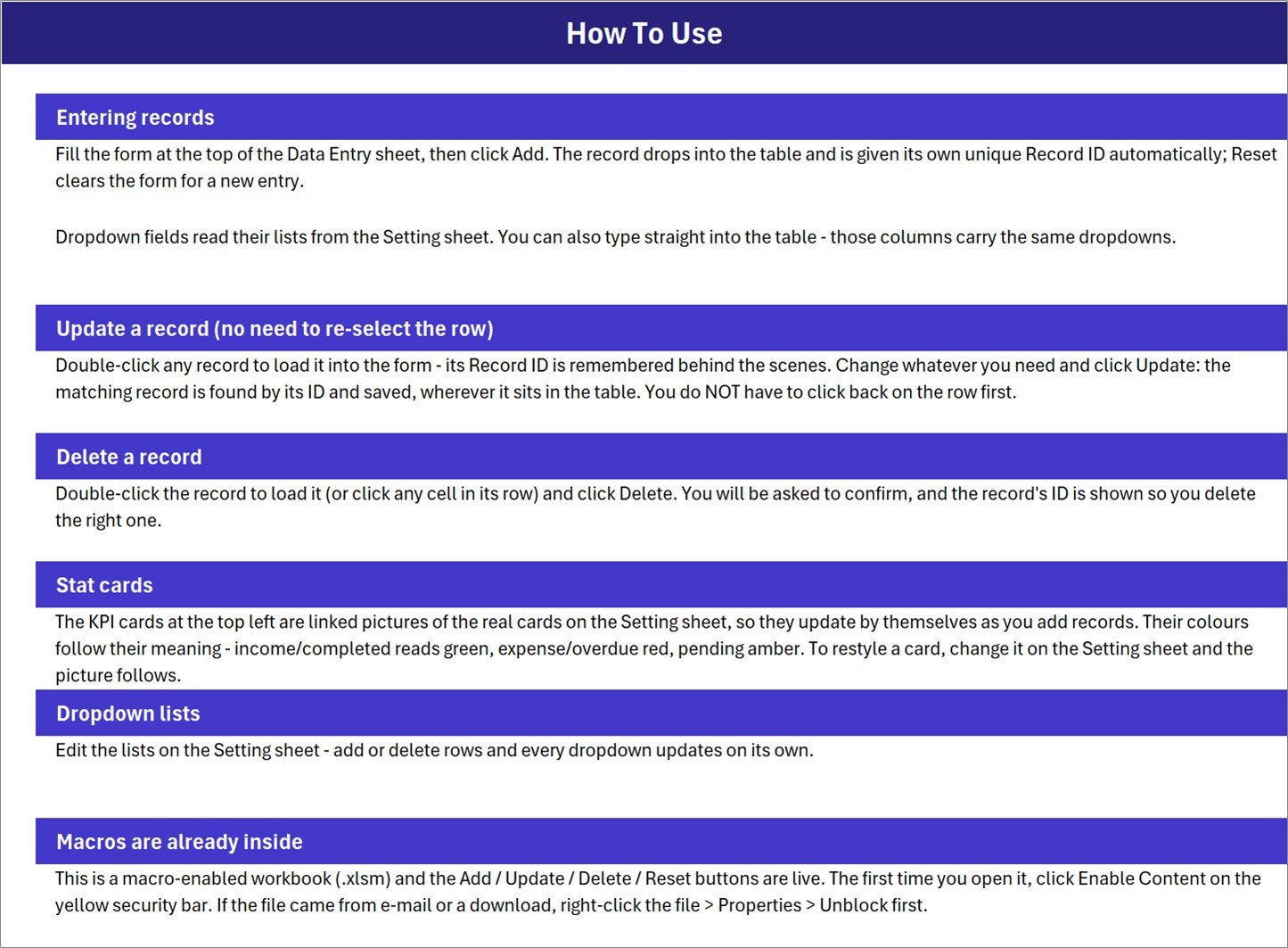
A written guide covering entering records, updating without re-selecting the row, deleting safely, how the stat cards are wired to the Setting sheet, editing the dropdown lists, and the one-time step of enabling macros — including unblocking the file if it arrived by email or download. A fourth sheet, Get More Templates, links back to the rest of the NextGenTemplates catalogue.
📊 Uniform Sales Data Entry System vs. a Google Sheets Order Log vs. Retail POS Software — Where This Fits
| Feature | Uniform Sales Data Entry System | Google Sheets Order Log | Retail POS / Order Software |
|---|---|---|---|
| Cost | $6.99 one-time ✅ | Free | $29-99 per till per month |
| Platform | Microsoft Excel, offline ✅ | Browser only, needs internet | Cloud SaaS, often with hardware |
| Setup time | Under 10 minutes ✅ | 1-2 hours to build from scratch | Days, plus onboarding |
| Guided entry form | 7-field VBA form with 4 buttons ✅ | Type directly into cells | Yes ✅ |
| Automatic record IDs | Yes — US-0001 format ✅ | Manual or formula | Yes ✅ |
| School age-band sizing | Built in — Age 5-6 to Age 15-16 ✅ | You build it | Rarely, without customisation |
| Part-payment statuses | 10 statuses incl. Partial and Deposit Paid ✅ | You build it | Yes ✅ |
| Works with no internet | Yes ✅ | No | No |
| Takes card payments / prints invoices | No | No | Yes ✅ |
| Deducts stock automatically | No | No | Yes ✅ |
| Data stays on your machine | Yes — one .xlsm file ✅ | Stored in Google Drive | Vendor servers |
| Year-1 cost | $6.99 total ✅ | $0 | $348-1,188 per till |
For a school office, uniform shop or corporate workwear supplier that needs a proper order register and a running sales figure — without a till, a subscription or a stock engine — the Uniform Sales Data Entry System sits in the sweet spot.
👥 Who This Template Is For — and Who It Is Not For
✅ This template is built for:
- School offices and PTA-run uniform shops taking orders from parents each term
- Uniform and schoolwear suppliers logging bulk orders from several schools at once
- Corporate workwear vendors recording branded shirt, tie and blazer orders by organisation
- Anyone chasing part-paid orders who needs Partial, Deposit Paid and Overdue as real statuses
- Anyone who wants a proper Add / Update / Delete workflow without learning a database
❌ This template is NOT for:
- Point-of-sale use — it does not take payments, open a till or print invoices or receipts
- Stock control — it records what was sold, but does not deduct it from an inventory balance
- Teams on Mac Excel or Google Sheets — the buttons rely on Windows VBA macros
- Per-item line pricing — Amount is the order value you enter, not Quantity multiplied by a unit price
- Multi-user simultaneous editing; it is a single-file workbook, not a shared database
⚙️ How to Use the Uniform Sales Data Entry System
- Unzip the download and open Uniform_Sales_System.xlsm in Microsoft Excel.
- Click Enable Content on the yellow security bar. If the file came by email, right-click it first, choose Properties, and tick Unblock.
- Open the Setting sheet and replace the sample Uniform Type, Size and Payment Status lists with your own garments, size chart and statuses.
- Go back to the Data Entry sheet and delete the six sample order rows.
- Fill the form — School / Organization, Uniform Type, Size, Quantity, Order Date, Amount, Payment Status — and click Add. The Record ID and Entry TimeStamp fill themselves.
- To change an order, double-click its row, edit the form and click Update. To remove one, load it and click Delete, then confirm.
- Click Reset any time you want to clear the form and start a fresh entry.
- Watch the Total Sales and Pending Payments cards as you go — they recalculate on every entry.
💼 Real-World Use Cases
Farida runs the uniform shop at a 900-pupil secondary school. Between July and September she takes several hundred orders across blazers, ties, PE kits and sweaters. Every order goes in under the family name in the School / Organization field with its size and amount, and the Pending Payments card tells her each morning how many parents still owe before term starts.
Devon supplies schoolwear to eleven primary schools. Each bulk order is logged against the school name, so filtering the register by School / Organization gives him that school’s full order history in one click. Deposit Paid and Partial keep the half-settled purchase orders visible instead of buried in a notebook.
Priya handles branded workwear for a facilities company. New starters need shirts and ties in adult sizes; the same register handles them because the Size List carries XS to XXL alongside the age bands. When an order is cancelled she sets the status to Cancelled rather than deleting it, so the month-end figures still reconcile.
❓ Frequently Asked Questions
What does the Uniform Sales Data Entry System record?
The Uniform Sales Data Entry System stores 10 fields per order — S.No., Record ID, School / Organization, Uniform Type, Size, Quantity, Order Date, Amount, Payment Status and Entry TimeStamp — entered through a seven-field form and saved to a running register.
Do I need to enable macros?
Yes. The Uniform Sales Data Entry System is a macro-enabled .xlsm workbook and the Add, Update, Delete and Reset buttons are VBA. Click Enable Content on the yellow bar the first time you open it, and unblock the file in Properties if it arrived by email.
Is this a point-of-sale system?
No. The Uniform Sales Data Entry System is an order register. It does not take card payments, open a cash drawer, or print invoices or receipts. It records what was ordered, by whom, for how much, and whether it has been paid.
Does it track uniform stock levels?
No. Adding an order does not deduct anything from an inventory balance — there is no stock sheet in this workbook. It is a sales and payment register, deliberately kept to that job.
Can I add my own uniform types and sizes?
Yes. Every dropdown reads from the Setting sheet. Add or delete rows in the Uniform Type List, Size List or Payment Status List and the Uniform Sales Data Entry System updates all its dropdowns automatically, in the form and in the table columns.
Does the Amount calculate itself from Quantity?
No. Amount is a figure you enter for the order, which keeps bulk discounts, mixed baskets and negotiated school rates possible. Total Sales then sums that column across every record.
How long does setup take?
Under 10 minutes. Unzip, enable macros, swap the three dropdown lists on the Setting sheet for your own garments, sizes and statuses, delete the six sample orders, and the Uniform Sales Data Entry System is ready.
Does it work on Mac or in Google Sheets?
The Uniform Sales Data Entry System is built for Microsoft Excel on Windows. The register and dropdowns open elsewhere, but the Add, Update, Delete and Reset buttons depend on Windows VBA and will not run on Google Sheets.
👤 About the Author
Built by PK — Microsoft Certified Professional with 15+ years of Excel, Google Sheets, and Power BI experience. Founder of NextGenTemplates, reaching 300K+ subscribers across YouTube channels (@PK-AnExcelExpert, @NextGenTemplates, @NeoTechNavigators). Every template is hand-built and tested before release.
🔗 Explore Related Templates
- Online Order Tracker Data Entry System in Excel — the same order-register pattern for web orders and deliveries.
- Customer Credit (Udhaar) Data Entry System in Excel — for the accounts that never settle on the day.
- Membership Card Data Entry System in Excel — built the same way, for cards and renewals instead of orders.
- Class Schedule Data Entry System in Excel — the timetable side of the same school office.
- Gift Tracker Data Entry System in Excel — a lighter register with the identical form-and-cards layout.
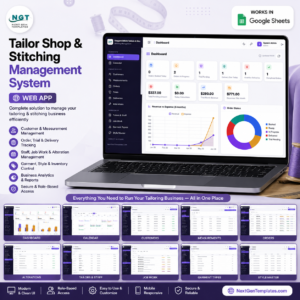
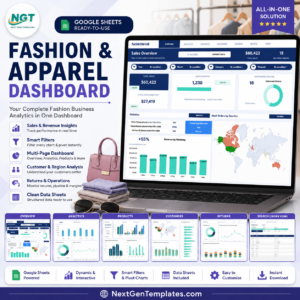
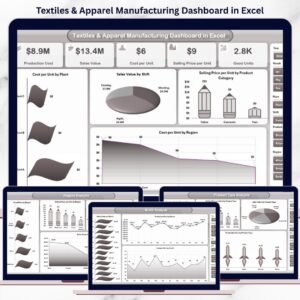
If you want charts and slicers rather than a register, the Fashion and Apparel Dashboard in Google Sheets and the Textiles & Apparel Manufacturing Dashboard in Excel show how garment sales data looks as a full dashboard. For a full multi-user system with stitching jobs and invoicing, see the Tailor Shop and Stitching Management System Web App.
📖 Click here to read the Detailed Blog Post
🎥 Visit our YouTube channel for step-by-step video tutorials
👉 YouTube.com/@NextGenTemplates
📅 Last updated: August 2026















Reviews
There are no reviews yet.