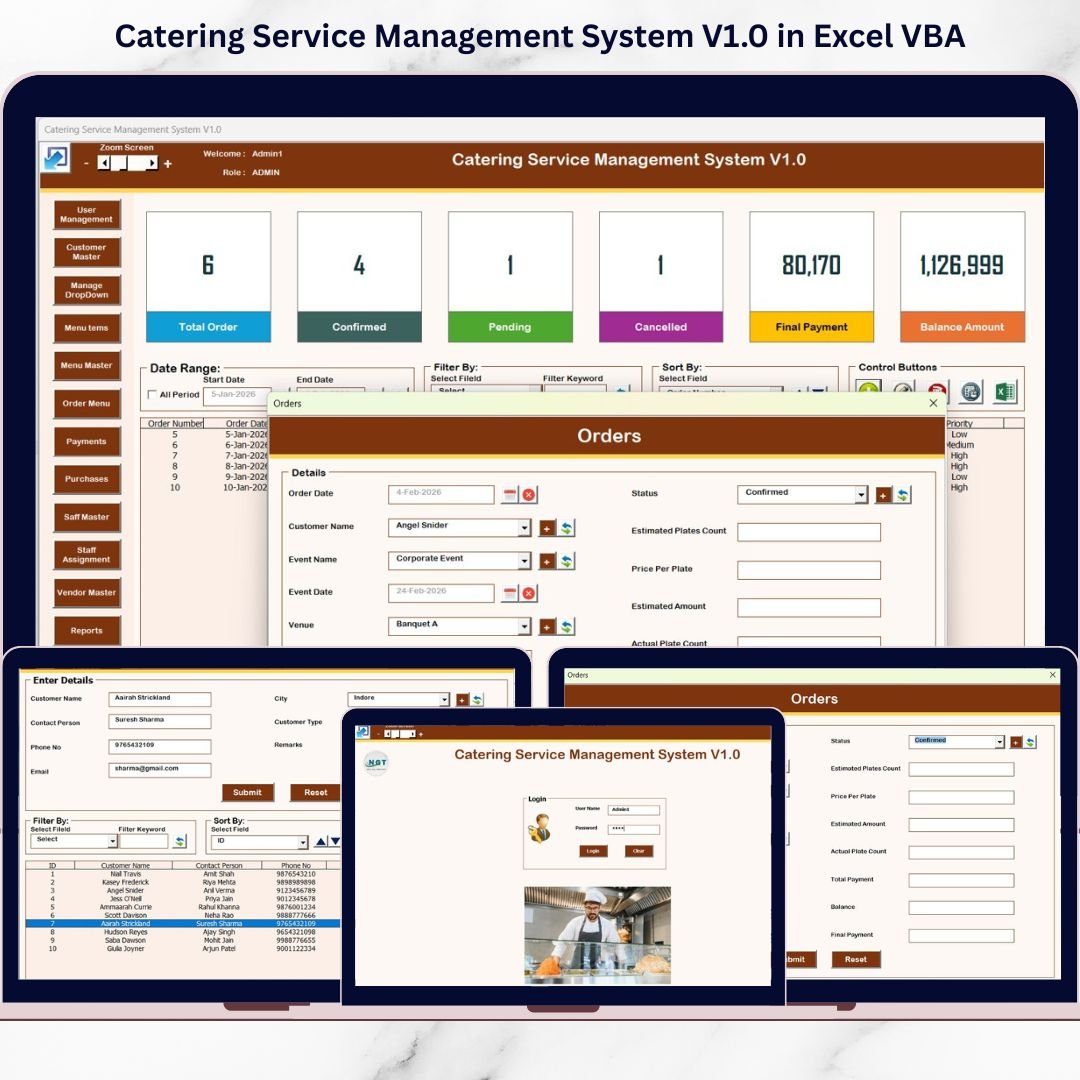
Managing a catering business involves handling orders, customers, menus, staff, vendors, payments, and reports—often all at the same time. When these activities are managed through multiple Excel files, notebooks, or manual registers, errors increase, data gets duplicated, and operations slow down.
That is exactly where the Catering Service Management System V1.0 in Excel VBA becomes a powerful operational upgrade.
This ready-to-use Excel VBA–based system transforms Microsoft Excel into a complete, application-like catering management solution. Instead of juggling spreadsheets, catering businesses can manage all operations from one centralized system with forms, controls, and role-based access.
Because the system runs entirely inside Excel, it works offline, requires no monthly subscription, and does not depend on the internet or external software. As a result, small and mid-sized catering businesses gain professional-grade management without high software costs.
🔑 Key Features of Catering Service Management System V1.0
🔐 Secure Login System – Role-based access with Admin and User accounts
📋 Centralized Catering Database – Orders, customers, menus, staff, vendors, and payments in one file
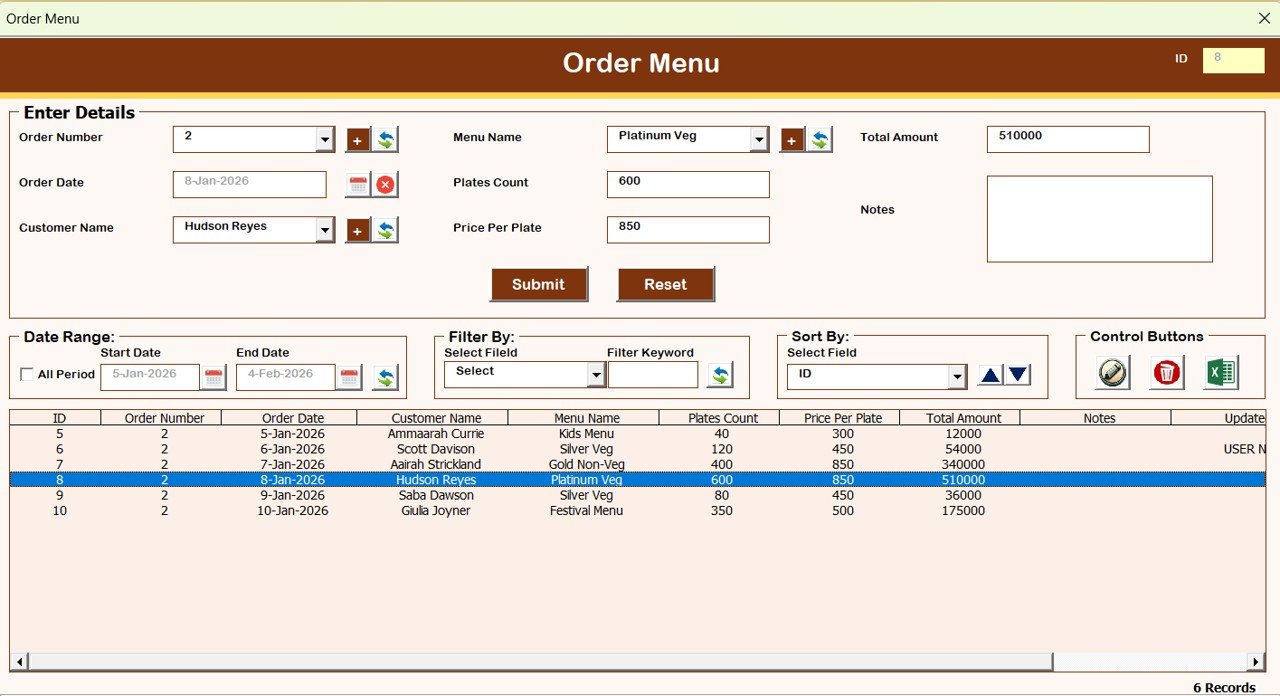
🧾 Order Management Forms – Add, update, and track catering orders easily
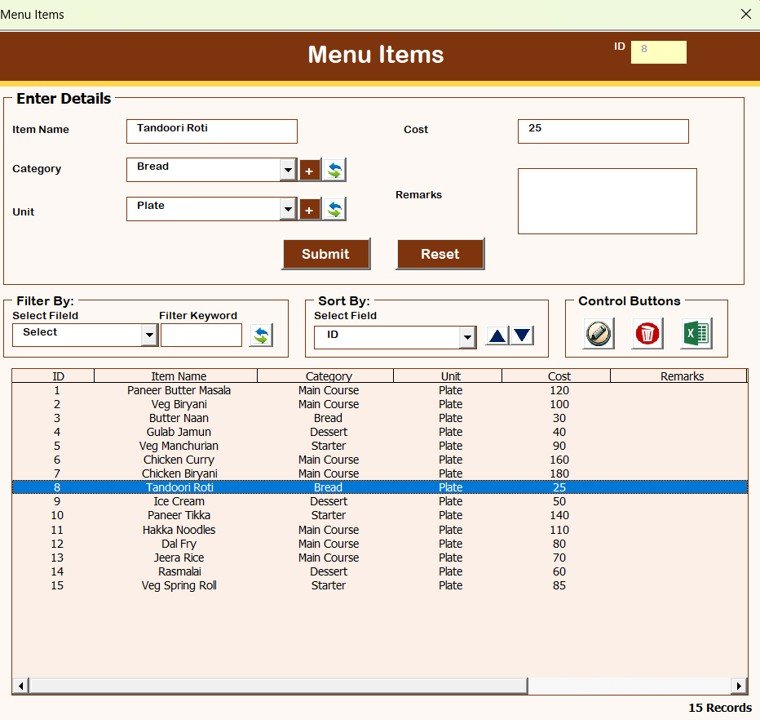
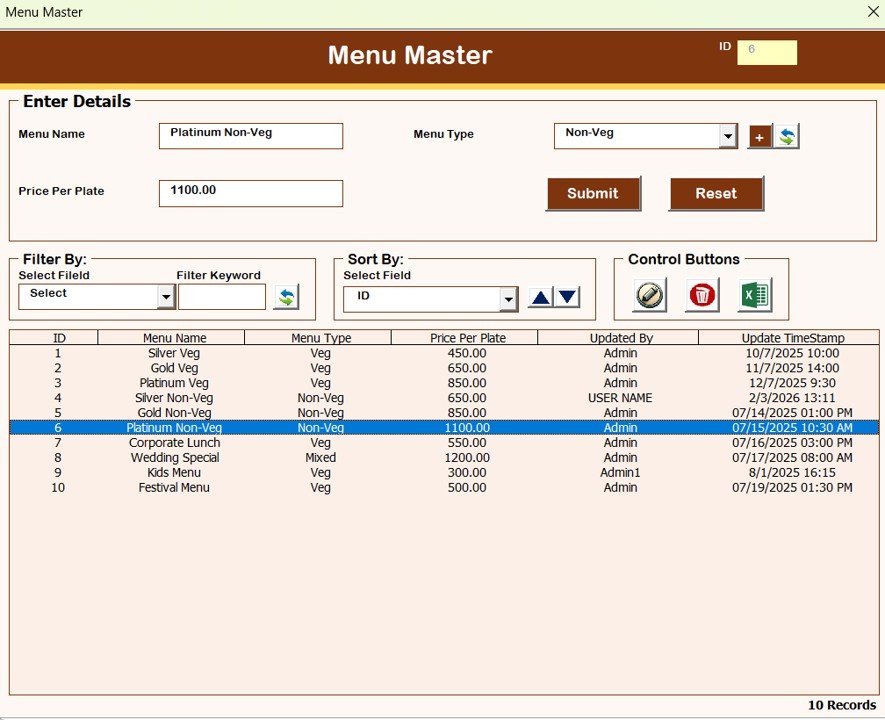
📦 Menu & Menu Combination Management – Manage menu items and bundled menus
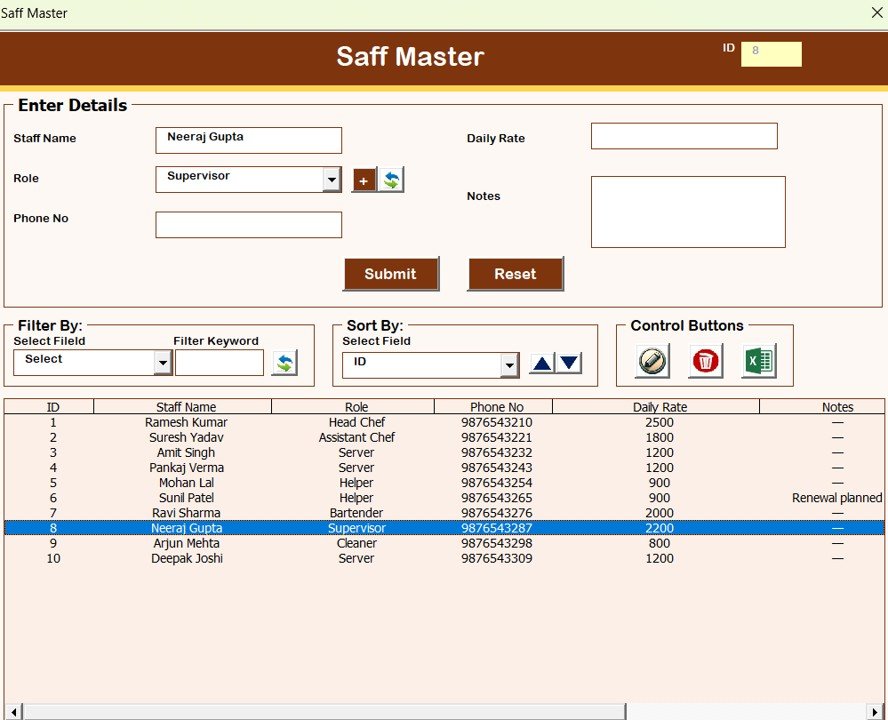
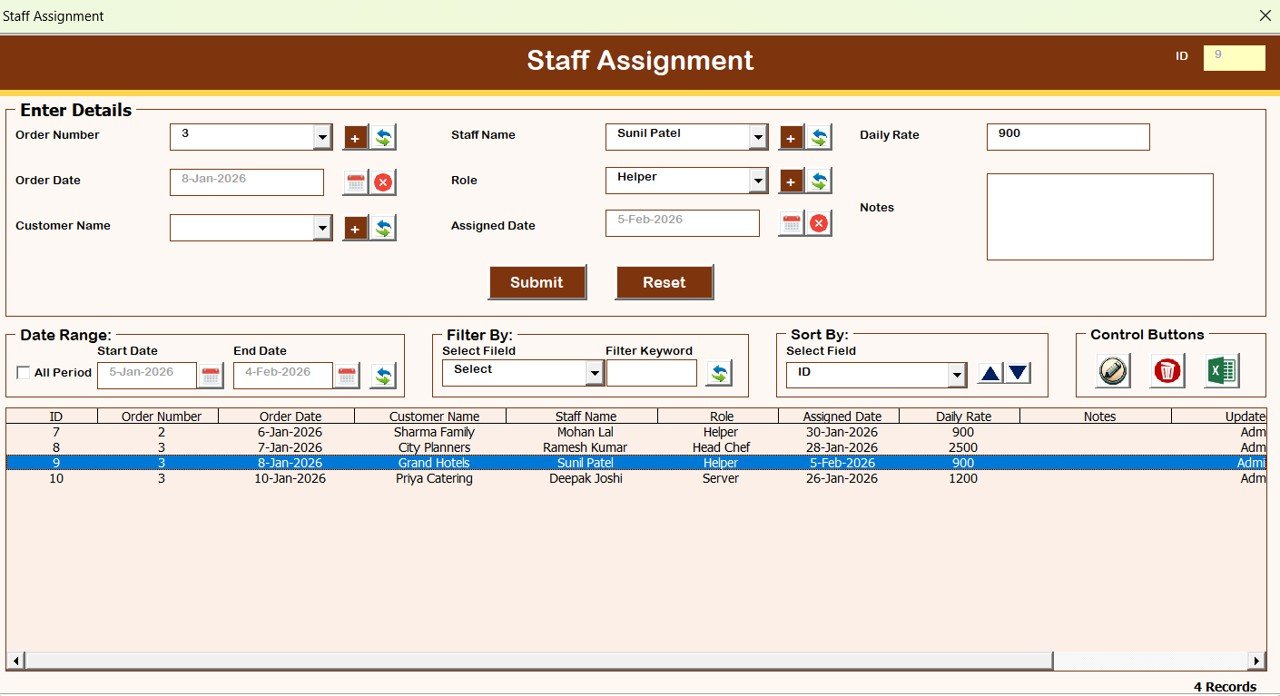
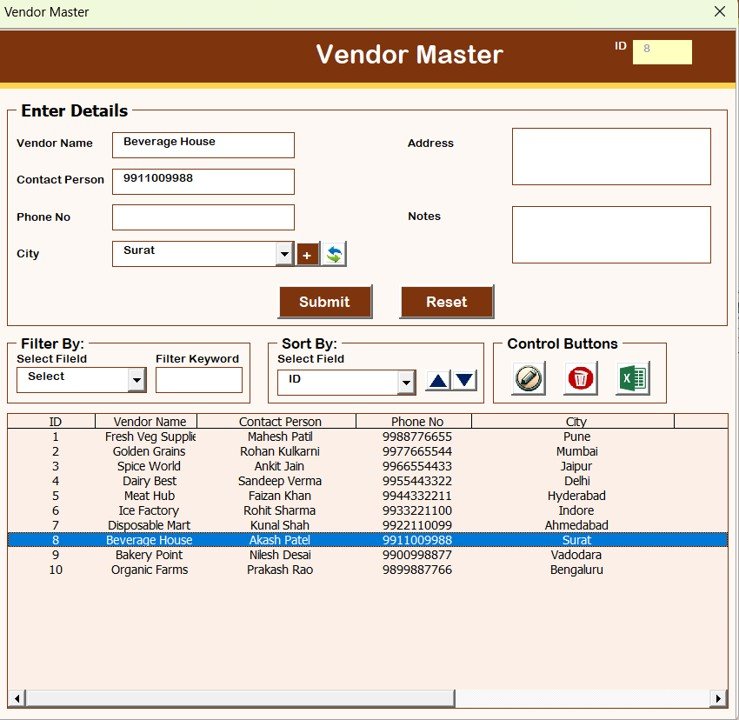
👥 Staff & Vendor Management – Maintain staff details, assignments, and vendor records
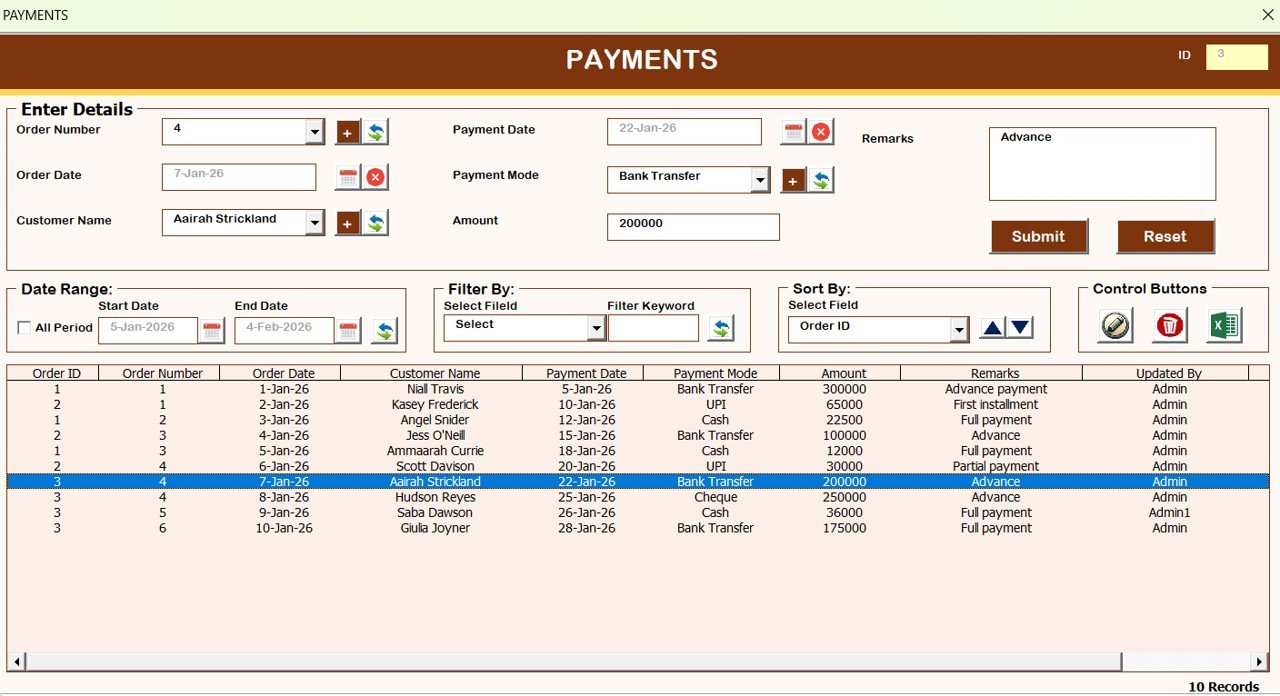
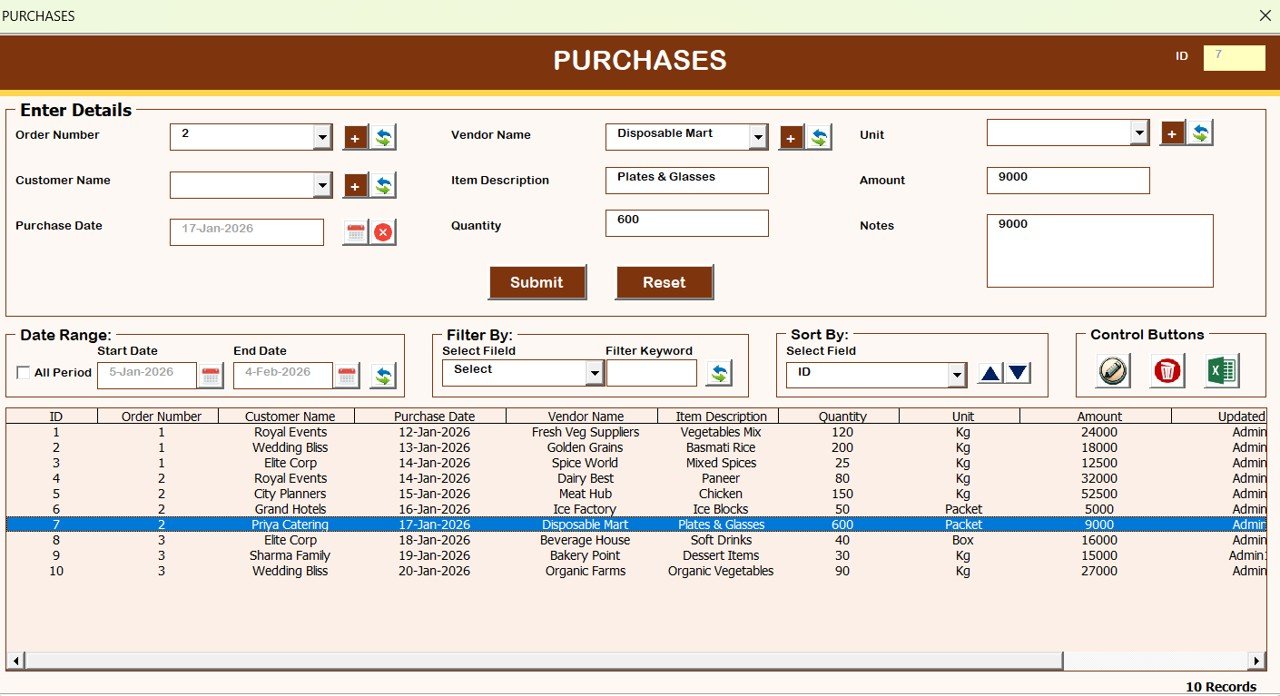
💰 Payments & Purchases Tracking – Record collections and expenses accurately
📊 Built-in Reports Module – Generate and export reports instantly
📁 Export to Excel – Export records into new Excel files anytime
🛠️ Fully Offline Excel VBA System – No internet, no subscription, no dependency
📂 What’s Inside the Catering Service Management System
This system is designed with multiple structured forms and modules, all connected through a central Main Form.
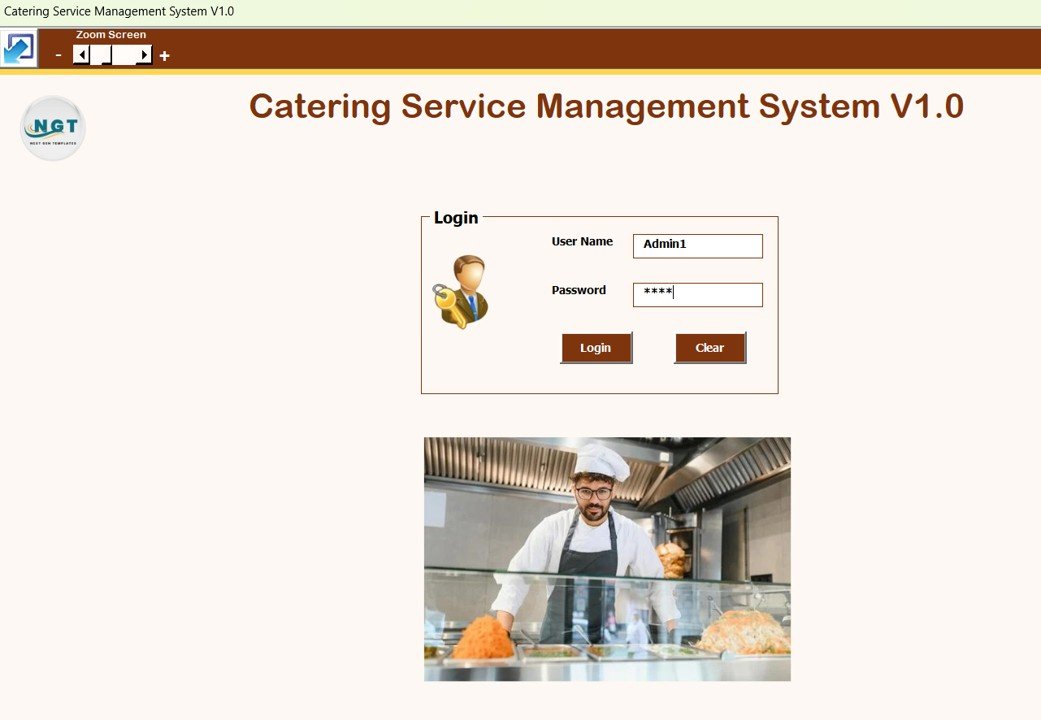
📄 Login Form
The system starts with a secure Login Form to control access.
Default Credentials (Can Be Changed):
Admin: Username:
Admin1| Password:abcdUser: Username:
User1| Password:abcd
Only authorized users can access the system.
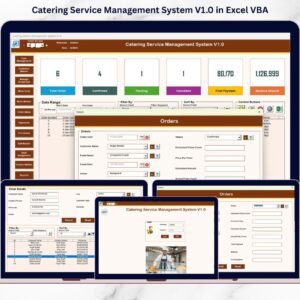
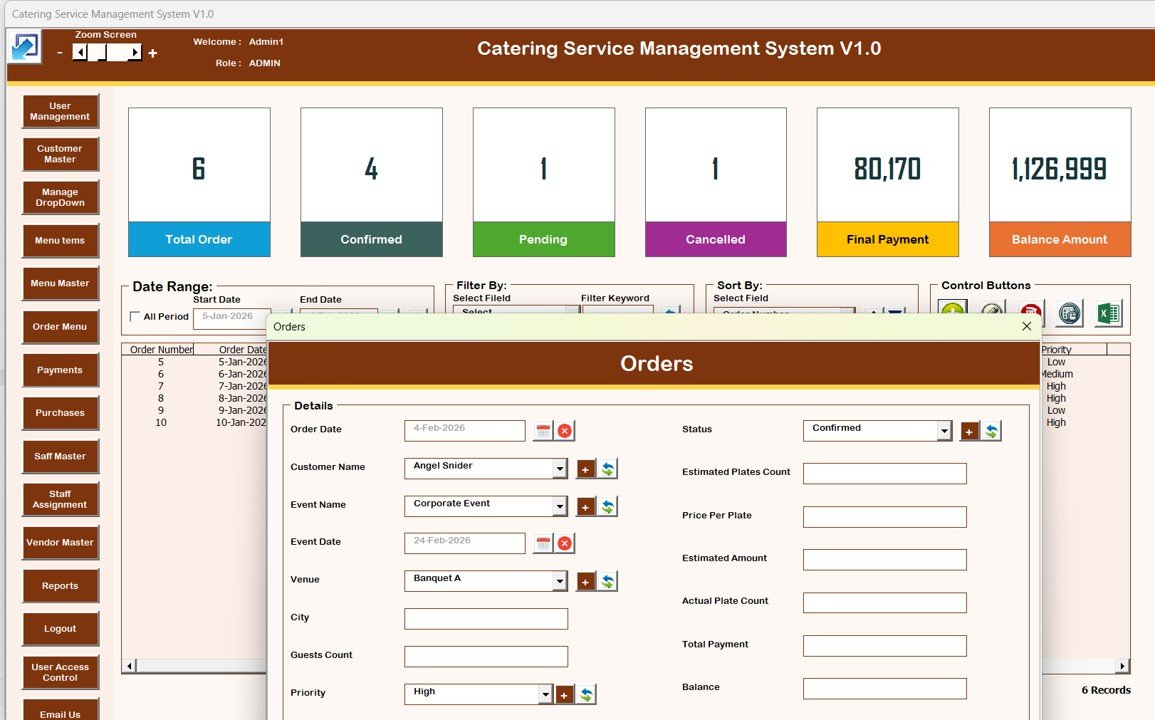
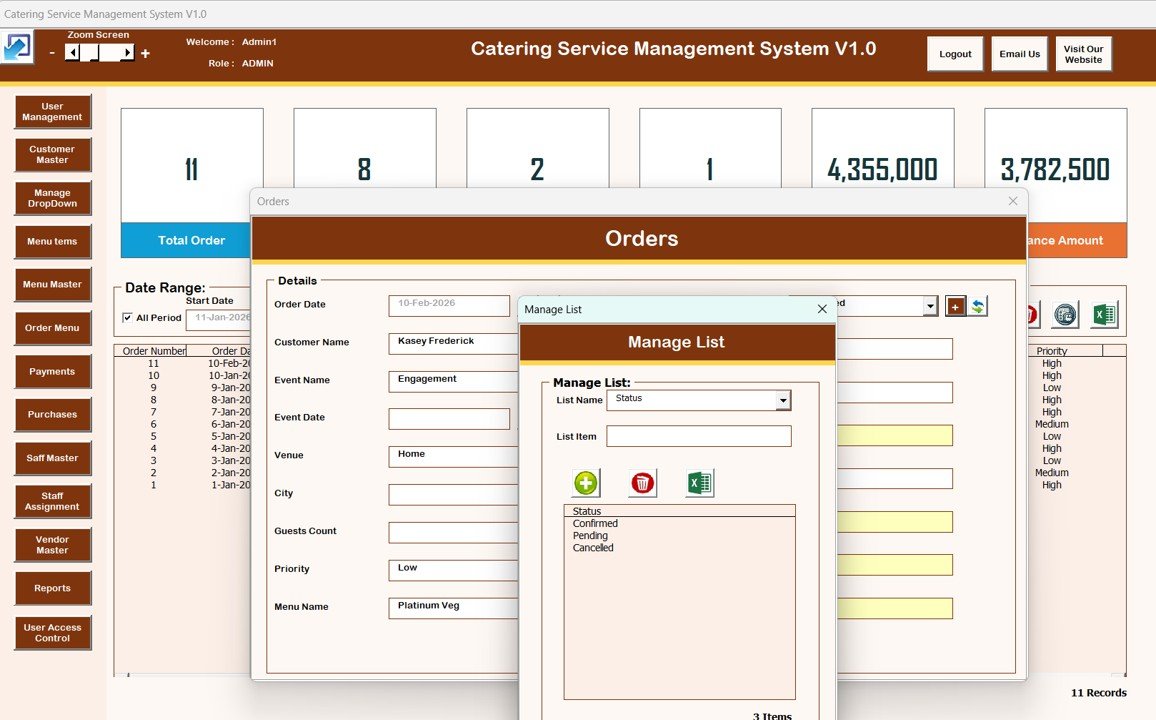
📄 Main Form (Control Panel)
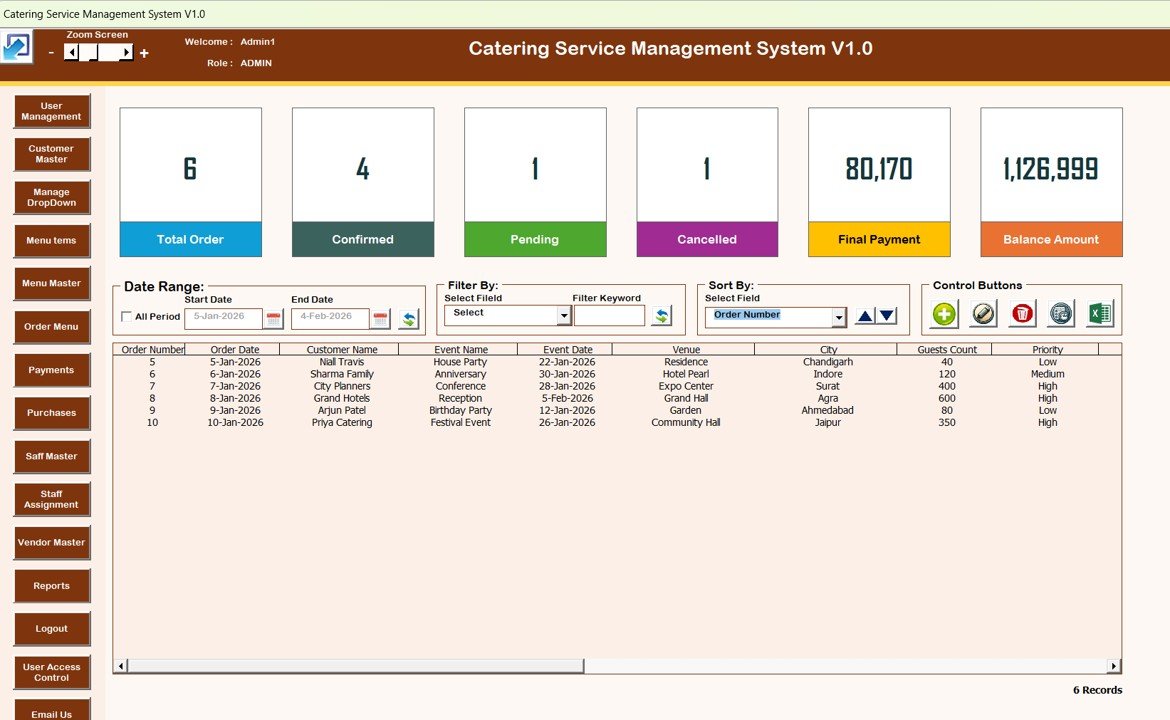
The Main Form acts as the dashboard of the system.
Central List Box displays orders or transactions
Filters to view records by date range or columns
Sorting options to organize data quickly
Control Buttons Available:
➕ Add New Record
✏️ Update Existing Record (double-click enabled)
🗑️ Delete Record
🕒 Show Record History
📤 Export to Excel
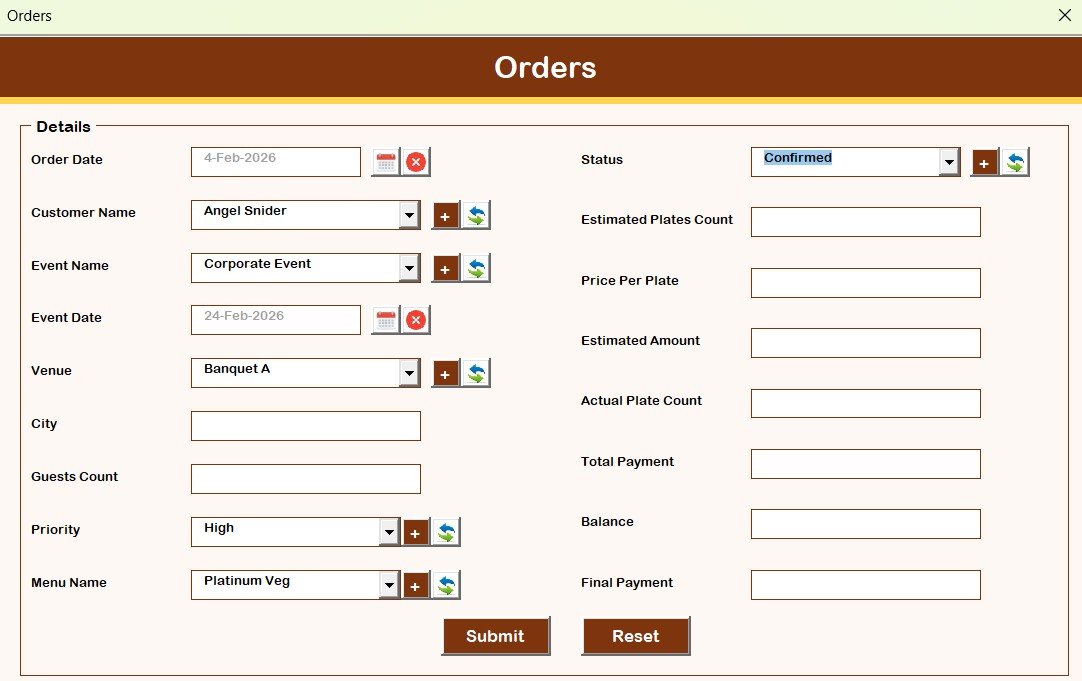
📄 Orders Form
This is the primary data entry screen:
Opens when adding or updating records
Captures catering order details
Saves data directly into the system database
📄 Navigation Menu (Left Panel)
Provides access to all system modules:
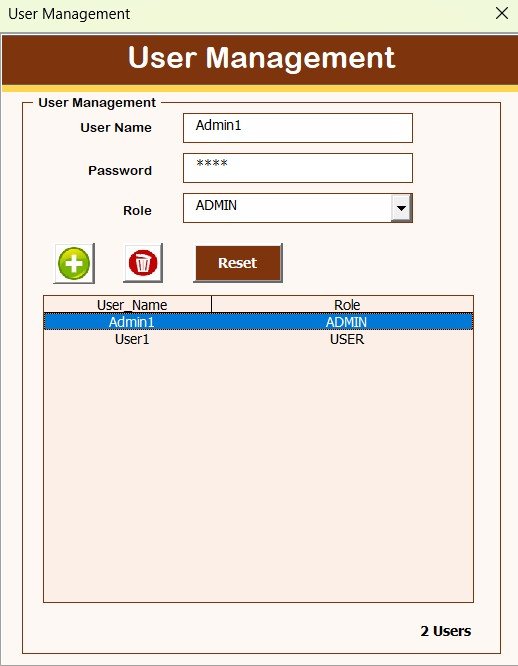
User Management
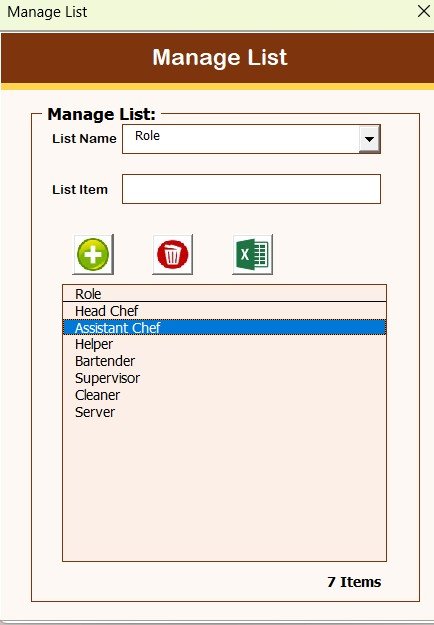
Manage List (dropdown controls)
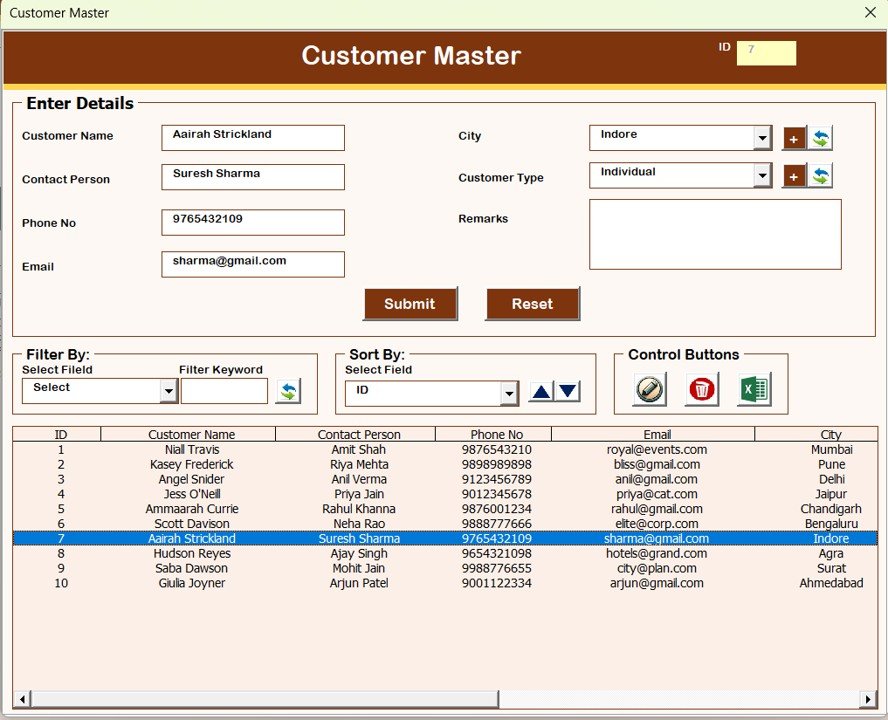
Customer Master
Menu Items
Menu Master
Order Menu Assignment
Payments
Purchases
Staff Master
Staff Assignment
Vendor Master
Reports
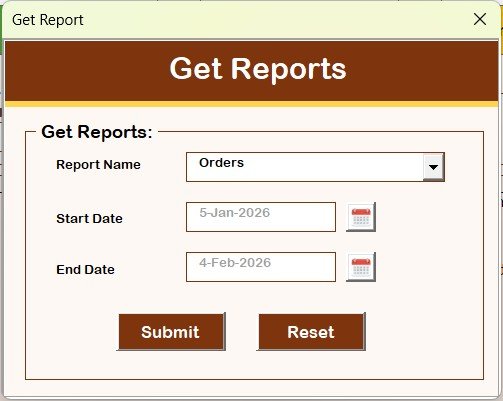
📄 Reports Module
Generate reports for a selected date range
Export reports directly to Excel
Useful for billing, audits, and reviews
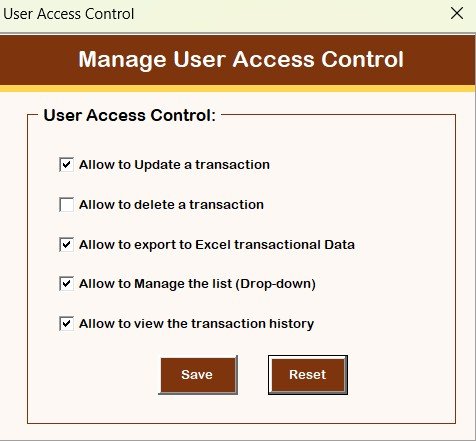
📄 User Access Control
Available only for Admin users
Define which screens and features Users can access
Improves data security and operational control
🧭 How to Use the Catering Service Management System
Using the system is simple and intuitive:
1️⃣ Login using Admin or User credentials
2️⃣ Add customers, menus, staff, and vendors
3️⃣ Create and manage catering orders
4️⃣ Assign menus and staff to orders
5️⃣ Track payments and purchases
6️⃣ Generate and export reports
Because everything runs inside Excel, users can start working immediately.
👥 Who Can Benefit from This Catering Management System
This system is ideal for:
🍽️ Small & Mid-Size Catering Businesses
🏢 Event Catering Companies
🍱 Corporate Catering Providers
🧾 Catering Business Owners
📊 Operations & Admin Teams
If you want a simple yet professional catering management solution, this tool is built for you.
🔗 Click here to read the Detailed Blog Post
🎥 Visit our YouTube channel to learn step-by-step video tutorials
Visit our YouTube channel to learn step-by-step video tutorials