

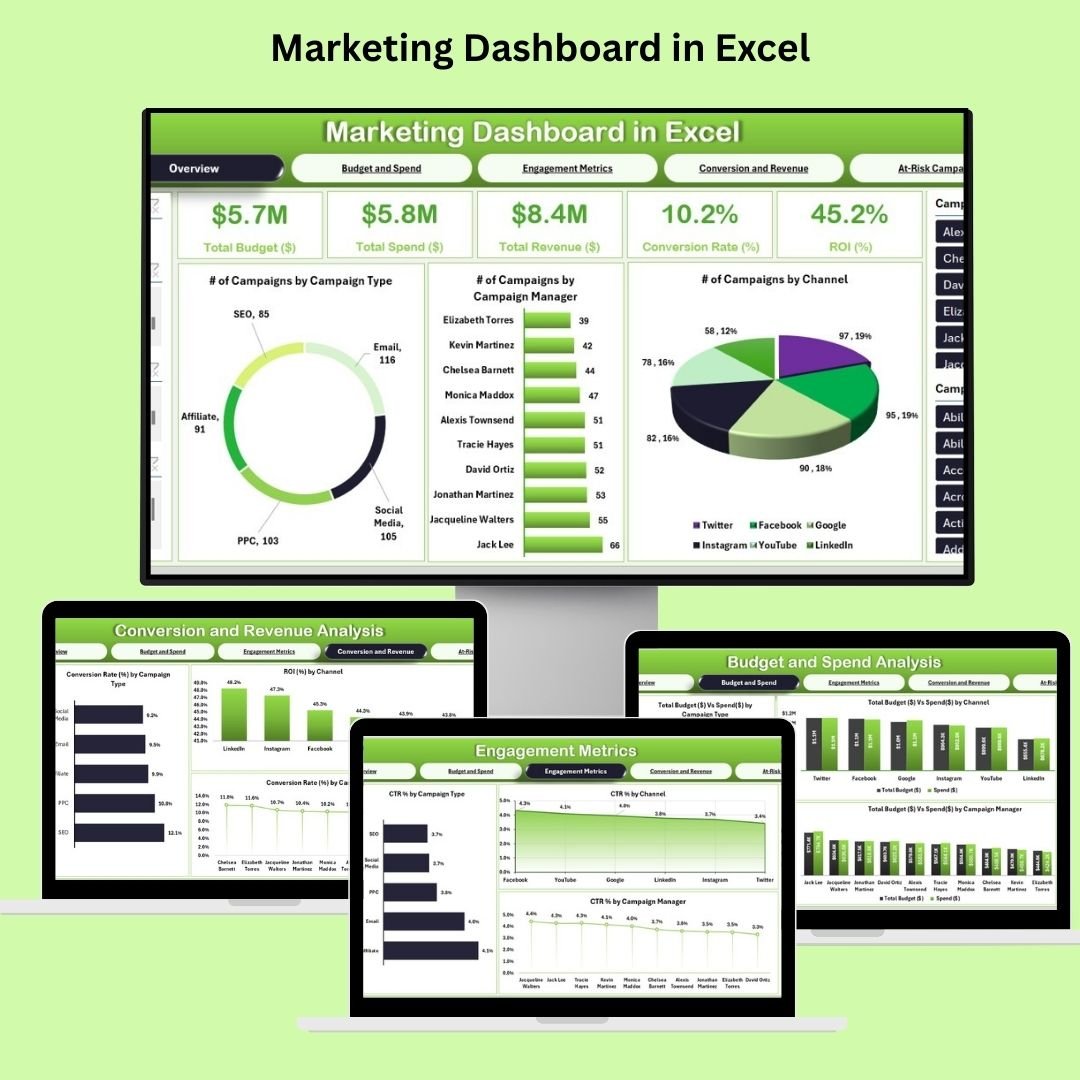
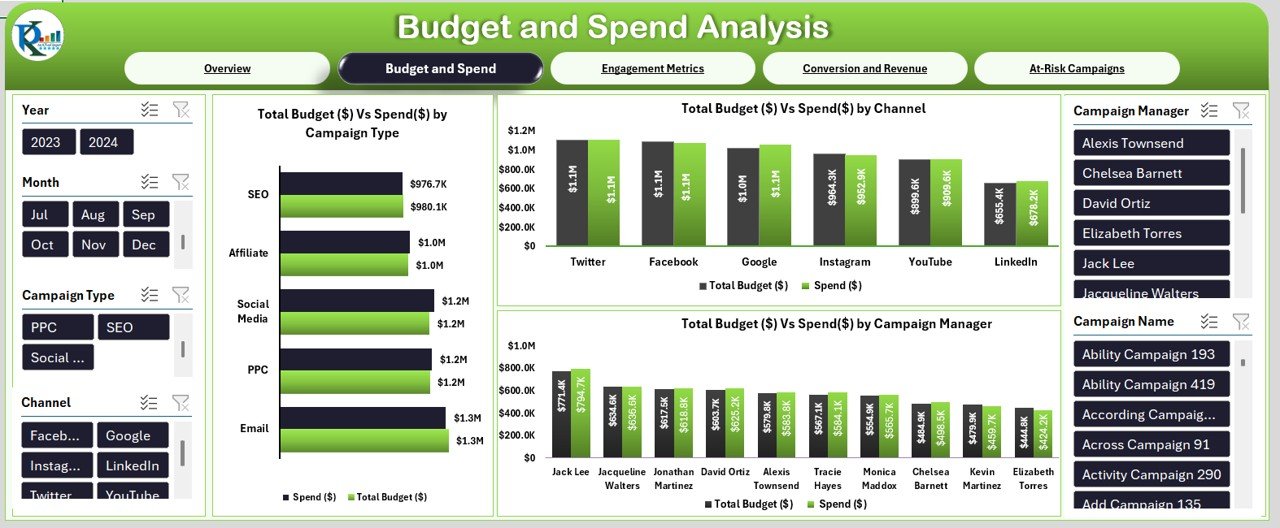
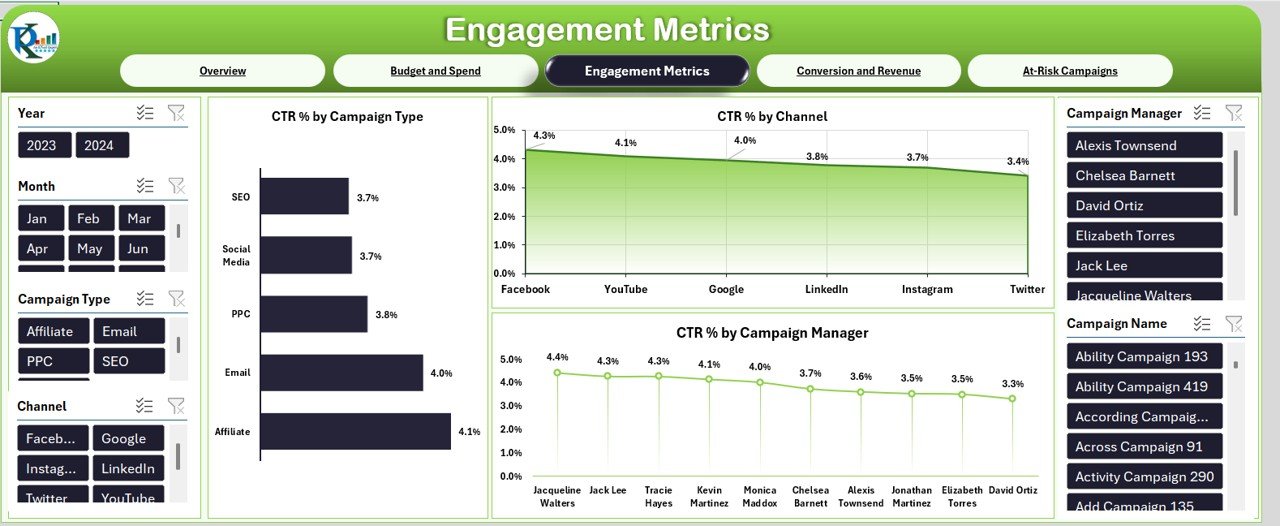
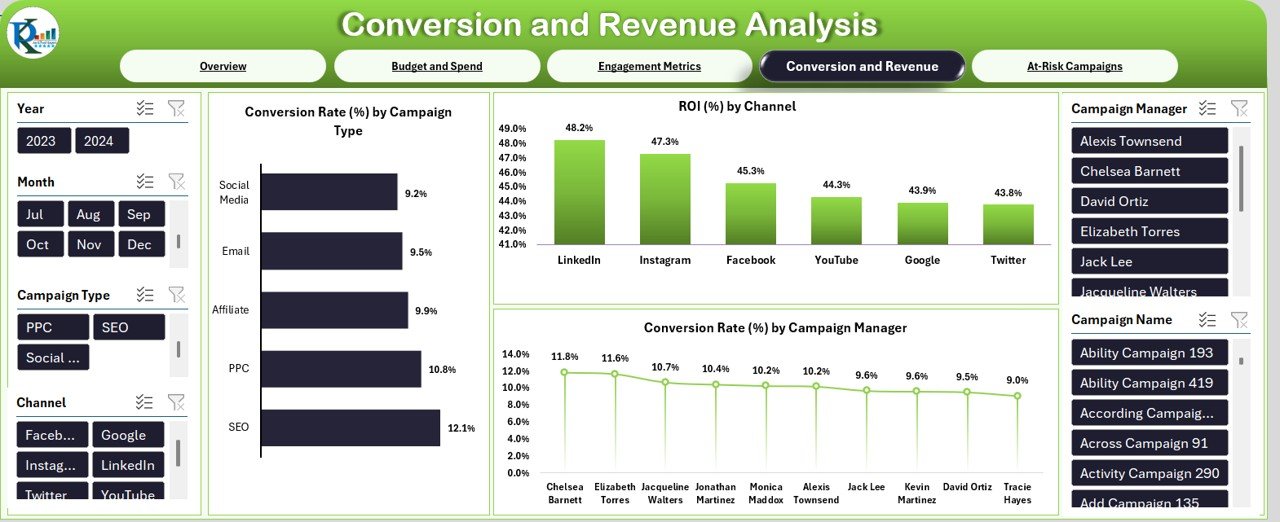
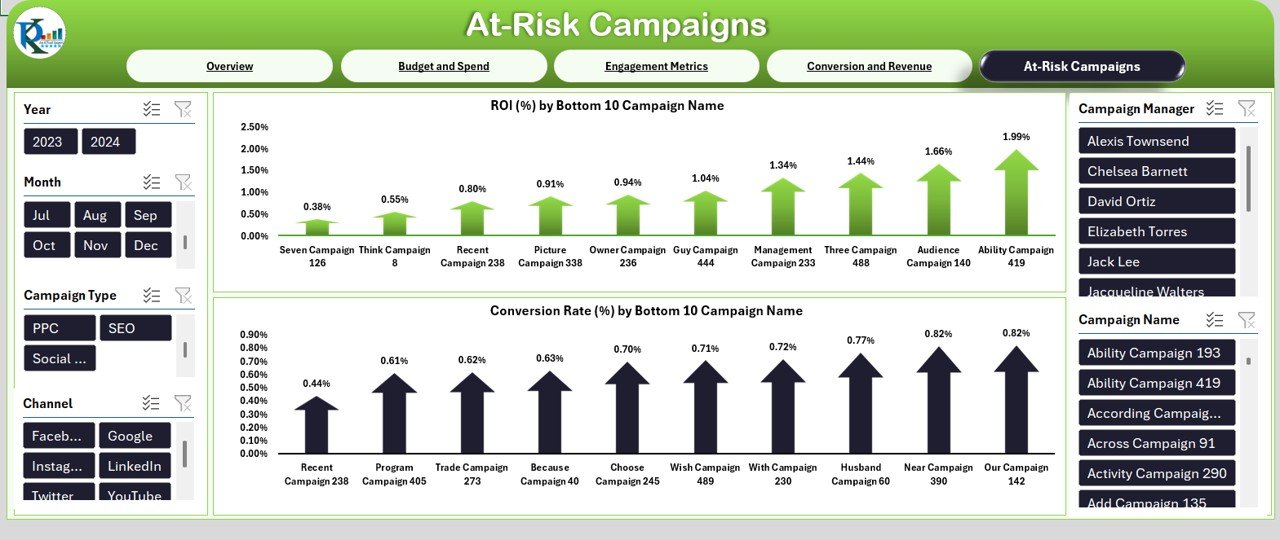
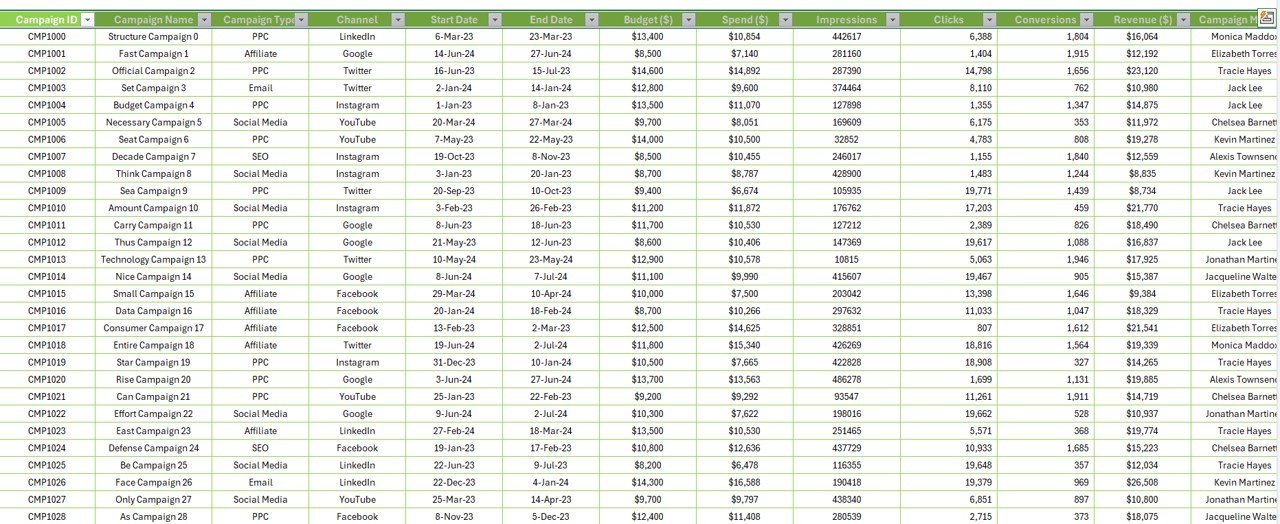
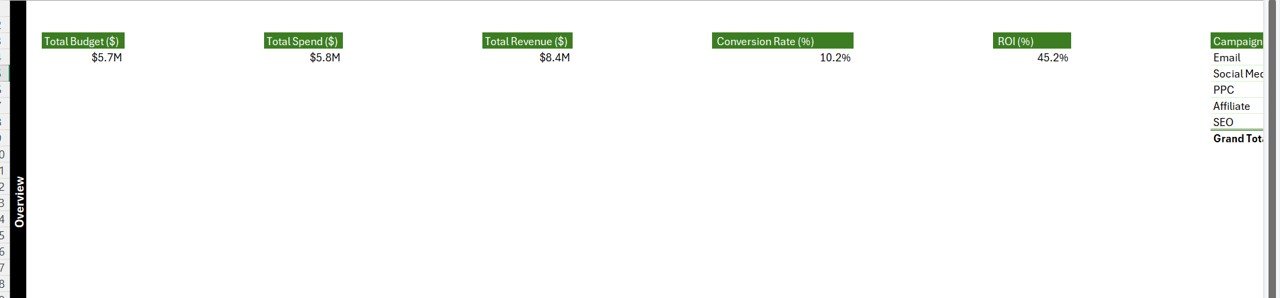

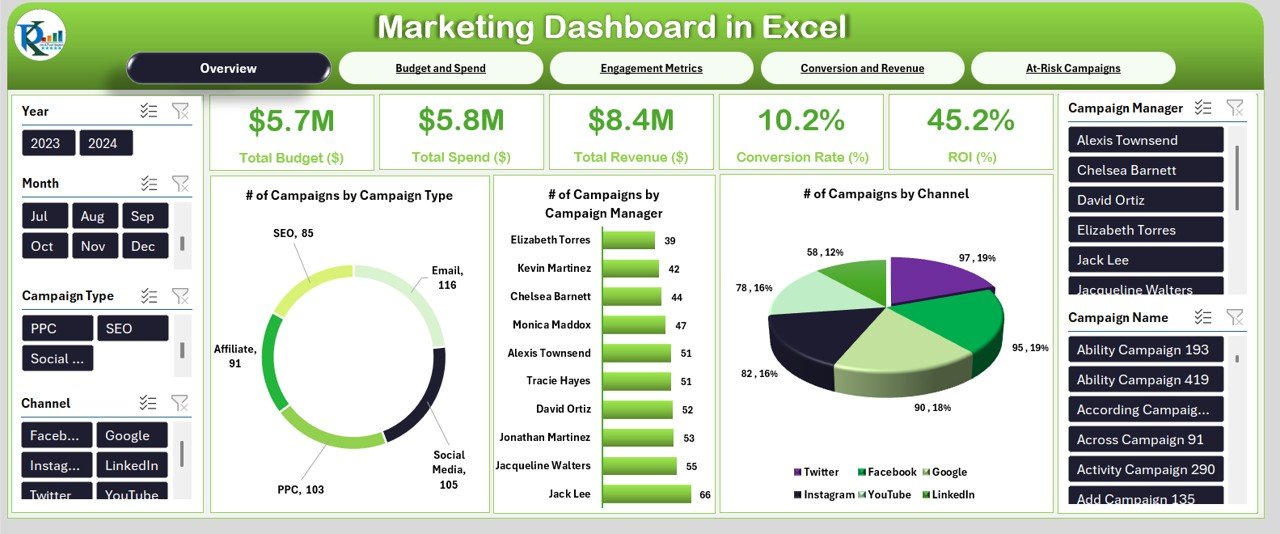
The Marketing Dashboard in Excel is an essential tool designed to help businesses track, analyze, and optimize their marketing efforts in a simple and efficient way. This ready-to-use Excel template offers a comprehensive view of your marketing performance by tracking key metrics such as campaign performance, social media engagement, website traffic, and lead generation. Whether you’re a marketing manager, business owner, or data analyst, this dashboard provides you with the insights you need to make informed decisions and improve your marketing strategies.
With interactive charts, automated data tracking, and customizable features, the Marketing Dashboard in Excel simplifies the process of monitoring marketing KPIs and identifying areas for improvement. Stay on top of your marketing goals, boost your team’s productivity, and drive business growth with this powerful, easy-to-use tool.
Key Features of the Marketing Dashboard in Excel
📊 Comprehensive Marketing KPIs
Track key performance indicators such as conversion rates, ROI, campaign performance, website visits, leads generated, and more. Analyze your marketing efforts across multiple channels to identify what’s working and where to improve.
📈 Real-Time Data Integration
Automatically update your marketing metrics by connecting your data sources to the dashboard. Stay on top of real-time performance data and make quicker decisions based on up-to-date information.
📅 Campaign Performance Tracking
Monitor the success of individual marketing campaigns by tracking essential metrics such as cost per lead, click-through rates, and overall ROI. Compare the effectiveness of different campaigns and optimize your marketing spend.
⚙️ Interactive Charts & Graphs
View your marketing data in visually engaging charts and graphs. Interactive elements allow you to drill down into specific metrics for a deeper analysis of performance trends.
📊 Customizable KPI Metrics
Tailor the dashboard to fit your marketing objectives by adding or modifying KPIs based on your unique goals. This makes the tool adaptable to any business, from small startups to large enterprises.
🔄 Goal Setting & Tracking
Set monthly or quarterly marketing goals and track your progress toward achieving them. The dashboard automatically updates goal completion percentages, keeping your team aligned and focused.
Why You’ll Love the Marketing Dashboard in Excel
✅ Centralized Marketing Data
Gather all your marketing data in one place, making it easy to track performance across multiple channels.
✅ Time-Saving Automation
Automate your marketing tracking to save time on manual data entry and analysis. Let the dashboard do the hard work while you focus on strategy.
✅ Improved Decision-Making
Make data-driven decisions with actionable insights. The dashboard provides clear visualizations that help you quickly assess marketing performance.
✅ Increased Productivity
Focus your efforts on high-performing areas by identifying underperforming campaigns and optimizing them for better results.
✅ Customizable for Any Marketing Strategy
The dashboard is highly customizable, allowing you to track the metrics that matter most to your specific marketing strategy.
What’s Inside the Marketing Dashboard in Excel?
Comprehensive KPI Tracking: Track key marketing metrics such as ROI, campaign performance, leads, and conversions.
Campaign Performance Analysis: Evaluate the success of each marketing campaign.
Interactive Charts & Visualizations: Easily visualize your marketing data with dynamic charts and graphs.
Customizable KPIs: Adjust the dashboard to fit your business’s specific marketing needs.
Goal Setting & Tracking: Set and monitor marketing goals over time.
Real-Time Data Integration: Keep your marketing metrics up to date with automatic data syncing.
How to Use the Marketing Dashboard in Excel
1️⃣ Download the Template: Instantly access your Marketing Dashboard in Excel.
2️⃣ Input Your Marketing Data: Enter your data sources and metrics, or connect the dashboard to external data sources.
3️⃣ Track KPIs & Performance: Monitor your marketing metrics and see how your campaigns are performing in real time.
4️⃣ Analyze Results with Charts: Use visualizations to track progress and make improvements where needed.
5️⃣ Optimize Marketing Campaigns: Identify which marketing strategies are driving the most value and focus your efforts on what works.
Who Can Benefit from the Marketing Dashboard in Excel?
🔹 Marketing Managers & Directors
🔹 Small & Medium Businesses (SMBs)
🔹 Digital Marketing Agencies
🔹 Content & Social Media Managers
🔹 Business Owners & Entrepreneurs
🔹 Data Analysts & Marketing Analysts
Track, analyze, and optimize your marketing efforts with the Marketing Dashboard in Excel. Boost your marketing performance and make data-driven decisions that will grow your business.
Click here to read the Detailed blog post
Visit our YouTube channel to learn step-by-step video tutorials
Youtube.com/@PKAnExcelExpert
Watch the step-by-step video tutorial:
Compatibility and Requirements
- Works in Microsoft Excel desktop (Excel 2016 or later, or Microsoft 365).
- Microsoft explains how Excel charts work in Create a chart from start to finish.
Frequently Asked Questions
Which marketing KPIs does the dashboard track?
Conversion rates, ROI, campaign performance, website visits and leads generated, plus campaign metrics such as cost per lead and click-through rate.
Can I set marketing goals?
Yes. Set monthly or quarterly goals and the dashboard updates goal completion percentages.
Can I add my own KPIs?
Yes. You can add or modify KPIs to match your marketing objectives.
Can I compare campaigns?
Yes. Campaign performance tracking lets you compare the results of different campaigns side by side.
Related Marketing Templates
- Marketing Dashboard in Google Sheets: the same topic for Google Sheets users
- Marketing Dashboard in Power BI: the same topic for Power BI users
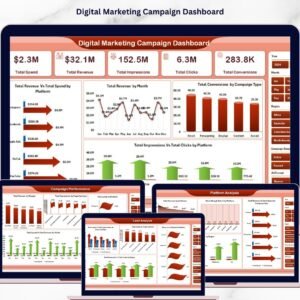
- Marketing Campaign Dashboard in Excel: a closer look at campaign results
- Marketing Campaign Calendar in Excel: plan campaign dates for the year
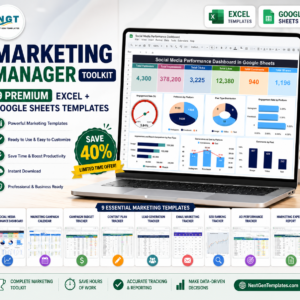
- Marketing Manager Toolkit: 9 marketing templates for Excel and Google Sheets
Browse all Excel dashboard templates or the Excel sales and marketing templates.






















Reviews
There are no reviews yet.