




Email Marketing Campaign Calendar in Excel
The Email Marketing Campaign Calendar in Excel is a ready-to-use Excel calendar template built to help marketers plan newsletters, launch emails, promotional campaigns, webinar reminders, seasonal offers, and customer follow-up activity in one organized workbook.
This template gives you annual, monthly, and daily planning views, plus an Events database sheet where every campaign event can be recorded and maintained. It is designed for email marketers, small business owners, ecommerce teams, agencies, freelancers, and content teams that want a practical campaign calendar in Microsoft Excel.
What Is Included?
- Home sheet tab with navigation buttons.
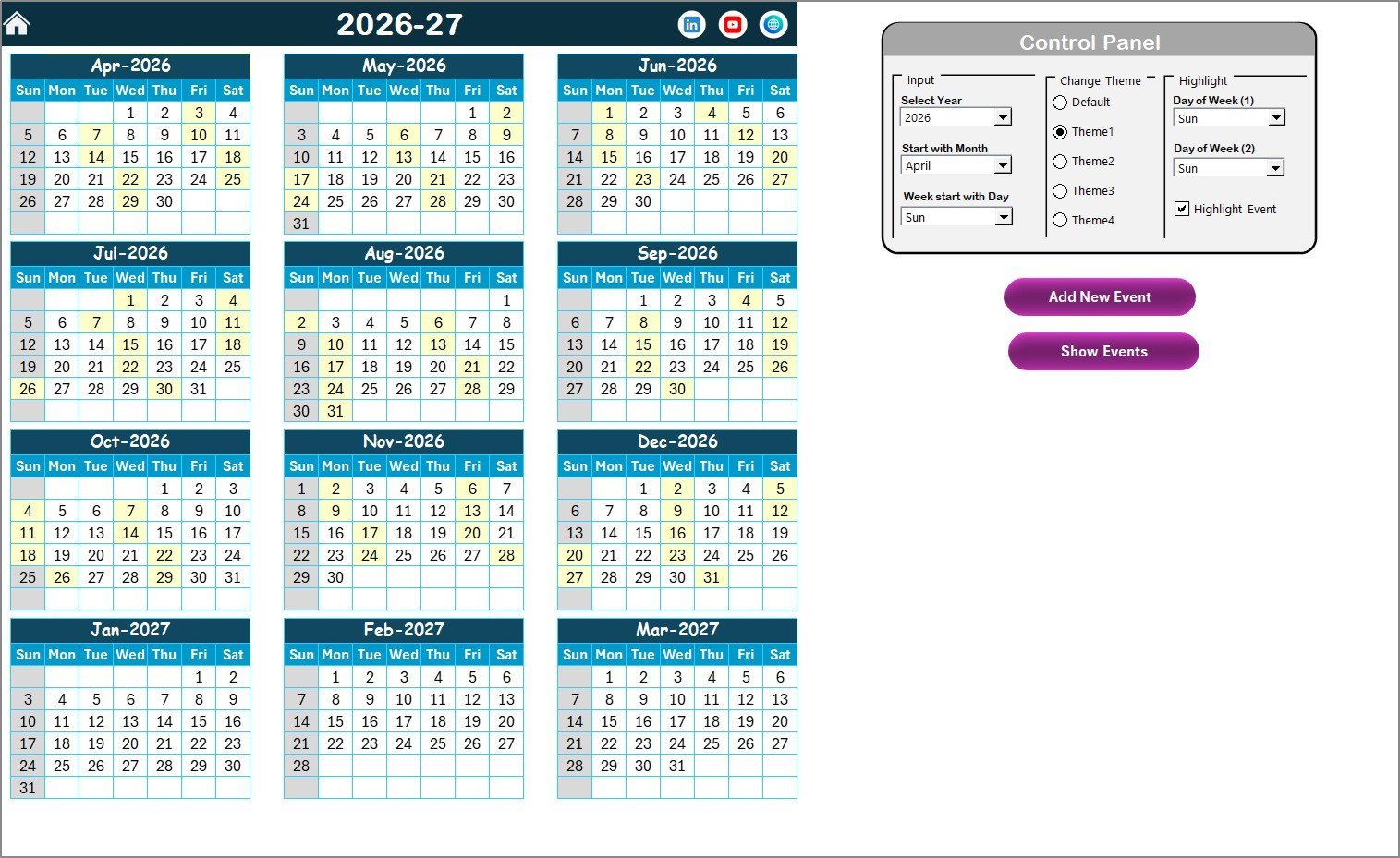
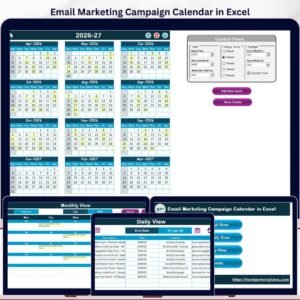
- Annual View sheet showing 12 months calendars.
- Monthly View sheet for selected month campaign planning.
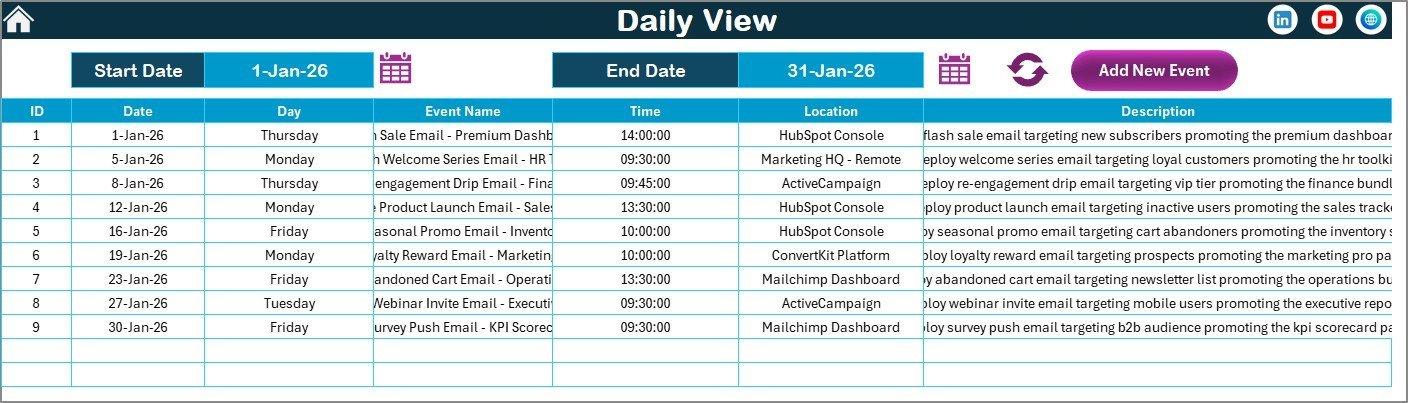
- Daily View sheet for date-range event review.
- Events sheet database for all campaign records.
- Built-in buttons to add, view, update, and delete events.
- 5 color themes for workbook styling.
- Downloadable Excel ZIP file.
Key Features
- Ready-to-use Excel calendar template for email marketing planning.
- Annual calendar view for full-year campaign visibility.
- Monthly calendar view for focused scheduling.
- Daily event view for selected date ranges.
- Events database with ID, date, day, event name, time, location, and description.
- Control panel to change year, starting month, starting weekday, theme, and highlight options.
- Highlight events and selected weekdays in the calendar.
- Add New Event, Show Event, Update Existing Record, and Delete Record buttons.
- Useful for newsletters, product launches, promotions, webinar reminders, nurture sequences, and seasonal email campaigns.
Worksheet Overview
Home Sheet Tab
The Home sheet works as an index page with buttons to jump to the Annual View, Monthly View, Daily View, and Events sheets.
Annual View Sheet Tab
The Annual View sheet displays all 12 months in one place. You can select the year, change the starting month, change the starting day of the week, apply one of 5 color themes, highlight selected weekdays, and highlight event dates.
The Add New Event button lets you add an event for a selected date. The Show Event button displays the list of events for the selected date.
Monthly View Sheet Tab
The Monthly View sheet shows a single calendar for the selected month and year. It displays one event on each date, with a more-than-one-event indicator when multiple events exist on the same date.
Daily View Sheet Tab
The Daily View sheet shows event details for a selected date range. Enter the Start Date and End Date, then click Refresh to view the latest campaign events in that range.
Events Sheet Tab
The Events sheet is the database for all campaign records. It captures the ID, date, day, event name, time, location, and description for each email marketing event. You can add, update, or delete records using the built-in buttons.
Who Can Use This Template?
- Email marketing teams planning newsletters and campaign sequences.
- Small business owners managing promotional emails.
- Ecommerce teams scheduling sale emails and product launch emails.
- Agencies managing campaign calendars for clients.
- Content teams coordinating email, blog, and social media schedules.
- Freelancers who need an affordable Excel-based marketing calendar.
Benefits of This Template
- Plan campaign activity in one workbook.
- See annual, monthly, and daily schedules clearly.
- Keep every event record in a structured database sheet.
- Use Excel offline without monthly software fees.
- Customize the workbook for your campaign workflow.
- Reduce missed email dates and improve marketing coordination.
Related Blog Post
Read the detailed article for the Email Marketing Campaign Calendar in Excel
Frequently Asked Questions
What is the Email Marketing Campaign Calendar in Excel?
It is a ready-to-use Excel calendar template for planning and tracking email marketing campaigns, newsletters, promotions, launches, and follow-up events.
How many worksheets are included?
The template includes 5 worksheets: Home, Annual View, Monthly View, Daily View, and Events.
Can I add new campaign events?
Yes. You can add new events using the built-in Add New Event or Add New Record buttons.
Can I update or delete event records?
Yes. The Events sheet includes options to update existing records and delete records.
Does this template send emails?
No. This template is for campaign planning and tracking. It does not send emails or connect directly to email marketing platforms.
Download the Template
Download the Email Marketing Campaign Calendar in Excel today and start organizing your email campaigns with a simple, structured Excel calendar workbook.





















Reviews
There are no reviews yet.