


The textiles and apparel industry runs on tight margins, high volumes, and constant cost pressure. Every day, manufacturers track production output, cost per unit, selling price, sales value, and regional performance. However, when this data remains scattered across multiple Excel sheets, decision-making becomes slow and unclear.
That is exactly why the Textiles & Apparel Manufacturing Dashboard in Excel is a game-changing solution 🚀. This ready-to-use dashboard transforms raw manufacturing and sales data into clear visuals, interactive charts, and actionable insights—all inside a single Excel file. Instead of spending hours preparing reports, you get instant visibility into what is working and where improvements are needed.
Designed specifically for textile and apparel manufacturers, this Excel dashboard helps you control costs, improve efficiency, and boost profitability with confidence.
🔑 Key Features of Textiles & Apparel Manufacturing Dashboard in Excel
✨ Five Interactive Analysis Pages – Overview, Product Type, Product Category, Region, and Month Analysis
📌 Left-Side Page Navigator – Instantly switch between analytical pages
🎯 Right-Side Slicers – Filter data dynamically by key business dimensions
📊 Production & Cost Analysis – Track cost per unit, product cost, and efficiency
💰 Sales Performance Tracking – Monitor sales value and selling price trends
🌍 Region-Wise Insights – Compare performance across different regions
📅 Month-Wise Trends – Analyze seasonal patterns and time-based changes
🧩 100% Excel-Based – No macros, no add-ins, no external tools required
This dashboard delivers clarity, speed, and control for daily operations and strategic planning.
📂 What’s Inside the Textiles & Apparel Manufacturing Dashboard
📈 Overview Page
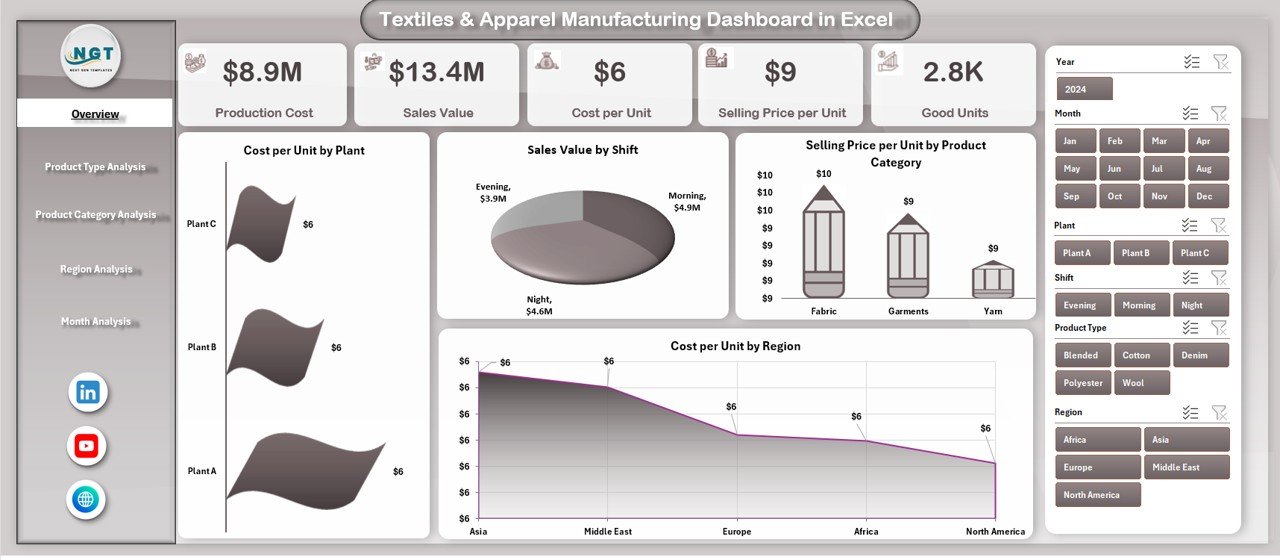
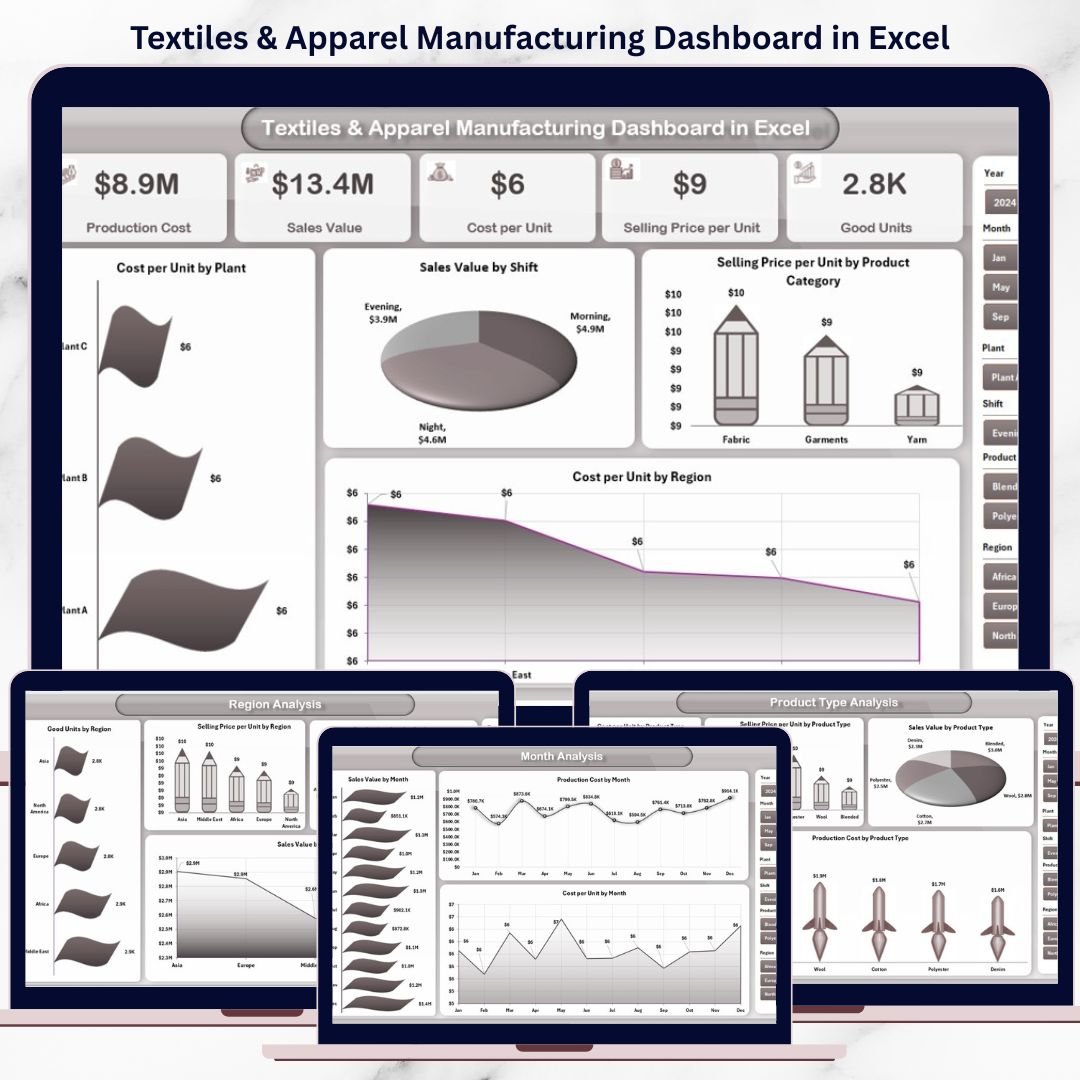
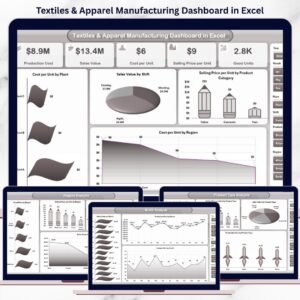
Shows KPI cards and charts like cost per unit by plant, sales value by shift, selling price by product category, and cost per unit by region for a quick business snapshot.
👕 Product Type Analysis Page
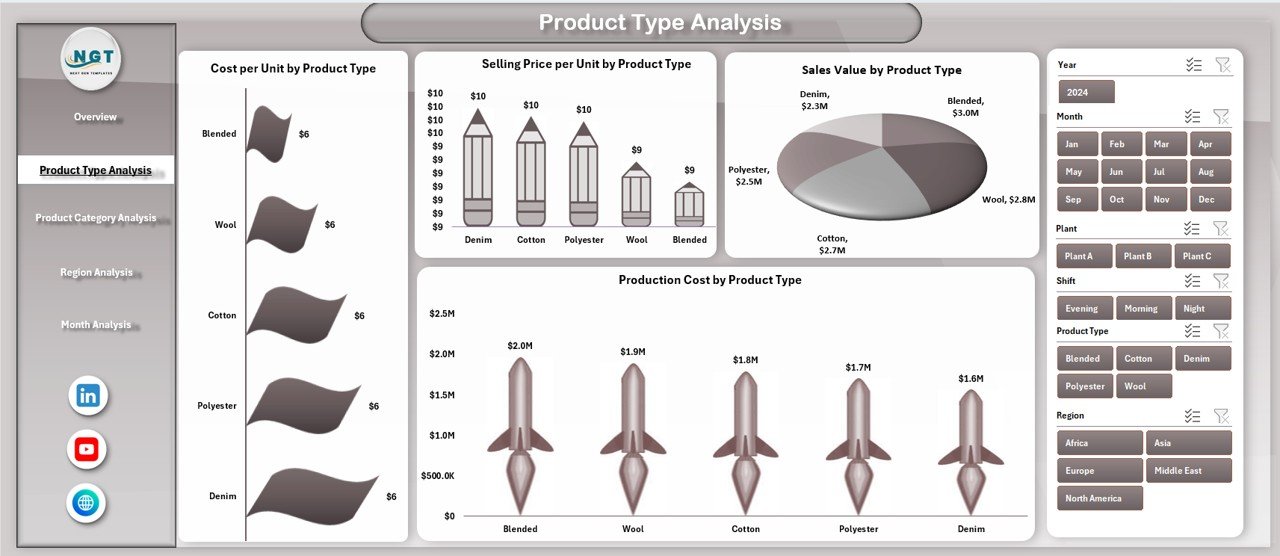
Analyzes cost, sales value, and selling price across different product types to identify high-performing and cost-intensive items.
🧵 Product Category Analysis Page
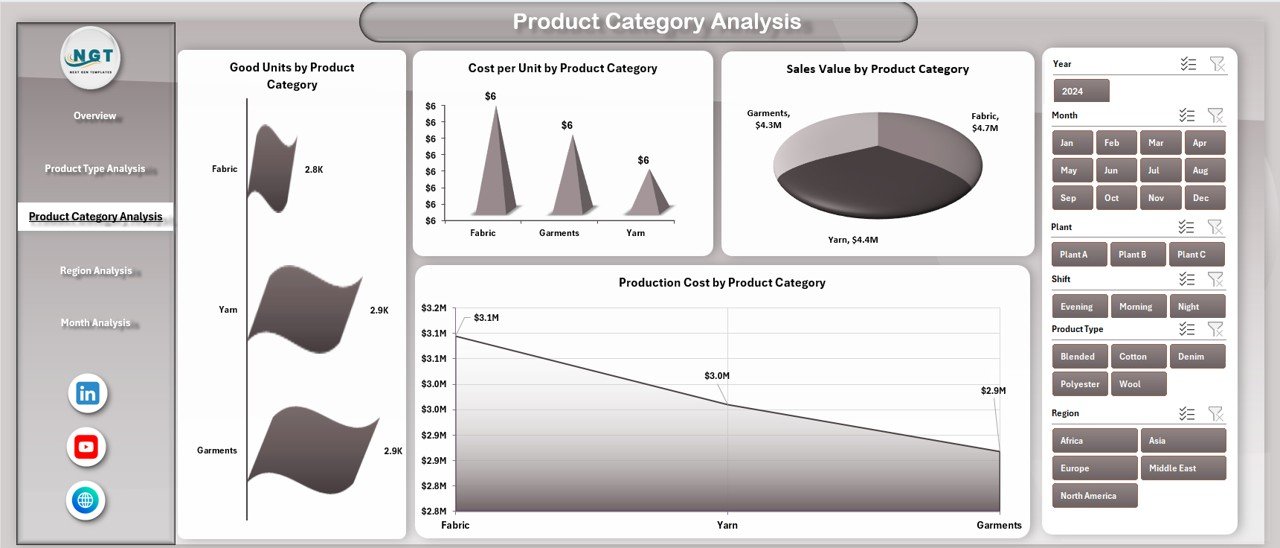
Tracks good units, production cost, cost per unit, and sales value by category to support profitability analysis.
🌍 Region Analysis Page
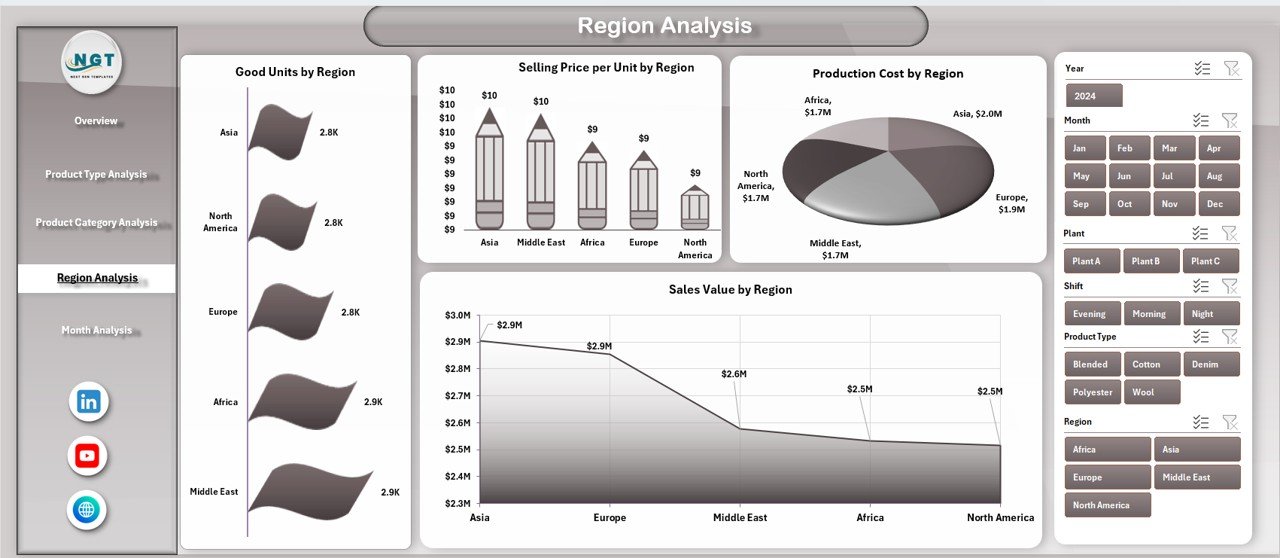
Highlights regional differences in production output, pricing, cost, and sales contribution.
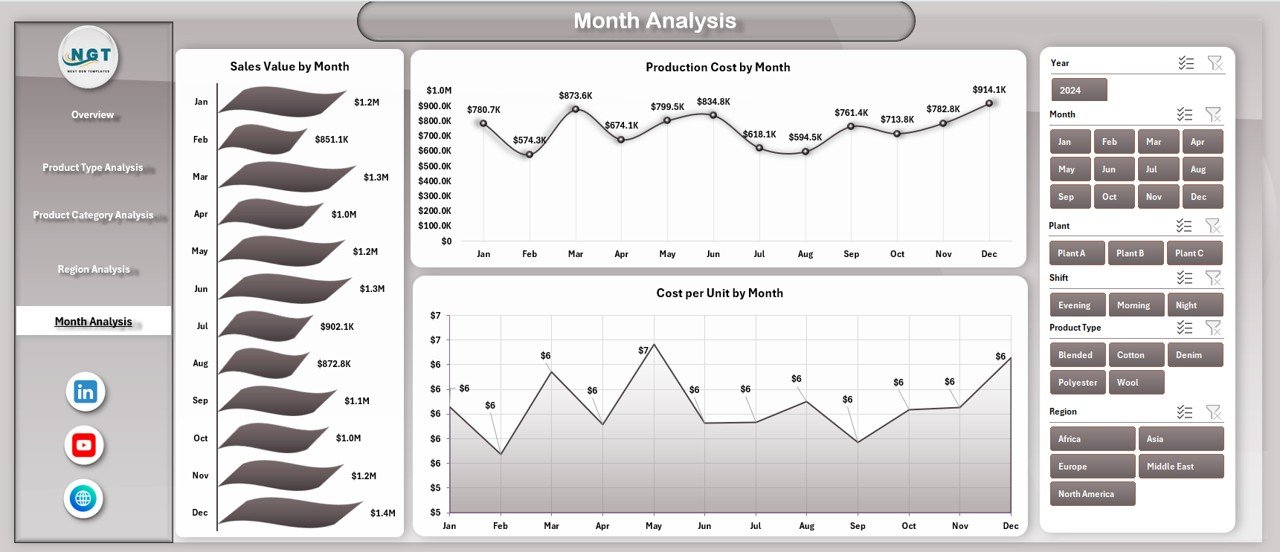
📆 Month Analysis Page
Shows sales value, product cost, and cost per unit trends over time to support forecasting and budgeting.
Each page is designed for fast understanding and deeper insights.
🛠️ How to Use the Textiles & Apparel Manufacturing Dashboard
✅ Enter or update your source data
✅ Refresh Pivot Tables with one click
✅ Use slicers to filter by product, region, or month
✅ Navigate pages using the built-in page navigator
✅ Analyze trends, costs, and sales instantly
No advanced Excel skills are required. The dashboard is easy to use, easy to update, and easy to customize.
👥 Who Can Benefit from This Textiles & Apparel Manufacturing Dashboard?
🏭 Textile & Apparel Manufacturers
📊 Production & Plant Managers
💼 Operations & Supply Chain Teams
💰 Finance & Cost Control Managers
📈 Business Owners & Decision-Makers
Whether you manage a single plant or multiple locations, this dashboard adapts to your business needs.
👉 Click here to read the Detailed blog post
▶️ Visit our YouTube channel to learn step-by-step video tutorials
https://youtube.com/@PKAnExcelExpert
Watch the step-by-step video tutorial:
Compatibility and Requirements
- Works in Microsoft Excel desktop (Excel 2016 or later, or Microsoft 365).
- The dashboard uses Pivot Tables and slicers, so refresh the Pivot Tables after you update the source data. Microsoft explains slicers in Use slicers to filter data.
Frequently Asked Questions
Which pages are included?
Five pages: Overview, Product Type Analysis, Product Category Analysis, Region Analysis and Month Analysis. A page navigator on the left switches between them.
How do I update the dashboard?
Enter or update your source data, then refresh the Pivot Tables with one click. The charts and KPI cards update from there.
Can I filter the data?
Yes. The slicers on the right filter the dashboard by product, region or month.
Does it need macros or add-ins?
No. It is built entirely in Excel and needs no macros, add-ins or external tools.
Is there a Google Sheets or Power BI version?
Yes. See the Textiles & Apparel Manufacturing Dashboard in Google Sheets and the Textiles & Apparel Manufacturing Dashboard in Power BI.
Related Manufacturing Templates
- Textiles & Apparel Manufacturing KPI Dashboard in Excel: a KPI view for the same industry
- Textiles & Apparel Manufacturing Dashboard in Power BI: the Power BI edition
- Textiles & Apparel Manufacturing Dashboard in Google Sheets: the Google Sheets edition
- Textile Industry KPI Dashboard in Excel: textile KPIs in Excel
- Manufacturing Excellence Bundle: 8 manufacturing templates in one download
Browse all Excel dashboards or Excel manufacturing templates.






Reviews
There are no reviews yet.