

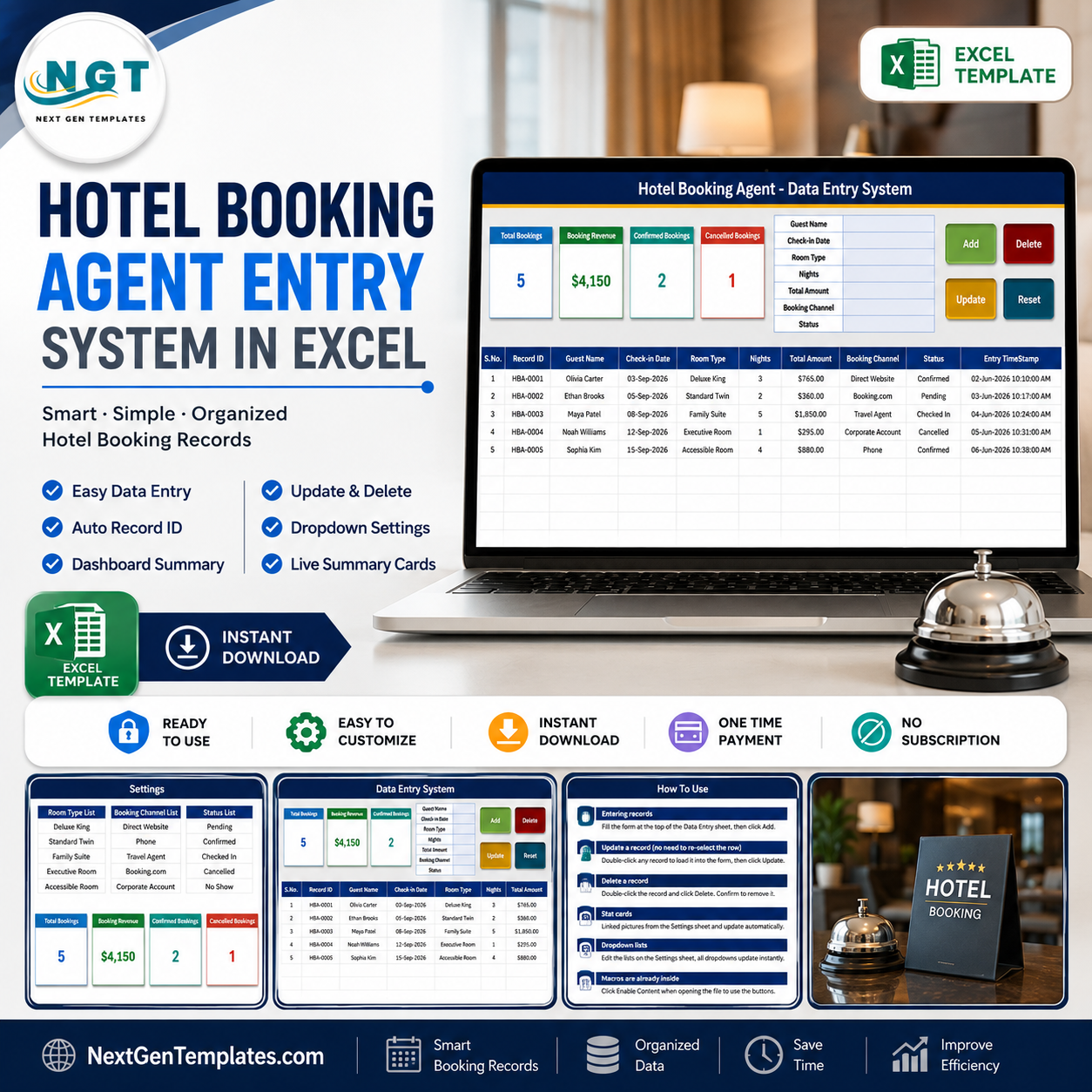
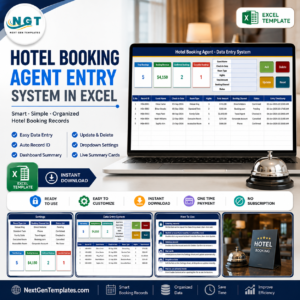
The Hotel Booking Agent Data Entry System in Excel captures 7 fields per booking – Guest Name, Check-in Date, Room Type, Nights, Total Amount, Booking Channel and Status – and stamps every saved row with its own Record ID and entry timestamp. Four live summary cards sit above the form: Total Bookings, Booking Revenue, Confirmed Bookings and Cancelled Bookings. Three dropdown lists ship pre-filled with 8 room types, 8 booking channels and 8 booking statuses, and you edit all three on one Setting sheet. Setup takes under 10 minutes – open the workbook, enable macros, delete the 5 sample rows and start logging.
🌍 Join 8,400+ teams in 40+ countries using NextGenTemplates to replace subscription software with one-time-purchase Excel, Google Sheets and Power BI templates.
✅ Instant download · One-time payment · No subscription · No per-user fees · Lifetime access
⚠️ Read this first: this is a record-keeping workbook for a booking agent who logs bookings they have already made. It is not a booking engine or reservation system. It does not connect to any OTA, GDS, channel manager or hotel inventory, does not check or hold live availability, cannot prevent overbooking, and does not process payments, card details or refunds. It issues no invoices or vouchers as legal documents, and it does not make an agency licensed or compliant under IATA, ATOL, ABTA or any package-travel or consumer-protection rule. It is also not accounting or tax software and gives no legal advice.
🔑 Key Features of the Hotel Booking Agent Data Entry System
🔹 A 7-field entry form with four live buttons. The form on the Data Entry sheet collects Guest Name, Check-in Date, Room Type, Nights, Total Amount, Booking Channel and Status. Add, Update, Delete and Reset are real VBA buttons wired to the sheet, not pictures – Add writes a new row and Reset clears the form for the next entry.
🔹 Record IDs are generated for you. Every saved booking gets a sequential ID in the HBA-0001 format plus an Entry TimeStamp in the last column, so two guests with the same name never get confused and you always know when a row was keyed in.
🔹 Update without re-selecting the row. Double-click any record to load it back into the form. The workbook remembers its Record ID behind the scenes, so you can change any field, click Update, and it finds and saves the right row wherever it has moved to in the table.
🔹 Four summary cards that refresh themselves. Total Bookings counts your rows, Booking Revenue sums the Total Amount column, and Confirmed Bookings and Cancelled Bookings count those two statuses. The cards on the Data Entry sheet are linked pictures of the real cards on the Setting sheet, so they update as you type and restyle when you restyle the source.
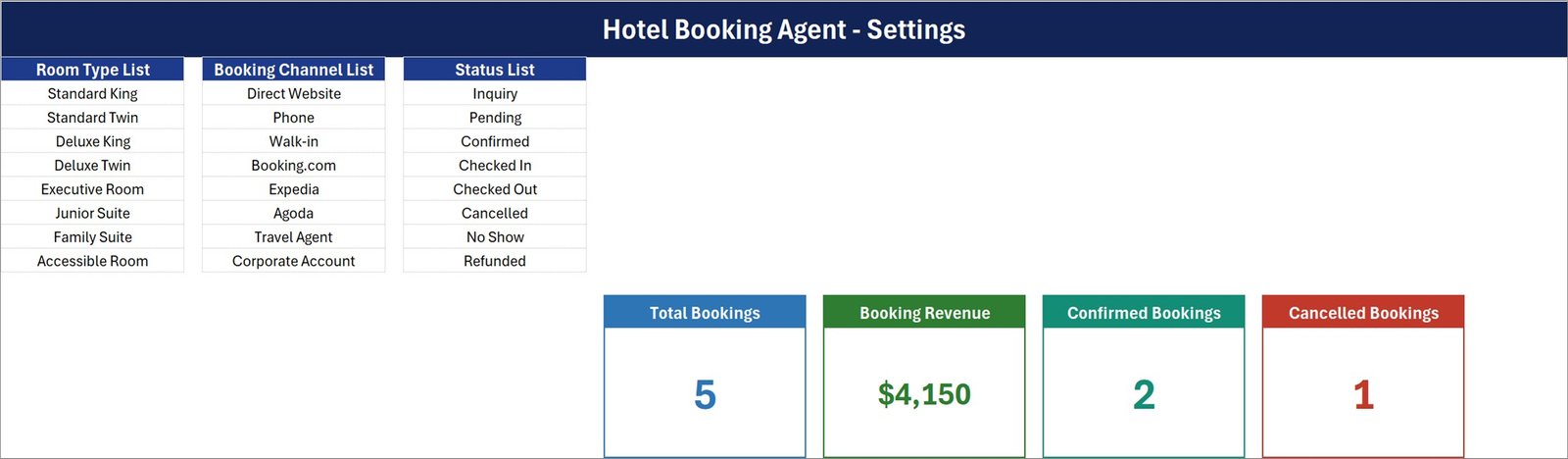
🔹 Three dropdown lists you own. Room Type ships with Standard King, Standard Twin, Deluxe King, Deluxe Twin, Executive Room, Junior Suite, Family Suite and Accessible Room. Booking Channel ships with Direct Website, Phone, Walk-in, Booking.com, Expedia, Agoda, Travel Agent and Corporate Account. Status ships with Inquiry, Pending, Confirmed, Checked In, Checked Out, Cancelled, No Show and Refunded. Add or delete rows on the Setting sheet and every dropdown follows.
🔹 Type in the form or straight into the table. The table columns carry the same data validation as the form, so a fast typist can key a row directly and still get the dropdowns.
📦 What Is Inside the Hotel Booking Agent Data Entry System
The download is a single macro-enabled workbook, Hotel_Booking_Agent_System.xlsm, with four sheets: Data Entry, Setting, Instructions and Get More Templates. Here is what the first three look like.
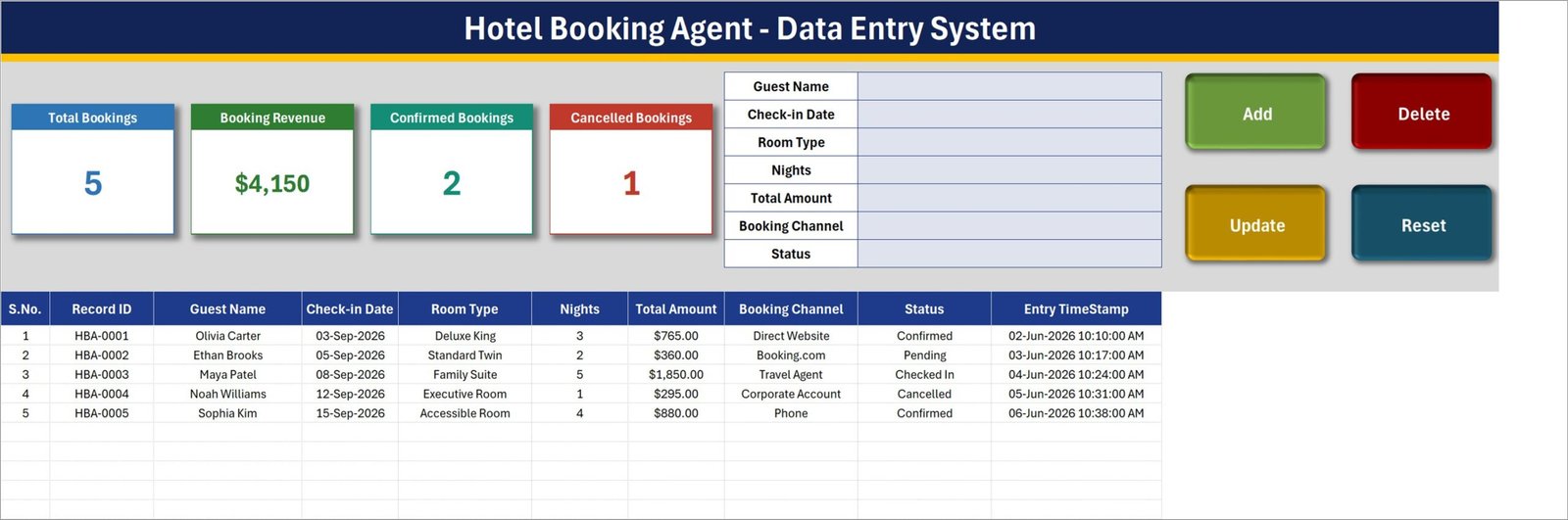
Sheet 1: Data Entry – form, summary cards and the booking table
The entry form, the four summary cards and the Add / Update / Delete / Reset buttons sit across the top. Below them the booking table lists S.No., Record ID, Guest Name, Check-in Date, Room Type, Nights, Total Amount, Booking Channel, Status and Entry TimeStamp. The five rows shown are sample data – delete them before you start.
Sheet 2: Setting – the three dropdown lists and the source cards
This sheet holds the Room Type List, the Booking Channel List and the Status List side by side, each 8 rows deep, plus the four live summary cards that the Data Entry sheet mirrors. Edit a list here and the matching dropdown updates on its own.
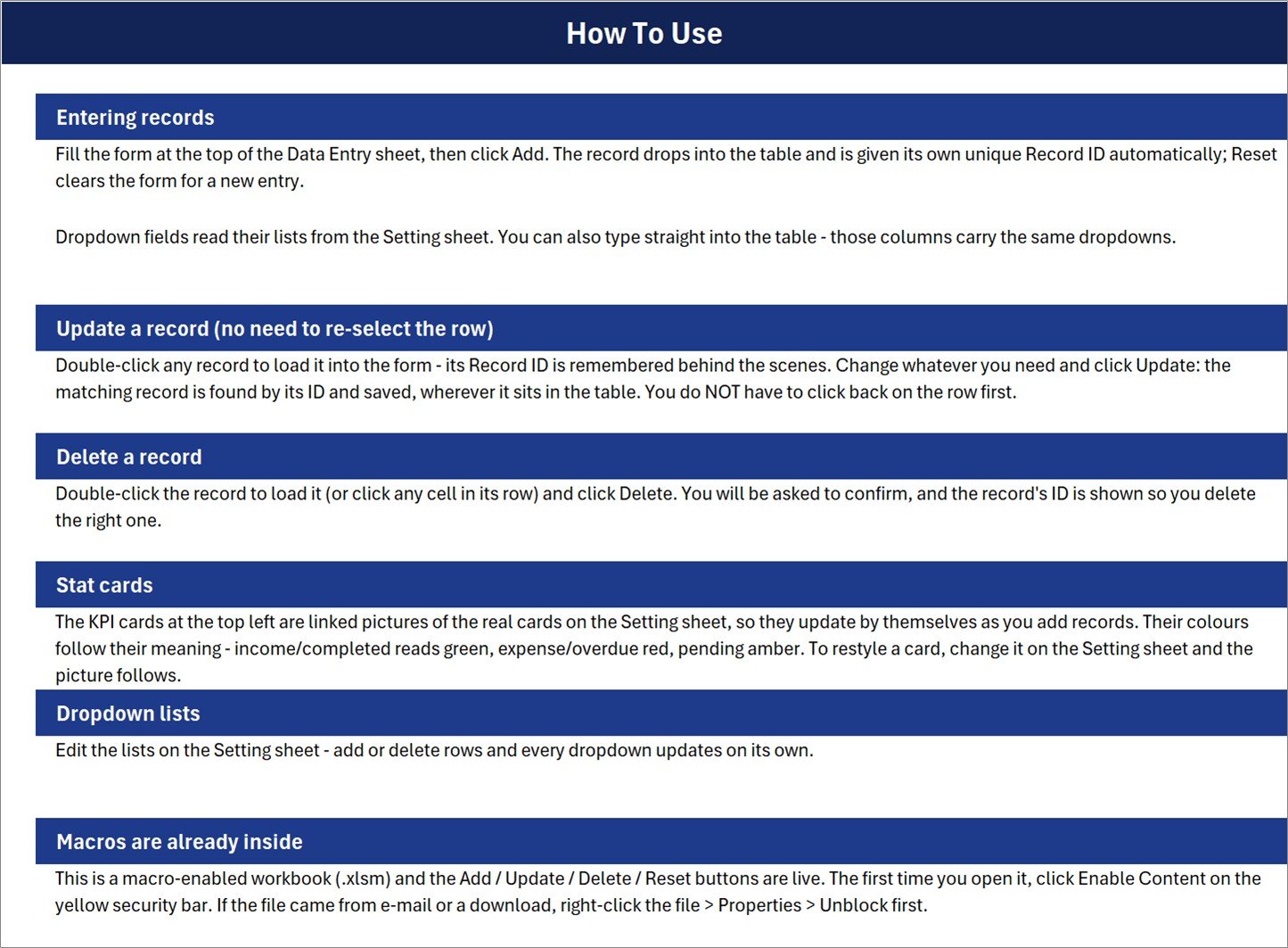
Sheet 3: Instructions – How To Use, in plain English
Six short sections cover entering records, updating without re-selecting the row, deleting with a confirmation prompt, how the linked-picture stat cards work, editing the dropdown lists, and enabling macros the first time you open the file.
The fourth sheet, Get More Templates, simply links back to the rest of the MS Excel template library.
📊 Hotel Booking Agent Data Entry System vs. a Google Sheets Log vs. Paid Booking Software
| Feature | Hotel Booking Agent Data Entry System in Excel | Google Sheets booking log | Cloudbeds / Little Hotelier / SiteMinder |
|---|---|---|---|
| Cost | $6.99 one-time ✅ | Free, but you build it yourself | $50-200+ per property per month |
| Platform | Desktop Microsoft Excel for Windows (.xlsm) | Any browser | Web plus mobile app |
| Setup time | Under 10 minutes ✅ | Hours of formula and validation work | Days, plus onboarding calls |
| Add / Update / Delete buttons | Built in via VBA ✅ | Needs Apps Script you write | Yes |
| Auto Record ID and entry timestamp | Yes, on every row ✅ | Manual formulas | Yes |
| Live availability / channel manager | No – record-keeping only | No | Yes ✅ |
| Payment and refund processing | No | No | Yes ✅ |
| Real-time team collaboration | File-based (OneDrive or shared drive) | Yes ✅ | Yes ✅ |
| Year-1 cost at 5 users | $6.99 total ✅ | $0 plus your build time | $600-2,400 |
For a small agency that only needs a clean, searchable ledger of the bookings it has already placed – not live inventory and not card processing – the Hotel Booking Agent Data Entry System sits in the sweet spot.
👥 Who This Template Is For – and Who It Is Not For
✅ This template is built for:
- Independent hotel booking agents and small travel agencies logging 10-500 bookings a month
- Corporate travel desks that book staff accommodation and need a tidy internal record
- Guest-house and homestay owners who take bookings by phone, walk-in and OTA and want one list
- Anyone keeping bookings in a plain spreadsheet who wants a form, Record IDs and summary cards
❌ This template is NOT for:
- Anyone who needs live availability, room allocation or overbooking prevention – this workbook cannot do that
- Agencies that need a channel manager or OTA / GDS integration
- Taking payments, storing card details or issuing refunds – never key card numbers into this file
- Producing legally valid invoices, vouchers or ATOL / ABTA / IATA documentation
- Mac users, Excel for the web or Google Sheets users – the VBA buttons need desktop Excel for Windows
⚙️ How to Use the Hotel Booking Agent Data Entry System
- Unzip the download and open
Hotel_Booking_Agent_System.xlsmin desktop Excel. Click Enable Content on the yellow bar; if the file came by e-mail, right-click it, choose Properties and tick Unblock first. - Open the Setting sheet and edit the Room Type, Booking Channel and Status lists so they match how your agency actually works.
- Go to the Data Entry sheet and delete the five sample rows, HBA-0001 to HBA-0005, so you start from a clean table.
- Fill the form – Guest Name, Check-in Date, Room Type, Nights, Total Amount, Booking Channel, Status – and click Add. The Record ID and Entry TimeStamp are written for you.
- To change a booking, double-click its row, edit the form and click Update. To remove one, double-click it and click Delete, then confirm the Record ID shown in the prompt.
- Watch the four cards. They recalculate as you add rows, so you always see Total Bookings, Booking Revenue, Confirmed and Cancelled at a glance.
💼 Real-World Use Cases
Priya runs a two-person travel desk in Pune. She books hotel rooms for corporate clients over the phone and through Booking.com and Agoda. Every evening she keys the day’s bookings into the form, tags each one with its channel, and at month end filters the Booking Channel column to see how much business each source actually brought in – without paying a monthly fee for property-management software she does not need.
Marcus manages a 14-room guest house on the coast. He takes reservations by phone, walk-in and through his own website. He uses the Status list to move a booking from Inquiry to Pending to Confirmed to Checked In, and the Cancelled Bookings card tells him at a glance how many fell through this month. The actual room allocation still happens on his wall chart – the workbook is his written record, not his availability system.
Anita handles travel admin for a 60-person consultancy. She books staff accommodation under a Corporate Account and needs a defensible internal record of who stayed where, for how many nights and at what cost. The Record ID and Entry TimeStamp on every row give her exactly that when Finance queries a line on the card statement.
❓ Frequently Asked Questions
Is the Hotel Booking Agent Data Entry System a booking or reservation engine?
No. The Hotel Booking Agent Data Entry System in Excel is a record-keeping workbook only. It does not connect to any OTA, GDS, channel manager or hotel inventory, it cannot check or hold live availability, it cannot prevent overbooking, and it does not process payments, card details or refunds. You log bookings you have already made.
Do I need to enable macros, and will it work on a Mac?
Yes to macros – the Add, Update, Delete and Reset buttons are VBA, so click Enable Content the first time you open the file. The Hotel Booking Agent Data Entry System is built for desktop Microsoft Excel for Windows. Excel for the web, Excel for Mac and Google Sheets will not run the buttons.
How many bookings can it hold?
There is no fixed cap built into the Hotel Booking Agent Data Entry System – the summary-card formulas read the whole column, so the limit is Excel’s own sheet limit. In practice a few thousand rows stay comfortably fast on ordinary office hardware.
Does the Booking Revenue card exclude cancelled bookings?
No, and this is worth knowing. Booking Revenue in the Hotel Booking Agent Data Entry System sums the Total Amount column for every row, including any marked Cancelled, No Show or Refunded. Read it as gross booked value. For net revenue, filter the Status column and total it yourself, or edit the formula on the Setting sheet.
Can I change the room types, channels and statuses?
Yes. All three lists live on the Setting sheet of the Hotel Booking Agent Data Entry System and each ships with 8 entries. Add rows, delete rows or rename entries and every dropdown – in the form and in the table – updates automatically. No formula editing required.
How does this compare to Cloudbeds or Little Hotelier?
Those are property-management systems with live inventory, channel management and payments, from roughly $50 to $200 per property per month. The Hotel Booking Agent Data Entry System in Excel is a $6.99 one-time booking ledger. If you need availability and payments, buy the software; if you need a clean record of bookings already placed, this is far cheaper.
How long does setup take?
Under 10 minutes. Open the Hotel Booking Agent Data Entry System, enable macros, edit the three lists on the Setting sheet to match your agency, delete the five sample rows on the Data Entry sheet, and start entering. The Instructions sheet walks through every button.
👤 About the Author
Built by PK – Microsoft Certified Professional with 15+ years of Excel, Google Sheets and Power BI experience. Founder of NextGenTemplates, reaching 300K+ subscribers across YouTube channels (@PK-AnExcelExpert, @NextGenTemplates, @NeoTechNavigators). Every template is hand-built and tested before release.
🔗 Explore Related Templates
- Hotel Room Booking Data Entry System in Excel – the property-side twin of this workbook, for a hotel logging its own room bookings rather than an agent logging bookings placed elsewhere.
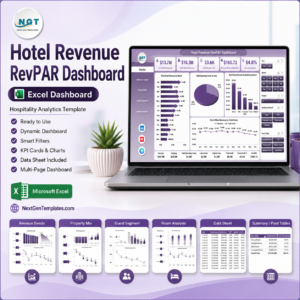
- Hotel Revenue RevPAR Dashboard in Excel – once you have months of booking data, this turns it into occupancy, ADR and RevPAR analysis.
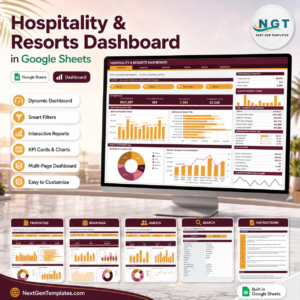
- Hospitality and Resorts Dashboard in Google Sheets – a browser-based reporting view for teams that live in Google Drive.
- Banquet Hall Tracker in Google Sheets – for the events and function-room side of the same business.
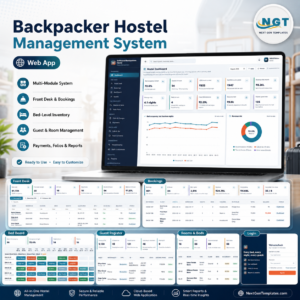
- Backpacker Hostel Management System Web App – a full multi-user system if a single workbook is no longer enough.
Browse more MS Excel templates and Excel VBA tools for other record-keeping jobs.
📖 Click here to read the Detailed Blog Post
🎥 Visit our YouTube channel for step-by-step video tutorials
👉 YouTube.com/@NextGenTemplates
📅 Last updated: August 2026

























Reviews
There are no reviews yet.