

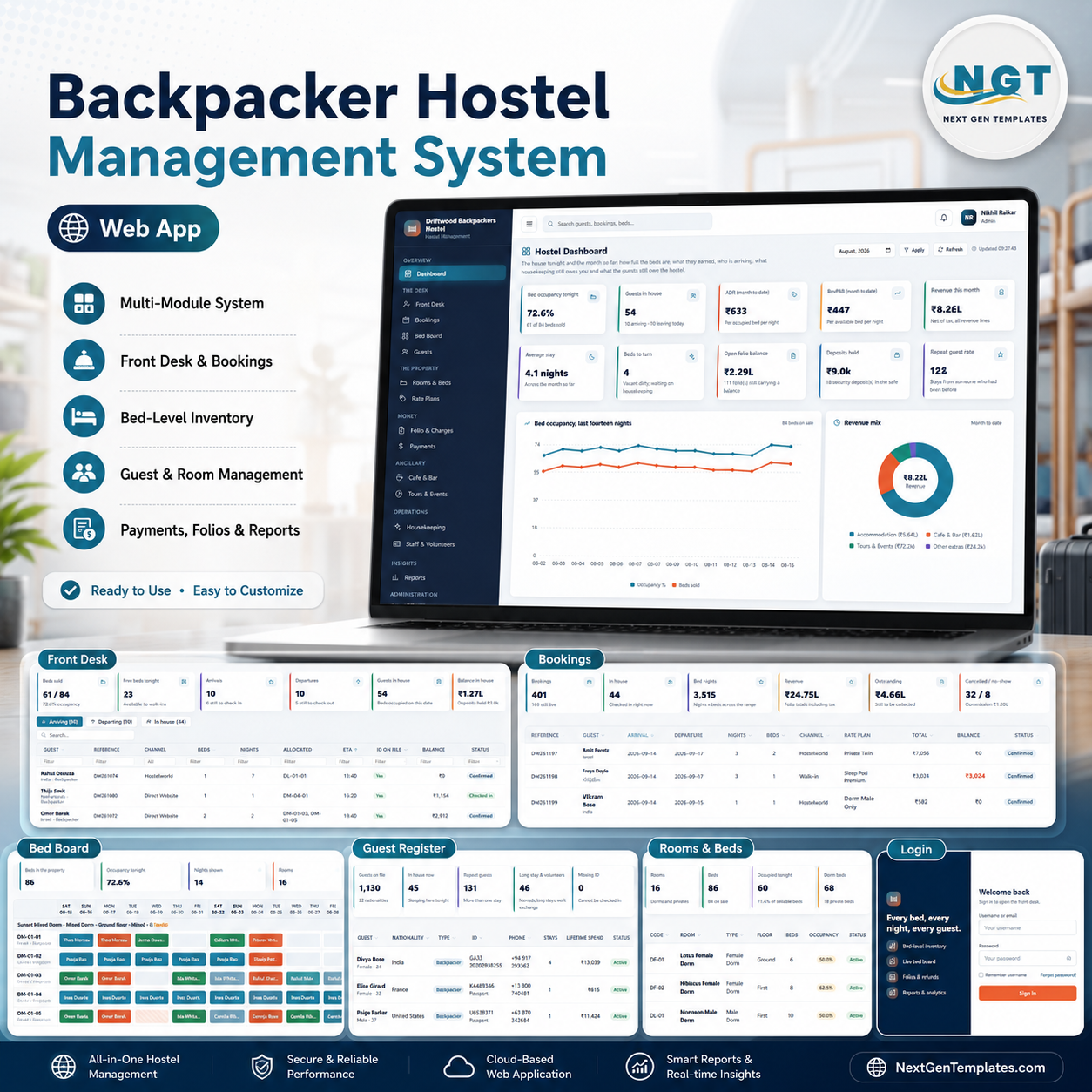
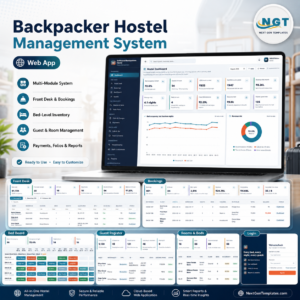
The Backpacker Hostel Management System Web App is a bed-level hostel management system that runs as one Google Apps Script web app with a Google Sheet behind it. Press a single button and setup builds 27 sheets and 13,498 seeded rows — 86 beds across 16 rooms, 10 rate plans, 1,130 guests, 1,315 bookings, 2,076 bed assignments, 74 lockers and 24 staff — so the dashboard shows a real trading day the moment you sign in. It ships with 7 roles, 22 permissions, 17 reports and 10 rules the server enforces. There is no monthly fee, no per-bed charge and no vendor lock-in: the code and the data both live in your own Google account. And you do not have to take any of that on trust — the working demo below has every role’s login on it.
Sign-in screen
Access is issued by the hostel, not self-service: there is no public sign-up, and a locked-out account can only be released by an administrator. The panel on the left is the product’s own summary of what it does.

🚀 Try the Live Demo Before You Buy
We have deployed this web app in our own Google account so you can test every page, every role and every one of the ten server rules — with real sample data — before purchasing. No signup, no email required.
🔑 Test Login Credentials
Sign in as admin to see every module including User Management and the Audit Log, or as volunteer to see how little a work-exchange volunteer can reach — the role separation is the product, and thirty seconds as the most restricted account shows it better than any feature list. All seven seeded accounts are below.
💡 These credentials are public on purpose. They are the seeded logins of one shared demo instance that resets — not a customer’s hostel. What you get after purchase: the full source code (Code.gs + Index.html) plus a step-by-step deployment guide, so you can deploy your own private instance in your own Google account in under 15 minutes.
Key Features of the Backpacker Hostel Management System Web App
- Beds are the unit of sale. Property → Room → Bed. A twelve-bed mixed dorm is twelve independent sellable units, each on its own rate plan with its own folio and its own housekeeping state. Occupancy, ADR and RevPAB are all computed per bed.
- A fourteen-night bed board. Every bed down the side, the next fortnight across the top. One cell is one bed for one night, colour-coded by state, with the occupancy trend charted above it.
- Ten rules checked in Code.gs, not the browser. A bed cannot be double booked. A Vacant Dirty, Cleaning, Blocked or Out of Service bed cannot be allocated. Check-in is refused without a passport or national ID number. Check-out is refused while a folio carries a balance, a locker key is out or luggage is in the store. A folio cannot be overpaid. A tour cannot be oversold. Three of these can be relaxed in Settings if your property does not need them.
- Accommodation charges post themselves. Nights × nightly rate is computed from the bed assignment and can never be typed by hand — which is exactly why the folio, the revenue reports and occupancy always agree.
- Cancellation policy as arithmetic. Inside the free-cancellation window the refund is full; outside it the rate plan’s cancellation fee is retained; a no-show forfeits the first night. The server works out the number.
- Seven roles, twenty-two permissions. The matrix drives both what a person sees in the sidebar and what the server will let them do, so nothing is reachable by editing a URL. Admins can rewrite the matrix; the Admin role itself is locked so the hostel can never lock itself out.
- Ancillary revenue that settles with the bed. Cafe and bar tickets, tour seats, locker hire and luggage storage can all be pushed onto the guest folio instead of taking cash at the counter.
- Seventeen reports, all exportable. Grouped the way a hostel manager thinks: occupancy, front desk, commercial, guests, ancillary, operations and money.
- Thirty-nine editable dropdown lists holding 225 values — room types, channels, charge categories, refund reasons, shift types — all maintained from List Management, no code.
- An archive that never touches live data. It copies the database to Drive and trims only closed trading; masters, live stays, unsettled folios, issued lockers and stored luggage are left alone.
What’s Inside the Backpacker Hostel Management System Web App
Twenty working modules plus Help and a template directory, grouped into Overview, The Desk, The Property, Money, Ancillary, Operations, Insights and Administration. Ten of them are pictured below; the rest are described underneath.
Hostel Dashboard
Twelve cards for the house tonight and the month so far — bed occupancy, guests in house, ADR, RevPAB, revenue, profit, average stay, beds to turn, open folio balance, deposits held, forward bookings and repeat-guest rate — over a fourteen-night occupancy line, a revenue mix ring, forward occupancy, booking channels and a nationality breakdown.

Front Desk
One day at a time: who is arriving, who is leaving, who is already in the house, and the two buttons that move a guest between those three states. Each arrival row carries the channel, the beds allocated, the ETA, whether ID is on file and the balance outstanding.

Bed Board
The fortnight grid. Sixteen rooms broken out bed by bed, each cell one bed for one night, with the bed’s current housekeeping state printed under its code so you can see at a glance which units are actually sellable.

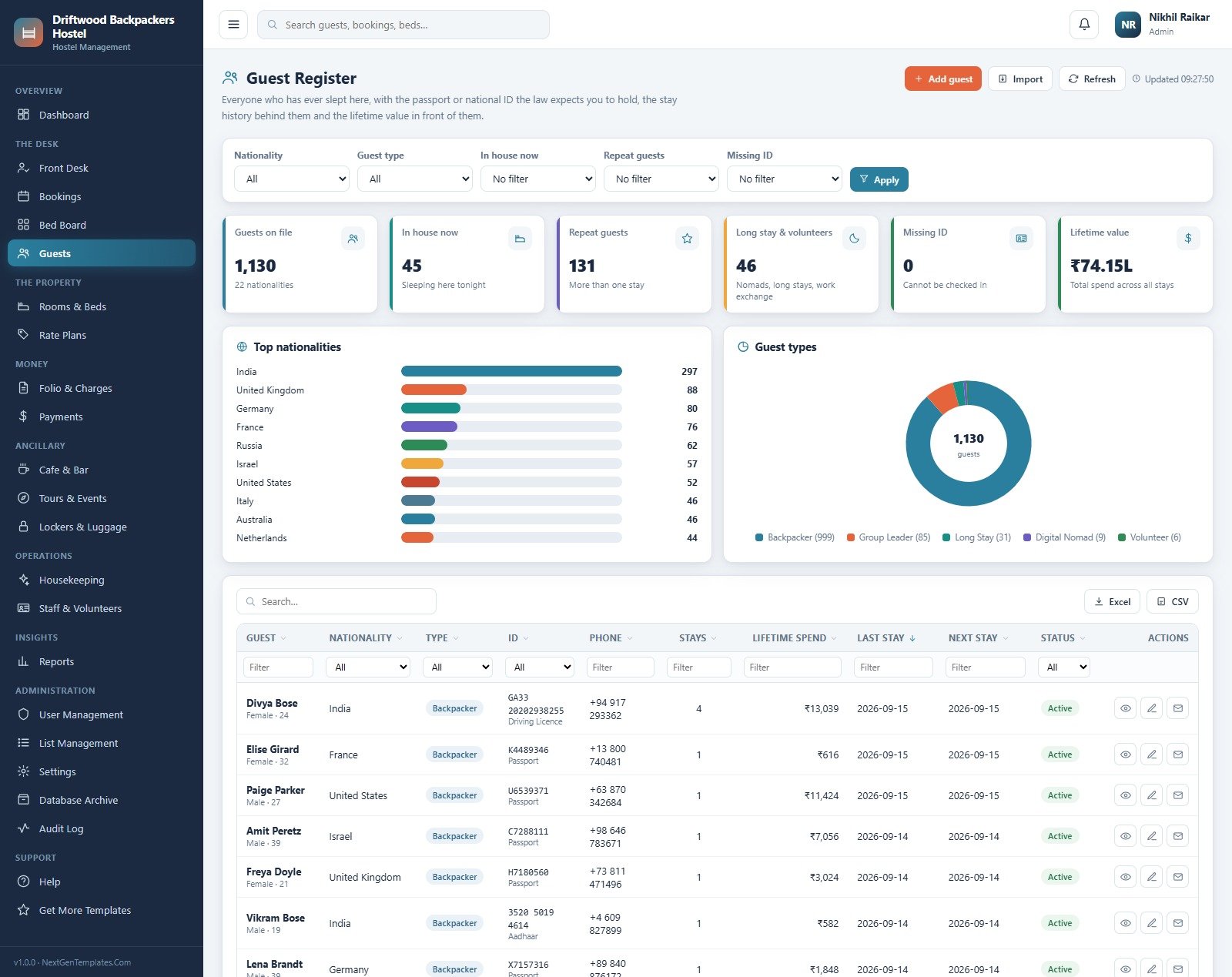
Guest Register
Everyone who has ever slept here, with the passport or national ID the law expects you to hold, the stay history behind them and the lifetime value in front of them. Filters for nationality, guest type, in-house, repeat guests and missing ID.
Folio & Charges
Every line posted against a guest, split into accommodation (posted by the system) and extras (cafe, tours, laundry, lockers, airport transfer), with tax broken out and the open balances listed underneath.

Cafe & Bar
The till behind the bar. Build a ticket, take cash or card, or push it straight onto a guest folio so it settles with the bed at check-out. Sales, cost of sales, gross margin and average ticket sit above a by-category ring and a top-sellers list.Backpacker Hostel Management System Web App

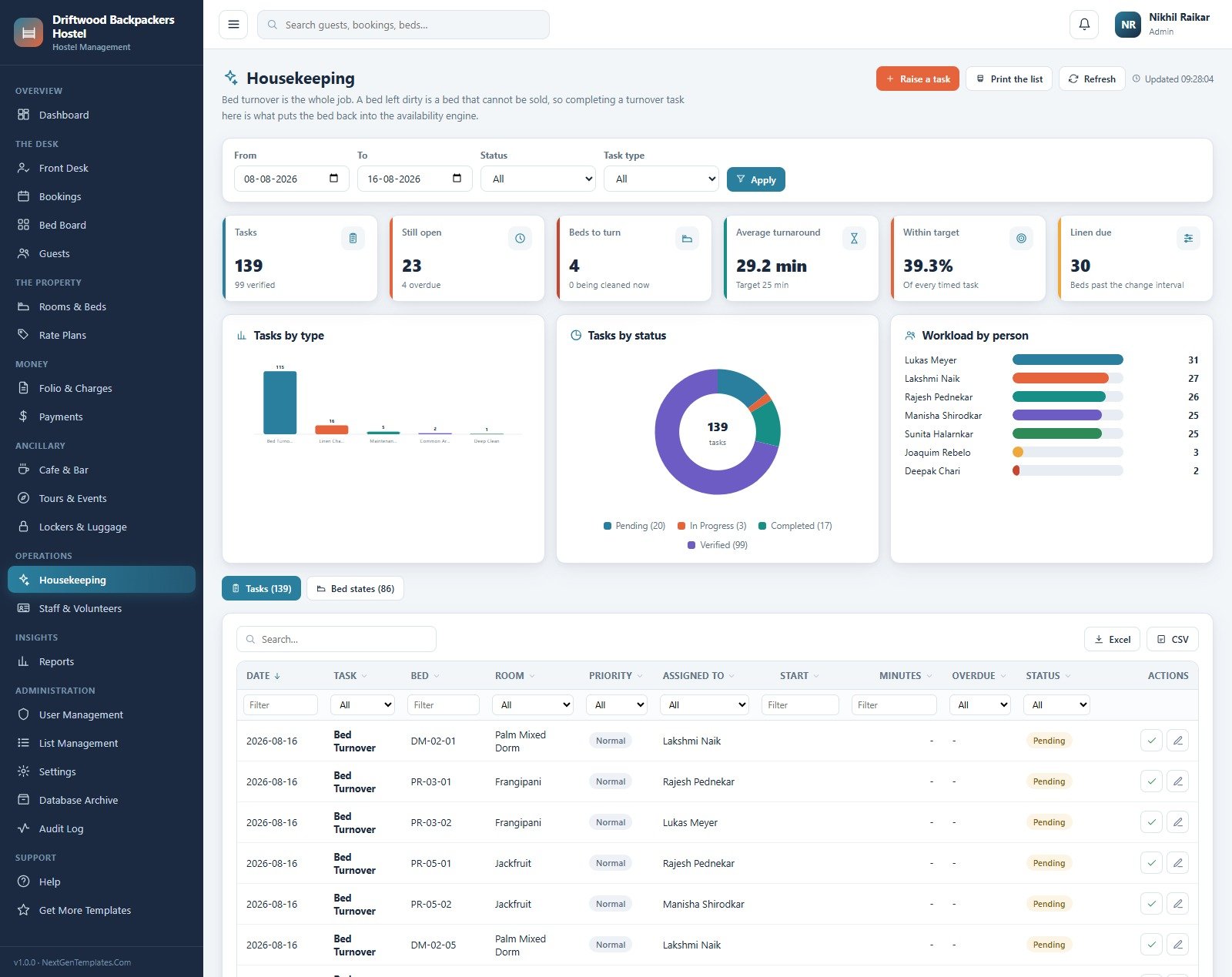
Housekeeping
Bed turnover is the whole job — a bed left dirty is a bed that cannot be sold, so completing a turnover task here is what puts the bed back into the availability engine. Tasks by type and status, average turnaround against target, linen due, and workload by person.Backpacker Hostel Management System Web App
Reports
Seventeen reports on one page, grouped the way a hostel manager thinks about them. Pick one, set the date range, and it charts itself and exports to Excel or CSV.Backpacker Hostel Management System Web App

User Management
Accounts and the permission matrix behind them. Seven accounts, seven roles, twenty-two permissions, plus lock-out counts and forced password resets. The matrix drives both the sidebar and the server checks.Backpacker Hostel Management System Web App

The remaining modules
Bookings holds every reservation — walk-ins, direct, OTA and group — with the cancellation fee worked out for you. Rooms & Beds is the physical property and the housekeeping state of each unit. Rate Plans sets weekday, weekend, weekly and monthly prices, a peak-season multiplier, the group discount and the free-cancellation window. Payments, Deposits & Refunds is the cash side of the desk. Tours & Events is the upsell desk with seat capacity the server refuses to oversell. Lockers & Luggage tracks keys and left bags against a deposit. Staff & Volunteers carries the paid roster and the work-exchange ledger. List Management owns all 39 dropdowns. Settings holds the property profile, finance, the three enforcement switches, print size, email templates, theme and maintenance. Database Archive and the Audit Log close the loop, and a built-in Help page documents every rule.Backpacker Hostel Management System Web App
Backpacker Hostel Management System vs. a Spreadsheet vs. Paid Hostel PMS — Where This Fits
| This Web App | A shared spreadsheet | Paid hostel PMS (Cloudbeds, Hostelworld’s Hub OS, etc.) | |
|---|---|---|---|
| Cost | One-off purchase | Free | Monthly subscription, usually per bed |
| Platform | Google Apps Script web app + Google Sheet | Google Sheets or Excel | Vendor-hosted SaaS |
| Setup time | Under 15 minutes, one button seeds the database | Immediate, but you build every rule yourself | Days, plus an onboarding call |
| Real-time team collaboration | Yes — everyone signs in to the same deployment | Yes, but with no permissions worth the name | Yes |
| Mobile access | Yes, browser-based | Yes, awkwardly | Yes, usually with an app |
| Customisable fields | 39 dropdown lists you edit yourself, plus the source code | Anything, if you build it | Only what the vendor exposes |
| Share with link | Yes — one deployment URL | Yes | Login required |
| Year-1 cost at 5 users | The purchase price, once | Nothing, plus the double-bookings | Typically several hundred to a few thousand, recurring |
| Double-booking prevention | Enforced server-side, per bed | None | Yes |
| OTA channel manager | No — you record the channel, you do not sync inventory to it | No | Yes, that is the main reason to pay |
| You own the data and the code | Yes, both, in your own Google account | Yes | No |
Who This Template Is For — and Who It’s Not For
It is for independent backpacker hostels, guesthouses with dorms, surf and dive camps, pod hotels, work-exchange houses and long-stay nomad hostels roughly in the 20–150 bed range — properties that take most of their bookings by walk-in, phone, WhatsApp and direct website, and that are currently running a whiteboard, a notebook or a shared spreadsheet. It suits a manager who wants the arithmetic (ADR, RevPAB, cancellation fees, deposit settlement) handled correctly without paying a per-bed subscription.Backpacker Hostel Management System Web App
It is not for you if your beds are mostly sold through OTAs and you need inventory pushed back to them automatically — this records the channel a booking came from but it is not a channel manager and does not connect to Hostelworld, Booking.com, Agoda or any other OTA. It is not a hotel PMS built around rooms rather than beds, it is not an accounting package, and it does not issue tax invoices to any particular jurisdiction’s specification. It does not verify visas, perform police or immigration registration, or check that your property holds the licences it prints on a folio. And if you need offline operation when the internet drops, a browser-based Apps Script app is the wrong shape.Backpacker Hostel Management System Web App
How to Use the Backpacker Hostel Management System Web App
- Try the demo first. Open the live demo above and sign in as
admin, then again asvolunteer. Ten seconds in the restricted account tells you more about the permission model than any description. - Deploy your own copy. Unzip the download. Open a new Google Sheet → Extensions → Apps Script. Paste
Code.cs.txtintoCode.gs, add an HTML file named exactlyIndexand pasteIndex.txtinto it. Save. - Publish it. Deploy → New deployment → Web app, Execute as Me, Who has access Anyone. Accept the permission prompt. Copy the URL.
- Build the database. Open the URL and press Set up the database on the first-run panel — or run
setupfrom the editor. It creates 27 sheets and seeds the sample hostel.setup()is idempotent, so you can safely run it again after an update. - Change every password. Sign in as admin and reset all seven seeded accounts under User Management before anyone else gets the link.
- Enter your own property. Settings → Property, Finance, Operations and Print. Then Rooms & Beds, Rate Plans, the cafe menu, your tours and your team. Clear the seeded trading data when you are ready to go live.
- Run the integrity check. Settings → Maintenance. It should report no issues before you take your first real booking.
Real-World Use Cases
Sonia runs a 60-bed hostel in Goa and was losing two or three beds a week to double-bookings scribbled on a whiteboard during the 2am arrivals. Moving to the bed board meant the clash was refused at the point of allocation with the conflicting booking named, rather than discovered at 3pm when two people held the same bunk.
Priya keeps the books for three small properties and could never reconcile the cafe till against the folios, because bar charges were sometimes taken in cash and sometimes ‘put on the room’ with no record. Pushing cafe tickets onto the folio means the ancillary revenue and the accommodation revenue land in the same place and the month closes.
Lakshmi supervises housekeeping across sixteen rooms. She used to release beds by shouting down the corridor. Now a completed turnover task is what returns the bed to the availability engine, so the front desk cannot sell a bed she has not signed off, and the average-turnaround card tells her which turnovers are running long.
Frequently Asked Questions
Can I try it before buying?
Yes. The green box above links a fully seeded live demo with all seven role logins. It is a shared instance that resets, so treat anything you type into it as public and temporary.
Does this connect to Hostelworld or Booking.com?
No. It records which channel a booking arrived through and reports on channel performance and commission, but it does not sync availability or rates to any OTA. If automatic two-way channel management is what you need, buy a channel manager — this is not one.
Why beds and not rooms?
Because a hostel sells beds. Two strangers can hold two bunks in the same twelve-bed dorm over overlapping but different dates, each on their own rate, each with their own folio and their own housekeeping state. Occupancy, ADR and RevPAB are therefore computed per bed. RevPAB is always lower than ADR unless the house is full — that is arithmetic, not an error.Backpacker Hostel Management System Web App
Where does the data live, and who can see it?
In a Google Sheet in your own Google Drive, under your own Google account. We host nothing and have no access to your deployment.Backpacker Hostel Management System Web App
How many people can use it at once?
It is a normal Apps Script web app, so it is comfortable for a hostel-sized team — reception, housekeeping, the bar and the manager working simultaneously. Google’s Apps Script quotas apply, and it is not designed for hundreds of concurrent users.Backpacker Hostel Management System Web App
Can I change the roles and permissions?
Yes. User Management → Role permissions is a full matrix over 22 permissions. The Admin role is deliberately locked so a hostel cannot accidentally lock itself out.Backpacker Hostel Management System Web App
The demo shows rupees. Can I change the currency?
Yes — Settings → Finance holds the currency symbol and code, the tax percentage, the standard security deposit, the locker deposit, the lost-key charge and the channel commission rates. The seeded figures are demo data, not a pricing recommendation.
Does the system make my hostel compliant?
No. It stores the ID details you choose to collect and can refuse a check-in without them, but it performs no police or immigration registration, verifies no visa, and makes no claim about tax invoicing, fire safety, licensing or data-protection law in your jurisdiction. Those remain entirely your responsibility.
About the Author
Built by PK – Microsoft Certified Professional with 15+ years of Excel, Google Sheets, and Power BI experience. Founder of NextGenTemplates, reaching 300K+ subscribers across YouTube channels. Every template is hand-built and tested before release.
Explore Related Templates
- Backpacker Hostels Dashboard in Excel — the reporting-only view of the same business, if you already have a booking system.
- Backpacker Hostels Dashboard in Power BI — the same analysis with a DAX model behind it.
- Hostel Room Allotment Data Entry System in Excel — a much simpler offline allotment register.
- Airport Transfer Management System Web App — pairs naturally with a hostel that sells pickups.
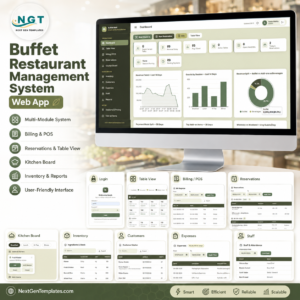
- Buffet Restaurant Management System Web App — if the kitchen side outgrows the cafe till.
- Browse every system in the Web Apps category.Backpacker Hostel Management System Web App
Open the live demo, sign in as the volunteer, and see how much of the system it refuses to show you. If the permission model and the bed board do what you need, the download gives you the complete source and a deployment guide — your own private instance, in your own Google account, in about fifteen minutes. Questions or customisation requests: [email protected].
Last updated: 17 August 2026 · Version 1.0.0






























Reviews
There are no reviews yet.