

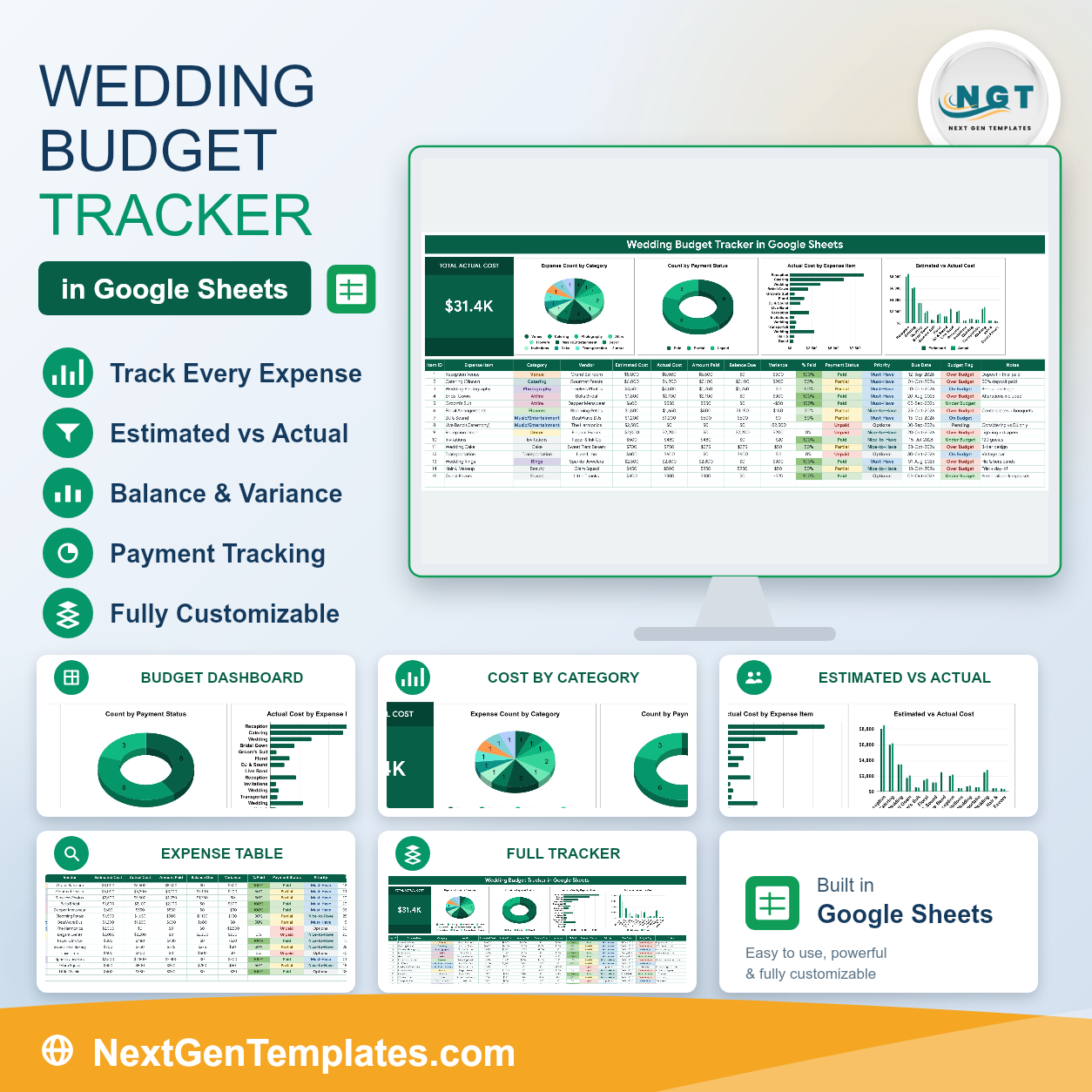
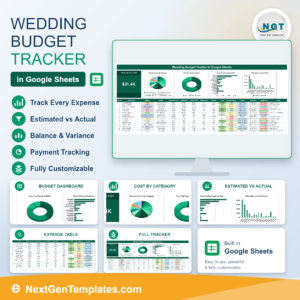
A wedding budget rarely breaks in one place. It drifts – a slightly better venue, an upgraded gown, an extra hundred on flowers – and nobody sees the total until the deposits are gone. The Wedding Budget Tracker in Google Sheets puts the whole thing on one page: 15 columns per expense, 5 of them calculated for you, 4 live charts, 13 expense categories and one Total Actual Cost card at the top. Every line carries an estimate, an actual, a vendor, what you have paid, what is still due and a Budget Flag that turns red the moment you go over. Built by PK, a Microsoft Certified Professional with 15+ years in spreadsheets and 300K+ subscribers across two YouTube channels. Your download is a PDF with a Make a copy link – one click and an editable copy is in your own Google Drive, shareable with your partner in seconds and with no add-on or subscription.Wedding Budget Tracker in Google Sheets
Key Features of the Wedding Budget Tracker in Google Sheets
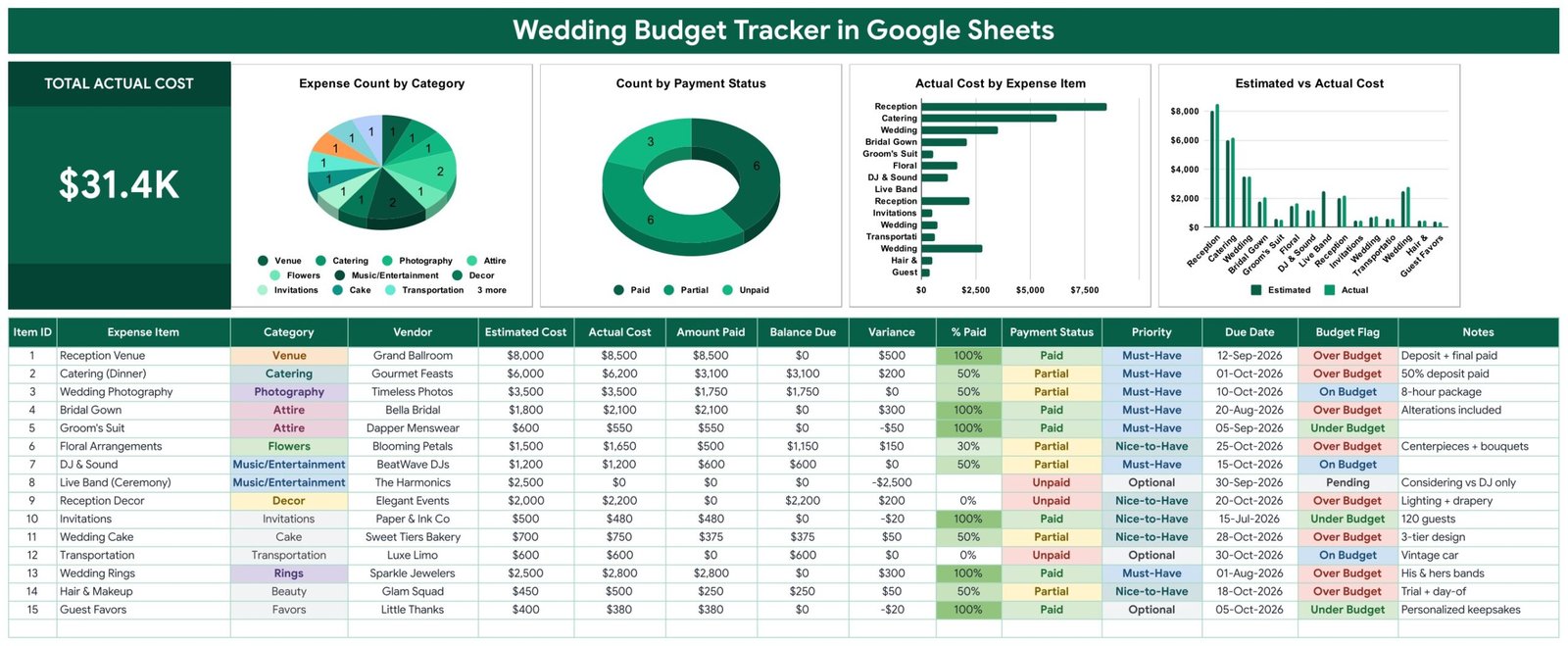
- Total Actual Cost card – one large KPI holding the real running total, not the estimate you started with. This is the number to check before agreeing to anything.Wedding Budget Tracker in Google Sheets
- Expense Count by Category – a pie chart across Venue, Catering, Photography, Attire, Flowers, Music/Entertainment, Decor, Invitations, Cake, Transportation, Rings, Beauty and Favors.
- Count by Payment Status – a doughnut chart splitting Paid, Partial and Unpaid, which is the fastest way to see how much of the wedding is still an open commitment.
- Actual Cost by Expense Item – a horizontal bar chart ranking every line by cost, so the three or four items that actually decide your budget sit at the top.Wedding Budget Tracker in Google Sheets
- Estimated vs Actual Cost – paired columns per line, which is where creep becomes visible: the gown at 2,100 against an 1,800 estimate is obvious in a way a total never is.Wedding Budget Tracker in Google Sheets
- Vendor column – each expense carries the supplier’s name, so quotes, deposits and chasing all live beside the money rather than in a separate list.
- Amount Paid and Balance Due – deposits are the part couples lose track of. Enter what you have paid and the sheet keeps the outstanding balance and % Paid current.
- Budget Flag – Over Budget, On Budget, Under Budget or Pending, calculated per line from estimate against actual and shown in colour.Wedding Budget Tracker in Google Sheets
- Priority column – Must-Have, Nice-to-Have and Optional. When the total needs to come down, this is the column you sort by.Wedding Budget Tracker in Google Sheets
- Due Date column – deposit and final-payment deadlines sit in the same table as the amounts, so nothing is chased from memory.Wedding Budget Tracker in Google Sheets
What’s Inside the Wedding Budget Tracker
Three pages plus a List tab that feeds the dropdowns. No macros, no add-on, no hidden helper tables.
Page 1 – the Tracker. The banner runs across the top, then the Total Actual Cost card with the four charts beside it on one row. Below sits the expense table: Item ID, Expense Item, Category, Vendor, Estimated Cost, Actual Cost, Amount Paid, Balance Due, Variance, % Paid, Payment Status, Priority, Due Date, Budget Flag and Notes. Fifteen realistic sample rows ship with it – reception venue, catering, photography, bridal gown, groom’s suit, floral arrangements, DJ, live band, reception decor, invitations, cake, transportation, rings, hair and makeup, guest favours – complete with vendor names and part-paid deposits, so you can see a real wedding mid-planning before you replace them.Wedding Budget Tracker in Google Sheets
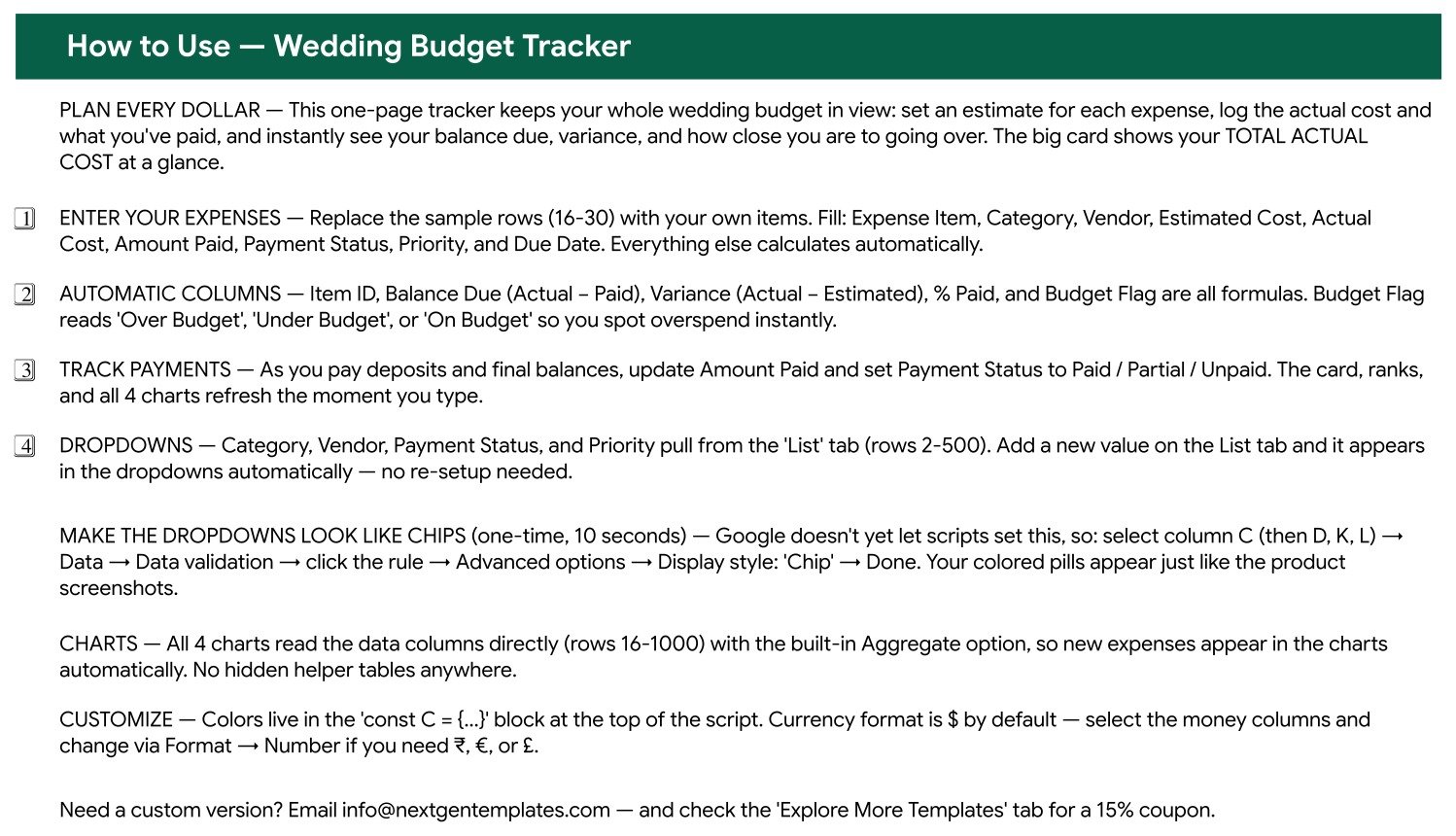
Page 2 – How to Use. Which columns you fill and which calculate, how the dropdowns are wired, and the ten-second one-time trick that turns the validation dropdowns into the coloured chips you see in the screenshots.
Page 3 – Explore More Templates. Related NextGenTemplates products and a discount code.
The List tab. Category, Vendor, Payment Status and Priority all read from here. Add your own vendors once and they appear in the dropdown on every row – which is how you stop typing the florist’s name five different ways.
Wedding Budget Tracker vs. an Excel Sheet vs. a Paid Wedding App – Where This Fits
| This Google Sheets tracker | A hand-built Excel sheet | Paid wedding planning app | |
|---|---|---|---|
| Cost | 6.99 once | Free, plus your build time | 10 to 30 per month while planning |
| Platform | Google Sheets, any browser | Microsoft Excel on desktop | Mobile app, sometimes web |
| Setup time | Under 10 minutes | 3 to 5 hours to build charts and formulas | An evening, plus account setup |
| Partner edits at the same time | Yes, native Google Sheets sharing | Only through OneDrive co-authoring | Usually yes, sometimes a paid tier |
| Mobile access | Yes, free Google Sheets app | Limited | Yes – that is its strength |
| Your own categories and vendors | Yes, edit the List tab | Yes, if you rebuild the charts | Only what the app allows |
| Deposit and balance tracking | Yes, per line | Build it yourself | Usually yes |
| Estimate vs actual per line | Yes, with variance and a budget flag | Build it yourself | Varies by app |
| Still yours after the wedding | Yes, the file stays in your Drive | Yes | No – the account usually lapses |
| Total cost over a 12-month engagement | 6.99 | 0 plus most of a weekend | 120 to 360 |
The honest comparison: a wedding app gives you checklists, seating charts and vendor directories that this sheet does not. What the sheet gives you is the money, in full, in one screen, that you can hand to a parent contributing to the cost without giving them an app login.Wedding Budget Tracker in Google Sheets
Who This Template Is For – and Who It’s Not For
A good fit if you are: a couple planning your own wedding and splitting the tracking between you; a parent contributing to the cost who wants to see where it is going; someone planning a smaller ceremony where every line matters; anyone juggling deposits across ten or more vendors; a planner who wants to hand clients one clear budget sheet rather than a portal login.Wedding Budget Tracker in Google Sheets
Not the right tool if you are: looking for a seating chart, guest RSVP list or vendor directory – those are separate jobs and this sheet does not do them; running a wedding business rather than planning one wedding, in which case the Banquet Hall Tracker or the Catering Business Management Tracker is the right shape; or wanting an automatic payment reminder – the Due Date column tells you what is coming, but you still have to look at it.Wedding Budget Tracker in Google Sheets
How to Use the Wedding Budget Tracker
- Open the PDF in your download and click the Make a copy link. Google Drive creates your own editable copy.
- Share it with your partner straight away. A wedding budget only one person can see is the reason most of them drift.
- Open the List tab and put your real vendors and categories in before you enter any expenses.
- Replace the sample rows with your own. Fill Expense Item, Category, Vendor, Estimated Cost, Actual Cost, Amount Paid, Payment Status, Priority and Due Date – Item ID, Balance Due, Variance, % Paid and Budget Flag all calculate.
- Enter estimates first, before you book anything. The Total Actual Cost card only tells you the truth if the plan existed before the spending did.
- Update Amount Paid every time a deposit goes out. Balance Due and % Paid move with it, and the Count by Payment Status chart shows how much is still outstanding.
- Sort by Priority when the total is too high. Cutting two Optional lines is a much easier conversation than trimming everything by ten percent.
- Check the Due Date column weekly in the last two months. That is when final balances cluster.
Real-World Use Cases
Sofia and James, 120 guests, twelve months out. They set every estimate before booking anything. Six months in, the Estimated vs Actual chart showed the venue and gown had both crept over while the suit and invitations came in under. Net effect: about 900 over plan, visible in month six rather than month eleven, and absorbed by moving the live band to Optional.
A parent contributing to the cost. Rather than asking for updates, Sofia’s father was given view access to the same sheet. He could see the Total Actual Cost card and the payment status chart whenever he wanted, and the awkward monthly conversation about money simply stopped happening.
Deposits across eleven vendors. With Amount Paid and Balance Due on every line, the couple always knew the outstanding commitment – about 9,000 across catering, floral, decor and cake – which is exactly the figure people are most likely to lose track of and most likely to be surprised by.
Frequently Asked Questions
Do I need a paid Google Workspace account?
No. A free personal Google account is enough. Click the copy link in the PDF and the tracker lands in your own Drive fully working.
Can my partner and I both edit it?
Yes, at the same time. Share it the normal Google Sheets way. You can also give a parent or a planner view-only access so they can follow the budget without changing anything.
Does it track deposits and final payments separately?
It tracks the running total paid per line. Enter what has gone out so far in Amount Paid and the sheet keeps Balance Due and % Paid current. The Payment Status column marks each line Paid, Partial or Unpaid.
Can I add categories or vendors of my own?
Yes. Add them on the List tab and they appear in the dropdowns immediately, across the whole table. The charts pick up new categories automatically because they read the data columns directly.
Can I use a currency other than dollars?
Yes. Select the money columns and change the format through Format, then Number. The sample data uses dollars purely as a placeholder.
Why are my dropdowns plain text rather than coloured chips?
Google does not let a script set the chip display style. Select the column, go to Data, Data validation, click the rule, open Advanced options and set Display style to Chip. Ten seconds per column, once, and the How to Use page walks you through it.
Is there a guest list or seating chart?
No – this template is the money side only, deliberately. Keeping the budget on one uncluttered page is what makes it usable; guest lists and seating belong in their own sheet.
About the Author
Built by PK – Microsoft Certified Professional with 15+ years of Excel, Google Sheets, and Power BI experience. Founder of NextGenTemplates, reaching 300K+ subscribers across YouTube channels. Every template is hand-built and tested before release.
Explore Related Templates
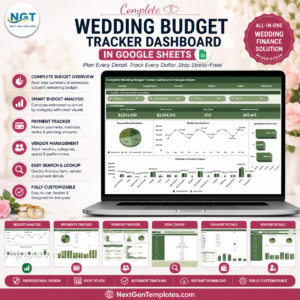
- Complete Wedding Budget Tracker Dashboard in Google Sheets – the larger multi-page version if you want more analysis.
- Shared Expense Splitter Tracker in Google Sheets – for splitting costs between two families.
- Cash Envelope Budget Tracker in Google Sheets – keeps normal life funded while you save for the day.
- Bank Account Balance Tracker in Google Sheets – what is actually in the accounts behind the deposits.
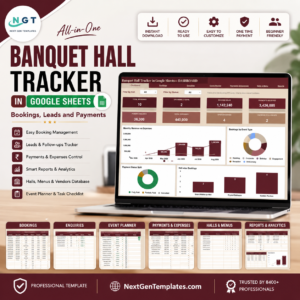
- Banquet Hall Tracker in Google Sheets – for the venue side of the business.
- Browse every Google Sheets tracker or the full Google Sheets template catalogue.
Get Your Copy
Put your ten biggest wedding costs in tonight with an estimate against each. That alone usually accounts for 80% of the total, and it is the difference between planning a wedding and finding out what it cost. If anything does not work as described, contact us and we will put it right.
Watch the step-by-step video Demo:
Last updated: 12 August 2026.






















Reviews
There are no reviews yet.