

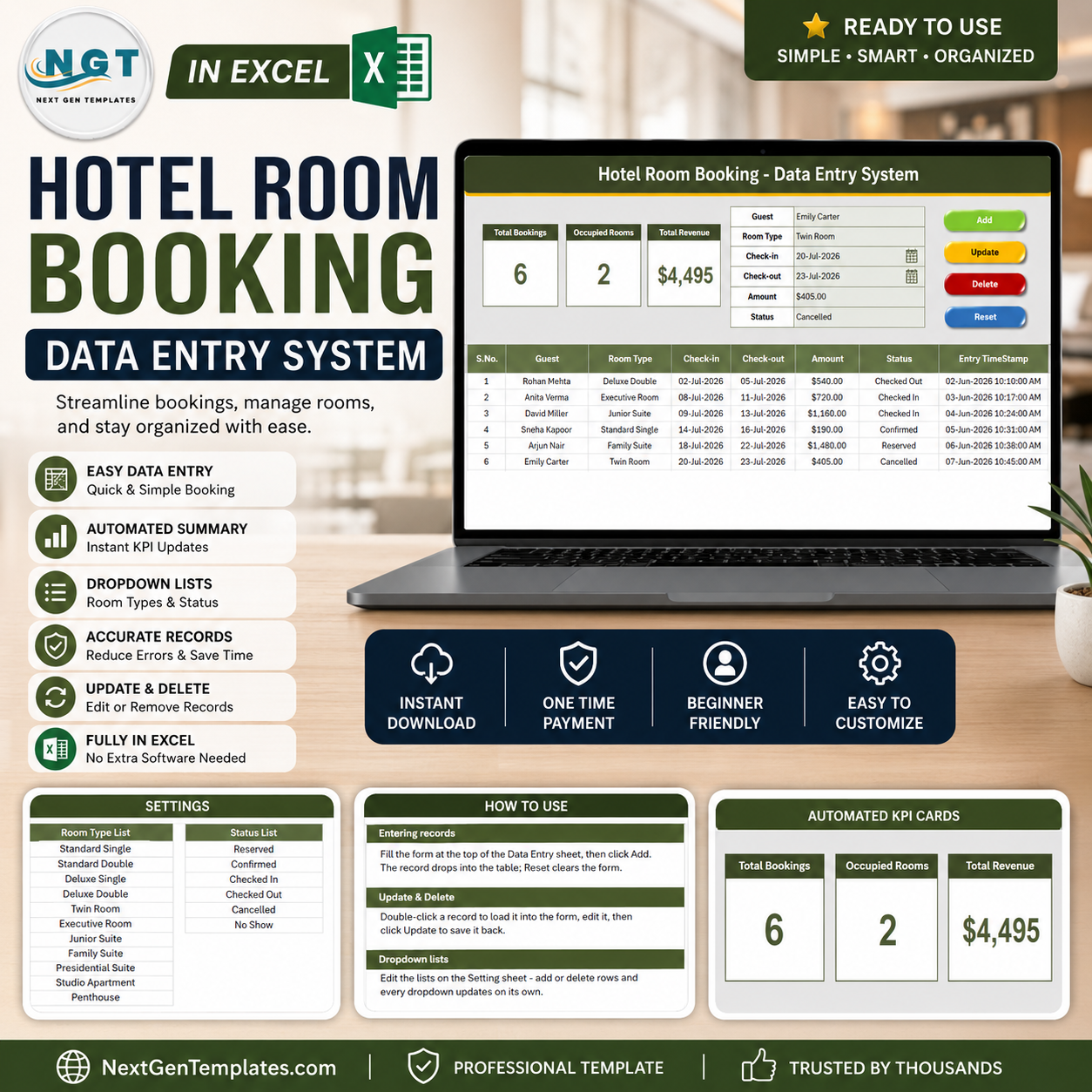
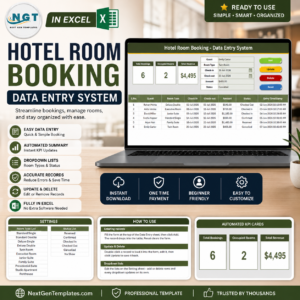
The Hotel Room Booking Data Entry System in Excel captures every reservation through a 6-field form, tracks 3 live KPI cards (Total Bookings, Occupied Rooms, Total Revenue), and ships with 11 pre-loaded room types and 6 booking statuses. Four VBA buttons — Add, Update, Delete and Reset — handle every action, and setup takes under 10 minutes.
🌍 Join 8,400+ teams in 40+ countries using NextGenTemplates to replace paid SaaS tools with one-time-purchase Excel, Google Sheets, Power BI and HTML templates.
✅ Instant download · One-time payment · No subscription · No per-user fees · Lifetime access
🔑 Key Features of the Hotel Room Booking Data Entry System in Excel
🖊️ Six-Field Booking Form – The form captures Guest, Room Type, Check-in, Check-out, Amount and Status. Room Type and Status are dropdown-driven, so front-desk staff never type a room category by hand and your reporting stays consistent across every shift.
⚡ Four VBA Macros – Add_Record writes a new booking, Update_Record edits the selected row, Delete_Record removes it after a confirmation prompt, and Reset_Form clears the panel. A double-click loader lets you click any booking row to pull it straight back into the form for editing.
📊 Three Live KPI Cards – Total Bookings counts every reservation, Occupied Rooms counts bookings currently marked Checked In, and Total Revenue sums the Amount column. All three recalculate the instant a booking is added, edited or deleted — no refresh, no pivot rebuild.
🏨 Eleven Room Types Out of the Box – Standard Single, Standard Double, Deluxe Single, Deluxe Double, Twin Room, Executive Room, Junior Suite, Family Suite, Presidential Suite, Studio Apartment and Penthouse. Add, rename or remove any of them from the Setting sheet.
🔄 Six-Stage Booking Lifecycle – Reserved → Confirmed → Checked In → Checked Out, plus Cancelled and No Show. This is what makes the Occupied Rooms card meaningful: it counts only guests physically in-house right now.
🕒 Auto Serial Number and Entry Timestamp – Every booking row gets a sequential S.No and a date-time stamp written by the macro, giving you a clean audit trail of who was entered when.
📦 What’s Inside the Hotel Room Booking Data Entry System
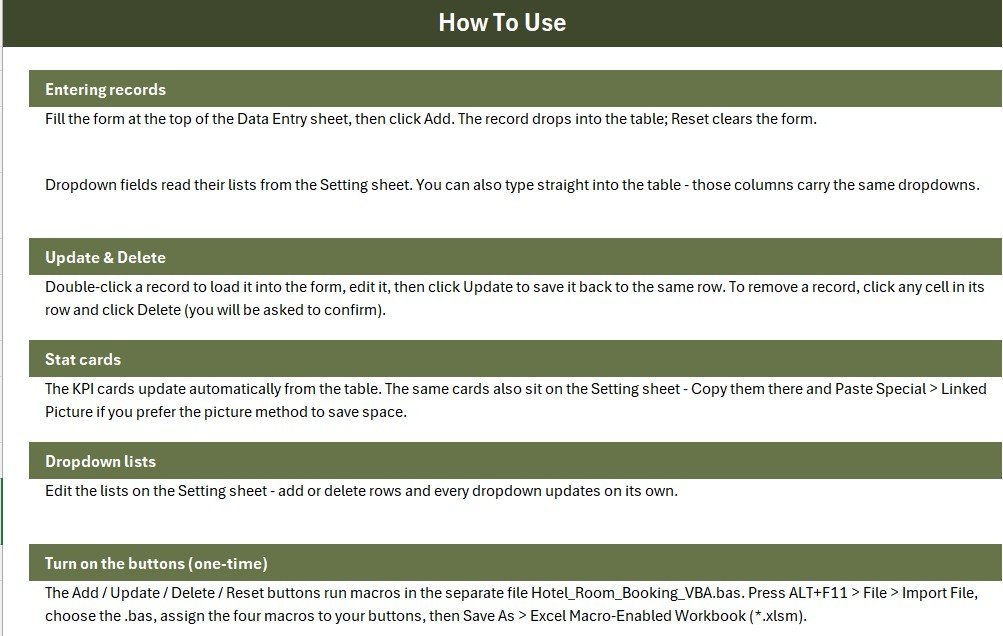
Sheet 1: Data Entry Dashboard
The main working sheet. A gray dashboard panel holds the three KPI cards (Total Bookings, Occupied Rooms, Total Revenue) alongside the six-field booking form, with the Add, Delete, Update and Reset buttons in a 2×2 block. Below it sits the bookings table with auto S.No, currency-formatted Amount and an Entry TimeStamp column.
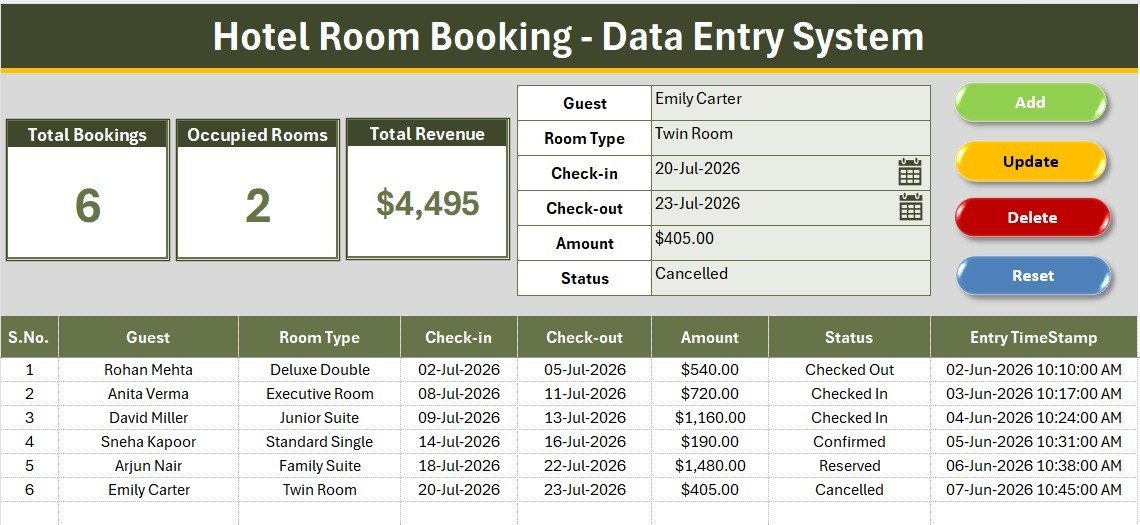
Sheet 2: Setting Sheet
Holds the two dropdown source lists — 11 room types and 6 booking statuses — wired to the form through named ranges. Edit a list here and the form dropdown updates immediately. The same three KPI cards are duplicated on this sheet so you can copy them as a linked picture into any report.
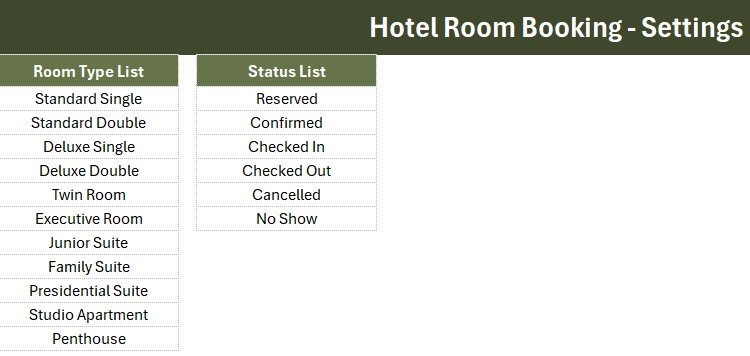
Sheet 3: Instructions Sheet
A step-by-step activation guide covering the VBA module import, assigning the four macros to the buttons, and saving the workbook as a macro-enabled .xlsm file. A fourth sheet, Get More Templates, links back to related NextGenTemplates tools.
📊 Hotel Room Booking Data Entry System vs. Google Sheets vs. Cloudbeds / Little Hotelier — Where This Fits
| Feature | Hotel Room Booking Data Entry System in Excel | Google Sheets Booking Sheet | Cloudbeds / Little Hotelier (PMS) |
|---|---|---|---|
| Cost | $5.99 one-time ✅ | Free, but built by you | $50–$150 / property / month |
| Platform | Excel 2016+ / Microsoft 365 (Windows) | Browser | Cloud SaaS |
| Setup time | Under 10 minutes ✅ | 2–6 hours of building | 1–3 days onboarding |
| Add / Update / Delete form | Built-in VBA buttons ✅ | Manual row editing | ✅ Included |
| Live occupancy & revenue KPIs | 3 cards, auto-recalculating ✅ | Formulas you write yourself | ✅ Included |
| Works offline | ✅ Fully offline | ❌ Needs internet | ❌ Needs internet |
| Real-time team collaboration | ❌ Single-file (share via OneDrive) | ✅ Yes | ✅ Yes |
| Channel manager / OTA sync | ❌ Not included | ❌ Not included | ✅ Included |
| Year-1 cost (single property) | $5.99 ✅ | $0 + your time | $600–$1,800 |
For small hotels, B&Bs and guest houses that want a proper booking form and live occupancy numbers without paying $600+ a year for a PMS, the Hotel Room Booking Data Entry System sits in the sweet spot.
👥 Who This Template Is For — and Who It’s Not For
✅ This template is built for:
- Owners of small hotels, B&Bs, guest houses and homestays with 5–40 rooms
- Front-desk staff who need a clean form instead of typing into raw spreadsheet rows
- Serviced-apartment and hostel operators tracking bookings, occupancy and revenue offline
- Anyone migrating off a paper register or a messy shared spreadsheet
❌ This template is NOT for:
- Hotels needing OTA / channel-manager sync with Booking.com, Expedia or Airbnb — buy a real PMS
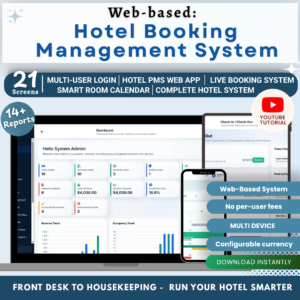
- Teams that need several people editing bookings simultaneously in real time — consider the Web App Based Hotel Booking Management System instead
- Mac-only users — the VBA macros require Excel on Windows
- Properties that need card payments, invoicing or housekeeping modules built in
⚙️ How to Use the Hotel Room Booking Data Entry System
1️⃣ Unzip the download and open the workbook in Excel on Windows.
2️⃣ Press ALT+F11, go to File → Import File, and import the supplied .bas module.
3️⃣ Place four Form-Control buttons over the coloured Add, Delete, Update and Reset cells and assign the matching macros.
4️⃣ Save the file as an Excel Macro-Enabled Workbook (.xlsm).
5️⃣ Open the Setting sheet and edit the room types and statuses to match your property.
6️⃣ Delete the sample bookings, then start entering yours — the three KPI cards update on every Add.
💼 Real-World Use Cases
Meera runs a 14-room boutique guest house in Goa. She uses the Hotel Room Booking Data Entry System to log every walk-in and phone reservation, switches the status to Checked In on arrival, and glances at the Occupied Rooms card each morning to know exactly how many rooms are free — without paying $89 a month for Little Hotelier.
Daniel manages a 22-unit serviced-apartment block in Manchester. His two front-desk staff share the workbook over OneDrive, entering bookings through the form so room types stay standardised. At month-end he sorts the bookings table by Check-out and reads Total Revenue straight off the KPI card for his owner’s report.
Priya took over a family hostel that ran on a paper register. She rebuilt the Setting sheet with dorm-bed categories, imported the last quarter’s bookings, and now has a searchable, time-stamped booking history plus live occupancy — all inside one Excel file that works even when the Wi-Fi drops.
❓ Frequently Asked Questions
What does the Hotel Room Booking Data Entry System track?
The Hotel Room Booking Data Entry System tracks Guest name, Room Type, Check-in date, Check-out date, Amount and booking Status across three live KPI cards: Total Bookings, Occupied Rooms and Total Revenue. Every entry is auto-numbered and time-stamped.
How long does setup take?
Setup takes under 10 minutes. Import the VBA module via ALT+F11, assign four macros to the four buttons, save as .xlsm, then edit the room-type and status lists on the Setting sheet. The Hotel Room Booking Data Entry System is ready to use immediately after that.
Can I change the room types and booking statuses?
Yes. Both lists live on the Setting sheet of the Hotel Room Booking Data Entry System and are wired to the form through named ranges. Add, rename or delete any room type or status and the form dropdowns update automatically — no VBA editing required.
How does this compare to Cloudbeds or Little Hotelier?
Cloudbeds and Little Hotelier are full property management systems with channel-manager and OTA sync, costing $50–$150 per month. The Hotel Room Booking Data Entry System is a $5.99 one-time Excel tool covering booking capture, occupancy and revenue — ideal for small properties that don’t need OTA integration.
Do I need to know VBA to use it?
No. The Hotel Room Booking Data Entry System ships with the VBA already written. You import the .bas module once, assign the four macros to the buttons, and never touch code again. The Instructions sheet walks through every click.
Which Excel versions are supported?
The Hotel Room Booking Data Entry System works in Excel 2016, 2019, 2021 and Microsoft 365 on Windows. Excel for Mac and Excel Online do not support the Form-Control button macros, so Windows Excel is required for the Add/Update/Delete/Reset features.
👤 About the Author
Built by PK — Microsoft Certified Professional with 15+ years of Excel, Google Sheets and Power BI experience. Founder of NextGenTemplates, reaching 300K+ subscribers across YouTube channels (@PK-AnExcelExpert, @NextGenTemplates, @NeoTechNavigators). Every template is hand-built and tested before release.
🔗 Explore Related Templates
- Service Booking Data Entry System in Excel – the same form-and-KPI engine tuned for appointment and service bookings.
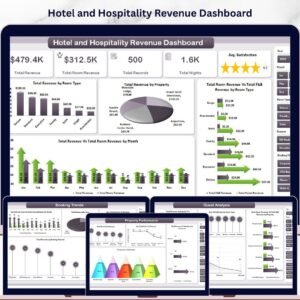
- Hotel and Hospitality Revenue Dashboard in Excel – occupancy, ADR and RevPAR analytics once your booking data grows.
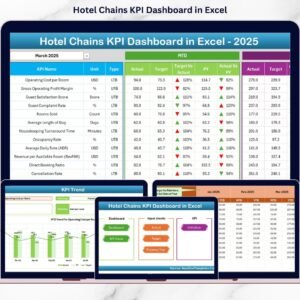
- Hotel Chains KPI Dashboard in Excel – multi-property KPI reporting for groups and chains.
- Restaurant Order Data Entry System in Excel – pair it with your F&B outlet.
Also available as: Web App Based Hotel Booking Management System (multi-user, browser-based) and Hotel Hospitality Revenue Dashboard in Google Sheets.
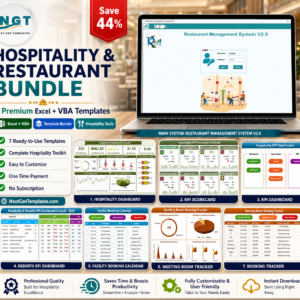
💎 Save 44% — get all 7 hospitality tools in the Hospitality & Restaurant Bundle for $49.99 instead of $88.93 →
Browse more Excel Dashboard Templates or the full Excel VBA Tools collection.
📖 Click here to read the Detailed Blog Post
🎥 Visit our YouTube channel for step-by-step video tutorials
👉 YouTube.com/@NextGenTemplates
📅 Last updated: July 2026





























Reviews
There are no reviews yet.