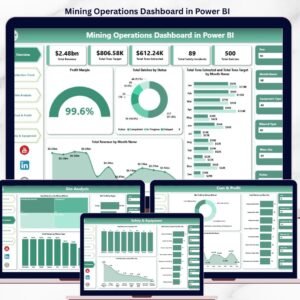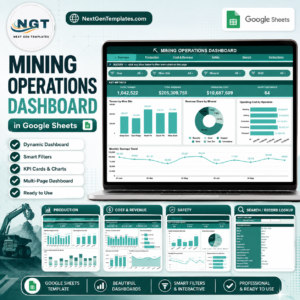
The mining industry operates in extreme conditions where every decision impacts cost, safety, and profitability. Heavy machinery, rising fuel prices, strict compliance regulations, and environmental accountability make operations complex. Yet, many companies still rely on static reports and outdated spreadsheets.That approach costs money.If you cannot see downtime trends, cost overruns, or production gaps instantly, you are already losing control.Mining Dashboard in Power BI.This professionally designed, ready-to-use dashboard centralizes production, financial, equipment, and ESG data into one powerful reporting system. It transforms raw operational data into meaningful insights — helping leadership teams make faster, smarter, and more profitable decisions.
If you want complete operational visibility and real-time control, this dashboard is built for you.
🚀 Key Features of Mining Dashboard in Power BI
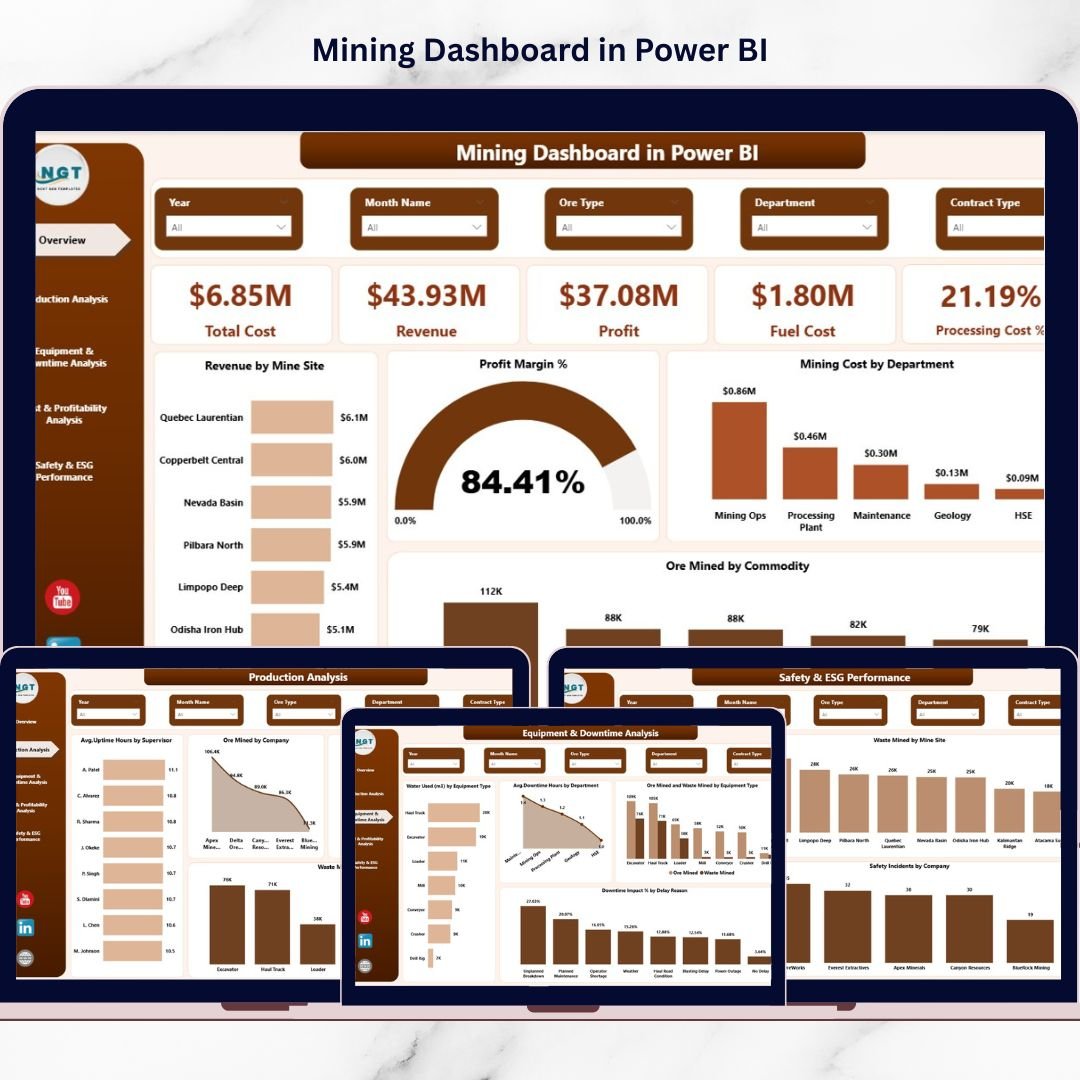
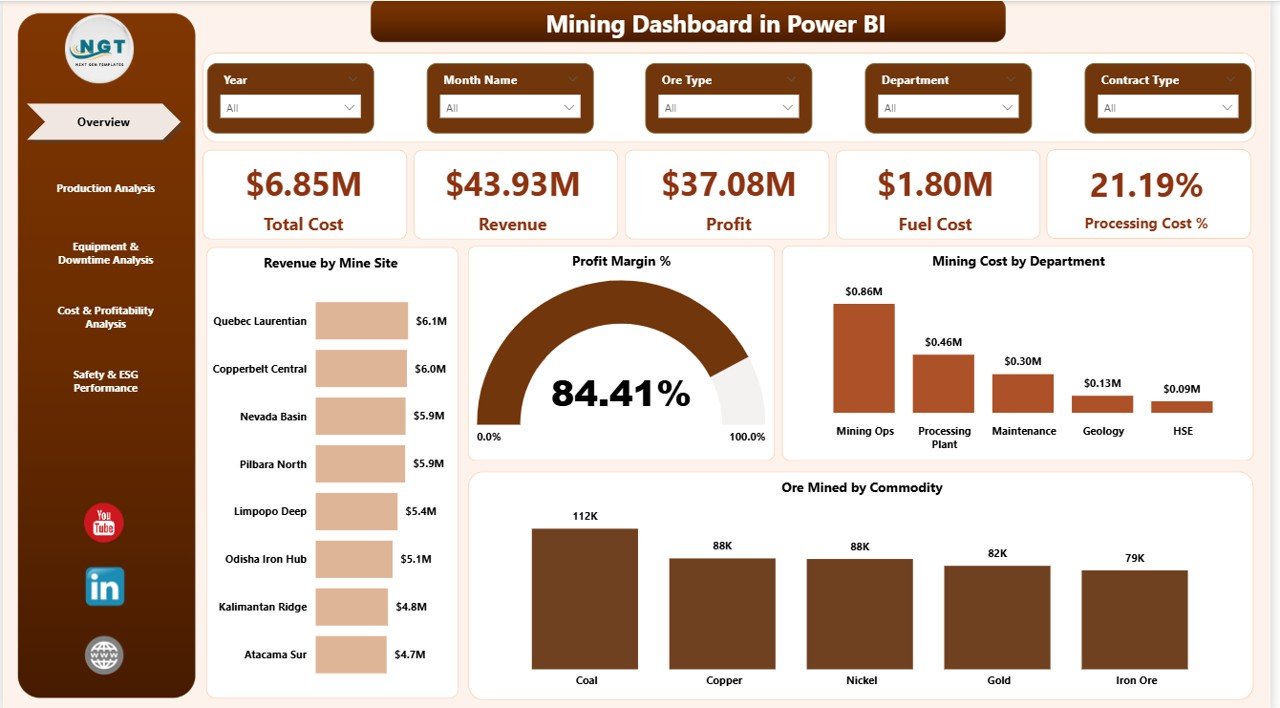
📊 5 Interactive Dashboard Pages
Carefully structured pages covering production, cost, equipment, profitability, and ESG performance.
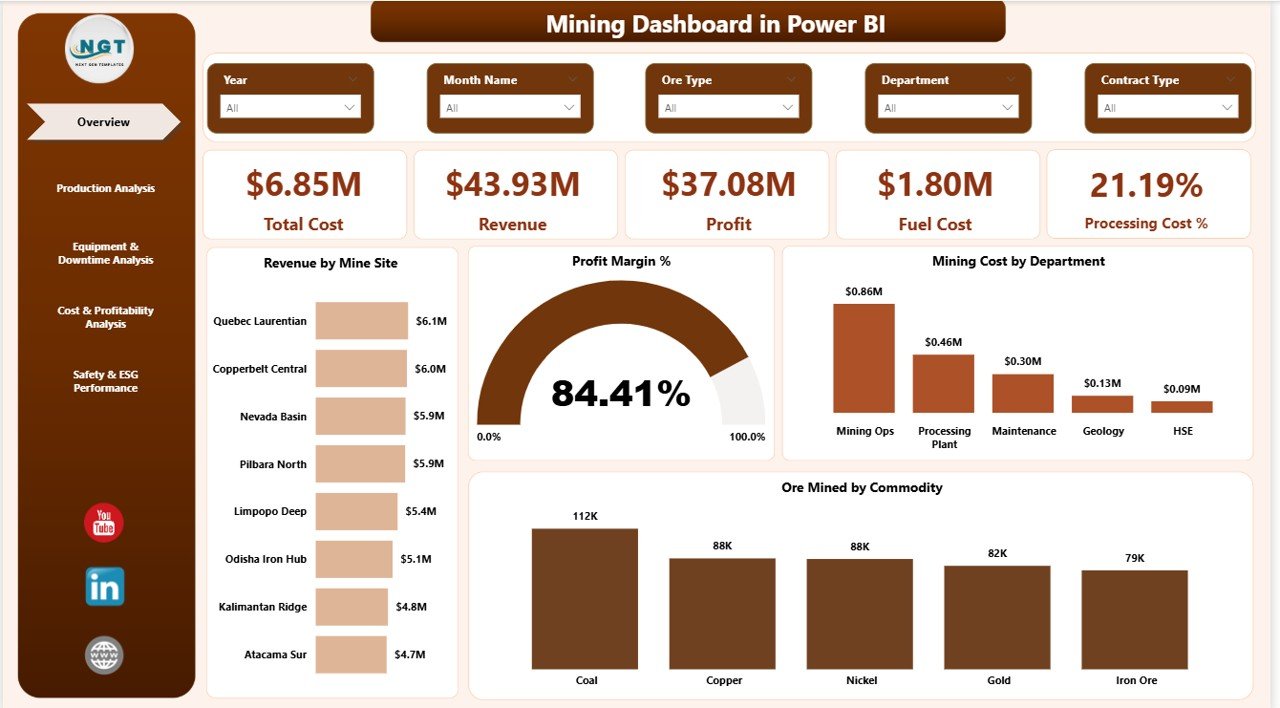
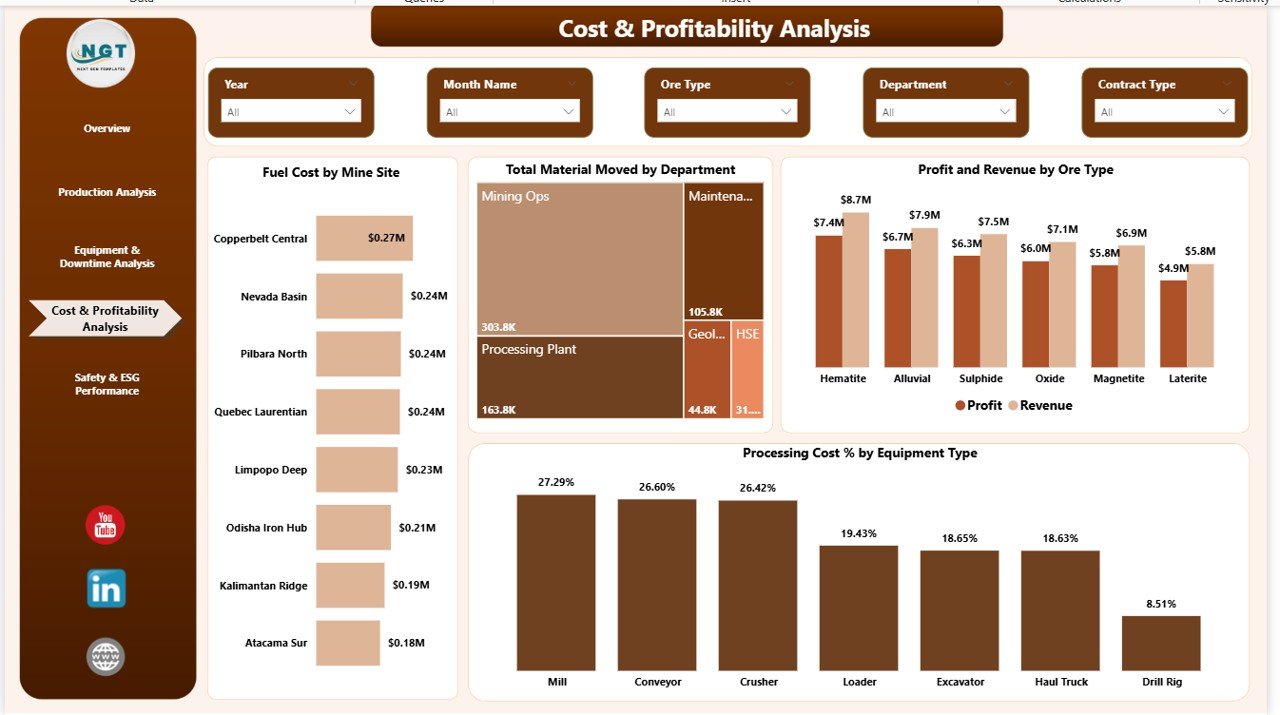
💰 Financial KPI Tracking
Monitor Revenue, Total Cost, Profit, Fuel Cost, and Processing Cost % in real time.
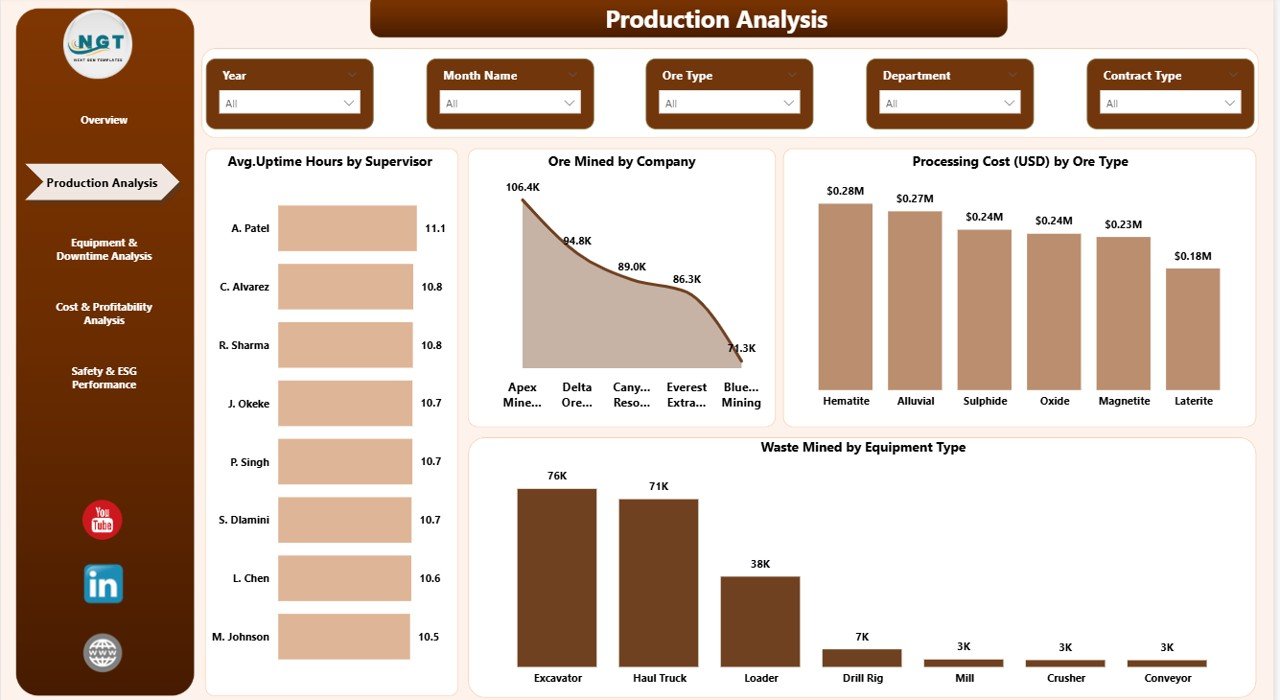
⛏️ Production Performance Analysis
Track Ore Mined by Commodity, Waste Mined, Processing Cost by Ore Type, and Output by Company.
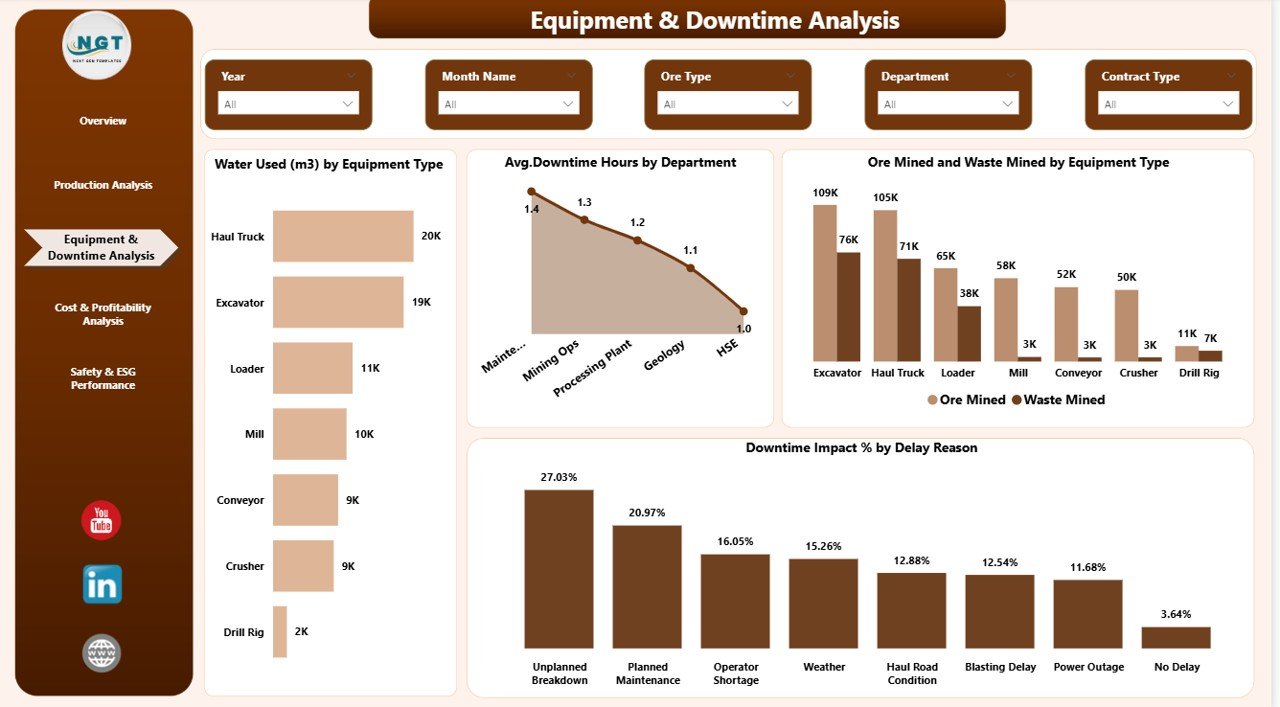
⚙️ Equipment & Downtime Monitoring
Analyze Uptime Hours, Downtime Impact %, Delay Reasons, and Department-wise breakdowns.
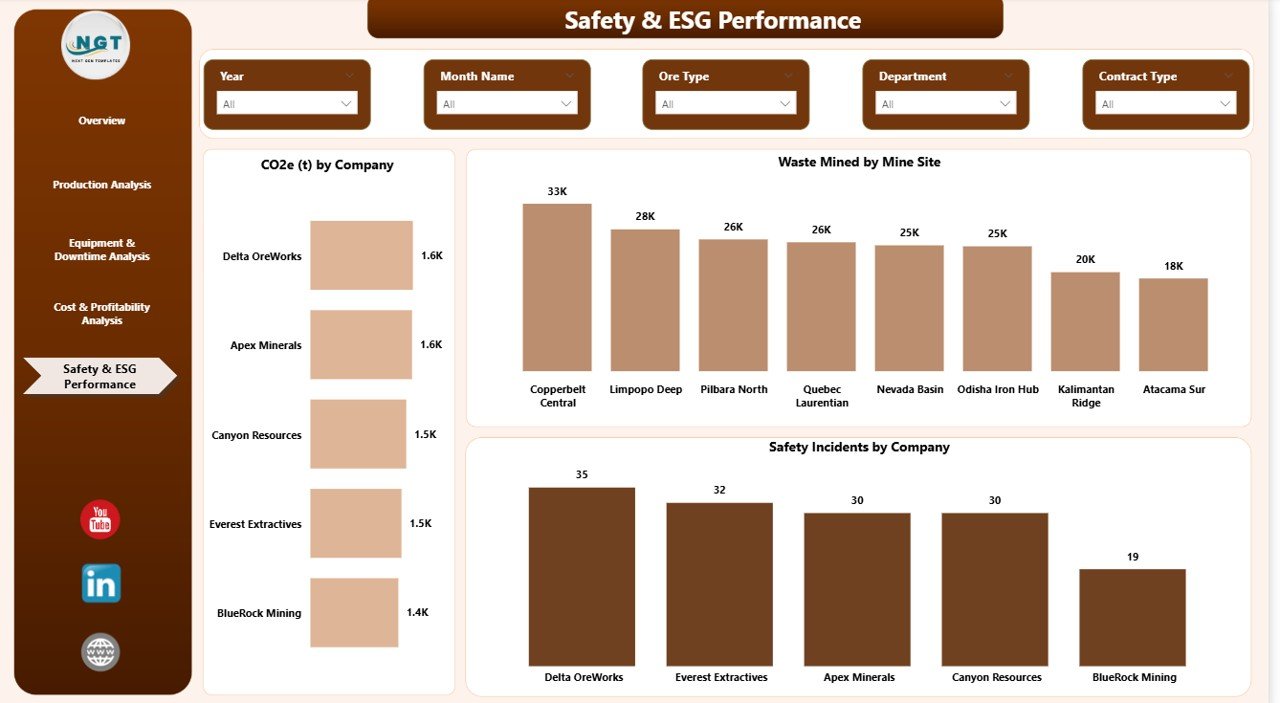
🌍 Safety & ESG Tracking
Measure CO2 emissions, Safety Incidents, and Waste by Site to ensure compliance and sustainability.
📈 Dynamic Slicers & Drill-Down Analysis
Filter by Mine Site, Month, Company, or Department instantly.
🔄 Real-Time Data Updates
Connect easily with Excel, ERP, or database sources for seamless refresh.
📊 Professional Visual Layout
Clean design with powerful KPI cards and comparison charts for executive-level reporting.
📦 What’s Inside the Mining Dashboard in Power BI
When you download this product, you receive:
✔ Power BI Desktop (.pbix) file
✔ 5 Fully Designed Dashboard Pages
✔ Pre-built KPI Cards and Visual Charts
✔ Structured Data Model
✔ DAX Measures for Calculations
✔ Dynamic Slicers and Filters
✔ Clean Layout for Executive Presentation
Each page is strategically built:
1️⃣ Overview – Central performance control panel
2️⃣ Production Analysis – Output efficiency monitoring
3️⃣ Equipment & Downtime – Delay and uptime tracking
4️⃣ Cost & Profitability – Margin and expense analysis
5️⃣ Safety & ESG – Compliance and environmental performance
Everything is ready for immediate customization.
🛠️ How to Use the Mining Dashboard in Power BI
Using this dashboard is simple:
1️⃣ Import your production and cost data into Excel or database format.
2️⃣ Connect the data source inside Power BI.
3️⃣ Refresh the model.
4️⃣ Use slicers to filter by month, site, or department.
5️⃣ Analyze KPIs, trends, and performance gaps instantly.
Within minutes, you gain full operational visibility.
No complex coding required.
👥 Who Can Benefit from This Mining Dashboard in Power BI
This dashboard is ideal for:
🏭 Mining Companies & Operators
📊 Operations Managers
💰 Finance & Cost Control Teams
⚙ Maintenance Supervisors
🌍 ESG & Compliance Officers
📈 Business Intelligence Analysts
🏢 Corporate Executives
Whether you manage one mine site or multiple operations globally, this dashboard helps you stay ahead of costs, downtime, and compliance risks.
Why This Dashboard Is a Game-Changer
Mining is data-intensive. But data alone does not drive performance.
Insight does.
This Mining Dashboard in Power BI converts complex datasets into clear visuals that highlight performance gaps, cost drivers, and production opportunities.
A 5% increase in fuel cost can reduce profit margin by 2–3%.
A 10% drop in uptime can significantly lower revenue.
With this dashboard, you detect these risks early — and act before profit declines.
If you want stronger cost control, higher equipment efficiency, and better ESG compliance, this tool becomes essential.
Click here to read the Detailed blog post
Watch the step-by-step video tutorial:
Visit our YouTube channel to learn step-by-step video tutorials:
YouTube Channel – PKAnExcelExpert
Compatibility and Requirements
- Built for Power BI Desktop, which is free. Microsoft explains how to install it in Get Power BI Desktop.
- Connect your own production and cost data from Excel, an ERP system or a database, then refresh.
Frequently Asked Questions
What is in the download?
A Power BI Desktop (.pbix) file with 5 dashboard pages, KPI cards, a data model, DAX measures and slicers.
Which pages are included?
Overview, Production Analysis, Equipment and Downtime, Cost and Profitability, and Safety and ESG.
Which financial KPIs does it show?
Revenue, Total Cost, Profit, Fuel Cost and Processing Cost %.
How do I filter the report?
Use the slicers to filter by mine site, month, company or department.
Related Mining Templates
- Mining Dashboard in Excel: the Excel edition
- Mining Dashboard in Google Sheets: the Google Sheets edition
- Mining KPI Dashboard in Power BI: mining KPIs against targets
- Mining Operations Dashboard in Power BI: day-to-day mining operations
- Mining Safety KPI Dashboard in Excel: safety KPIs for mine sites
Browse all Power BI dashboards or the Power BI KPI dashboards.