



The VBA Multilevel Dependent Drop-Down in User Form is an advanced Excel solution designed to create dynamic and interactive user forms for data entry. This template allows you to set up multilevel dependent drop-down lists that automatically update based on the selection made in the previous dropdown. This feature is ideal for businesses, analysts, or anyone looking to streamline data entry by making it easier to select related items, minimizing errors and improving data accuracy.
With this solution, you can create professional user forms that adapt to user selections and help guide them through the data entry process with ease. Whether you’re collecting information for inventory, sales, or any other category with hierarchical data, this VBA-based template will ensure smooth and efficient data entry.

Key Features of the VBA Multilevel Dependent Drop-Down in User Form
📅 Multilevel Dropdowns: Create multiple levels of dependent drop-down lists where each selection influences the options available in the next dropdown.
⚙️ Dynamic Data Entry: Automatically populate dependent drop-down lists based on previous choices, streamlining the data entry process.
📈 Error Reduction: Reduce human error by restricting selections to relevant options, ensuring data integrity.
💼 Customizable User Forms: Tailor the user form to meet your specific needs, whether for inventory, sales, or any other data collection.
📊 Visual Interface: Use a user-friendly interface with drop-down lists for easy navigation and data entry.
🔄 Real-Time Updates: Automatically update selections based on previous choices for a seamless experience.
Why You’ll Love the VBA Multilevel Dependent Drop-Down in User Form
✅ Improved Data Accuracy: Automatically filter choices based on prior selections, ensuring data consistency and minimizing entry errors.
✅ User-Friendly Interface: A simple and intuitive form that guides users through the selection process, making it easier to collect structured data.
✅ Time-Saving: Streamline the data entry process by making the drop-down selections dynamic and dependent, reducing manual effort.
✅ Flexible and Customizable: Easily modify the user form to fit your specific data collection needs, from inventory to customer details.
✅ Professional-Looking Forms: Create professional-looking user forms that adapt dynamically to the user’s input, enhancing the user experience.
What’s Inside the VBA Multilevel Dependent Drop-Down in User Form?
📅 Dependent Drop-Down Lists: Organize your data into categories and subcategories, allowing users to choose options based on prior selections.
⚙️ Dynamic Selection Process: As users select an option in one drop-down, the following list dynamically adjusts to display only relevant options.
📈 User Form Interface: A clear and intuitive user interface for easy navigation and selection.
💼 Customizable VBA Code: Tailor the VBA code to your specific needs and expand the functionality as required.
🔄 Real-Time Data Updates: As selections change, the form is automatically updated, offering a fluid user experience.
How to Use the VBA Multilevel Dependent Drop-Down in User Form
1️⃣ Download the Template – Get access to the pre-configured VBA multilevel dependent drop-down user form template.
2️⃣ Input Data: Add your data categories and subcategories into the data range.
3️⃣ Customize User Form: Adjust the form fields and drop-down options to suit your business needs.
4️⃣ Select from Drop-Downs: Use the dynamic drop-down lists to select categories and subcategories with ease.
5️⃣ Automated Updates: The form will automatically update as selections are made, reducing manual effort and improving data accuracy.
Who Can Benefit from the VBA Multilevel Dependent Drop-Down in User Form?
🔹 Business Analysts
🔹 Data Entry Professionals
🔹 Inventory Managers
🔹 Sales Teams
🔹 HR Teams
🔹 Project Managers
🔹 IT Professionals
Streamline data collection and ensure accurate, efficient data entry with the VBA Multilevel Dependent Drop-Down in User Form. Improve workflow, reduce errors, and enhance your Excel user forms today.
Click here to read the detailed blog post
After downloading and unzipping this file, ensure that macros are enabled before use. Refer to our below tutorial link for step-by-step instructions on enabling macros in Excel.
Visit our YouTube channel to learn step-by-step video tutorials
Watch the step-by-step video tutorial:
Also check our Incentive Dashboard in Excel
Compatibility and Requirements
- Works in Microsoft Excel desktop on Windows. The user form runs on VBA, so macros must be enabled.
- It does not run in Excel for the web, Google Sheets or the Excel mobile apps.
- Microsoft explains how to turn macros on in Enable or disable macros in Microsoft 365 files.
Frequently Asked Questions
How do the dependent drop-downs work?
Each drop-down on the user form depends on the one before it. When you pick an option, the next list shows only the items that belong to that choice.
Where do I add my own categories?
Add your categories and subcategories to the data range in the workbook. The drop-down lists on the form read from that range.
Can I change the form fields?
Yes. You can adjust the form fields and drop-down options, and the VBA code is open for you to edit and extend.
What kind of data does it suit?
Any data with levels, such as inventory items, sales categories or customer details, where one choice narrows the next.
Do I need to enable macros?
Yes. After you download and unzip the file, enable macros before you open the form.
Related Excel User Form Templates
- Data Entry Form in Excel: a ready form for logging records
- Universal Searchable Drop-down List in Excel: type to search long drop-down lists
- Smart Data Entry Form with Minimum VBA: a light data entry form
- Dynamic Chart on User Form in Excel: show a chart inside a user form
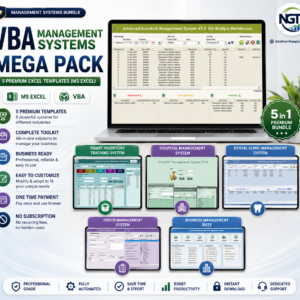
- VBA Management Systems Mega Pack: 5 VBA systems in one download
Browse all Excel VBA tools.















Reviews
There are no reviews yet.