

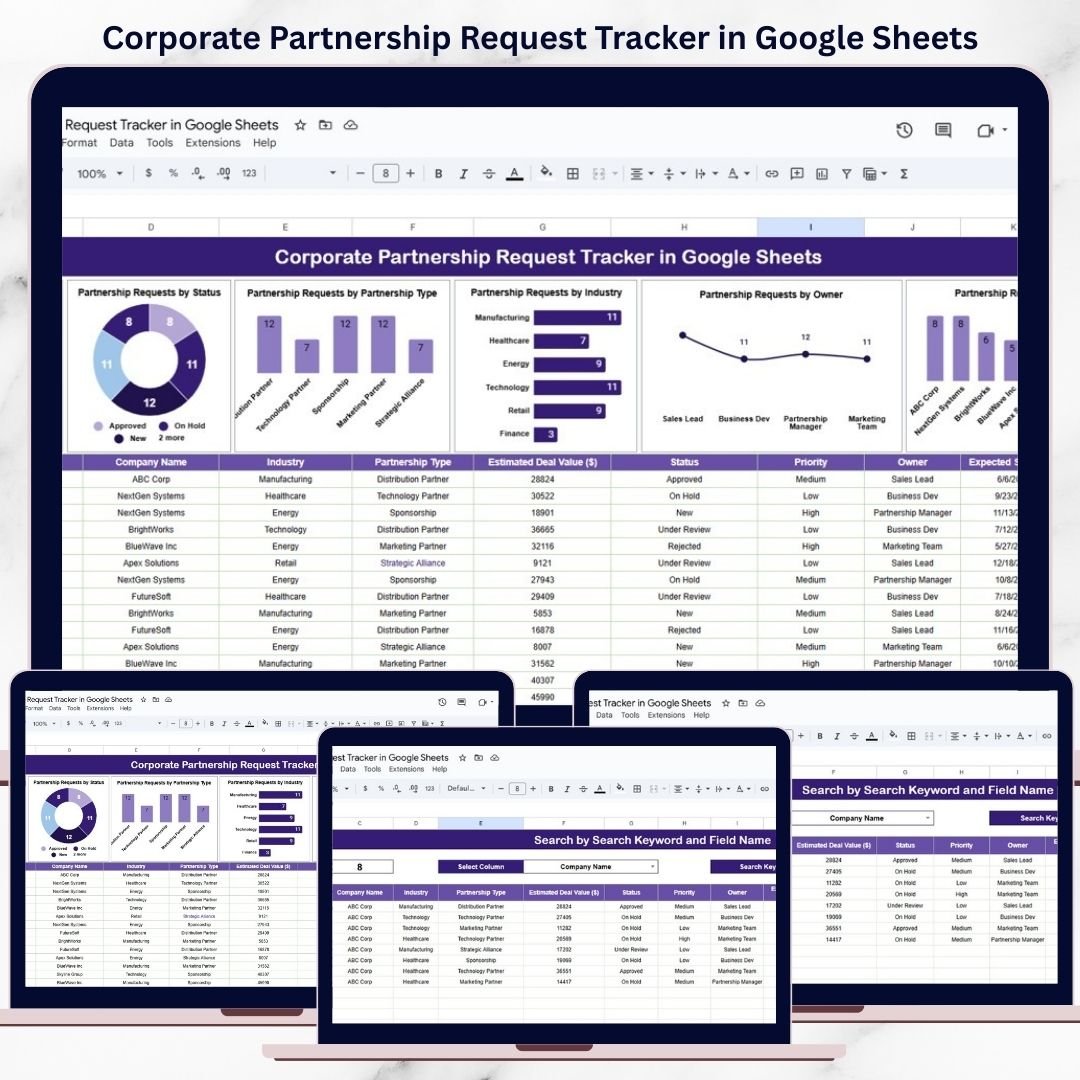

Corporate partnerships are powerful growth drivers. They help organizations expand into new markets, strengthen brand credibility, unlock new revenue streams, and create long-term strategic value. However, when partnership requests are handled through emails, chats, or unstructured spreadsheets, teams quickly lose visibility. Requests get delayed, ownership becomes unclear, and high-value opportunities are missed.
That is exactly why the Corporate Partnership Request Tracker in Google Sheets becomes an essential business development and operations tool.
This ready-to-use tracker centralizes all partnership requests in one structured and easy-to-manage Google Sheets file. It helps business development teams, partnership managers, strategy teams, and leadership track requests, set priorities, monitor status, and analyze trends using visual charts and a smart search feature. Because everything runs in Google Sheets, updates happen in real time and collaboration becomes seamless.
With this tracker, your organization moves from reactive partnership handling to a clear, proactive, and data-driven process.
✨ Key Features of the Corporate Partnership Request Tracker in Google Sheets
📋 1. Centralized Partnership Request Management
All partnership requests are stored in one clean and structured tracker. This eliminates scattered emails and ensures nothing slips through the cracks.
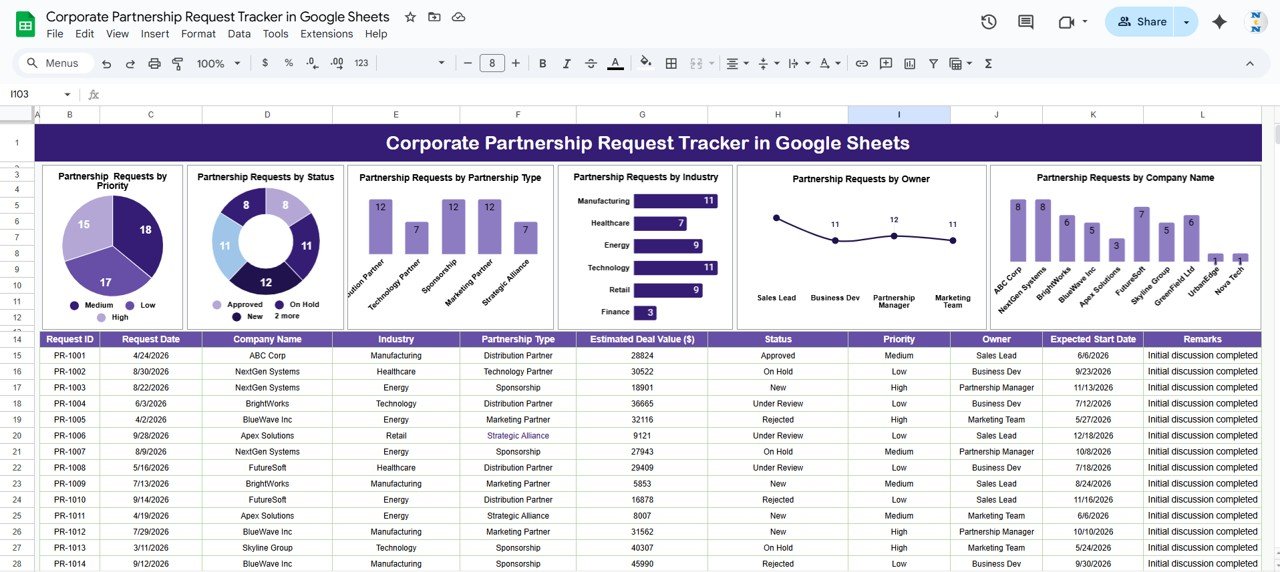
📊 2. Visual Charts for Fast Insights
Built-in charts automatically convert raw request data into actionable insights, helping leadership review opportunities quickly.
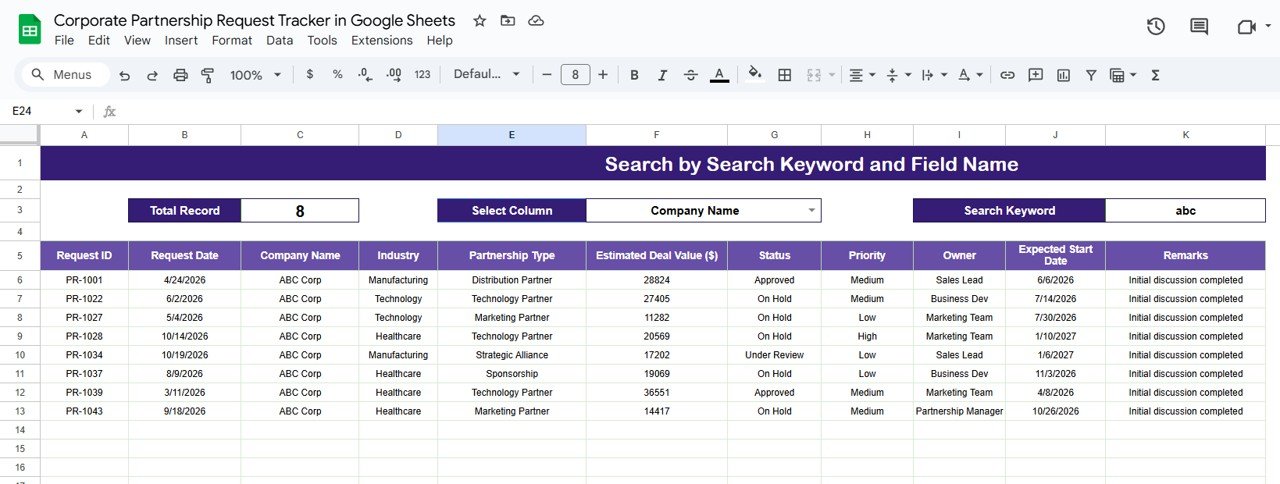
🔍 3. Smart Search & Filtering
Find any partnership request instantly using keyword-based search and field selection.
👤 4. Clear Ownership & Accountability
Track request owners easily and balance workload across team members.
🤝 5. Cloud-Based Collaboration
Multiple users can update, review, and manage requests simultaneously using Google Sheets.
📦 What’s Inside the Corporate Partnership Request Tracker in Google Sheets
🗂️ Tracker Sheet Tab – Central Partnership Log
This is the core data entry and storage sheet. Typical fields include:
Company Name
Partnership Type
Industry
Priority Level
Request Status
Request Owner
Request Date
Remarks
Once any record is added or updated, all dashboard charts refresh automatically.
📈 Charts That Turn Requests into Insights
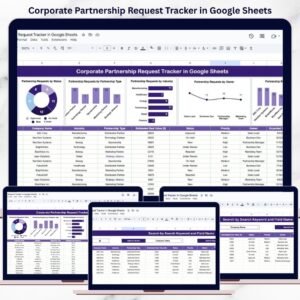
The tracker includes six powerful charts that give instant visibility into partnership activity:
📌 Partnership Requests by Priority
Categorizes requests as High, Medium, or Low priority—helping teams focus on high-impact opportunities first.
📌 Partnership Requests by Status
Tracks New, Under Review, Approved, and Rejected requests—ensuring no request remains unattended.
📌 Partnership Requests by Partnership Type
Shows distribution across Strategic, Technology, Marketing, Distribution, or other partnership types—supporting strategic planning.
📌 Partnership Requests by Industry
Highlights industries generating the most partnership interest, helping identify growth sectors.
📌 Partnership Requests by Owner
Displays workload distribution across owners—improving accountability and follow-ups.
📌 Partnership Requests by Company Name
Tracks recurring requests and key strategic partners for relationship management.
All charts update automatically as data changes.
🔍 Search Feature – Find Partnership Requests Instantly
The built-in search section allows you to filter requests by:
Company Name
Partnership Type
Industry
Priority
Status
Owner
Simply enter a search keyword, select the field name, and matching records appear instantly. This feature is extremely useful during leadership reviews, follow-ups, audits, and planning meetings.
🛠️ How to Use the Corporate Partnership Request Tracker in Google Sheets
1️⃣ Log All Partnership Requests Immediately
Capture every request as soon as it is received.
2️⃣ Assign Priority & Owner
Define priority levels and ownership to ensure clarity.
3️⃣ Update Status Regularly
Keep request status current to maintain dashboard accuracy.
4️⃣ Review Charts Weekly
Identify bottlenecks, high-value opportunities, and follow-up gaps.
5️⃣ Use Search During Reviews
Find specific requests instantly during meetings or audits.
🎯 Who Can Benefit from This Corporate Partnership Request Tracker
🤝 Business Development Teams
Manage partnership pipelines efficiently.
📈 Partnership Managers
Track ownership, progress, and outcomes clearly.
🏢 Strategy Teams
Analyze partnership trends across industries and types.
👔 Leadership & Executives
Review high-level partnership activity at a glance.
🚀 Growing Organizations
Scale partnership management without complexity.
### Click here to read the Detailed blog post
Watch the step-by-step video tutorial:
Visit our YouTube channel to learn step-by-step video tutorials — Youtube.com/@NeotechNavigators
Compatibility and Requirements
- Works in Google Sheets. You need a free Google account and a web browser.
- The six charts refresh as you add records. Google explains charts in Add & edit a chart or graph.
Frequently Asked Questions
Which fields does the tracker record?
It records company name, partnership type, industry, priority level, request status, request owner, request date and remarks.
Which charts are included?
Six charts show requests by priority, status, partnership type, industry, owner and company name.
Which statuses can a request have?
Requests move through New, Under Review, Approved and Rejected.
How does the search work?
Enter a keyword, pick a field such as company, type, industry, priority, status or owner, and the matching records appear.
Can my team update it at the same time?
Yes. It runs in Google Sheets, so several users can update and review requests at once.
Related Partnership and Sponsorship Templates
- Corporate Sponsorship Request Tracker in Google Sheets: log sponsorship requests the same way
- Partnership Events Calendar in Google Sheets: plan partner events
- Corporate Sponsorship Request Tracker in Excel: sponsorship requests in Excel
- Public Private Partnerships Dashboard in Excel: report on partnership projects
- Tracker Toolkit: 12 tracker templates in one download
Browse all Google Sheets trackers or the Google Sheets dashboards.































Reviews
There are no reviews yet.