

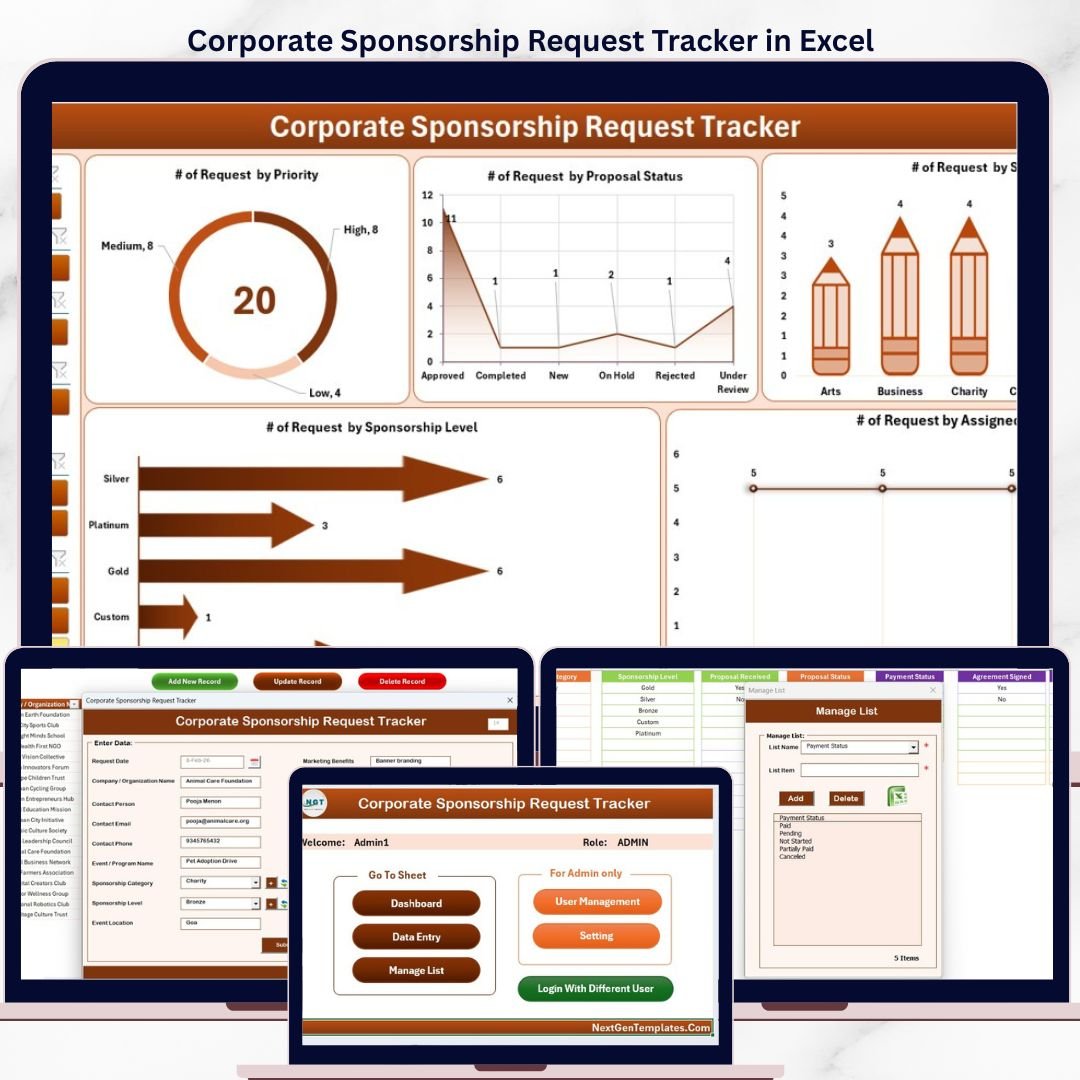
Corporate development teams spend an average of 6–10 hours per week chasing sponsorship request statuses across emails, shared folders, and disconnected spreadsheets. The Corporate Sponsorship Request Tracker in Excel consolidates every inbound sponsorship request — from initial submission to final decision — into a single VBA-powered workbook with a real-time dashboard, secure login, and automated data entry forms. Trusted by 8,400+ teams worldwide across nonprofits, events companies, sports organizations, and corporate CSR departments.
✅ Instant download · One-time payment · No subscription · No per-user fees · Lifetime access
🔑 Key Features of the Corporate Sponsorship Request Tracker in Excel
🔹 VBA-Powered Login Form — Secure role-based access using Excel VBA. Only authenticated users can view or edit sponsorship records, protecting confidential partner data from unauthorized access. This tracker includes built-in User Management to add, modify, or remove user credentials at any time.
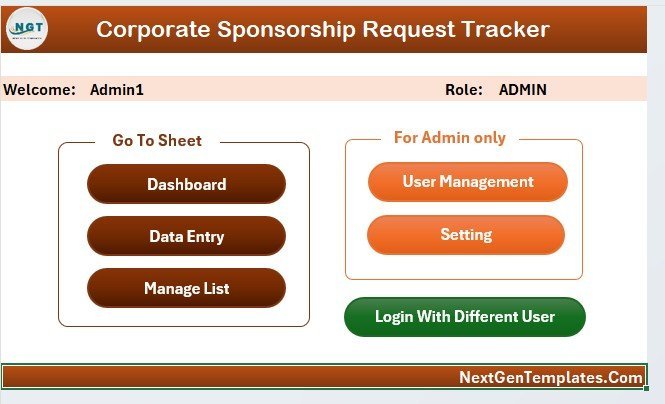
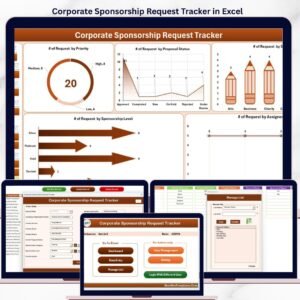
🔹 Central Home Page — A clean navigation hub that gives users one-click access to the Dashboard, Data Sheet, Settings, and User Management — eliminating the need to tab through a cluttered workbook.
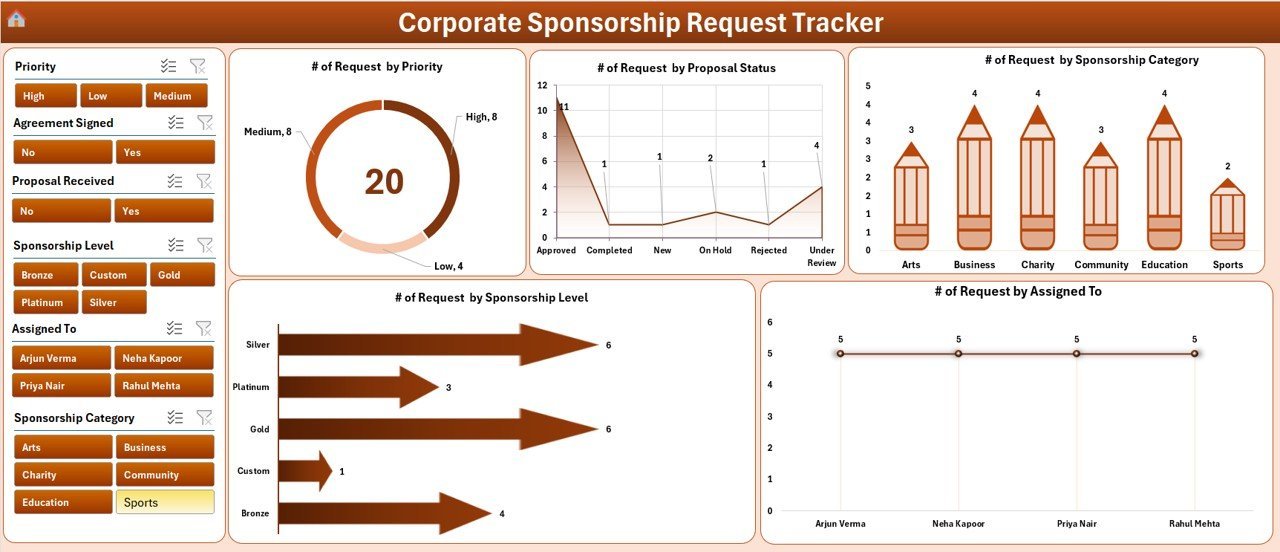
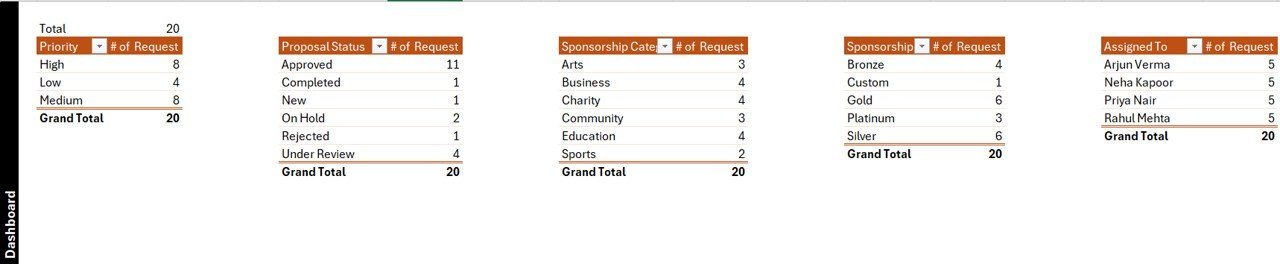
🔹 Interactive Dashboard with 5 Charts and 4 Slicers — The Dashboard page displays 5 auto-updating charts covering sponsorship status breakdowns, request volume by sponsor type, trend analysis by month, and category-level comparisons. Four interactive slicers let teams filter the entire dashboard by date, status, region, or sponsor category in one click. All charts refresh automatically when new records are added or updated.
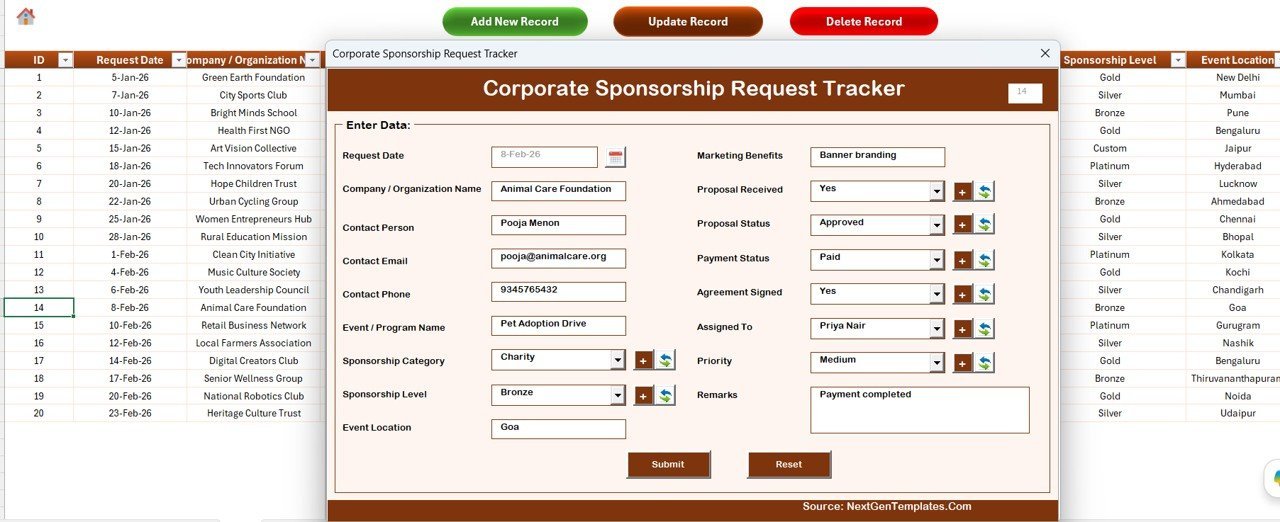
🔹 Data Entry Form (Add / Update / Delete) — On the Data Sheet, three action buttons drive the entire record management workflow: the Add New Record button opens a blank form to capture sponsorship details; the Update Record button opens a pre-filled form for any selected record; and the Delete Record button confirms and removes the selected entry. Every operation triggers an automatic dashboard refresh — no manual pivot table updates needed.
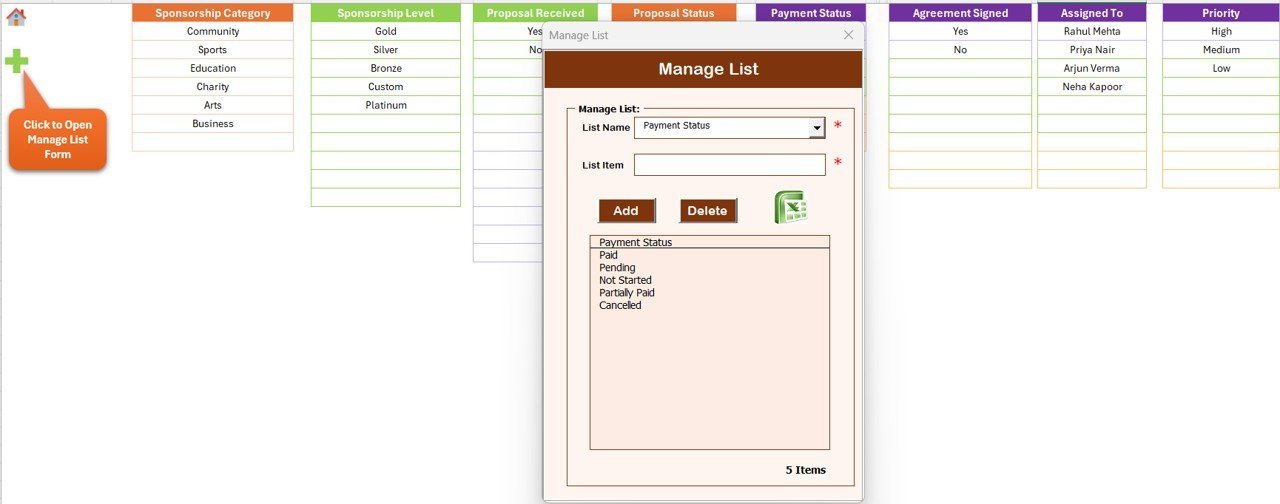
🔹 Customizable List Sheet — Maintain dropdown values used inside the data entry form (sponsor categories, status options, regions, event types) by simply editing the List sheet. Changes reflect immediately in the form combo boxes with no formula editing required.
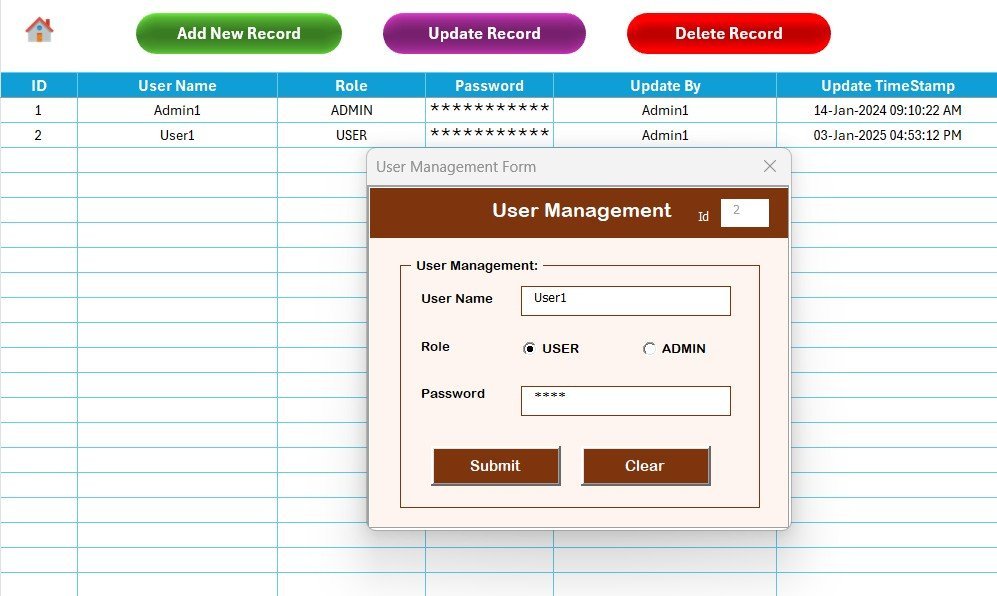
🔹 User Management Sheet — Admins can add multiple users with unique IDs and passwords, update credentials, and delete inactive accounts — enabling safe multi-user access across a sponsorship team.
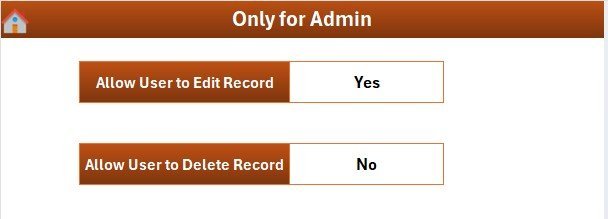
🔹 Support and Settings Sheets — The Support sheet houses the pivot tables that drive the dashboard charts and can be hidden once configured. The Settings sheet lets admins control system-level defaults including auto-refresh behavior and access roles.
📦 What’s Inside the Corporate Sponsorship Request Tracker in Excel
The Corporate Sponsorship Request Tracker in Excel includes 8 worksheets covering every stage of the sponsorship request lifecycle: Login Form, Home Page, Dashboard (5 charts, 4 slicers), Data Sheet (Add/Update/Delete forms), List Sheet (dropdown management), Support Sheet (pivot tables), Settings Sheet, and User Management Sheet. The file is macro-enabled (.xlsm) and requires Microsoft Excel 2016 or later with macros enabled on first launch.
📊 Corporate Sponsorship Request Tracker in Excel vs. Google Sheets Equivalent vs. Salesforce CRM — Where This Fits
| Feature | Corporate Sponsorship Request Tracker in Excel | Google Sheets Equivalent | Salesforce / HubSpot CRM |
|---|---|---|---|
| Cost | $6.99 one-time | Free (manual build) | $25–$150 / user / month |
| Platform | Microsoft Excel (offline) | Google Sheets (cloud) | Cloud SaaS |
| Setup time | Under 5 minutes | 4–10 hours to build | 3–10 days (onboarding) |
| Secure login & multi-user | ✅ VBA login system | ❌ No native login | ✅ Native SSO |
| VBA data entry form | ✅ Add/Update/Delete | ❌ Manual row entry | ✅ Locked SaaS forms |
| Real-time charts & slicers | ✅ 5 charts, 4 slicers | Partial (manual charts) | ✅ Full BI reporting |
| Offline access | ✅ 100% offline | ❌ Requires internet | ❌ Requires internet |
| Year-1 cost at 5 users | $6.99 total | $0 + hours of build time | $1,500–$9,000 |
For corporate and nonprofit teams that need secure, offline sponsorship tracking without paying $150+/month for CRM licenses, the Corporate Sponsorship Request Tracker in Excel sits in the sweet spot.
👥 Who This Template Is For — and Who It’s Not For
✅ This template is built for:
- Corporate CSR and community relations managers tracking 10–500 sponsorship requests per year
- Events coordinators managing inbound sponsorship applications for conferences, sports events, or galas
- Nonprofit development teams needing a structured intake and approval workflow
- Small to mid-size organizations that prefer Excel over cloud-based CRM tools
- Admin teams that need secure multi-user access with role-based login in Excel
❌ This template is NOT for:
- Enterprise teams that need Salesforce-level CRM with automated workflows and API integrations
- Organizations that need real-time collaborative editing across 10+ simultaneous users
- Teams that require a mobile-first or web-based sponsorship portal
⚙️ How to Use the Corporate Sponsorship Request Tracker in Excel
- Download and unzip the file, then open in Microsoft Excel 2016 or later.
- Enable macros when prompted — required for the login form, data entry buttons, and auto-refresh features.
- Log in using the default credentials (Admin1 / abcd) and update passwords in the User Management sheet.
- Customize dropdown options in the List Sheet (sponsor types, statuses, regions) to match your organization.
- Use the Data Sheet’s Add New Record button to log incoming sponsorship requests via the data entry form.
- Monitor the Dashboard’s 5 charts and 4 slicers to track request status, volume trends, and category breakdowns in real time.
- Use Update Record and Delete Record buttons to manage existing entries without manually editing rows.
💼 Real-World Use Cases
Priya manages corporate partnerships at a mid-size technology company. Each quarter she receives 80–120 sponsorship requests from universities, nonprofit events, and industry conferences. Before using the Corporate Sponsorship Request Tracker in Excel, her team tracked everything in a shared Google Sheet with no version control. Now she uses the Add New Record form to log each request in under 60 seconds, and the Dashboard’s status slicer lets her instantly filter all “Pending Review” requests during weekly pipeline calls — without a $99/month CRM subscription.
Marcus runs a regional sports foundation. He uses the Corporate Sponsorship Request Tracker in Excel to manage incoming requests from local businesses, track approval timelines, and report monthly to the board on sponsorship pipeline value. The 5 dashboard charts give him a one-page visual overview he can screenshot and paste directly into board meeting slides.
Sandra leads community engagement at a nonprofit hospital network. Her 3-person team shares one Excel file stored on a network drive. The VBA login system ensures only authorized team members can add or modify records, and the User Management sheet lets her onboard or offboard staff in under 2 minutes.
❓ Frequently Asked Questions
What does the Corporate Sponsorship Request Tracker in Excel include?
The Corporate Sponsorship Request Tracker in Excel includes 8 worksheets: Login Form, Home Page, Dashboard (5 charts, 4 slicers), Data Sheet with Add/Update/Delete VBA forms, List Sheet for dropdown management, Support Sheet with pivot tables, Settings Sheet, and User Management Sheet. The file is macro-enabled and ready to use immediately after download.
Do I need advanced Excel skills to use this tracker?
No. The Corporate Sponsorship Request Tracker in Excel is built for everyday users. All data operations are handled through form buttons — you don’t need to understand VBA or pivot tables to add, update, or delete records. Basic Excel familiarity is sufficient to get started in under 5 minutes.
How does this compare to using a CRM like Salesforce or HubSpot?
The Corporate Sponsorship Request Tracker in Excel is a one-time $6.99 purchase with full offline access and no per-user fees. Salesforce and HubSpot CRM plans start at $25–$150 per user per month. For teams with 5 users, the Excel tracker saves $1,500–$9,000 in Year-1 costs while covering the core workflow of logging, reviewing, and tracking sponsorship requests.
How long does setup take?
Setup takes under 5 minutes. Download and unzip the file, open in Excel, enable macros, log in, and customize dropdown values in the List Sheet to match your organization’s sponsorship categories. The dashboard starts populating automatically as soon as you enter your first record.
Can multiple team members use this tracker?
Yes. The Corporate Sponsorship Request Tracker in Excel supports multi-user access via the built-in User Management sheet. Admins can add individual users with unique usernames and passwords. The file can be stored on a shared network drive or cloud storage (OneDrive, SharePoint) for team access.
What version of Excel is required?
Microsoft Excel 2016 or later is required to run the VBA macros and data entry forms in the Corporate Sponsorship Request Tracker in Excel. The file is a .xlsm macro-enabled workbook. It does not work in Excel for the web or Google Sheets.
Is there a record limit?
There is no practical record limit. Excel’s row capacity (over 1 million rows) far exceeds typical sponsorship request volumes. The tracker comfortably handles thousands of records while keeping the dashboard responsive and the forms fast.
👤 About the Author
Built by PK — Microsoft Certified Professional with 15+ years of Excel, Google Sheets, and Power BI experience. Founder of NextGenTemplates, reaching 300K+ subscribers across YouTube channels (@PK-AnExcelExpert, @NextGenTemplates, @NeoTechNavigators). Every template is hand-built and tested before release.
🔗 Explore Related Templates
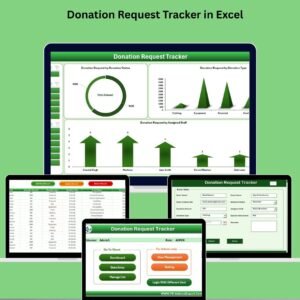
🔹 Donation Request Tracker in Excel — A VBA-powered tracker with the same login, dashboard, and form architecture for managing nonprofit and CSR donation requests.
🔹 Browse the complete Excel Trackers catalog for more ready-to-use templates.
🔹 Browse our Excel VBA Tools collection for automation-ready workbooks with login forms, dashboards, and data entry forms.
📖 Click here to read the Detailed Blog Post
🎥 Visit our YouTube channel for step-by-step video tutorials
👉 YouTube.com/@NextGenTemplates
📅 Last updated: May 2026

Reviews
There are no reviews yet.