

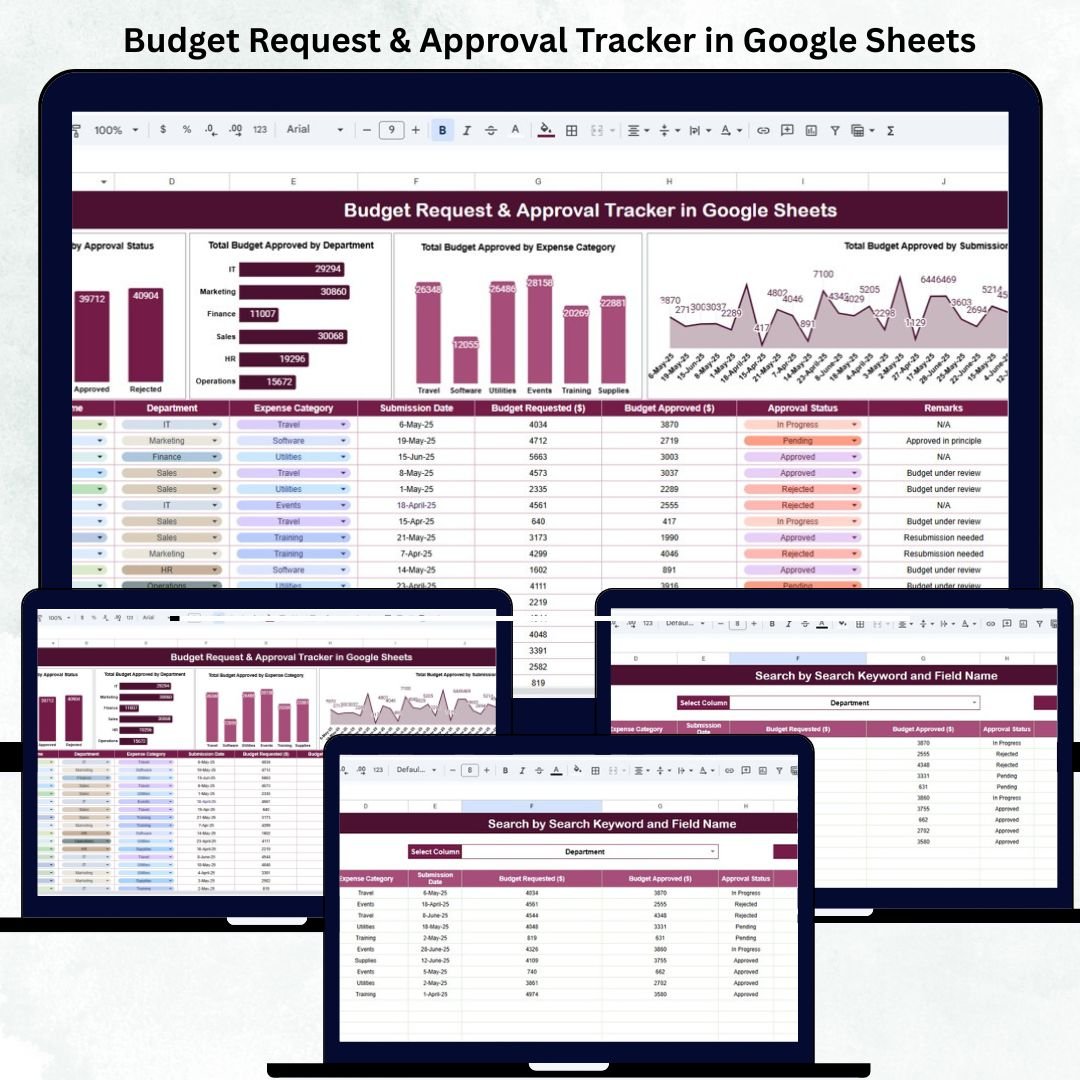

Efficient budget management is crucial for maintaining financial discipline and organizational transparency. The Budget Request & Approval Tracker in Google Sheets provides a ready-to-use, automated, and collaborative solution that helps finance teams, department heads, and business leaders manage, review, and analyze all budget requests in one place. 💼📊
Built entirely in Google Sheets, this tool simplifies financial approvals — from submission to authorization — while offering clear insights into spending patterns, approval timelines, and department-level budget trends. It’s the perfect balance between simplicity and power — no coding, no add-ons, just smart automation. ⚙️✅
🔑 Key Features of the Budget Request & Approval Tracker in Google Sheets
📋 Tracker Sheet Tab (Main Dashboard)
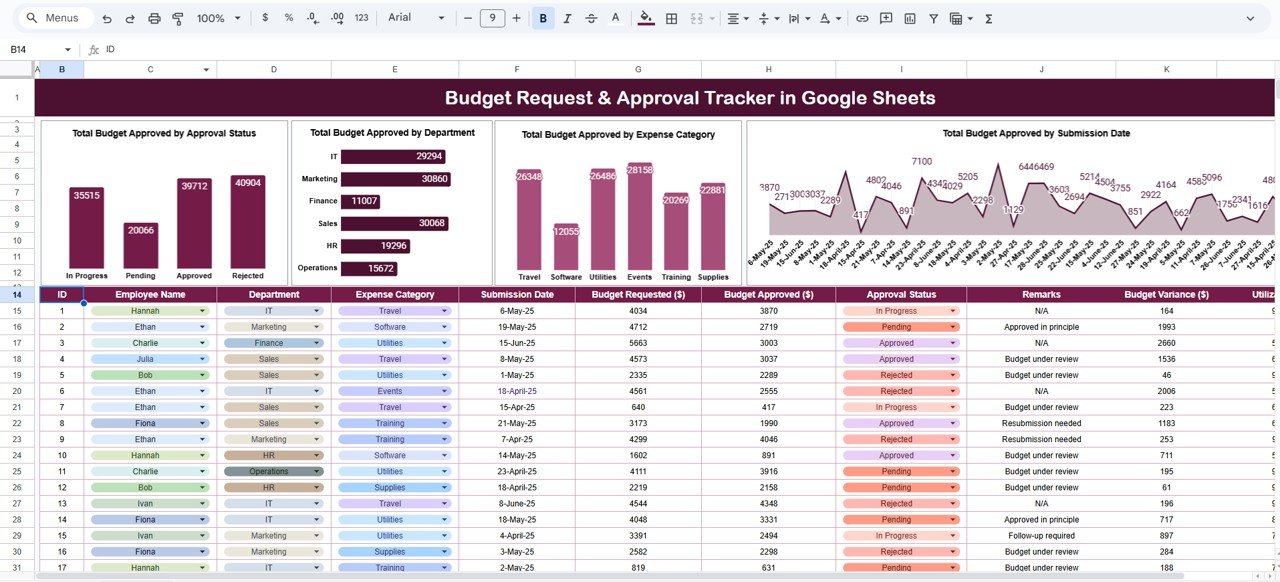
The Tracker Sheet is your financial control center — showcasing real-time approval summaries and visual analytics that update automatically with every data entry.
Charts Included:
💰 Total Budget Approved by Approval Status: Displays the percentage of requests that are Approved, Pending, or Rejected for quick workflow tracking.
🏢 Total Budget Approved by Department: Compares how much each department — such as HR, IT, Marketing, or Operations — has requested and received.
📂 Total Budget Approved by Expense Category: Categorizes spending into key areas like Travel, Supplies, Training, or Advertising for better allocation analysis.
📅 Total Budget Approved by Submission Date: Tracks request activity over time to help identify peak submission periods and approval bottlenecks.
All visuals refresh dynamically, ensuring accurate insights without manual intervention.
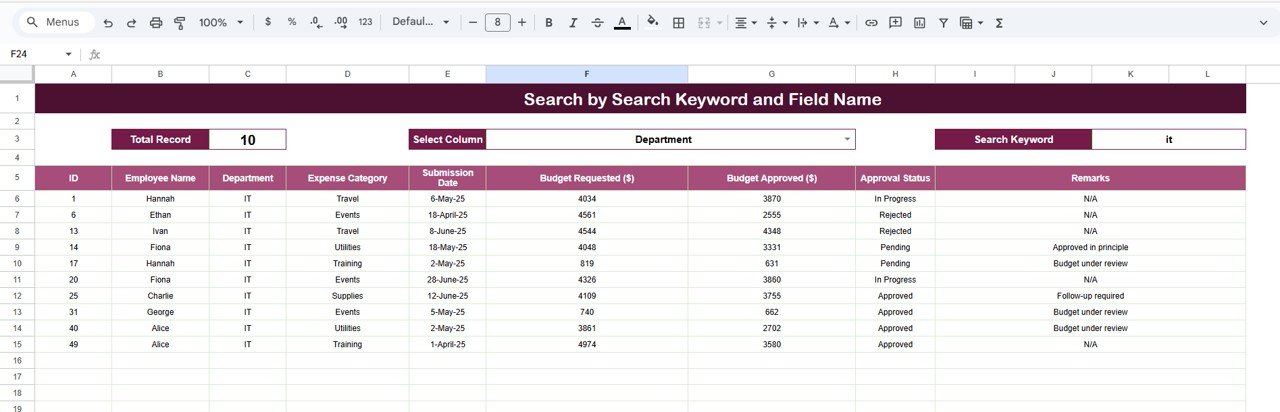
🔎 Search Sheet Tab (Smart Record Finder)
Quickly locate any budget request or approval record with built-in keyword and field-based search features.
Search by Keyword: e.g., “Marketing” or “Travel” to find all related records.
Search by Field Name: e.g., “Status,” “Department,” or “Category” to filter results instantly.
Examples:
Enter “Pending” → Displays all unapproved budget requests.
Enter “Training” → Shows all training-related budget entries across teams.
Perfect for audits, reports, or finance meetings — without needing to scroll through hundreds of rows.
📦 What’s Inside the Tracker
✅ Pre-designed Google Sheets file with interactive charts and reports
✅ Auto-refreshing visuals for Approval Status, Department, and Expense Categories
✅ Keyword-based search functionality
✅ Editable dropdowns for Expense Categories, Departments, and Status
✅ Easy-to-use data input fields
✅ Real-time collaboration and multi-user access
✅ Plug-and-play — ready for immediate use
This tracker replaces outdated spreadsheets with a professional, automated financial approval system — tailored for modern business needs.
🧑💼 Who Can Benefit from This Tracker
💼 Finance Teams – Manage and monitor budget approvals efficiently.
🏢 Department Heads – Submit and track requests easily by category and period.
👩💻 Project Managers – Align project budgets with company targets.
📈 Executives & Decision-Makers – Review organization-wide financial activity instantly.
📊 Auditors & Controllers – Ensure data accuracy, traceability, and accountability.
Ideal for companies of any size — from startups managing small departmental budgets to large organizations with multiple approval hierarchies.
🧪 How to Use the Budget Request & Approval Tracker
1️⃣ Add New Budget Requests: Input details such as Department, Category, Amount, and Status in the data sheet.
2️⃣ Track Automatically: Dashboard charts update instantly as data changes.
3️⃣ Filter by Status or Department: Use filters or Search Tab to isolate key records.
4️⃣ Review & Approve: Update Status (Approved, Pending, Rejected) for each record.
5️⃣ Analyze Trends: View approval rates, category spending, and department-wise allocations.
💡 Pro Tip: Use Google Forms linked to the sheet for automated submission workflows and approval notifications.
🌟 Why Choose This Tracker
💰 Centralized and transparent budget management
📈 Real-time analytics with visual summaries
⚙️ Fully automated — no complex formulas or add-ons
👥 Cloud collaboration for multi-department teams
🔍 Smart search and instant record retrieval
🧩 Customizable to your organization’s structure
🚀 Ready to use from day one — no setup required
The Budget Request & Approval Tracker in Google Sheets empowers organizations to manage financial requests efficiently, ensuring every dollar is tracked, approved, and analyzed with complete visibility and control. 🌟
🔗 Click here to read the Detailed blog post
🔗 Visit our YouTube channel to learn step-by-step video tutorials
Compatibility and Requirements
- Works in Google Sheets. You need a free Google account and a web browser.
- Departments, expense categories and approval status are chosen from editable dropdowns. Google explains dropdowns in Create an in-cell dropdown list.
Frequently Asked Questions
What does the Tracker sheet show?
It shows four charts that update as you enter data: total budget approved by approval status, by department, by expense category and by submission date.
Which statuses can a request have?
Each request is marked Approved, Pending or Rejected. You change the status in the data sheet and the charts refresh.
How do I find a specific request?
Use the Search sheet. You can search by keyword, such as Marketing or Travel, or by field name, such as Status, Department or Category. Entering Pending lists all unapproved requests.
Can several people work in the file at once?
Yes. It is a Google Sheets file, so multiple users can open and edit it at the same time.
Is there an Excel version of a budget request tracker?
There is a related Excel template for project budgets: the Project Budget Request Tracker in Excel.
Related Budget Templates
- Project Budget Request Tracker in Google Sheets: tracks budget requests for individual projects
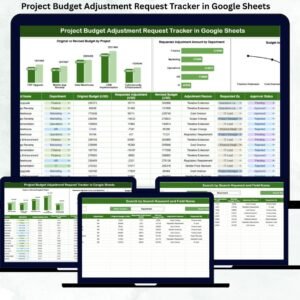
- Project Budget Adjustment Request Tracker in Google Sheets: tracks requests to change an approved project budget
- Budget Approval Checklist in Google Sheets: a checklist for the approval steps
- Project Budget Request Tracker in Excel: the same kind of tracker for Excel users
- Budget Calculator in Google Sheets: a free budget calculator
Browse all Google Sheets trackers.






















Reviews
There are no reviews yet.