

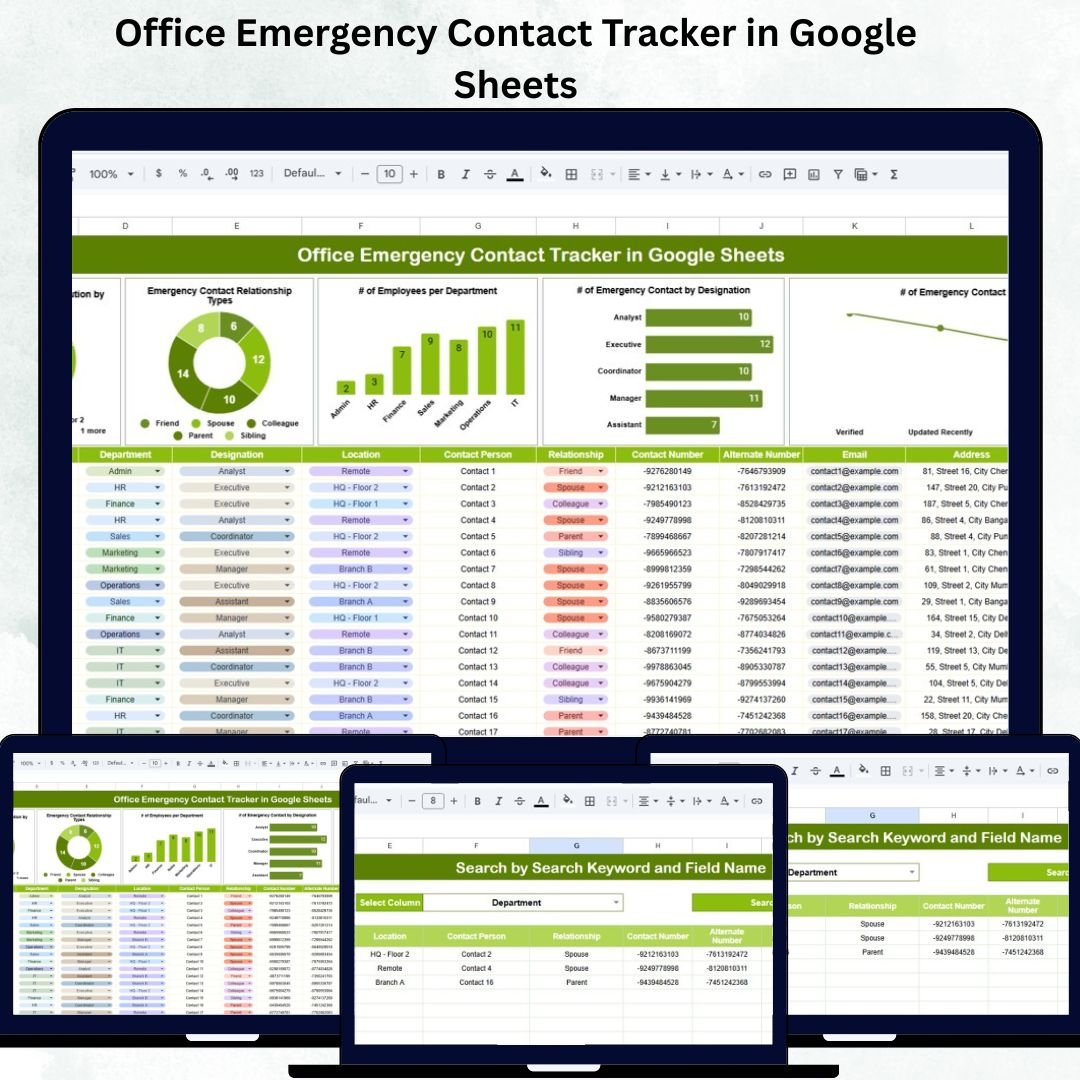

In every organization, ensuring employee safety starts with quick access to accurate emergency contact information. The Office Emergency Contact Tracker in Google Sheets is a ready-to-use, collaborative, and data-driven tool designed to manage and visualize emergency contacts efficiently.
This Google Sheets-based template helps HR, admin, and safety teams store, search, and analyze critical contact information, enabling faster response during emergencies and ensuring workplace safety compliance.
Built with simplicity and automation in mind, this tracker provides visual dashboards, search functionality, and real-time collaboration — all within the convenience of Google Sheets.
🔑 Key Features of the Office Emergency Contact Tracker in Google Sheets
📊 1. Tracker Sheet Tab
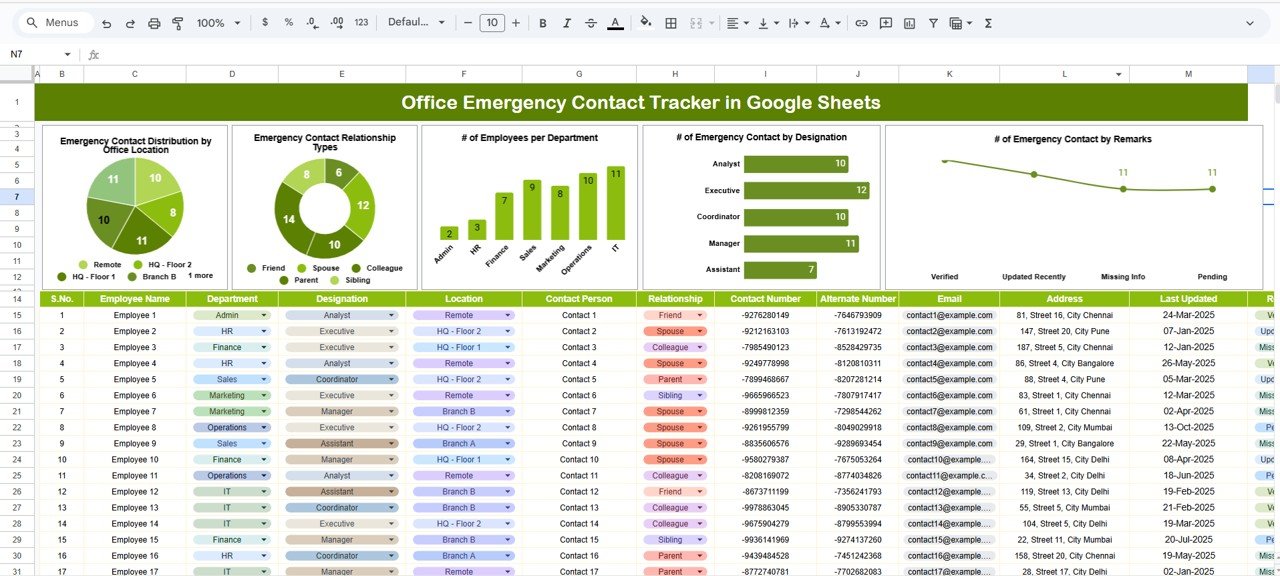
The Tracker Sheet acts as the main dashboard for analyzing employee emergency contact data visually and efficiently.
Charts Included:
Emergency Contact Distribution by Office Location – Understand how contact details are distributed across all office branches.
Emergency Contact Relationship Types – Visualize relationship categories like Parent, Spouse, Friend, or Sibling.
# of Emergency Contacts by Department – Identify which departments have updated their contact details most efficiently.
# of Emergency Contacts by Designation – Highlight how emergency contact data varies across job roles.
# of Emergency Contacts by Remarks – Review contacts labeled as Primary, Secondary, or Updated.
This tab transforms basic contact information into a visual summary of your organization’s preparedness level.
🔍 2. Search Sheet Tab
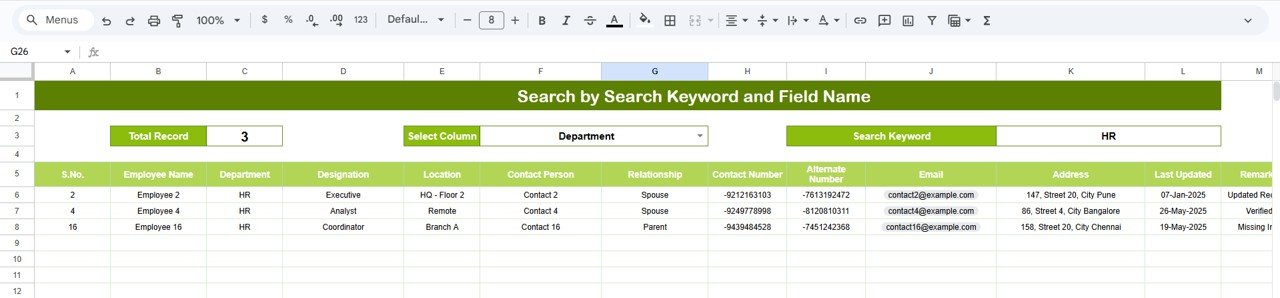
Designed for speed and accessibility, the Search Sheet enables you to find specific records instantly — especially valuable during emergencies.
Features:
Search by keyword (Name, Department, Location, etc.)
Filter by field name to narrow down results.
Instantly retrieve employee emergency contact details without scrolling through long lists.
This feature saves crucial seconds during critical incidents, allowing safety officers or HR to reach out immediately.
📋 Data Captured in the Tracker
The tracker’s database captures all relevant emergency contact information, including:
Employee Name
Department
Designation
Emergency Contact Name
Relationship
Phone Number
Alternate Number
Office Location
Remarks
All this data seamlessly updates the dashboard visuals, ensuring accurate reports and insights.
📦 What’s Inside the Template
✅ Tracker Sheet – Interactive visual dashboard
✅ Search Sheet – Quick and efficient search tool
✅ Centralized Data Table – Organized employee contact database
✅ Auto-updating charts – Department, location, and relationship breakdowns
✅ Fully editable Google Sheets layout – Customize as per your organization’s structure
This structure ensures that HR, safety, and admin teams can collaborate smoothly and maintain up-to-date emergency records.
👥 Who Can Use This Tracker
🏢 HR Departments: Maintain and verify emergency contact information for all employees.
🧯 Safety & Security Teams: Access real-time data during incidents.
👨💼 Office Administrators: Manage cross-location emergency data.
🏭 Facility Managers: Ensure site-level preparedness.
📋 Compliance Officers: Keep records ready for audits or safety reviews.
🌟 Advantages of Using the Office Emergency Contact Tracker
⚡ Centralized Database: Store all emergency contact information in one place.
🔍 Instant Access: Find employee details quickly using the search tab.
📈 Visual Insights: Charts reveal trends by department, location, and relationship type.
🧾 Improved Safety Compliance: Helps organizations meet workplace safety and HR requirements.
🌐 Cloud Collaboration: Google Sheets allows multiple authorized users to update data simultaneously.
🛠️ Customizable Fields: Add extra columns (e.g., email or alternate address) to meet company needs.
💡 Best Practices
🔄 Update Quarterly: Regularly review and update emergency contacts.
🔒 Set Permissions: Restrict editing access to authorized HR or safety staff.
🧩 Assign Departmental Ownership: Delegate contact verification to department heads.
💾 Maintain Backups: Download periodic offline copies for contingency.
🕵️ Use Filters: Use inbuilt Google Sheets filters for quicker navigation and sorting.
🚀 How This Tracker Enhances Workplace Safety
🕒 Faster Emergency Response: Quickly find the right contact when time matters.
🧭 Enhanced Readiness: Visualize safety preparedness by department and location.
🤝 Improved Coordination: HR and security teams collaborate seamlessly.
📞 Reliable Data Access: Cloud storage ensures availability from any device.
📊 Continuous Improvement: Review patterns and maintain compliance.
🔗 Click here to read the detailed blog post
Watch the step-by-step video Demo:
🔗 Visit our YouTube channel for step-by-step tutorials
Compatibility and Requirements
- Works in Google Sheets. You need a free Google account and a web browser.
- New to Sheets? Google’s guide Get started with Google Sheets covers the basics, including sharing a sheet with your team.
Frequently Asked Questions
Which sheets are included?
The template has a Tracker sheet with the charts, a Search sheet and a data table that holds the employee emergency contact records.
What information does the data table store?
Employee name, department, designation, emergency contact name, relationship, phone number, alternate number, office location and remarks.
How do I find one person’s emergency contact?
Open the Search sheet, enter a keyword such as a name, department or location, and choose the field to filter on. The matching records appear without scrolling through the full list.
Which charts does the Tracker sheet show?
It shows emergency contacts by office location, by relationship type, by department, by designation and by remarks.
Can I add more columns, such as email?
Yes. The layout is fully editable in Google Sheets, so you can add extra columns like email or alternate address to match your company’s needs.
Is there an Excel version?
Yes. See the Office Emergency Contact Tracker in Excel.
Related Office Safety Templates
- Office Emergency Contact Tracker in Excel: the same tracker for Excel
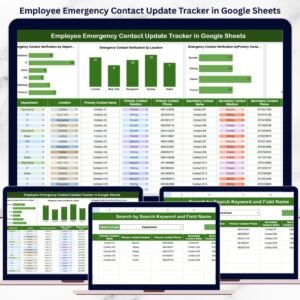
- Employee Emergency Contact Update Tracker in Google Sheets: track updates to employee emergency contacts
- Office Emergency Preparedness Dashboard in Google Sheets: a dashboard view of office preparedness
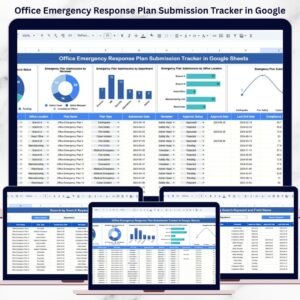
- Office Emergency Response Plan Submission Tracker in Google Sheets: follow emergency plan submissions
- Office Security Incident Report Tracker in Google Sheets: log office security incidents
Browse all Google Sheets trackers.

























Reviews
There are no reviews yet.