


Emergencies can strike any workplace without warning—fire incidents, medical emergencies, security threats, or natural disasters. While most organizations require departments and locations to submit emergency response plans, managing these submissions through emails, shared folders, or unstructured spreadsheets often creates confusion. Deadlines are missed, approvals get delayed, and compliance gaps remain hidden.Office Emergency Response Plan Submission Tracker in Google Sheets
That is exactly why the Office Emergency Response Plan Submission Tracker in Google Sheets becomes an essential safety, compliance, and risk-management tool.Office Emergency Response Plan Submission Tracker in Google Sheets
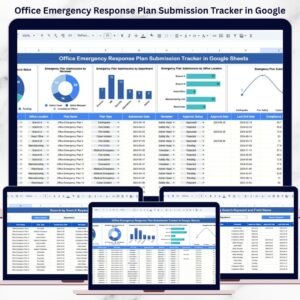
This ready-to-use tracker helps organizations centralize, monitor, and control emergency response plan submissions across departments and office locations. Instead of chasing updates manually, teams gain real-time visibility into submission status, approvals, reviewers, and compliance trends—all from a single Google Sheets tracker.
Because it runs entirely in Google Sheets, this tracker supports cloud access, instant updates, collaboration, and full customization—without the need for expensive safety software.Office Emergency Response Plan Submission Tracker in Google Sheets
🔑 Key Features of the Office Emergency Response Plan Submission Tracker
📋 Centralized Submission Tracking
All emergency response plans are recorded in one structured tracker, eliminating scattered files and emails.
📊 Auto-Updating Visual Charts
Built-in charts instantly show submission and approval status for quick management reviews.
🔍 Smart Search & Filtering
Quickly find specific plans by department, location, reviewer, plan type, or approval status.
🤝 Real-Time Collaboration
Multiple users can update and review plans simultaneously using Google Sheets.
⚙️ Fully Customizable Structure
Easily adapt fields, plan types, and charts to match your organization’s safety framework.
📦 What’s Inside the Office Emergency Response Plan Submission Tracker
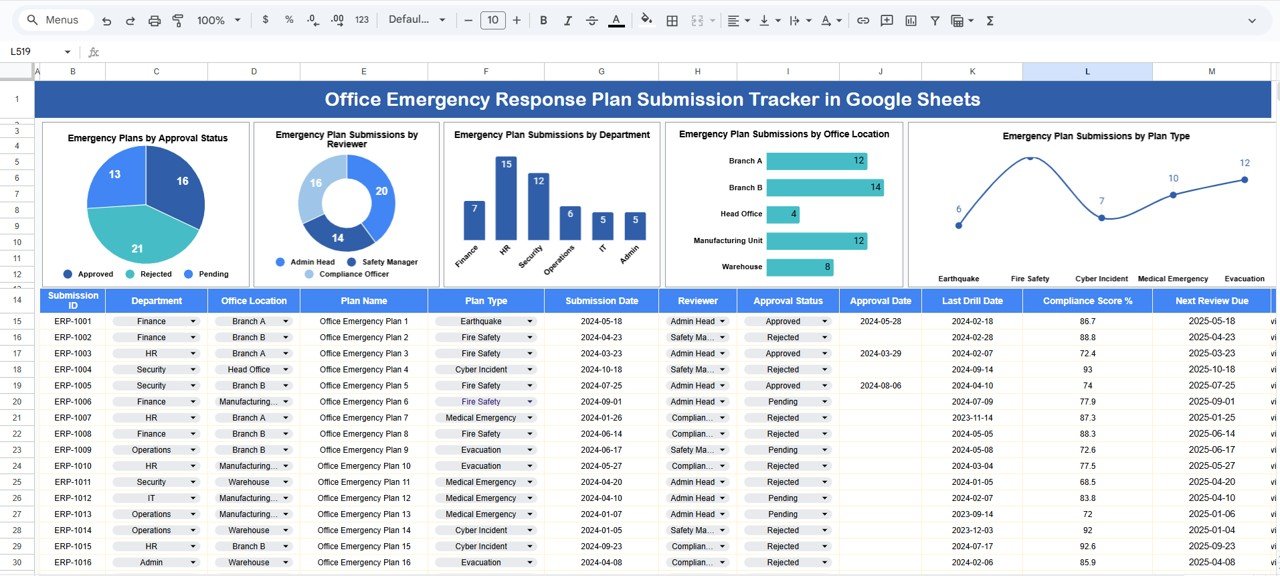
🗂️ Tracker Sheet Tab – Core Working Sheet
This is the heart of the system where all emergency response plans are logged and maintained.
Typical fields include:
Plan ID
Plan Type (Fire, Medical, Evacuation, Security, Disaster, etc.)
Department
Office Location
Reviewer Name
Submission Date
Approval Status
Remarks / Comments
Once any record is updated, all charts refresh automatically.
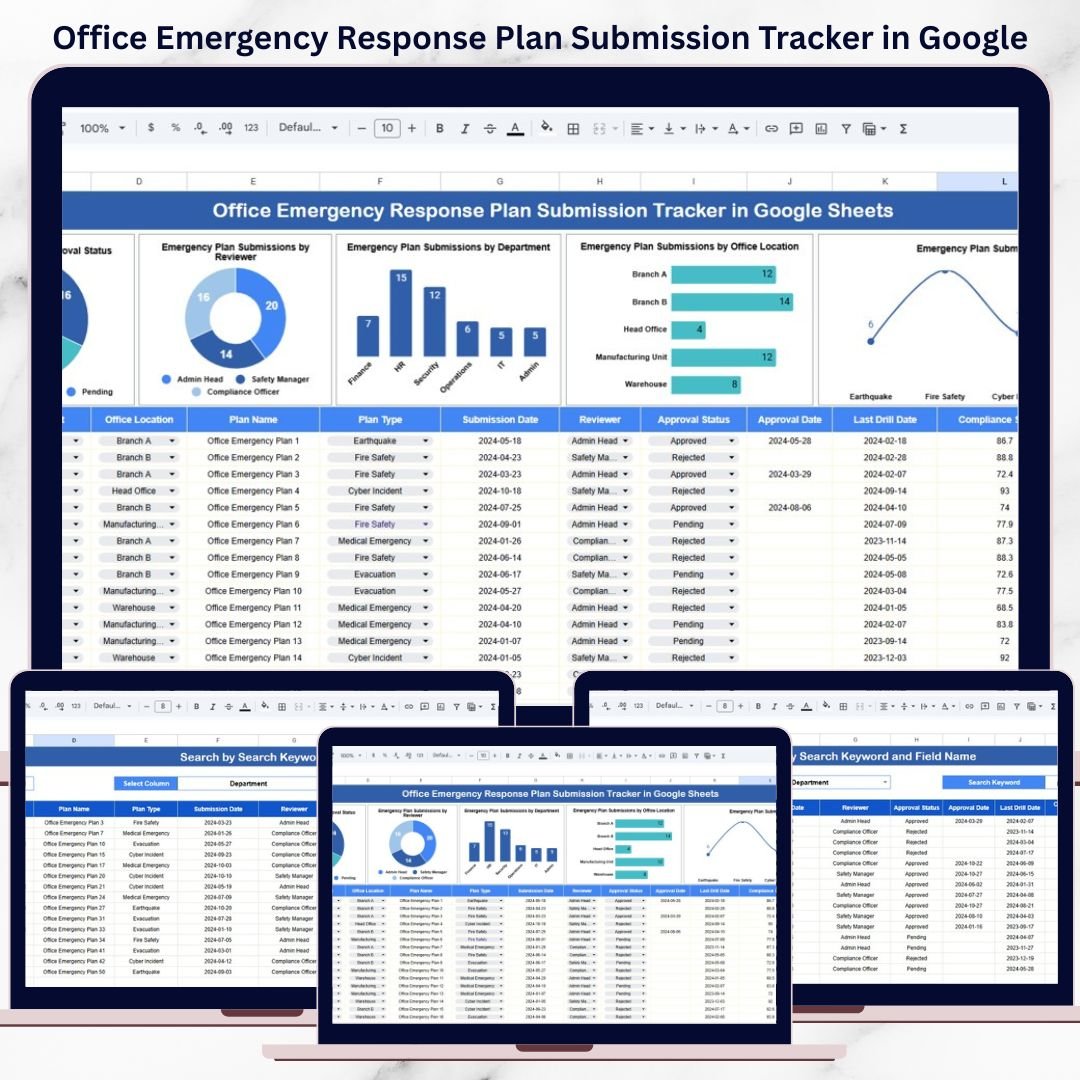
📊 Built-In Charts for Instant Insights
📌 Emergency Plans by Approval Status
Visualizes Approved, Pending Review, and Rejected plans to highlight compliance gaps.
👤 Emergency Plan Submissions by Reviewer
Shows reviewer workload and identifies approval bottlenecks.
🏢 Emergency Plan Submissions by Department
Helps target follow-ups with departments that have not submitted plans.
📍 Emergency Plan Submissions by Office Location
Provides location-wise preparedness visibility for multi-office organizations.
🚨 Emergency Plan Submissions by Plan Type
Ensures balanced coverage across fire, medical, evacuation, and security risks.
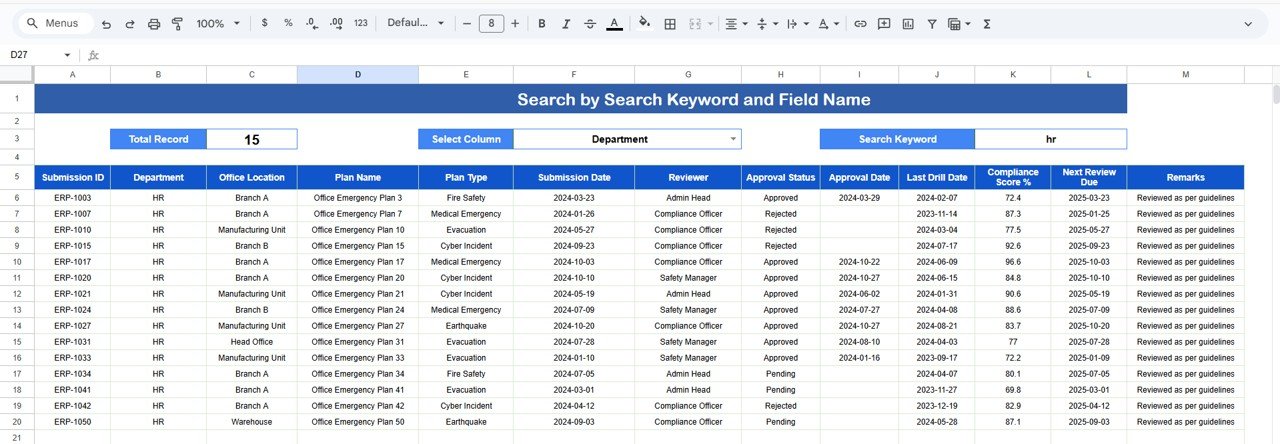
🔎 Powerful Search Functionality
The tracker includes a Search by Keyword and Field Name feature.
You can instantly search by:
Department
Office Location
Reviewer
Plan Type
Approval Status
This is extremely useful during audits, inspections, and leadership reviews.
🎯 Who Can Benefit from This Tracker
🏢 Corporate Admin & Facilities Teams
Track emergency preparedness without manual follow-ups.
🛡️ Health & Safety Officers
Ensure compliance across departments and locations.
📑 Compliance & Risk Teams
Maintain audit-ready records at all times.
🧑💼 HR & Security Departments
Support safety governance and organizational readiness.
🌍 Multi-Location Organizations
Monitor emergency plans across offices from one dashboard.
⭐ Advantages of Using This Emergency Response Plan Tracker
Centralized emergency preparedness tracking
Clear visibility into pending and approved plans
Faster approvals and follow-ups
Visual reporting for management
Audit-ready compliance documentation
Cost-effective Google Sheets solution
🛠️ How to Use the Office Emergency Response Plan Submission Tracker
Enter emergency plan details in the Tracker Sheet
Update approval status as reviews progress
Use charts to identify gaps and delays
Use search to locate specific plans instantly
Review charts weekly to ensure compliance
No advanced Google Sheets skills are required.
### Click here to read the Detailed blog post
Watch the step-by-step video tutorial:
**Visit our YouTube channel to learn step-by-step video tutorials –
Youtube.com/@NeotechNavigators**
Compatibility and Requirements
- Works in Google Sheets. You need a free Google account and a web browser.
- Several people can update and review plans at the same time. Google explains how to build charts in Add and edit a chart.
Frequently Asked Questions
What does the Tracker sheet record?
Each plan has a Plan ID, plan type, department, office location, reviewer name, submission date, approval status and remarks.
Which charts are included?
Five charts: plans by approval status, submissions by reviewer, by department, by office location and by plan type. They update when you change a record.
Can I search for a specific plan?
Yes. Use the Search by Keyword and Field Name feature to find plans by department, office location, reviewer, plan type or approval status.
Can I change the plan types and fields?
Yes. The structure is customizable, so you can adapt the fields, plan types and charts to your own safety framework.
Is there a checklist or dashboard for office emergency planning?
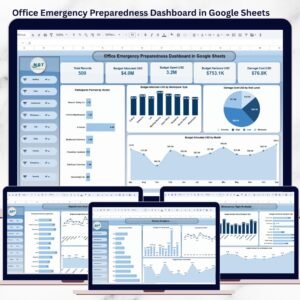
Yes. See the Office Emergency Preparedness Dashboard in Google Sheets and the Emergency Response Plan Checklist in Google Sheets.
Related Emergency Planning Templates
- Office Emergency Preparedness Dashboard in Google Sheets: a dashboard view of office readiness
- Emergency Response Plan Checklist in Google Sheets: a checklist for building each plan
- Office Emergency Contact Tracker in Google Sheets: keeps emergency contacts in one place
- Office Emergency Preparedness Dashboard in Excel: the Excel edition of the dashboard
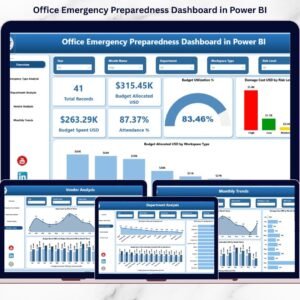
- Office Emergency Preparedness Dashboard in Power BI: the Power BI edition of the dashboard
Browse all Google Sheets trackers.




























Reviews
There are no reviews yet.