


Emergency preparedness is no longer optional for modern organizations. Offices today face a wide range of risks—from fire hazards, medical emergencies, and power outages to cyber incidents, floods, and severe weather events. Yet many organizations still manage preparedness data using scattered spreadsheets, static documents, or manual tracking methods. As a result, leadership often lacks real-time visibility into preparedness levels, budget utilization, and risk exposure.Office Emergency Preparedness Dashboard in Google Sheets
That is exactly why the Office Emergency Preparedness Dashboard in Google Sheets becomes a powerful and practical solution.
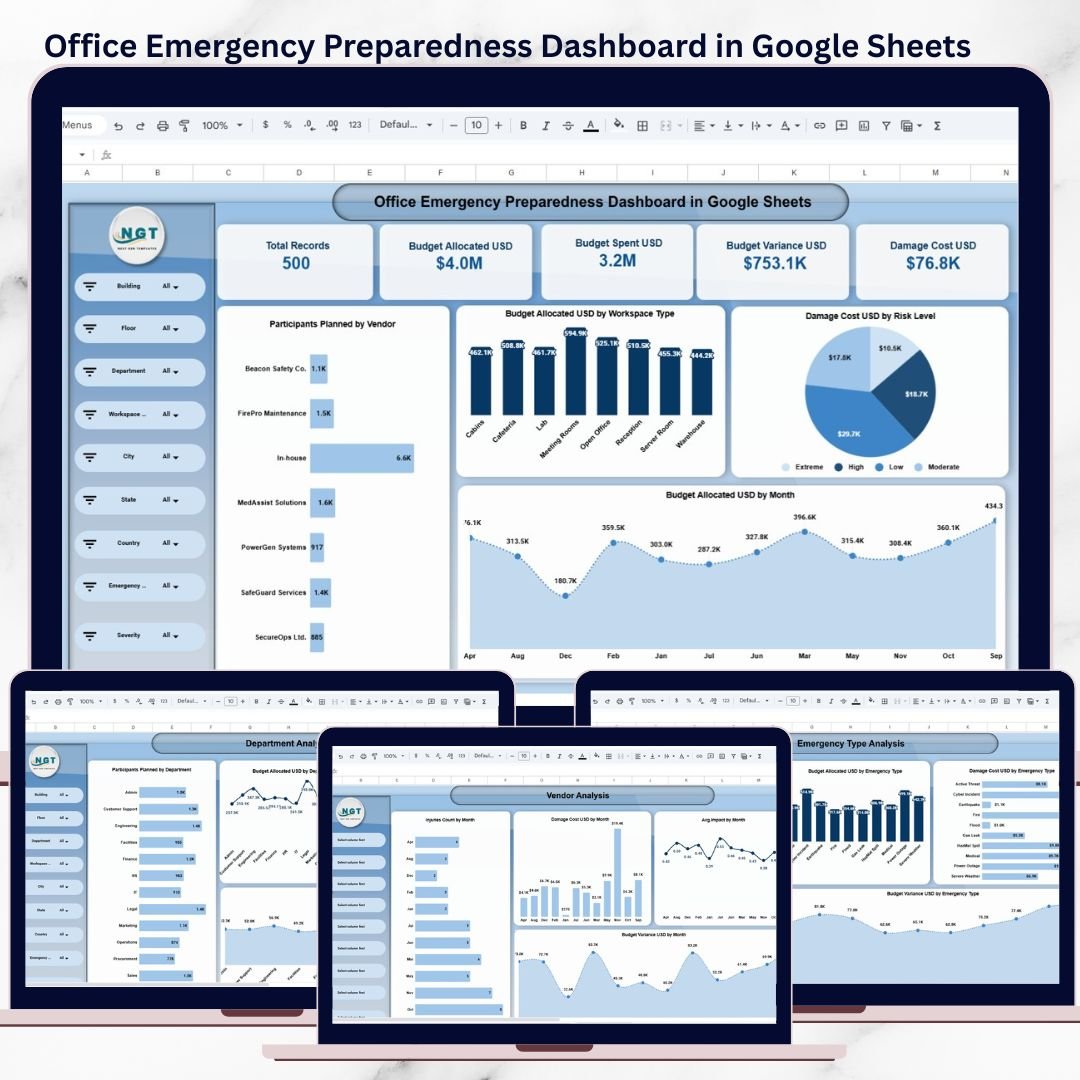
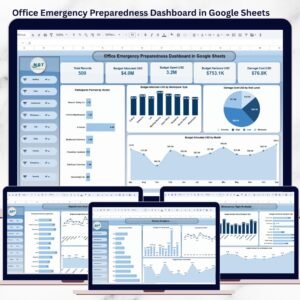
This ready-to-use dashboard provides a centralized, interactive, and data-driven way to monitor emergency preparedness across offices, departments, locations, and vendors. Instead of searching through multiple files, teams can instantly evaluate readiness status, training participation, risk levels, budget allocation, and damage costs—all from a single Google Sheets dashboard.
Because the dashboard is built entirely in Google Sheets, it is cloud-based, easy to share, and simple to customize without complex software or coding. This makes it ideal for organizations that want strong preparedness oversight with minimal implementation effort.
🚀 Key Features of the Office Emergency Preparedness Dashboard
📊 Centralized Emergency Preparedness Overview
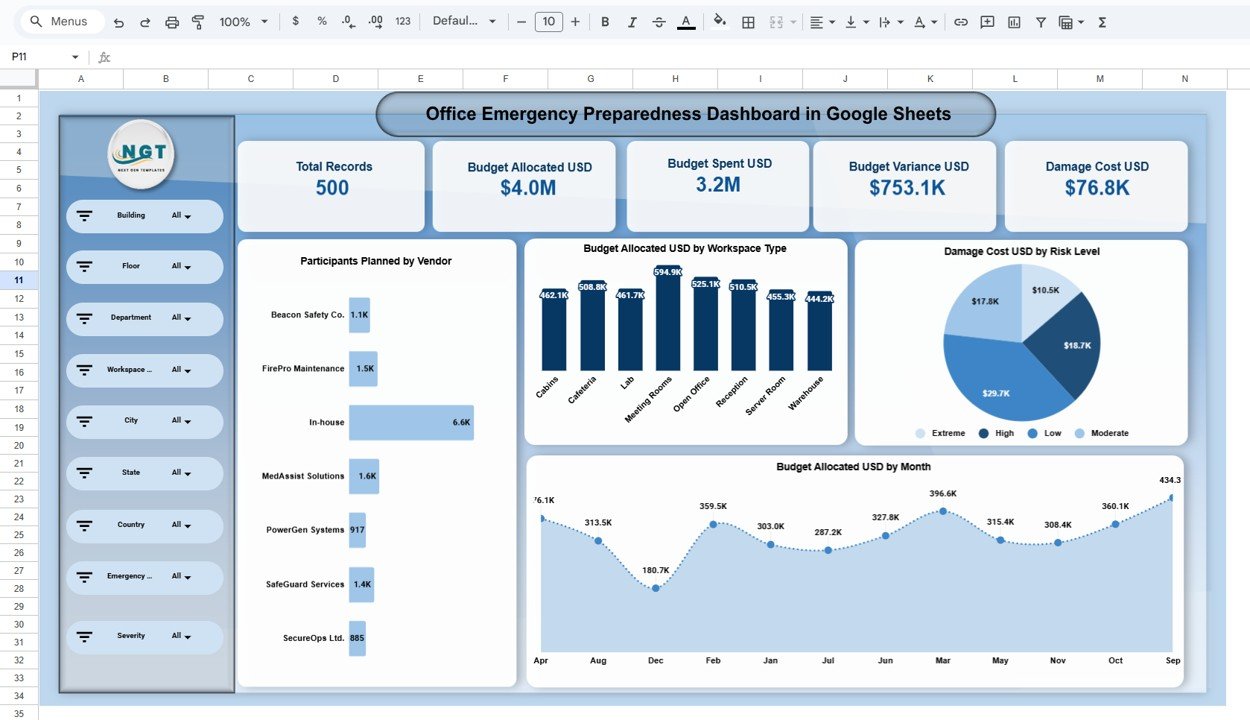
The main dashboard provides a high-level snapshot of organizational readiness, including:
Total preparedness records
Budget allocated vs budget spent
Budget variance
Damage cost analysis
These KPIs help leadership quickly understand preparedness gaps and financial exposure.
🎛 Interactive Filters for Deep Analysis
Analyze emergency preparedness data dynamically using slicers for:
Building
Floor
Department
Workspace type
City, state, and country
Emergency type
Severity level
All charts and KPIs update instantly, allowing focused analysis by location or risk scenario.
📂 What’s Inside the Office Emergency Preparedness Dashboard
📌 1. Overview Sheet
This page provides management-level insights such as:
Overall preparedness records
Budget allocation vs spending
Budget variance trends
Damage cost distribution
High-risk areas and locations
It is ideal for executive reviews and compliance reporting.
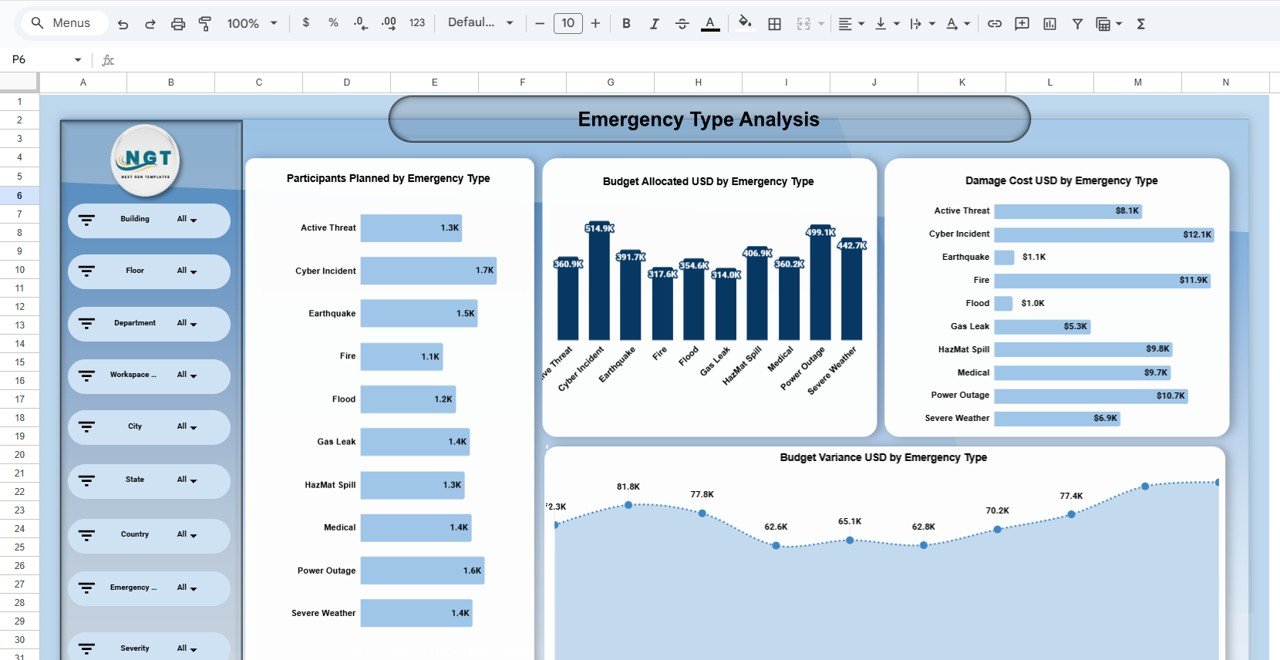
🔥 2. Emergency Type Analysis
Analyze preparedness by emergency type, including:
Fire
Cyber incidents
Earthquakes
Floods
Medical emergencies
Power outages
Severe weather
For each emergency type, you can track:
Participants planned
Budget allocated
Damage costs
Budget variance
This helps prioritize high-impact emergency scenarios.
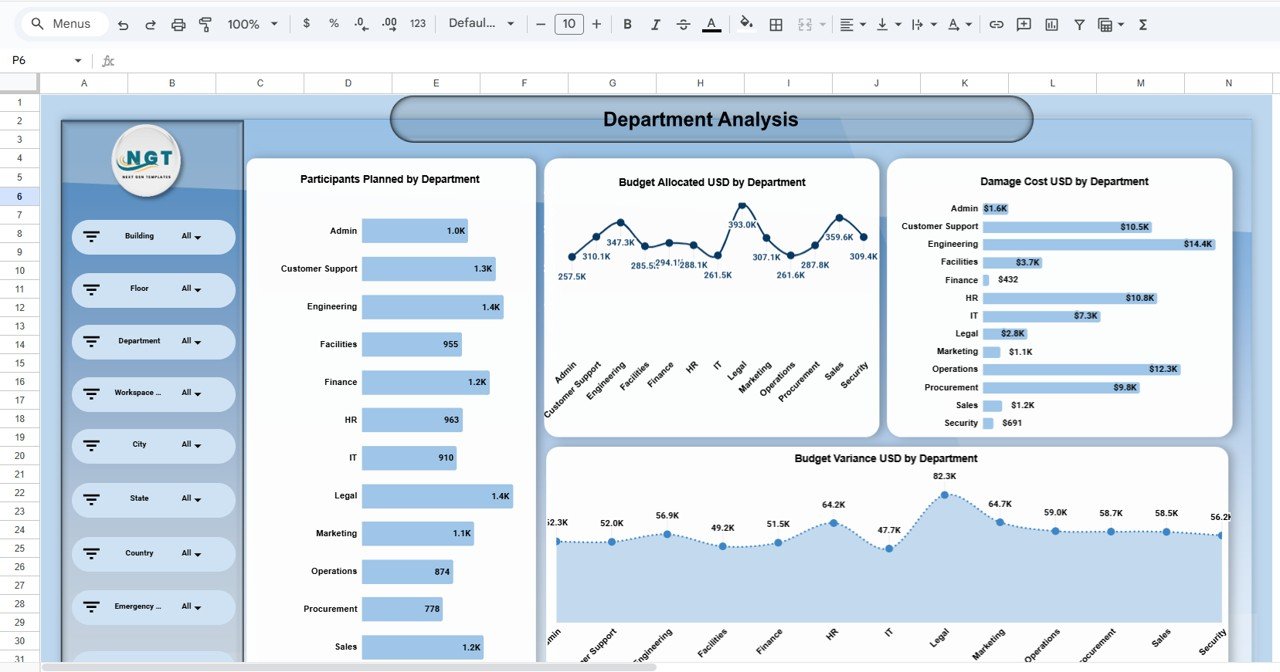
🏢 3. Department-Wise Preparedness Analysis
Understand how each department contributes to readiness by reviewing:
Participants planned by department
Budget allocation by department
Damage cost by department
Budget variance trends
This enables targeted training and resource allocation.
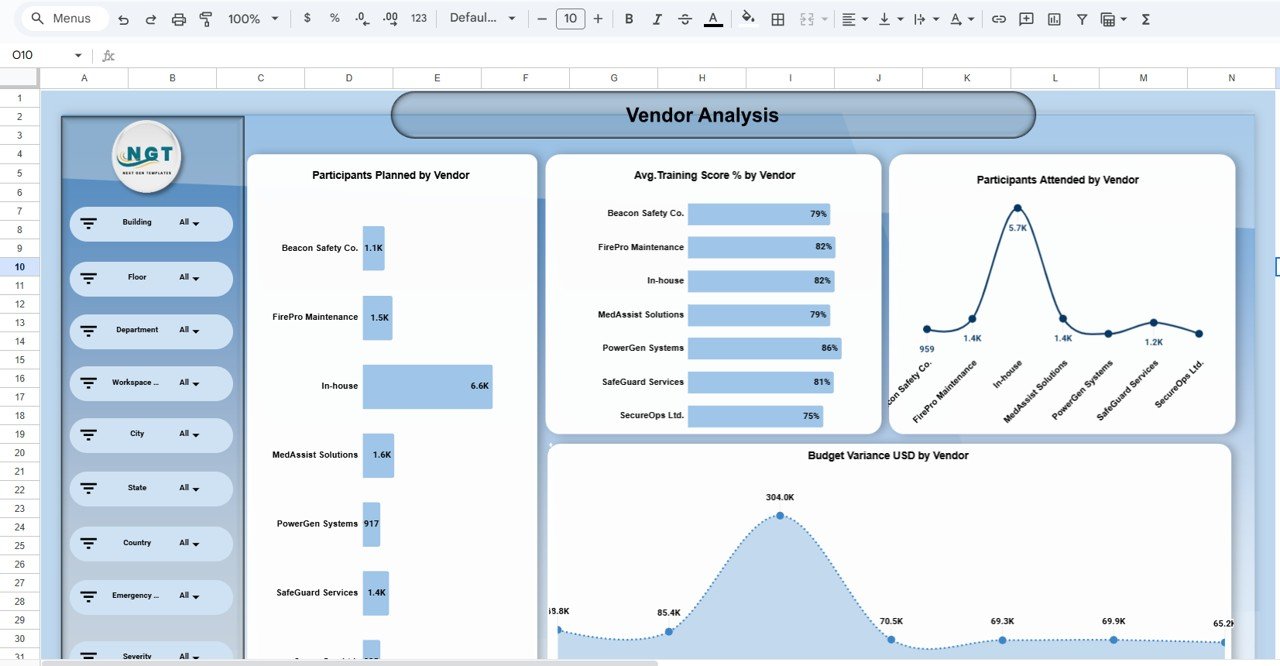
🤝 4. Vendor Performance & Training Analysis
Evaluate emergency service vendors and internal teams by tracking:
Participants planned by vendor
Training score percentage
Participants attended
Budget variance by vendor
This ensures vendors meet preparedness and training expectations.
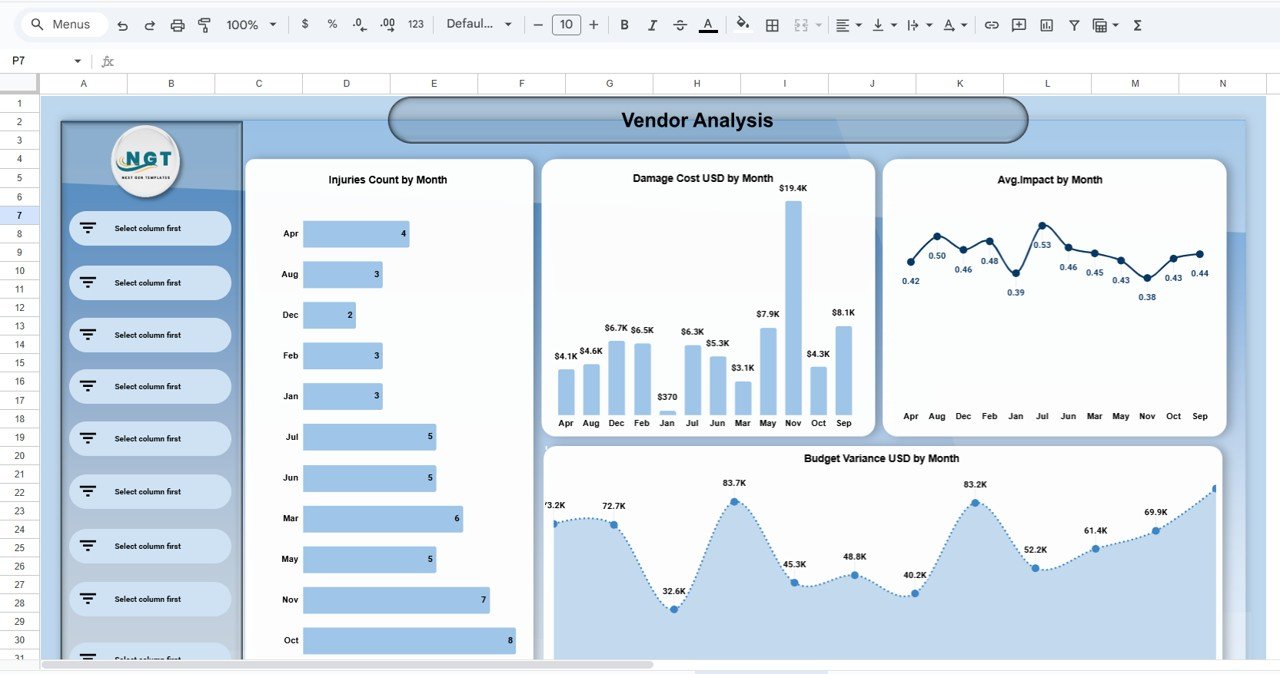
📈 5. Monthly Trends & Risk Insights
Monitor preparedness trends over time, including:
Budget allocation by month
Damage cost by month
Injury counts
Average impact level
Risk severity trends
Budget variance over time
These insights support proactive risk mitigation instead of reactive response.
🔍 6. Advanced Search Functionality
A built-in search page allows users to:
Select any column
Enter a keyword
Instantly filter matching records
This is especially useful for audits, investigations, and compliance reviews.
▶️ How to Use the Office Emergency Preparedness Dashboard
Enter emergency preparedness data into the data table
Use filters to analyze by location, department, or emergency type
Review KPIs and charts to identify gaps
Track budgets, damage costs, and training participation
Share insights with stakeholders to improve readiness
👥 Who Can Benefit from This Dashboard
🚨 Corporate Safety & Compliance Teams
🏢 Facility & Operations Managers
⚠️ Risk Management Professionals
🔄 Business Continuity Planners
👥 HR & Training Departments
👔 Leadership & Administration
### Click here to read the Detailed blog post
Watch the step-by-step video tutorial:
👉 Visit our YouTube channel to learn step-by-step video tutorials
Youtube.com/@NeotechNavigators
Compatibility and Requirements
- Works in Google Sheets. You need a free Google account and a web browser.
- The dashboard uses slicers for building, floor, department, workspace type, city, state, country, emergency type and severity level. Google explains how charts work in Add and edit a chart.
Frequently Asked Questions
Which emergency types does the dashboard cover?
Fire, cyber incidents, earthquakes, floods, medical emergencies, power outages and severe weather. For each type you can see participants planned, budget allocated, damage costs and budget variance.
Can I filter by location or department?
Yes. Slicers cover building, floor, department, workspace type, city, state, country, emergency type and severity level. The KPIs and charts update when you change a filter.
Does it track budgets?
Yes. The Overview sheet shows budget allocated, budget spent, budget variance and damage cost. You can also review budget allocation by department, by vendor and by month.
Can I look up one record?
Yes. The search page lets you select a column, type a keyword and see the matching records.
Is there an Excel or Power BI version?
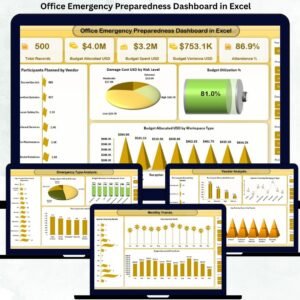
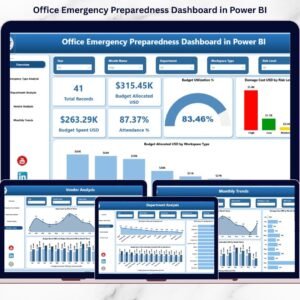
Yes. See the Office Emergency Preparedness Dashboard in Excel and the Office Emergency Preparedness Dashboard in Power BI.
Related Office Safety Templates
- Office Emergency Preparedness Dashboard in Excel: the same dashboard in Excel
- Office Emergency Preparedness Dashboard in Power BI: the Power BI edition
- Office Emergency Contact Tracker in Google Sheets: keep emergency contacts in one sheet
- Office Emergency Response Plan Submission Tracker in Google Sheets: track response plan submissions
- Office Security Incident Report Tracker in Google Sheets: log security incidents
Browse all Google Sheets dashboards.































Reviews
There are no reviews yet.