



Employee safety is non-negotiable. During medical emergencies, workplace accidents, or natural disasters, organizations must act fast. In those critical moments, having accurate and verified emergency contact information can make a life-saving difference. Unfortunately, many organizations still rely on outdated spreadsheets, disconnected files, or incomplete records. As a result, emergency response becomes slow, risky, and unreliable.Employee Emergency Contact Update Tracker in Google Sheets
That is exactly why the Employee Emergency Contact Update Tracker in Google Sheets becomes an essential HR and workplace safety solution.Employee Emergency Contact Update Tracker in Google Sheets
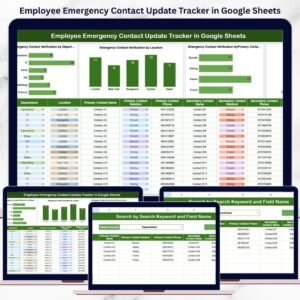
This ready-to-use Google Sheets tracker helps HR teams centrally manage employee emergency contact information, monitor verification status, and analyze coverage across departments, locations, and contact relationships. Instead of chasing employees through emails or maintaining multiple files, everything stays organized, visual, and instantly searchable in one secure tracker.
Because the tracker is built in Google Sheets, it is cloud-based, collaborative, and easy to maintain—without any additional software or technical setup.
🚀 Key Features of Employee Emergency Contact Update Tracker
📋 Centralized Emergency Contact Management
Maintain all employee emergency contact details in one structured tracker.
✅ Contact Verification Tracking
Clearly track whether contacts are verified, pending, or outdated.
🏢 Department & Location Analysis
Identify departments or locations with incomplete or outdated records.
📊 Visual Compliance Charts
Instantly understand coverage using auto-updating charts.
🔍 Powerful Search Function
Find employee records instantly using keyword-based search.
☁️ Cloud-Based & Collaborative
HR teams can update and review data in real time.
📦 What’s Inside the Employee Emergency Contact Update Tracker
🧾 Tracker Sheet Tab – Core Data Repository
This is the heart of the tracker where all emergency contact data is stored.
📌 Typical Fields Included:
Employee ID / Employee Name
Department
Location
Primary Contact Name
Primary Contact Relation
Primary Contact Phone
Secondary Contact Name
Secondary Contact Relation
Secondary Contact Phone
Contact Verification Status
Last Updated Date
Remarks / Notes
Whenever data is updated, all charts refresh automatically—ensuring real-time accuracy.
📊 Charts Included in the Tracker
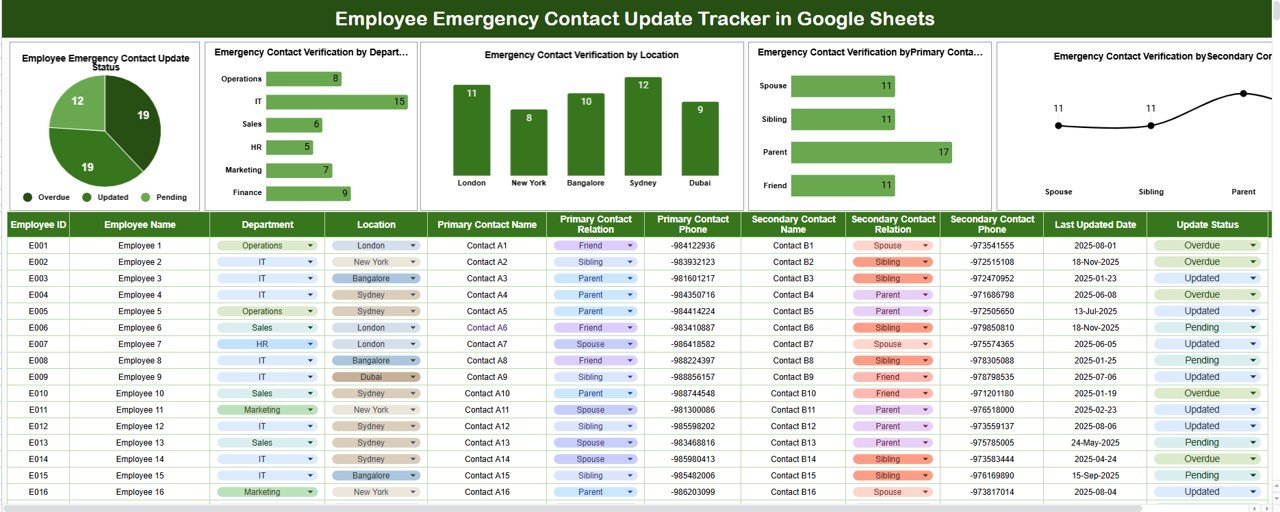
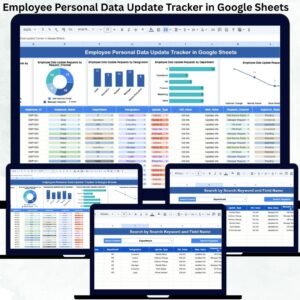
📈 Employee Emergency Contact Update Status
Shows how many employee records are:
Updated
Pending verification
This chart provides an instant compliance snapshot.
🏢 Emergency Contact Verification by Department
Highlights departments with incomplete or outdated contact details so follow-ups can be assigned quickly.
📍 Emergency Contact Verification by Location
Compares compliance across office locations, ideal for multi-site organizations.Employee Emergency Contact Update Tracker in Google Sheets
👪 Primary Contact Relation Distribution
Analyzes relationships such as spouse, parent, sibling, guardian, or friend to ensure appropriate primary contacts exist.
🔁 Secondary Contact Relation Distribution
Ensures backup contacts are available and reduces dependency on a single person during emergencies.
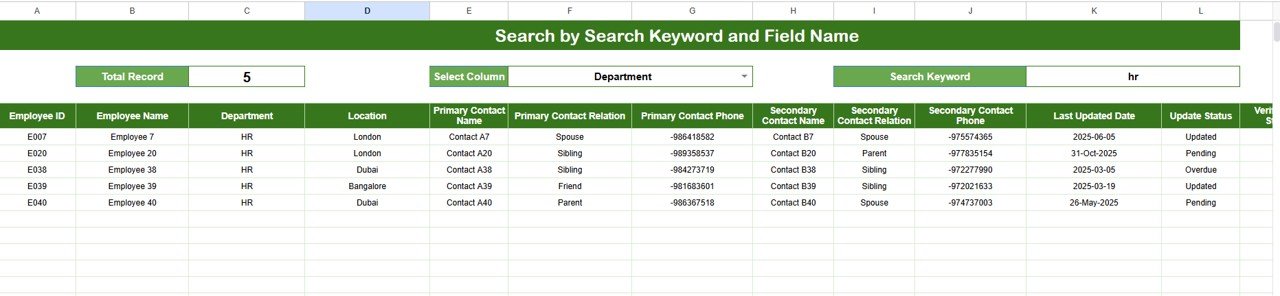
🔍 Search Feature – Search by Keyword and Field Name
One of the most powerful features of this tracker is its smart search functionality.
You can search records by:
Employee Name
Employee ID
Department
Location
Contact Relation
Verification Status
This feature is extremely useful during:
Emergency situations
Compliance audits
HR data reviews
Employee information updates
No scrolling. No filters. Just instant results.
🧭 How to Use the Employee Emergency Contact Update Tracker
Collect emergency contact details from employees
Enter or update records in the Tracker Sheet
Verify primary and secondary contacts
Monitor charts for missing or pending updates
Use search to retrieve employee records instantly
Review compliance regularly
🎯 Who Can Benefit from This Tracker
👥 HR & People Operations Teams
🛡️ Compliance & Safety Officers
🏢 Facility & Admin Managers
📋 Audit & Risk Teams
🧑💼 Organizational Leadership
🔗 Click here to read the Detailed blog post
Watch the step-by-step video tutorial:
▶️ Visit our YouTube channel to learn step-by-step video tutorials
👉 https://www.youtube.com/@NeotechNavigators
Compatibility and Requirements
- Works in Google Sheets. You need a free Google account and a web browser.
- HR teams can update and review records together in real time. Google covers the basics in Get started with Google Sheets.
Frequently Asked Questions
What does the tracker record for each employee?
Each row holds the employee ID and name, department, location, primary and secondary contact name, relation and phone, the verification status, the last updated date and remarks.
How do I see which contacts still need verification?
The Employee Emergency Contact Update Status chart shows how many records are updated and how many are pending verification. Two more charts break verification down by department and by location.
Can I find one employee’s record quickly?
Yes. The search feature looks up records by employee name, employee ID, department, location, contact relation or verification status.
Do the charts update when I change a record?
Yes. When you enter or update data in the Tracker sheet, all charts refresh automatically.
Is there another emergency contact tracker I can use?
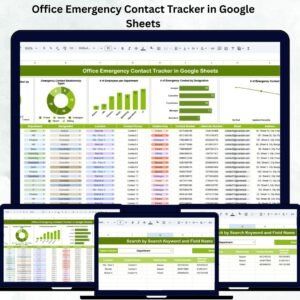
Yes. The Office Emergency Contact Tracker in Google Sheets is a related tracker, and the Office Emergency Contact Tracker in Excel is the Excel version.
Related HR Templates
- Office Emergency Contact Tracker in Google Sheets: a related emergency contact tracker in Google Sheets
- Office Emergency Contact Tracker in Excel: the same type of tracker for Excel
- Employee Complaint Resolution Tracker in Google Sheets: another HR tracker in Google Sheets
- Employee Onboarding Tracker in Google Sheets: track new hire tasks
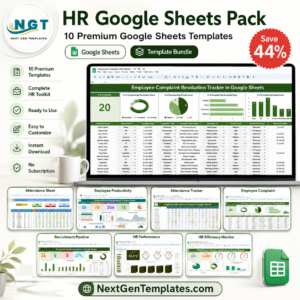
- HR Google Sheets Pack: 10 HR templates for Google Sheets in one download
Browse all Google Sheets trackers or HR and payroll templates in Google Sheets.









Reviews
There are no reviews yet.