

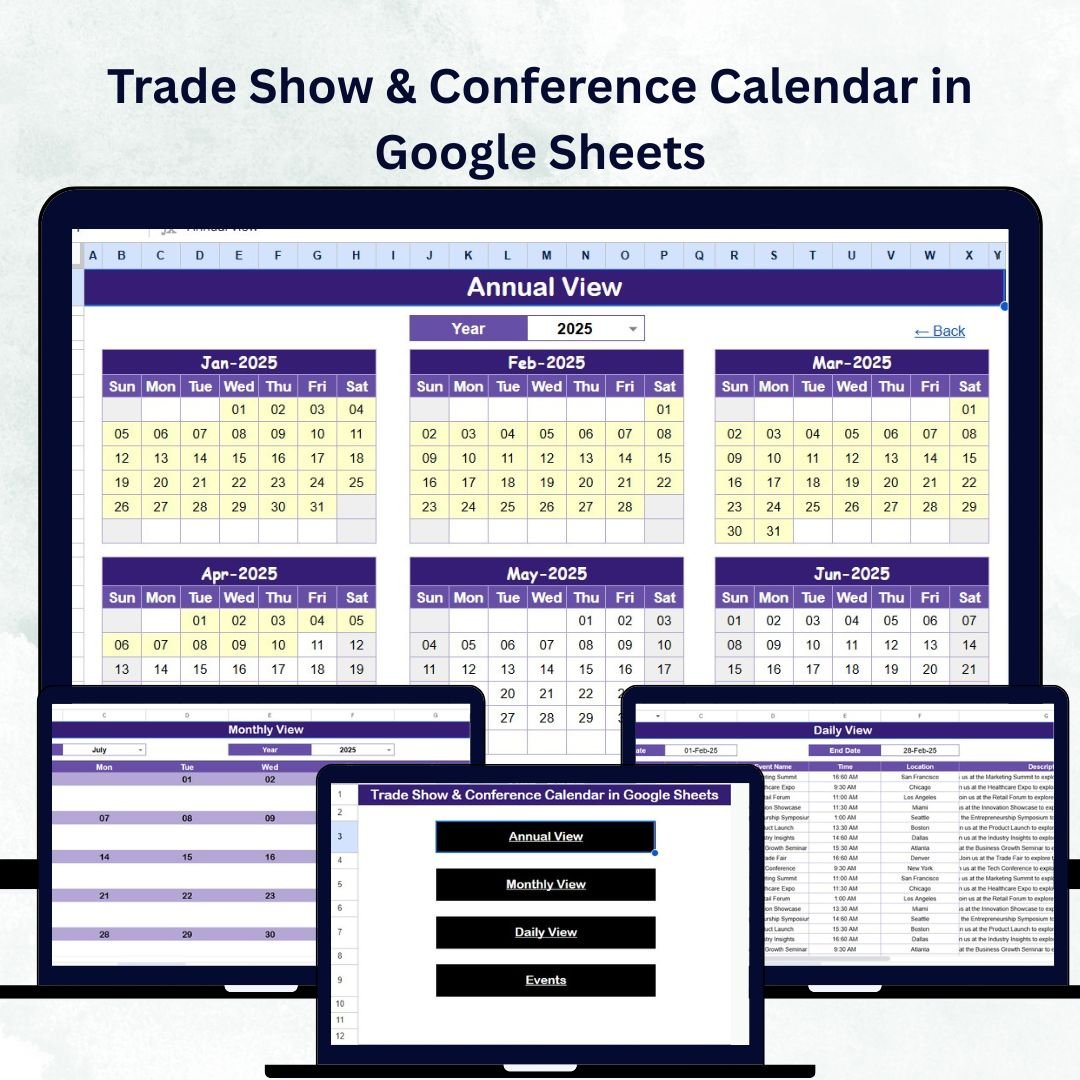

In the fast-moving world of marketing and business development, trade shows and conferences are vital for building connections, boosting brand visibility, and driving growth. But managing dozens of events throughout the year can get chaotic without a proper system. That’s why we’ve created the Trade Show & Conference Calendar in Google Sheets — your all-in-one event planning and tracking solution.
This interactive, cloud-based, and customizable calendar helps you plan, manage, and monitor all trade shows, conferences, and exhibitions with ease. Whether you’re a marketing professional, corporate event planner, or business executive, this tool ensures you never miss an opportunity again.Trade Show & Conference Calendar in Google Sheets
✨ Key Features of the Trade Show & Conference Calendar in Google Sheets
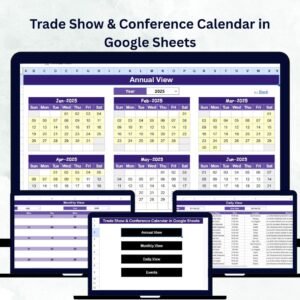
✅ Five Powerful Worksheets: Includes Home, Annual View, Monthly View, Daily View, and Events Database sheets — each designed for smooth navigation and data handling.
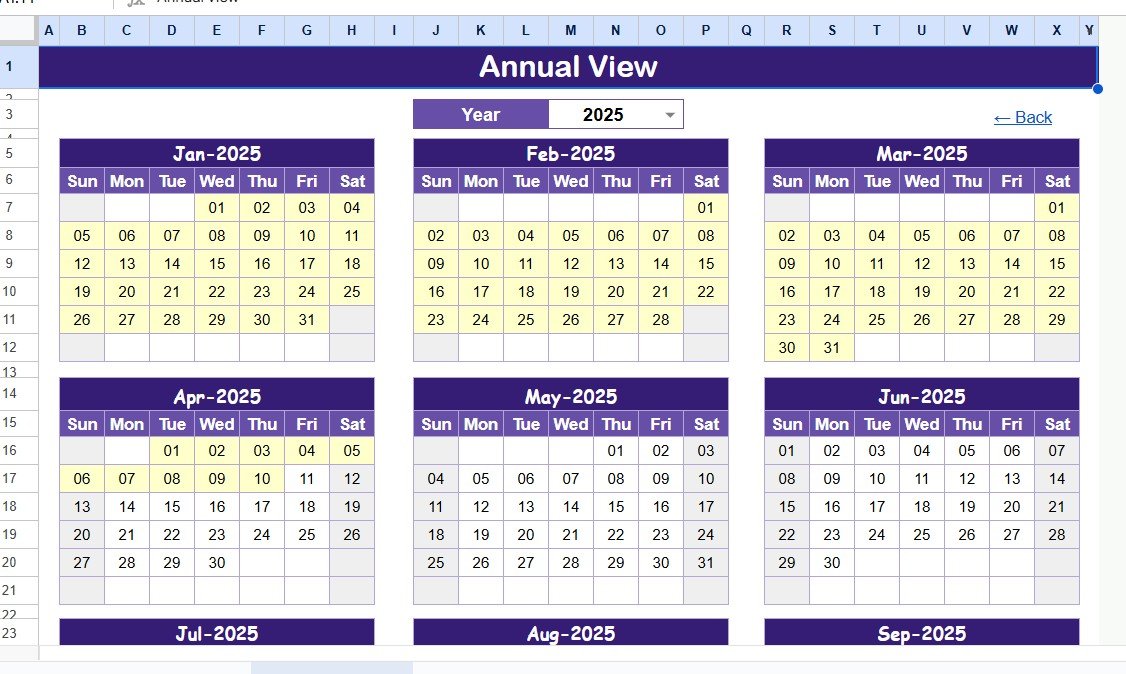
✅ Smart Annual Overview: Get a complete snapshot of all events across the year with flexible settings for year, start month, and day of the week.Trade Show & Conference Calendar in Google Sheets
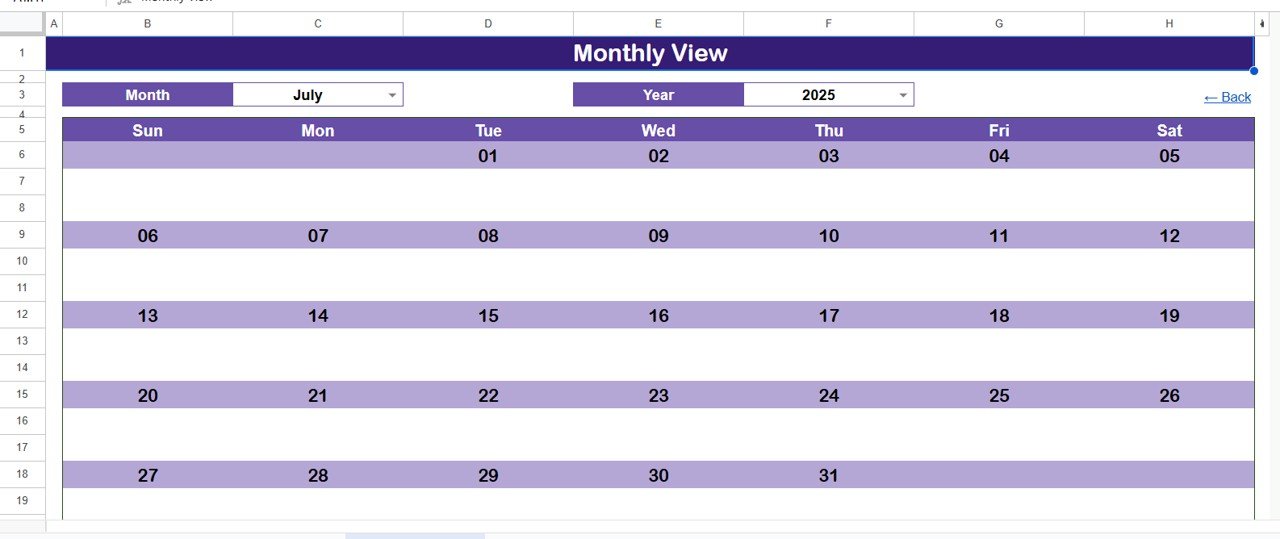
✅ Dynamic Monthly Planner: Stay focused with a clean monthly calendar view showing each event with smart indicators for multiple bookings.
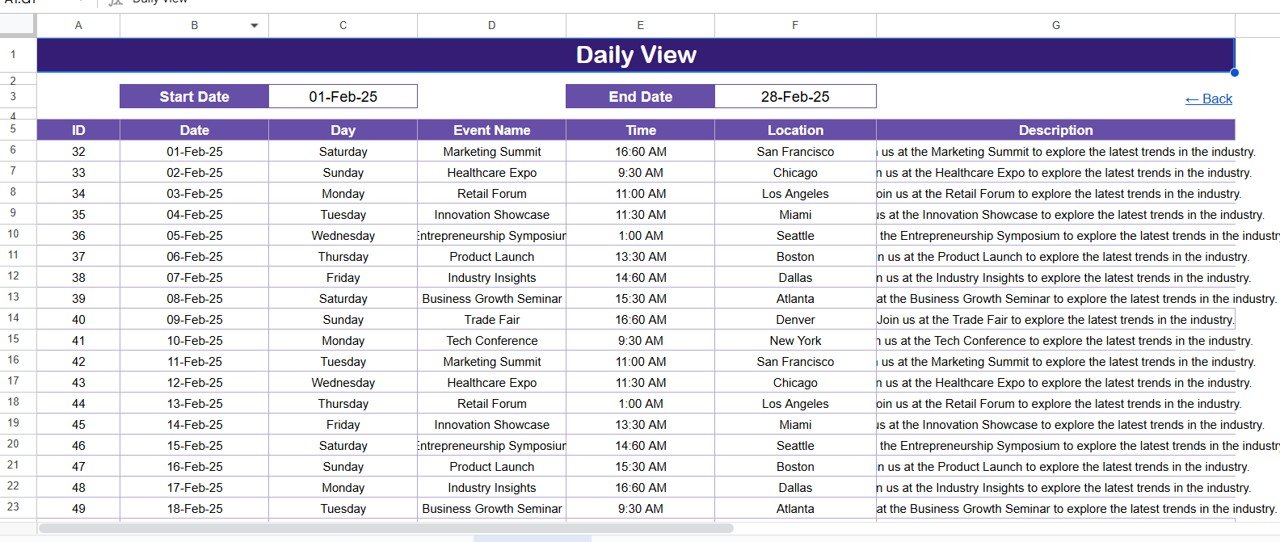
✅ Daily Event View: Analyze daily activities and track all upcoming events within any date range.
✅ Interactive Buttons: Add, view, or update events instantly using built-in forms for hassle-free management.
✅ Customizable Themes: Choose from 5 stunning color themes to match your brand style.
✅ Highlight Controls: Automatically highlight weekends, important days, or all event dates for clear visibility.
✅ Cloud Collaboration: Work with your entire team in real time — edits, updates, and new events reflect instantly.
✅ Error-Free Database: Manage event details (date, time, location, description) in a centralized, searchable format.
✅ Accessible Anywhere: Use on laptop, tablet, or mobile — no installations required!
📂 What’s Inside the Trade Show & Conference Calendar
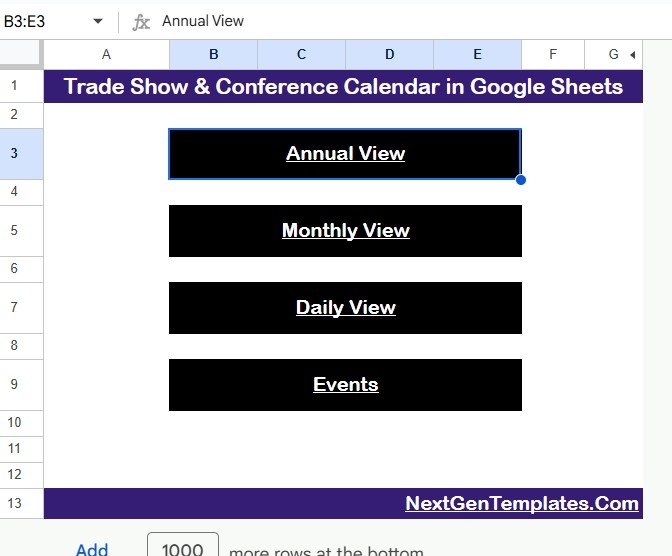
🗂 Home Sheet (Navigation Hub):
A centralized control panel with quick navigation buttons to Annual, Monthly, Daily, and Events pages.
📅 Annual View Sheet:
Visualize all 12 months at a glance. Adjust year, start month, and weekday, select from five color themes, and highlight weekends or special days. Add or view events instantly using interactive buttons.
🗓 Monthly View Sheet:
Drill down into one month. View all events, spot overlaps, and quickly add or display scheduled events with easy controls.Trade Show & Conference Calendar in Google Sheets
📖 Daily View Sheet:
List and analyze all events within a specific date range — perfect for planning short-term goals or team schedules.
📘 Events Sheet:
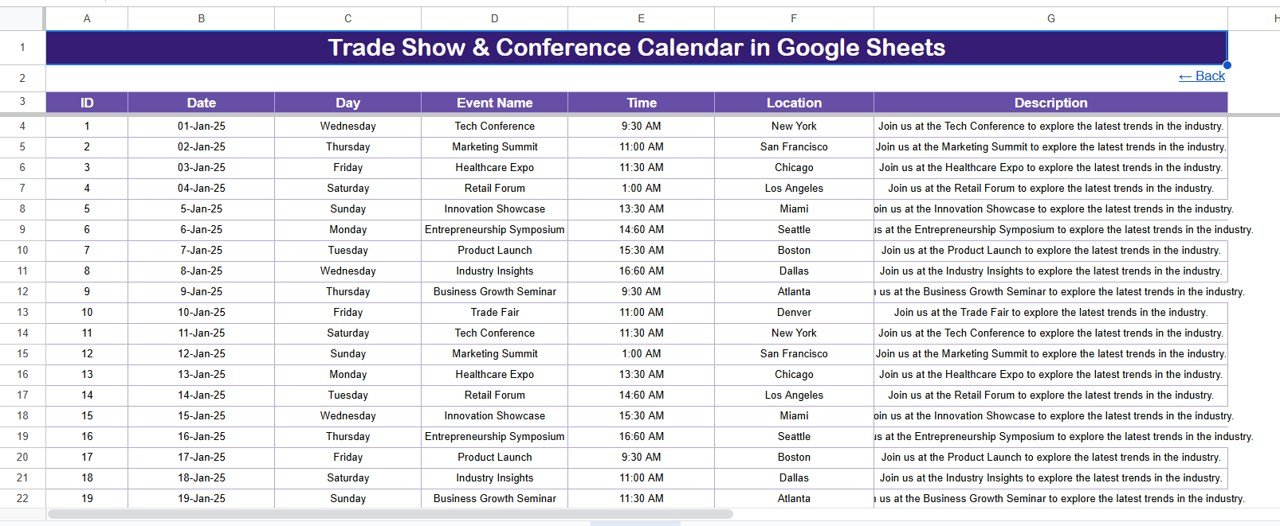
A complete event database with columns for ID, Date, Day, Event Name, Time, Location, and Description. Add, update, or delete records using intuitive buttons.
This structure keeps everything organized and ensures that planning multiple events becomes effortless.
⚙️ How to Use the Trade Show & Conference Calendar
1️⃣ Open the Template: Access the Home page and use navigation buttons to move between different views.
2️⃣ Customize Settings: On the Annual View, set your year, start month, and color theme to match your needs.
3️⃣ Add Events: Use the “Add New Event” button to log trade shows or conferences instantly.
4️⃣ Analyze Schedule: Switch to Monthly or Daily View to monitor busy periods and avoid overlaps.Trade Show & Conference Calendar in Google Sheets
5️⃣ Manage Records: In the Events Sheet, edit or delete records by selecting the event ID.
6️⃣ Collaborate Easily: Share your calendar with team members via Google Sheets — updates sync automatically.
Within minutes, you’ll have a fully functional and automated event management system.
👥 Who Can Benefit from This Trade Show & Conference Calendar
🎯 Marketing Teams: Stay aligned on event schedules, booth planning, and campaign timelines.
🏢 Event Planners: Manage multiple conferences, speakers, and venue bookings efficiently.
👨💼 Corporate Executives: Get a clear, at-a-glance view of organizational participation across events.
📈 Sales Teams: Track lead generation opportunities from upcoming trade shows.
🧑🎓 Students & Professionals: Organize learning conferences, seminars, or workshops effortlessly.
No matter your role, this Google Sheets calendar makes event planning organized, transparent, and stress-free.
Click here to read the detailed blog post
Watch the step-by-step video tutorial:
Visit our YouTube channel to learn step-by-step video tutorials
Compatibility and Requirements
- Works in Google Sheets. You need a free Google account and a web browser.
- The page says it also works on a laptop, tablet or mobile with no installation. Google explains how to get started in Google Sheets getting started.
Frequently Asked Questions
Which sheets are included?
Five sheets: Home, Annual View, Monthly View, Daily View and Events.
What details can I store for each event?
The Events sheet has columns for ID, Date, Day, Event Name, Time, Location and Description. You can add, update or delete records with the built-in buttons.
Can I change the look of the calendar?
Yes. On the Annual View you set the year, start month and day of the week, and pick one of 5 color themes. You can also highlight weekends, important days or all event dates.
Can my team edit it together?
Yes. Share the Google Sheet with team members and edits and new events show up for everyone in real time.
Is there an Excel version?
Yes. See the Trade Show & Conference Calendar in Excel.
Related Calendar Templates
- Trade Show & Conference Calendar in Excel: the same event calendar for Excel
- Dynamic Holiday and Event Calendar in Google Sheets: another event calendar in Google Sheets
- Printable Holiday and Event Calendar in Excel: a free printable event calendar
- Calendar & Planner Pack: 12 calendar and planner templates in one download
Browse all Google Sheets calendars.
























Reviews
There are no reviews yet.