

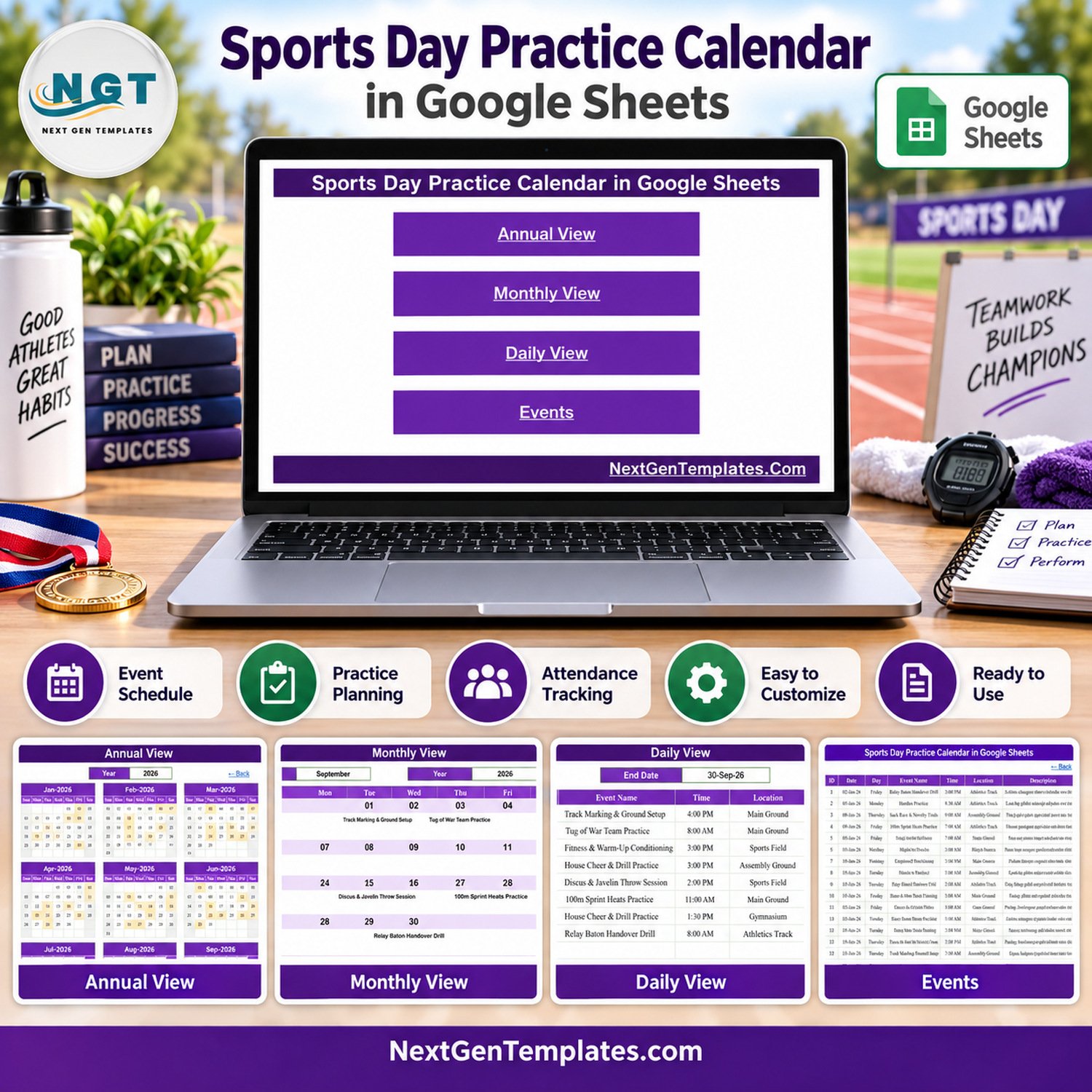

The Sports Day Practice Calendar in Google Sheets plans a whole season of sports day rehearsals in 5 linked tabs: a Home menu, an Annual View, a Monthly View, a Daily View and an Events list. It ships with 100 sample practice sessions (IDs 1 to 100) dated 2 January to 28 December 2026, covering 16 event types at 8 venues, and every sample weekday is correct. The views read straight from the Events tab, so there is no Apps Script and no add-on to install.
🏅 Built by the team behind NextGenTemplates and the @PKAnExcelExpert YouTube channel, and hand-checked against the live sheet before release.
✅ Instant download · One-time payment · No subscription · Works with a free Google account · Make a copy and start planning
🔑 Key Features of the Sports Day Practice Calendar in Google Sheets
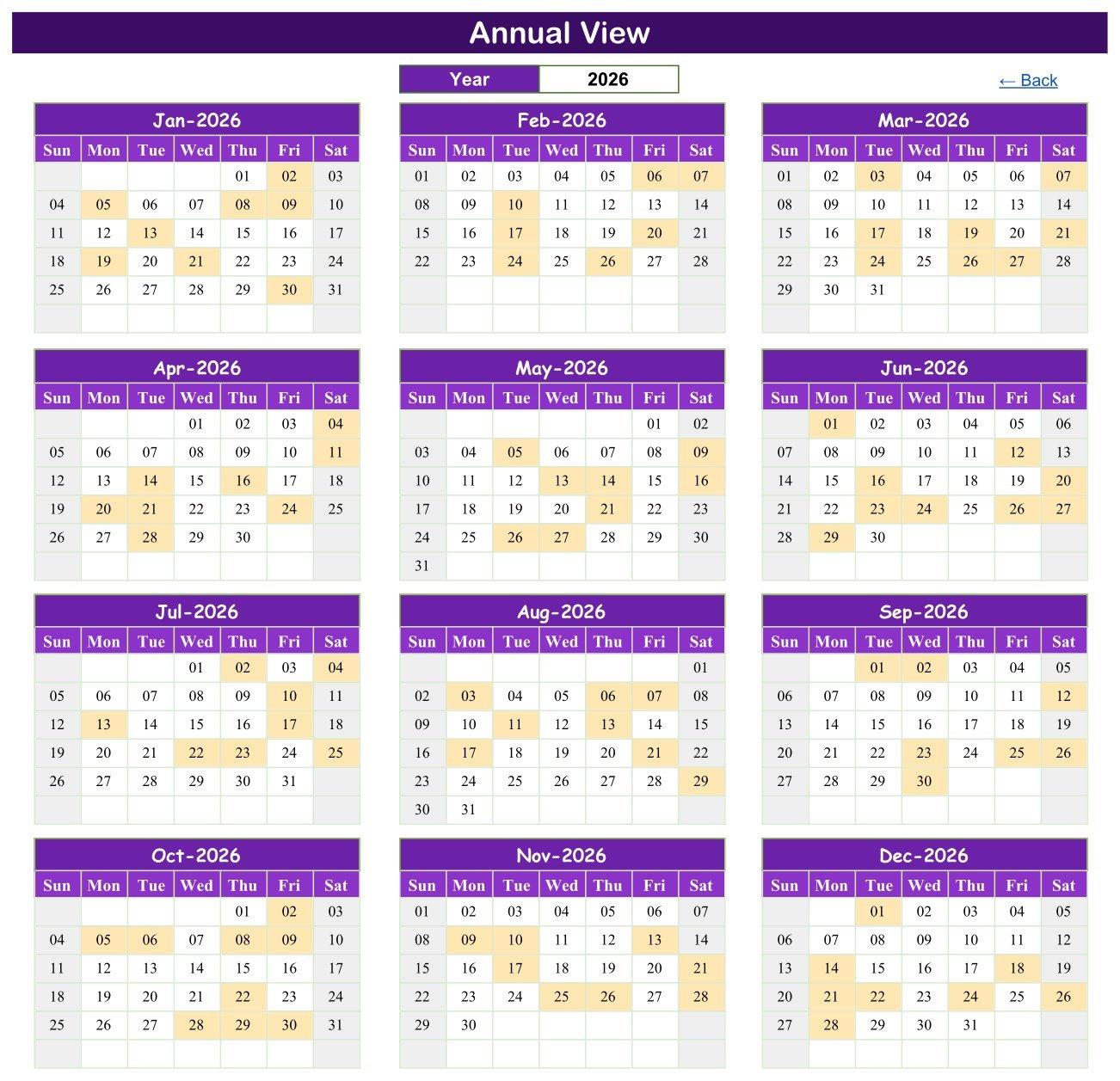
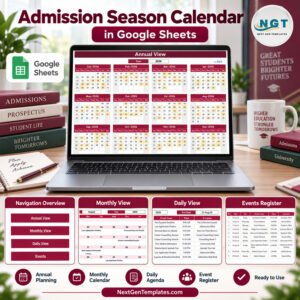
📅 Annual View with a year selector – pick a year and twelve month grids redraw for it. Any day that holds at least one practice session is shaded, so busy weeks and empty stretches show at a glance. In the 2026 sample every month carries 8 or 9 sessions.
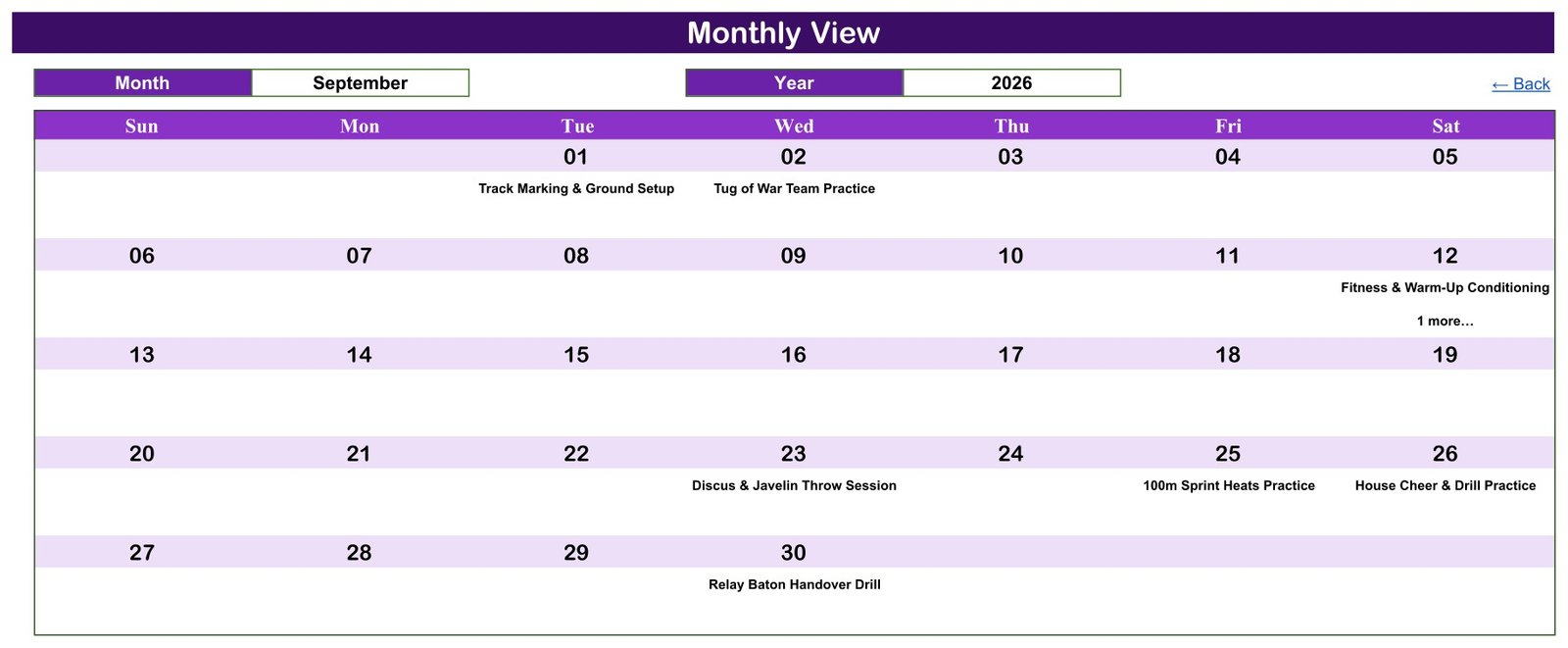
🗓️ Monthly View with Month and Year dropdowns – a Sunday-to-Saturday grid prints the session name under each date. When two sessions fall on the same day, the grid shows the first one and a “1 more…” note, as on 12 September 2026.
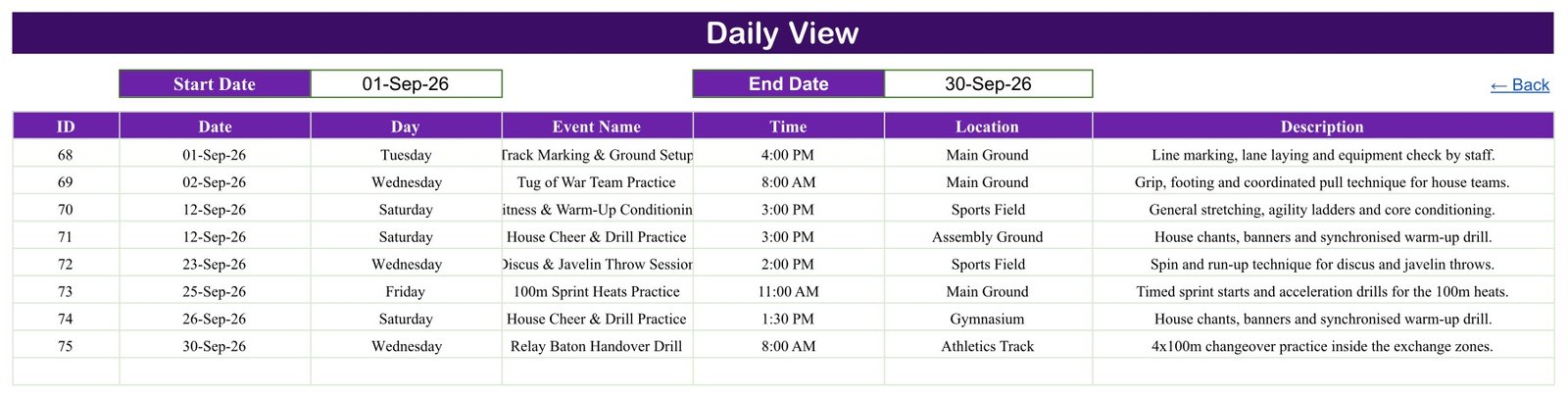
📋 Daily View by date range – type a Start Date and an End Date and a FILTER formula lists every session in that window with its ID, Date, Day, Event Name, Time, Location and Description. The September 2026 sample returns sessions 68 to 75.
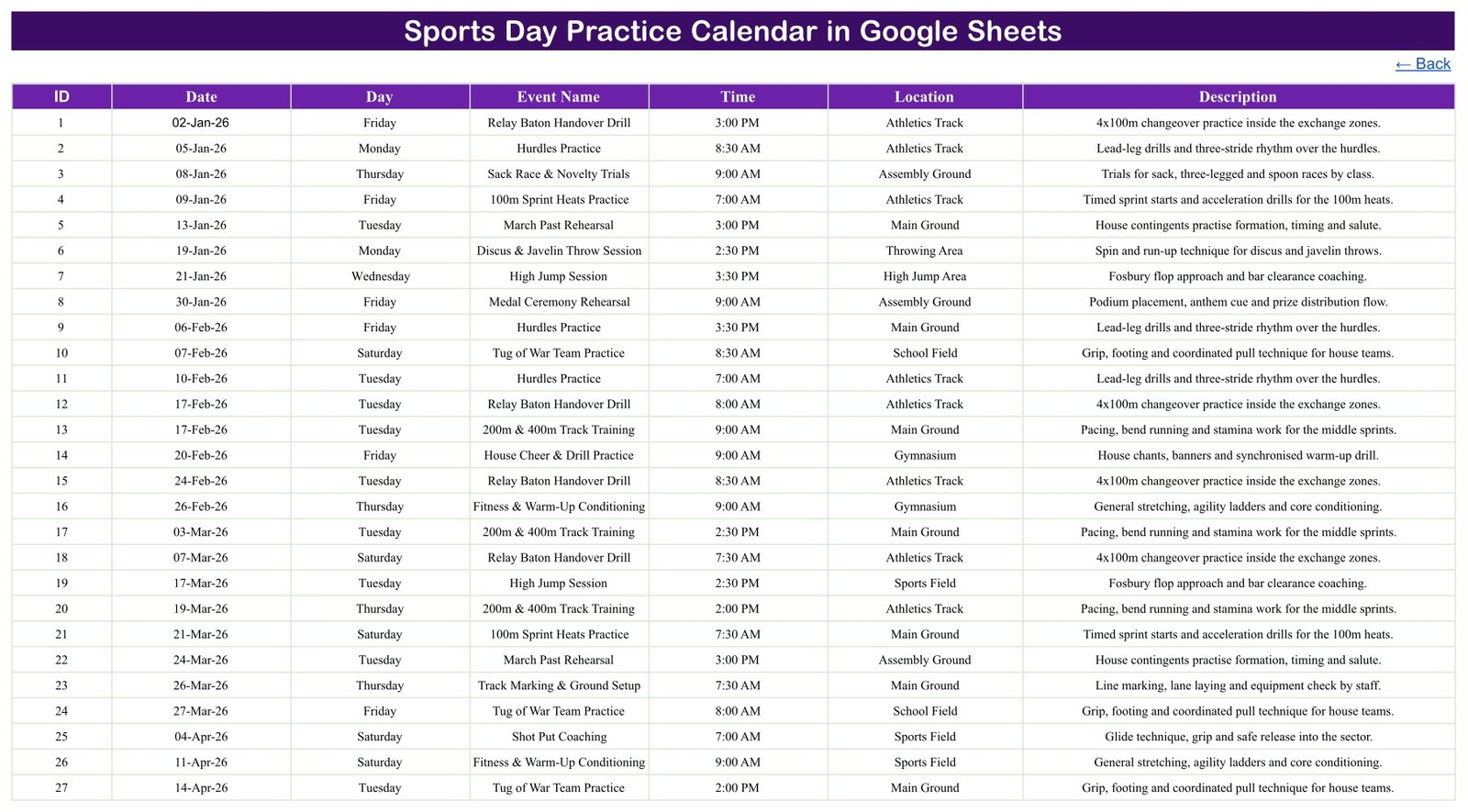
🏃 One Events tab feeds everything – seven columns (ID, Date, Day, Event Name, Time, Location, Description), date-validated entry and a range that runs to row 999, so every view updates the moment you add or edit a row.
🏅 Sample data written for a school sports day – Relay Baton Handover Drill, Hurdles Practice, 100m Sprint Heats Practice, 200m & 400m Track Training, Discus & Javelin Throw Session, Shot Put Coaching, High Jump Session, Tug of War Team Practice, March Past Rehearsal, House Cheer & Drill Practice and Medal Ceremony Rehearsal, among 16 types. All names and details are fictional.
🔗 Click-through navigation – four Home buttons open each view and every tab carries a “Back” link, so staff who rarely use spreadsheets can still find their way around.
📦 What’s Inside the Sports Day Practice Calendar
Home
The start page holds four buttons – Annual View, Monthly View, Daily View and Events – under the calendar title, so anyone opening the file lands on a simple menu.
Annual View
Twelve month grids for the year chosen in the Year box. Days with a scheduled practice are shaded, so a coordinator can see the rhythm of the whole season, from January heats to December ceremony rehearsals.
Monthly View
Choose a Month and a Year to get a full-width month grid with each session name under its date. The September 2026 example shows Track Marking & Ground Setup, Tug of War Team Practice, Discus & Javelin Throw Session, 100m Sprint Heats Practice and Relay Baton Handover Drill.
Daily View
Set a Start Date and End Date to list every session in between as a table with time, location and description – handy for a weekly briefing or a noticeboard printout.
Events
The master list of 100 sample sessions: 16 event types, 8 venues (Main Ground, Sports Field, Athletics Track, Assembly Ground, Gymnasium, Throwing Area, School Field and High Jump Area) and 13 start times between 7:00 AM and 4:00 PM. Replace these rows with your own plan.
📊 Google Sheets Calendar vs. Microsoft Excel Calendar vs. Paid Team Apps – Where This Fits
| Feature | Sports Day Practice Calendar (Google Sheets) | Microsoft Excel calendar | Paid team apps (e.g. TeamSnap, SportsEngine) |
|---|---|---|---|
| Cost | ✅ $4.99 one-time (regular $8.99) | Template price plus an Excel licence | Recurring subscription on most plans |
| Platform | ✅ Any browser with a Google account | Excel desktop | Vendor app and website |
| Setup time | ✅ Make a copy, replace the sample rows | Open the file, replace the sample rows | Create an account, import teams and rosters |
| Real-time staff collaboration | ✅ Built-in Google Sheets sharing | Needs OneDrive or SharePoint | ✅ Yes |
| Mobile access | ✅ Google Sheets app (views are easiest on a laptop) | Excel mobile app | ✅ Dedicated app |
| Custom event types and venues | ✅ Type any name in the Events tab | ✅ Yes | Limited to the app’s fields |
| Annual, monthly and date-range views | ✅ All three included | Depends on the template | Usually list and month views |
| Attendance, RSVP and reminders | ❌ Not included | ❌ Not usually included | ✅ Typically included |
| Where your data lives | ✅ Your own Google Drive | Your own files | Vendor servers |
For PE staff who want one shared practice plan without paying for a team app every term, this Google Sheets calendar sits in the sweet spot.
👥 Who This Template Is For – and Who It’s Not For
✅ This template is built for:
- PE teachers and sports coordinators planning heats, field events and rehearsals before a school sports day
- House masters and captains scheduling march past, cheer and drill practice across a term
- Community clubs and youth groups running an annual sports day with volunteer staff
❌ This template is NOT for:
- Schools that need attendance registers, consent forms, medical or emergency-contact records – it has no fields for them and is not a safeguarding tool
- Clubs that need player registration, team rosters, results scoring or automatic reminders
- Anyone who must work offline in desktop Excel – an Excel edition is in preparation
⚙️ How to Use the Sports Day Practice Calendar
- Download the PDF after purchase and click its Google Sheets link.
- Sign in with a Google account and choose File > Make a copy to save your own editable version (Google Docs Editors Help: create, view or download a file).
- Open the Events tab and overwrite the 100 sample rows with your sessions – ID, Date, Day, Event Name, Time, Location and Description.
- Type the Day to match each Date; the Day column is typed text, not a formula.
- Pick a year in Annual View and a month in Monthly View to check the plan.
- Set a Start Date and End Date in Daily View to list a week or a month, then print or share it with staff.
💼 Real-World Use Cases
A PE coordinator at a primary school maps every heat, relay drill and field-event session from January onwards, then checks the Annual View to make sure no month is overloaded before the big day. Class teachers get view access instead of a stream of emails.
A house master at a secondary school books March Past Rehearsal and House Cheer & Drill Practice slots on the Assembly Ground and uses the Daily View every Monday to print that week’s timetable for house captains.
A volunteer running a community sports day shares one copy with three helpers so Track Marking & Ground Setup, Tug of War practice and the Medal Ceremony Rehearsal all live in one place instead of a group chat.
❓ Frequently Asked Questions
What is included in the Sports Day Practice Calendar in Google Sheets?
You get a PDF with the Google Sheets copy link. The sheet has a Home menu, Annual View, Monthly View, Daily View and an Events tab holding 100 fictional practice sessions across 16 event types and 8 venues, ready for you to replace.
Do I need Microsoft Excel?
No. The template runs in Google Sheets in any modern browser. You need a Google account to open the link and use File > Make a copy, which saves an editable version in your own Google Drive. Nothing is installed and no macros or scripts run.
How long does setup take?
Making the copy takes under a minute. After that, setup is simply typing your sessions into the Events tab. The Annual, Monthly and Daily views read those rows directly, so they update as soon as each row is entered.
What happens when two practices fall on the same day?
The Events tab and Daily View list both sessions in full. The Monthly View shows the first session name for that date plus a “1 more…” note, so check the Daily View for busy days. The 2026 sample has four such dates.
Does it track attendance or send reminders?
No. This is a planning calendar: it records the date, day, time, venue and description of each session. It has no attendance register, RSVP, notification or results feature. A paid team app such as TeamSnap or SportsEngine covers those jobs on a subscription.
Should I store pupils’ personal details in it?
Keep it to session plans. The template has no pupil fields, and any names, medical notes or contact details you add would sit in a shared spreadsheet, so follow your school’s own data policy and sharing settings before adding anything personal.
👤 About the Author
Built by PK – Microsoft Certified Professional with 15+ years of Excel, Google Sheets and Power BI experience, and founder of NextGenTemplates. Tutorials run across the @PKAnExcelExpert, @NextGenTemplates and @NeoTechNavigators YouTube channels. Every template is hand-built and tested before release.
🔗 Explore Related Templates
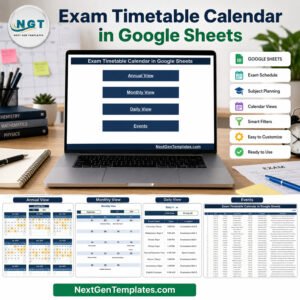
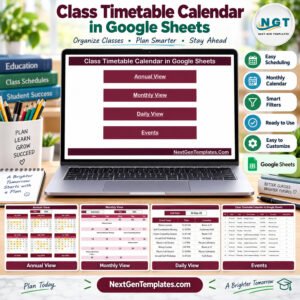
📚 Planning the rest of the school year? The Class Timetable Calendar in Google Sheets handles lessons and the Exam Timetable Calendar in Google Sheets keeps sports practice clear of exam weeks.
🏫 For school office work, pair it with the Parent-Teacher Meeting Calendar and the School Fee Due Calendar.
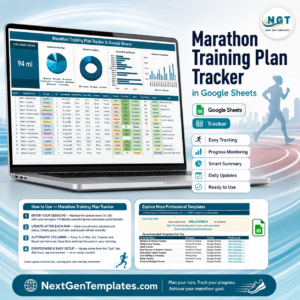
🏃 Coaching older athletes? The Marathon Training Plan Tracker in Google Sheets logs individual training, and the Sports Team Dashboard in Excel analyses team performance.
🗂️ Browse every Google Sheets calendar template in the store.
📖 Click here to read the Detailed Blog Post
🎥 Visit our YouTube channel for step-by-step video tutorials
👉 YouTube.com/@NextGenTemplates
Watch the step-by-step video Demo:
📅 Last updated: September 2026































Reviews
There are no reviews yet.