

The Placement Drive Calendar in Google Sheets puts a whole year of campus recruitment activity into one spreadsheet: 100 sample events from 3 January to 31 December 2026, 15 placement event types, 13 college venues and four linked views (Annual, Monthly, Daily and an Events master list) opened from a single Home page. It is built for a college training and placement cell, runs on a free Google account, and the PDF in your download carries the “Make a copy” link.
🌍 It joins the growing range of Google Sheets calendar templates from NextGenTemplates, all built on the same tested four-view layout.
✅ Instant download · One-time payment · No subscription · No per-user fees · Lifetime access
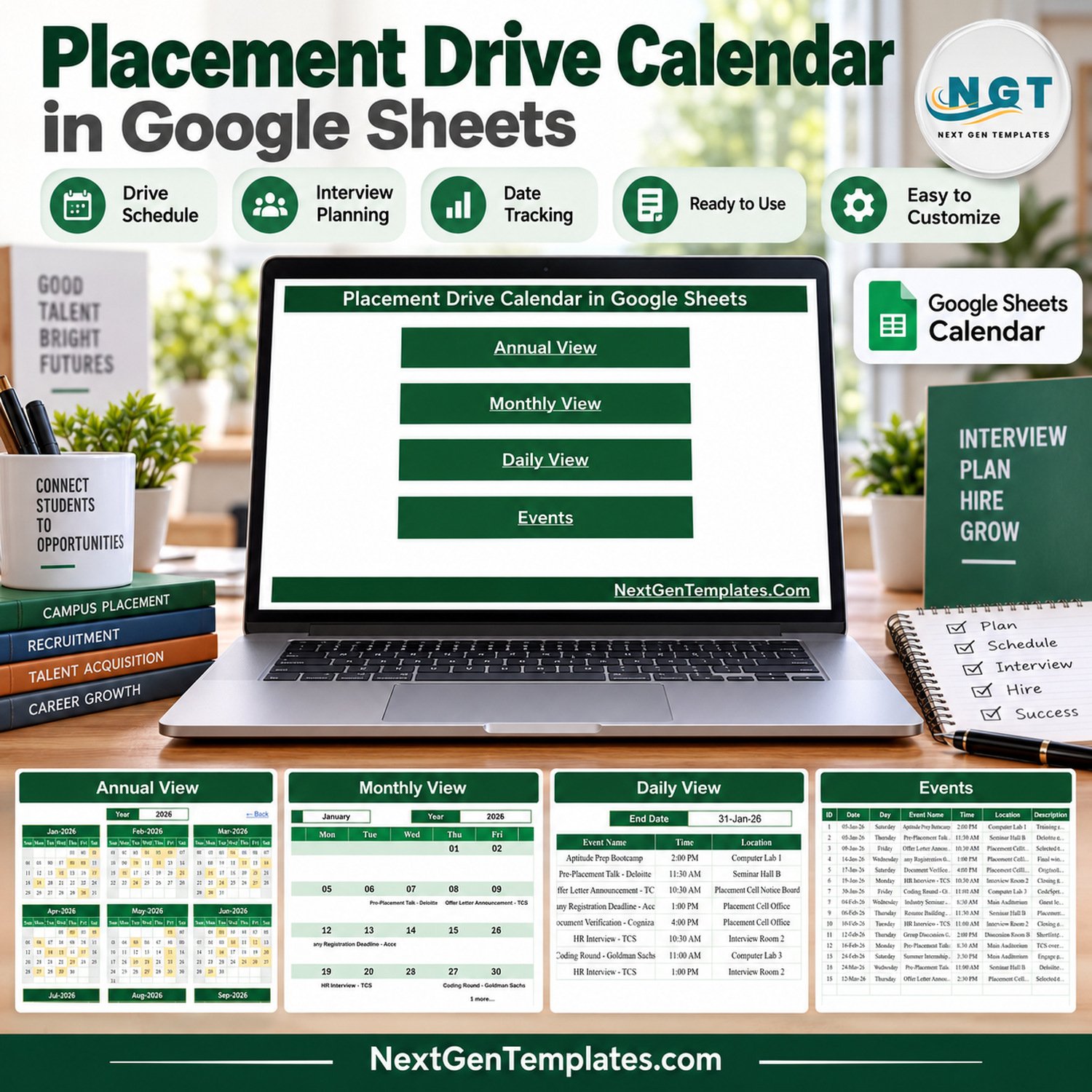
🔑 Key Features of the Placement Drive Calendar in Google Sheets
📅 Annual View with 12 month grids. Pick a year and all twelve months appear on one screen. Every date that holds a drive, test, interview or workshop is shaded, so busy recruitment weeks are visible before the season starts.
🗓️ Monthly View with Month and Year selectors. A Sunday-to-Saturday grid prints the first event name under each date and adds a “1 more…” note when a second event shares that day.
📋 Daily View for any date range. Enter a Start Date and an End Date to list every event in that window with its ID, date, weekday, event name, time, location and description. Use one week for a student notice or one month for a placement committee review.
🗂️ One Events sheet feeds every view. The Events table holds ID, Date, Day, Event Name, Time, Location and Description. The Annual, Monthly and Daily views all read from it, so you edit one table instead of three.
🎓 15 placement event types in the sample. Pre-Placement Talk, Technical Interview, Industry Seminar, Resume Building Workshop, Coding Round, HR Interview, Summer Internship Drive, Company Registration Deadline, Document Verification, Aptitude Prep Bootcamp, Offer Letter Announcement, Profile Shortlisting Checkpoint, Group Discussion, Technical Written Test and Mock Interview Drive.
📍 13 sample venues. Main Auditorium, Placement Cell Office, Seminar Hall A and B, Computer Labs 1 to 3, Interview Rooms 1 to 4, Discussion Room B and the Placement Cell Notice Board.
✔️ Checked sample data. IDs run 1 to 100 with no gaps, all 100 weekday labels match their dates, the events fall on 97 separate days (30 January, 3 November and 4 December hold two each), every month carries eight or nine entries, and sample times run from 8:30 AM to 4:00 PM.
📦 What’s Inside the Campus Placement Calendar Template
Page 1: Home
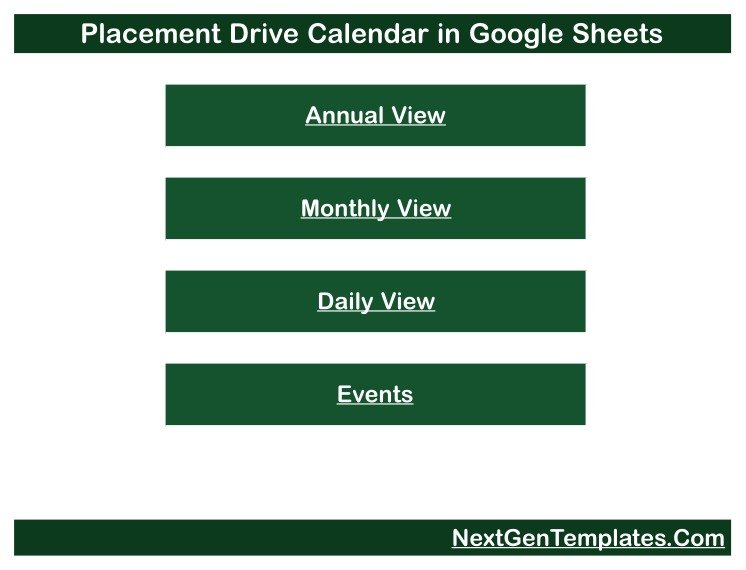
The Home page shows the calendar title and four navigation buttons: Annual View, Monthly View, Daily View and Events. Every view carries a “← Back” link that returns you here.
Page 2: Annual View
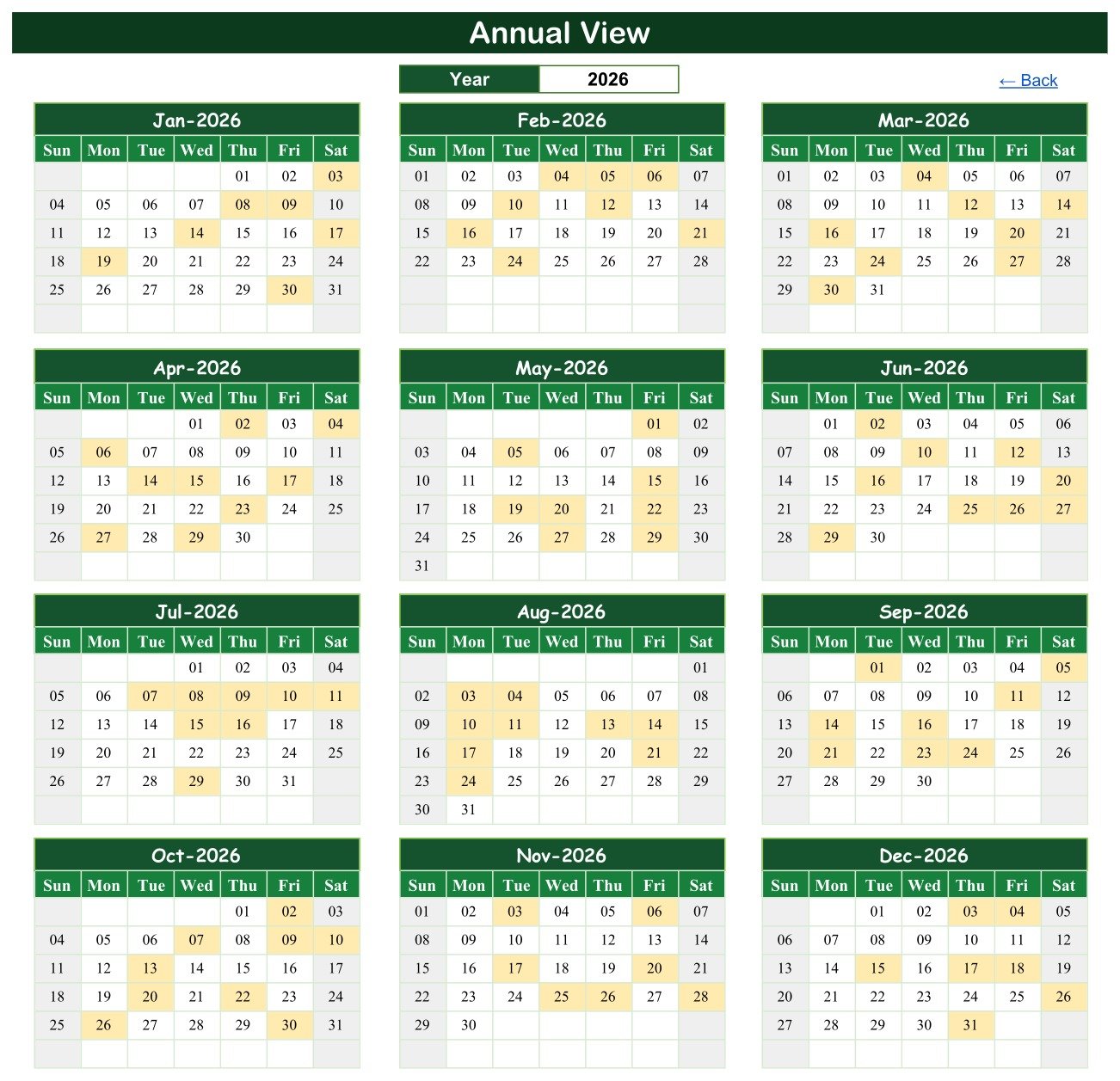
The year is set to 2026 and January through December appear as twelve month grids. Shaded cells mark dates with at least one event; January shades the 3rd, 8th, 9th, 14th, 17th, 19th and 30th.
Page 3: Monthly View
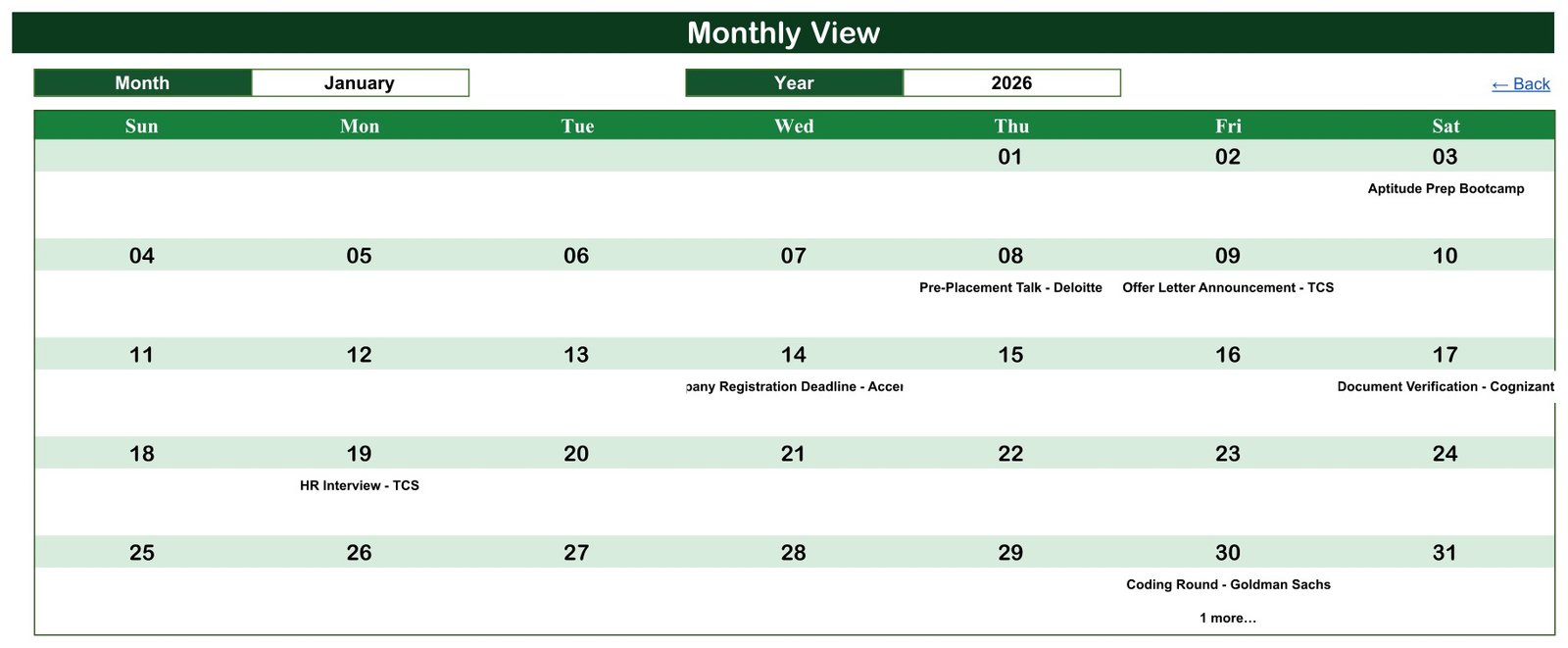
January 2026 is shown: Aptitude Prep Bootcamp on Saturday the 3rd, a Pre-Placement Talk on the 8th, an Offer Letter Announcement on the 9th, a Company Registration Deadline on the 14th, Document Verification on the 17th, an HR Interview on the 19th and a Coding Round with “1 more…” on Friday the 30th.
Page 4: Daily View
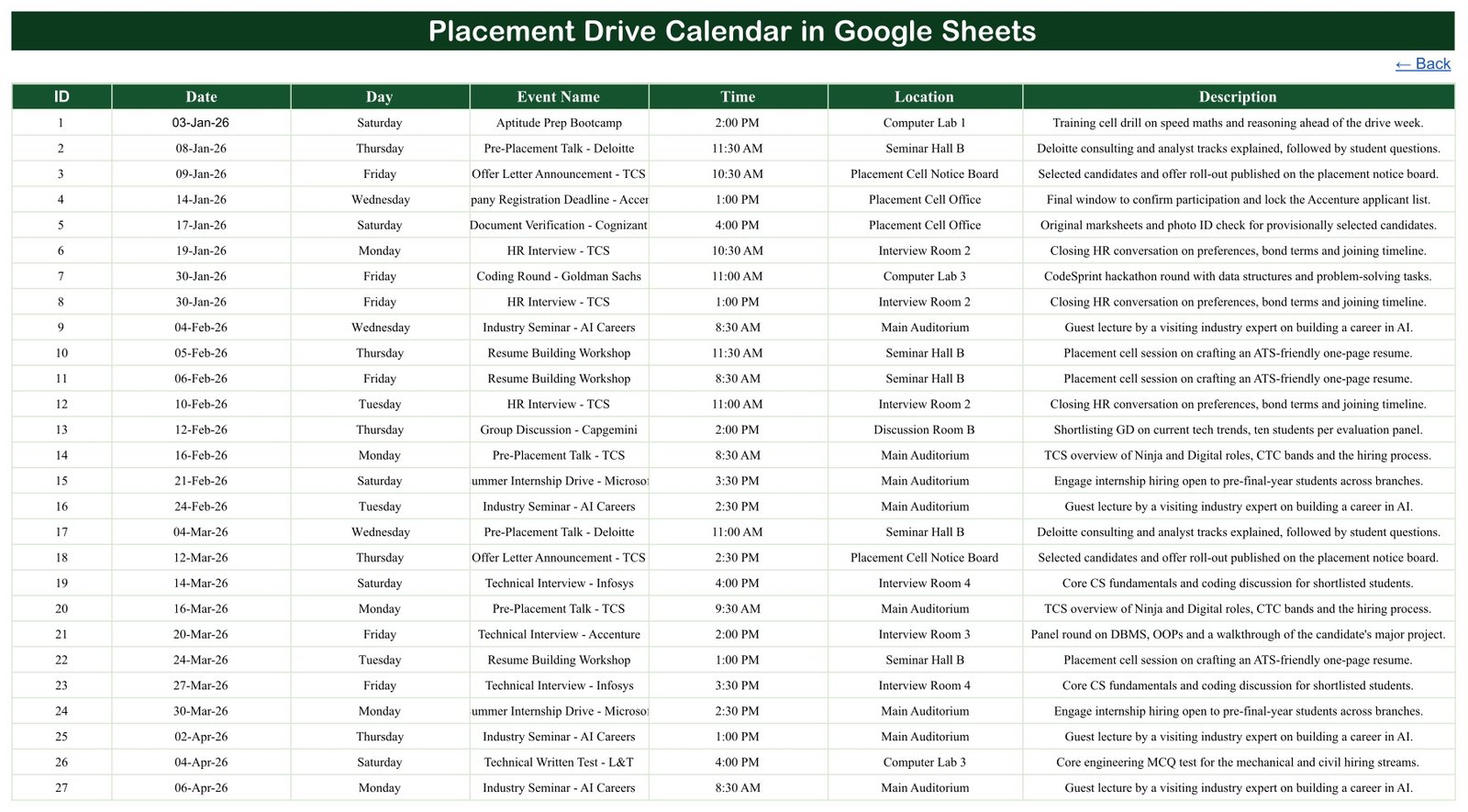
With the range set from 01-Jan-26 to 31-Jan-26 the list returns eight events, IDs 1 to 8. It shows the event behind “1 more…”: an HR Interview at 1:00 PM in Interview Room 2 on 30 January, after the 11:00 AM Coding Round in Computer Lab 3.

Page 5: Events
The master list of all 100 sample events. Row 1 is the Aptitude Prep Bootcamp on Saturday 03-Jan-26 at 2:00 PM in Computer Lab 1; the last row is Document Verification on Thursday 31-Dec-26 at 3:30 PM in the Placement Cell Office. Replace these rows with your own college’s drives.
📊 This Placement Calendar vs. an Excel Calendar vs. Campus Placement Software
| Feature | Placement Drive Calendar (Google Sheets) | Desktop Excel calendar | Campus placement or recruitment software |
|---|---|---|---|
| Cost | ✅ $4.99 one-time (regular $8.99) | One-time template plus an Excel licence | Usually a recurring subscription |
| Platform | ✅ Any browser with a free Google account | Excel desktop | Vendor web app |
| Setup time | ✅ Minutes: make a copy, replace the rows | Minutes | Days to weeks of configuration |
| Real-time team editing | ✅ Yes, through Google Sheets sharing | Limited | ✅ Yes |
| Mobile access | ✅ Google Sheets app | Excel mobile, reduced | ✅ Usually |
| Share with a link | ✅ Yes, view-only or edit | File sharing | Staff and student logins |
| Customizable columns and views | ✅ Fully editable formulas | ✅ Yes | Vendor-defined |
| Student registrations, eligibility and offer records | ❌ Not included | ❌ Not included | ✅ Typical |
| Automatic notifications to students | ❌ Not included | ❌ Not included | ✅ Typical |
For a placement officer who wants the season’s drives, tests and interviews on one shared calendar without buying a placement portal, this template sits in the sweet spot.
👥 Who This Template Is For, and Who It Is Not For
✅ Built for:
- 🏫 Training and placement officers scheduling company visits, tests and interview rounds
- 🧑💼 Placement coordinators who want one view of registration deadlines, document checks and offer announcements
- 📘 Department heads lining up resume workshops, aptitude bootcamps and mock interviews
- 🎓 Student placement committees sharing a read-only season calendar with final-year batches
❌ Not for:
- Colleges that need an applicant tracking system, student eligibility filters or offer and package records
- Anyone who needs placement statistics, accreditation reports or automatic student notifications
⚠️ What This Calendar Deliberately Does Not Do
- 🚫 It does not register students, check eligibility or record who was selected; it schedules and displays events only
- 🚫 It sends no emails or notifications and does not sync with Google Calendar
- 🚫 Events have a start time only, with no end time or repeat rule, and the Day column is typed by hand
- 🚫 The Monthly View shows the first event name per date; the Daily View shows every event
- 🚫 Long event names can be cut off in narrow cells (for example “Company Registration Deadline – Accenture” in the Monthly View and “Summer Internship Drive – Microsoft” on the Events sheet) until you widen the column
All 100 sample rows are fictional. Company and programme names such as TCS, Infosys, Accenture, Deloitte, Microsoft, Amazon, Goldman Sachs, Wipro, Capgemini, Cognizant and L&T are placeholder labels only; NextGenTemplates has no affiliation with them, and the sample does not describe any real recruitment drive. The template does not guarantee placements, interviews or job offers. Use roll numbers or batch names rather than personal details; if you add personal data, you are responsible for keeping it secure.
⚙️ How to Use It
- Open the PDF in your download and click the link to make your own copy in Google Drive.
- Go to the Events sheet and delete the 100 sample rows.
- Enter each placement event: ID, Date, Day, Event Name, Time, Location and a short description.
- Open the Annual View and choose your placement year.
- Use the Monthly View’s Month and Year selectors to review one month at a time.
- Set a Start Date and End Date in the Daily View to list a week or the whole season.
- Share the file view-only with students and faculty who only need to read it.
Google explains link sharing in Share files from Google Drive, and how to extend a selector list in Create an in-cell dropdown list.
💼 Real-World Use Cases
A training and placement officer at an engineering college enters every Pre-Placement Talk, Coding Round and Technical Interview for the season, then checks the Annual View so that no two company visits collide in the same week.
A placement coordinator adds each Company Registration Deadline and Document Verification date, then shares a view-only link with final-year students so everyone reads the same dates.
A department’s placement committee sets the Daily View to the coming fortnight, lists the Resume Building Workshops and Mock Interview Drives, and prints it for the notice board.
❓ Frequently Asked Questions
Does it need Google Sheets or Excel?
It is a Google Sheets file. You need a free Google account and a web browser; the PDF in your download holds the link that makes your own editable copy in Google Drive. An Excel edition of this calendar is being prepared but is not part of this download.
Are the companies in the sample real recruiters for my college?
No. The Placement Drive Calendar in Google Sheets uses well-known company names only as placeholder labels. There is no affiliation with any of them, and the rows do not describe real drives. Replace them with the companies visiting your campus.
Does it track which students were placed?
No. It is a scheduling calendar. It has no student list, eligibility check, offer record or placement percentage, and it does not guarantee any interview or job offer.
Can two events share a date?
Yes. The sample has three such dates. The Monthly View shows the first event with a “1 more…” note, and the Daily View lists both.
How long does setup take?
Making the copy takes seconds. Entering a season of drives usually takes a few minutes, because you only type into the Events sheet and the three calendar views update from it.
How does it compare with campus placement software?
Placement portals handle student registration, eligibility, applications and offer letters, usually on a subscription. This calendar only schedules and displays placement dates, for a one-time price, which suits colleges that manage applications elsewhere.
👤 About the Author
Built by PK, a Microsoft Certified Professional with 15+ years of Excel, Google Sheets and Power BI experience and the founder of NextGenTemplates. Video tutorials are on @PKAnExcelExpert, @NextGenTemplates and @NeoTechNavigators. Every template is built and tested before release.
🔗 Explore Related Templates
💼 Job Application Tracker in Google Sheets – let students log the applications that follow each drive.
🧑💼 Recruitment Applicant Tracking System Web App – when you need candidate records and pipeline stages, not just dates.
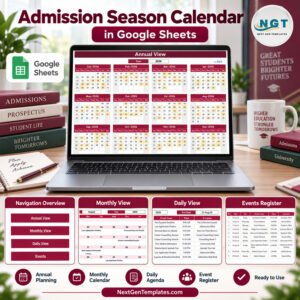
🎓 Admission Season Calendar in Google Sheets and Exam Timetable Calendar in Google Sheets for the rest of the academic year.
🏛️ Colleges and Universities Dashboard in Google Sheets and the Coaching Batch Calendar in Google Sheets.
Browse every Google Sheets template in the store.
📖 Click here to read the Detailed Blog Post
🎥 Visit our YouTube channel for step-by-step video tutorials
👉 YouTube.com/@NextGenTemplates
Watch the step-by-step video Demo:
📅 Last updated: September 2026




























Reviews
There are no reviews yet.