

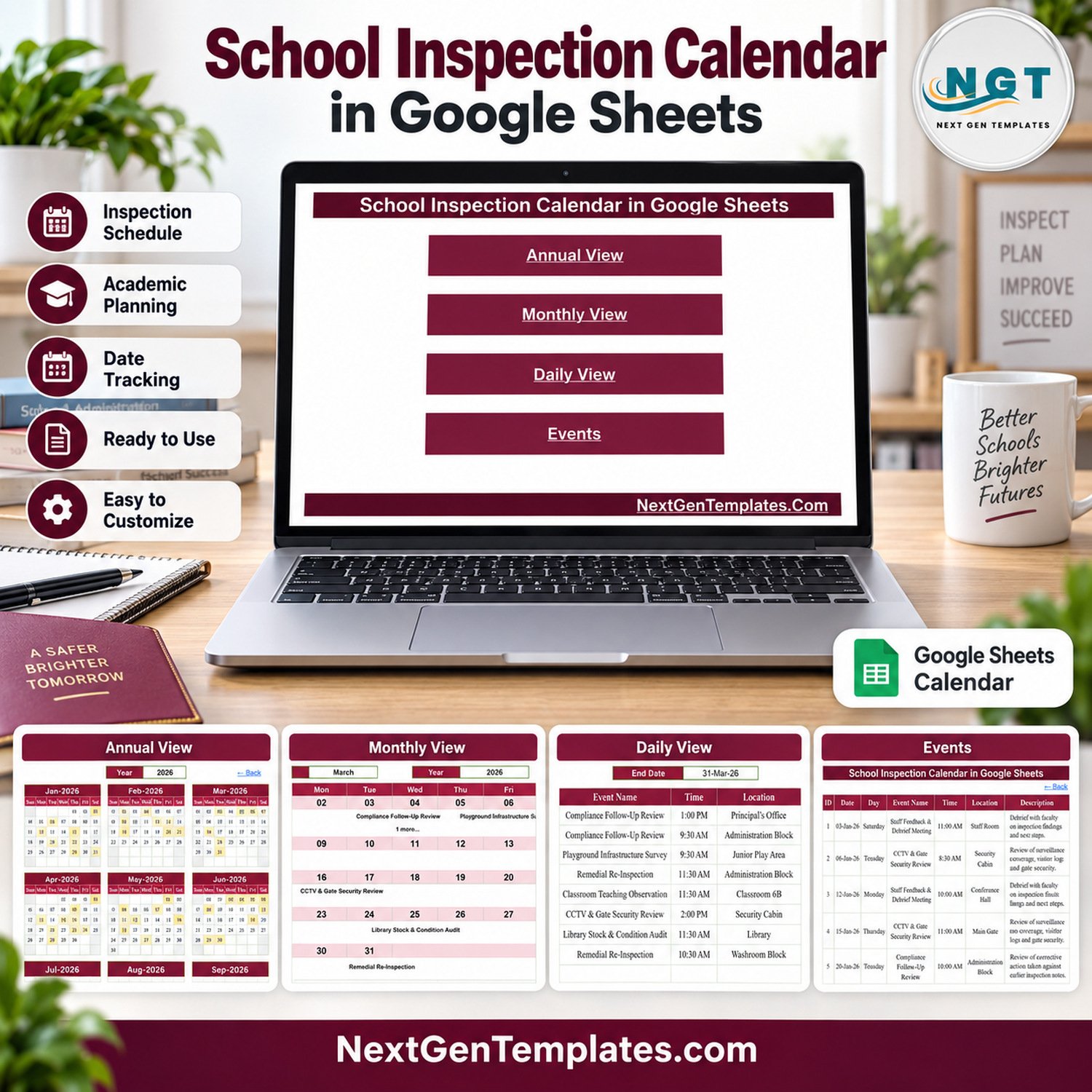
The School Inspection Calendar in Google Sheets schedules a year of internal school inspections and follow-up reviews in 5 linked tabs: Home, Annual View, Monthly View, Daily View and Events. It ships with 100 sample inspection entries dated 3 January to 29 December 2026, covering 19 inspection types at 35 campus locations, with every sample weekday correct. No Apps Script, no add-ons.
✅ Instant download · One-time payment · No subscription · Works with a free Google account
🔑 Key Features of the School Inspection Calendar in Google Sheets
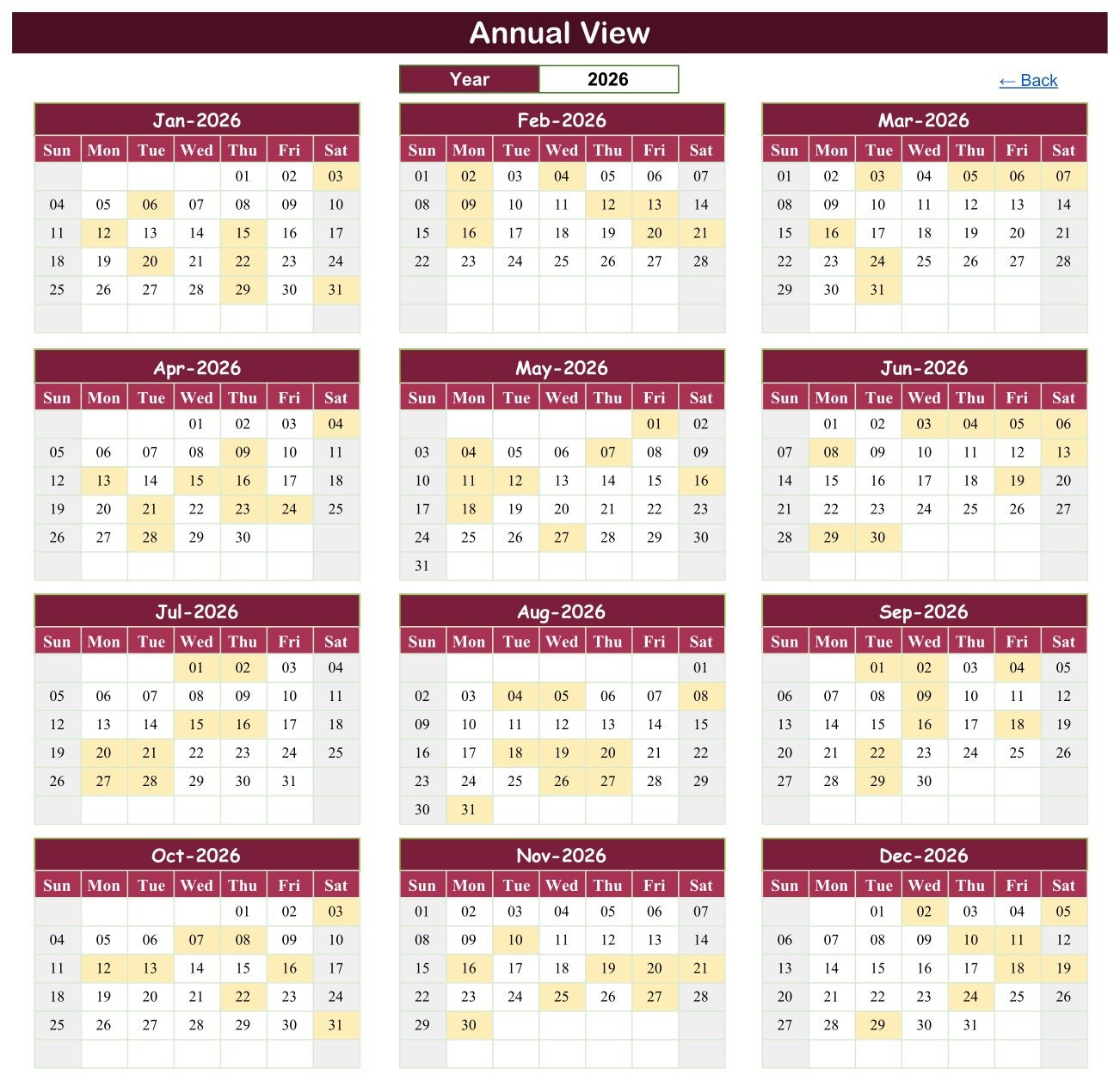
📅 Annual View with a year selector – twelve month grids with every inspection day shaded. In the 2026 sample each month carries 8 or 9 inspections.
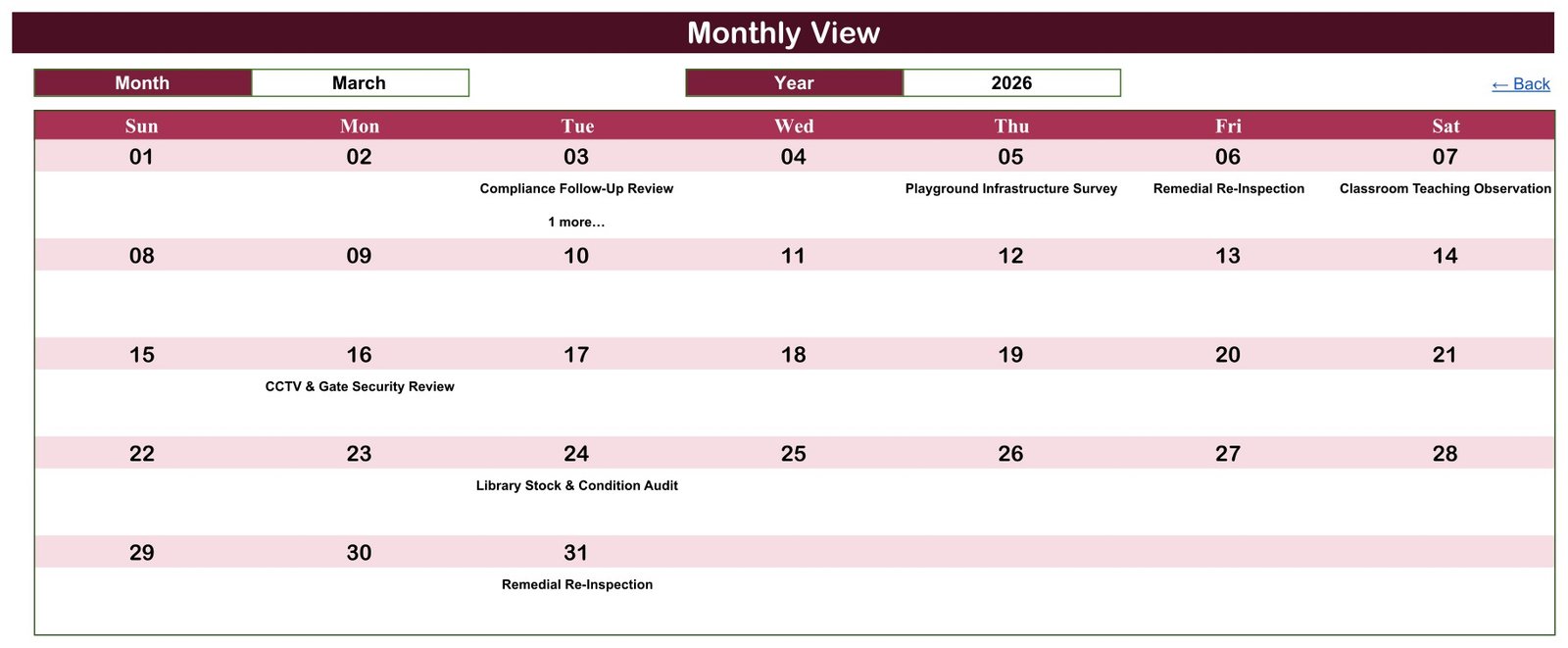
🗓️ Monthly View with Month and Year dropdowns – inspection names under each date, with a “1 more…” note on double-booked days.
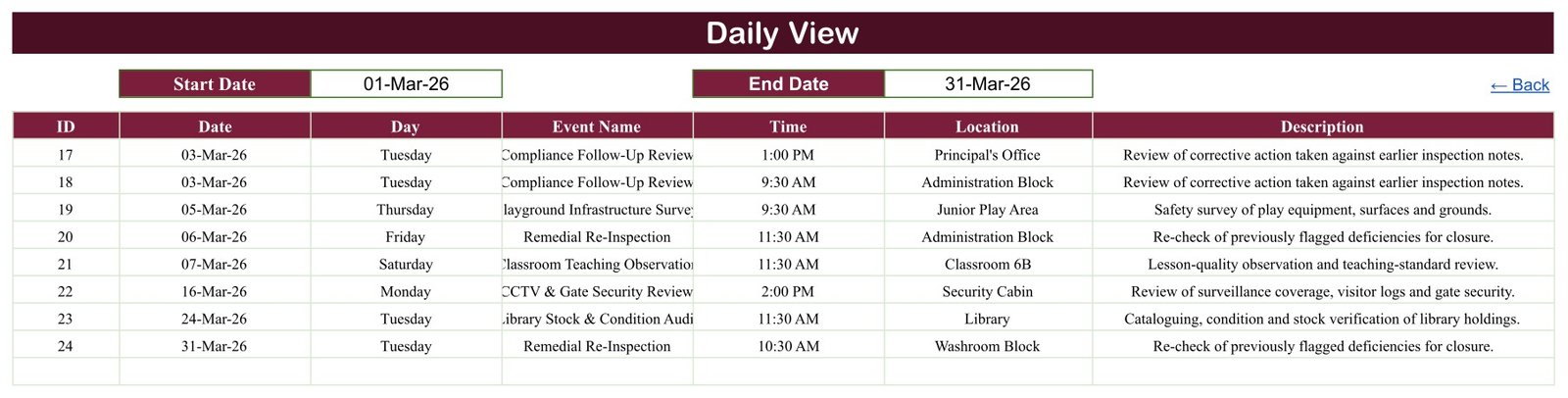
📋 Daily View by date range – list every inspection between any Start Date and End Date with time, location and description.
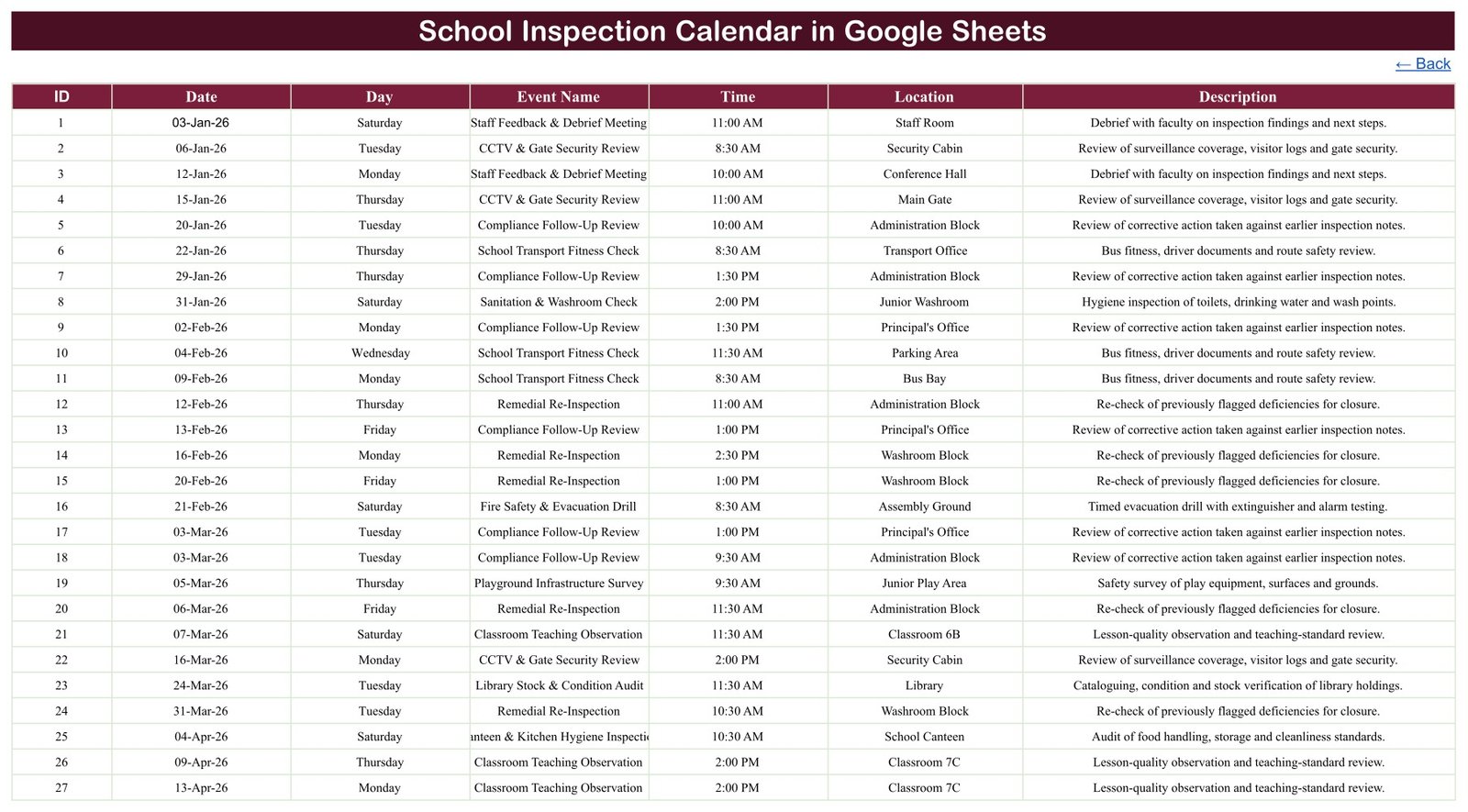
🏫 One Events tab feeds everything – seven columns (ID, Date, Day, Event Name, Time, Location, Description), and every view updates as you type.
🔍 Sample data written for schools – Compliance Follow-Up Review, School Transport Fitness Check, Fire Safety & Evacuation Drill, CCTV & Gate Security Review and Canteen & Kitchen Hygiene Inspection, among 19 fictional types.
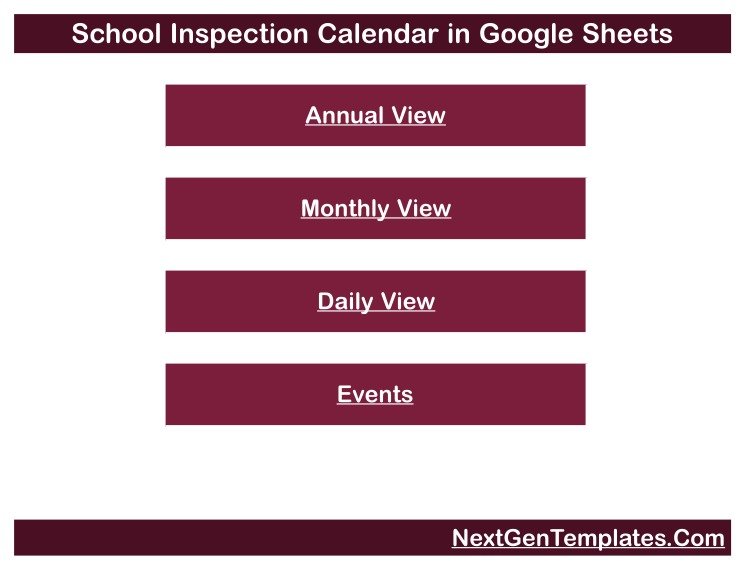
🔗 Click-through navigation – four Home buttons and a “Back” link on every tab.
📦 What’s Inside the School Inspection Calendar
Home
A simple menu with four buttons – Annual View, Monthly View, Daily View and Events – under the calendar title.
Annual View
Twelve month grids for the year in the Year box. Shaded days hold a scheduled inspection, so a principal can see the rhythm of the whole school year at once.
Monthly View
Choose a Month and Year for a full month grid. The March 2026 example shows Compliance Follow-Up Review (plus one more) on the 3rd, then Playground Infrastructure Survey, Remedial Re-Inspection, Classroom Teaching Observation, CCTV & Gate Security Review and Library Stock & Condition Audit.
Daily View
Set a Start Date and End Date to list every inspection in between – the March 2026 sample returns entries 17 to 24. Handy for a weekly staff briefing.
Events
The master list: 19 inspection types, 35 locations (Principal’s Office, Records Room, Bus Bay, Chemistry Lab, Medical Room and more) and 12 start times from 8:30 AM to 2:30 PM, Monday to Saturday. Replace the rows with your own plan.
📊 Google Sheets Calendar vs. Excel Calendar vs. Paid Inspection Apps
| Feature | School Inspection Calendar (Google Sheets) | Microsoft Excel calendar | Paid inspection or audit apps |
|---|---|---|---|
| Cost | ✅ $4.99 one-time (regular $8.99) | Template price plus an Excel licence | Recurring subscription |
| Platform | ✅ Any browser with a Google account | Excel desktop | Vendor app and website |
| Real-time staff collaboration | ✅ Built-in Google Sheets sharing | Needs OneDrive or SharePoint | ✅ Yes |
| Annual, monthly and date-range views | ✅ All three included | Depends on the template | Usually list views |
| Checklists, scoring, photos and reminders | ❌ Not included | ❌ Not usually included | ✅ Typically included |
| Where your data lives | ✅ Your own Google Drive | Your own files | Vendor servers |
👥 Who This Template Is For – and Who It’s Not For
✅ Built for:
- Principals and administrators planning internal walk-throughs and follow-ups
- Facilities and transport coordinators booking washroom, canteen and bus checks
❌ Not for:
- Anyone needing checklists, findings, ratings or corrective-action tracking – it records the schedule only
- Schools wanting a tool that guarantees an official inspection outcome – it makes no such claim
- Desktop Excel users – an Excel edition is in preparation
⚙️ How to Use the School Inspection Calendar
- Download the PDF after purchase and click its Google Sheets link.
- Sign in and choose File > Make a copy (Google Docs Editors Help: create, view or download a file).
- Overwrite the 100 sample rows in the Events tab with your inspections.
- Type the Day to match each Date – the Day column is typed text, not a formula.
- Use the Year, Month and date-range boxes to review, print or share the plan.
💼 Real-World Use Cases
A school principal spreads teaching observations, library audits and playground surveys across the year and uses the Annual View to stop any month piling up.
A facilities coordinator prints each week’s washroom, canteen and electrical checks from the Daily View every Monday.
❓ Frequently Asked Questions
What is included in the School Inspection Calendar in Google Sheets?
A PDF with the Google Sheets copy link. Sign in with a Google account and use File > Make a copy – no Excel, macros or scripts needed.
What happens when two inspections fall on the same day?
The Daily View lists both; the Monthly View shows the first plus “1 more…”. The sample has two such dates, 3 March and 8 October 2026.
Does it record inspection findings or ratings?
No. It stores date, day, time, location and a one-line description. It has no checklist, scoring or reminder feature and is not linked to any inspection body or accreditation scheme. Long event names can clip in the Daily View column.
👤 About the Author
Built by PK – Microsoft Certified Professional with 15+ years of Excel, Google Sheets and Power BI experience, and founder of NextGenTemplates. Tutorials on @PKAnExcelExpert.
🔗 Explore Related Templates
📚 The Class Timetable Calendar in Google Sheets handles lessons and the Exam Timetable Calendar in Google Sheets keeps inspections clear of exam weeks.
🏫 Pair it with the Teacher Substitution Calendar, the Parent-Teacher Meeting Calendar and the School Fee Due Calendar, or browse every Google Sheets calendar template.
📖 Click here to read the Detailed Blog Post
🎥 Video tutorials: YouTube.com/@NextGenTemplates
📅 Last updated: September 2026
























Reviews
There are no reviews yet.