

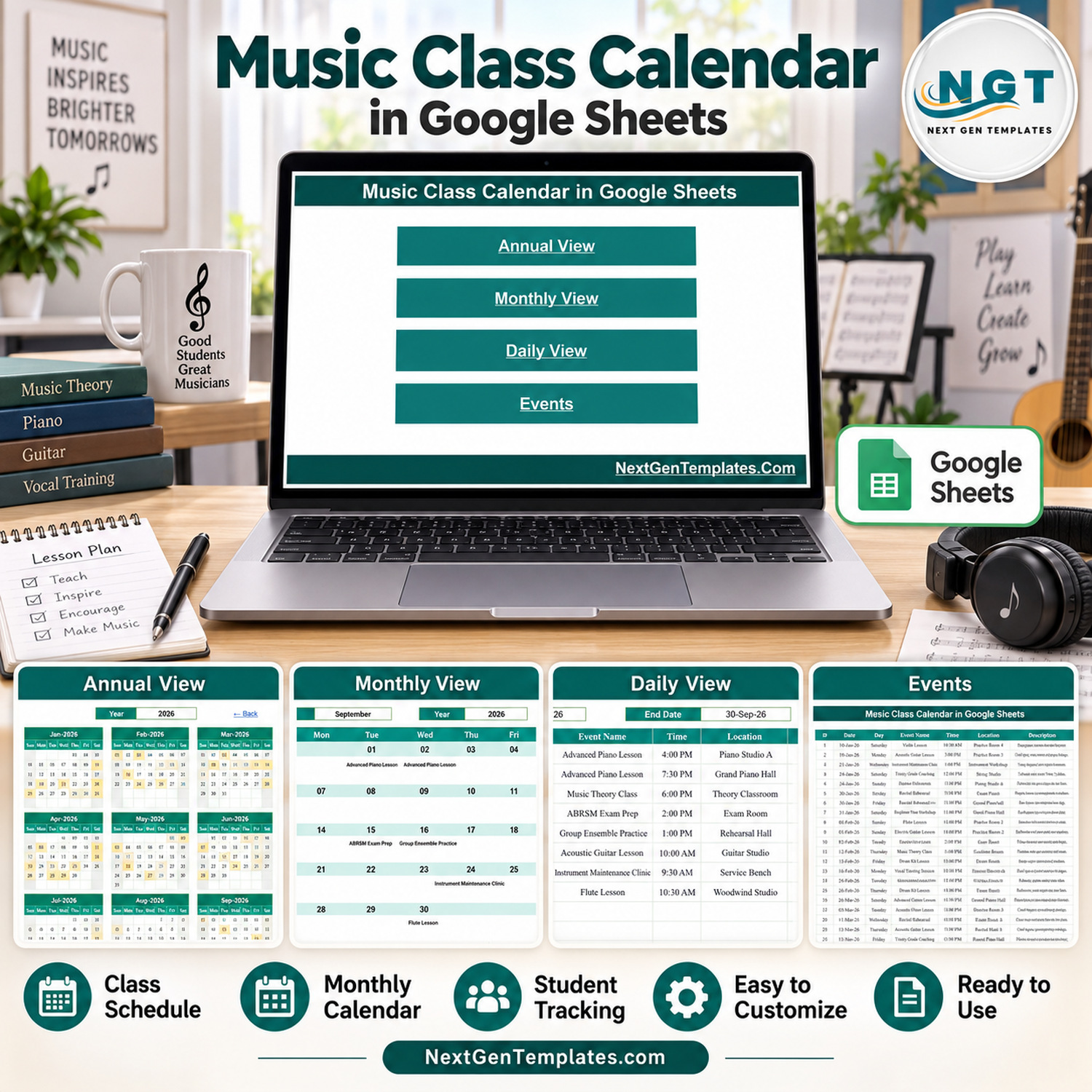
The Music Class Calendar in Google Sheets is a ready-to-use scheduling template for music schools, studios and private teachers. It ships with 5 tabs (Home, Annual View, Monthly View, Daily View and Events), a 7-column Events register and 100 sample music class records across 18 lesson and event types, so you can see exactly how every view behaves before you add your own classes.
🎵 Plan piano, guitar, violin, drum, vocal and theory lessons, recitals, rehearsals and exam-prep sessions in one shared Google Sheets file instead of scattered notes and chat messages.
✅ Instant download · One-time payment · No subscription · No per-user fees · Works in any browser
🔑 Key Features of the Music Class Calendar in Google Sheets
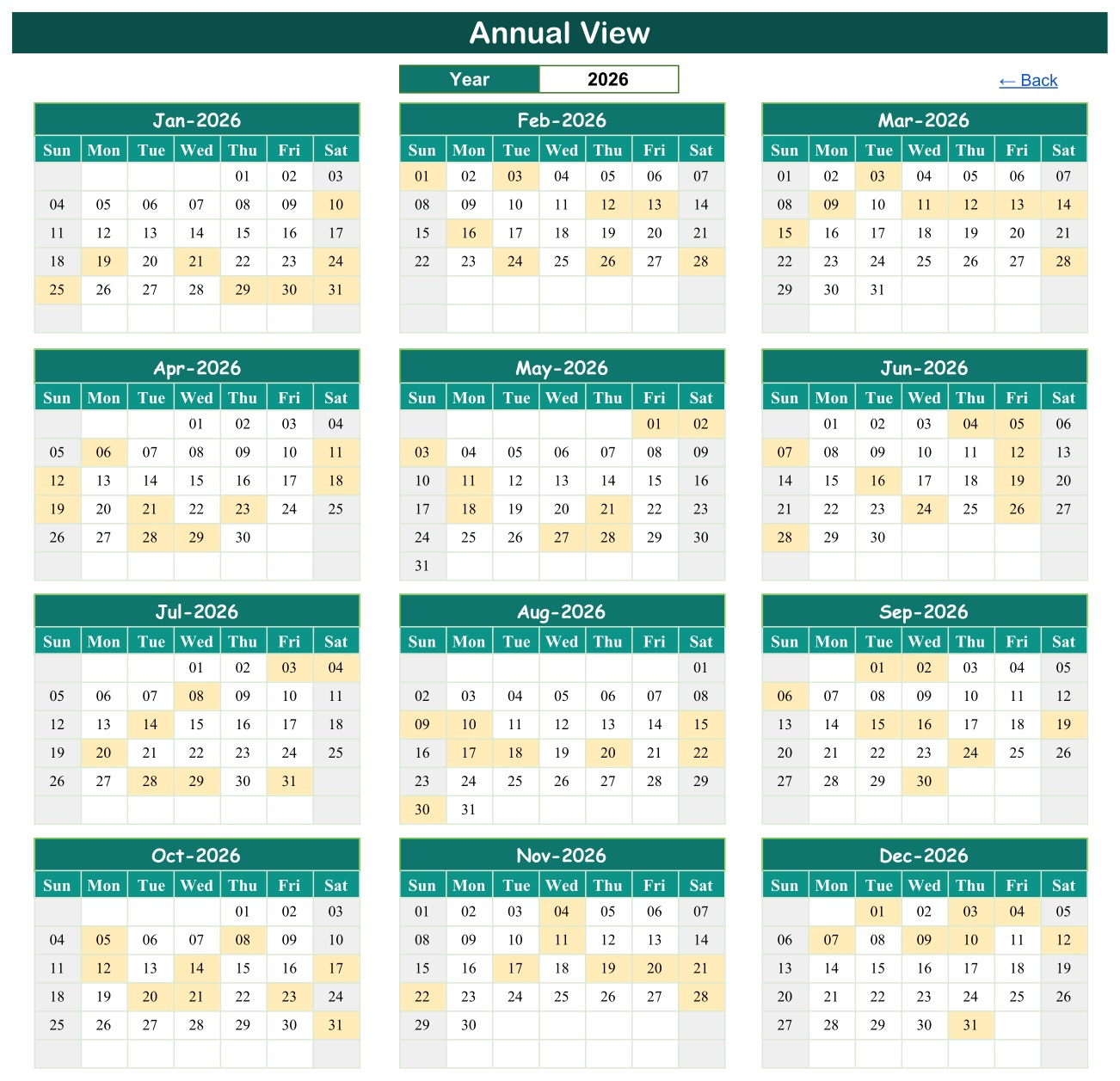
- 📅 Annual View: choose a year and see all twelve months on one page. Every date that holds a class or event is highlighted, so busy weeks, exam seasons and quiet holiday periods stand out immediately.
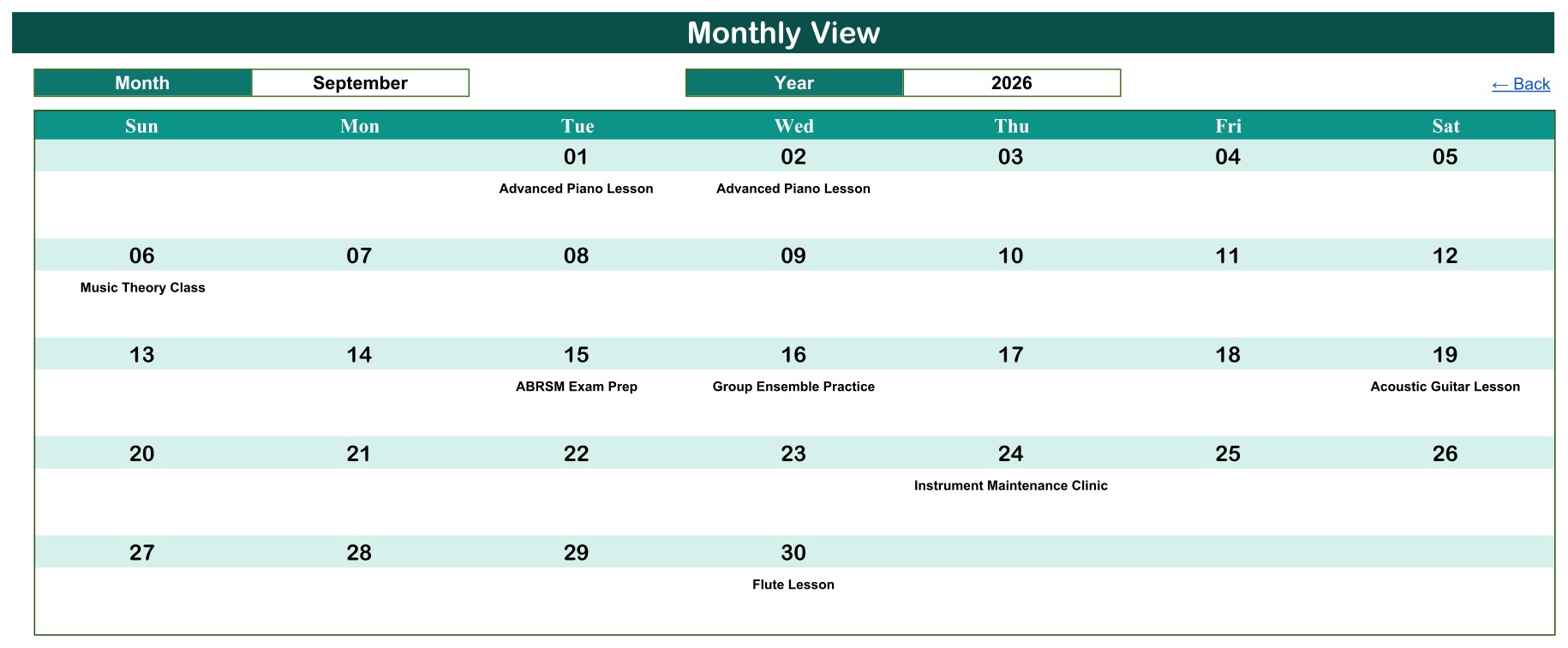
- 🗓️ Monthly View: pick a month and a year to lay classes out on a familiar Sunday-to-Saturday grid, with the event name printed under each date. It works as a simple music school calendar for the front desk or a noticeboard.
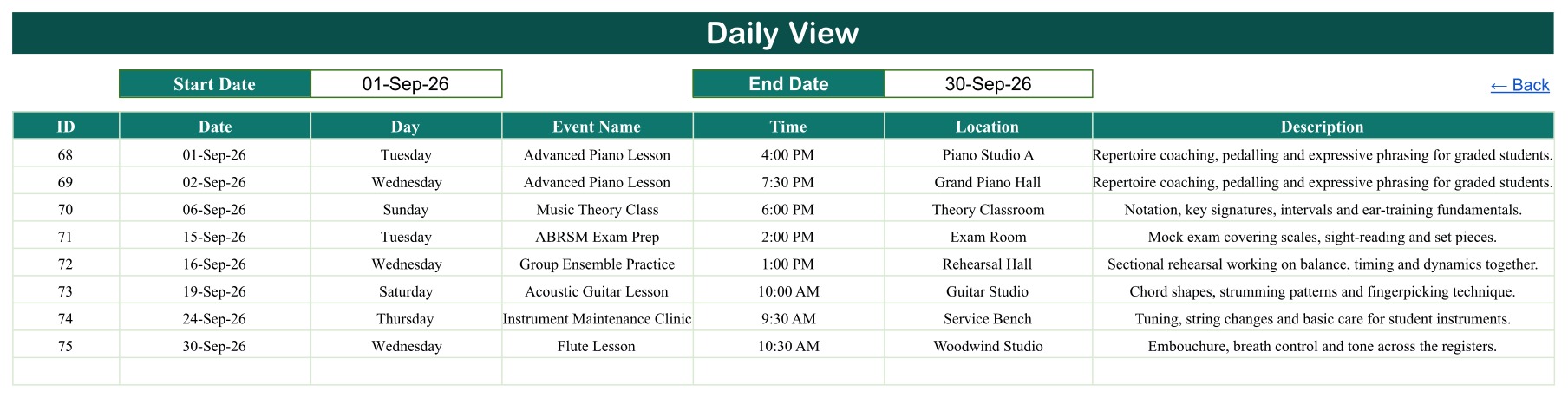
- 📋 Daily View: enter a start date and an end date to list every matching class with its ID, date, day, event name, time, location and description, which is ideal for a weekly teaching sheet.
- 🎼 Events register: one structured seven-column table feeds every view. Add a row and the calendar pages pick it up, with no macros, scripts or add-ons involved.
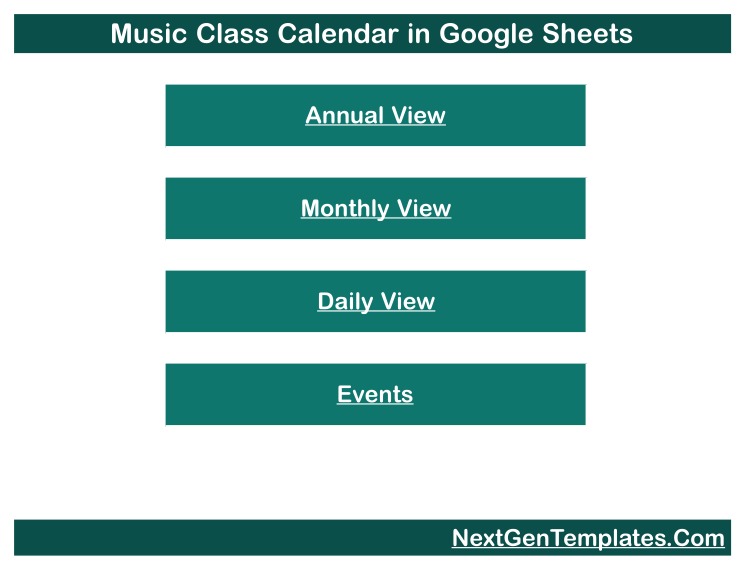
- 🧭 Home menu with Back links: four large buttons open each view, and every view has a Back link, so less confident spreadsheet users can move around the file easily.
- ☁️ Built for Google Sheets: share one copy with your teaching team, open it on a phone or tablet, and keep a single up-to-date music teacher schedule.
📦 What’s Inside the Music Class Calendar Template
Page 1: Home Menu
The landing tab carries four navigation buttons, Annual View, Monthly View, Daily View and Events, so anyone on your team can jump straight to the page they need.
Page 2: Annual View
A year selector drives twelve mini-calendars (Jan to Dec). Dates with at least one scheduled class or event are shaded, giving you a whole-year picture of your teaching load.
Page 3: Monthly View
Month and Year selectors place each class name under its date on a full-width monthly grid. The sample shows September 2026 with Advanced Piano Lessons, a Music Theory Class, ABRSM Exam Prep, Group Ensemble Practice and more.
Page 4: Daily View
Set a Start Date and End Date to return every class in that range as a detailed table with time, room and a short lesson description.
Page 5: Events Register
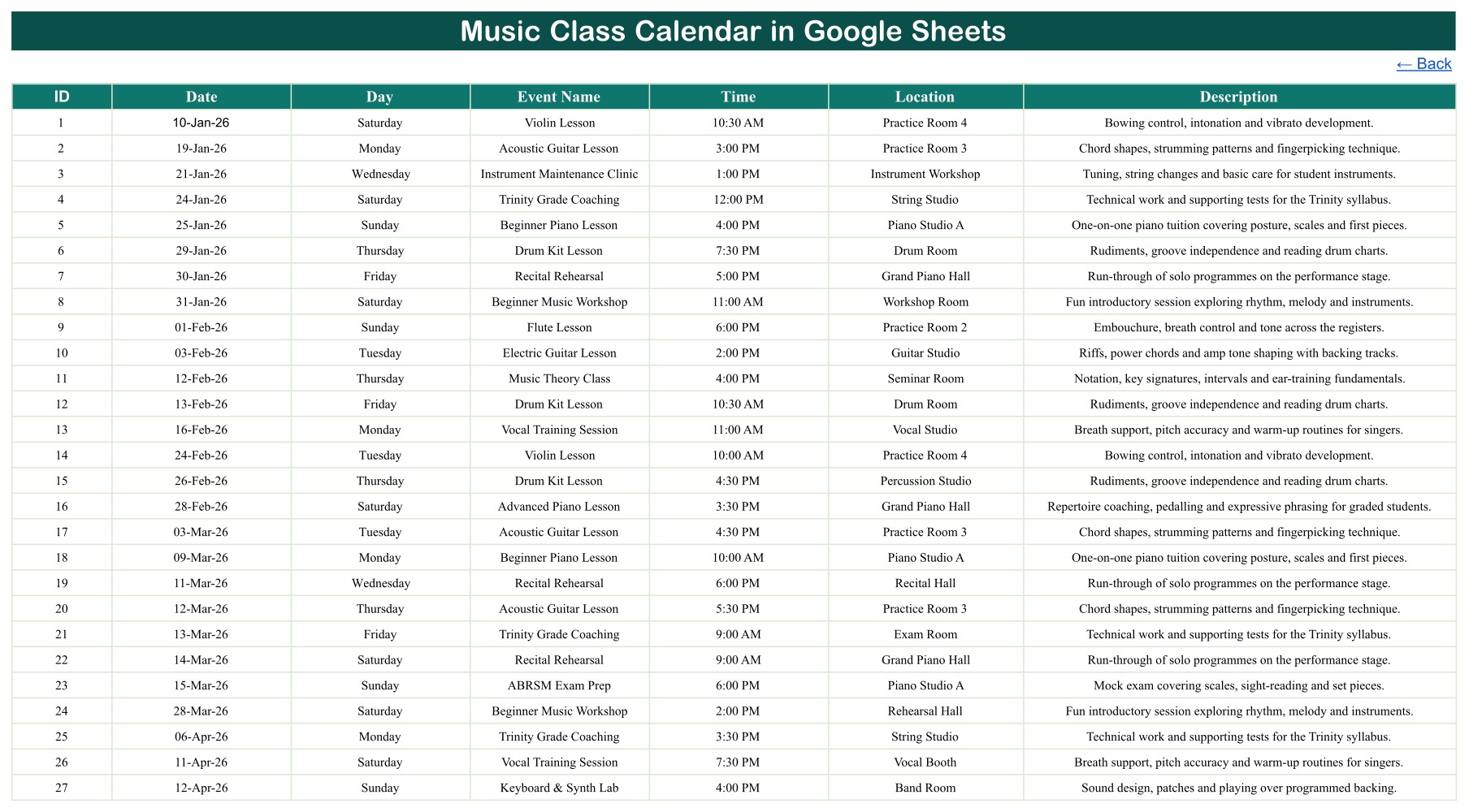
The source table with ID, Date, Day, Event Name, Time, Location and Description. Replace the sample rows with your own lessons and the calendar views follow.
🎹 Verified Sample Data
The demonstration sheet holds 100 class records dated 10 January to 31 December 2026, covering 18 event types such as Beginner Piano Lesson, Acoustic Guitar Lesson, Violin Lesson, Drum Kit Lesson, Vocal Training Session, Music Theory Class, Choir Rehearsal, Recital Rehearsal, Trinity Grade Coaching, ABRSM Exam Prep, Instrument Maintenance Clinic and Parent Showcase Concert, across 23 rooms and venues. All 100 written weekdays were checked against their dates with zero mismatches. The records are fictional, and exam-board names appear only as sample event labels; the template is not affiliated with any exam board.
📊 Music Class Calendar in Google Sheets vs. Microsoft Excel Calendar vs. Paid Studio Software
| Feature | This Music Class Calendar | Microsoft Excel Calendar | Paid Studio Software |
|---|---|---|---|
| Cost | ✅ One-time purchase | One-time, needs Excel | Monthly subscription |
| Platform | ✅ Any browser, free Google account | Desktop Excel | Vendor web app |
| Setup time | ✅ Minutes: make a copy, replace sample rows | Minutes | Account setup and onboarding |
| Real-time team collaboration | ✅ Built-in Google Sheets sharing | Limited unless stored in OneDrive | ✅ Yes |
| Mobile access | ✅ Google Sheets app | Excel mobile app | ✅ Vendor app |
| Customizable fields | ✅ Fully editable | ✅ Editable | Limited to vendor settings |
| Annual, monthly and date-range views | ✅ All three included | Depends on template | ✅ Usually |
| Online booking, invoicing and reminders | ❌ Not included | ❌ Not included | ✅ Usually included |
For studios that want a clear shared class schedule without paying a monthly software fee, this Google Sheets class calendar sits in the sweet spot.
👥 Who This Template Is For and Who It Is Not For
✅ Built for:
- 🎸 Small music schools and studios that need one shared music school calendar
- 🎻 Private music teachers who want a simple music teacher schedule across instruments and rooms
- 🎤 Community choirs, youth bands and after-school music programs planning rehearsals and concerts
❌ Not for:
- Studios that need online booking, automatic reminders, fee collection or invoicing
- Organisations that need student records, attendance, progress reports or parent logins
- Teams that need automatic clash detection across teachers and rooms
⚙️ How to Use the Music Class Calendar in Google Sheets
- Open the downloaded PDF and click its Make-a-copy link to save your own editable copy to Google Drive.
- Go to Events and replace the sample rows with your own class dates, lesson types, times, rooms and descriptions.
- Keep each ID unique and type the matching weekday in the Day column, because it is a typed value.
- Open Annual View and choose the year to see which dates carry classes.
- Use Monthly View to pick a month and print or share it as your monthly music lesson schedule template.
- Use Daily View with a start and end date to list the week’s classes in full detail.
💼 Real-World Use Cases
Anna runs a four-room music studio. She keeps piano, guitar and violin lessons, recital rehearsals and exam-prep sessions in the Events tab, shares a view with her teachers, and uses the Daily View every Monday to hand out the week’s schedule.
Marcus teaches drums and keyboard privately. He uses the Annual View to spot heavy months before exam season and the Monthly View as a simple calendar he can open on his phone between lessons.
A community choir coordinator plans choir rehearsals, ensemble practice and a Parent Showcase Concert in one sheet so every volunteer sees the same dates.
⚠️ Important Limitations
- This is a scheduling calendar, not a studio-management system. It has no student, parent, teacher-name, fee, attendance or contact fields.
- It does not take bookings, send reminders, prevent double-booking of rooms or teachers, or sync with Google Calendar.
- When one date holds several classes, the Monthly View shows the first class plus a “more” counter; use Daily View or Events for every row.
- The Day column is typed, not calculated, so update it whenever you change a date.
- Avoid entering personal data about students in the free-text columns unless your own privacy policy allows it.
❓ Frequently Asked Questions
What do I receive when I buy the Music Class Calendar in Google Sheets?
You receive a PDF containing the Make-a-copy link. One click creates your own editable copy of the calendar in your Google Drive, with all five tabs and the 100 sample records ready to replace.
Can I change the year?
Yes. The Annual View and Monthly View both have a Year selector. When you reuse the file for a new year, enter the new class dates in the Events tab and update the typed weekday in the Day column.
Can several lessons happen on the same date?
Yes. The Events and Daily views keep every row. The Monthly View shows the first class on a shared date plus a counter for the rest, so use Daily View when a day is busy.
Does it store student information?
No. The Events table has no student or parent fields. It schedules lesson types, times and rooms only, which keeps the file simple to share with your teaching team.
How does this compare to paid music studio software?
Paid studio platforms add booking, billing and reminders for a monthly fee. This template focuses on a clear shared schedule for a one-time price, with no per-user charges.
How long does setup take?
Most studios are ready in under 15 minutes: make a copy, clear the sample rows in Events, and type in your first month of classes.
👤 About the Author
Built by PK, a Microsoft Certified Professional with 15+ years of Excel, Google Sheets and Power BI experience and founder of NextGenTemplates, sharing tutorials on YouTube (@PK-AnExcelExpert, @NextGenTemplates, @NeoTechNavigators). Every template is hand-built and tested before release.
🔗 Explore Related Templates
- 🎼 Music School Dashboard in Google Sheets: analyse enrolments and revenue alongside your class schedule.
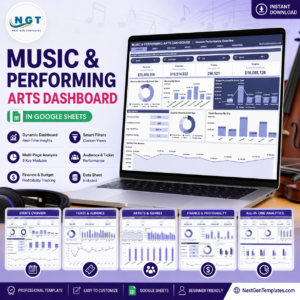
- 🎭 Music and Performing Arts Dashboard in Google Sheets: performance and event analytics for arts organisations.
- 🏫 Class Timetable Calendar in Google Sheets and Student Attendance Calendar in Google Sheets: more education calendars in the same format.
- 📅 Browse every Google Sheets calendar template or all Google Sheets templates.
📖 Click here to read the Detailed Blog Post
🎥 Visit our YouTube channel for step-by-step video tutorials
👉 YouTube.com/@NextGenTemplates
Watch the step-by-step video Demo:
📅 Last updated: September 2026































Reviews
There are no reviews yet.