

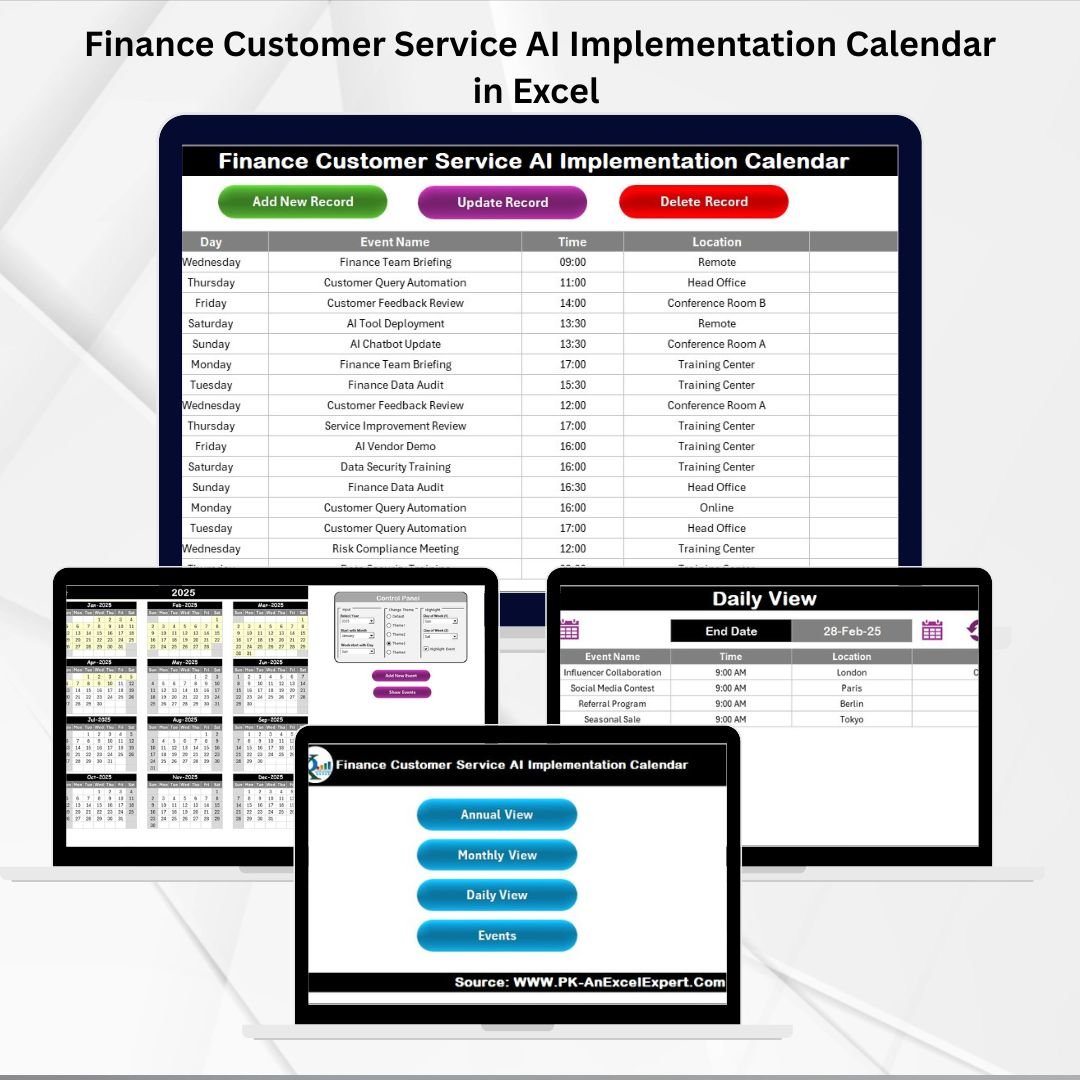

Key Features of Finance Customer Service AI Implementation Calendar in Excel ✨
The rise of artificial intelligence (AI) in finance and customer service is transforming how organizations operate. From fraud detection and risk assessment to AI-driven chatbots and customer experience automation, the adoption of AI requires careful planning and tracking. The Finance Customer Service AI Implementation Calendar in Excel is a ready-to-use template designed to help you plan, schedule, and manage AI-related projects and activities with ease.
Instead of relying on scattered tools or costly platforms, this Excel-based solution centralizes all tasks, milestones, and deadlines in one structured system.
Key highlights include:
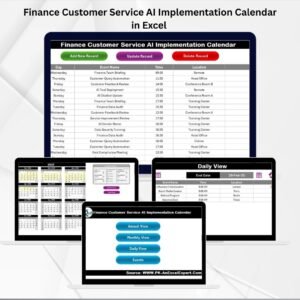
📅 Annual, Monthly & Daily Views – Flexible planning at every level.
✅ Event Management System – Add, update, and delete events easily.
🎨 Customizable Themes – Choose from five built-in designs.
📊 Highlight Options – Mark weekends or important days.
📂 Event Database – Maintain a full log of AI-related activities.
🚀 User-Friendly Design – Ready-to-use, no advanced skills needed.
This calendar ensures your finance and customer service teams stay aligned while rolling out AI initiatives.
What’s Inside the Finance Customer Service AI Implementation Calendar 📂
The template contains five core worksheets, each designed for smooth navigation and efficient project management:
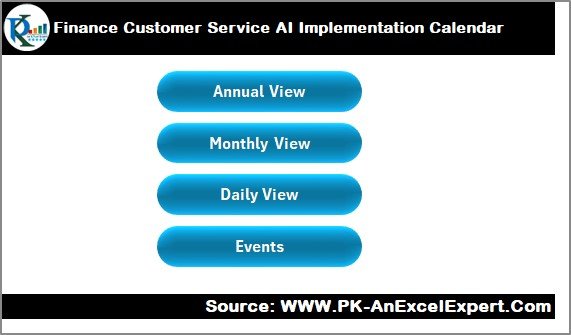
Home Sheet Tab
Central hub with navigation buttons.
Access Annual, Monthly, Daily, and Events views in one click.
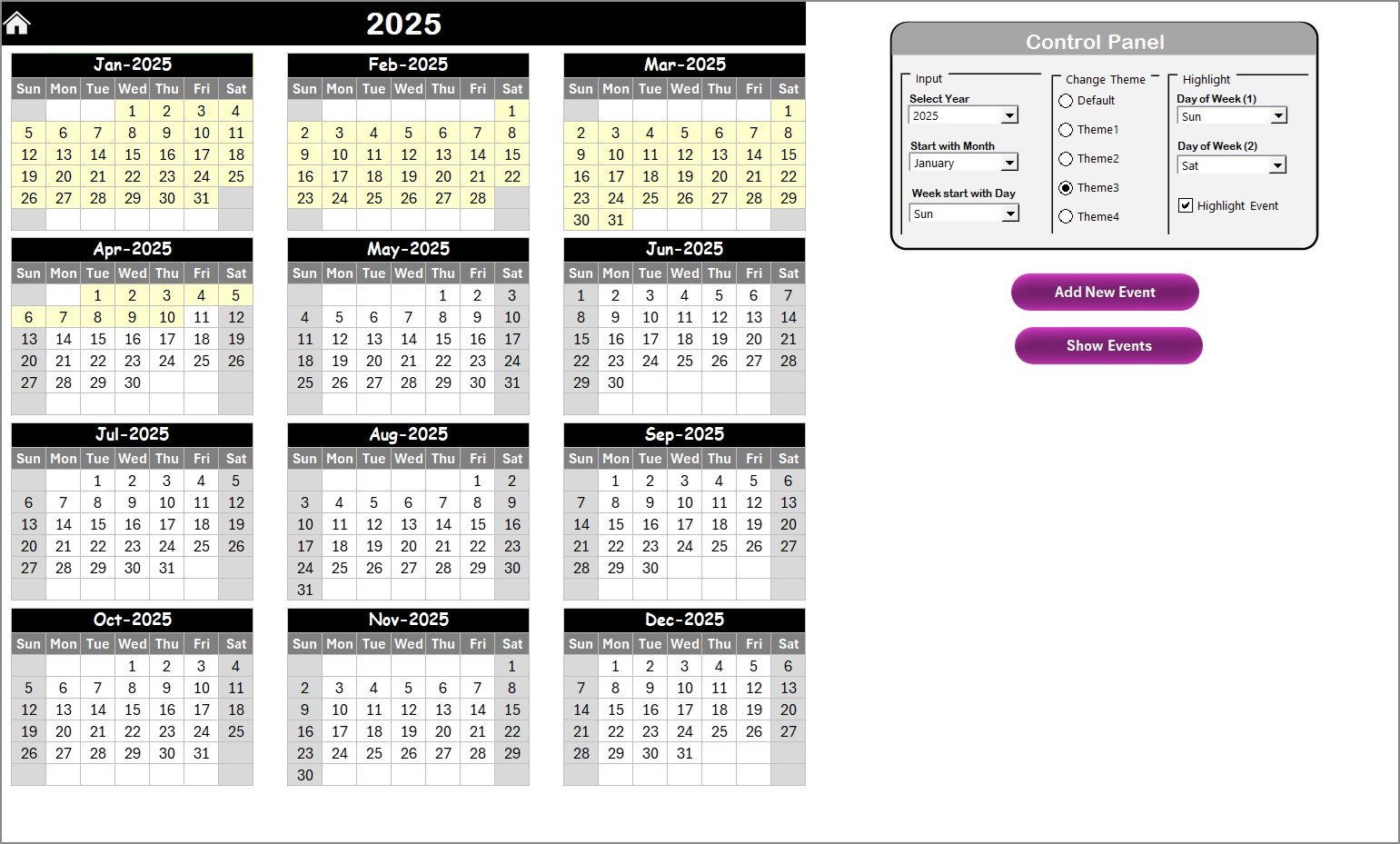
Annual View
Displays all 12 months together for long-term AI project planning.
Control Panel Options:
Input Group – Change year, start month, and week start day.
Change Theme Group – Select from five themes.
Highlight Group – Highlight weekdays and events in color.
Add Event / Show Events Buttons for instant scheduling.
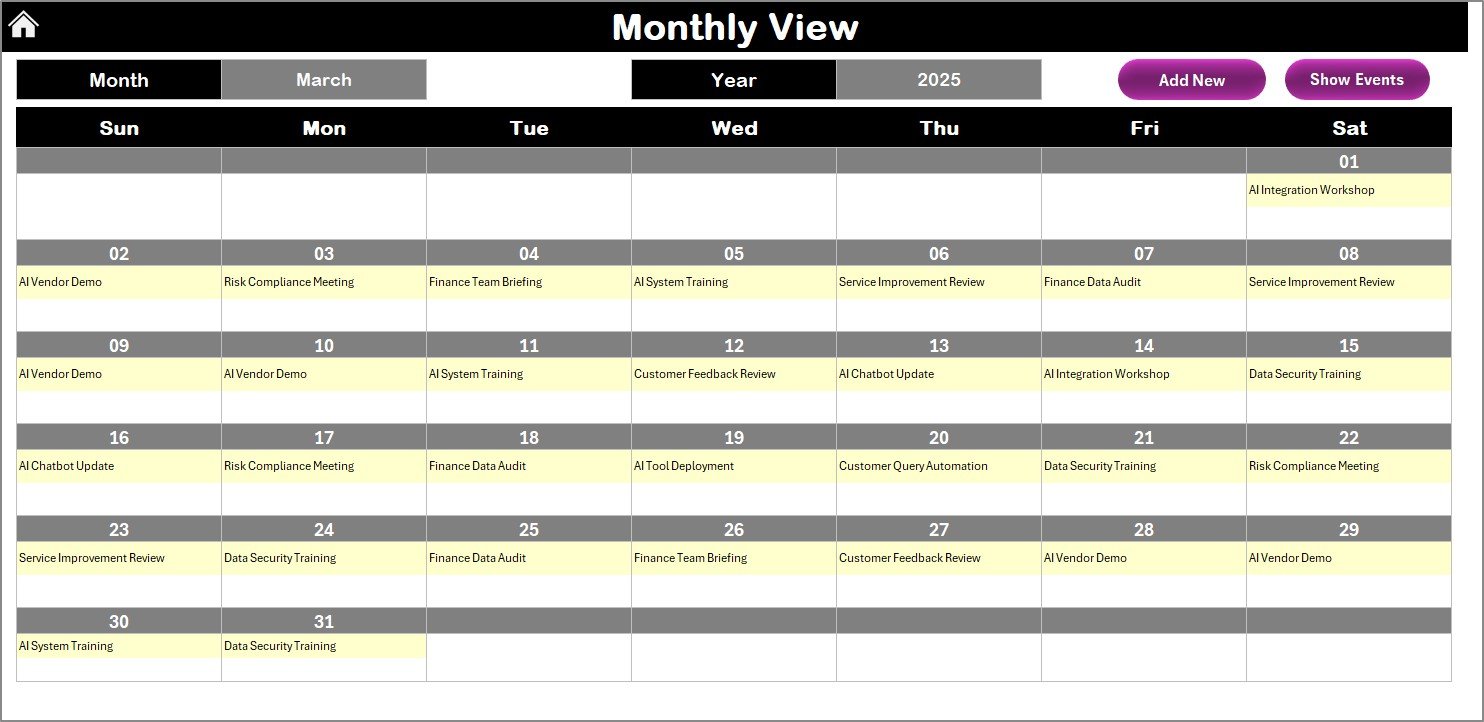
Monthly View
Focus on a specific month and year.
Displays all AI events, with “more than 1…” when multiple items fall on the same date.
Action buttons to Add or Show Events.
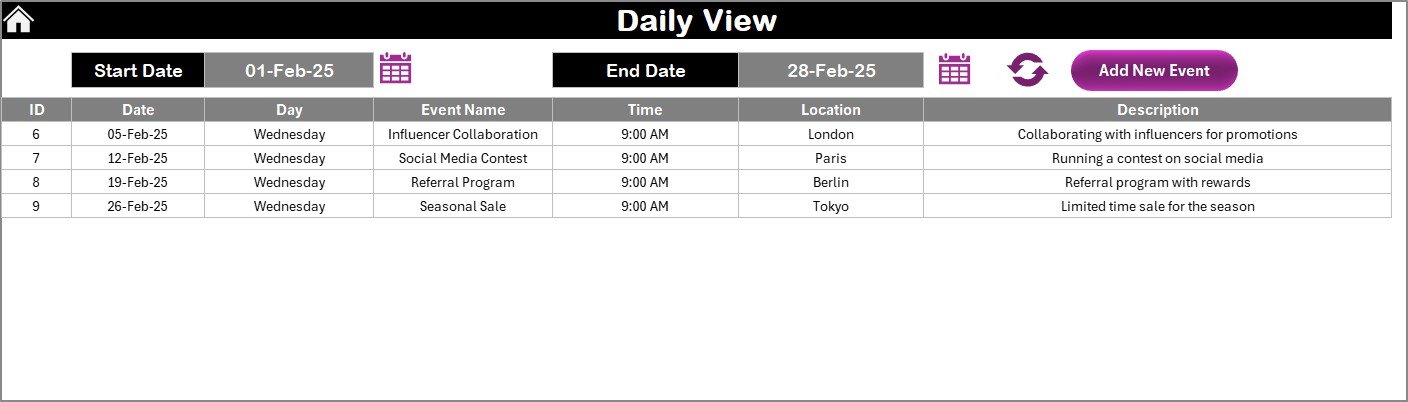
Daily View
Provides a detailed breakdown of tasks for any date range.
Includes a calendar picker, Refresh button, and Add Event button.
Perfect for daily execution of AI tasks like testing, training, and go-live support.
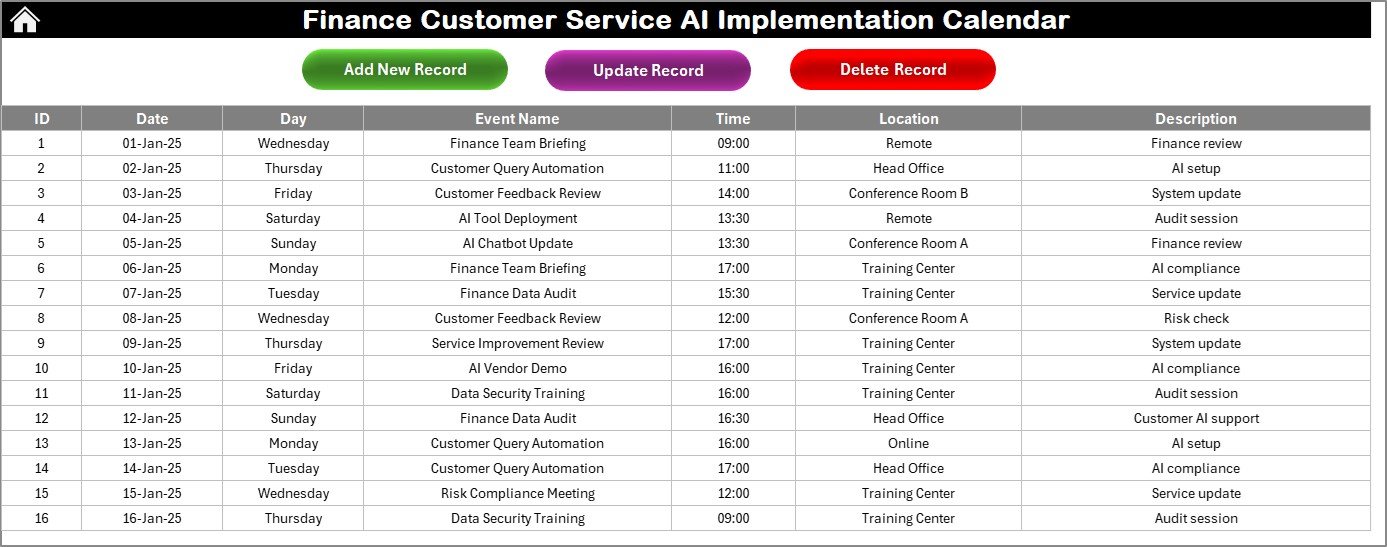
Events Sheet Tab
Master log of all records.
Captures ID, Date, Day, Event Name, Time, Location, and Description.
Action buttons to Add, Update, or Delete records.
This layout ensures strategic, tactical, and operational visibility of AI adoption projects.
How to Use the Finance Customer Service AI Implementation Calendar 🛠️
Download & Open the File – Start from the Home sheet.
Plan Annual Activities – Add high-level AI rollout milestones.
Use Monthly View – Schedule specific tasks, pilots, or training events.
Daily View for Execution – Track detailed day-to-day AI activities.
Log Events in Database – Keep a complete history of all AI events.
Update Regularly – Ensure accuracy and accountability.
No advanced Excel knowledge is required—this template is plug-and-play.
Who Can Benefit from This Calendar 👥
This tool is designed for:
💼 Finance Teams – Track AI-powered risk models, compliance deadlines, and automation.
👨💻 Customer Service Teams – Plan chatbot rollouts, training, and client support sessions.
📊 Project Managers – Monitor AI milestones, deadlines, and deliverables.
🏢 SMEs & Enterprises – Implement AI projects cost-effectively.
🧑🏫 Training Teams – Schedule AI awareness and upskilling sessions.
🌐 Remote Teams – Keep distributed employees aligned on AI rollouts.
Opportunities for Improvement & Best Practices 💡
Enhancements you can add:
🔔 Automated Reminders via Outlook or VBA scripts.
🌐 Cloud Hosting for real-time collaboration.
📊 Dashboard Integration with Power BI for analytics.
👤 Responsibility Fields for stronger accountability.
📱 Mobile-Friendly Versions for on-the-go access.
Best practices:
Define clear milestones for AI implementation.
Use Annual View for strategic planning, Monthly for mid-term, and Daily for execution.
Keep descriptions concise for readability.
Review progress weekly.
Backup regularly for data safety.
✅ Click here to read the Detailed blog post
📺 Visit our YouTube channel to learn step-by-step video tutorials
Watch the step-by-step video tutorial:
Compatibility and Requirements
- Works in Microsoft Excel desktop (Excel 2016 or later, or Microsoft 365).
- The Add, Update and Delete buttons on the Events sheet are action buttons, so use Excel desktop on Windows with macros enabled. Microsoft explains how in Enable or disable macros in Microsoft 365 files.
- It does not run in Excel for the web, Google Sheets or on mobile.
Frequently Asked Questions
Which sheets are included?
Five sheets: Home, Annual View, Monthly View, Daily View and Events.
What does the Events sheet record?
It is the master log of all records. Each entry has an ID, Date, Day, Event Name, Time, Location and Description, with buttons to add, update or delete records.
Can I change the year and the first day of the week?
Yes. On the Annual View, the Input Group lets you change the year, the start month and the week start day.
Can I change how the calendar looks?
Yes. You can pick from five built-in themes, and the Highlight Group lets you mark weekdays and events in color.
What happens when several events fall on the same day in the Monthly View?
The Monthly View shows “more than 1…” on that date. Use the Show Events button or the Daily View to see every item for the day.
Related AI Implementation and Customer Service Templates
- Customer Service AI Implementation Calendar in Excel: the same calendar for customer service teams in general
- Finance Marketing AI Implementation Calendar in Excel: an AI rollout calendar for finance and marketing work
- Finance Customer Service Customer Experience Calendar in Excel: a calendar for customer experience activities
- Customer Service Dashboard in Excel: a dashboard to follow customer service results
- Customer Service Request Tracker in Excel: a tracker for customer requests
Browse all Excel calendar templates and Excel financial tools.






























Reviews
There are no reviews yet.