



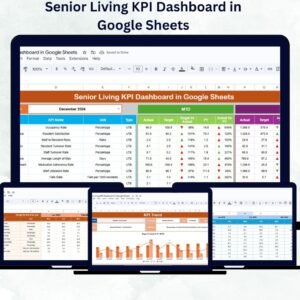
In the fast-paced world of competitive gaming, real-time performance tracking can be the difference between winning a championship and falling short. The E-sports KPI Dashboard in Google Sheets is a ready-to-use, fully customizable solution designed to give e-sports teams, managers, and tournament organizers a complete overview of their performance metrics in one interactive dashboard.
Whether you’re tracking match statistics, player efficiency, tournament results, or revenue goals, this template gives you the insights needed to optimize strategies, monitor growth, and ensure consistent success.

🔑 Key Features of the E-sports KPI Dashboard
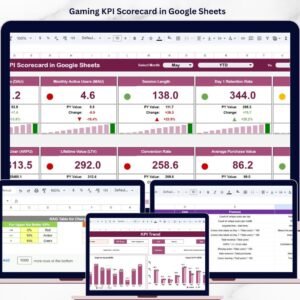
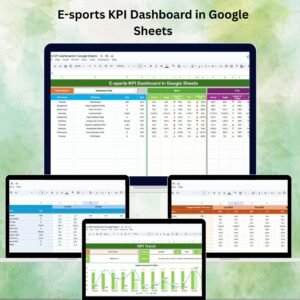
📊 Dashboard Sheet Tab – Main Performance Hub
Select the month from a dropdown to automatically update all metrics.
View MTD (Month-to-Date) and YTD (Year-to-Date) data alongside targets and previous year comparisons.
Visual indicators (up/down arrows) for quick performance assessment.
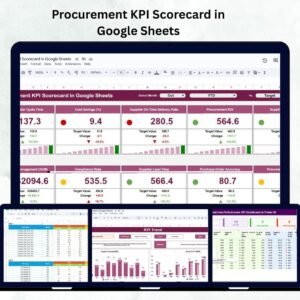
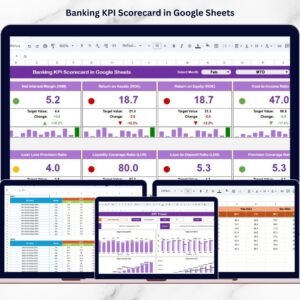
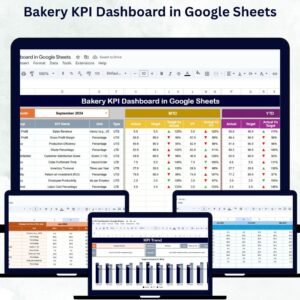
Interactive KPI cards, charts, and tables for real-time insights.
📈 KPI Trend Sheet Tab – Deep KPI Analysis
Choose a KPI from the dropdown to view detailed breakdowns.
Displays KPI group, unit, and type (e.g., “Lower is better” / “Higher is better”).
Shows the exact formula used for calculation.
Includes KPI definitions for consistent measurement.
📝 Actual Number Sheet Tab – Real Performance Data
Enter MTD and YTD actual values for each KPI.
Supports detailed tracking per player, match, or event.
Month selection automatically updates the dashboard.
🎯 Target Sheet Tab – Goal Setting Made Easy
Set monthly targets for each KPI.
Compare actual results against planned goals in the dashboard.
Helps measure team progress and identify performance gaps.
📅 Previous Year Number Sheet Tab – Year-over-Year Tracking
Store last year’s KPI data for trend comparisons.
Useful for performance improvement analysis and forecasting.
📚 KPI Definition Sheet Tab – Centralized Reference
List all KPI names, groups, units, and definitions.
Keep measurement methods consistent across the organization.
Ideal for onboarding new staff or coaches.
📦 What’s Included in the E-sports KPI Dashboard?
✅ 6 Pre-Built Sheets – Dashboard, KPI Trend, Actual Numbers, Targets, Previous Year Numbers, KPI Definitions
✅ Fully Interactive Layout – Dropdowns for easy data filtering
✅ Built-in Conditional Formatting – Quickly spot trends and anomalies
✅ Editable KPI List – Add or remove KPIs as per your needs
✅ Sample Data Included – See the template in action immediately
🧠 How to Use the E-sports KPI Dashboard
Make a Copy of the Google Sheet to your own drive.
Enter Actual Data in the Actual Number Sheet after every match or event.
Set Targets in the Target Sheet for the month and year.
Add Previous Year Data for year-over-year comparisons.
Navigate between Dashboard and KPI Trend views for insights.
Use findings to adjust team strategy and player training.
👥 Who Can Benefit from This Dashboard?
🏆 E-sports Teams & Players – Monitor personal and team KPIs.
📊 E-sports Managers & Coaches – Optimize performance with data-backed decisions.
🖥 Tournament Organizers – Track event-level metrics and outcomes.
🎯 Gaming Organizations – Align team performance with business goals.
⚡ Advantages
Centralized Data Tracking – All metrics in one place.
Better Decision-Making – Real-time performance insights.
Customizable & Scalable – Adapt to any e-sports format.
Improved Strategy Planning – MTD, YTD, and year-over-year analysis.
💡 Best Practices
Update Data After Each Match – Keep KPIs fresh for accurate decisions.
Use Conditional Formatting – Highlight top performers.
Review Trends Monthly – Identify strengths and weaknesses early.
Document KPI Definitions – Maintain clarity across the team.
🔗 Click here to read the detailed blog post
Watch the step-by-step video Demo:
🔗 Visit our YouTube channel for step-by-step tutorials
Compatibility and Requirements
- Works in Google Sheets. You need a free Google account and a web browser.
- You pick the month and the KPI from dropdown lists. Google explains dropdowns in Create an in-cell dropdown list.
Frequently Asked Questions
Which sheets are included?
Six sheets: Dashboard, KPI Trend, Actual Numbers, Target, Previous Year Number and KPI Definition.
How do I update the dashboard?
Enter your MTD and YTD actual values in the Actual Number sheet and your monthly goals in the Target sheet. Then select a month from the dropdown on the Dashboard sheet and every metric updates.
Can I compare this year with last year?
Yes. Add last year’s KPI data to the Previous Year Number sheet and the Dashboard shows it next to your actuals and targets.
Can I add or remove KPIs?
Yes. The KPI list is editable, and the KPI Definition sheet holds each KPI name, group, unit and definition so the whole team measures the same way.
Is there an Excel or Power BI version?
Yes. See the E-Sports KPI Dashboard in Excel and the E-sports KPI Dashboard in Power BI.
Related E-sports and Sports Templates
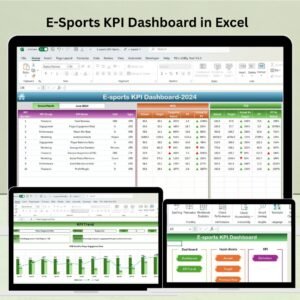
- E-Sports KPI Dashboard in Excel: the same KPIs in Excel
- E-sports KPI Dashboard in Power BI: the Power BI edition
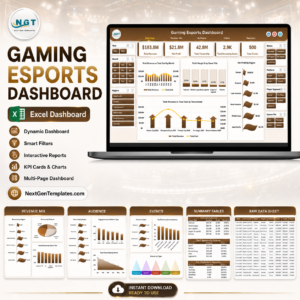
- Gaming Esports Dashboard in Excel: a wider gaming and esports dashboard
- Esports Team KPI Dashboard in Excel: team-level KPIs in Excel
- Sports KPI Dashboard in Google Sheets: a general sports KPI dashboard in Google Sheets
Browse all Google Sheets KPI dashboards.



Reviews
There are no reviews yet.