



Education Quality Control AI Implementation Calendar in Excel 📊📅
Boost your institution’s efficiency with this smart, Excel-based AI event calendar! Designed specifically for educational institutions, this dynamic tool helps manage quality control activities tied to AI integration—all in one powerful spreadsheet. With automated tracking, intelligent design, and easy navigation, you’ll never miss a deadline or milestone again.
✨ Key Features of Education Quality Control AI Implementation Calendar
This calendar tool isn’t just practical—it’s transformational. Let’s dive into the core features that make it a must-have for every educational administrator:
🗂 Home Sheet – Your Smart Control Center

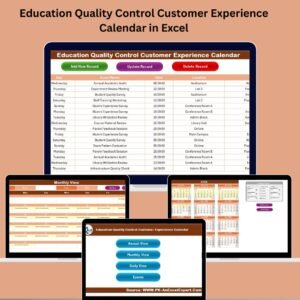
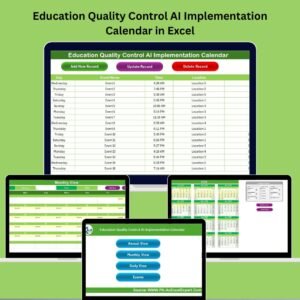
Quickly jump between Annual, Monthly, Daily, and Events sheets with intuitive navigation buttons. Everything is just one click away.
📆 Annual View – Year-at-a-Glance
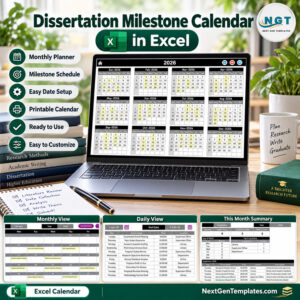
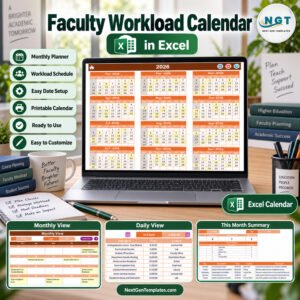
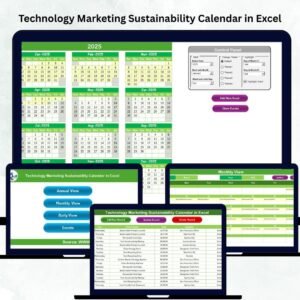
View all 12 months in one screen, select your preferred year, start day of the week, and even switch between 5 custom color themes. Highlight weekends and events effortlessly.
🗓 Monthly View – Detailed Month Breakdown
Get a focused view of any month. See what’s planned day-by-day and add or check events using the built-in buttons.
📋 Daily View – Focused Planning for Critical Dates
Zoom into a specific date range. Perfect for managing intense event schedules like training sessions, AI workshops, and milestone deadlines.
📑 Events Sheet – All-In-One Event Database
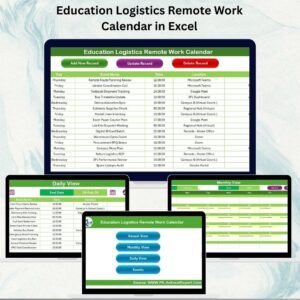
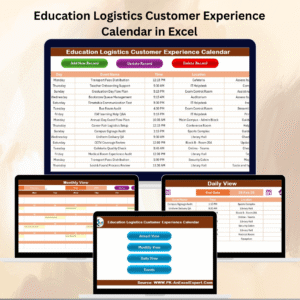
Track all key details like ID, Date, Day, Event Name, Time, Location, and Description. Add, update, or delete events with just one click!
🧠 AI Integration Support
Plan smarter! Prepare for predictive analysis and intelligent tracking as part of your institution’s AI roadmap.
🧩 Customizable Settings
Choose your preferred theme, start day, or default month. Make it yours in minutes without any coding knowledge!
📦 What’s Inside the Education Quality Control Calendar
This powerful Excel tool includes:
Home Sheet: Main navigation dashboard
Annual View: High-level calendar interface
Monthly View: Month-specific insights
Daily View: Event drill-down by date range
Events Sheet: Central event log with full CRUD options
Dynamic Buttons: Add, update, and delete records easily
Control Panel: Select calendar year, day start, theme, and more
Auto-generated Event IDs for easy traceability
Custom highlight options to emphasize weekends or key days
🧑🏫 How to Use the Education Quality Control Calendar
Getting started is simple and fast:
1️⃣ Download & Open the Excel File
Enable macros for full functionality.
2️⃣ Navigate from the Home Sheet
Click on buttons to access Annual, Monthly, Daily, or Event records.
3️⃣ Add Events Effortlessly
Use the “Add New Event” button in any sheet to register an event.
4️⃣ Review or Update Data
Need to edit? Hit “Update Record.” Want to delete? “Delete Record” gets it done instantly.
5️⃣ Use Control Panel to Customize
Switch year, themes, or start day from the Annual View sheet for a tailored experience.
6️⃣ Stay Organized & Informed
With colored highlights, scheduled reminders, and a structured layout, managing educational AI tasks has never been easier.
🎯 Who Can Benefit from This Calendar?
Whether you’re an administrator, faculty leader, or tech integration expert, this calendar is built for you:
🏫 School/College Administrators managing quality benchmarks
📘 AI Curriculum Coordinators overseeing training sessions and rollouts
🧑💻 IT Departments involved in AI integrations
👩🏫 Educators & Program Heads tracking development events
🧑🔬 R&D Coordinators aligning innovations with academic milestones
🎓 EdTech Companies working with institutions on AI programs
🔗 Click here to read the Detailed Blog Post
📺 Visit our YouTube channel to learn step-by-step video tutorials
Watch the step-by-step video tutorial:
Compatibility and Requirements
- Works in Microsoft Excel desktop on Windows with macros enabled. It does not run in Excel for the web, Google Sheets or mobile.
- The Add New Event, Update Record and Delete Record buttons need macros. Microsoft explains how in Enable or disable macros in Microsoft 365 files.
Frequently Asked Questions
Which sheets are included?
The Home sheet, Annual View, Monthly View, Daily View and the Events sheet. The Home sheet has buttons that jump to each of the others.
What details can I record for an event?
Each event has an ID, Date, Day, Event Name, Time, Location and Description. The Event ID is generated automatically.
How do I add, change or remove an event?
Use the Add New Event button to register an event. Use Update Record to edit one and Delete Record to remove one.
Can I change the year, start day or colors?
Yes. On the Annual View sheet you can select the calendar year, the start day of the week and one of 5 color themes. Weekends can also be highlighted.
Is there a version for other departments?
Yes. For example, the Quality Control AI Implementation Calendar in Excel and the Education Operations AI Implementation Calendar in Excel.
Related Education and Quality Control Calendars
- Education Quality Control Customer Experience Calendar in Excel: the same calendar layout for customer experience events
- Education Quality Control Remote Work Calendar in Excel: for remote work planning in education
- Education Quality Control Supply Chain Resilience Calendar in Excel: for supply chain events
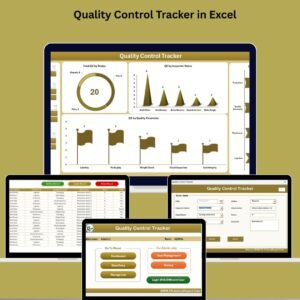
- Quality Control AI Implementation Calendar in Excel: the general quality control edition
- Education and Learning Quality Assurance KPI Dashboard in Excel: a KPI view for education quality
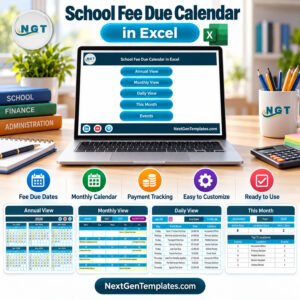
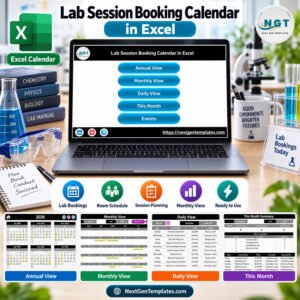
Browse all Excel calendar templates and Excel education templates.










Reviews
There are no reviews yet.