

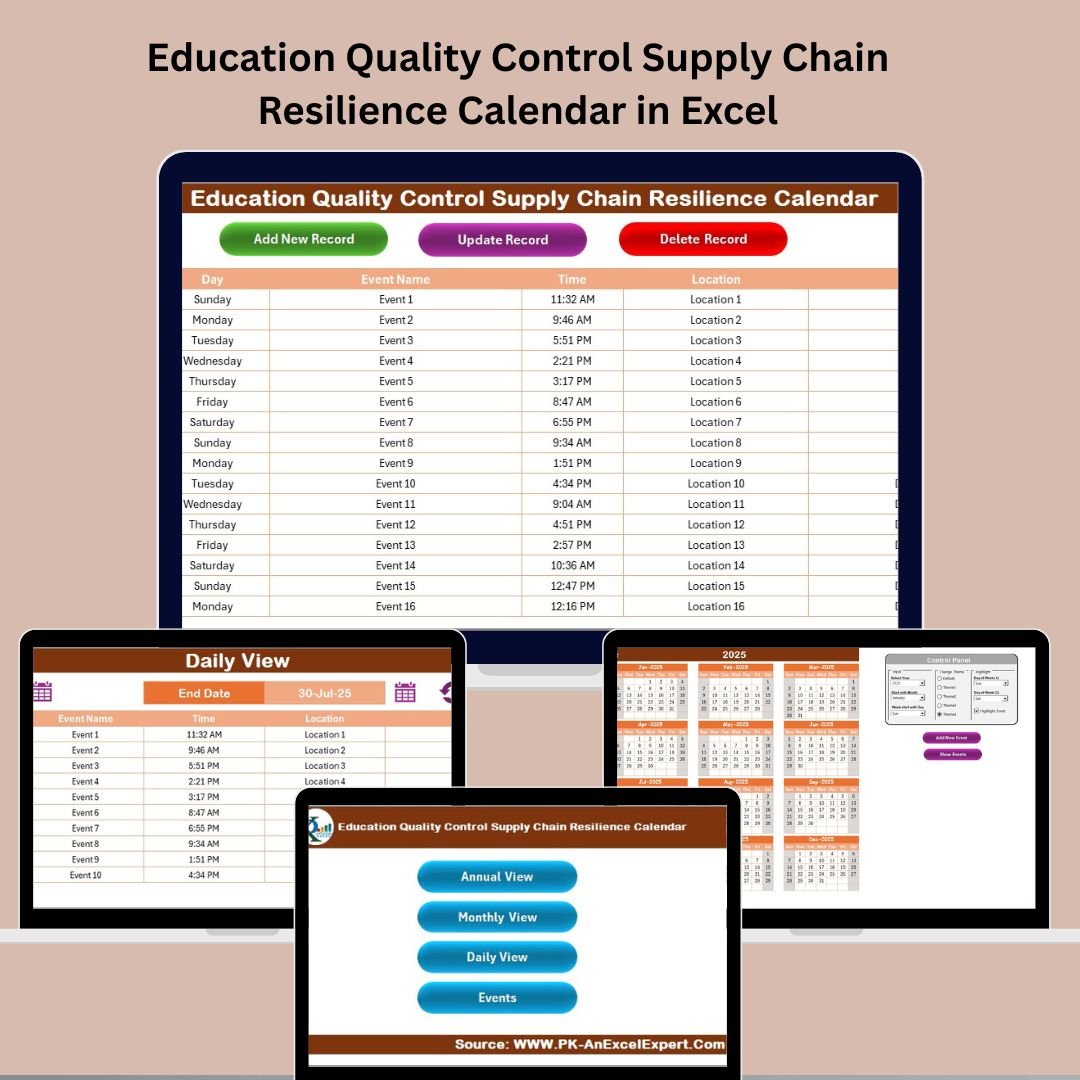

In today’s fast-paced educational environment, managing deadlines, supply chain activities, quality control events, and schedules is no small feat. Administrators, educators, and planners face the challenge of maintaining smooth operations across multiple moving parts—and that’s where the Education Quality Control Supply Chain Resilience Calendar in Excel comes in.
This ready-to-use, macro-powered Excel calendar template is your year-round planning companion. With five powerful worksheet tabs and interactive features, this tool empowers users to track events, organize milestones, and oversee key academic and operational activities—all while building stronger educational supply chains. 📊📌
Let’s explore why this tool is a must-have for modern educational institutions. 👇
✨ Key Features of Education Quality Control Supply Chain Resilience Calendar in Excel
🏠 Home Sheet – One-Click Navigation
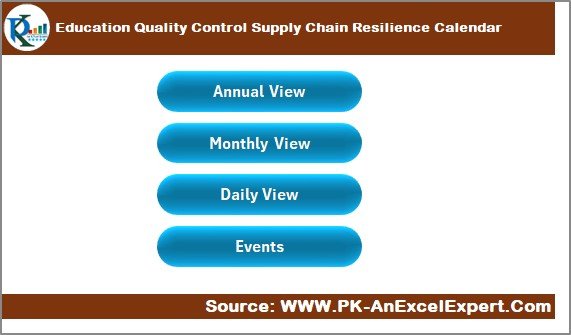
Features clickable buttons to jump to the Annual View, Monthly View, Daily View, and Events database.
Snapshot view for quick access to what’s coming up next.
A user-friendly design ensures that even Excel beginners can easily navigate the tool.
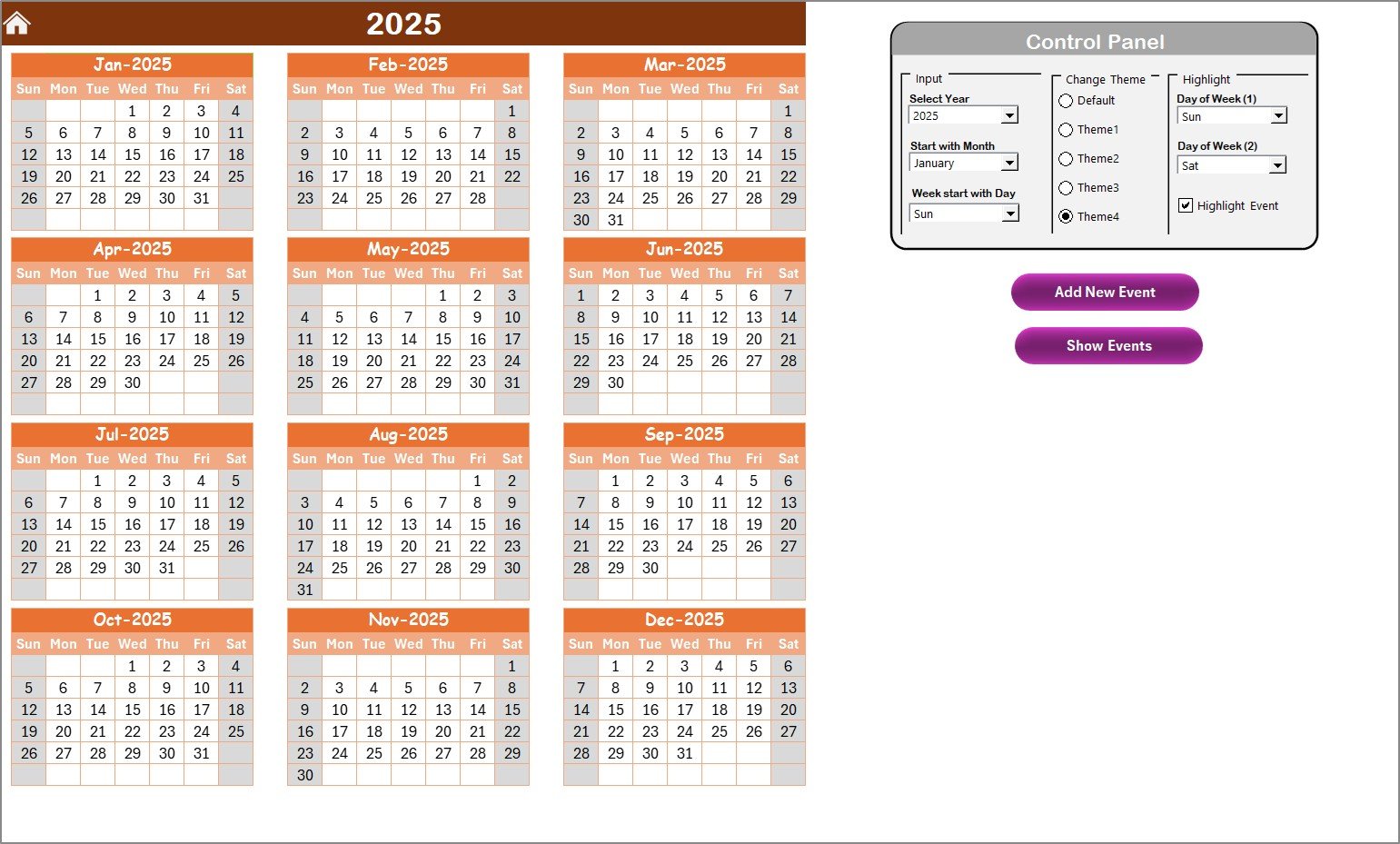
📅 Annual View Sheet – Big Picture Planning
Visualize the entire year at a glance—perfect for long-term academic and administrative planning.
Control Panel to:
Choose Year, Starting Month, and First Day of Week
Apply one of 5 Color Themes
Highlight weekends or specific days for visibility
Add or view multiple events per date with a click.
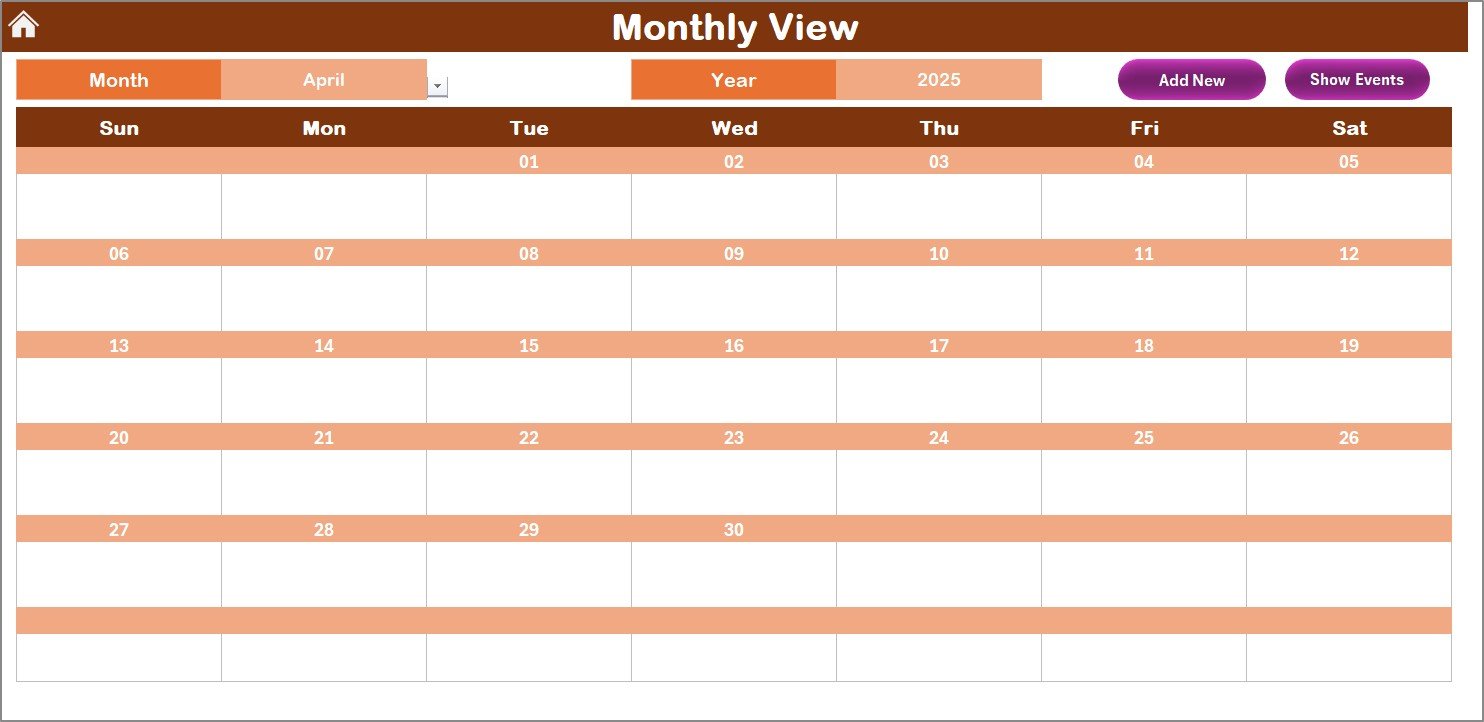
📆 Monthly View Sheet – Focus on the Month Ahead
Select any month and year to instantly view the month’s calendar.
Shows one event per day and prompts if more than one exists.
Add and view event details via buttons directly on the calendar page.
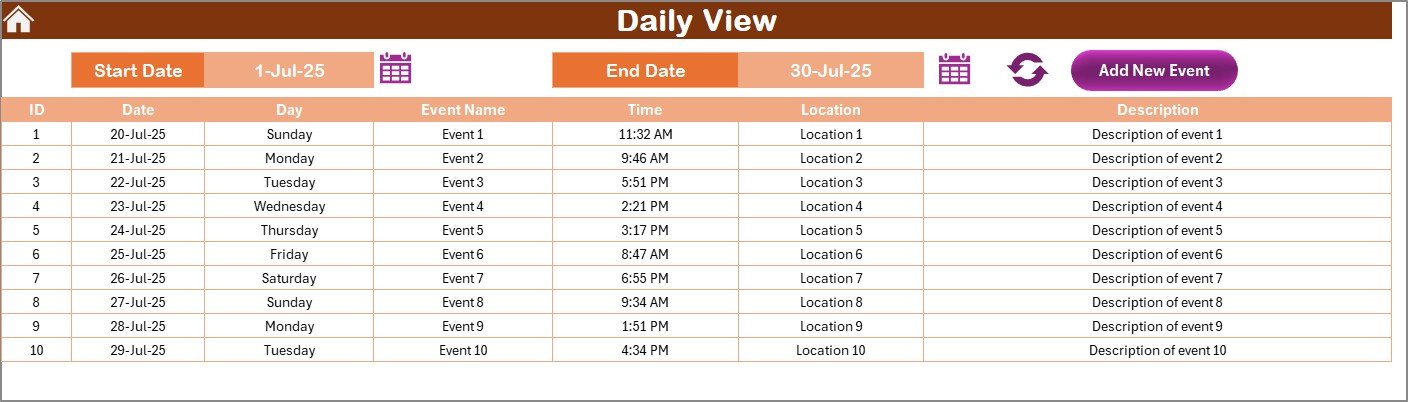
📋 Daily View Sheet – Granular Control
Choose a date range to drill down on specific events.
Perfect for week-long programs, daily quality checks, and follow-ups.
Add new events right from the sheet and refresh the list anytime.
🗃️ Events Sheet – Centralized Event Database
All events stored in a structured, editable table:
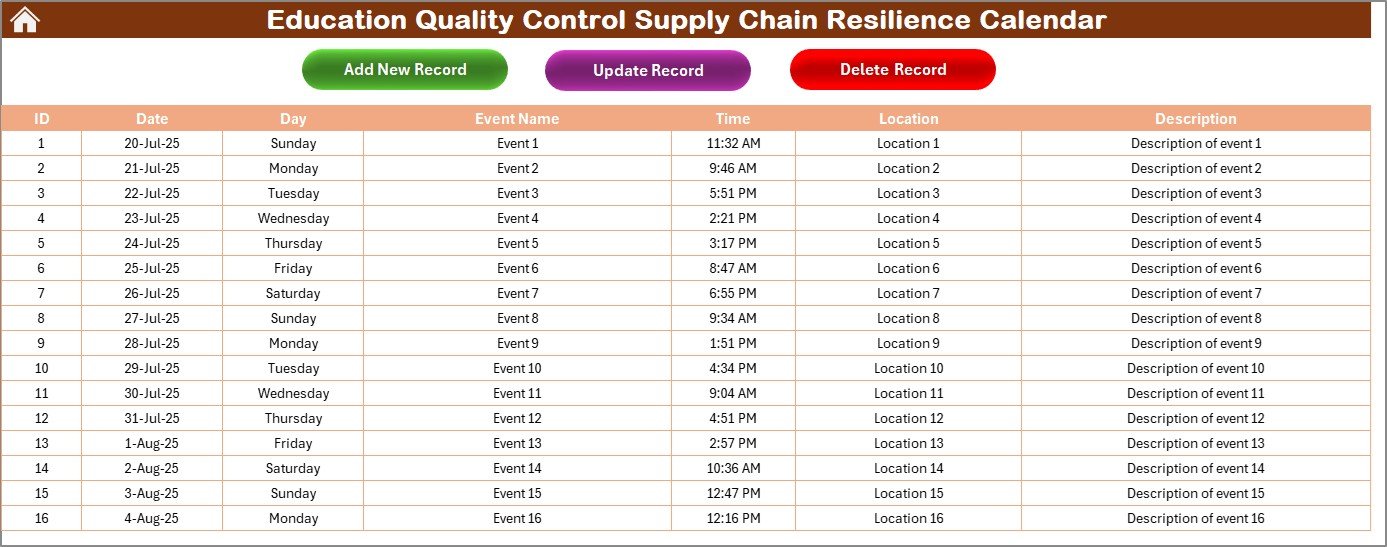
ID, Date, Day, Event Name, Time, Location, Description
Update, add, or delete any record with a click.
Automatically syncs with all calendar views for real-time updates.
📦 What’s Inside the Calendar?
✅ 5 Powerful Sheets – Each with a unique planning perspective
📅 Annual to Daily Views – Flexible for all planning horizons
🟨 Highlighting System – Color-code weekends or critical days
📝 Event Database – Track, update, or remove events anytime
🖱️ One-Click Navigation – Jump to any section instantly
🎯 Event Buttons – For adding, editing, or deleting records
🎨 Theme Options – Match calendar color to your organization’s style
🖥️ Fully Excel-Based – No add-ins or special software needed
🛠️ How to Use the Calendar
Set the Calendar Parameters – Use the Control Panel in the Annual View to select year, month, and start day.
Add Events – Click “Add New Event” buttons in any view or directly from the Events Sheet.
Track Your Schedule – Use the Annual, Monthly, or Daily View based on your needs.
Edit or Delete Events – Access the Events Sheet to update event records using built-in buttons.
Stay Updated – Click “Refresh” on the Daily View to see the latest event list in your range.
It’s simple, efficient, and designed with educators in mind. 💼📚
👥 Who Can Benefit from This Calendar?
🎓 School Administrators – Plan academic events, inspections, and supply audits
🧑🏫 Educators & Coordinators – Track training programs, workshops, and internal meetings
🏢 Operations & Procurement Teams – Schedule vendor check-ins, deliveries, and quality audits
📆 Academic Planners – Visualize annual curriculum milestones and activities
🛒 Supply Chain Officers – Monitor stock cycles, maintenance checks, and vendor visits
📣 Event Managers – Organize campaigns, awareness days, and outreach programs
This calendar is the ultimate scheduling solution for any education professional involved in quality and logistics.
🔗 Click here to read the Detailed blog post
📺 Visit our YouTube channel to learn step-by-step video tutorials
Watch the step-by-step video tutorial:
Compatibility and Requirements
- Works in Microsoft Excel desktop on Windows with macros enabled. The buttons that add, edit and delete events run on macros, so the file does not run in Excel for the web, Google Sheets or on mobile.
- Excel explains how to turn macros on in Enable or disable macros in Microsoft 365 files.
Frequently Asked Questions
Which sheets are included?
Five sheets: Home, Annual View, Monthly View, Daily View and Events.
Where are the events stored?
On the Events sheet. Each record has an ID, date, day, event name, time, location and description. The Annual, Monthly and Daily views read from it.
How do I add, edit or delete an event?
Use the Add New Event buttons in any view, or work from the Events sheet, which has buttons to update and delete records.
Can I change the year, starting month and first day of the week?
Yes. The Control Panel on the Annual View sheet lets you choose the year, the starting month and the first day of the week. It also has 5 color themes and highlighting for weekends or specific days.
Is there a version for another department?
Yes. The same Supply Chain Resilience calendar is available for other teams, for example Education Operations and Education Procurement.
Related Education Calendar Templates
- Education Operations Supply Chain Resilience Calendar in Excel: the same calendar for operations teams
- Education Procurement Supply Chain Resilience Calendar in Excel: for vendor check-ins and deliveries
- Education Compliance Supply Chain Resilience Calendar in Excel: for compliance dates and audits
- Education Quality Control Remote Work Calendar in Excel: a quality control calendar with a remote work focus
- Calendar & Planner Pack: 12 Excel and Google Sheets calendar and planner templates in one download
Browse all Excel calendar templates and Excel education templates.

































Reviews
There are no reviews yet.