



In the age of artificial intelligence, educational institutions must embrace tools that promote operational efficiency and smart planning. The Education Operations AI Implementation Calendar in Excel is a powerful, easy-to-use, and fully customizable template designed to help schools, colleges, and universities manage their AI implementation schedules and academic events with precision.
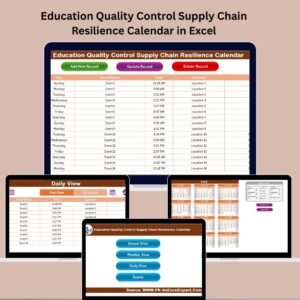
This Excel-based calendar includes five professionally structured worksheets—Home, Annual View, Monthly View, Daily View, and Events—each offering a distinct view and function to simplify operational planning. Whether you’re an administrator, IT coordinator, or project lead, this tool helps you stay on top of every task, deadline, and milestone throughout the academic year.
🔑 Key Features:

Home Sheet with Navigation Buttons
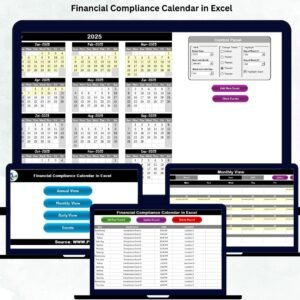
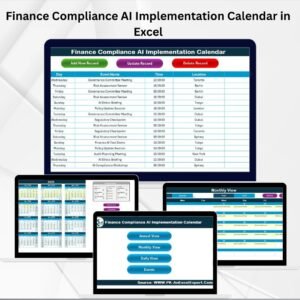
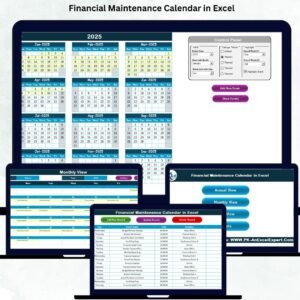
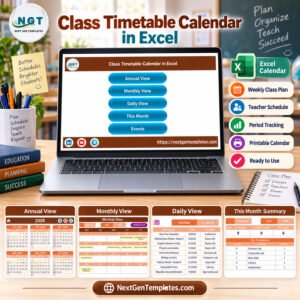
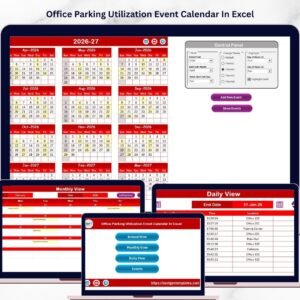
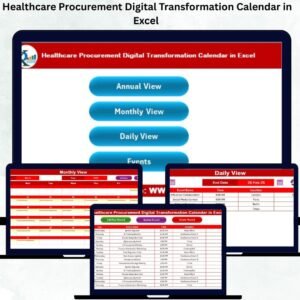
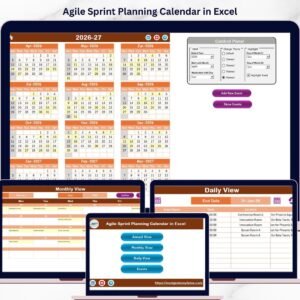
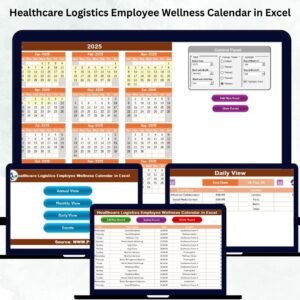
Jump effortlessly between Annual, Monthly, Daily, and Event views.Annual View with Control Panel
Select the academic year, start month, and start day. Customize color themes and highlight weekends or special days.Monthly View
View and manage monthly event schedules with dynamic updates and alerts for multiple entries per day.Daily View
Focus on short-term operations by filtering events within a selected date range. Great for day-to-day coordination.Events Sheet (Database)
Automatically stores all event records including Event ID, Date, Time, Location, and Description. Add, update, or delete events easily.
🧠 Why This Calendar Matters:
Educational institutions embarking on AI-driven projects need structured planning. This calendar improves visibility, helps reduce human error, and supports effective resource allocation. The integration of AI into operational timelines allows for smarter decision-making, timely task execution, and seamless collaboration across departments.
🚀 Benefits:
Organize and track AI-related activities, training, system upgrades, and academic tasks.
Simplify team coordination with centralized data.
Customize themes and control panels to match your institution’s branding.
Enjoy automated data views that reduce the burden of manual tracking.
No coding or technical expertise required—built for everyday Excel users.
🏫 Who Should Use This:
School & College Administrators
AI Project Coordinators
Academic Planners
IT and EdTech Departments
Educational Consultants
Whether you’re managing workshops, AI training programs, system deployment, or academic deadlines—this calendar is your all-in-one solution for planning, tracking, and managing education operations in the AI era.
🔗 Click here to read the Detailed blog post
Visit our YouTube channel to learn step-by-step video tutorials
Watch the step-by-step video tutorial:
Compatibility and Requirements
- Works in Microsoft Excel desktop (Excel 2016 or later, or Microsoft 365).
- New to Excel? Microsoft has free lessons in Excel for Windows training.
How to Use the Calendar
- Open the Annual View and set the academic year, start month and start day in the control panel.
- Add each AI project task, training session or deadline to the Events sheet with its date, time, location and description.
- Check the Monthly View to see each month’s schedule. Days with more than one event are flagged.
- Use the Daily View to list the events in a date range you choose.
- Update or delete events in the Events sheet as plans change.
Frequently Asked Questions
Which sheets are included?
Five sheets: Home, Annual View, Monthly View, Daily View and Events.
Can I start the calendar in any month?
Yes. The Annual View control panel sets the academic year, start month and start day.
Where are events stored?
In the Events sheet, which keeps the Event ID, date, time, location and description of every event.
Can I change the colors?
Yes. You can change the color theme and highlight weekends or special days.
Related AI and Education Calendars
- Operations AI Implementation Calendar in Excel: plan AI rollouts for operations teams
- IT AI Implementation Calendar in Excel: schedule AI work in IT
- Education Operations Remote Work Calendar in Excel: plan remote work in schools
- Education Operations Customer Experience Calendar in Excel: plan student and parent experience work
- Education & School Management Bundle: 8 education templates in one download
Browse all Excel calendars and Excel education templates.











Reviews
There are no reviews yet.