





Managing product and service quality doesn’t need to be a paperwork nightmare or a software engineering project. The Quality Control Tracker in Excel is a smart, ready-to-use system designed to simplify your entire QC process—from inspections to analysis, all inside Excel. 💼✅
Built with powerful VBA automation and an intuitive user form interface, this template gives you real-time dashboards, secure login access, structured data entry, and powerful reporting without writing a single line of code. Whether you’re in manufacturing, logistics, pharmaceuticals, or service industries—this tracker helps you maintain quality standards with confidence.
🔑 Key Features of Quality Control Tracker in Excel
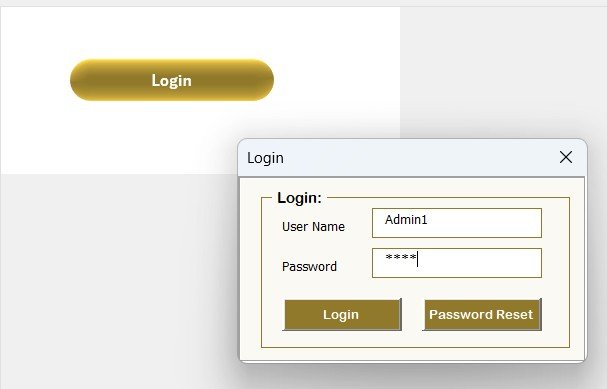
🔐 Login Form for Secure Access
Keep your inspection records safe with a built-in login system. Only authorized users can view or edit data, minimizing tampering risks.
🧭 Main Control Form
The Main Form is your central navigation hub—access data entry, dashboards, list management, user management, and logout all from one screen.
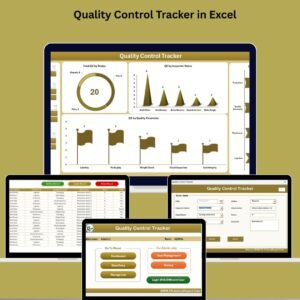
📊 Interactive Dashboard

Enjoy real-time visuals through 4 dynamic pivot charts:
Total QC by Status (Doughnut Chart)
Total QC by Inspector
QC Count by Department
QC by Quality Parameter
Includes slicers to filter by Date, Department, Status, and Inspector.
📝 Data Entry with User Form
Add, update, or delete QC records using easy buttons. Fields include:
ID, Date, Inspector Name
Department, Observation, Score, Status
Quality Parameter, Remarks
Each action automatically refreshes the dashboard!
🧾 Manage List Sheet
Keep dropdowns clean and current—update inspector names, departments, statuses, and QC parameters with simple buttons.
🔒 User Management Module
Admins can add or remove users, reset passwords, and control who accesses what—perfect for secure multi-user functionality.
⚙️ Settings Sheet
Define system-level settings, version notes, or sheet protection options as your business evolves.
📦 What’s Inside the Quality Control Tracker
📁 Excel File with built-in VBA Automation
🧾 Data Sheet to store all inspection records
📊 Dashboard Sheet with dynamic slicers and charts
👥 User Login & Management System
📝 Add/Edit/Delete QC Records via Forms
🔽 Manage Dropdown Lists from one tab
🔧 Settings Sheet for configuration control
📋 Support Sheet with backend pivot table sources
Everything’s fully connected and updates automatically!
🛠️ How to Use the Quality Control Tracker
1️⃣ Enable macros when opening the file
2️⃣ Login using provided credentials
3️⃣ Navigate to the Data Entry Form to input inspection data
4️⃣ Go to the Dashboard Sheet to view real-time summaries
5️⃣ Use the Manage List Tab to edit dropdown values
6️⃣ Manage user roles with the User Management Module
💡 No coding needed. If you can use Excel, you can run this tool!
🎯 Who Can Benefit from This Quality Control Tracker
🏭 Manufacturing Supervisors – Track defects, scores, and inspector performance
💊 Pharma QA Teams – Monitor batch quality and audits
📦 Logistics Coordinators – Inspect packaging and delivery conditions
🧪 Engineering Teams – Measure inspection accuracy by component
🧑🔧 Service Operations Managers – Assess field service quality levels
🔎 Risk & Compliance Teams – Maintain quality documentation with secure access
🔗 Click here to read the Detailed blog post
🎥 Visit our YouTube channel to learn step-by-step video tutorials
(YouTube.com/@PKAnExcelExpert)
Watch the step-by-step video tutorial:
Frequently Asked Questions
What fields does each QC record have?
ID, date, inspector name, department, observation, score, status, quality parameter and remarks.
Which charts are on the dashboard?
Four pivot charts: total QC by status, total QC by inspector, QC count by department and QC by quality parameter, with slicers for date, department, status and inspector.
Who can see or edit the records?
Only users who log in. Admins add or remove users, reset passwords and control access in the User Management module.
Can I change the inspectors and departments?
Yes. The Manage List tab updates inspector names, departments, statuses and QC parameters used in the dropdowns.
Compatibility and Requirements
- Needs Microsoft Excel desktop on Windows with macros enabled. The login, forms and buttons run on VBA, so the file does not work in Excel for the web, Google Sheets or the Excel mobile apps.
- Microsoft explains how to turn macros on in Enable or disable macros in Microsoft 365 files.
Related Quality Templates
- Quality Control Tracker in Google Sheets: a browser-based version without macros
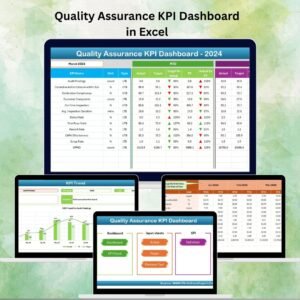
- Quality Assurance Dashboard in Excel: report QA results on a dashboard
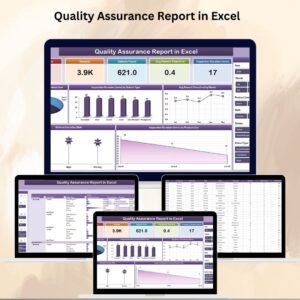
- Quality Assurance Report in Excel
- Quality Control Review Checklist in Excel
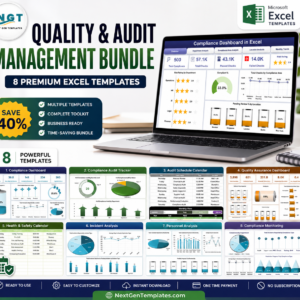
- Quality & Audit Management Bundle: 8 Excel quality and audit templates
Browse all Excel quality control templates or the Excel VBA tools.









Reviews
There are no reviews yet.