

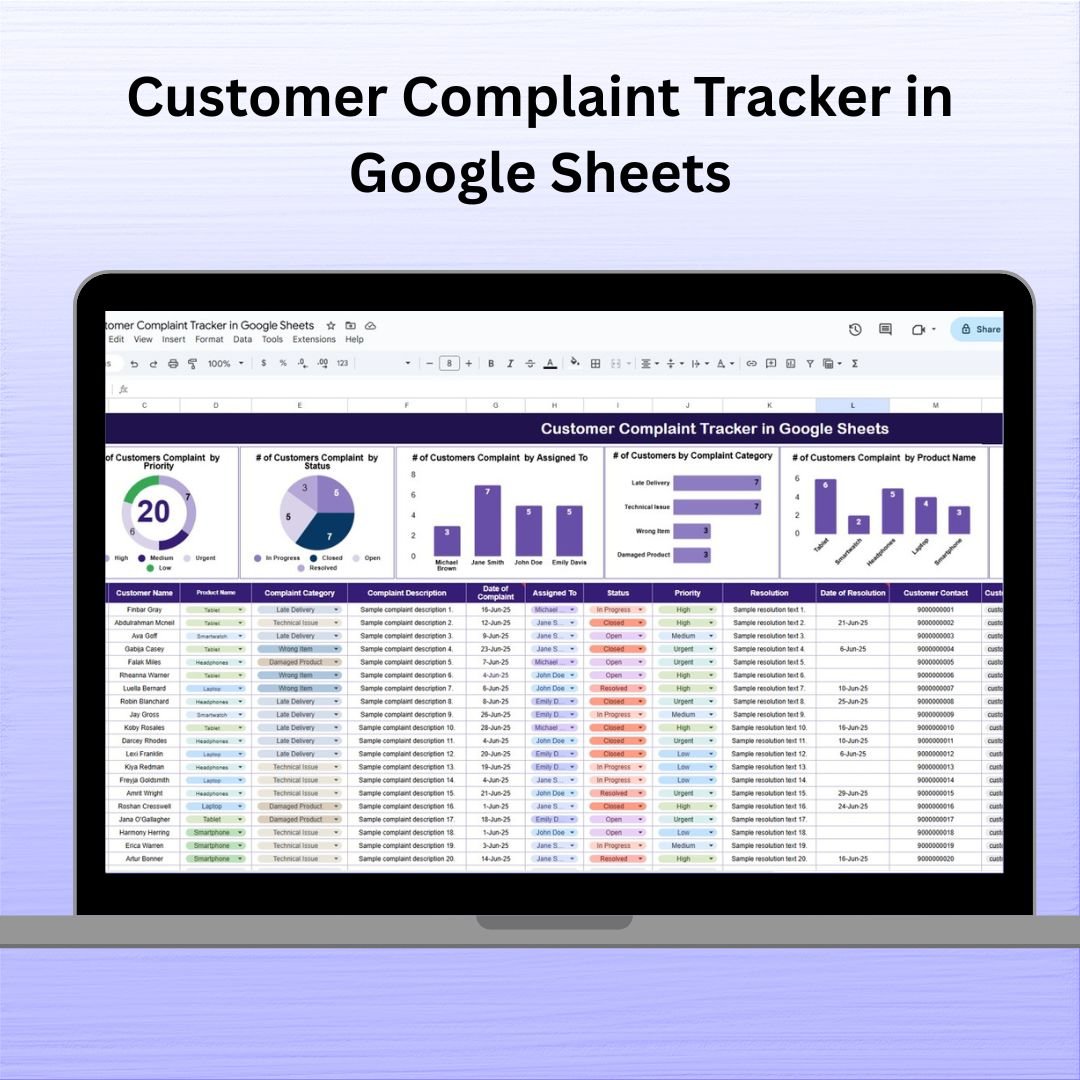

📣 In a world where customer satisfaction is everything, handling complaints the right way can make or break your brand. That’s why we created the Customer Complaint Tracker in Google Sheets—a ready-to-use, visually intuitive, and collaborative tool that puts your entire complaint management system in one simple spreadsheet.
No tech headaches. No costly CRM tools. Just clear, organized complaint resolution workflows that empower your team to respond faster and better. 🚀

✨ Key Features of the Customer Complaint Tracker
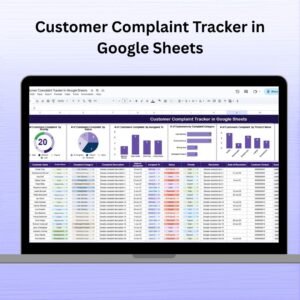
📊 Real-Time Visual Charts
Instantly understand complaint trends with auto-updating graphs showing:
🔺 Complaints by Priority (High, Medium, Low)
🔄 Status Tracking (Open, In Progress, Resolved)
👥 Assigned Team Member
🛒 Product Name
🌍 Location
📂 Complaint Category
🧾 Comprehensive Complaint Logging Table
Track every issue with the following columns:
Complaint ID
Date Logged
Customer Name
Email/Phone
Complaint Description
Product Name
Complaint Category
Priority
Status
Assigned To
Response Time
Resolution Time
Feedback Score
Remarks
🔁 Live Summary & Analytics
Dashboards update automatically as you log new complaints or resolve existing ones. Perfect for weekly or monthly performance reviews.
🧩 Fully Customizable
Easily add new fields like cost impact, repeat flag, or resolution notes. Tailor the template to your exact process.
📦 What’s Inside the Customer Complaint Tracker
✅ One Master Sheet with Charts + Table
Everything is housed on a single Google Sheets tab. Charts sit on top for visual summaries, and a dynamic complaint table lies below for data entry.
✅ Collaborative Access
Assign team members, share permissions, and enable real-time collaboration across departments or locations.
✅ Mobile-Friendly Format
Manage complaints on the go from your tablet or smartphone. No app required—just access the Google Sheet link.
🚀 How to Use the Customer Complaint Tracker
1️⃣ Log Complaints Immediately
Enter new complaints as they come in with all relevant details.
2️⃣ Assign Responsibility
Use the “Assigned To” field to delegate follow-up to your team instantly.
3️⃣ Track & Update Status
Change complaint statuses as progress is made. Watch the dashboards update automatically.
4️⃣ Monitor Response/Resolution Time
Ensure your team is resolving issues quickly by analyzing performance metrics.
5️⃣ Use Feedback for Improvement
Collect satisfaction scores post-resolution to identify weak spots and improve processes.
👥 Who Can Benefit from This Tracker?
🛍️ E-commerce businesses tracking shipping or delivery issues
🏥 Healthcare providers monitoring patient service concerns
💻 SaaS companies logging bugs and usability problems
🏬 Retail stores managing in-store experience complaints
🏭 Manufacturers monitoring product quality issues
📞 Customer support teams standardizing complaint resolution workflows
Whether you’re a small business or part of a large enterprise—this tool will help you organize, improve, and scale your support operations like never before.
💡 Why You’ll Love This Template
✔ Zero Cost – 100% Google Sheets
✔ No Training Required – Start using it in minutes
✔ Easy to Share with your team or stakeholders
✔ Fully Editable – Add custom columns like SLA breach alerts
✔ Supports Automation via Google Forms or Apps Script
✔ Visual Data = Better Decisions – See what’s working and what’s not
🔗 Click here to read the Detailed blog post Customer Complaint Tracker in Google Sheets
Click here to read the Detailed blog post
Watch the step-by-step video Demo:
🎥 Visit our YouTube channel to learn step-by-step video tutorials
Youtube.com/@NeotechNavigators
Compatibility and Requirements
- Works in Google Sheets with a free Google account and a web browser. Nothing to install.
- It also opens in the Google Sheets app on a phone or tablet. Google explains charts in Add & edit a chart or graph.
Frequently Asked Questions
What does the complaint log record?
Complaint ID, date logged, customer name, email or phone, description, product name, category, priority, status, assigned to, response time, resolution time, feedback score and remarks.
Which charts are included?
Charts for complaints by priority, status, assigned team member, product name, location and complaint category. They sit above the table and update as you log or resolve complaints.
Can I add my own columns?
Yes. You can add fields such as cost impact, a repeat flag or resolution notes to fit your process.
Is there an Excel version?
Yes, the Customer Complaint Tracker in Excel covers the same workflow in Excel.
Related Complaint and Customer Service Templates
- Customer Complaint Tracker in Excel: the Excel edition
- Customer Service Request Tracker in Google Sheets: log service requests as well as complaints
- Customer Service Dashboard In Google Sheets: service KPIs in one dashboard
- Complaint Management System V1.0 in Excel: a full complaint system with forms
- Customer Complaint Resolution KPI Dashboard In Excel: measure resolution performance
Browse all Google Sheets tracker templates or the Google Sheets dashboards.







Reviews
There are no reviews yet.