

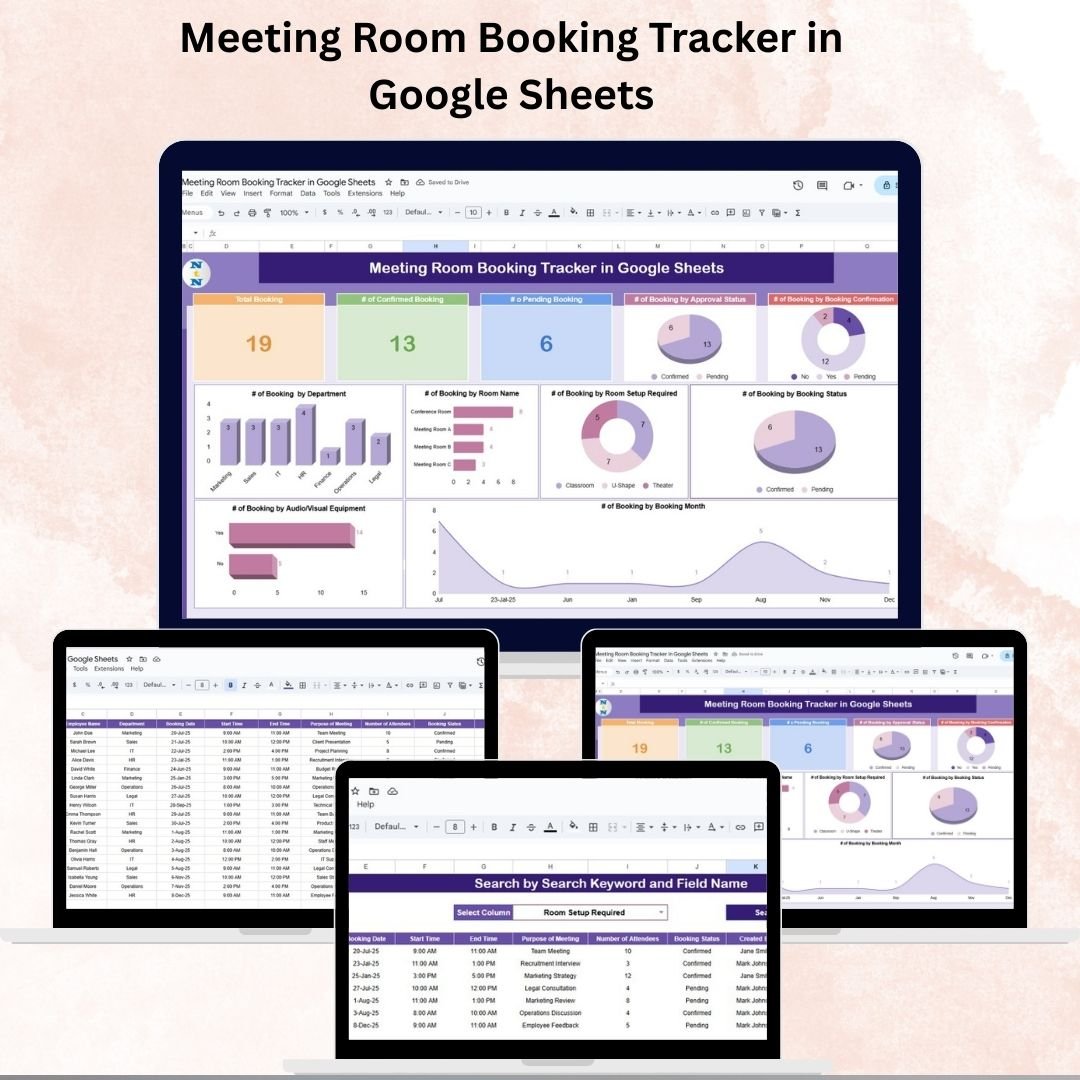

Managing meeting rooms effectively is vital for smooth office operations. Without a structured system, double bookings, missed meetings, and miscommunication can waste time, reduce productivity, and frustrate employees. That’s why we built the Meeting Room Booking Tracker in Google Sheets — a ready-to-use, dynamic tracker designed to streamline the booking process and provide clear insights into room utilization.
This tool consolidates all booking information into a single interactive platform, ensuring that employees, managers, and administrators can book, search, and monitor meeting rooms with ease. With real-time updates, approval tracking, and detailed analytics, this tracker helps organizations avoid conflicts, improve accountability, and maximize room usage.
🔑 Key Features of Meeting Room Booking Tracker
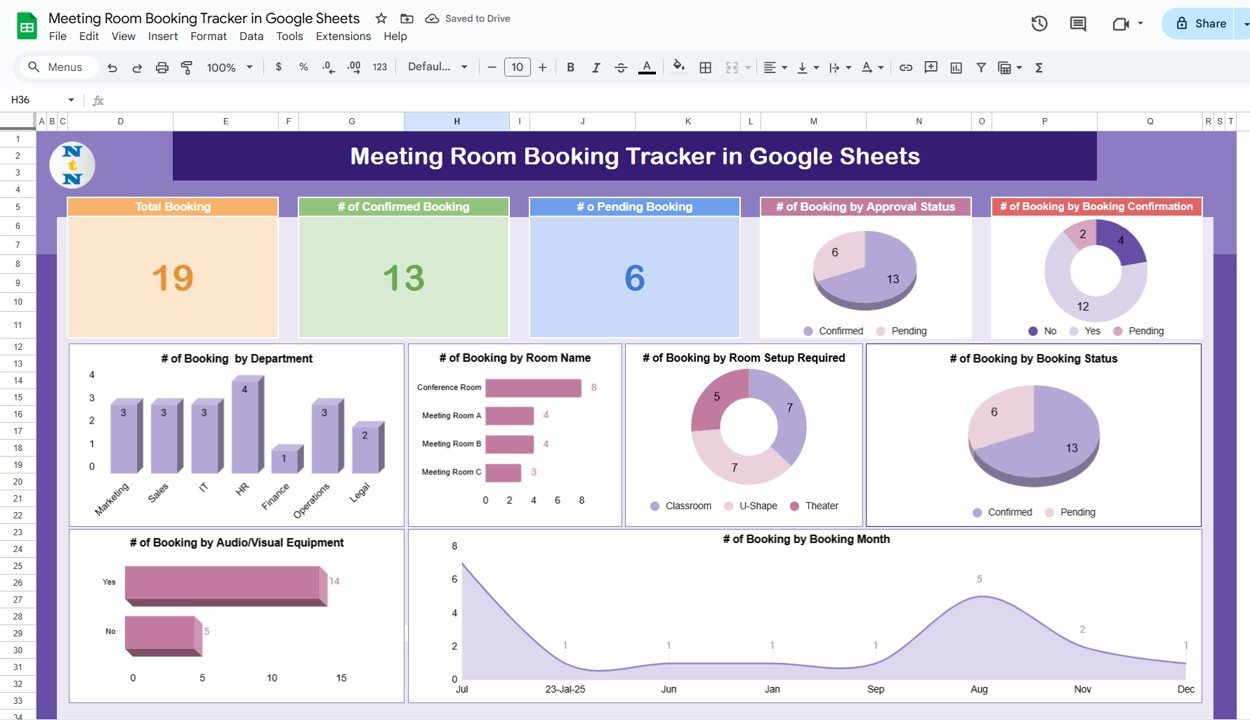
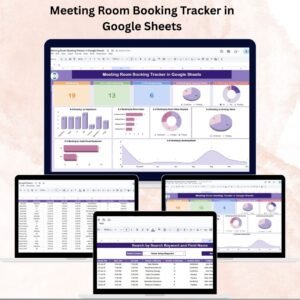
📊 Tracker Sheet Tab – Main Dashboard
Cards show:
Total Bookings
of Confirmed Bookings
of Pending Bookings
Charts for deeper insights:
Bookings by Approval Status
Bookings by Confirmation
Bookings by Department
Bookings by Room Name
Bookings by Room Setup Required
Bookings by Status (completed/ongoing/pending)
Bookings by Audio/Visual Equipment usage
Bookings by Month
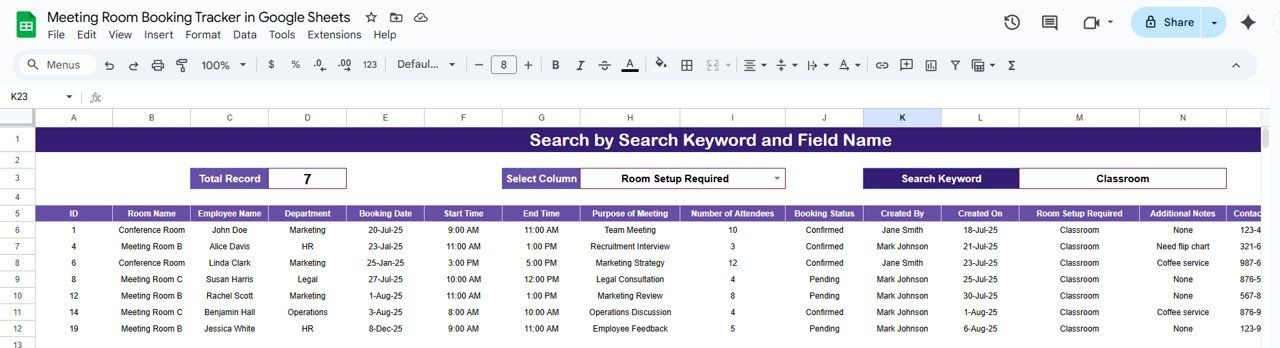
🔍 Search Sheet Tab
Filter bookings by Department, Room Name, Employee, or Status.
Keyword search to quickly locate specific reservations.
Record counter showing how many results match.
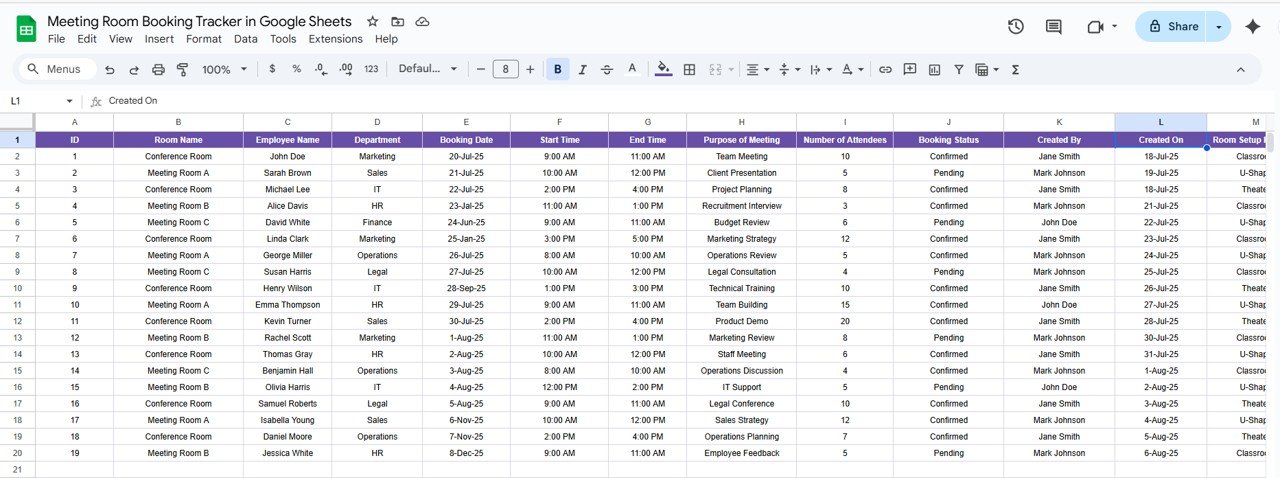
🧾 Data Sheet Tab
Capture all booking details, including:
ID, Room Name, Employee Name, Department
Booking Date, Start Time, End Time
Purpose of Meeting, No. of Attendees
Booking Status, Approval Status, Confirmation
Room Setup & AV Equipment requirements
Created By, Created On, Contact Info, Remarks
Parking Required, Month (auto-calculated)
📦 What’s Inside the Tracker
✅ 3 Core Sheets – Tracker Dashboard, Search Tab, and Data Entry Tab
✅ Dynamic Dashboard – Auto-updating metrics & charts
✅ Search & Filter Functionality – Locate bookings instantly
✅ Approval & Confirmation Tracking – Monitor pending requests
✅ Room Utilization Insights – Identify trends in usage and bottlenecks
✅ Customizable Layout – Adjust fields, filters, and visuals as needed
👥 Who Can Benefit from This Tracker?
🏢 Office Administrators – Prevent double bookings and conflicts.
👩💼 Managers – Monitor approvals and resource allocation.
👨💻 Employees – Easily book and track meetings without confusion.
📊 Facility Managers – Gain insights into room usage for optimization.
🏙 Large Corporates & Co-Working Spaces – Manage multiple rooms across teams.
📋 Best Practices for Using the Tracker
🎯 Define Clear Rules – Establish approval workflows & booking policies.
⏰ Set Deadlines – Require bookings to be made or canceled in advance.
🎨 Use Color Coding – Differentiate confirmed, pending, and canceled bookings.
📊 Review Trends Monthly – Monitor usage to optimize resource allocation.
👥 Assign Responsibility – Make employees accountable for accurate entries.
🔄 Keep Data Updated – Ensure bookings and approvals are current.
✅ Advantages of Meeting Room Booking Tracker
Avoid Scheduling Conflicts – Prevent overlapping meetings.
Track Approvals Effortlessly – Clear visibility of pending vs confirmed.
Centralized Data – All reservations in one sheet.
Visualize Trends – Charts highlight usage and demand.
Real-Time Collaboration – Multiple users can access and update simultaneously.
Customizable & Scalable – Adaptable for organizations of all sizes.
Cost-Effective – No need for complex or expensive booking software.
🔗 Click here to read the Detailed blog post
Watch the step-by-step video Demo:












Reviews
There are no reviews yet.