



The Personal Development Checklist in Google Sheets is a versatile and effective tool designed to help individuals track and enhance their personal growth. Whether you’re focusing on career development, health, relationships, or mindset, this checklist helps you set goals, monitor your progress, and reflect on your achievements to foster continuous improvement.

Key Features of the Personal Development Checklist in Google Sheets
📋 Comprehensive Goal Setting
Set SMART Goals: Define Specific, Measurable, Achievable, Relevant, and Time-bound goals in different areas of your personal growth.
Track Progress: Utilize checkboxes and progress bars to keep track of how close you are to achieving each goal.
📅 Reflection Prompts
Weekly or Monthly Reflection: Reflect on your personal development with prompts such as “What went well this week?” or “What challenges did I face?”
Self-Awareness: Jot down insights and areas for improvement to build a strong foundation for future growth.
🔧 Customizable Template
Tailor It to Your Needs: Modify the template to suit your personal or professional development goals. You can add new categories, sections, or color-coding as needed.
Flexible Structure: Track progress across various aspects of life, from professional development to personal health and relationships.
📊 Data Integration
Analyze Trends: Use Google Sheets’ built-in tools to visualize and analyze trends in your personal growth.
Data-Driven Insights: Review progress periodically and identify any obstacles you may need to address to keep growing.
Benefits of Using the Personal Development Checklist
✅ Increased Self-Awareness
By tracking your goals and reflecting on your progress, you’ll gain a better understanding of your strengths and weaknesses.
✅ Improved Focus
With clearly defined goals and progress tracking, you can stay focused on what truly matters in your development journey.
✅ Boosted Accountability
Regularly updating the checklist and reflecting on your progress fosters a sense of responsibility and commitment to your personal growth.
✅ Continuous Motivation
Seeing your progress and identifying achievements can motivate you to continue striving for personal growth and reaching new milestones.
How to Use the Personal Development Checklist in Google Sheets
Download the Template: Download the Personal Development Checklist template and save it to your Google Drive for easy access.
Set Your Goals: Define SMART goals in different areas such as health, career, mindset, and relationships.
Track Your Progress: Use the checklist to mark off completed tasks, monitor milestones, and visualize your growth.
Reflect Regularly: Answer reflective prompts to understand your challenges and learn from them.
Adjust and Improve: Based on your reflections, adjust your goals and strategies to stay aligned with your personal growth journey.
By using the Personal Development Checklist in Google Sheets, you can take control of your growth, track your progress effectively, and make consistent strides toward personal development.
Click here to read the Detailed blog post
Personal Development Checklist in Google Sheets
Visit our YouTube channel to learn step-by-step video tutorials
YouTube.com/@NeotechNavigators
Watch the step-by-step video Demo:
Who Uses This Checklist
Professionals, students and anyone working on personal growth who want to set goals for career, health, relationships or mindset and check progress often.
Compatibility and Requirements
- Works in Google Sheets. You need a free Google account and a web browser.
- New to Sheets? Google’s guide How to use Google Sheets covers the basics.
Frequently Asked Questions
What kind of goals can I set?
You set SMART goals, which are specific, measurable, achievable, relevant and time-bound, across areas such as career, health, relationships and mindset.
How do I track progress?
Checkboxes and progress bars show how close you are to each goal, and you mark off tasks and milestones as you finish them.
Does it include reflection prompts?
Yes. Weekly or monthly prompts such as what went well and what challenges you faced help you review your progress.
Can I add my own sections?
Yes. You can add new categories and sections, or change the color coding to suit your goals.
Related Personal Growth Templates
- Personal Development Checklist in Excel: the same checklist for Excel
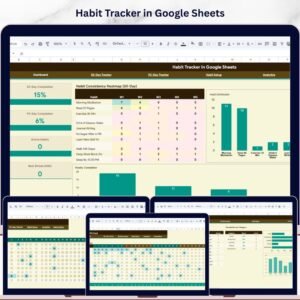
- Habit Tracker in Google Sheets: build the habits behind your goals
- Daily Habits Tracker Checklist in Google Sheets: mark habits off each day
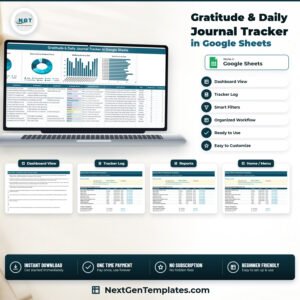
- Gratitude Practice Checklist in Google Sheets: add a daily gratitude practice
- Checklist & SOP Pack: 12 Excel and Google Sheets checklists in one download
Browse all Google Sheets checklists or the Google Sheets trackers.












Reviews
There are no reviews yet.