



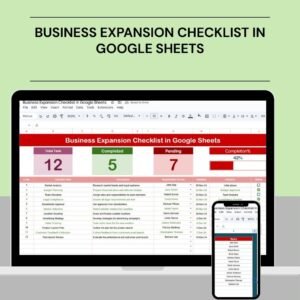
The Business Expansion Checklist in Google Sheets is a strategic tool designed to assist businesses in planning and executing their expansion initiatives effectively. This comprehensive checklist provides a clear framework to ensure that all aspects of the expansion process are well thought out, tracked, and monitored, resulting in a successful growth strategy.
By leveraging Google Sheets, this checklist allows for real-time collaboration, easy access from any location, and the ability to customize it according to your specific business needs. With built-in tracking and reporting features, this tool enables teams to stay organized and aligned while pursuing new business opportunities.

Key Features of the Business Expansion Checklist in Google Sheets
📊 Comprehensive Planning Framework
Market Analysis: Evaluate potential markets for expansion, identify target audiences, and assess the competition.
Financial Planning: Set budgets, forecast expenses, and project revenues to ensure financial viability of your expansion.
Operational Strategy: Plan your operational resources, logistics, and supply chain management to ensure smooth implementation.
Regulatory Compliance: Ensure all expansion activities comply with local regulations and industry standards.
Risk Assessment: Identify potential risks in the expansion process and develop mitigation strategies to reduce uncertainty.
📈 Real-Time Collaboration and Accessibility
Cloud-Based Access: Share and collaborate on the checklist in real-time, ensuring all team members are on the same page, no matter their location.
Customizable Templates: Tailor the checklist to your unique business needs, whether you’re expanding to new markets or launching new products.
📊 Integrated Tracking and Reporting
Progress Monitoring: Keep track of the completion status for various tasks, milestones, and action items in real-time.
Automated Updates: Set up notifications and reminders to ensure timely completion of key activities in the expansion process.
🖥 User-Friendly Interface
Intuitive Design: The dashboard is designed for ease of use, making it accessible to all team members, regardless of their technical expertise.
Customizable Layouts: Adapt the layout to focus on specific aspects of the expansion that matter most to your organization.
🔒 Data Integrity and Security
Cloud-Based Accessibility: Google Sheets ensures that your checklist is securely accessible from anywhere, keeping the data safe and readily available.
Permission Settings: Control access to sensitive business data with customizable user permissions to ensure confidentiality.
Benefits of Using the Business Expansion Checklist in Google Sheets
✅ Structured Approach
The checklist provides a well-organized framework for planning and executing expansion activities, ensuring nothing is overlooked.
✅ Enhanced Collaboration
Real-time collaboration features make it easy to align your team’s efforts and track progress, ensuring everyone is working towards the same goals.
✅ Informed Decision-Making
With all critical aspects of expansion tracked in one place, you can make informed decisions based on up-to-date data and insights.
✅ Scalability
The checklist can easily scale as your business grows, adapting to changing needs and expansion plans, allowing you to continue using it as a relevant tool throughout your business journey.
Conclusion
The Business Expansion Checklist in Google Sheets is an essential tool for businesses planning to expand. With its comprehensive planning features, real-time collaboration, and customizable templates, it ensures that every aspect of the expansion process is meticulously tracked and executed. By using this checklist, businesses can navigate the complexities of growth, ensuring their efforts are organized, data-driven, and successful.
Click here to read the Detailed blog post
Business Expansion Checklist in Google Sheets
Visit our YouTube channel to learn step-by-step video tutorials
YouTube.com/@PKAnExcelExpert
What You Get
- A Google Sheets checklist for planning a business expansion.
- Sections for Market Analysis, Financial Planning, Operational Strategy, Regulatory Compliance and Risk Assessment.
- A completion status for each task, milestone and action item.
Compatibility and Requirements
- Works in Google Sheets with a free Google account and a web browser.
- Make a copy to your own Google Drive, then share it with your team if you want to work on it together.
- New to Sheets? Google’s guide How to use Google Sheets covers the basics.
Frequently Asked Questions
Which areas does the Business Expansion Checklist cover?
Market analysis, financial planning, operational strategy, regulatory compliance and risk assessment.
Can my team work on it together?
Yes. It runs in Google Sheets, so your team can update the checklist at the same time from any location.
Can I control who sees the checklist?
Yes. Use the Google Sheets sharing settings to decide who can view or edit it.
Can I adapt it for a product launch instead of a new market?
Yes. You can edit the tasks and layout to fit a new market, a new branch or a new product line.
Related Business Planning Templates
- Business Expansion Checklist Template in Excel: the same checklist idea in Excel
- Business Expansion Action Plan Checklist in Excel: turn the plan into dated actions
- Startup Business Plan Template in Excel: write the plan behind the expansion
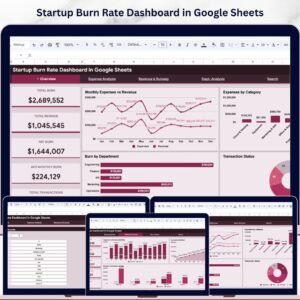
- Startup Burn Rate Dashboard in Google Sheets: watch cash spend as you grow
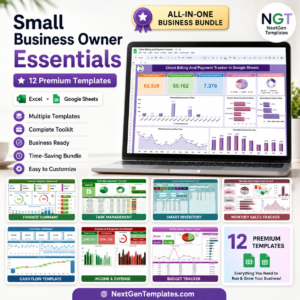
- Small Business Owner Essentials: 12 Excel and Google Sheets business templates
Browse all Google Sheets checklists or the Google Sheets financial tools.




Reviews
There are no reviews yet.