

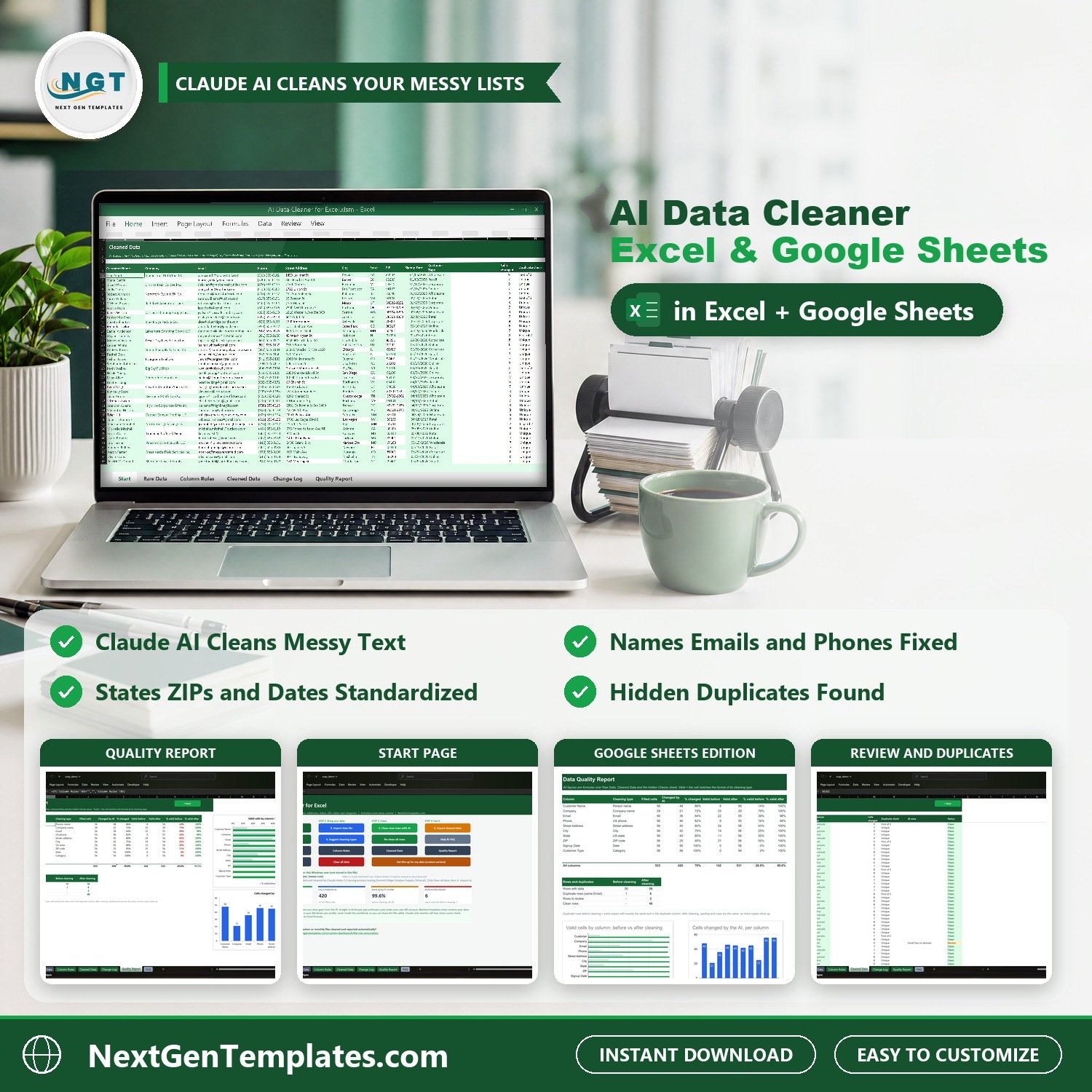
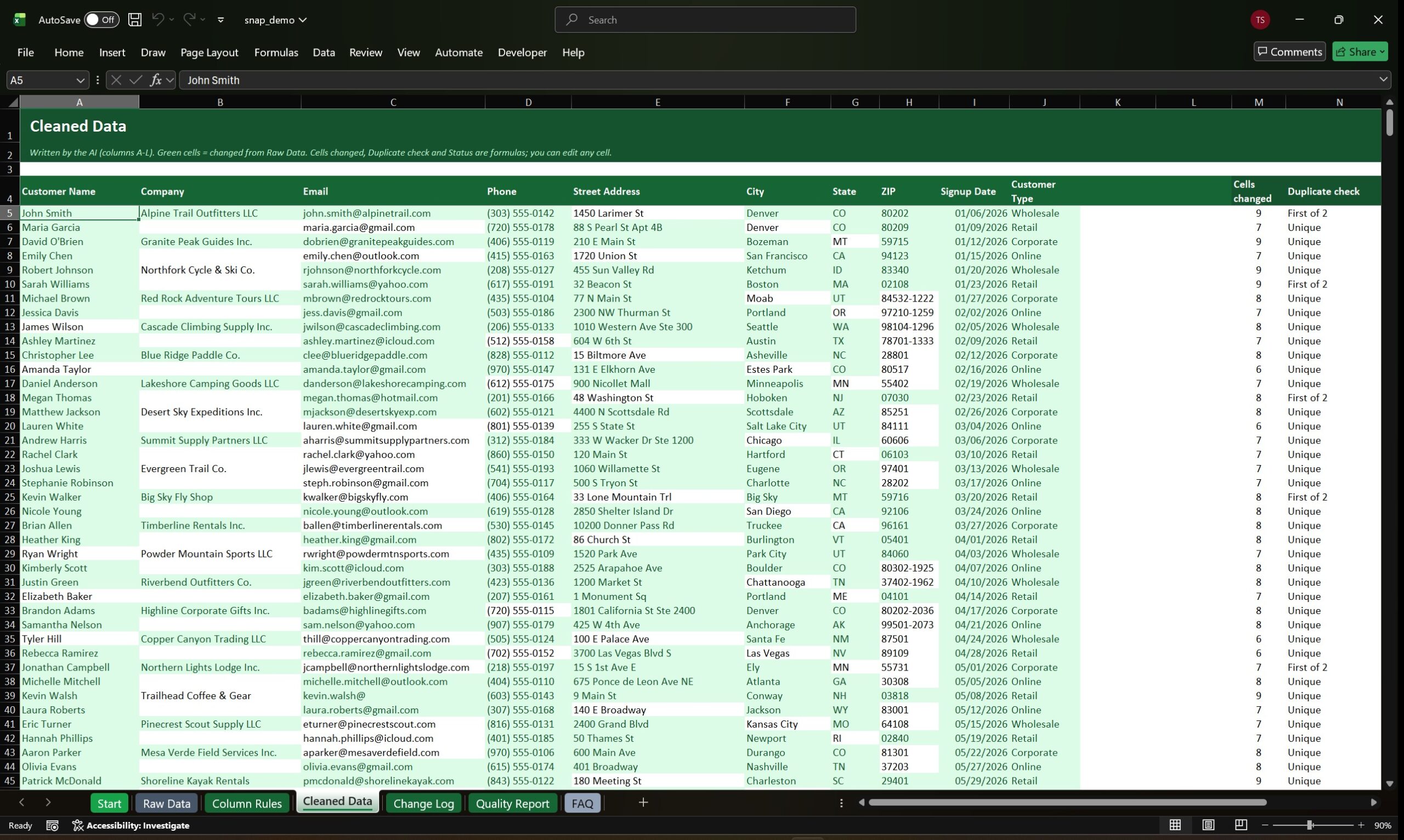
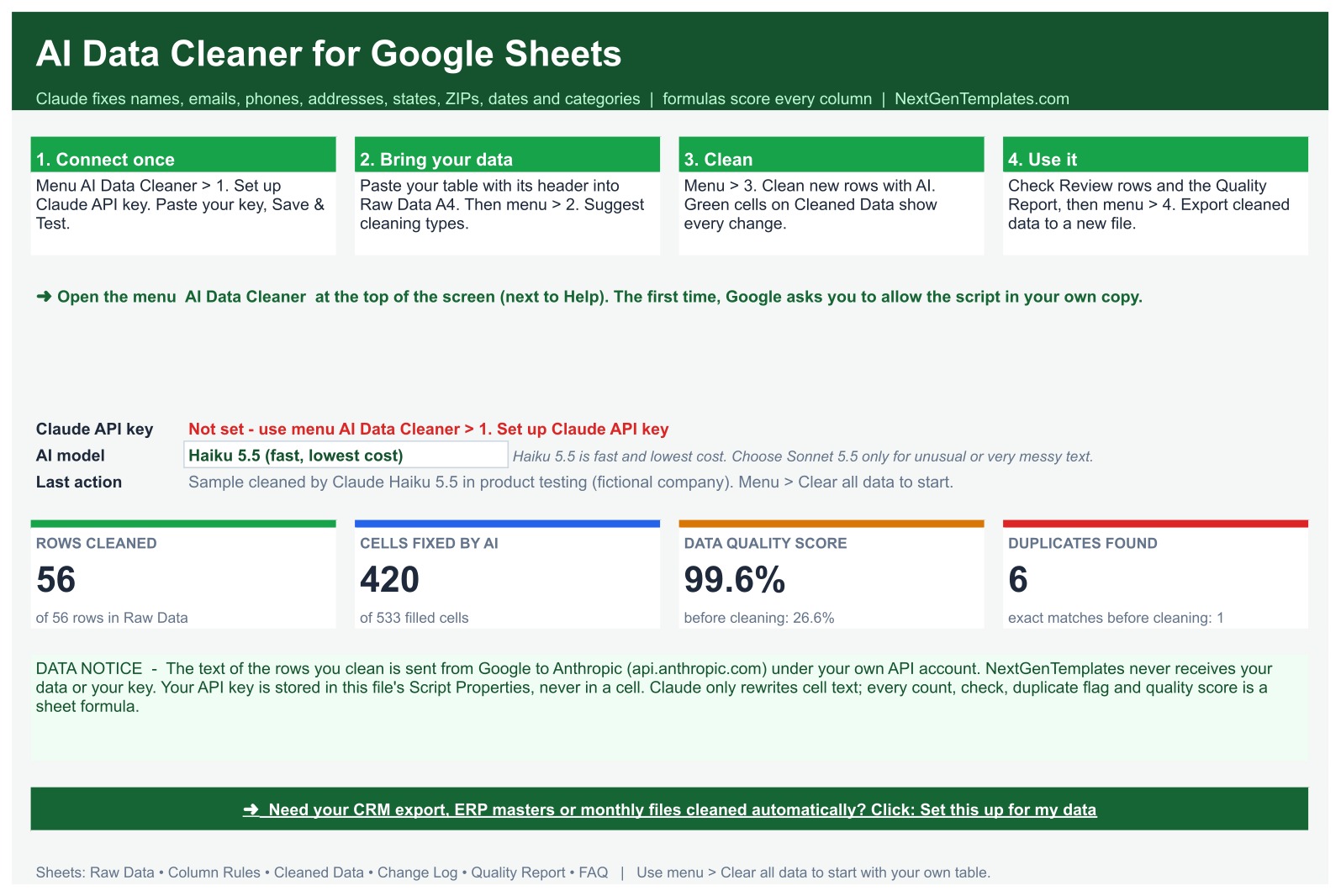
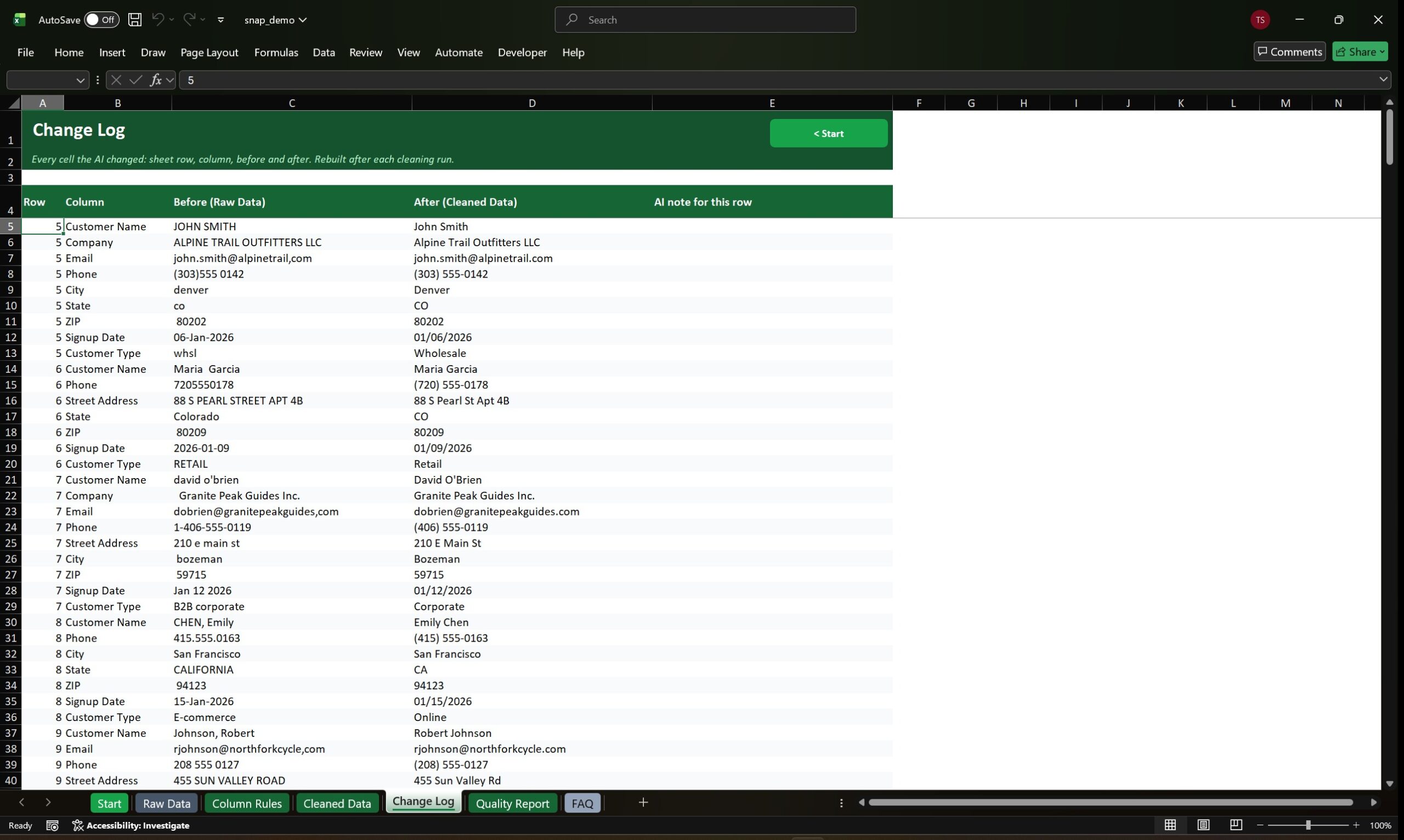
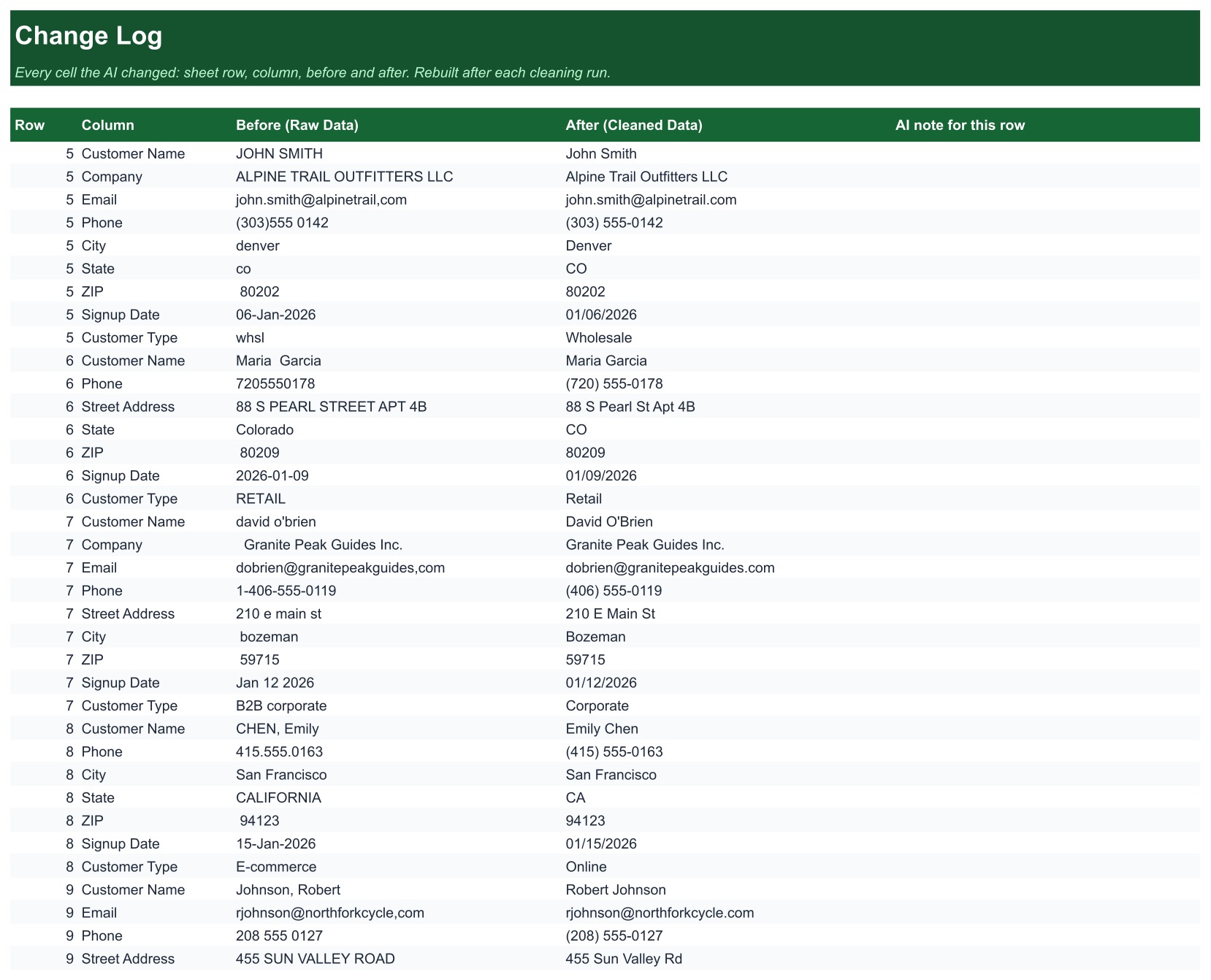
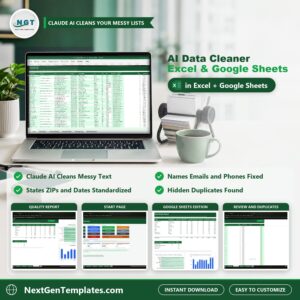
Stop cleaning customer lists by hand. The AI Data Cleaner for Excel takes a messy table with names in capitals, emails with a comma instead of a dot, phone numbers in six formats and Colorado typed three different ways, and writes every column in one standard format. Claude AI changes only the text of the cells, the changed cells turn green, and the data quality score in the sample file rises from 26.6% to 99.6%.
Watch the AI Data Cleaner for Excel walkthrough
Raw Data is never changed. The AI Data Cleaner for Excel works on a copy, flags duplicates that hide behind different spellings (6 found in the sample list against 1 exact duplicate before cleaning) and marks every row it cannot fix as Review instead of guessing. Every count, duplicate flag, validity check and quality score is an Excel formula, not an AI number. It is a fast way to standardize data in Excel before an import into your CRM, ERP or mailing tool.
What You Get
- A macro-enabled Excel edition (.xlsm for Windows Excel 2016 or later and Microsoft 365) with numbered buttons, opened with a messy sample customer list already cleaned.
- A Google Sheets edition with the same tabs and the same formulas. You make your own copy from the link in the download.
- Sample data for a fictional company (Summit Ridge Outdoor Supply) as .xlsx and .csv, so you can try the import before you use your own list.
- A one-page Claude API Key Guide (PDF), a step-by-step User Manual (PDF with screenshots) and a README.
Key Features
- Excel data cleaning tool for up to 12 columns and 1,000 rows. Import any Excel or CSV file, or paste your table with its header.
- Suggest cleaning types: Claude AI reads each column name and a few sample values and proposes person name, email, US phone, address, state, zip code, date or category.
- Category columns use your own allowed list (for example retail, wholesale, online, corporate) and the AI picks one of them for every row.
- An AI data cleaning Excel workflow that runs in batches of 25 rows. It never invents missing data: if a value cannot be fixed it stays as typed with a short note.
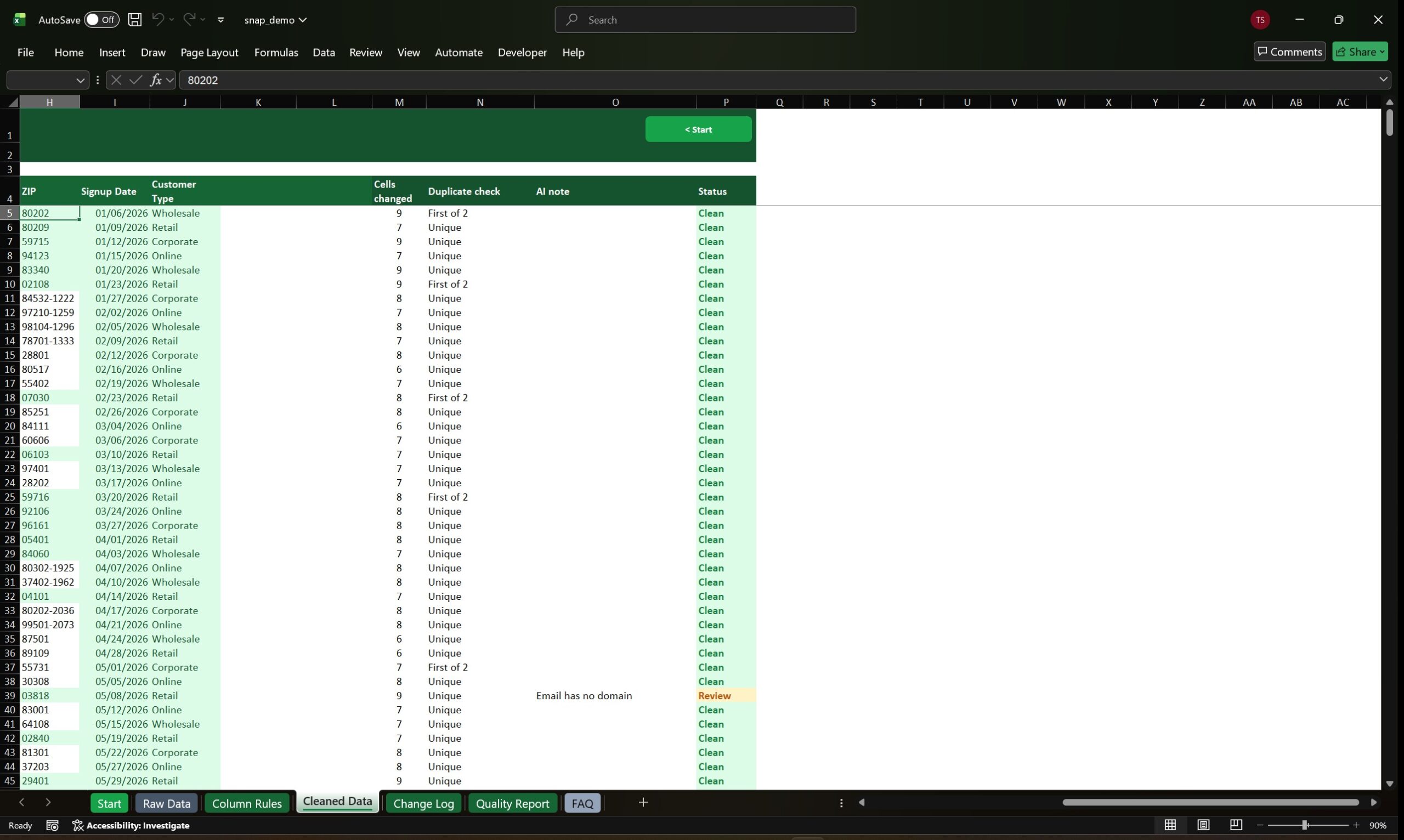
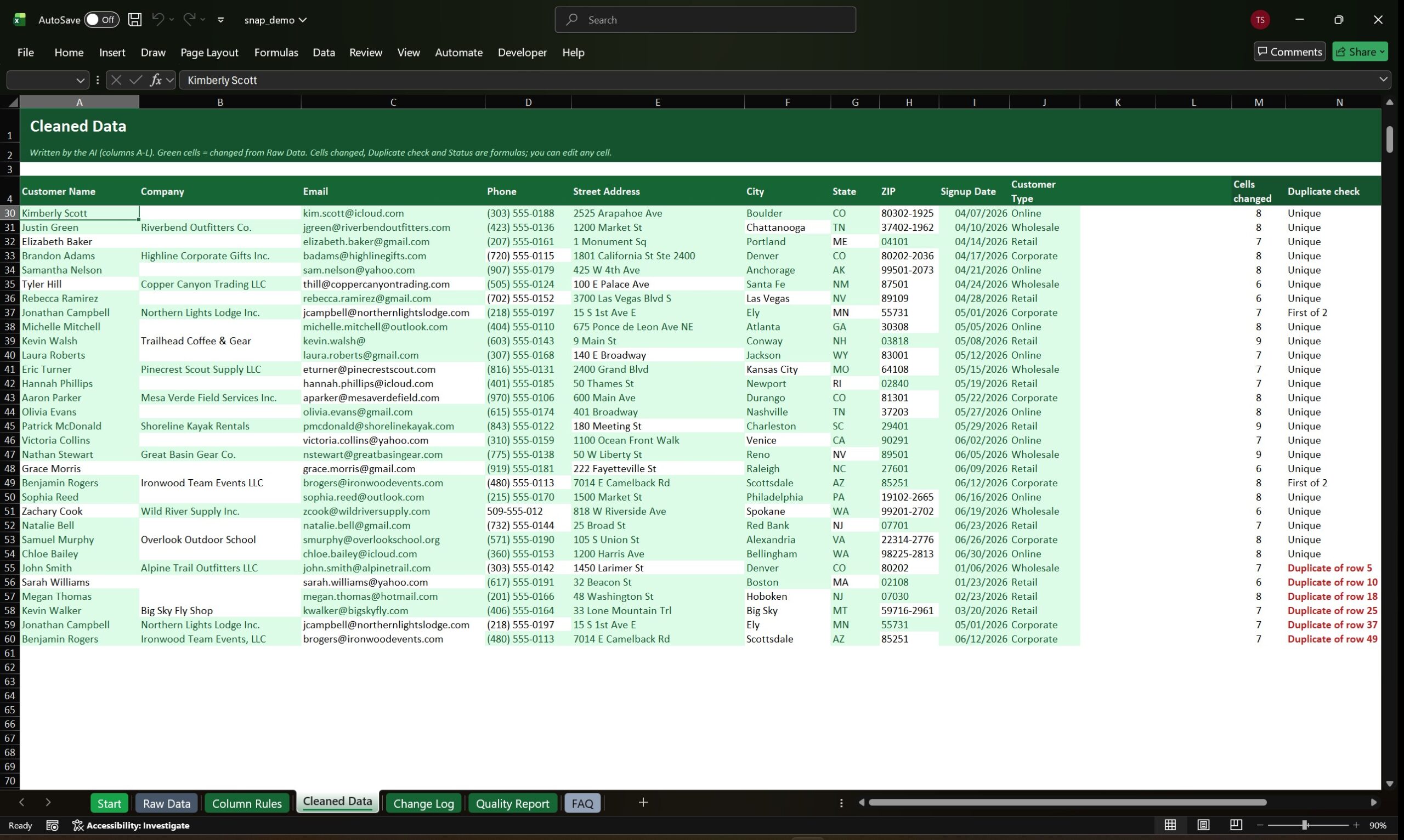
- Cleaned Data sheet with green cells for every change, a cells-changed count per row and a duplicate check such as “Duplicate of row 5”.
- Quality Report with valid cells before and after, duplicates before and after and charts by column, all calculated by formulas.
- Change Log with the row, column, value before and value after for every changed cell.
- Export cleaned data to a new Excel file, with the option to leave out duplicate rows.
- Choose Claude Haiku 5.5 (fast and lowest cost, the default) or Claude Sonnet 5.5 for very unusual text.
How the AI Data Cleaner for Excel Works
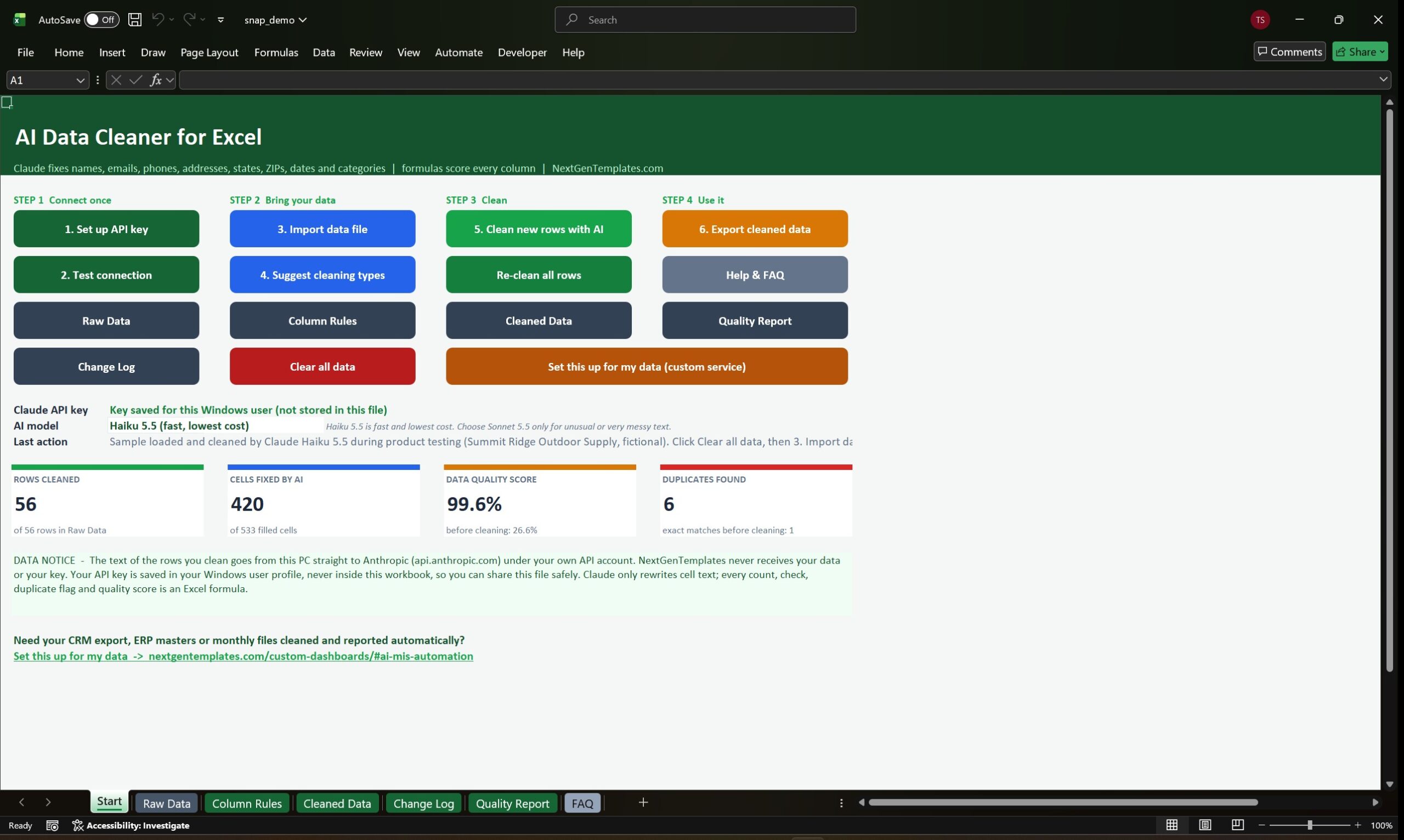
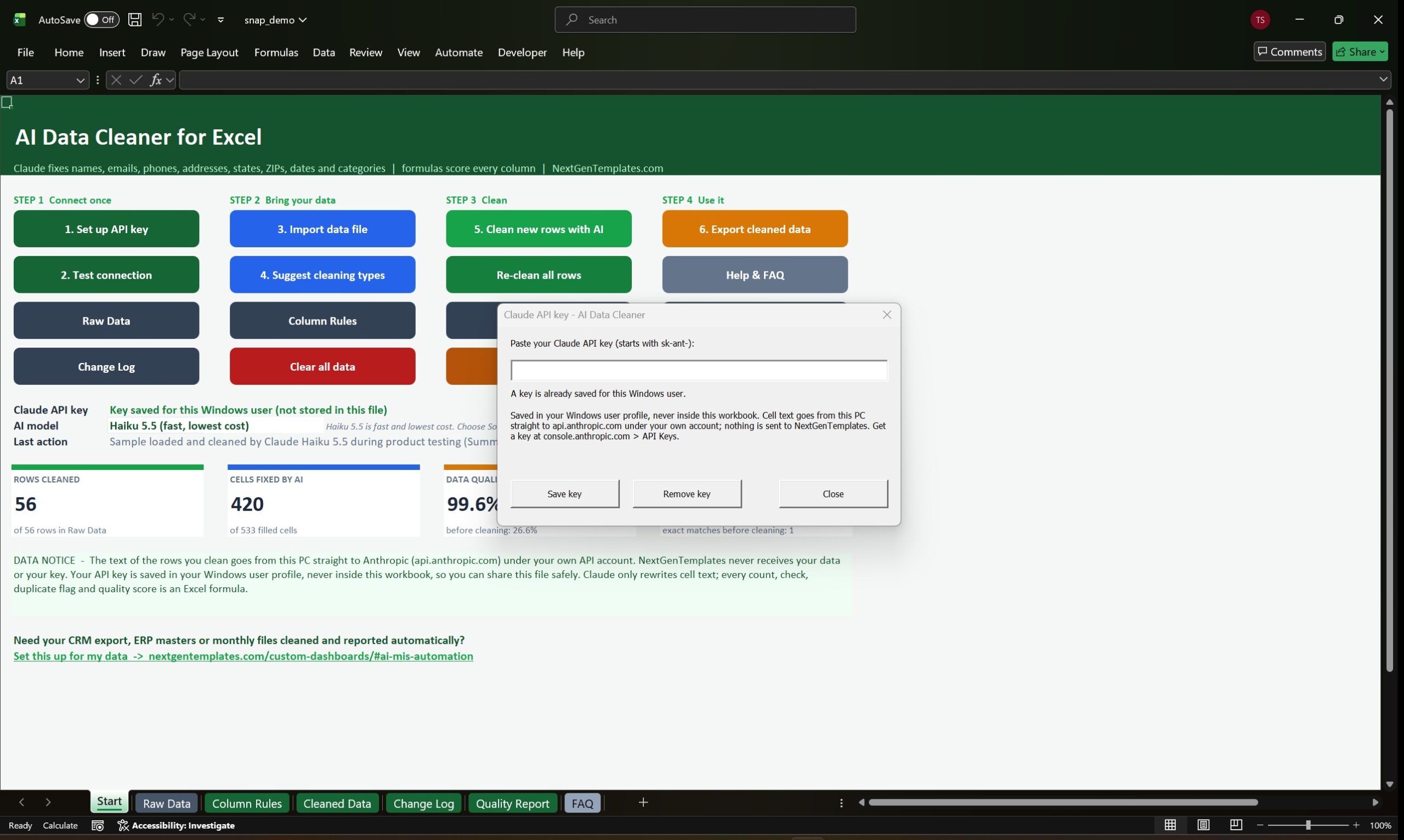
- Get your own Claude API key from Anthropic (about 2 minutes, the guide shows every click). Click Set up API key, then Test connection.
- Click Clear all data, then Import data file, or paste your table into Raw Data.
- Click Suggest cleaning types and check the result on the Column Rules sheet.
- Click Clean new rows with AI. About 56 rows take roughly 45 seconds with Haiku 5.5.
- Check the Review rows, the Quality Report and the Change Log, then click Export cleaned data.
Your Data and Your Key
You use your own Claude API key, the same way every Claude AI Excel workflow does. When you click Clean new rows with AI, the text of the rows you clean goes from your computer straight to Anthropic (api.anthropic.com) under your own account. NextGenTemplates never receives your data or your key. In Excel the key is kept in your Windows user profile, never inside the workbook, so the file can be shared safely. In Google Sheets it is kept in your copy’s Script Properties. The download does not contain anyone’s key.
What It Costs to Run
You pay Anthropic for what you use. The default Haiku 5.5 model is the lowest cost option and a small credit balance goes a long way. Sonnet 5.5 costs more per run. Prices can change, so check Anthropic’s current pricing.
Who Is It For?
- Sales and marketing teams who clean CRM exports and mailing lists before a campaign.
- Operations and procurement teams who maintain supplier and customer masters.
- Accountants and analysts who receive messy files every month.
- Small business owners who want one clean customer list without a data team.
What It Does Not Do
- It does not connect to your CRM or ERP. You import or paste a file and export the cleaned result.
- It needs an internet connection and your own Claude API key for the AI cleaning. The formulas, quality report and charts work offline.
- It does not invent missing values such as a missing email domain. Those rows are marked Review for you to fix by hand.
- The Excel edition needs Microsoft Excel for Windows with macros enabled. It does not run on Mac or in Excel for the web. Use the Google Sheets edition there.
Comparison
| Feature | Cleaning by hand | AI Data Cleaner for Excel |
|---|---|---|
| Standard format for names, emails, phones, states, zip codes and dates | Hours of find and replace | Yes, one click |
| Duplicates hidden by different spellings | Easy to miss | Yes, flagged after cleaning |
| Every change listed | No | Yes, Change Log |
| Quality score and counts | Only if you build them | Yes, formulas, never AI numbers |
| Original data kept | Only if you copy it | Yes, Raw Data never changes |
| Connects to your CRM or ERP | No | No |
Frequently Asked Questions
Do I need a Claude API key?
Yes, for the AI cleaning. The tool uses your own key so your rows go straight to Anthropic under your own account. The Claude API Key Guide in the download shows how to get one in about 2 minutes.
Does NextGenTemplates see my customer data?
No. The text of the rows you clean goes from your computer to api.anthropic.com. Nothing is sent to NextGenTemplates.
Is the AI calculating my quality score?
No. Counts, duplicate flags, validity checks and the quality score are Excel formulas. Claude only rewrites cell text.
Can the AI change my original data?
No. Raw Data is never changed. Cleaned values go to the Cleaned Data sheet and every change is highlighted and listed on the Change Log.
What data can I clean?
Up to 12 columns and 1,000 rows per run, imported from an Excel or CSV file. Cleaning types include person name, email, US phone, address, state, zip code, date and category.
Does it work on Mac?
The Excel edition needs Excel for Windows with macros enabled. The Google Sheets edition works on any computer with a Google account.
Can you set this up for my own data?
Yes. Use the Set this up for my data button on the Start sheet or see our custom MIS automation service.
Get the AI Data Cleaner for Excel
Download the AI Data Cleaner for Excel, add your Claude API key, run the sample list, then clean your own file. Questions? Write to [email protected].



















Reviews
There are no reviews yet.