

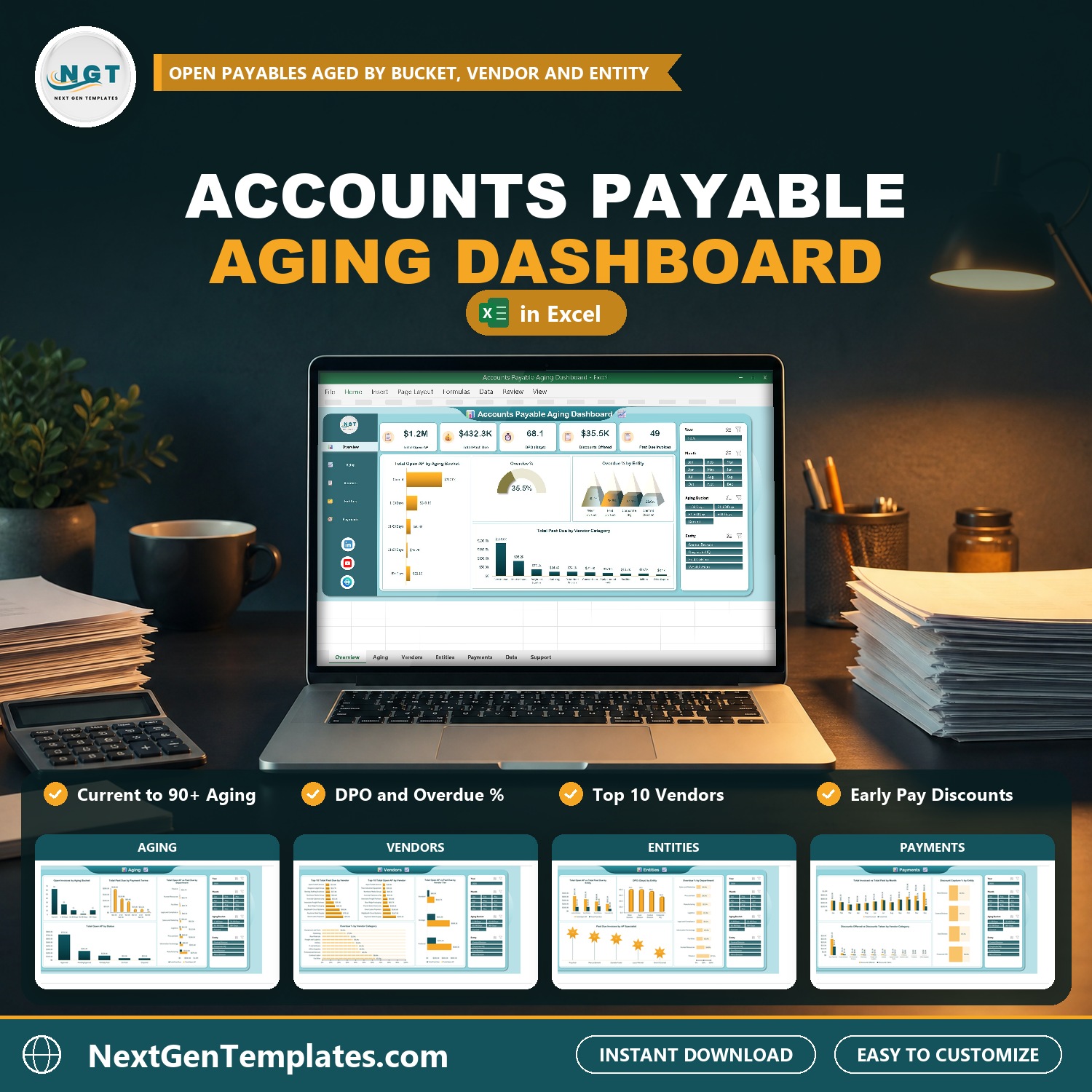

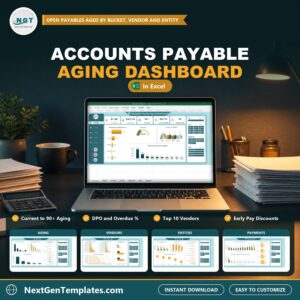
See what you owe your vendors and how late each bill is. The Accounts Payable Aging Dashboard in Excel turns a list of vendor invoices into five clickable pages: Overview, Aging, Vendors, Entities and Payments. Add your invoices, click Refresh All, and every card and chart updates. It uses no macros and no add-ins.
Watch the Accounts Payable Aging Dashboard in Excel walkthrough
If you are looking for an accounts payable aging report template, an accounts payable aging template excel file or an accounts payable dashboard excel workbook, this is a ready-made one.
Good to know: this is an add-data-and-refresh workbook, not a live connector to your accounting or ERP software. It is built for desktop Excel on Windows (Excel 2016 or later, or Microsoft 365). The sample data is fictional.
What You Get
- Five dashboard pages: Overview, Aging, Vendors, Entities and Payments
- KPI cards for Total Open AP, Total Past Due, DPO (Days), Discounts Offered and Past Due Invoices, plus Overdue %
- Four slicers (Year, Month, Aging Bucket and Entity) that filter all five pages
- A Data tab with 500 sample vendor invoices and formula columns for open balance, days past due, aging bucket, past due amount, month, year, quarter and counts
- A Support tab that holds the pivot tables, plus a user manual PDF
Key Features
Overview Page
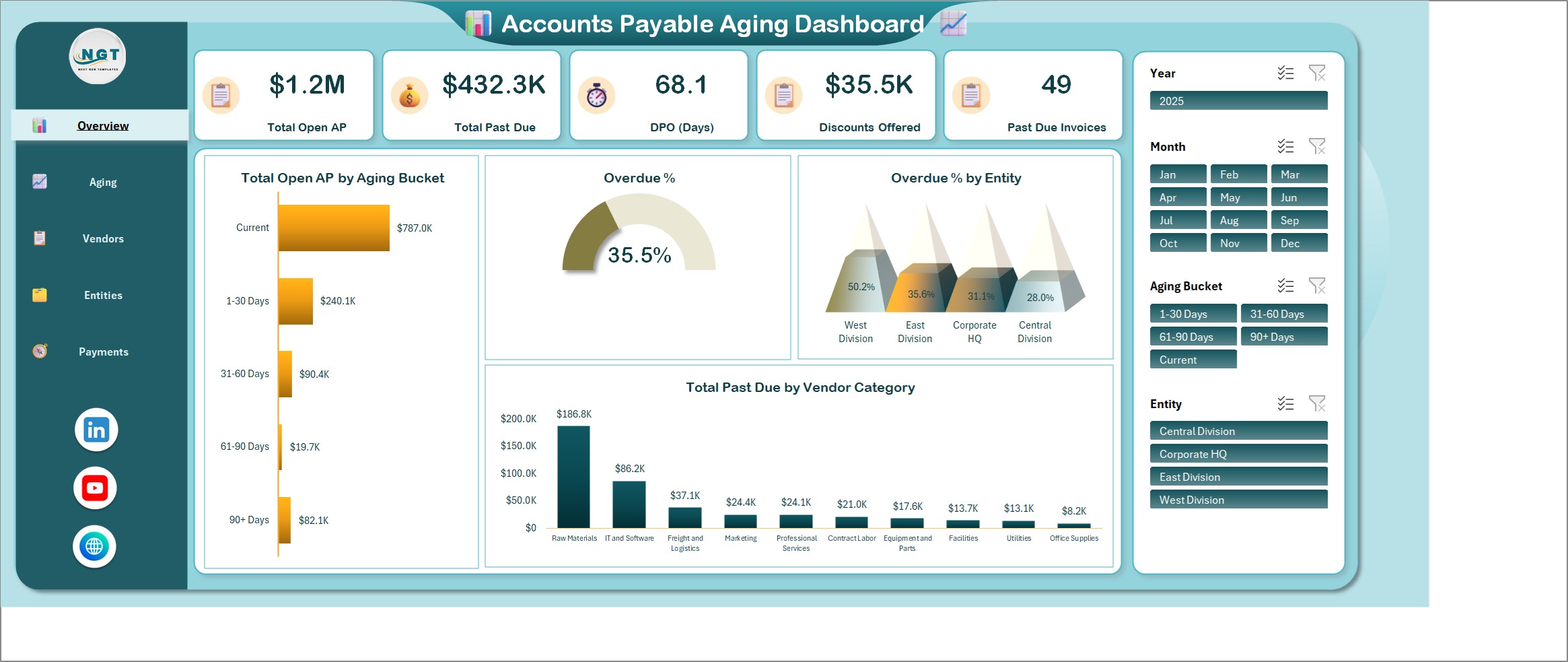
Five KPI cards sit across the top: Total Open AP, Total Past Due, DPO (Days), Discounts Offered and Past Due Invoices, plus Overdue %. Below them you get total open AP by aging bucket (Current, 1-30, 31-60, 61-90 and 90+ days), overdue % by entity and total past due by vendor category.
Aging Page
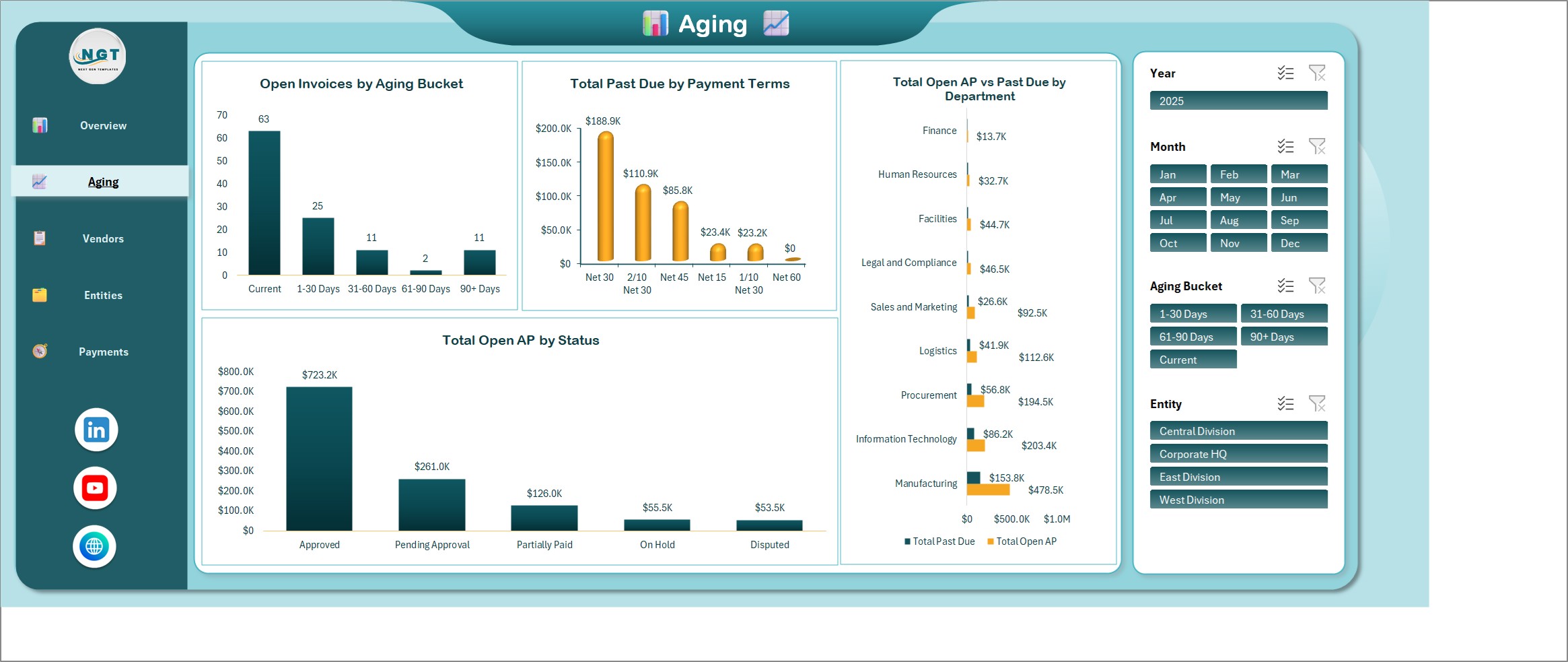
Open invoices by aging bucket, past due by payment terms, open AP vs past due by department and open AP by status.
Vendors Page
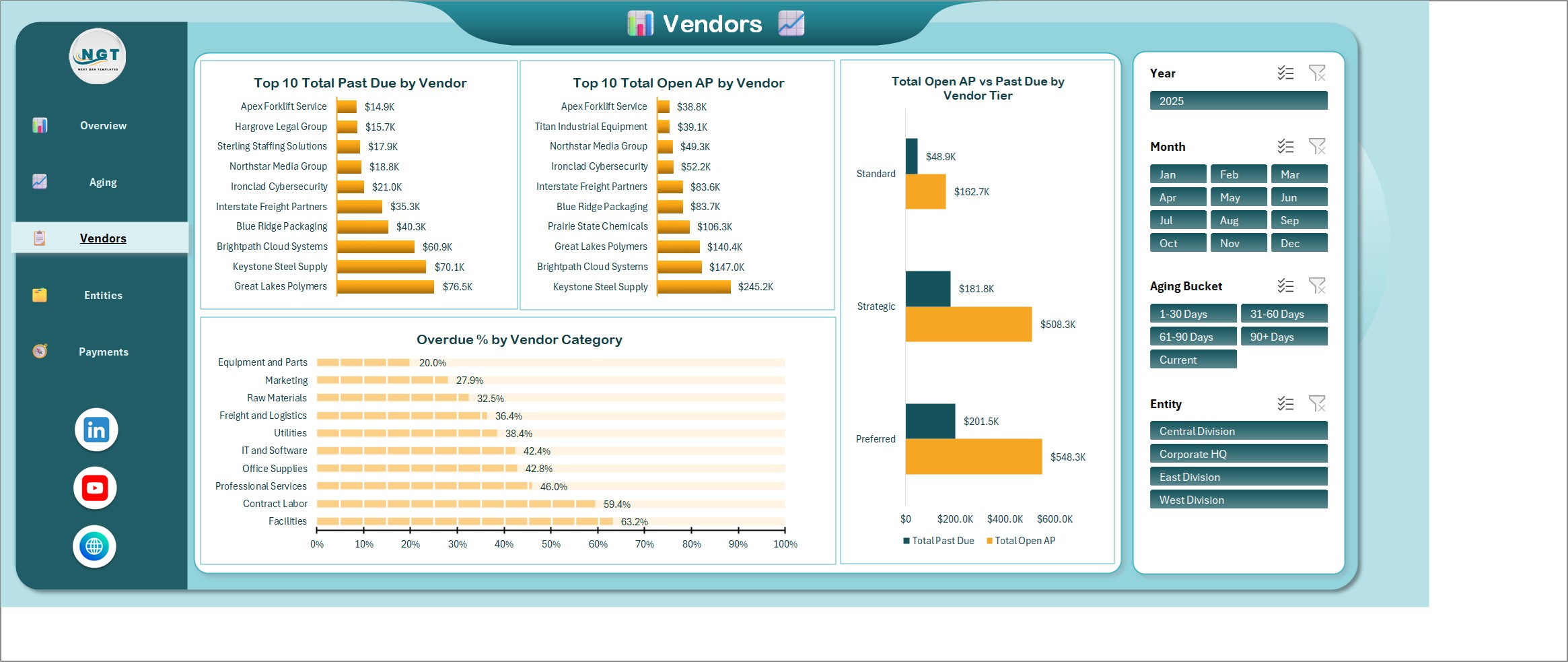
The top 10 vendors by past due and by open AP, overdue % by vendor category and open AP vs past due by vendor tier.
Entities Page
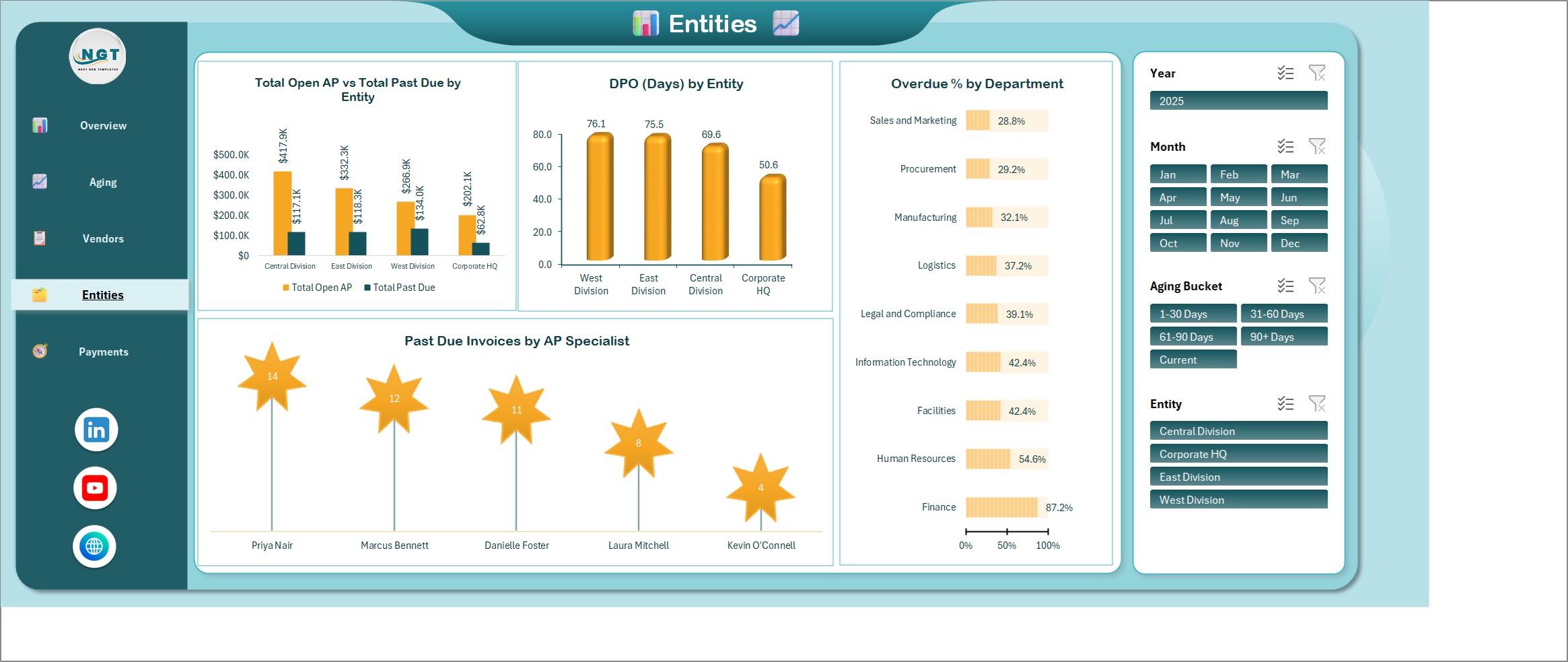
Open AP vs past due by entity, DPO by entity, overdue % by department and past due invoices by AP specialist.
Payments Page
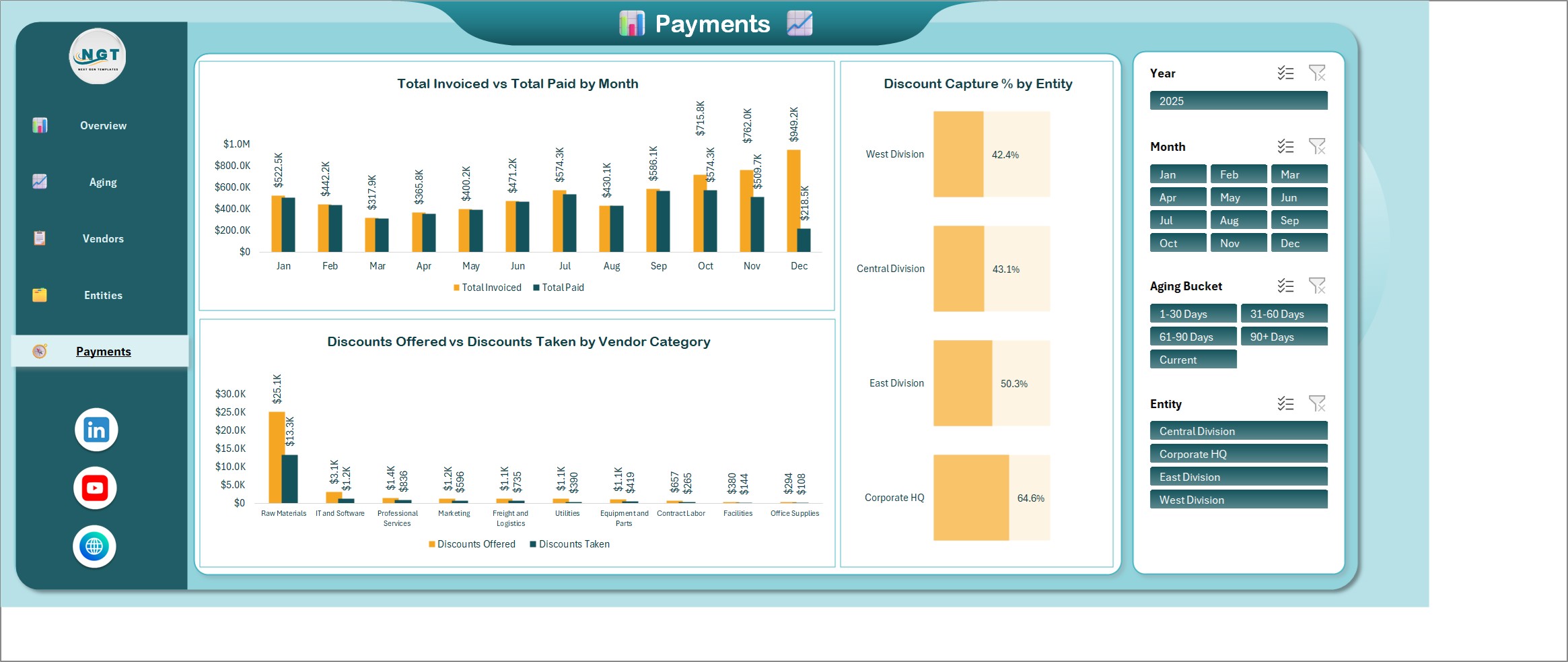
Invoiced vs paid by month, discount capture % by entity and discounts offered vs taken by vendor category.
Who Is It For?
Accounts payable clerks, controllers, finance managers and business owners who pay vendors and want to see what is due, what is late and where early payment discounts are being missed. It also suits bookkeepers who report AP aging for clients.
How to Use
- Download the ZIP and open the Excel file.
- Go to the Data tab and replace the sample invoices with your own.
- Click Refresh All.
- Use the Year, Month, Aging Bucket and Entity slicers to filter every page.
- Move through the pages from the navigation bar.
Comparison
| Feature | This dashboard | Plain invoice list |
|---|---|---|
| Days past due and aging bucket per invoice | Automatic | Manual formulas |
| Past due by vendor, entity and department | Charts and slicers | Build yourself |
| DPO and discount capture % | On the Entities and Payments pages | Build yourself |
| Macros required | No | No |
| Live link to accounting software | No | No |
Frequently Asked Questions
Does it connect to my accounting or ERP software?
No. It is an add-data-and-refresh workbook. Type or paste your vendor invoices on the Data tab, click Refresh All, and every card, chart and slicer updates. There is no live link to QuickBooks, Xero, SAP or any other system.
Is this an accounts payable aging report excel template?
Yes. It ages every open vendor invoice into Current, 1-30, 31-60, 61-90 and 90+ day buckets, then shows the result by vendor, entity and department.
Does it need macros or add-ins?
No. It uses formulas, pivot tables, charts and slicers only, so there is nothing to enable beyond opening the file.
Which Excel version do I need?
Desktop Excel for Windows, Excel 2016 or later, or Microsoft 365. The slicers and pivot tables do not work fully in Excel for the web.
How do I age the report to a new date?
Change the Report Date column on the Data tab, then click Refresh All. Days past due and the aging bucket recalculate for every invoice.
What does DPO show?
Days payable outstanding: open balance divided by invoiced amount, times 365, for whatever is in view. It reacts to the Year, Month, Aging Bucket and Entity slicers.
Is the sample data real?
No. The 500 vendor invoices on the Data tab are fictional. Replace them with your own and refresh.
Can I keep real financial data in it?
Yes, but an Excel file is only as private as where you store it. Keep your copy somewhere access-controlled and share it with named people only.
Get the Dashboard
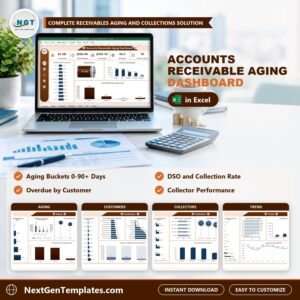
Download the Accounts Payable Aging Dashboard in Excel and see open payables, past due amounts and DPO on one screen. To track the money coming in, see the Accounts Receivable Aging Dashboard in Excel, or browse all Excel templates.












Reviews
There are no reviews yet.