

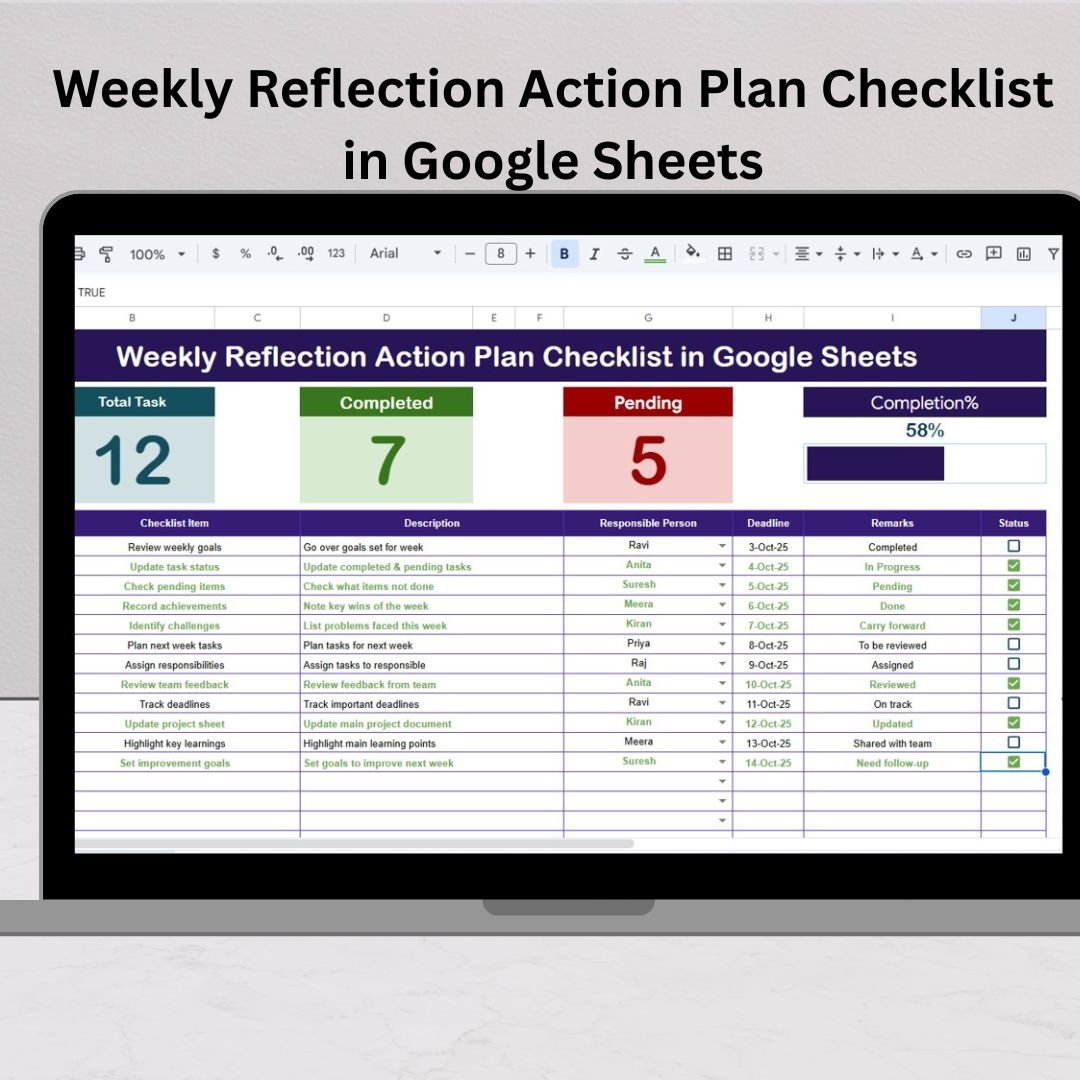

The Weekly Reflection Action Plan Checklist in Google Sheets is your go-to digital planner for structured weekly planning, reflection, and self-improvement. Built with simplicity and smart automation in mind, this template transforms a regular to-do list into an actionable progress-tracking system.Weekly Reflection Action Plan Checklist in Google Sheets
🌟 Here’s what makes it stand out:Weekly Reflection Action Plan Checklist in Google Sheets
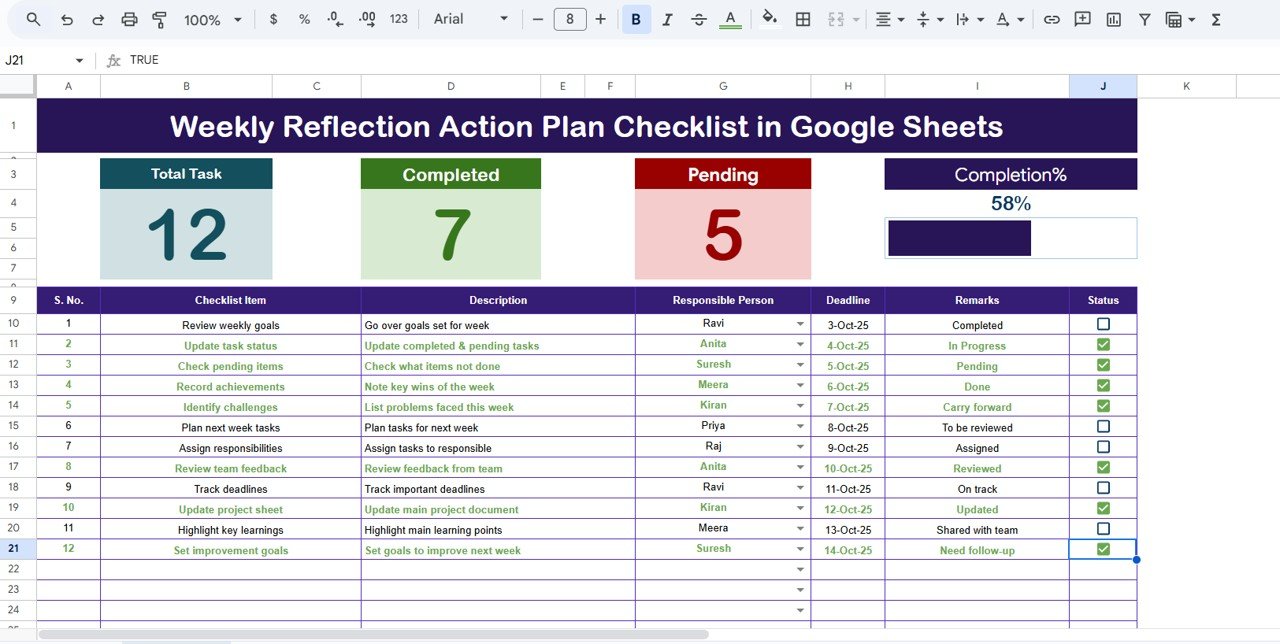
✅ Interactive Dashboard: Automatically tracks completed and pending tasks with visual summary cards and a live progress bar.
✅ Status Indicators: Quickly mark each task as ✔ (done) or ✘ (pending) to get real-time updates on your progress.
✅ Dynamic Drop-Downs: Assign responsibilities using an automated drop-down list powered by the “List” sheet for error-free task allocation.
✅ Deadline Tracker: Stay ahead of your goals with deadline visibility and timely completion insights.
✅ Customizable Layout: Easily add new columns, modify checklist items, or adjust formulas — no coding skills needed.
✅ Collaboration-Friendly: Built in Google Sheets for real-time collaboration among individuals or teams.
✅ Cloud-Based & Paperless: Access your reflection sheet from any device, anywhere, anytime.
📋 What’s Inside the Weekly Reflection Action Plan Checklist
This Google Sheets template includes two well-structured worksheet tabs designed to streamline your weekly performance review:
📄 1. Main Checklist Sheet
This is your core workspace. You’ll record your weekly tasks, track completion, assign responsible persons, and monitor deadlines.
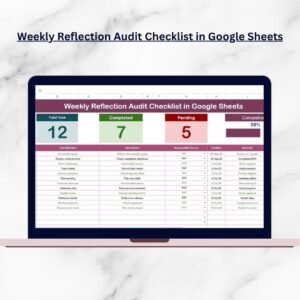
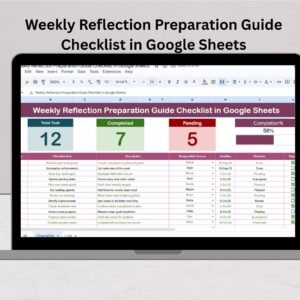
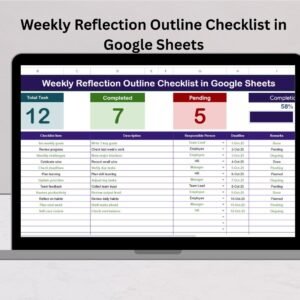
The top section displays three summary cards — Total Tasks, Completed Tasks, and Pending Tasks — along with a dynamic progress bar that visually reflects your weekly achievement percentage.Weekly Reflection Action Plan Checklist in Google Sheets
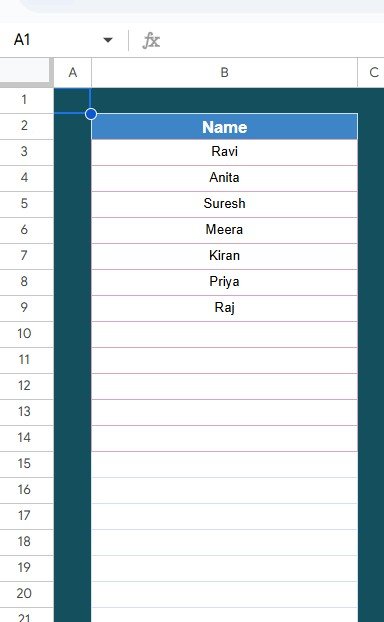
📊 2. List Sheet Tab
A supporting sheet where you maintain a list of all responsible persons. It’s linked to the main sheet to create dropdowns automatically, ensuring accuracy and saving time. Perfect for teams that share workload or track multiple departments.
This structure ensures smooth weekly planning and review — no manual data handling, no formula errors, just clean, automated tracking.Weekly Reflection Action Plan Checklist in Google Sheets
⚙️ How to Use the Weekly Reflection Action Plan Checklist
🪄 Getting started is quick and simple!
Step 1: Enter your weekly tasks or goals under the Checklist Item column.
Step 2: Assign responsibilities using the dropdown under Responsible Person.
Step 3: Set deadlines to keep track of due dates.
Step 4: Mark completion with ✔ or ✘.
Step 5: Review the top summary cards and progress bar to see overall completion percentage.
Step 6: Reflect, write key remarks, and plan improvement actions for the next week.Weekly Reflection Action Plan Checklist in Google Sheets
In just a few minutes, your weekly reflection and action plan will be organized, measurable, and easy to review.
👥 Who Can Benefit from This Weekly Reflection Action Plan Checklist
💼 Professionals: Improve time management, accountability, and project review routines.
🎓 Students: Stay disciplined with weekly academic and personal growth goals.
👩💼 Managers & Team Leads: Evaluate team performance weekly and align actions for improvement.
🏠 Freelancers & Entrepreneurs: Track project deliverables, client tasks, and progress in a simple structured way.
🌱 Personal Development Enthusiasts: Reflect on goals, habits, and performance to stay consistent.
Whether for individual reflection or team coordination, this template fits seamlessly into any workflow.
🌟 Why Choose This Template
The Weekly Reflection Action Plan Checklist in Google Sheets is more than a planning tool — it’s a productivity system designed to enhance self-awareness and discipline.
By using it weekly, you’ll develop a consistent reflection habit that drives continuous improvement and better results. No need for expensive apps — everything runs in your familiar Google Sheets interface.
💡 Top Benefits:
Centralized weekly review system
Automated progress tracking
Easy team collaboration
Visual clarity through icons and color-coded status
Reusable for multiple weeks
Accessible across devices
Click here to read the Detailed blog post
Watch the step-by-step video tutorial:
Visit our YouTube channel to learn step-by-step video tutorials
Compatibility and Requirements
- Works in Google Sheets. You need a free Google account and a web browser.
- Share the sheet with your team to work on it together in real time.
- The Responsible Person column is a drop-down list. Google explains these in Create an in-cell dropdown list.
Frequently Asked Questions
How many tabs are in the template?
Two: the Main Checklist sheet, where you record tasks, owners and deadlines, and the List sheet, which holds the names used in the drop-down.
What do the summary cards show?
Total Tasks, Completed Tasks and Pending Tasks, plus a progress bar that shows the share of tasks finished for the week.
How do I mark a task as done?
Use the status column to mark it done (the tick) or pending (the cross). The cards and progress bar update from those marks.
Can I reuse it every week?
Yes. It is reusable for multiple weeks, and you can add columns or change the checklist items.
Related Weekly Planning Templates
- Weekly Reflection Action Plan Checklist in Excel: the same checklist for Excel users
- Weekly Planner with Goals Tracker in Google Sheets: plan the week and track goals
- Daily Routine Action Plan Checklist in Google Sheets: the same format for daily routines
- Weekly Reflection Evaluation Checklist in Google Sheets: review how the week went
- Checklist & SOP Pack: 12 Excel and Google Sheets checklists in one bundle
Browse all Google Sheets checklists or the Excel checklists.























Reviews
There are no reviews yet.