




Key Features of Vehicle Fleet Maintenance Calendar in Excel
Manage your vehicle fleet maintenance effortlessly with our Vehicle Fleet Maintenance Calendar in Excel, a powerful, ready-to-use digital template designed specifically for fleet managers, mechanics, and business owners. This comprehensive calendar streamlines scheduling, tracking, and maintaining your vehicles, ensuring no maintenance event is missed.
Our template includes 5 intuitive worksheets that cater to all levels of planning:
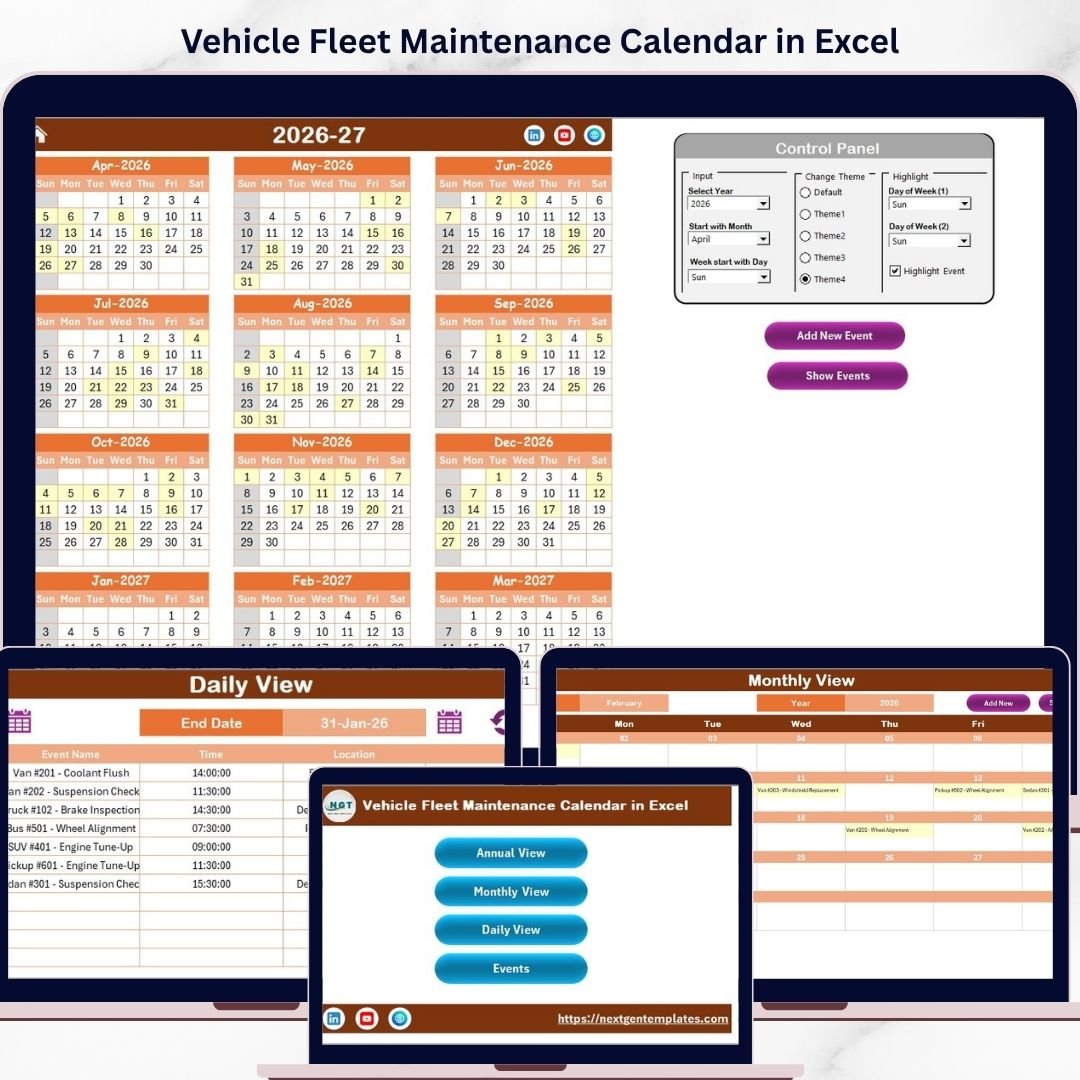
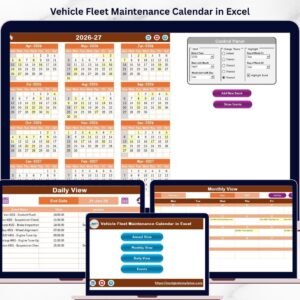
- 🗂️ Home Sheet Tab: Acts as an interactive index with four buttons to quickly navigate to Annual View, Monthly View, Daily View, and Events sheets, saving you time and enhancing usability.
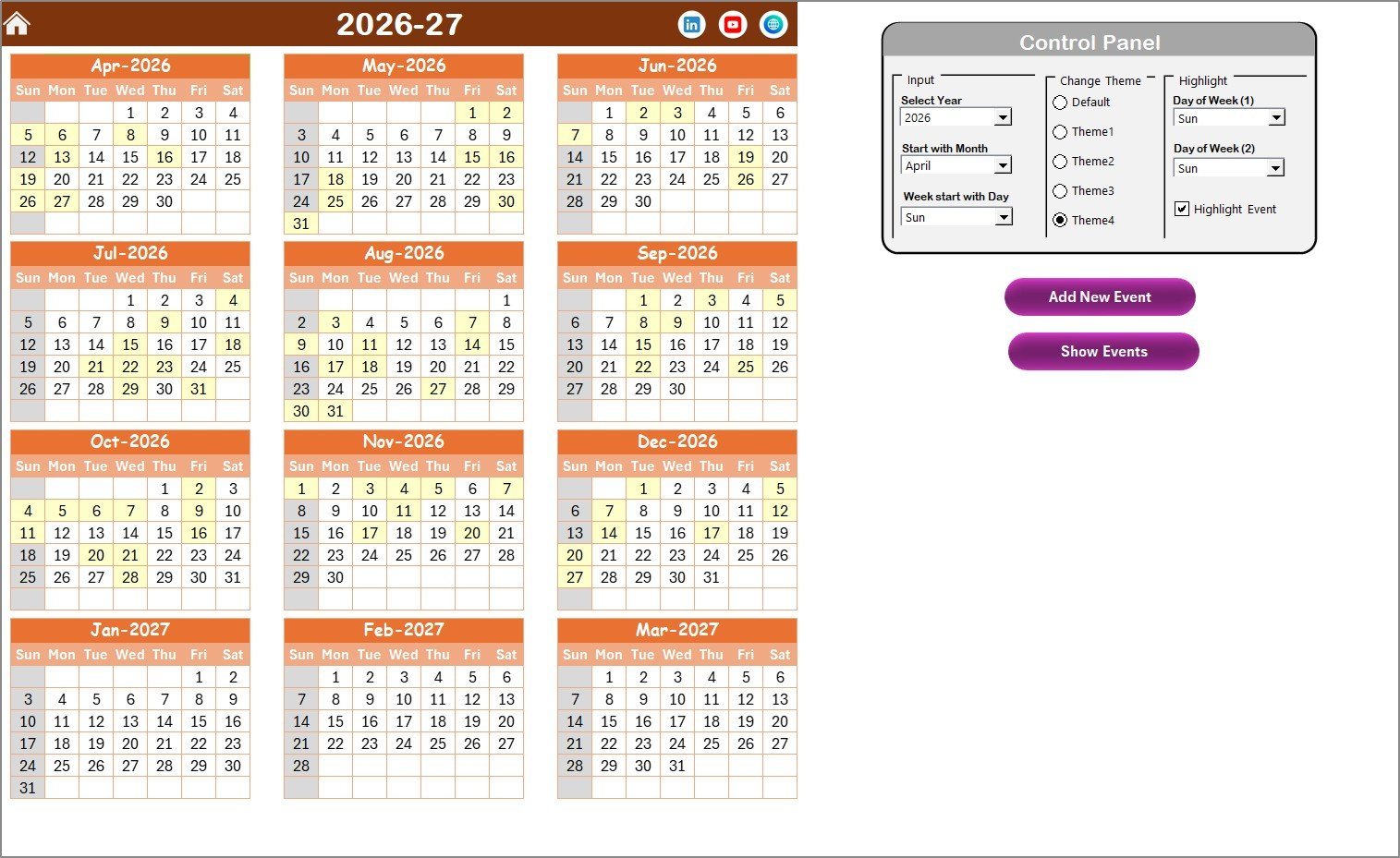
- 📅 Annual View Sheet Tab: Displays a full year calendar with 12 months. Customize your calendar by selecting the year, starting month, and starting day of the week. Choose from 5 stylish color themes to match your branding or preferences. Highlight specific weekdays or weekends, and easily spot important events with event highlighting.
- ➕ Add New Event Button: Quickly add maintenance events for any date in just a few clicks, filling out simple event details.
- 🔍 Show Event Button: View all scheduled events for any selected date directly within the calendar.
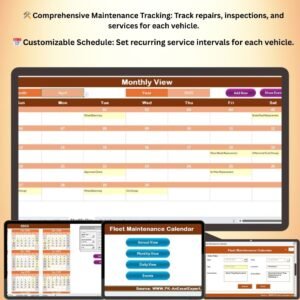
- 🗓️ Monthly View Sheet Tab: Focus on one month at a time. Select the specific month and year to see all maintenance events. If multiple events exist on a day, it conveniently shows “more than 1…” so you never miss a detail.
- 🕒 Daily View Sheet Tab: Precisely track events within a custom date range. Use the easy-to-use date picker and refresh button to see updated event details at a glance.
- 📋 Events Sheet Tab: The backend database where all event details are stored, including ID, Date, Day, Event Name, Time, Location, and Description. Easily add, update, or delete records with dedicated buttons for seamless event management.
This calendar is designed to be flexible and easy to customize, making it ideal for managing vehicle maintenance schedules, service reminders, inspections, and more.
What’s Inside the Vehicle Fleet Maintenance Calendar in Excel
- 📄 5 Fully Integrated Worksheets – Home, Annual View, Monthly View, Daily View, and Events database.
- 🎨 Multiple Color Themes – Choose from 5 vibrant themes to personalize your calendar.
- 🖱️ Interactive Buttons – Effortlessly add, view, update, or delete events with user-friendly controls.
- ⌛ Dynamic Date Controls – Select year, month, start day of the week, and date ranges with ease.
- 🔔 Event Highlighting – Important maintenance events are color-coded for quick identification.
- 🗃️ Comprehensive Event Database – Keep all maintenance details organized in one place.
- 🚗 Vehicle Fleet Focused – Designed specifically to track and maintain vehicle fleet schedules.
- 💻 Excel-Based Format – Compatible with Microsoft Excel for easy customization and offline access.
How to Use the Vehicle Fleet Maintenance Calendar in Excel
Getting started with this calendar is straightforward and requires no advanced Excel skills:
- 🖱️ Navigate via the Home Sheet: Use the index buttons to jump to Annual, Monthly, Daily, or Events sheets.
- 📅 Customize the Annual View: Select the year and starting month to generate a full-year maintenance calendar automatically. Pick your preferred theme and highlight specific days like weekends or custom weekdays.
- ➕ Add New Events: Click the “Add New Event” button on any sheet, fill out the event form with relevant details such as date, time, location, and description, then submit to save.
- 🔍 View Events: Click the “Show Event” button to see all scheduled activities for the selected date, helping you stay on top of your maintenance tasks.
- 📆 Monthly and Daily Views: Use these sheets for detailed views of specific months or date ranges, perfect for daily operational planning and quick event reviews.
- 🗂️ Manage Event Records: Use the Events sheet to update or delete records easily. Select the event ID and use the buttons to modify or remove entries.
With these simple steps, you can keep your entire vehicle fleet’s maintenance organized, reduce downtime, and improve operational efficiency.
Who Can Benefit from This Vehicle Fleet Maintenance Calendar in Excel
This calendar is perfect for a wide range of users, including:
- 🚛 Fleet Managers: Streamline maintenance schedules and ensure timely servicing for all vehicles under your supervision.
- 🏢 Business Owners: Maintain company vehicles efficiently, reducing costly breakdowns and downtime.
- 🔧 Mechanics and Service Centers: Track customer vehicle maintenance appointments and schedules easily.
- 🚐 Logistics Companies: Keep your delivery and transport vehicles in peak condition with well-planned maintenance.
- 🚙 Rental Agencies: Manage rental vehicle service dates to ensure safety and reliability for customers.
- 🛠️ Individual Vehicle Owners: For personal fleets or multiple vehicles, never miss an oil change, tire rotation, or inspection.
Whether you manage a small fleet or a large operation, this Excel calendar provides the clarity and control you need to keep your vehicles running smoothly.

Vehicle Fleet Maintenance Calendar in Excel

Annual View Sheet tab

Monthly View Sheet tab

Daily View Sheet tab

Events Sheet tab
Click here to read the Detailed blog post.
Visit our YouTube channel to learn step-by-step video tutorials
Compatibility and Requirements
- Works in Microsoft Excel desktop (Excel 2016 or later, or Microsoft 365).
- Important maintenance events are color-coded. Microsoft explains highlighting in Use conditional formatting to highlight information.
Frequently Asked Questions
Which sheets are in the calendar?
Five: Home, Annual View, Monthly View, Daily View and Events.
How do I add a maintenance event?
Click Add New Event, fill in the date, time, location and description, then submit to save it.
Can I see what is due on a date?
Yes. Click Show Event to see all scheduled events for the selected date.
Can I change the look of the calendar?
Yes. Pick one of 5 color themes, set the year, starting month and starting weekday, and highlight weekends or chosen weekdays.
How do I edit or delete an event?
Use the Events sheet: select the event ID and use the update or delete buttons.
Related Fleet and Maintenance Templates
- Fleet Maintenance Calendar in Excel: another fleet maintenance calendar
- Fleet Management Dashboard in Excel: analyzes fleet costs and use
- Equipment Maintenance Schedule in Excel: schedules equipment servicing
- Vehicle Maintenance Checklist in Google Sheets: a vehicle checklist online
- Logistics and Transportation Hub: 7 logistics templates in one download
Browse all Excel calendars or the Excel logistics templates.


























Reviews
There are no reviews yet.