



Key Features of Office Parking Utilization Planning Calendar In Excel
Optimize your office parking space effortlessly with the Office Parking Utilization Planning Calendar In Excel, a powerful, ready-to-use digital template designed to streamline your parking management. This Excel-based calendar helps you visualize, plan, and manage parking events and utilization with ease and precision.
Featuring 5 interactive worksheets, this template offers comprehensive views to suit your planning needs:
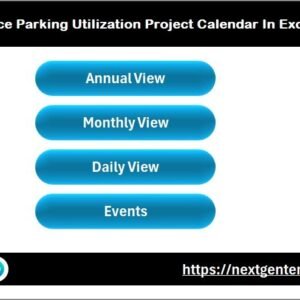
- 🏠 Home Sheet Tab: An intuitive index page with quick navigation buttons to jump between the Annual View, Monthly View, Daily View, and Events database sheets.
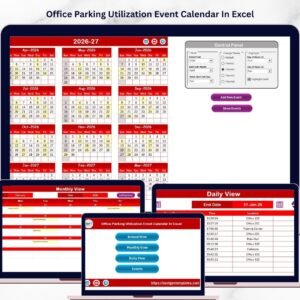
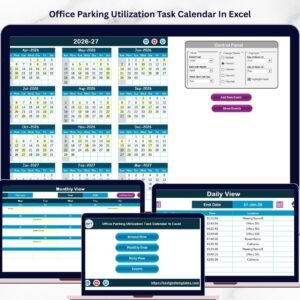
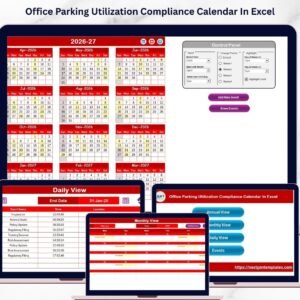
- 📅 Annual View Sheet Tab: Displays all 12 months in a single layout with a dynamic control panel allowing you to select the year, starting month, and starting day of the week. Customize your calendar with five attractive color themes and highlight specific weekdays or event dates to improve visibility. Add or view events directly through dedicated buttons.
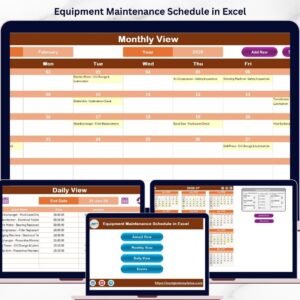
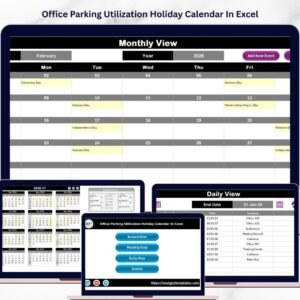
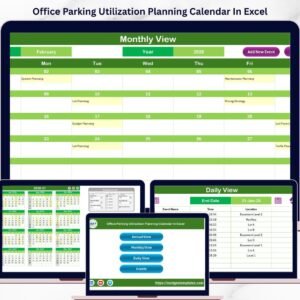
- 🗓️ Monthly View Sheet Tab: Focus on one month at a time, selecting the month and year to see detailed event information. The calendar shows if multiple events exist on a single date, keeping your planning clear and organized.
- 📋 Daily View Sheet Tab: Review a list of events within a selected date range. Use the refresh button to update the displayed data and manage your daily parking events efficiently.
- 🗃️ Events Sheet Tab: Functions as the event database where all event details are stored, such as ID, date, day, event name, time, location, and description. Easily add, update, or delete records to keep your data accurate and up-to-date.
Every worksheet is designed for simplicity and enhanced utility, making it easy for you to maintain a clear overview of your office parking utilization.
What’s Inside the Office Parking Utilization Planning Calendar In Excel
- 🎯 Five comprehensive worksheets (Home, Annual, Monthly, Daily, Events) for multi-level planning.
- 🎨 Five customizable color themes to match your branding or preference.
- 📊 Dynamic control panel to adjust calendar year, starting month, and week start day.
- ✨ Event management buttons: Add new events, view existing events, update, and delete records.
- 🔍 Highlight specific weekdays and event dates for quick visual reference.
- 🗓️ Detailed event tracking including time and location to prevent conflicts.
- 📈 Easy-to-use interface with navigation buttons for seamless switching between views.
- 💾 Fully digital and downloadable for instant use, no installation needed.
How to Use the Office Parking Utilization Planning Calendar In Excel
Getting started with this template is straightforward:
- 📥 Download and open the Excel template on your device.
- 🏠 Use the Home sheet to navigate between Annual, Monthly, Daily, and Events views.
- 📅 On the Annual View, select your desired year, starting month, and starting day of the week from the control panel.
- 🎨 Choose your preferred color theme and highlight key weekdays or event days as needed.
- ➕ Add events by selecting a date and clicking the “Add New Event” button; fill in the event details and submit.
- 🔎 Review events on any date using the “Show Event” button for quick reference.
- 🗓️ Use Monthly and Daily views to zoom in on specific dates or date ranges for detailed planning and analysis.
- 🗃️ Manage your event database in the Events sheet by adding, updating, or deleting records to keep your calendar accurate.
- 💡 Refresh the Daily view after changing dates to view the latest event information for your selected range.
This calendar empowers you to efficiently manage office parking usage, minimize conflicts, and plan ahead seamlessly.
Who Can Benefit from This Office Parking Utilization Planning Calendar In Excel
- 🏢 Office Managers: Easily organize parking allocation and track utilization to improve workplace efficiency.
- 🚗 Facility Coordinators: Plan and communicate parking events, maintenance, or special usage days with clarity.
- 📅 Event Planners: Schedule parking arrangements around office or building events to avoid overcrowding.
- 👥 HR Teams: Manage employee parking assignments and highlight important parking-related events.
- 🏭 Building Administrators: Monitor overall parking resource utilization and plan for future capacity needs.
- 💼 Business Owners: Visualize and optimize parking space usage to save costs and improve employee satisfaction.
- 🖥️ Project Managers: Coordinate parking availability during project deadlines and team meetings.
- 🏢 Co-working Spaces: Manage shared parking resources among multiple tenants efficiently.
Click here to read the Detailed blog post.
Visit our YouTube channel to learn step-by-step video tutorials.

Office Parking Utilization Planning Calendar In Excel

Annual View Sheet tab

Monthly View Sheet tab

Daily View Sheet tab

Events Sheet tab
Compatibility and Requirements
- Works in Microsoft Excel desktop (Excel 2016 or later, or Microsoft 365).
- The Home sheet has navigation buttons, and the Add New Event and Show Event buttons use macros. Enable macros in Excel desktop on Windows. The template does not run in Excel for the web, Google Sheets or mobile. Microsoft explains how in Enable or disable macros in Microsoft 365 files.
Frequently Asked Questions
How many worksheets does the calendar have?
Five: Home, Annual View, Monthly View, Daily View and Events.
Where are my parking events stored?
On the Events sheet, which works as the event database. It holds the ID, date, day, event name, time, location and description, and you can add, update or delete records there.
Can I change the year and the first day of the week?
Yes. The control panel on the Annual View sheet lets you select the year, the starting month and the starting day of the week. You can also pick one of five color themes and highlight specific weekdays or event dates.
What if two events fall on the same date?
The Monthly View shows when a date has more than one event. Use the Show Event button on the Annual View to open the events for a selected date.
Is there a version with a dashboard?
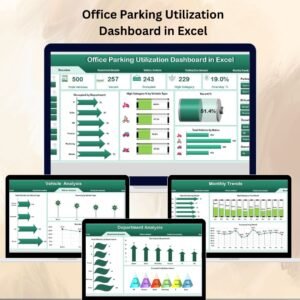
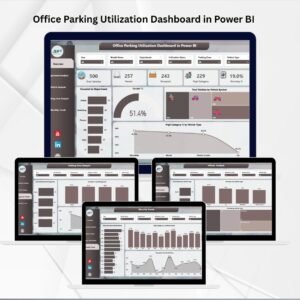
Yes. See the Office Parking Utilization Dashboard in Excel and the Office Parking Utilization Dashboard in Power BI.
Related Office Parking Templates
- Office Parking Utilization Dashboard in Excel: a dashboard view of parking use
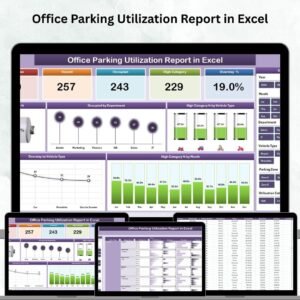
- Office Parking Utilization Report in Excel: a report format for parking data
- Office Parking Utilization Holiday Calendar in Excel: the same calendar built around holidays
- Office Parking Utilization Event Calendar in Excel: an event-focused parking calendar
- Office Parking Permit Request Tracker in Google Sheets: track permit requests in Google Sheets
Browse all Excel calendar templates.












Reviews
There are no reviews yet.