



The Telehealth KPI Dashboard in Excel is a must-have tool for healthcare providers, telemedicine managers, and administrators who need to efficiently track and optimize their telehealth services. This customizable dashboard allows you to monitor key performance indicators (KPIs) such as patient appointments, consultation durations, clinician performance, and patient satisfaction in one centralized location.
With real-time data tracking, this dashboard provides insights into the effectiveness of your telehealth services, helping you make data-driven decisions to improve patient care, optimize service delivery, and enhance operational efficiency. Whether you’re managing a small telemedicine practice or a large healthcare organization, this tool simplifies telehealth management and ensures that you deliver high-quality care remotely.
Key Features of the Telehealth KPI Dashboard in Excel
📞 Comprehensive Telehealth Service Monitoring
Track critical KPIs such as the number of patient consultations, average consultation time, clinician productivity, and patient wait times. Monitor the overall performance of your telehealth services.
⚡ Real-Time Performance Insights
Access real-time data on telehealth performance, including the number of completed appointments, wait times, and satisfaction levels. Quickly identify trends and performance gaps for proactive improvement.
📈 Clinician & Patient Satisfaction Tracking
Evaluate clinician performance based on consultation durations and patient feedback. Track patient satisfaction with their telehealth experience and use these insights to improve service delivery.
📅 Customizable KPIs for Telehealth Operations
Easily adjust the dashboard to track the KPIs most relevant to your telehealth practice, such as patient demographics, consultation types, or specific performance targets.
🖥️ Interactive & User-Friendly Interface
The Excel-based dashboard is designed to be user-friendly and interactive, with easy data entry and visualization features that make it simple to track, analyze, and report on your telehealth services.
Why You’ll Love the Telehealth KPI Dashboard in Excel

✅ Track Telehealth Performance Efficiently
Monitor key metrics such as appointment volumes, clinician productivity, and patient satisfaction in one place. Stay on top of every aspect of your telehealth service and ensure smooth operations.
✅ Improve Patient Care & Satisfaction
Track patient feedback and satisfaction levels to ensure your telehealth services are meeting patient expectations. Make improvements based on data-driven insights to enhance patient care.
✅ Optimize Clinician Efficiency
Monitor clinician performance to optimize consultation durations and ensure that healthcare professionals are performing efficiently. Identify areas where clinicians may need support or additional resources.
✅ Enhance Operational Efficiency
Identify performance gaps such as long wait times or low clinician productivity. Use insights from the dashboard to address these issues and streamline your telehealth operations.
✅ Make Data-Driven Decisions
Leverage insights from real-time data to optimize telehealth service delivery, patient scheduling, and clinician performance, ensuring that your telehealth practice runs at its full potential.
What’s Inside the Telehealth KPI Dashboard Template?
- Telehealth Appointment Tracking: Monitor the number of appointments, patient wait times, and consultation lengths.
- Clinician Performance Monitoring: Track clinician productivity and consultation durations to optimize service delivery.
- Patient Satisfaction Metrics: Measure patient satisfaction levels and track feedback to improve telehealth services.
- Customizable KPIs: Tailor the dashboard to track specific KPIs relevant to your telehealth practice.
- Real-Time Reporting: Use interactive charts and graphs to visualize performance trends and make informed decisions.
How to Use the Telehealth KPI Dashboard in Excel
1️⃣ Download the Template: Instantly access your Telehealth KPI Dashboard in Excel.
2️⃣ Input Data: Enter data such as appointment volumes, clinician performance, and patient satisfaction scores.
3️⃣ Track KPIs: Use the dashboard to monitor real-time performance, compare actual results to targets, and identify trends.
4️⃣ Analyze & Optimize: Use the insights from the dashboard to improve patient care, clinician efficiency, and overall service delivery.
Who Can Benefit from the Telehealth KPI Dashboard in Excel?
🔹 Telehealth Providers & Healthcare Managers
🔹 Telemedicine Clinics & Practices
🔹 Administrators & Healthcare Operations Managers
🔹 Clinicians & Healthcare Professionals
🔹 Healthcare Analysts & Data Professionals
🔹 Any Organization Offering Telehealth Services
Track, analyze, and optimize your telehealth services with the Telehealth KPI Dashboard in Excel. Monitor patient appointments, clinician performance, and patient satisfaction to improve service delivery and operational efficiency in your telehealth practice.
Click here to read the Detailed blog post
Visit our YouTube channel to learn step-by-step video tutorials
Youtube.com/@PKAnExcelExpert
Compatibility and Requirements
- Works in Microsoft Excel desktop (Excel 2016 or later, or Microsoft 365).
- Microsoft’s guide Create a chart from start to finish explains the Excel feature this file is built on.
Frequently Asked Questions
Which telehealth KPIs can I track?
Patient consultations, average consultation time, clinician productivity, patient wait times, completed appointments and patient satisfaction.
Can I compare results with targets?
Yes. After you enter your data, the dashboard compares actual results with targets so you can spot gaps and trends.
Can I add my own KPIs?
Yes. You can adjust the dashboard to track the KPIs that fit your practice, such as consultation types or patient demographics.
How are the results shown?
Interactive charts and graphs show performance trends, which you can use in reports for management.
Related Telehealth Templates
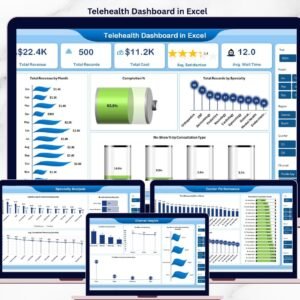
- Telehealth Dashboard in Excel: a multi-page telehealth dashboard in Excel
- Telehealth KPI Dashboard in Power BI: the same KPI dashboard in Power BI
- Telehealth KPI Dashboard in Google Sheets: the same KPI dashboard in Google Sheets
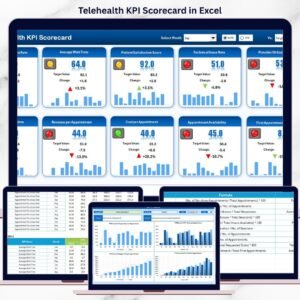
- Telehealth KPI Scorecard in Excel: a KPI scorecard for telehealth
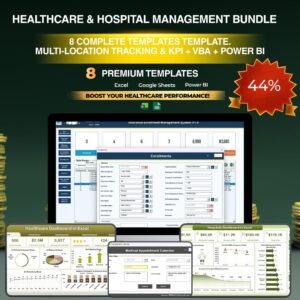
- Healthcare & Hospital Management Bundle: healthcare templates in one bundle
Browse all Excel KPI dashboards.












Reviews
There are no reviews yet.