



The Task Management Tracker in Google Sheets is a plug-and-play project tracking template that lets you organise, prioritise, assign, and monitor tasks across your entire team — all inside a shared Google Sheets file with real-time collaboration. Every task gets a deadline, a priority level (High, Medium, Low), an owner, a status indicator, and a colour-coded progress bar, so one sheet tells you instantly what is on track, what is overdue, and who is responsible.
If your team currently manages tasks across scattered emails, chat threads, sticky notes, or a dozen open browser tabs, this Google Sheets project management template brings everything into a single, structured view that everyone can access from any browser or device — no desktop software installation or separate project-management subscription. It works in Google Sheets on desktop, tablet, and mobile.
When a Shared Task Tracker Helps
A shared task list brings owners, deadlines, priorities and completion status into one place. Use the tracker to review outstanding work with your team and keep task updates alongside the relevant entries.
What You Get in the Task Management Tracker
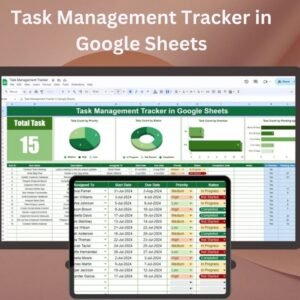
The template is built around a clean two-sheet structure: a task input and tracking sheet plus an overview dashboard. Here is what each section does.
📊 Task Dashboard — Visual Overview at a Glance
The dashboard summarises your entire task backlog in one view: total tasks, completed count, overdue count, completion percentage, and a breakdown by priority level and status. Colour-coded KPI cards turn red for overdue and green for completed, so problems surface without scrolling. Teams managing multiple projects should also check the Risk Management Dashboard in Google Sheets and the Time Management Dashboard in Google Sheets for complementary analytics.

📝 Task List — Full Tracking Table
The core of the template is a structured task table where every row is one task. Columns include task name, description, assigned team member, start date, due date, priority (High / Medium / Low), status (Not Started / In Progress / Completed / Overdue), percentage complete, and a notes field for comments or links. Conditional formatting automatically changes row colours based on status and highlights overdue items. For more granular prioritisation, pair this with the Task Priority Tracker in Google Sheets.

✅ Ready to organise your tasks? Scroll up, click Add to Cart for just $6.99, and get your Google Sheets copy link instantly — your task board can be live in under three minutes.
Key Features of the Task Management Tracker
- 🎯 Task Assignment — assign every task to a specific team member with clear ownership
- 🎯 Priority Levels — tag each task as High, Medium, or Low to focus effort where it matters
- 🎯 Deadline Tracking — set start and due dates; overdue tasks get auto-flagged
- 🎯 Colour-Coded Status — conditional formatting turns cells green (done), yellow (in progress), or red (overdue)
- 🎯 Progress Percentage — track completion from 0% to 100% for each task
- 🎯 Real-Time Collaboration — share the sheet with your team and work simultaneously in the same file
- 🎯 Notes and Comments — add context, links, or updates directly in the task row
- 🎯 Filter and Sort — use Google Sheets’ built-in filter views to focus by assignee, priority, status, or date
- 🎯 Dashboard Summary — see total, completed, overdue, and in-progress counts on one screen
- 🎯 No Formulas to Write — all calculations and conditional formats are pre-built and ready to use
Google Sheets Task Tracker vs. Asana, Monday & ClickUp — How They Compare
The honest comparison for teams deciding between a shared spreadsheet and a dedicated PM tool:
| Capability | 📋 This Tracker (Google Sheets) | Asana / Monday | ClickUp |
|---|---|---|---|
| Price | ✅ $6.99 one-time | $10–$24 / user / month | $7–$19 / user / month |
| Learning curve | ✅ Zero — it’s a spreadsheet | Moderate (2–4 hrs onboarding) | Steep (4–8 hrs onboarding) |
| Real-time collaboration | ✅ Native in Google Sheets | ✅ Yes | ✅ Yes |
| Works on mobile | ✅ Google Sheets app | ✅ Native apps | ✅ Native apps |
| User limit | ✅ Unlimited | Capped by plan tier | Capped by plan tier |
| Customisation | ✅ Add any column or formula | Limited to platform fields | Flexible (but complex) |
| Exports to Excel | ✅ One click | Requires integration | Requires integration |
| Best for | Teams of 1–50, budget-conscious | Teams needing native automation | Teams needing deep features |
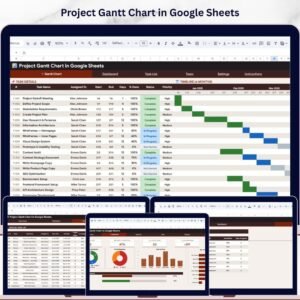
If your team needs Gantt charts or full project analytics alongside task tracking, look at the Pro Gantt Chart Project Planner or save significantly with the Project Management Pro Bundle of 9 premium templates.
Who Uses the Task Management Tracker in Google Sheets
| Role / Team | How They Use the Tracker |
|---|---|
| Project Managers | Running cross-functional initiatives with clear ownership and deadlines |
| Team Leaders | Managing sprint backlogs, weekly to-dos, and department goals |
| Freelancers & Consultants | Juggling multiple client projects and deliverables with zero overhead |
| Startup Founders | Tracking product launch milestones across engineering, design, and GTM |
| Marketing Teams | Coordinating campaign tasks across content, design, and paid media |
| HR & Operations Teams | Managing onboarding, compliance, and process-improvement projects |
| Remote & Distributed Teams | Keeping async work visible across time zones in one shared sheet |
| Students & Academics | Organising coursework, thesis milestones, and research tasks |
Why Choose This Google Sheets Task Tracker
- ✅ Free to run — Google Sheets is free for anyone with a Google account; no per-user fees.
- ✅ Works on any device — desktop, laptop, tablet, and phone via the Google Sheets app.
- ✅ Real-time multiplayer — your whole team edits the same sheet simultaneously with zero sync issues.
- ✅ No learning curve — if you can use a spreadsheet, you can use this template.
- ✅ No software to install — runs in your browser, no downloads beyond the initial copy.
- ✅ Fully customisable — add columns, change dropdown values, adjust colour rules, or extend date ranges.
- ✅ One-time purchase — buy once, copy as many times as you need for different projects.
- ✅ 269+ teams already using it — a battle-tested template, not a V1 experiment.
How to Start Using the Task Management Tracker
- Purchase and download — you receive a PDF with a Google Sheets copy link.
- Click the link — it creates your own editable copy in Google Drive. The original template stays unchanged.
- Share with your team — click the Share button and add your team members by email (viewer, commenter, or editor).
- Enter your tasks — add task names, deadlines, assignees, and priorities. Conditional formatting and dashboard update automatically.
- Track and update daily — change statuses, update percentages, add notes. Everyone sees changes in real time.
- Copy for the next project — duplicate the file in Google Drive whenever you start a new project; the template is yours to reuse forever.
Explore Related Project Management Templates
- 📊 More Google Sheets trackers — Task Priority Tracker, Project Issue Tracker, Project Task List, Project Status Tracker
- 📈 Gantt charts — Pro Gantt Chart Project Planner, Project Plan Gantt Chart
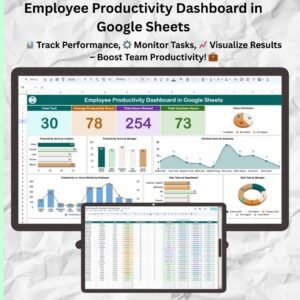
- 📋 Dashboards — Time Management Dashboard, Risk Management Dashboard, Employee Productivity Dashboard
- ✅ Checklists — Project Management Checklist, Task Completion Checklist
- 📘 Excel versions — Task Management Dashboard in Excel, Project Management Dashboard in Excel
- 💰 Save significantly — Project Management Pro Bundle (9 Premium Templates)
- 🗂️ Browse all — all Google Sheets Project Management templates and all Google Sheets Dashboards
Frequently Asked Questions
What is the Task Management Tracker in Google Sheets?
The Task Management Tracker in Google Sheets is a pre-built spreadsheet template for organising, assigning, prioritising, and tracking tasks across a team. It includes a structured task list with deadline tracking, colour-coded status indicators, priority tagging, team assignment, and a summary dashboard — all inside a shared Google Sheets file with real-time collaboration. It is the best Google Sheets task tracker for teams that want project management features without paying for standalone tools like Asana or Monday.com.
How much does the Task Management Tracker cost?
The Task Management Tracker in Google Sheets is priced at $6.99 as a one-time payment. There are no recurring fees, no per-user charges, and no feature limits. After purchase, the template runs entirely in Google Sheets, which is free for anyone with a Google account. You can copy the template as many times as you need for different projects.
Is this template free to use after purchase?
Yes. You pay a one-time fee to download the template. After that, it runs entirely in Google Sheets, which is free for anyone with a Google account. There are no recurring subscription fees and no per-user charges.
Can I share this tracker with my team?
Yes. The template works like any Google Sheet — click Share, add your team members by email, and set their permission level (viewer, commenter, or editor). Everyone works in the same file simultaneously, and all changes appear in real time. There is no user limit.
Does it work on mobile devices?
Yes. Google Sheets works in any browser and through the Google Sheets mobile app on iOS and Android. Your task tracker is accessible from your phone, tablet, laptop, or desktop — anywhere you have an internet connection.
Can I customise the priority levels, status values, or colours?
Yes. Priority levels (High / Medium / Low), status options (Not Started / In Progress / Completed / Overdue), and colour-coding rules are fully editable. You can add new dropdown values, change conditional formatting colours, or add extra columns for categories, tags, or custom fields.
Google Sheets task tracker vs. Asana — which should I pick?
Pick this Google Sheets Task Management Tracker if you want unlimited users, zero learning curve, and a one-time price of $6.99 instead of an ongoing per-seat subscription. Pick Asana if you specifically need built-in automation rules, native integrations with 200+ apps, or pre-built reporting views that do not exist in a spreadsheet. Compare your required workflows with the features shown here before choosing a spreadsheet or a dedicated project-management application.
Is there an Excel version of this task tracker?
Yes. If your team works in Excel instead of Google Sheets, check the Task Management Dashboard in Excel, which offers a more advanced multi-page dashboard layout. For the full project management suite, the Project Management Pro Bundle groups 9 templates across Excel and Google Sheets at a bundled price.
How is this different from the Task Priority Tracker?
The Task Management Tracker focuses on end-to-end task lifecycle tracking — assigning tasks, setting deadlines, monitoring progress, and summarising everything on a dashboard. The Task Priority Tracker is more specialised and focuses specifically on priority-based sorting and workload balancing. Many teams use both together.
Is this a one-time purchase or a subscription?
One-time purchase. You pay once, receive your Google Sheets copy link immediately, and own the template for life. There are no recurring fees, no user limits, and no expiry dates.
Start Tracking Your Tasks Today
Stop losing tasks in email threads and chat messages. The Task Management Tracker in Google Sheets puts every task, deadline, owner, and status in one shared view that your whole team can access in real time. Click Add to Cart above for just $6.99, get your copy link instantly, and have your task board live in under three minutes.
📖 Read the full Task Management Tracker guide on our blog
For step-by-step video tutorials on Google Sheets templates, visit our YouTube channel: Youtube.com/@NeoTechNavigators
Watch the Step-by-Step Video Tutorial
Compatibility and Requirements
- Works in Google Sheets with a free Google account and a web browser. Nothing to install.
- Shared editing, filter views and the Google Sheets mobile app all come with Google Sheets. Google explains the basics in How to use Google Sheets.






Reviews
There are no reviews yet.