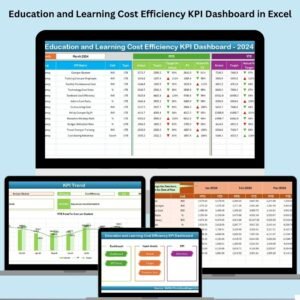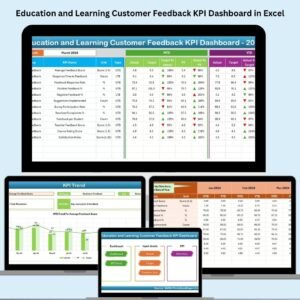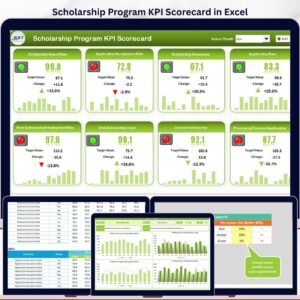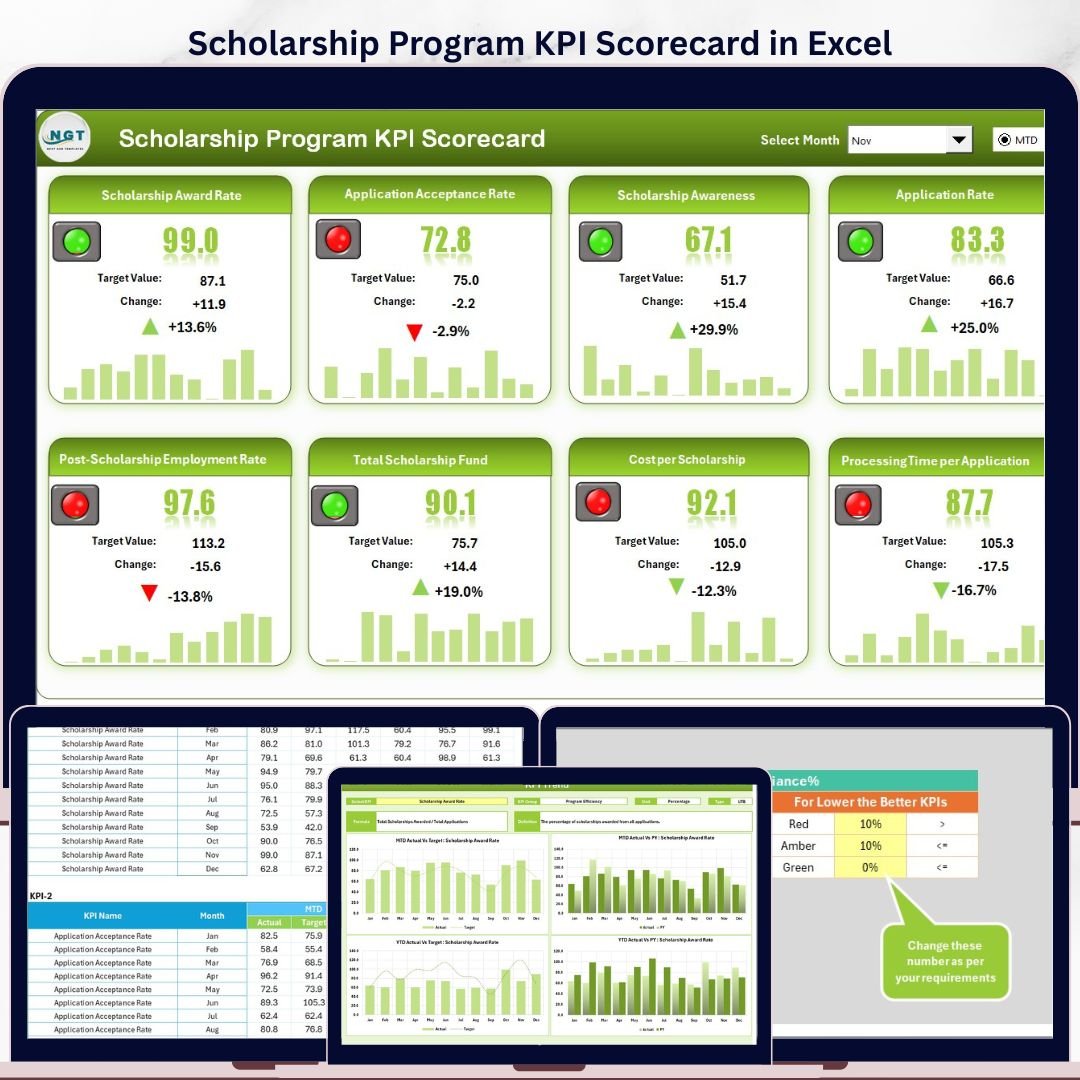

Scholarship Program KPI Scorecard in Excel helps scholarship teams review award progress, application flow, disbursement accuracy, renewal performance, and student support outcomes in one ready-to-use workbook. Education programs often track dozens of monthly measures across spreadsheets, emails, and finance reports; this template brings the most important MTD and YTD KPI signals into a clean scorecard so program managers can spot risks before reporting deadlines. It is built in Microsoft Excel, so there is no subscription, no complex setup, and no dependency on a paid SaaS tool.Scholarship Program KPI Scorecard in Excel
Key Features of Scholarship Program KPI Scorecard in Excel
- Monthly, MTD, and YTD views for scholarship performance analysis.Scholarship Program KPI Scorecard in Excel
- Actual vs target comparison for each KPI.
- Color-coded visual indicators for quick status review.
- KPI trend sheet with Actual, Target, and PY trend charts.
- Structured input area for actual values, targets, and historical numbers.
- KPI definition sheet for formulas, units, groups, and KPI descriptions.
- Designed for scholarship offices, nonprofit education teams, foundations, and college support programs.
What’s Inside the Scholarship Program KPI Scorecard in Excel
This workbook includes four worksheet tabs that work together as a simple reporting system.
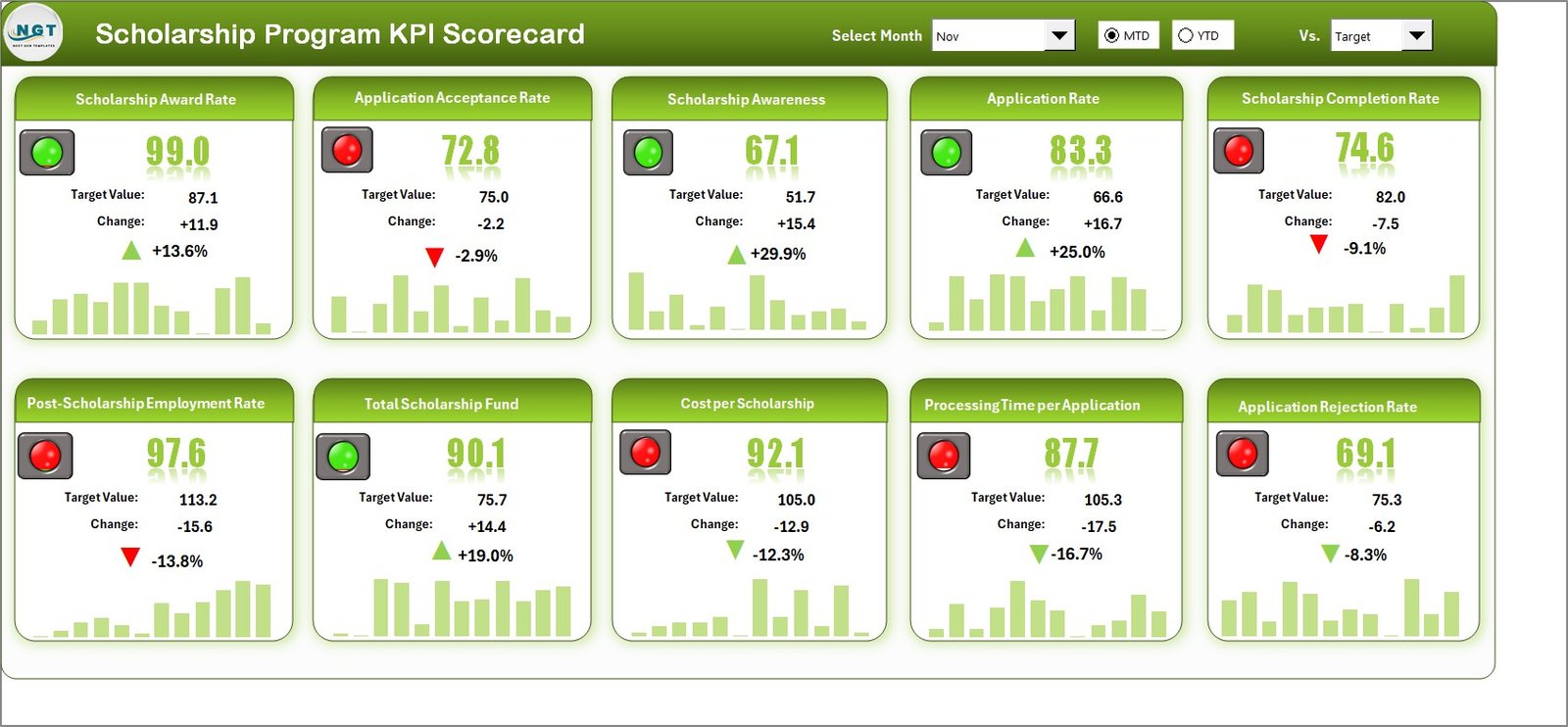
Scorecard Sheet: The Scorecard sheet is the main interface where you review KPI performance. Use dropdown menus to select the month, MTD, or YTD view, compare actual values against targets, and read performance status through color-coded visuals. It gives program leaders a concise overview of scholarship KPIs without rebuilding monthly reports.Scholarship Program KPI Scorecard in Excel
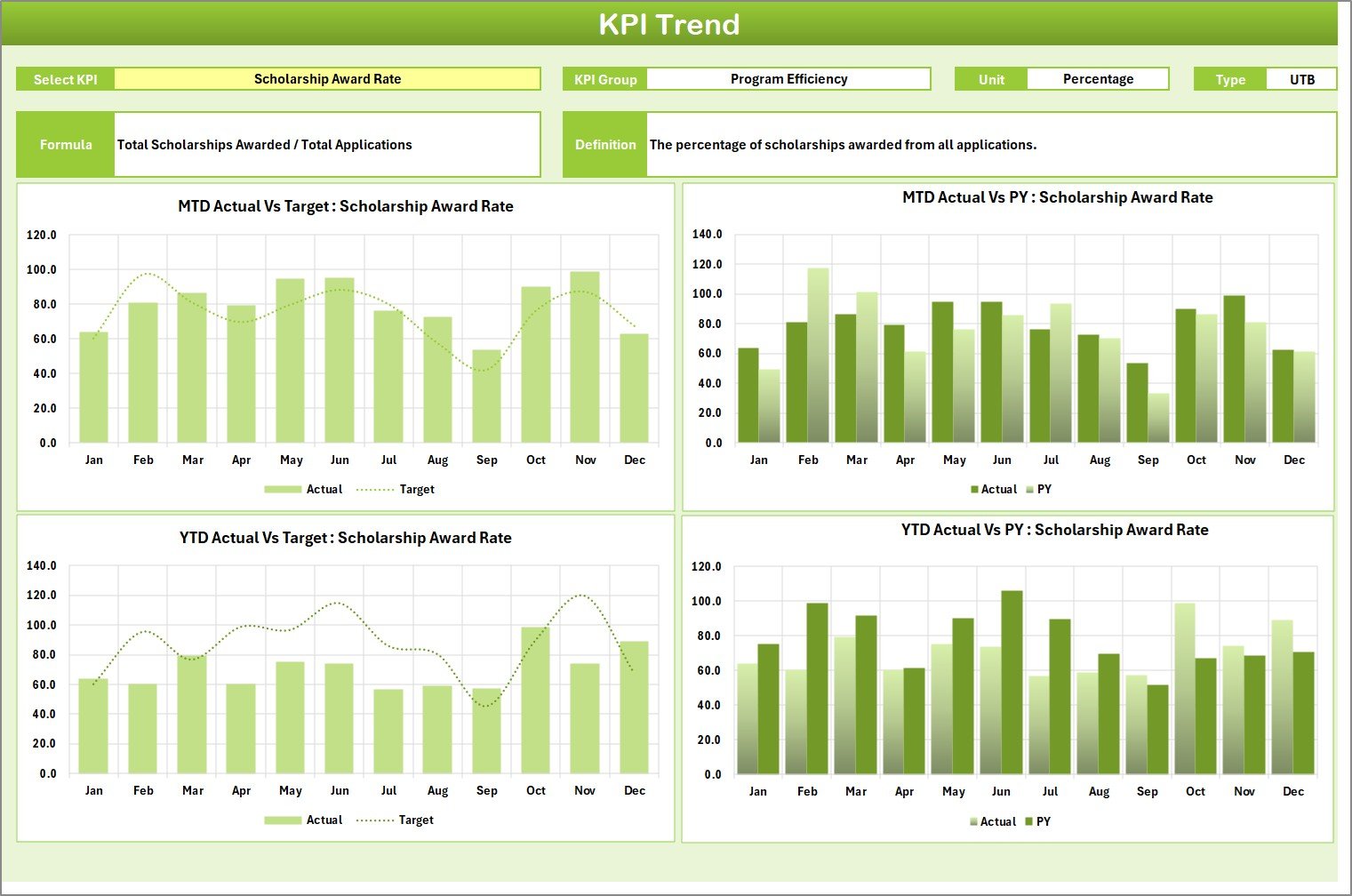
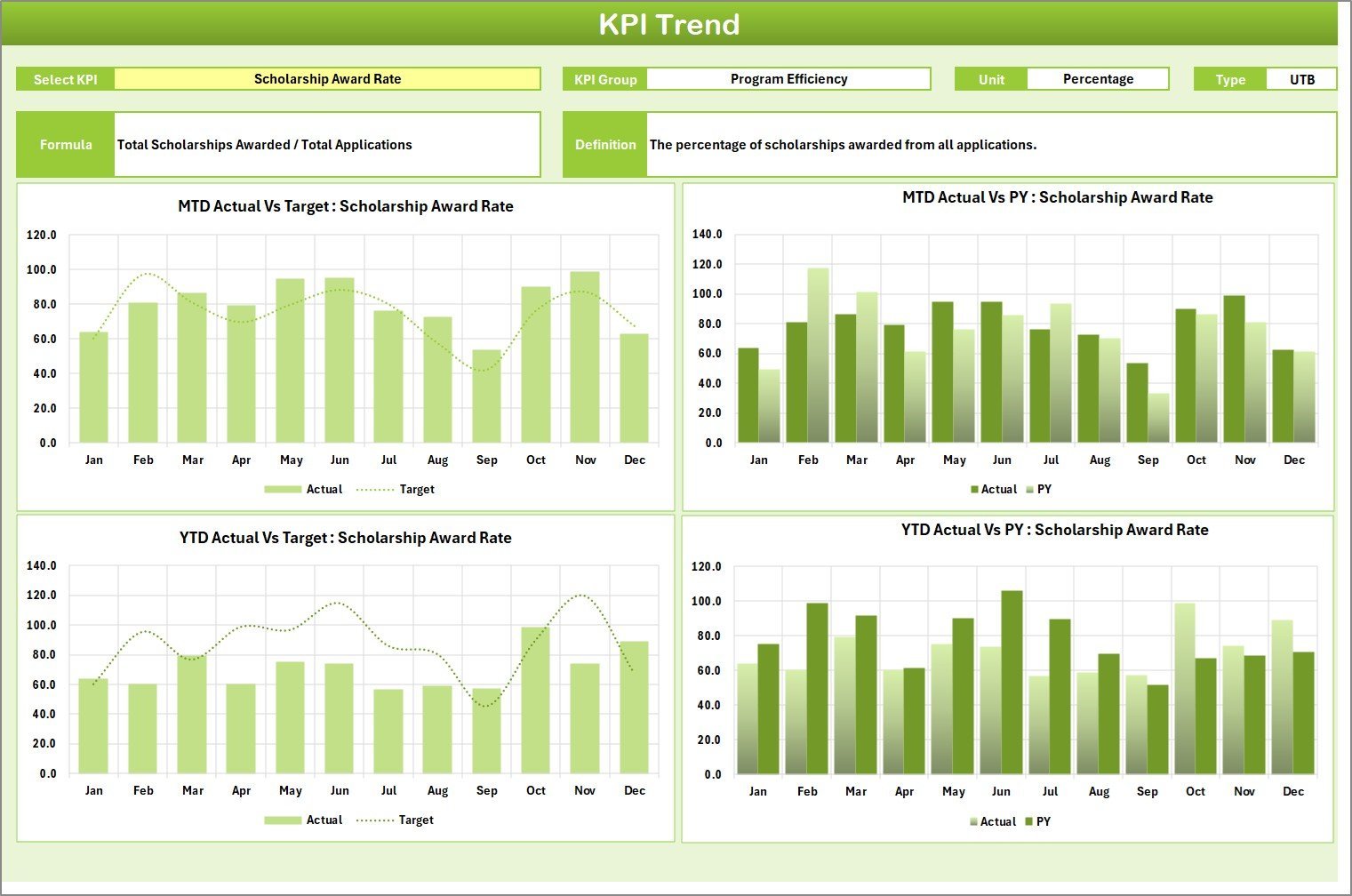
KPI Trend Sheet: Select the KPI name from the dropdown in range C3 to view KPI group, unit, KPI type, formula, and definition. The sheet also shows MTD and YTD trend charts for Actual, Target, and PY numbers, making it easier to discuss performance movement over time.Scholarship Program KPI Scorecard in Excel
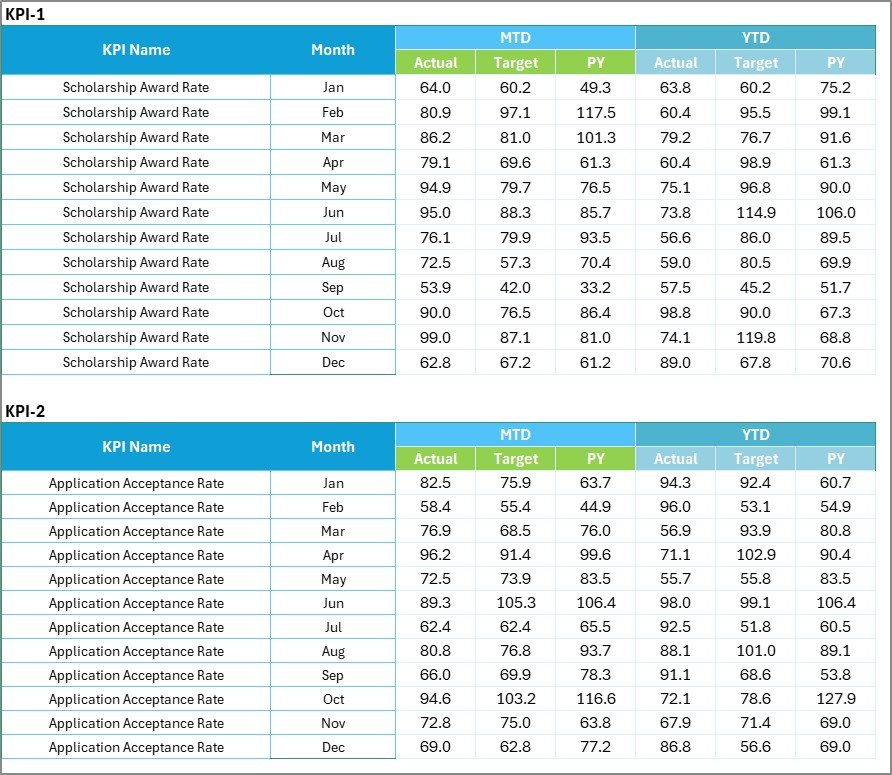
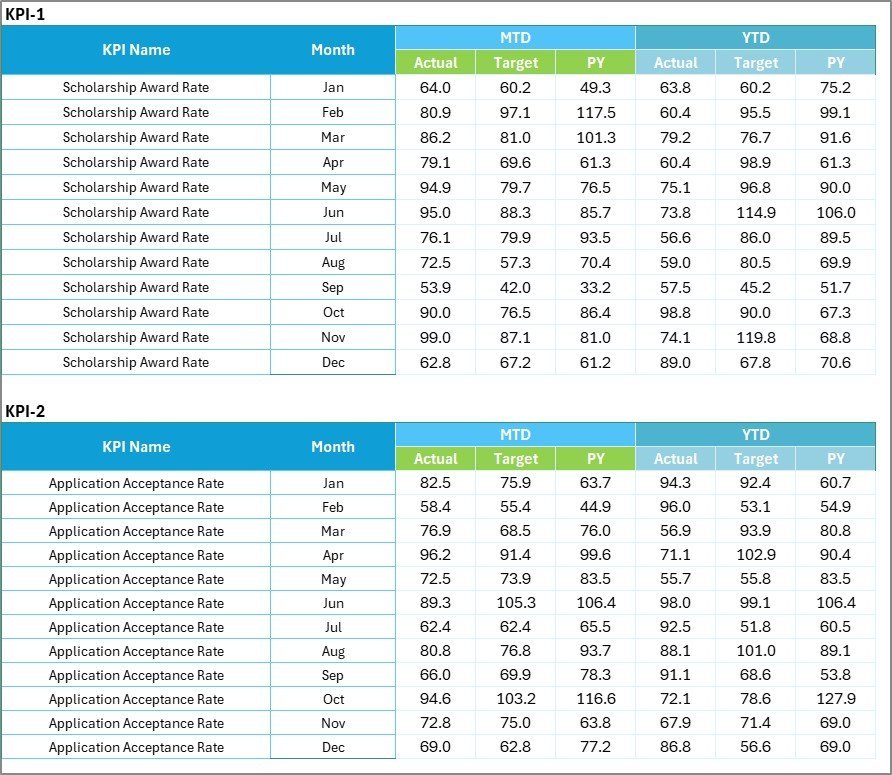
Input Data Sheet: Enter actual values, targets, previous year numbers, and other monthly performance inputs. As new results become available, update the table and the scorecard refreshes from the latest data structure.

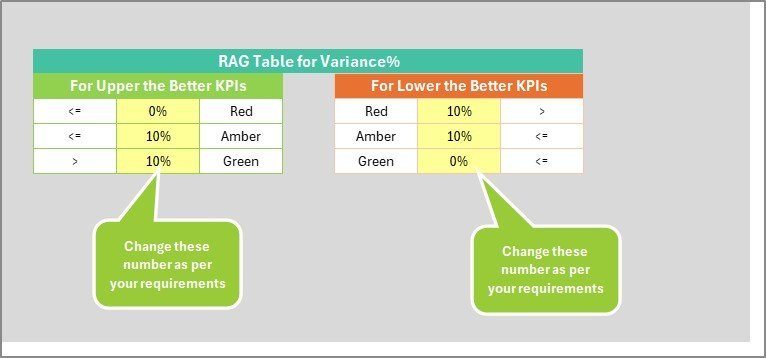
KPI Definition Sheet: Maintain KPI name, group, unit, formula, and definition in one place. This helps teams align on what each scholarship metric means and whether a higher or lower value is better.
Scholarship Program KPI Scorecard in Excel vs. Google Sheets vs. Paid CRM/SaaS – Where This Fits
| Area | This Excel Scorecard | Google Sheets Alternative | Paid SaaS Alternative |
|---|---|---|---|
| Cost | One-time template purchase | Free or workspace cost | Monthly user fees |
| Setup time | Start after download | Requires sheet sharing and setup | Requires onboarding and configuration |
| Scholarship KPI focus | Purpose-built scorecard fields | Usually custom-built | Often broader case management |
| Customization | Edit formulas, KPIs, and inputs directly | Editable but cloud-dependent | Limited by plan and admin rights |
| Year-1 cost at 5 users | Low one-time cost | Depends on workspace plan | Can become hundreds or thousands of dollars |
Who This Template Is For – and Who It’s Not For
This template is for scholarship coordinators, education nonprofits, college financial aid teams, donor-funded programs, and foundations that need a practical Excel scorecard for recurring KPI review. It is also useful for managers who already receive data in Excel and want cleaner monthly reporting.
It is not the best fit if you need applicant portals, automated student emails, payment processing, or real-time multi-user workflow approvals. For those needs, a full scholarship management platform may be more suitable.
How to Use the Scholarship Program KPI Scorecard in Excel
- Download and open the Excel file.
- Review the KPI Definition sheet and update KPI names, units, formulas, and definitions if needed.
- Enter monthly actual, target, and previous year values in the Input Data sheet.
- Use the Scorecard sheet dropdowns to select the reporting month, MTD, or YTD view.
- Open the KPI Trend sheet to review performance movement for any selected KPI.
Real-World Use Cases
Scholarship Program Manager: Track award distribution, renewal rates, application completion, and disbursement timeliness before monthly leadership meetings.
Education Nonprofit Director: Report donor-funded program outcomes with consistent Actual vs Target comparisons.
College Support Analyst: Monitor scholarship operations and student support KPIs without building a scorecard from scratch.
Frequently Asked Questions
Does this template require macros?
No. The scorecard is designed for standard Excel use unless you choose to add your own automation later.
Can I change the KPI names?
Yes. Update the KPI Definition sheet and align your input data with the same KPI structure.
Can I track both MTD and YTD performance?
Yes. The Scorecard and KPI Trend sheets support MTD and YTD performance review.
Is this only for universities?
No. It can be used by universities, foundations, nonprofits, training programs, and scholarship administrators.
Can I add more KPIs?
Yes, if you are comfortable extending the Excel table structure and formulas.
About the Author
Built by PK – Microsoft Certified Professional with 15+ years of Excel, Google Sheets, and Power BI experience. Founder of NextGenTemplates, reaching 300K+ subscribers across YouTube channels. Every template is hand-built and tested before release.
Explore Related Templates
Explore more education and KPI reporting resources including Educational Nonprofits Dashboard in Power BI, Secondary Schools Dashboard in Excel, and Colleges & Universities Dashboard in Excel. You can also browse the Excel KPI Dashboard templates and Excel Education templates.
Click here to read the detailed blog post
Download the Scholarship Program KPI Scorecard in Excel today and start tracking scholarship performance with a cleaner monthly reporting process.
Last updated: May 16, 2026.