


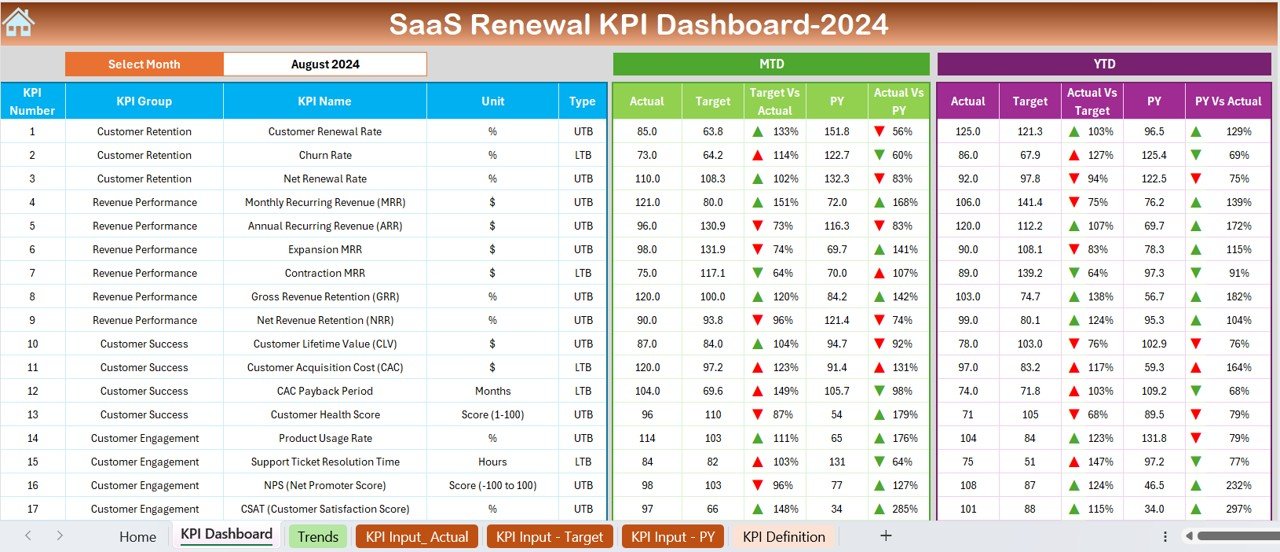
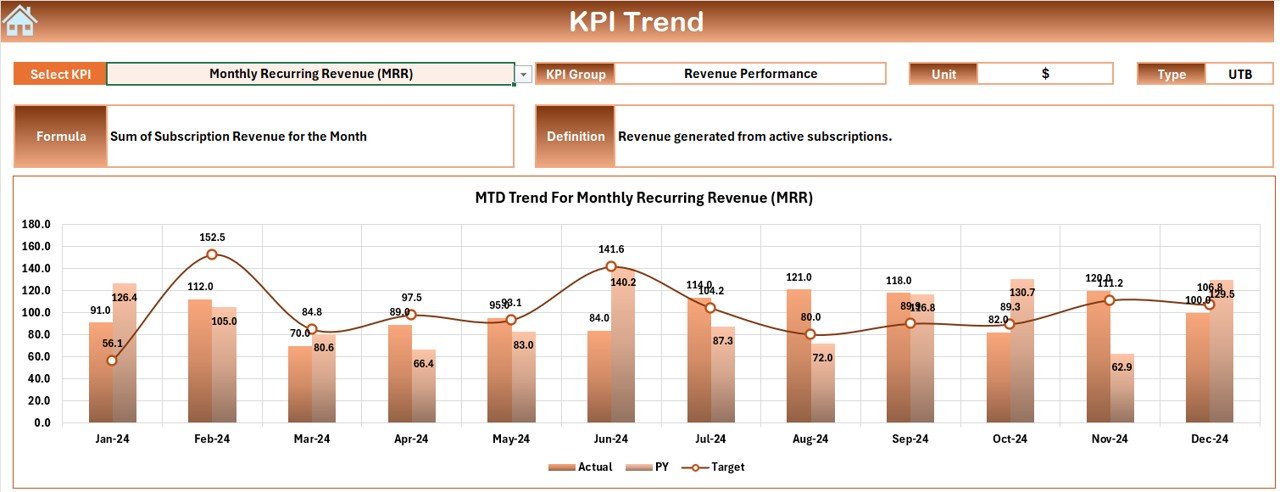
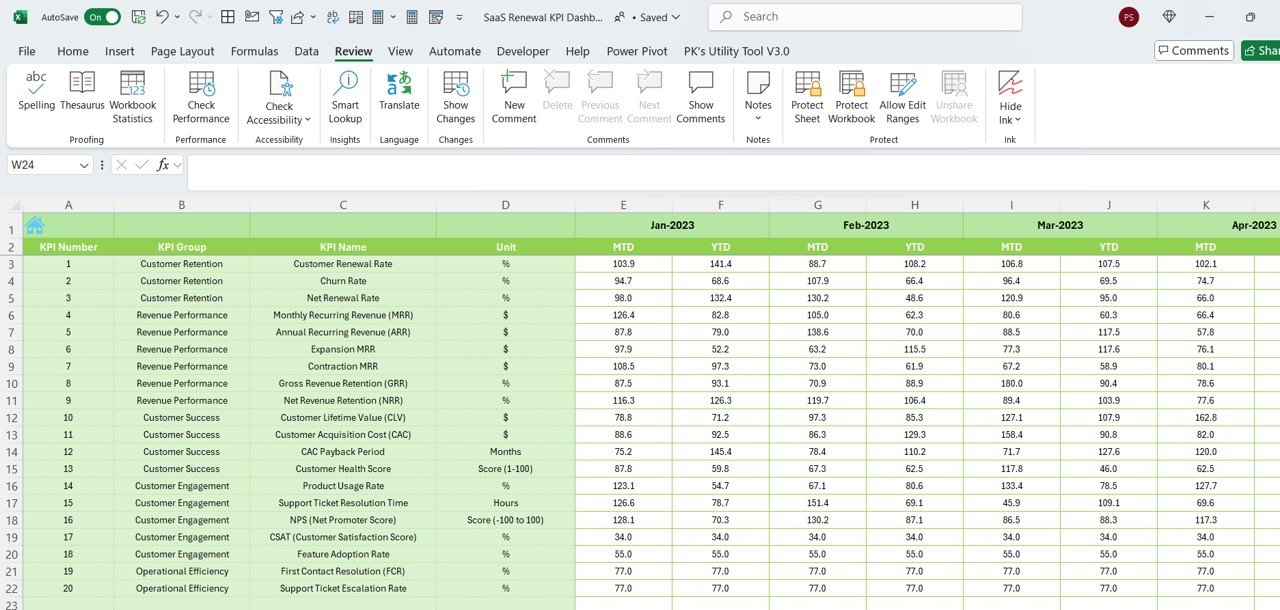
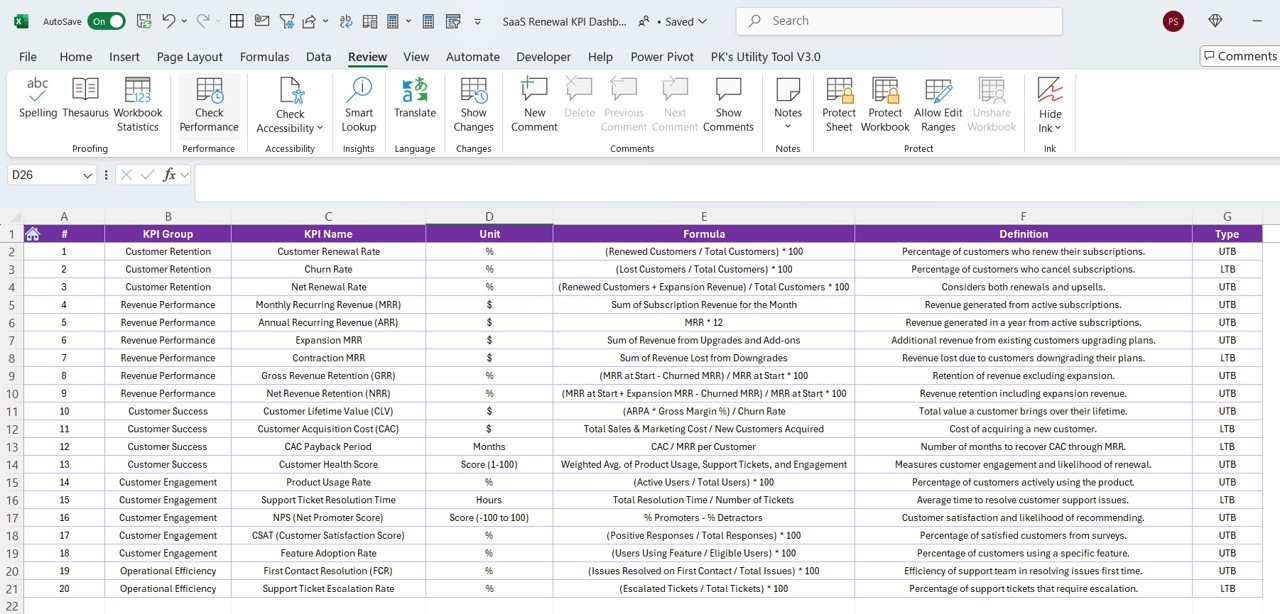

The SaaS Renewal KPI Dashboard in Excel is an essential tool designed to help SaaS (Software as a Service) businesses and subscription-based companies track and manage their renewal metrics. This Excel-based dashboard provides valuable insights into subscription renewals, churn rates, customer lifetime value, and other key performance indicators (KPIs) that are crucial for maintaining healthy revenue growth and improving customer retention.
This tracker is particularly useful for SaaS businesses looking to monitor their renewal processes and identify trends to drive customer retention efforts. The dashboard offers an intuitive, user-friendly interface, making it easy to visualize key metrics and performance trends in real-time.
Key Features of the SaaS Renewal KPI Dashboard in Excel
📊 Renewal Rate & Churn Monitoring
Track your renewal rate and churn rate to measure the percentage of customers who renew their subscriptions versus those who cancel. This allows you to gauge the effectiveness of your retention strategies.
💡 Customer Lifetime Value (CLV) Tracking
Calculate and monitor your Customer Lifetime Value (CLV) to understand the revenue generated per customer over the entire relationship. Use this data to refine pricing strategies and customer retention efforts.
📉 Subscription Growth Analysis
Track the growth of your subscriptions over time. Monitor new sign-ups, renewals, and upgrades to gain insights into the health of your business and forecast future revenue.
⏱ Renewal & Payment Due Date Tracking
Track upcoming renewal and payment due dates, ensuring that no subscription renewal is missed. This feature helps businesses stay proactive in their renewal process and communicate timely with customers.
⚙️ Customizable KPIs & Metrics
Tailor the dashboard to suit your specific SaaS business needs. Add custom KPIs, adjust data sources, and modify visuals to reflect your company’s goals and objectives.
📈 Data Visualization & Insights
Visualize key performance metrics with charts and graphs. Use real-time data to identify trends, pinpoint at-risk customers, and improve retention strategies.
Why You’ll Love the SaaS Renewal KPI Dashboard in Excel
✅ Simplify Renewal Tracking
Keep all your renewal-related metrics in one place, allowing you to easily track, manage, and optimize your subscription-based business.
✅ Boost Customer Retention
Monitor churn rates and identify customer retention trends, helping you implement strategies that reduce churn and improve renewal rates.
✅ Optimize Customer Lifetime Value
Track CLV to understand your customers’ worth and improve pricing and retention strategies to maximize revenue.
✅ Stay Ahead of Renewals
Track upcoming payment due dates and renewals, ensuring timely actions and better communication with your customers.
✅ Customizable & Scalable
The dashboard is flexible and can be customized to fit businesses of any size, from startups to large-scale SaaS companies.
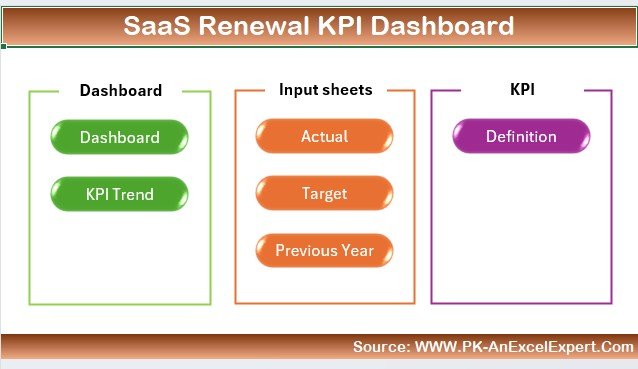
What’s Inside the SaaS Renewal KPI Dashboard in Excel?
Renewal Rate & Churn Monitoring: Track the percentage of customers renewing vs. canceling.
Customer Lifetime Value (CLV): Monitor the revenue generated per customer throughout their relationship with your company.
Subscription Growth Analysis: Analyze growth trends and monitor new sign-ups, renewals, and upgrades.
Renewal & Payment Due Dates: Keep track of upcoming renewal dates and payment deadlines.
Customizable KPIs: Modify the dashboard to reflect your SaaS business’s unique KPIs and metrics.
Data Visualization: Visualize your data with dynamic charts and graphs.
How to Use the SaaS Renewal KPI Dashboard in Excel
1️⃣ Download the Template: Get immediate access to the SaaS Renewal KPI Dashboard in Excel.
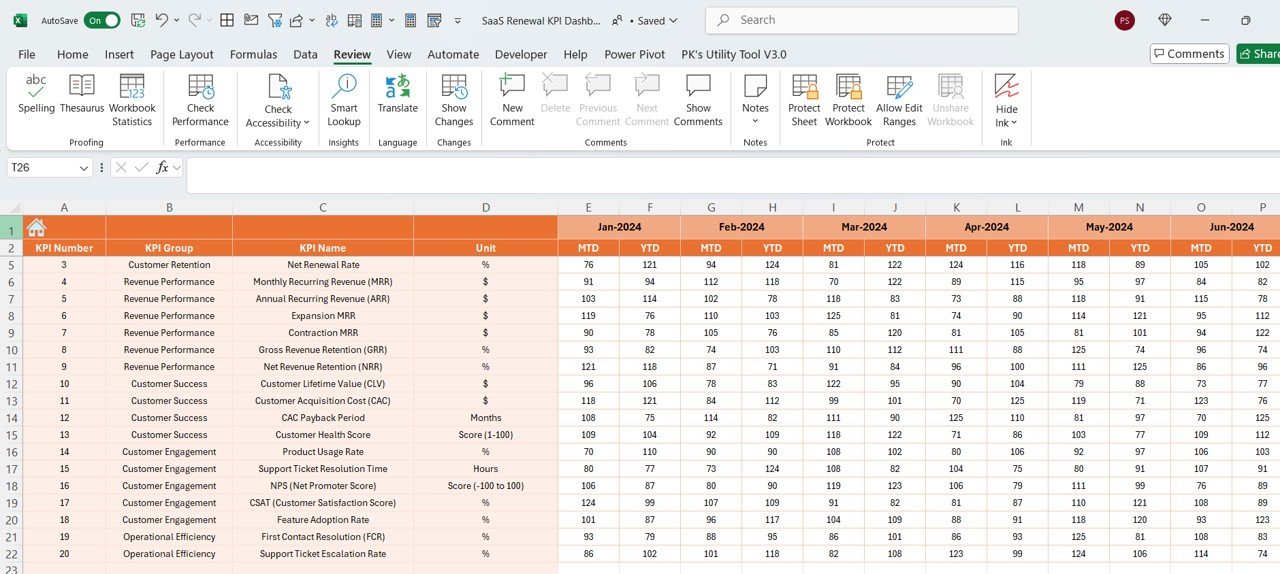
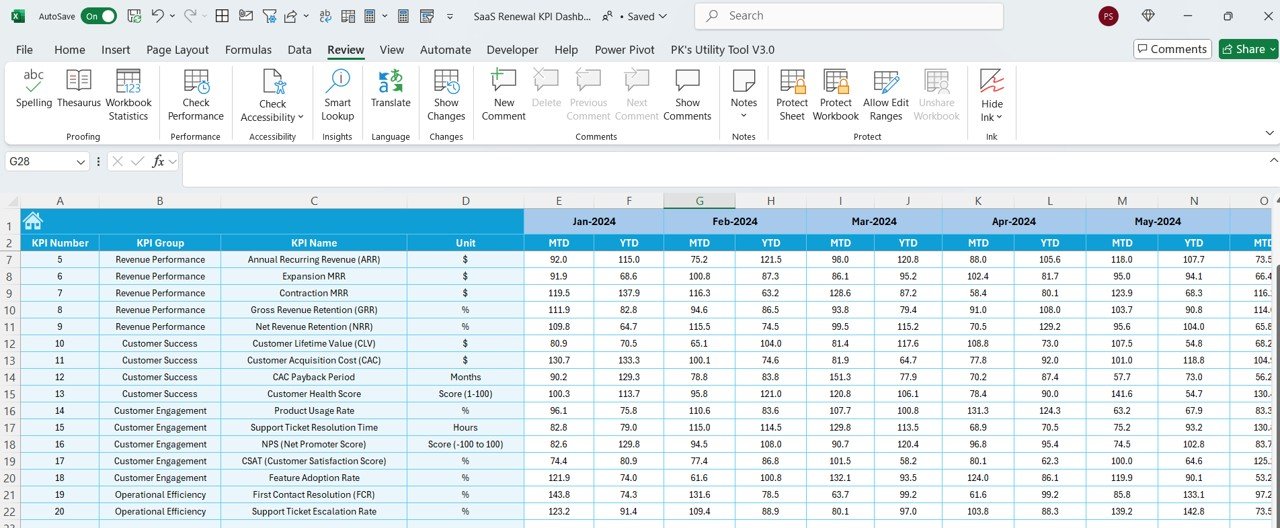
2️⃣ Input Your Data: Enter renewal rates, churn rates, subscription data, and payment information into the dashboard.
3️⃣ Track Key Metrics: Monitor important KPIs such as renewal rate, churn rate, CLV, and subscription growth.
4️⃣ Set Reminders & Deadlines: Track renewal and payment due dates to stay on top of your business’s timelines.
5️⃣ Generate Reports & Insights: Use the dashboard to create reports that help identify trends and improve business strategies.
Who Can Benefit from the SaaS Renewal KPI Dashboard in Excel?
🔹 SaaS Businesses & Subscription-Based Companies
🔹 Subscription Managers & Customer Success Teams
🔹 Data Analysts & Business Intelligence Teams
🔹 Sales Teams & Marketing Teams
🔹 Small & Medium Enterprises (SMBs)
🔹 Large Enterprises with Subscription Models
Maximize your SaaS business’s success with the SaaS Renewal KPI Dashboard in Excel. Track renewals, monitor churn, analyze customer lifetime value, and enhance customer retention strategies to drive long-term growth.
Click here to read the Detailed blog post
Visit our YouTube channel to learn step-by-step video tutorials
Youtube.com/@PKAnExcelExpert
Compatibility and Requirements
- Works in Microsoft Excel desktop (Excel 2016 or later, or Microsoft 365).
- The KPIs are shown in interactive charts. Microsoft explains Excel charts in Create a chart from start to finish.
Frequently Asked Questions
What does the SaaS Renewal KPI Dashboard track?
It tracks renewal and churn rates, customer lifetime value, subscription growth from new sign-ups, renewals and upgrades, and upcoming renewal and payment due dates.
How do I add my own data?
Enter renewal rates, churn rates, subscription data and payment information. The dashboard then shows the key metrics.
How is the data shown?
The data is shown in dynamic charts and graphs.
Can I change the KPIs?
Yes. You can modify the dashboard to reflect the KPIs and metrics your SaaS business uses.
Is there a Google Sheets or Power BI version?
Yes. The SaaS Renewal KPI Dashboard in Google Sheets and the SaaS Renewal KPI Dashboard in Power BI cover the same KPIs on those platforms.
Related SaaS and Subscription Templates
- SaaS Renewal KPI Dashboard in Google Sheets: the same dashboard in Google Sheets
- SaaS Renewal KPI Dashboard in Power BI: the same KPIs in Power BI
- SaaS Business KPI Dashboard in Excel: wider SaaS business KPIs
- SaaS Customer Success Dashboard in Excel: follow customer success work
- Subscription and SaaS Renewal Calendar in Excel: put renewal dates on a calendar
Browse all Excel KPI dashboards or the Excel IT templates.























Reviews
There are no reviews yet.