

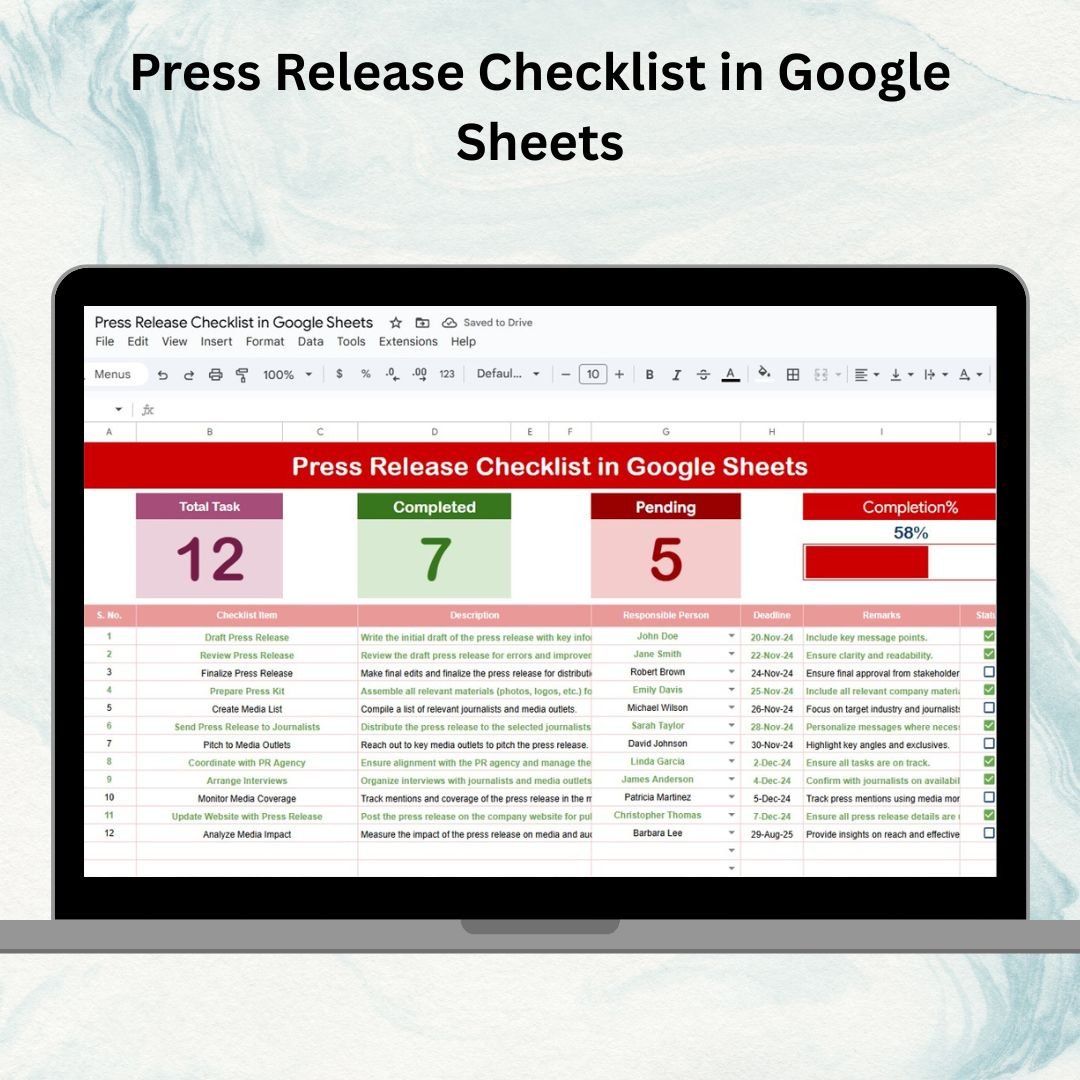

In the fast-moving world of media and communications, every press release needs to be carefully planned, executed, and delivered on time. A missed deadline, overlooked task, or unclear responsibility can affect brand reputation and cause unnecessary delays. That’s why we created the Press Release Checklist in Google Sheets — a ready-to-use, professional template designed to streamline the entire press release workflow.
This checklist provides a structured and collaborative way to manage tasks, assign responsibilities, and monitor progress, ensuring that no step in your press release process is missed. With visual progress tracking and team-friendly features, it helps PR and marketing professionals stay organized and deliver effective press releases on schedule.
🔑 Key Features of the Press Release Checklist
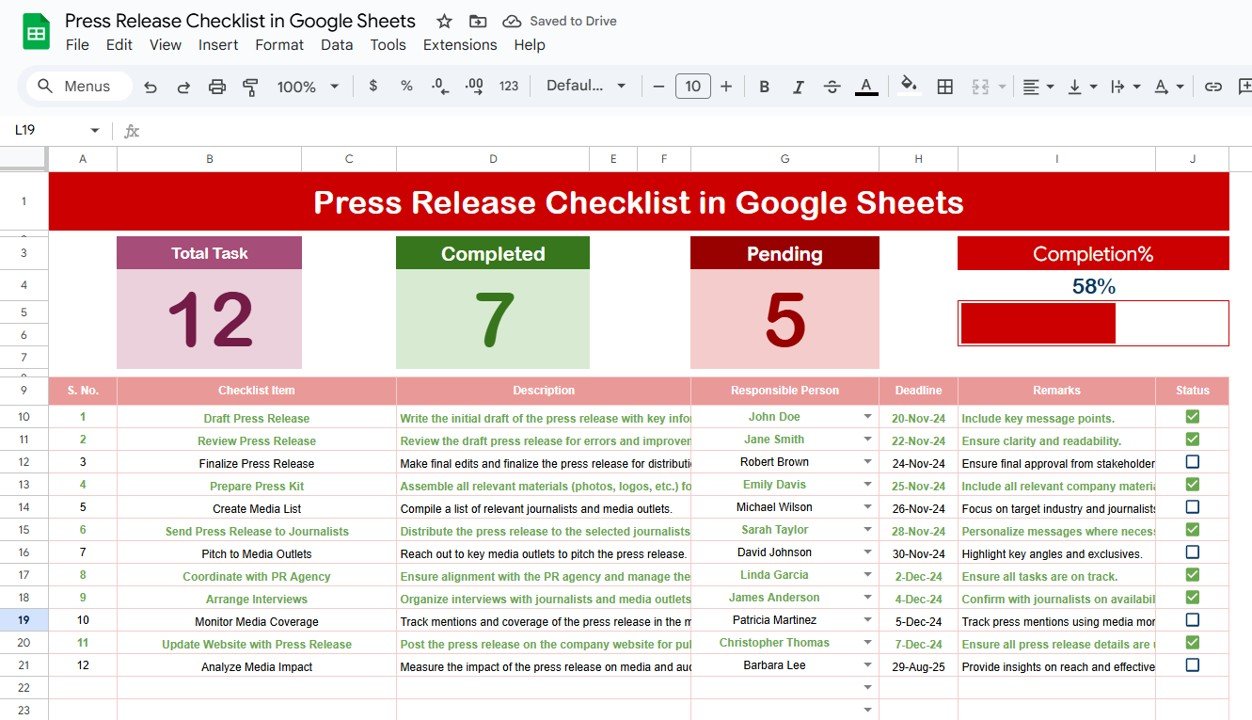
📊 Main Checklist Sheet Tab
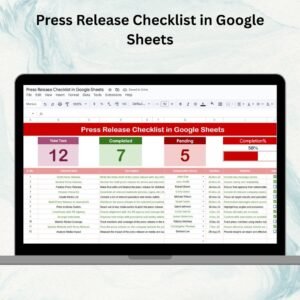
Summary Cards – Instantly view:
Total number of press release tasks
Completed count (✔)
Pending count (✘)
Progress bar showing task completion %
Detailed Task Table with:
Serial No.
Checklist Item
Description
Responsible Person
Deadline
Remarks
Status (✔ or ✘)
This makes it simple to track every detail of your press release process in one view.
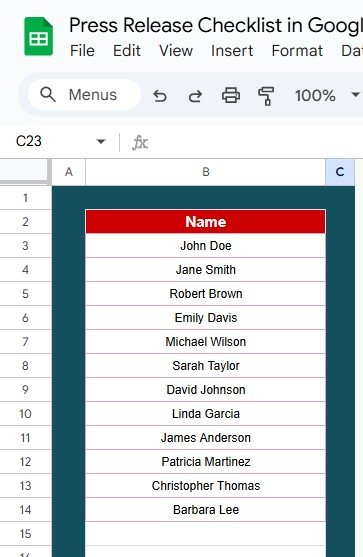
👥 List Sheet Tab
Acts as a master list of responsible persons
Powers the dropdown menu in the main sheet
Ensures consistency in task assignment and reduces data entry errors
📦 What’s Inside the Press Release Checklist?
✅ Main Checklist Tab – Core sheet with summary cards, task table, and progress bar
✅ List Tab – Central database of responsible team members
✅ Pre-Filled Sample Data – Get started quickly with ready examples
✅ Auto-Tracking Features – Progress updates automatically as you change status
✅ Customizable Format – Add or remove columns to fit your PR workflow
🧠 How to Use the Press Release Checklist
Input Tasks – Add all press release preparation steps into the checklist table
Assign Responsibilities – Select names from the dropdown (powered by List Sheet)
Set Deadlines – Define realistic due dates for each task
Update Status – Mark tasks ✔ or ✘ as they’re completed or pending
Track Progress – Monitor cards and progress bar for overall completion rate
Collaborate in Real-Time – Share with PR and marketing teams for joint updates
👥 Who Can Benefit from This Checklist?
📰 PR Teams – Ensure press releases are consistently well-prepared
📣 Marketing Managers – Align campaign communication with press releases
🏢 Corporate Communications Teams – Track approval, edits, and publishing steps
🚀 Startups – Simplify PR workflows without expensive tools
📈 Agencies – Manage multiple client press releases simultaneously
⭐ Advantages of Using the Press Release Checklist
📑 Centralized Task Management – All press release tasks in one place
📊 Visual Tracking – Cards & progress bar show overall progress instantly
👥 Improved Accountability – Assign tasks to team members with clarity
⏱ Time-Saving – Prebuilt format avoids starting from scratch
🛠 Customizable – Add more columns, fields, or workflows as needed
🤝 Collaboration-Ready – Multiple users can update simultaneously in Google Sheets
🔗 Click here to read the Detailed blog post
Watch the step-by-step video Demo:
🔗 Visit our YouTube channel to learn step-by-step video tutorials
Compatibility and Requirements
- Works in Google Sheets. You need a free Google account and a web browser.
- You pick each responsible person from a dropdown on the main sheet. Google explains dropdowns in Create an in-cell dropdown list.
Frequently Asked Questions
Which sheets are included?
Two sheets: the main checklist sheet and a List sheet. The main sheet has the summary cards, the progress bar and the task table. The List sheet holds the names of the responsible persons.
What columns does the task table have?
Serial No., Checklist Item, Description, Responsible Person, Deadline, Remarks and Status.
How do I assign a task to someone?
Add the person’s name to the List sheet. It then appears in the Responsible Person dropdown on the main sheet, so you select it from the list instead of typing it.
How is progress tracked?
Mark each task with a tick or a cross in the Status column. The summary cards show the total, completed and pending counts, and the progress bar shows the completion percentage.
Is there an Excel version?
Yes. See the Press Release Checklist in Excel.
Related Checklist Templates
- Press Release Checklist in Excel: the same press release checklist in Excel
- Project Management Checklist in Google Sheets: track project tasks with the same checklist layout
- Employee Onboarding Checklist in Google Sheets: another Google Sheets checklist for team workflows
- Product Launch Checklist Template in Excel: plan the launch your press release supports
- Checklist & SOP Pack: 12 Excel and Google Sheets checklist templates in one download
Browse all Google Sheets checklists.




Reviews
There are no reviews yet.