


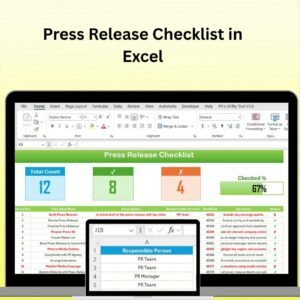
The Press Release Checklist in Excel is a powerful and easy-to-use tool designed for public relations professionals, marketers, and business owners who want to ensure their press releases are effective and impactful. This Excel-based checklist guides you through the essential steps of writing, reviewing, and distributing a press release, helping you avoid common pitfalls and ensuring that all key elements are covered before hitting “send.”
With customizable features and real-time tracking, this checklist allows you to monitor every stage of the press release process, from initial drafting to final approval and distribution.

Key Features of the Press Release Checklist in Excel:
📝 Press Release Structure and Content
Ensure that your press release includes all essential components, including headline, subhead line, dateline, body copy, quotes, and contact information.
💼 Approval and Review Workflow
Track the review and approval process for your press release, including the individuals responsible for reviewing and the status of each approval step.
📅 Distribution and Timeline Management
Monitor the distribution plan for your press release, including the date of release, distribution channels, and media contacts to ensure timely delivery.
📊 SEO and Media Optimization
Ensure that your press release is optimized for search engines and media outlets, including proper keywords, relevant links, and media attachments.
📧 Media Contact and Follow-up
Track media contacts, follow-up communications, and responses to ensure that your press release reaches the right audience and gets the attention it deserves.
🚀 Why You’ll Love the Press Release Checklist in Excel:
✅ Streamline the Writing Process – Ensure your press release contains all the necessary components, including headlines, quotes, and contact info.
✅ Track Approvals and Revisions – Keep track of feedback, revisions, and approvals to ensure the final version is polished and professional.
✅ Optimize for SEO and Media – Ensure your press release is SEO-friendly and optimized for distribution across media channels, increasing visibility and reach.
✅ Monitor Distribution and Timelines – Track the distribution of your press release to ensure that it is delivered on time and through the right channels.
✅ Fully Customizable and Interactive – Tailor the checklist to suit your specific press release needs, including custom steps, review stages, and distribution channels.
What’s Inside the Press Release Checklist in Excel:
Press Release Structure: Ensure that your press release follows the correct format, including the headline, subheadline, body, quotes, and contact details.
Approval Workflow: Track who needs to approve your press release, what changes they recommend, and the status of each approval.
Distribution Management: Monitor your distribution timeline, track who your press release is being sent to, and ensure it is reaching the right media contacts.
SEO Optimization: Ensure that your press release is optimized for search engines by adding relevant keywords, links, and hashtags.
Media Contact Management: Track your media list, including journalists, bloggers, and influencers, and follow up to ensure coverage.
Customizable Sections: Add or modify tasks, steps, and checkboxes to fit your specific press release process.
How to Use the Press Release Checklist in Excel:
1️⃣ Download the Template – Instantly access your Excel file upon purchase.
2️⃣ Customize the Checklist – Modify the checklist to include your specific press release stages, review processes, and distribution channels.
3️⃣ Track the Writing Process – Use the checklist to ensure that your press release is structured correctly and includes all necessary information.
4️⃣ Monitor Approvals and Revisions – Track approval statuses and keep tabs on revisions and changes during the approval process.
5️⃣ Manage Distribution – Ensure that your press release is distributed to the right contacts on time and track follow-up communications.
Who Can Benefit from the Press Release Checklist in Excel:
Public Relations Professionals
Marketing and Communications Teams
Content Writers and Editors
Business Owners and Entrepreneurs
Event Managers
Digital Marketers
Media Relations Teams
PR Agencies
Brand Managers
Non-profit Organizations
The Press Release Checklist in Excel is the ideal tool for streamlining the press release process and ensuring that your press releases are clear, effective, and well-optimized for media outreach. Whether you’re a beginner or experienced in PR, this checklist will guide you every step of the way.
Click here to read the Detailed blog post
https://www.pk-anexcelexpert.com/press-release-checklist-in-excel/
Visit our YouTube channel to learn step-by-step video tutorials
Youtube.com/@PKAnExcelExpert
Compatibility and Requirements
- Works in Microsoft Excel desktop (Excel 2016 or later, or Microsoft 365).
- New to Excel? Microsoft’s Excel for Windows training covers the basics.
Frequently Asked Questions
What parts of a press release does it check?
It checks the headline, subheadline, dateline, body copy, quotes and contact information.
Can I track approvals?
Yes. The approval workflow section records who reviews the release, the changes they ask for and the status of each approval step.
Does it cover distribution?
Yes. You plan the release date, distribution channels and media contacts, then track follow ups and responses.
Can I add my own steps?
Yes. You can add or change tasks, steps, review stages and checkboxes to match your own process.
Is there a Google Sheets version?
Yes. The Press Release Checklist in Google Sheets covers the same steps in a browser.
Related PR and Marketing Templates
- Press Release Checklist in Google Sheets: the same checklist in Google Sheets
- Public Relations KPI Dashboard in Excel: measure PR results month by month
- Social Media Management Checklist in Excel: plan the social posts that go with a release
- Social Media Posting Calendar in Excel: schedule posts by date
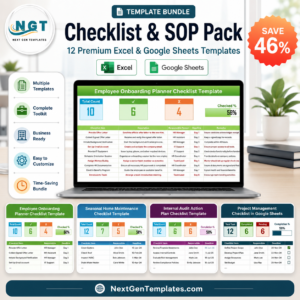
- Checklist & SOP Pack: 12 checklist templates in one download
Browse all Excel checklists or the Excel sales and marketing templates.







Reviews
There are no reviews yet.