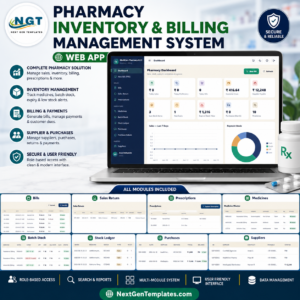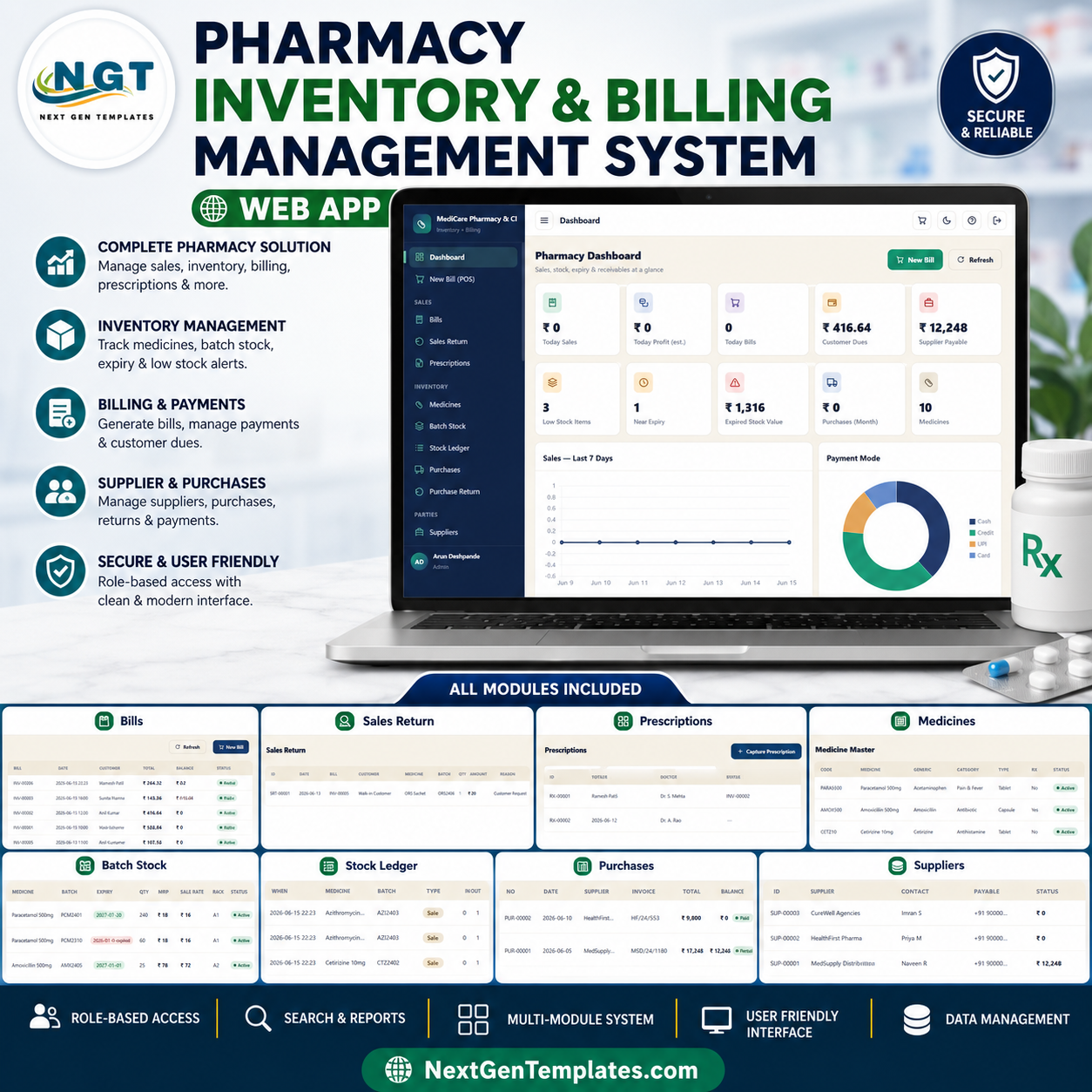
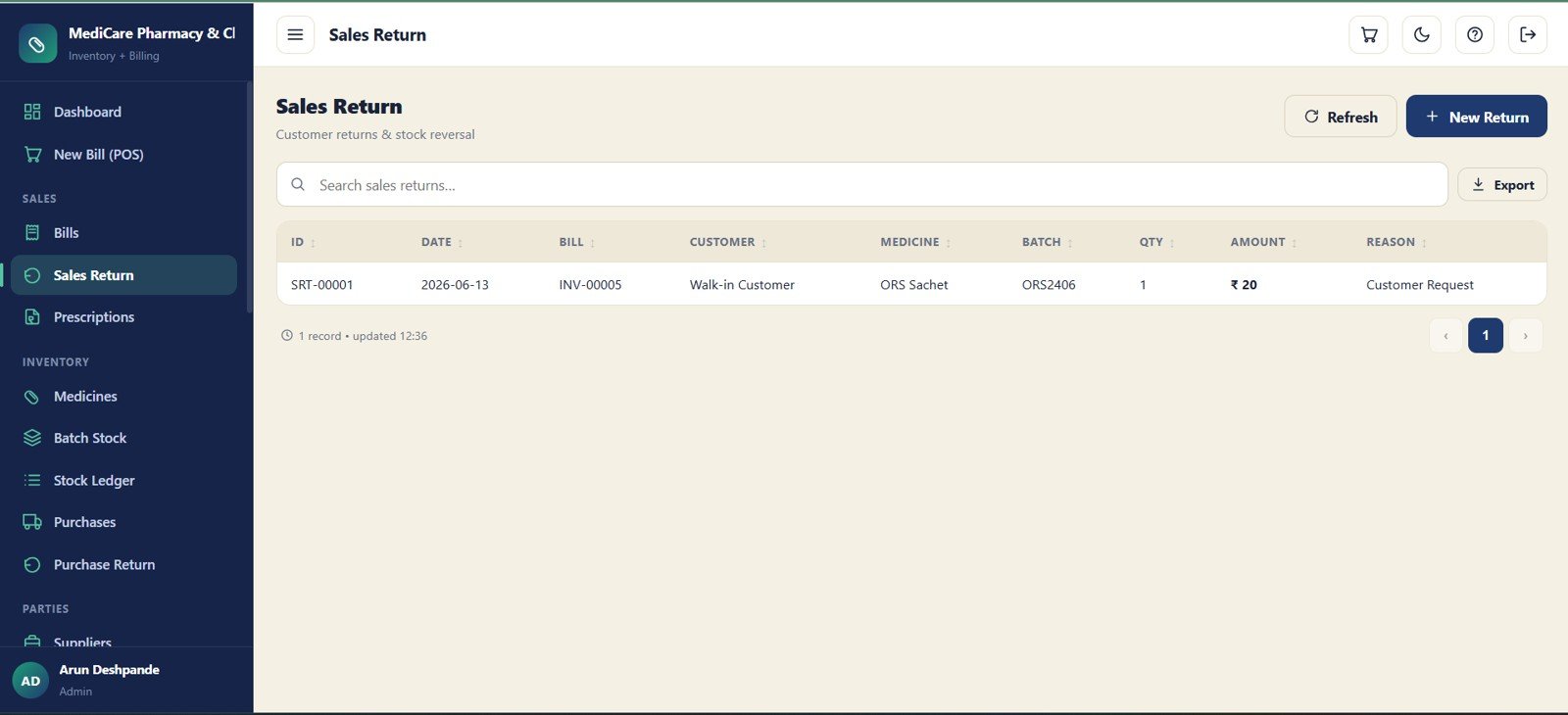
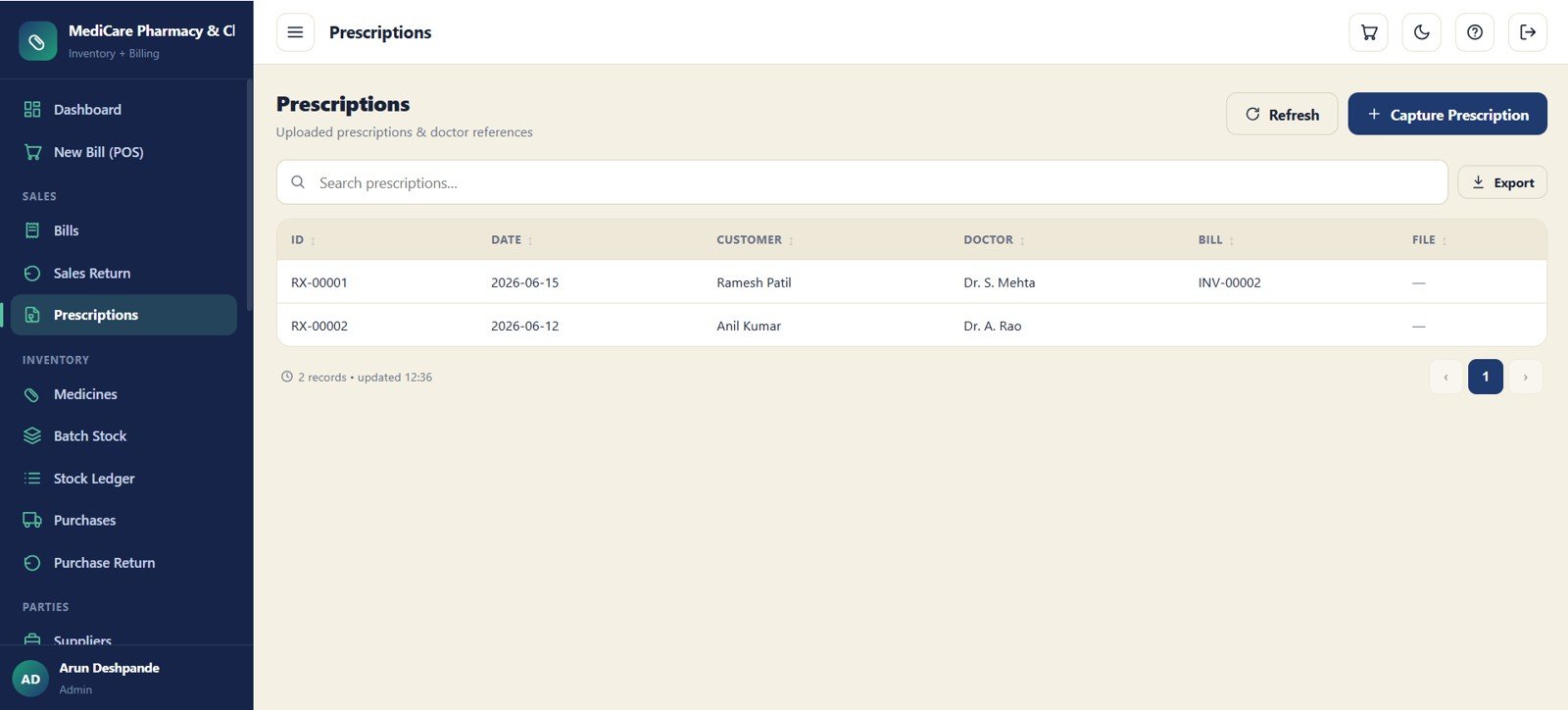
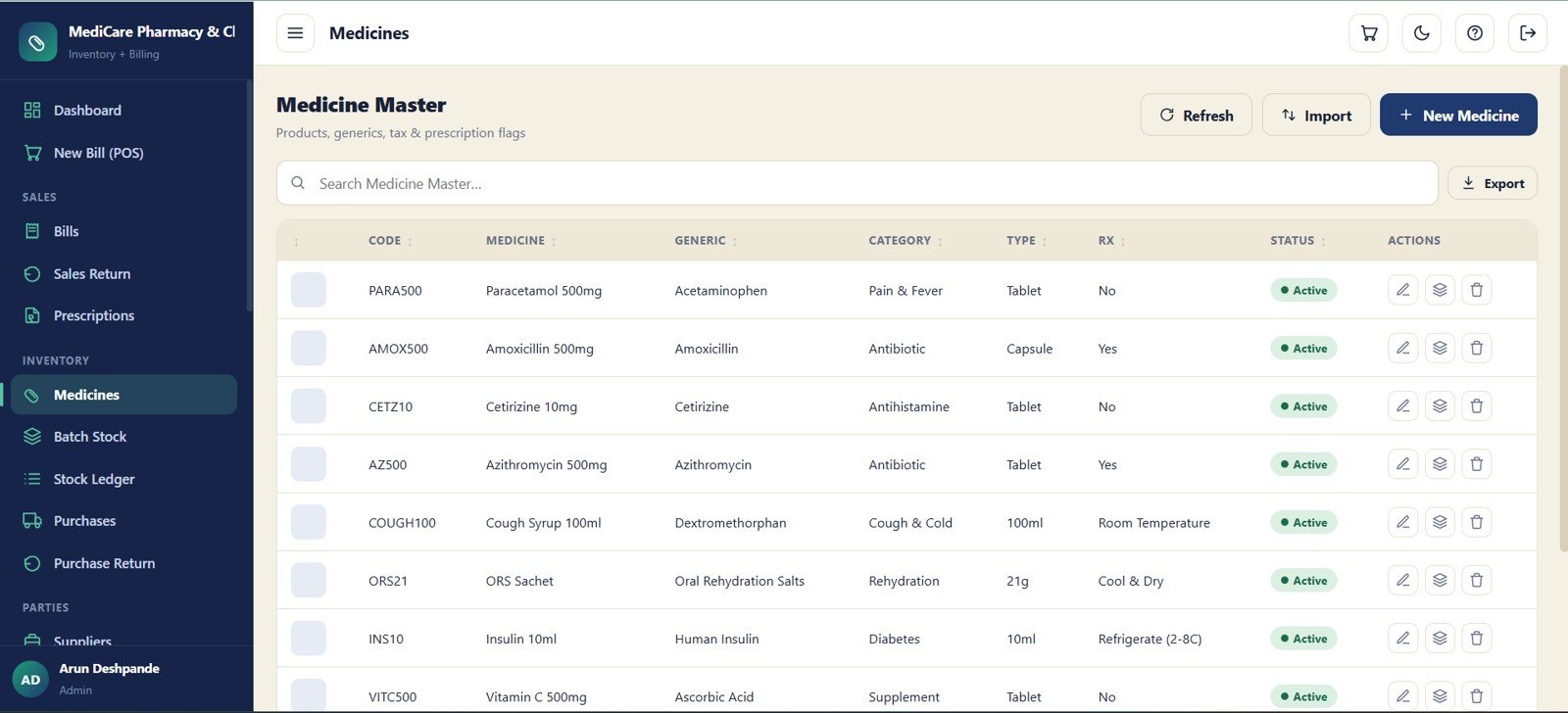
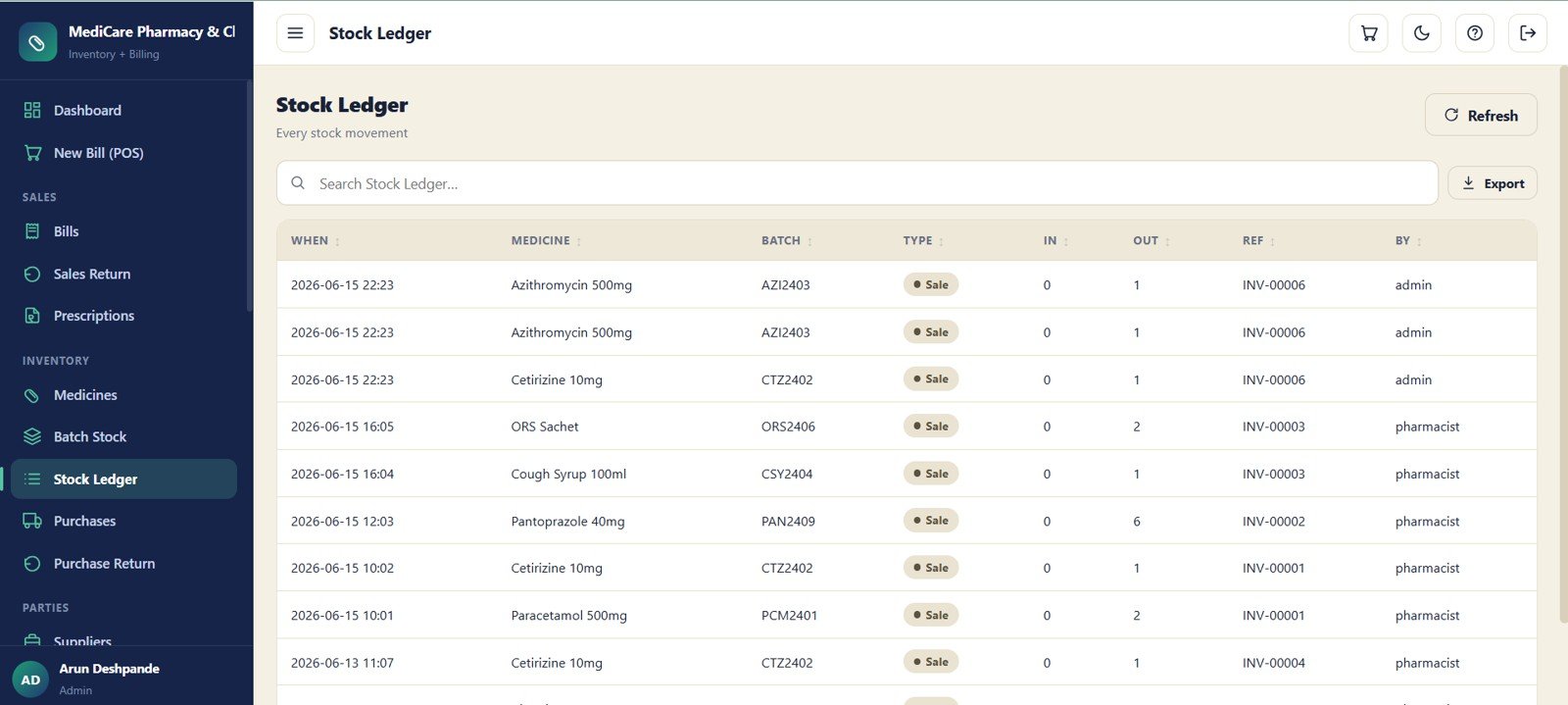
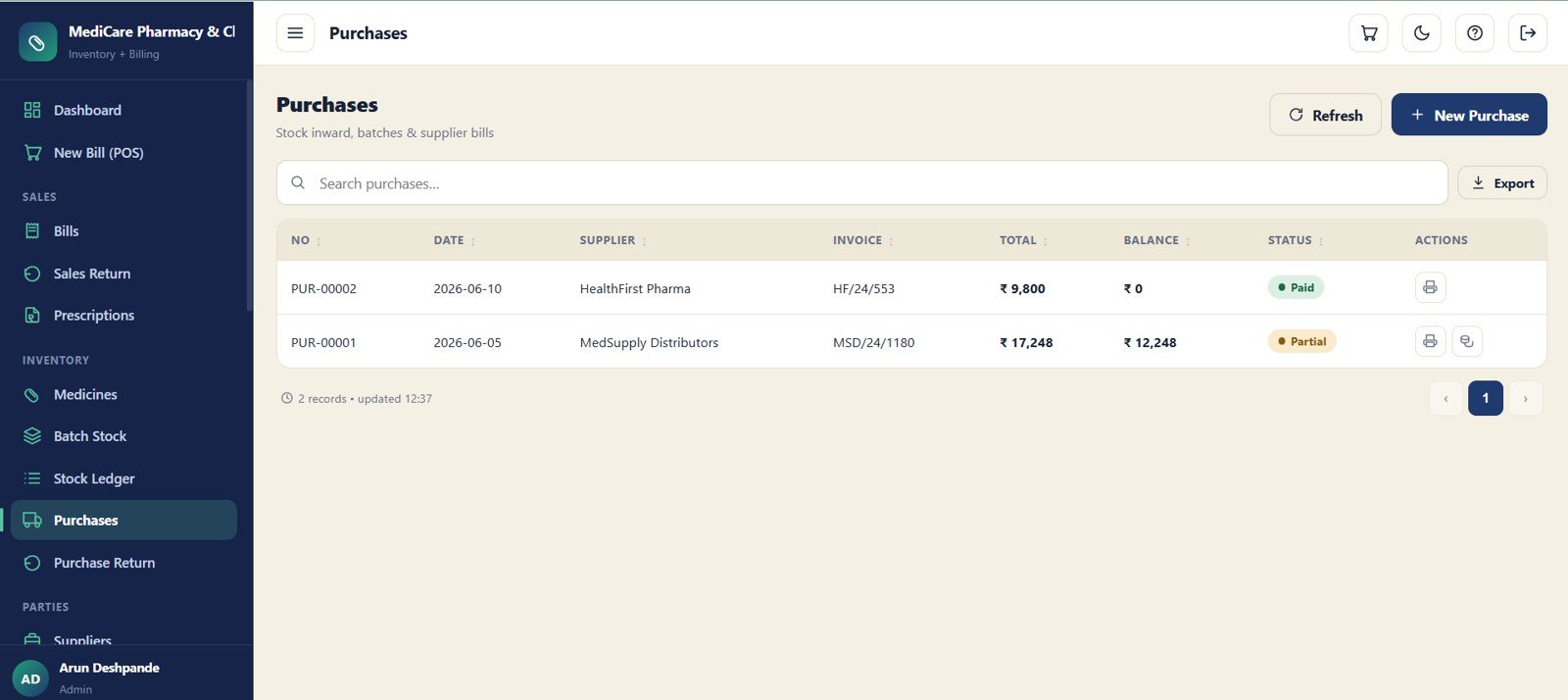
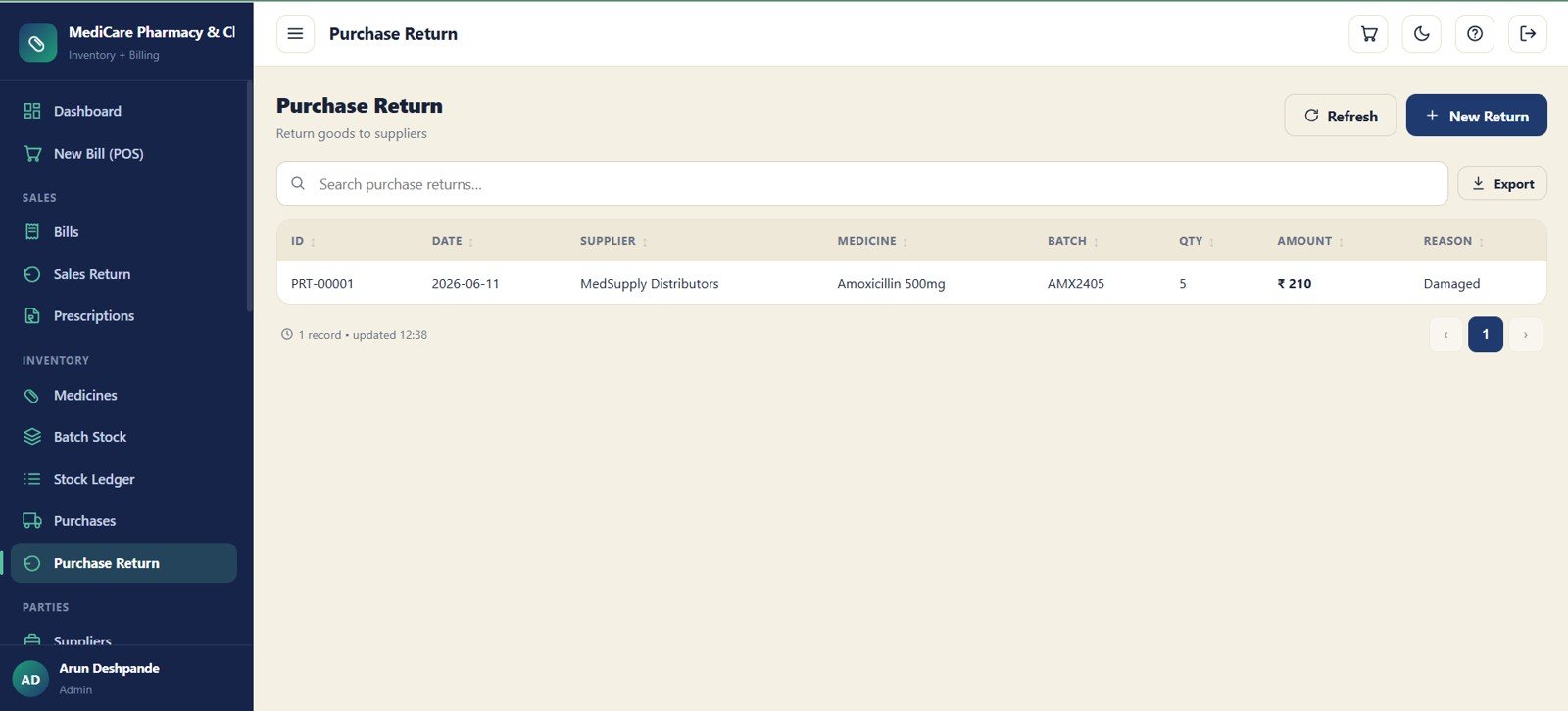
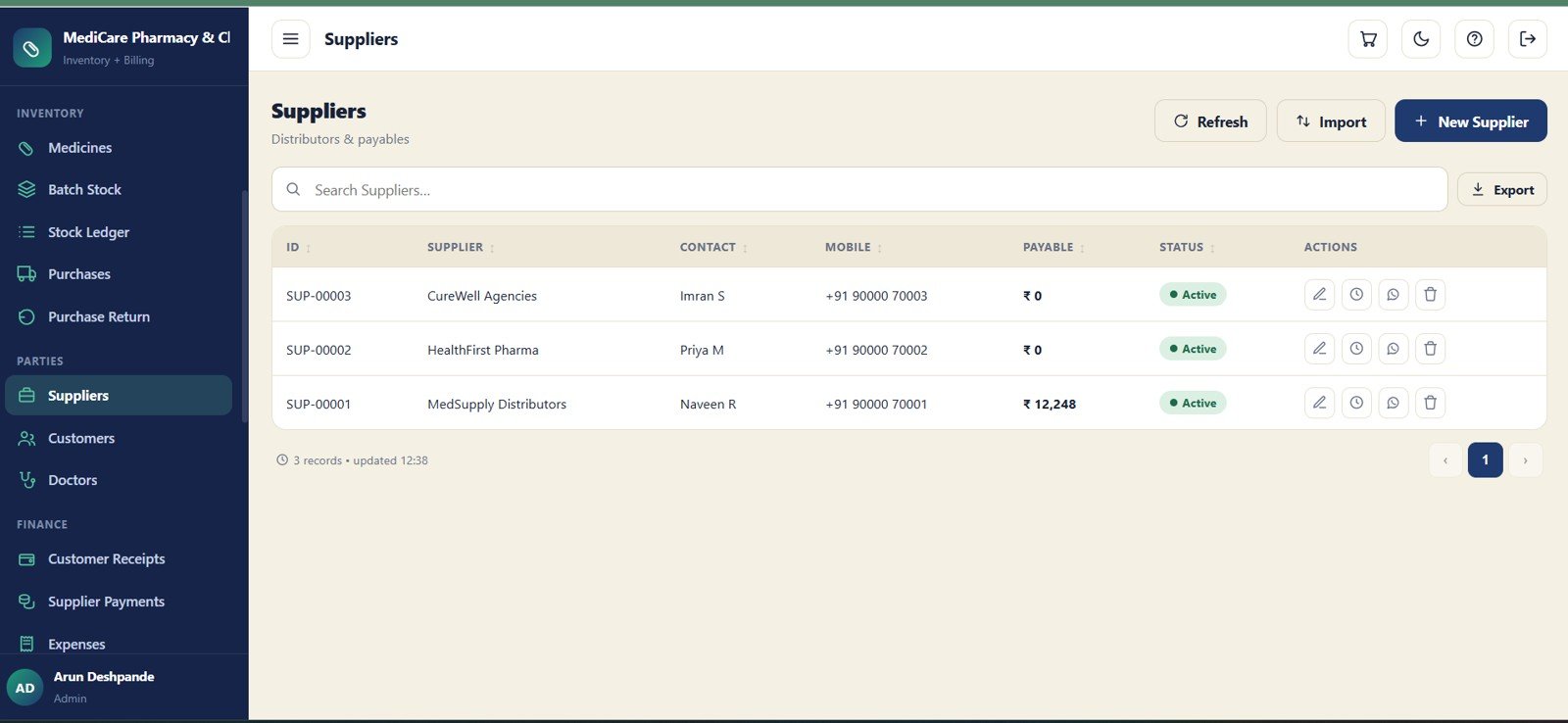
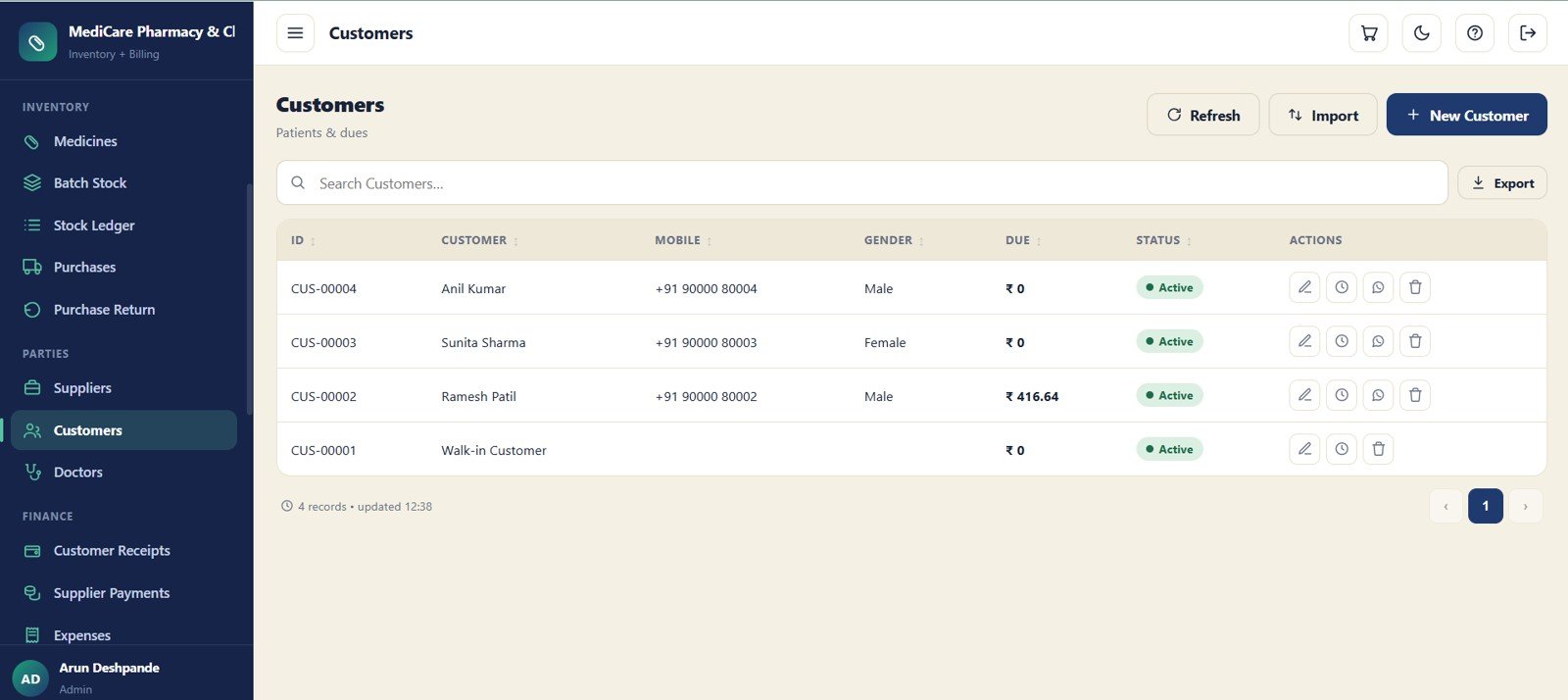
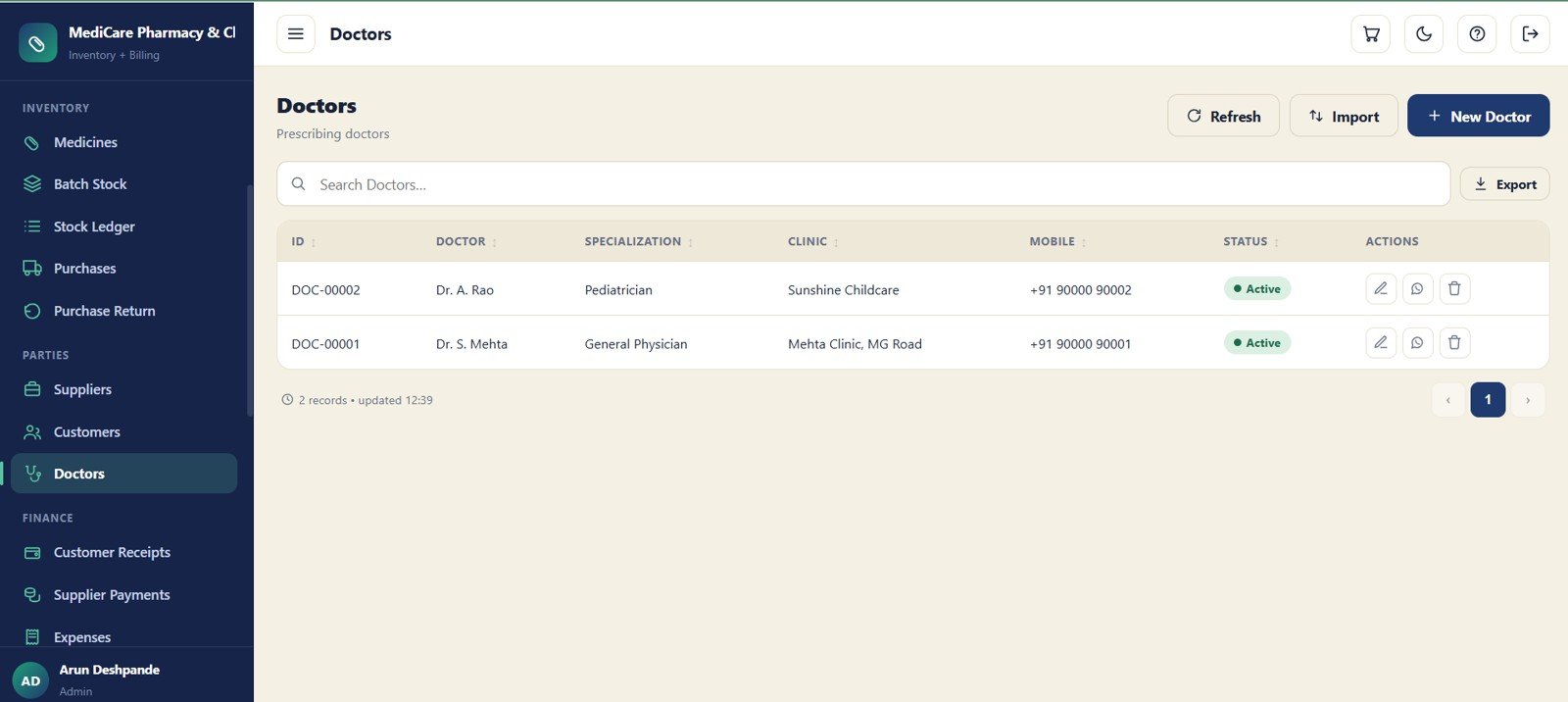
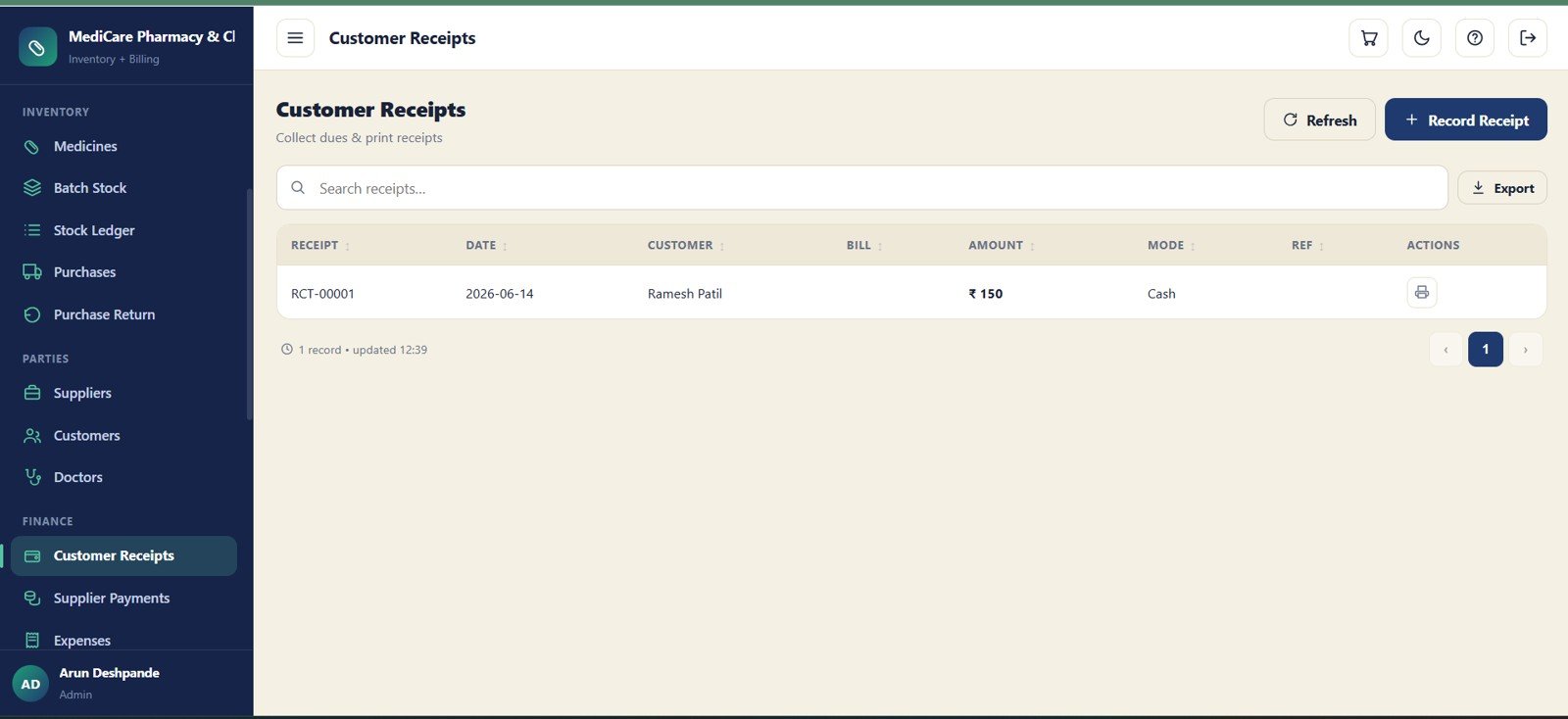
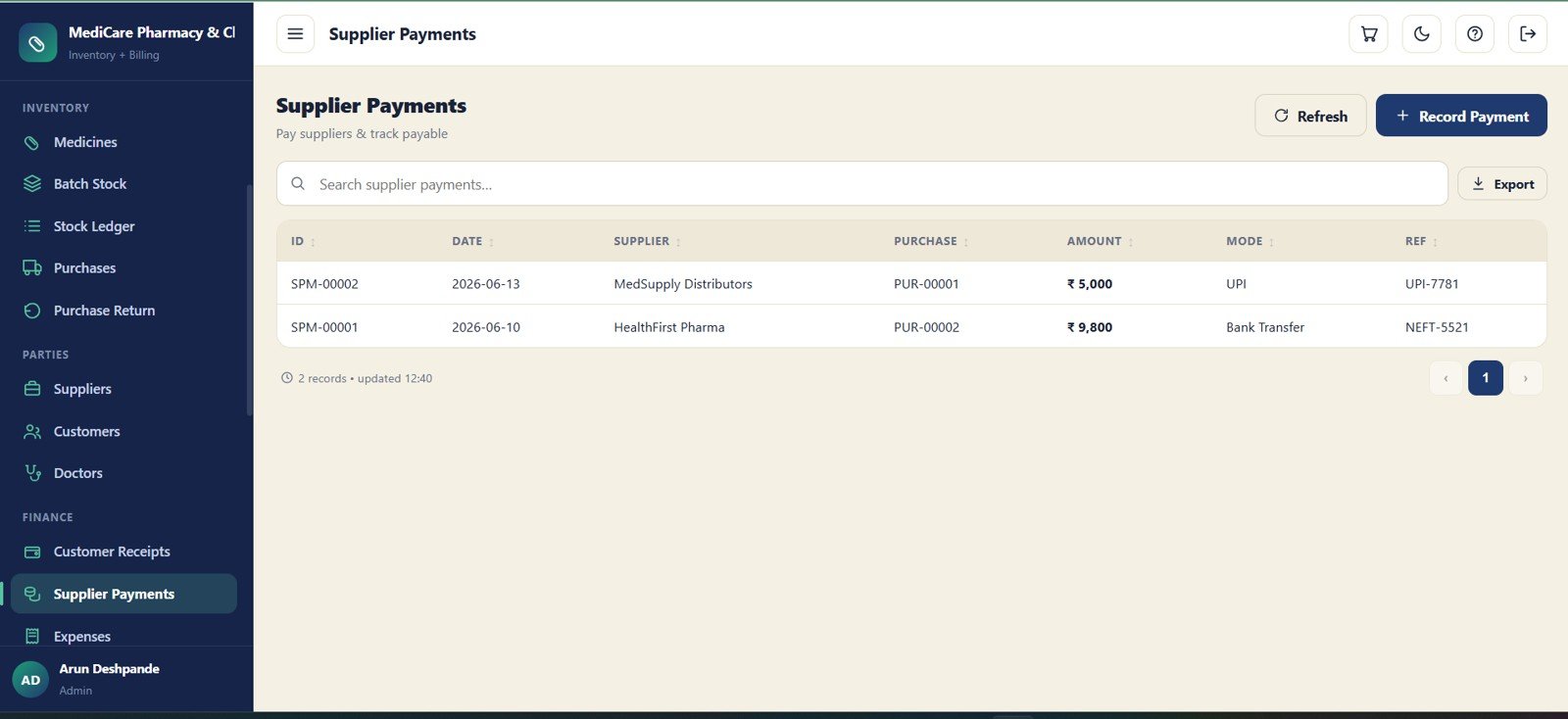

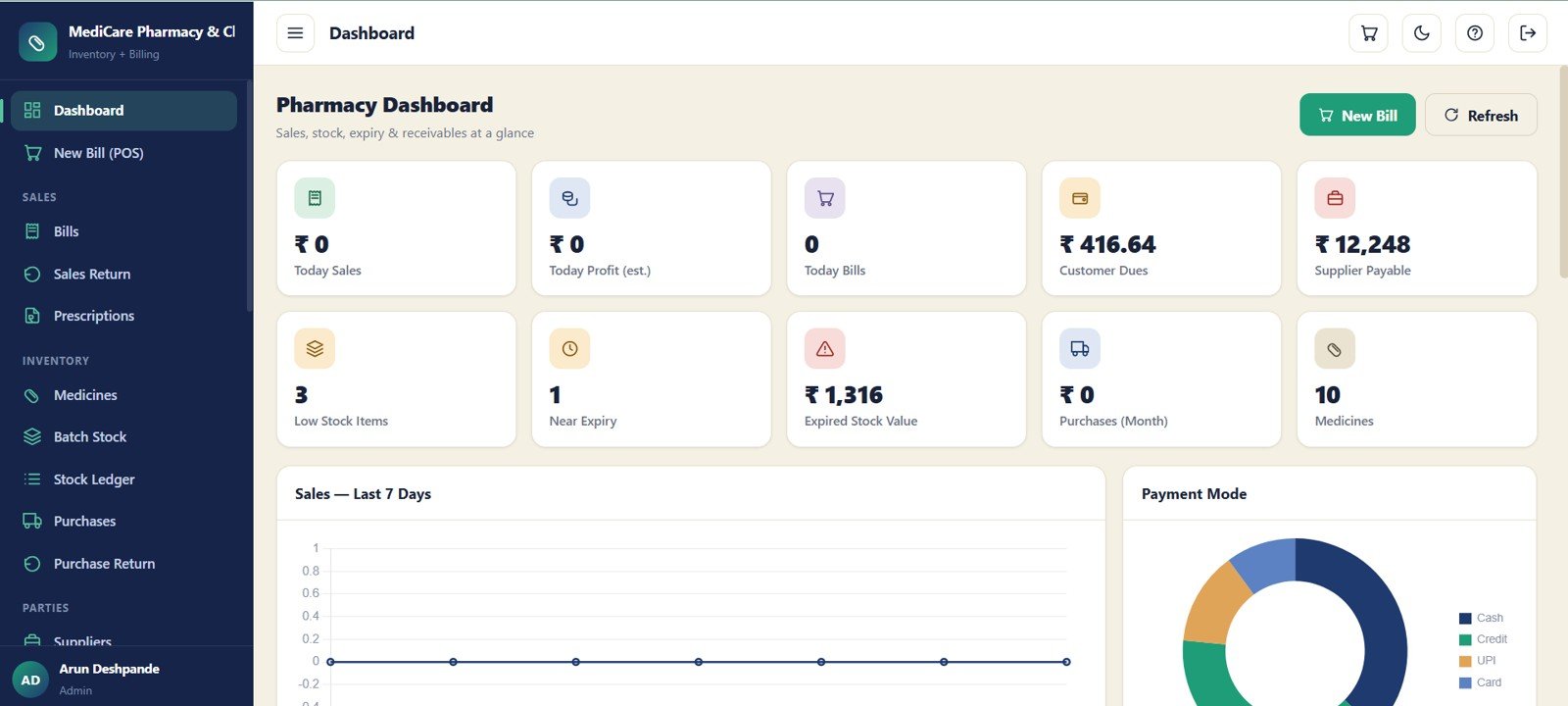
The Pharmacy Inventory and Billing Management System Web App gives a medical store a 24-screen Google Sheets and Apps Script workspace for billing, batch-wise stock, expiry tracking, purchases, dues, reports and audit logs. It includes 10 dashboard KPI cards, 2 dashboard charts, searchable registers, user management, archive lookup and import/export controls. The buyer avoids monthly SaaS fees, keeps data inside their own Google account, and can review the setup before using it in daily pharmacy operations.
Key Features of Pharmacy Inventory and Billing Management System Web App
- 24 connected pharmacy screens covering billing, stock, purchases, suppliers, customers, doctors, receipts, reports and audit logs.
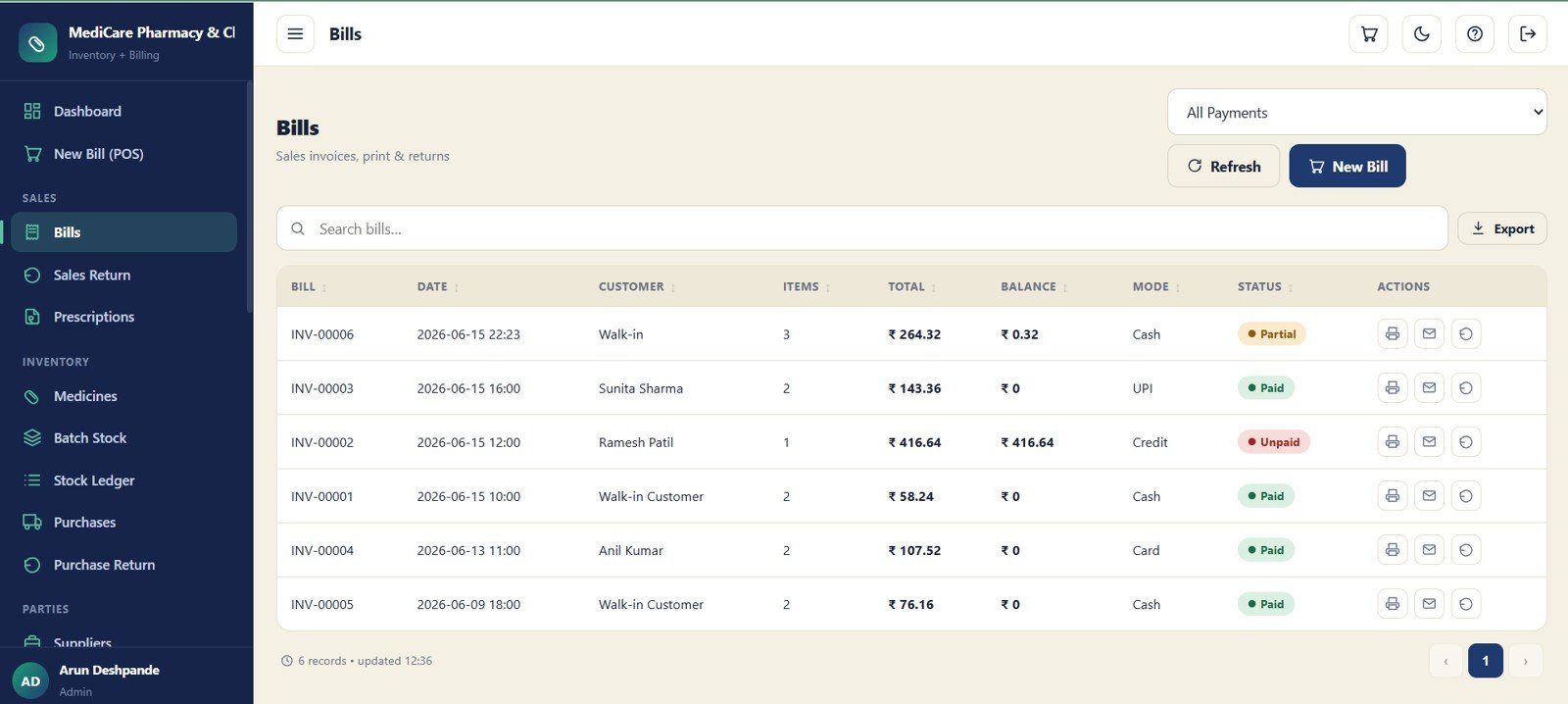
- Fast billing workflow with bill date, customer, item count, total, balance, payment mode, status and action controls for print or bill follow-up.
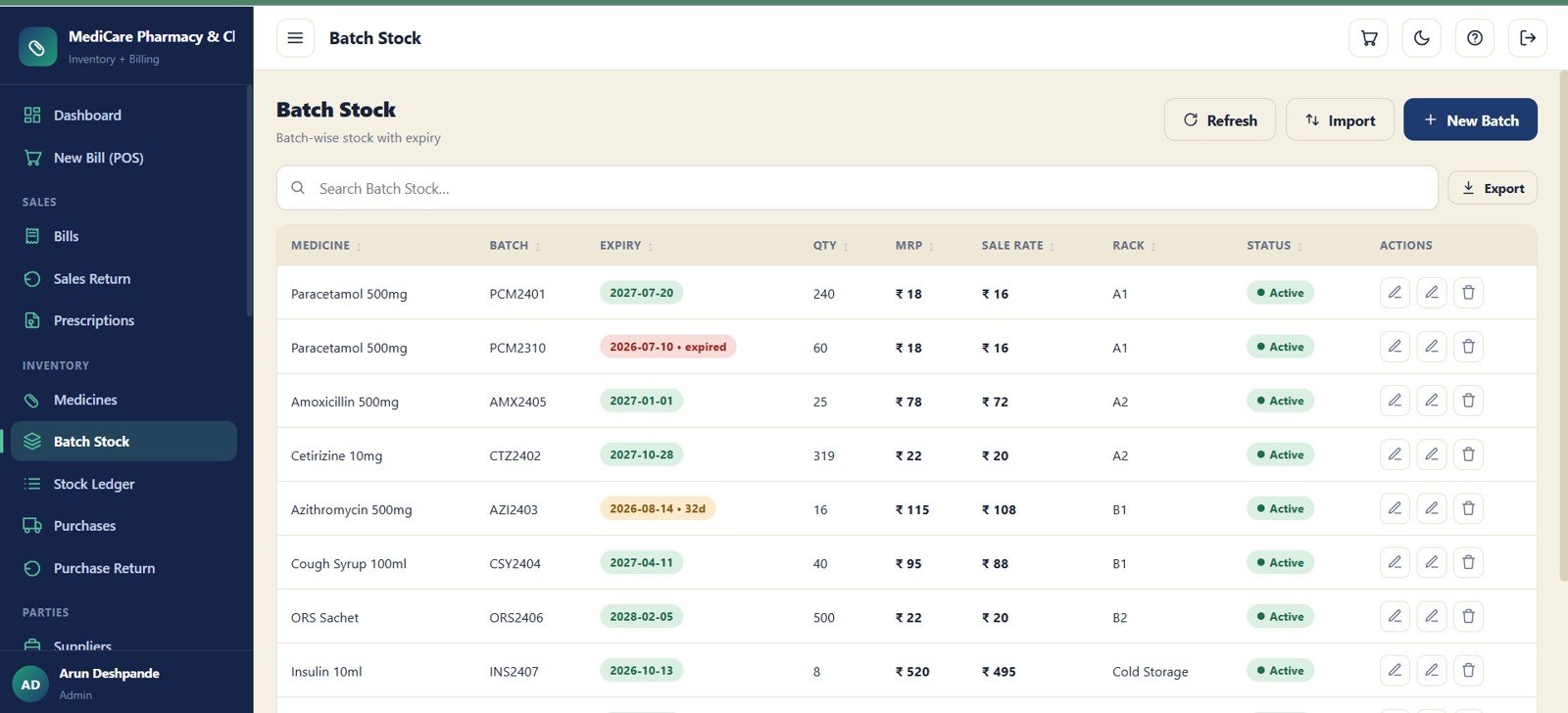
- Batch-wise inventory tracking for medicine, batch number, expiry, quantity, MRP, sale rate, rack and stock status.
- Expiry and low-stock visibility through dashboard cards for near-expiry items, low stock items and expired stock value.
- Purchase and supplier controls for inward stock, supplier invoices, payable balances, purchase returns and supplier payment records.
- Customer and prescription records for patient dues, doctors, uploaded prescription files and linked bill references.
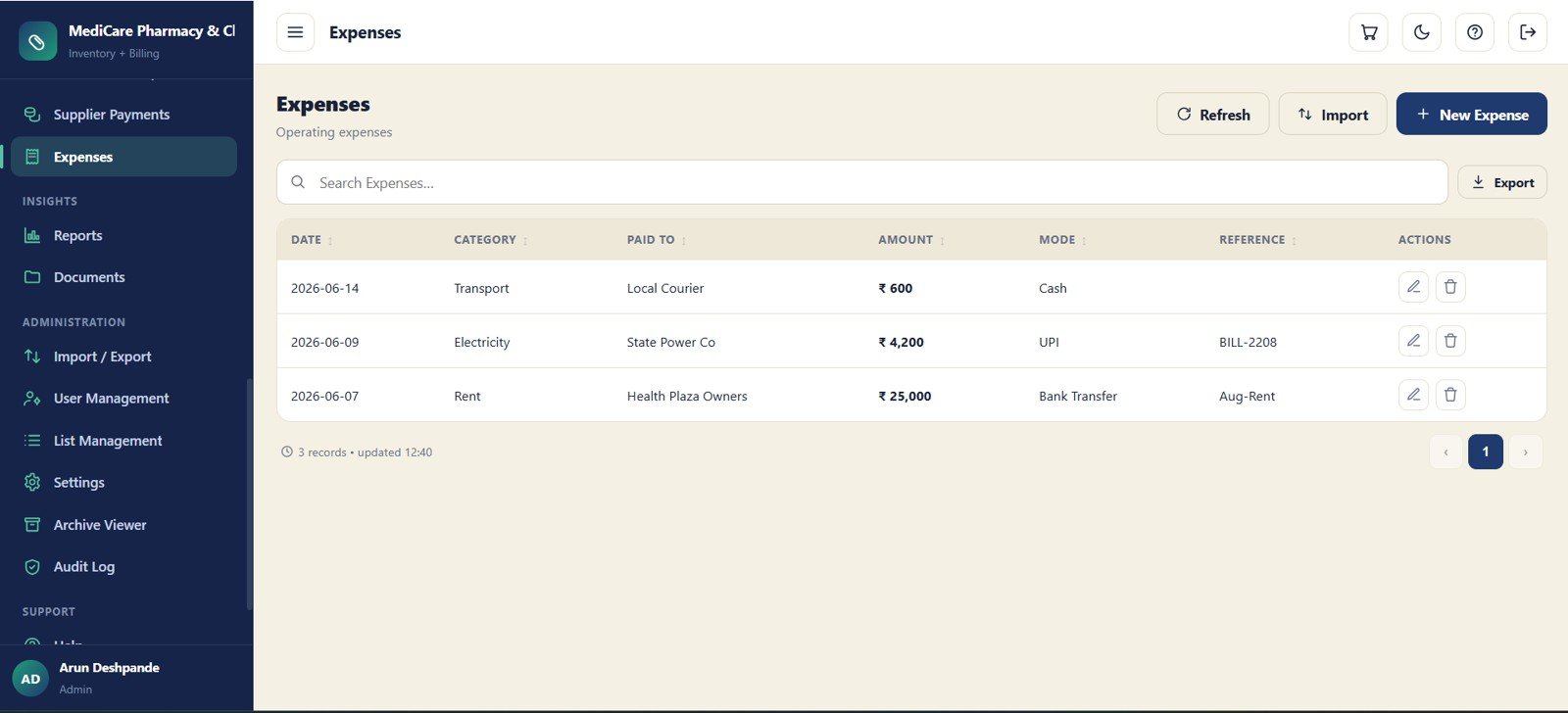
- Finance modules for customer receipts, supplier payments and operating expenses, with payment mode and reference tracking.
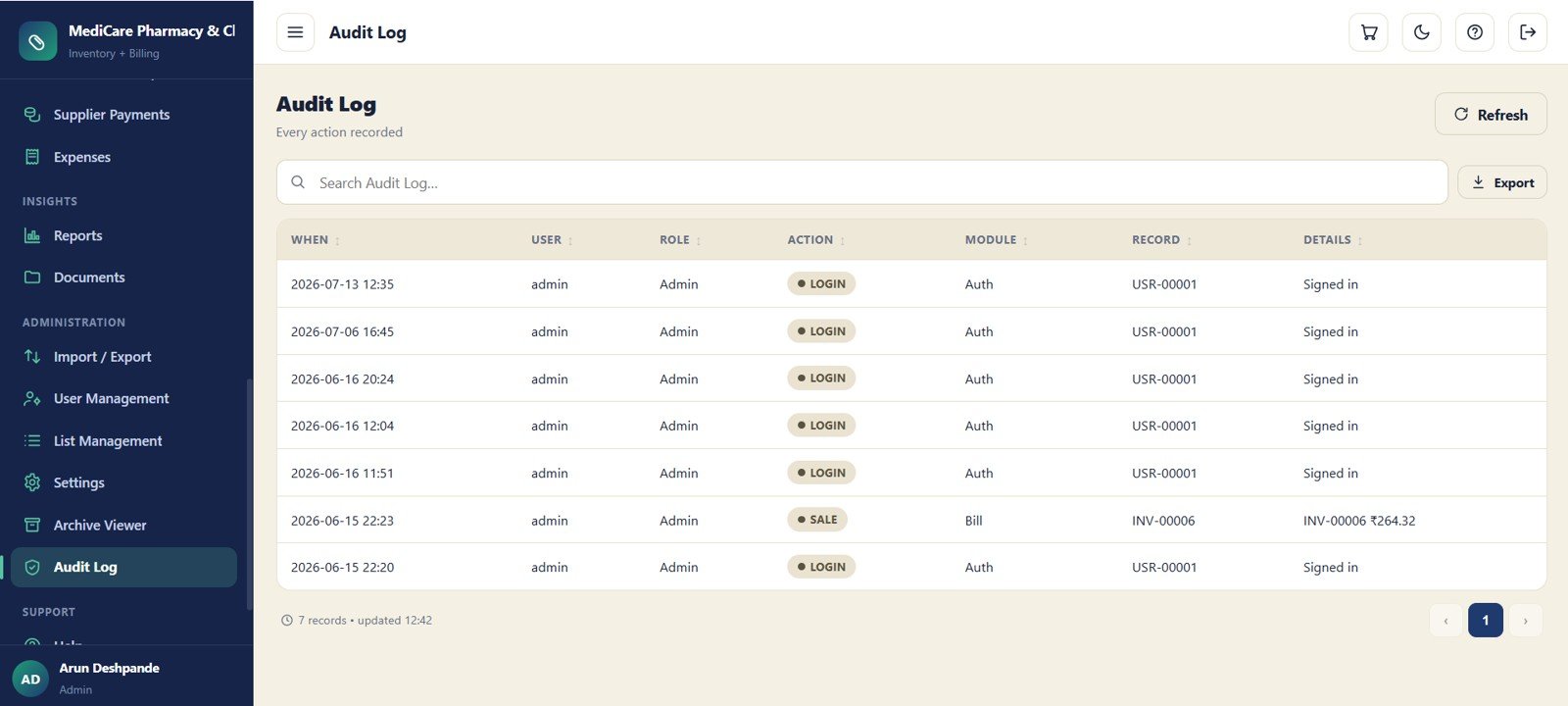
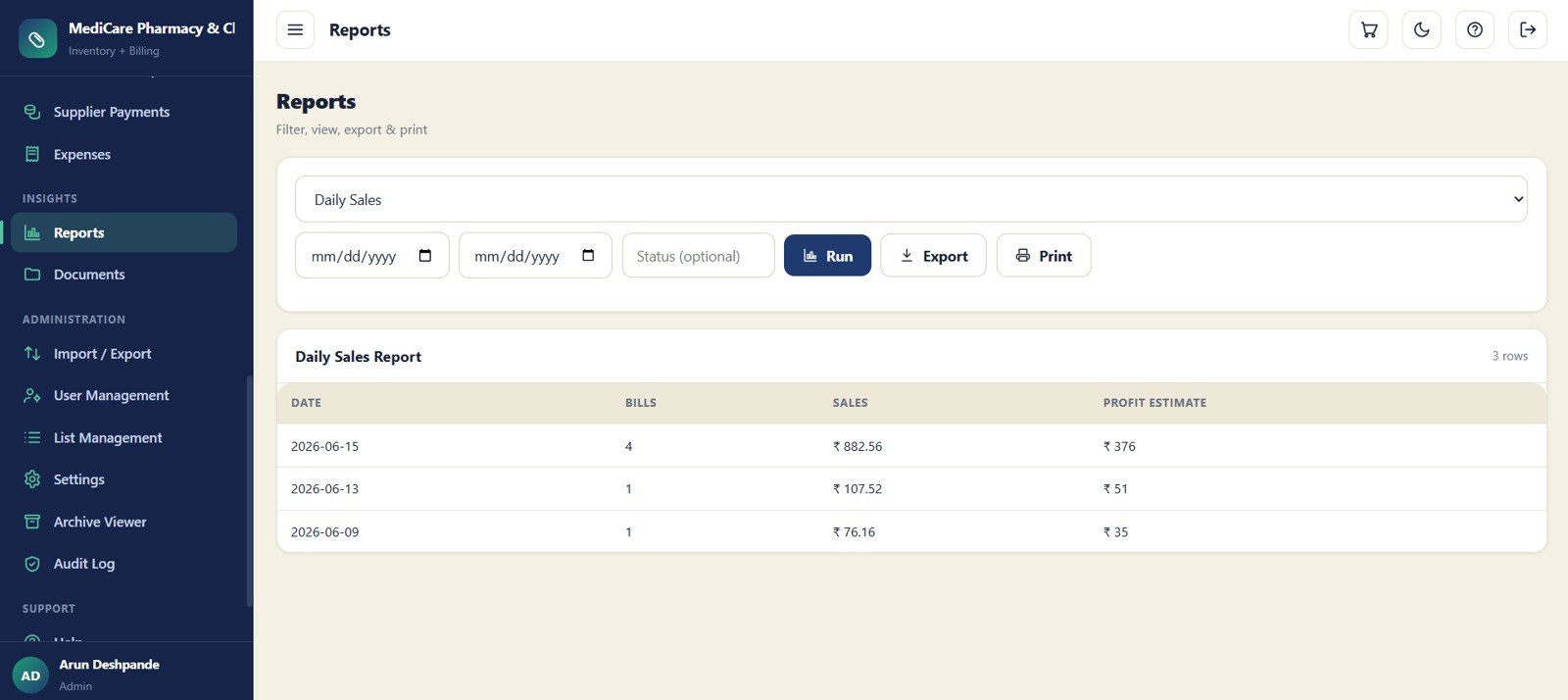
- Reports and audit trail to filter, export, print and review pharmacy activity with user history.
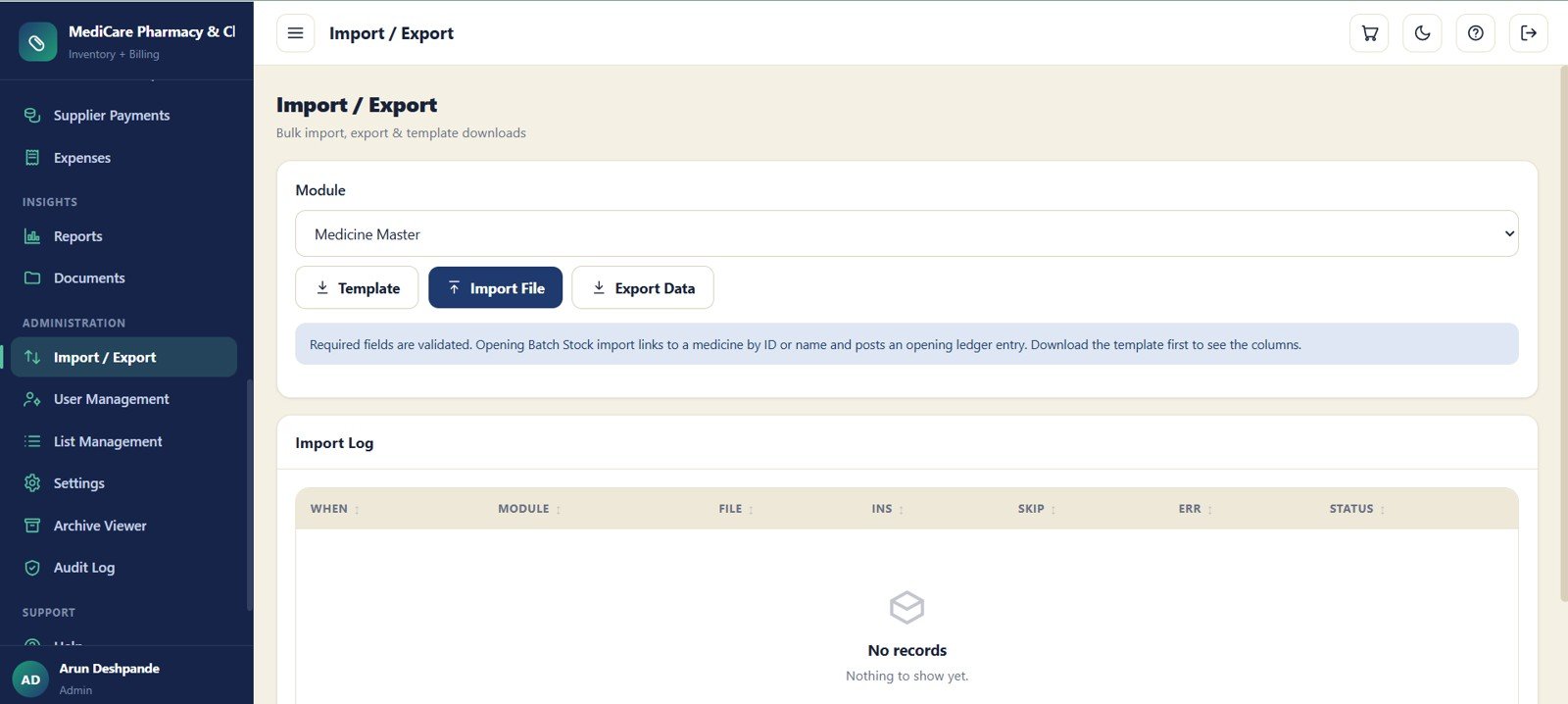
- Bulk import/export for faster setup and ongoing maintenance using module templates, validation messages and import logs.
What’s Inside the Pharmacy Inventory and Billing Management System Web App
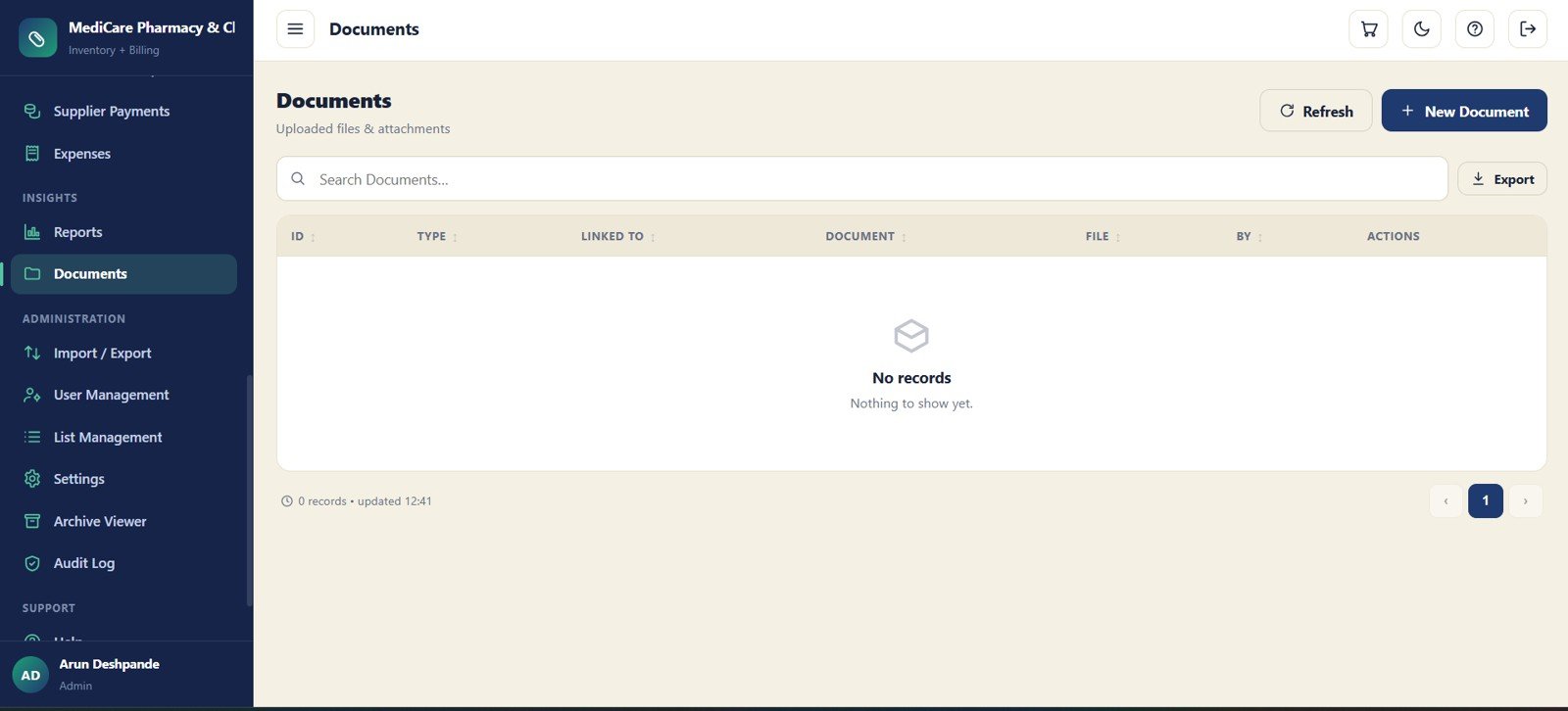
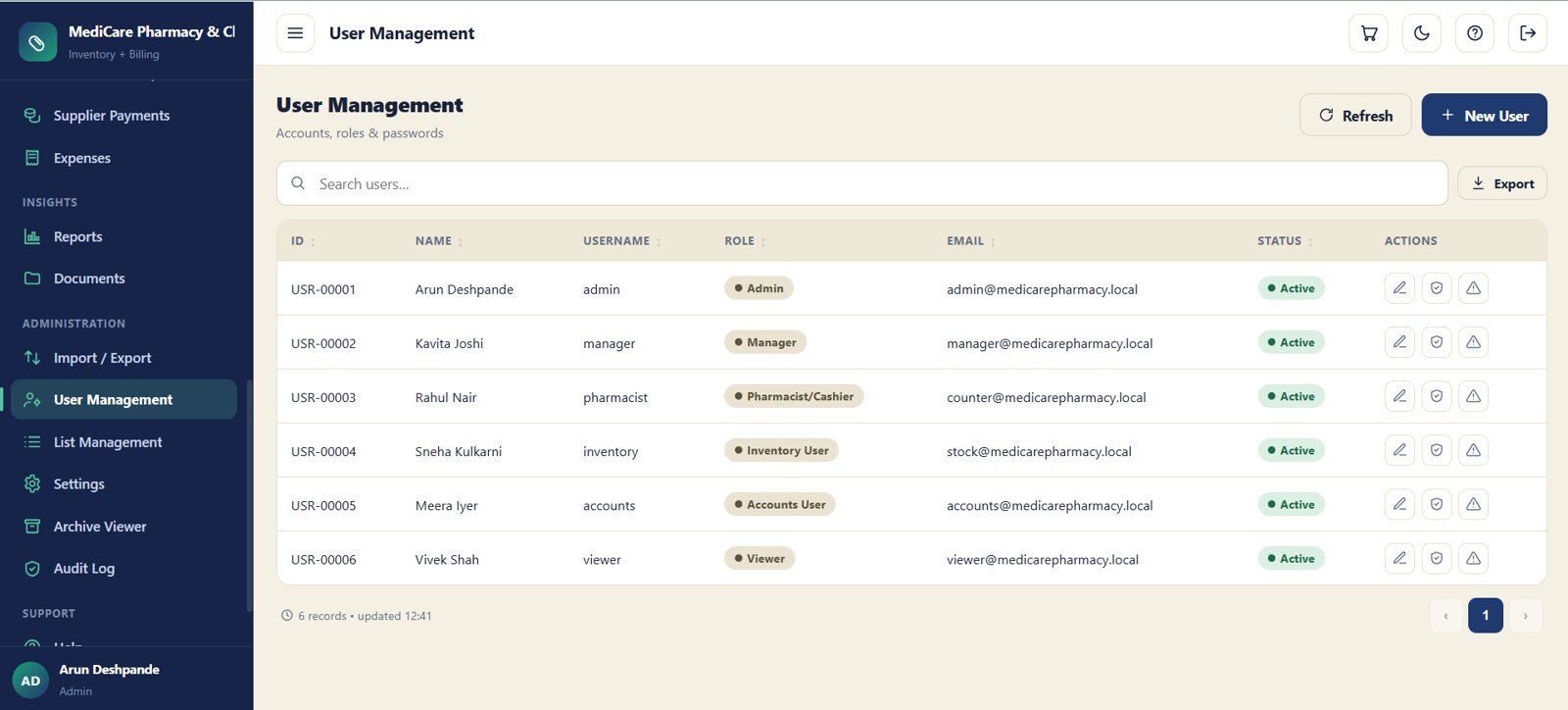
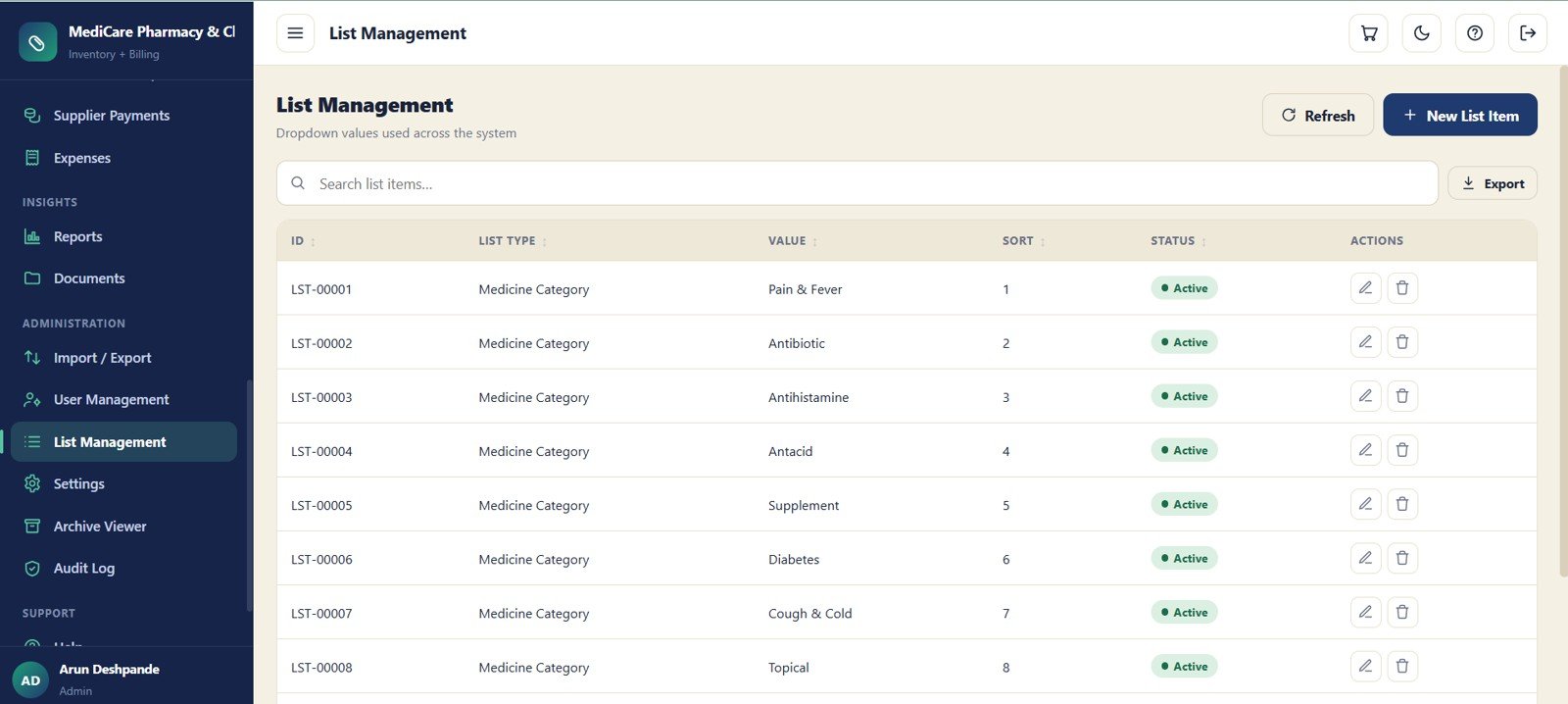
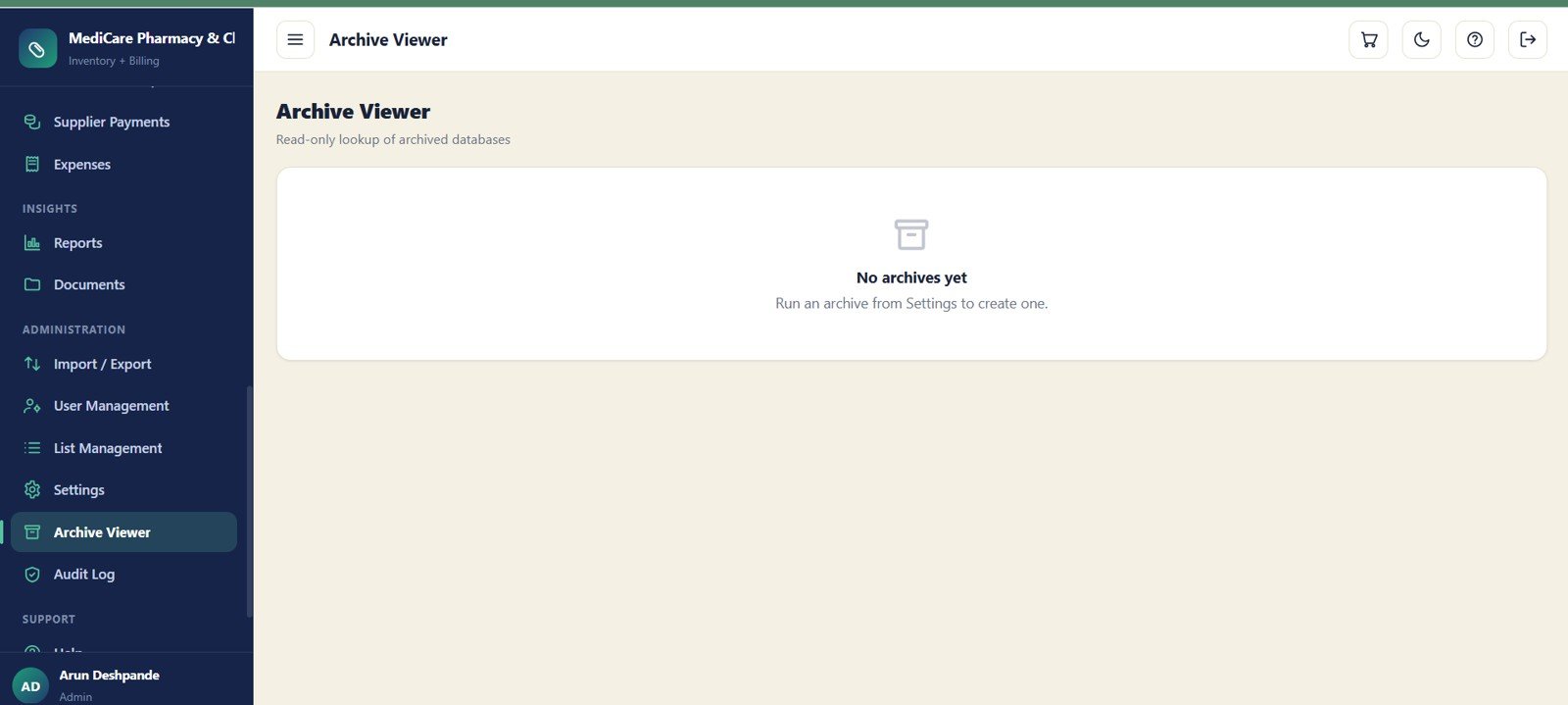
This pharmacy web app is organized as a complete operating workspace rather than a single billing sheet. The dashboard shows Today Sales, Today Profit, Today Bills, Customer Dues, Supplier Payable, Low Stock Items, Near Expiry, Expired Stock Value, Purchases for the month and total medicines. Billing covers invoices and returns, inventory covers medicine master, batch stock, ledger and expiry controls, and admin screens cover reports, documents, import/export, users, settings, archive lookup and audit history.
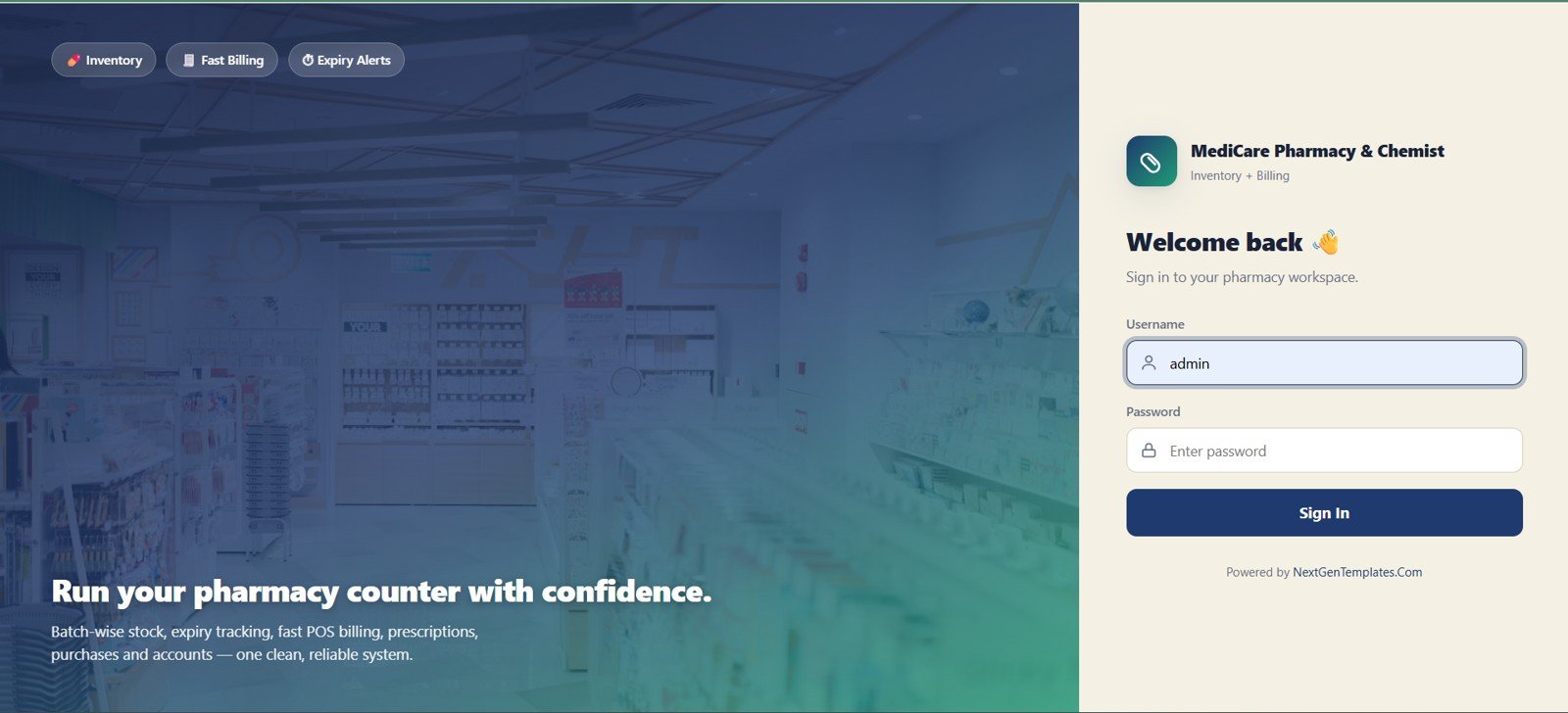
🚀 Try the Live Demo Before You Buy
We have deployed the Pharmacy Inventory & Billing Management System in our own Google account so you can test every module, every role and every workflow — POS billing, batch & expiry tracking, purchases, returns, payments and reports — with real sample data, before purchasing. No signup, no email required.
🔑 Test Login Credentials (6 Roles)
Sign in as admin to unlock everything — all modules, settings, user management, archive database, import/export and the audit log — or log in with any role below to see exactly what that user sees. 💡 Tip: open the demo as pharmacist to run a counter sale end-to-end, then log in as inventory to watch the batch stock update.
💡 What you get after purchase: The full source code (Code.gs + Index.html) plus a step-by-step deployment guide so you can deploy your own private instance in your own Google account in under 15 minutes.
Pharmacy Inventory and Billing Management System Web App vs. Excel Tracker vs. Paid Pharmacy SaaS – Where This Fits
| Feature | This web app | Excel pharmacy tracker | Paid pharmacy SaaS |
|---|---|---|---|
| Cost | One-time template purchase | Usually low cost, but often manual | Monthly or quote-based subscription |
| Platform | Google Sheets plus Apps Script web app | Microsoft Excel workbook | Vendor-hosted software |
| Setup time | Copy, deploy and configure settings | Open workbook and enter records | Onboarding, migration and training may be required |
| Real-time team collaboration | Yes, through Google account access and role-based users | Limited unless shared through OneDrive | Usually included in paid plans |
| Mobile access | Runs in a browser after deployment | Limited for serious billing work | Usually supported through vendor apps |
| Customizable fields | Editable lists, settings and Google Sheets backend | Editable, but easy to break formulas | Depends on plan and vendor permissions |
| Share with link | Yes, controlled by your Google account and deployment settings | Possible, but not ideal for cashier-style workflows | Vendor account invitations |
| Year-1 cost at 5 users | Template price only | Template price only | Often recurring monthly cost for all users or locations |
| Batch and expiry control | Dedicated batch stock, near-expiry and expired value tracking | Possible with custom columns | Usually included in pharmacy-focused plans |
| Audit trail | Dedicated audit log screen | Manual or version history only | Usually included |
This template fits the middle ground: more structured than a spreadsheet, cheaper to start than SaaS, and flexible for a small pharmacy team.
Who This Template Is For – and Who It’s Not For
This template is for independent pharmacies, chemist shops, clinic pharmacies and small healthcare businesses that need billing, medicine stock, suppliers and dues without a recurring software bill.
This template is not for large chains needing insurance claim processing, barcode hardware integrations, e-prescription networks, automatic tax filing or enterprise ERP controls.
How to Use the Pharmacy Inventory and Billing Management System Web App
- Download the ZIP file and open the included setup guide.
- Copy the Google Sheets backend file to your own Google Drive.
- Deploy the Apps Script web app using the instructions in the guide.
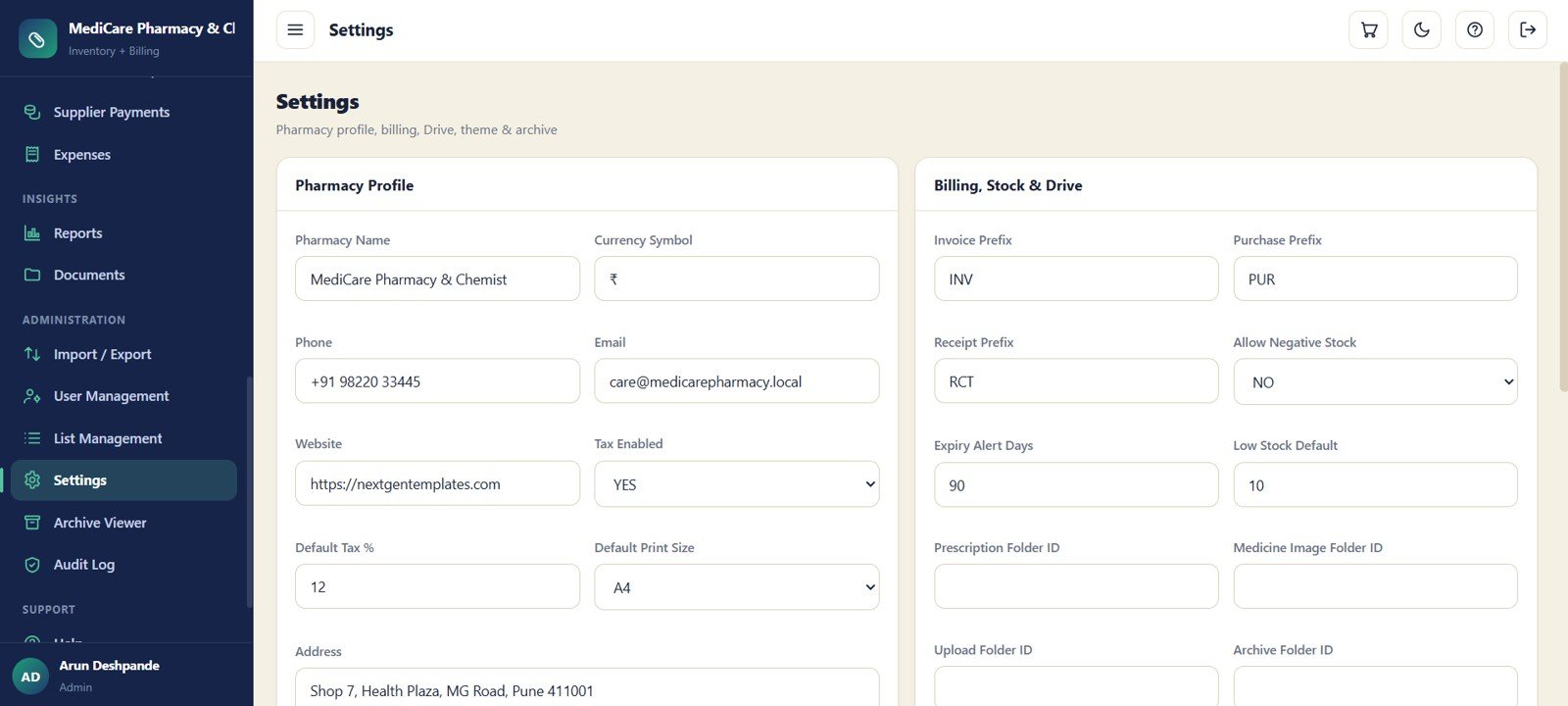
- Configure pharmacy profile, currency, tax, print size, prefixes, expiry alert days and low-stock defaults in Settings.
- Add medicines, suppliers, customers, doctors, users and dropdown values.
- Enter opening batch stock and begin creating bills, purchases, returns and receipts.
- Use reports, import/export and audit log screens to review activity and keep records clean.
Real-World Use Cases
Independent chemist owner: Check low stock, near-expiry items, supplier payables and customer dues before the counter gets busy.
Clinic pharmacy manager: Keep prescription uploads, doctor references and linked bills in one place for patient follow-up.
Inventory supervisor: Review batch stock, purchase returns, ledger movements and expiry value to reduce dead stock.
Frequently Asked Questions
What does the Pharmacy Inventory and Billing Management System Web App include?
It includes 24 screens covering login, dashboard, bills, returns, prescriptions, medicines, batch stock, purchases, suppliers, customers, doctors, payments, reports, settings, archive viewer and audit log.
Does this run in Google Sheets?
Yes. The data lives in your Google account, while users work through a browser-based interface after deployment.
Can I track medicine expiry dates?
Yes. Batch Stock tracks expiry dates, and the dashboard highlights near-expiry items and expired stock value.
Can I manage customer dues and supplier payables?
Yes. Customer Dues and Supplier Payable appear on the dashboard, with separate receipt and payment modules.
Can I import existing records?
Yes. Import / Export includes template downloads, file import, export actions, validation messages and import logs.
Is this a replacement for enterprise pharmacy software?
No. Enterprise dispensing, insurance, compliance and hardware integrations should be handled by specialized pharmacy systems.
About the Author
Built by PK – Microsoft Certified Professional with 15+ years of Excel, Google Sheets, and Power BI experience. Founder of NextGenTemplates, reaching 300K+ subscribers across YouTube channels. Every template is hand-built and tested before release.
Explore Related Templates
Looking for more operational tools? Explore the Google Sheets templates and Google Sheets inventory management templates on NextGenTemplates.
- Pharmacy POS Web App – pharmacy counter billing, stock, supplier and customer workflow.
- General Store POS Web App – a related Google Sheets web app for retail billing and inventory.
- Pharmaceutical Dashboard in Google Sheets – sales and inventory reporting for pharmaceutical operations.
- Multi-Location Inventory Management in Google Sheets – stock control for teams managing more than one location.
- Web-based Advanced Inventory Management System – inventory control in a browser-based template format.
Ready to organize pharmacy billing, stock, expiry, purchases and dues in one place? Download the Pharmacy Inventory and Billing Management System Web App from NextGenTemplates.com today and set up your own editable pharmacy workspace.
Watch the step-by-step video Demo:
Last updated: July 13, 2026.