



Managing an eye care clinic involves more than treating patients—it’s about running a tight, well-organized operation where every appointment, test, and detail matters. That’s why we created the Eye Care Centre Management System V1.0, a powerful, Excel-based clinic management solution designed to simplify your day-to-day workflows while keeping patient care front and center. 💼📊Eye Care Centre Management System
Built in Microsoft Excel with VBA (Visual Basic for Applications), this tool offers everything you need—from patient management to appointments, doctors, expenses, reports, and more—without costly software or ongoing subscriptions.Eye Care Centre Management System

✨ Key Features of Eye Care Centre Management System V1.0
🔐 Login Form
Secure your clinic data with a user-authenticated login. Use the default credentials or manage access with the built-in user management system.
🏠 Main Dashboard (Main Form)
Your central command center. Use the intuitive list box to view all records, apply filters, sort data, and perform actions like add, update, delete, export, or view history—all in one place.
📅 Appointments Module
Effortlessly manage daily bookings. Assign appointments to doctors, mark statuses, and avoid schedule conflicts—all while reducing patient wait time.
🧑⚕️ Patients Master
Store complete patient details such as medical history, contact info, allergies, and more for easy reference during consultations.
👨⚕️ Doctor Master
Track and manage doctor profiles, specialties, and availability to optimize appointments and patient flow.
🔬 Test Type Master
Manage diagnostic test types, descriptions, charges, and equipment in one place. Ensure billing accuracy and procedure consistency.
💰 Expenses Form
Log expenses by category and date. Monitor costs like rent, equipment, staff salaries, and supplies to maintain financial health.
👥 User Management
Control who accesses what. Add or delete users, assign roles, and manage passwords for secure operations.
🗂️ List Manager
Manage dropdown lists like departments, test categories, and doctor specialties. Fully customizable to fit your clinic’s evolving needs.
📜 Log History & Access Control
Track all system activity and changes by user for full accountability and transparency.
📈 Reports Module
Generate real-time reports on appointments, revenue, top patients, and more—ideal for audits, planning, and decision-making.
📦 What’s Inside the System?
Login & User Control Module – Access control for data security
Main Form Interface – List box, filters, sort, and action buttons
Appointment Manager – Calendar-friendly booking
Patient & Doctor Records – Complete detail forms
Test & Charges Management – Accurate billing setup
Expense Tracker – Monitor financial performance
Custom List Settings – Adapt the tool to your clinic
Reports Section – Exportable and printable insights
Logout & Support Buttons – Easy exit and help access
🔧 How to Use the Eye Care Centre Management System
Open the Excel file and enter login credentials
Access the Main Form to view and manage records
Navigate to the module you need—Patients, Appointments, Tests, etc.
Use dropdowns and action buttons to update or add new entries
Track progress and generate reports for clinic performance
Manage users and lists via built-in admin modules
Backup the file weekly and secure your data locally
👩⚕️ Who Can Benefit from This System?
👁️ Eye Clinics & Optometry Centers
🧑⚕️ Independent Ophthalmologists or Eye Surgeons
🏥 Small-to-Medium Multi-Doctor Facilities
👨⚕️ Private Practice Owners
🧑💻 Clinic Managers & Admin Staff
📈 Healthcare Startups Focused on Eye Care
Whether you’re running a solo clinic or a team-based setup, this system helps manage everything without relying on expensive software or third-party subscriptions.
🔗 Click here to read the Detailed blog post
Watch the step-by-step video Demo:
🎥 Visit our YouTube channel to learn step-by-step video tutorials
👉 Youtube.com/@PKAnExcelExpert
Compatibility and Requirements
- Works in Microsoft Excel desktop on Windows with macros enabled. It does not run in Excel for the web, Google Sheets or mobile apps.
- The file opens with a login form, and the system uses VBA macros for its forms and buttons. Microsoft explains how to turn macros on in Enable or disable macros in Microsoft 365 files.
Frequently Asked Questions
Do I need to log in to use the system?
Yes. The system opens with a login form. You can use the default credentials or add and delete users, assign roles and manage passwords in the User Management module.
Which records can I keep in it?
You can keep patients (medical history, contact info, allergies), doctors (profiles, specialties, availability), test types (descriptions, charges, equipment), appointments and expenses by category and date.
Can I change the dropdown lists?
Yes. The List Manager lets you edit lists such as departments, test categories and doctor specialties.
Does it show who changed a record?
Yes. Log History and Access Control track system activity and changes by user.
Is there a web app or a dashboard version for eye care centers?
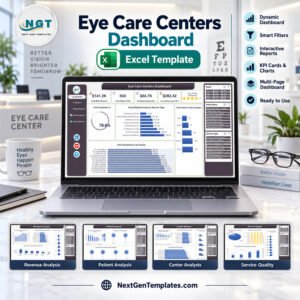
Yes. See the Eye Care Center Management System Web App and the Eye Care Centers Dashboard in Excel.
Related Clinic and Healthcare Templates
- Eye Care Center Management System Web App: the same kind of system as a web app
- Eye Care Centers Dashboard in Excel: a dashboard view for eye care centers
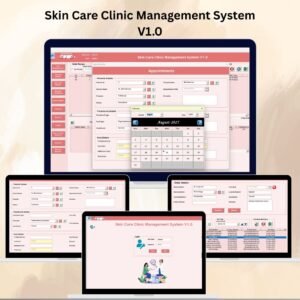
- Skin Care Clinic Management System V1.0: a clinic management system for skin care
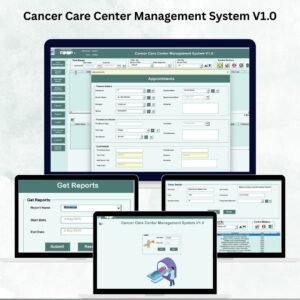
- Cancer Care Center Management System V1.0: a management system for a cancer care center
- Healthcare & Hospital Management Bundle: 8 healthcare templates in one download
Browse all Excel VBA tools and Health and Safety templates.














Reviews
There are no reviews yet.