

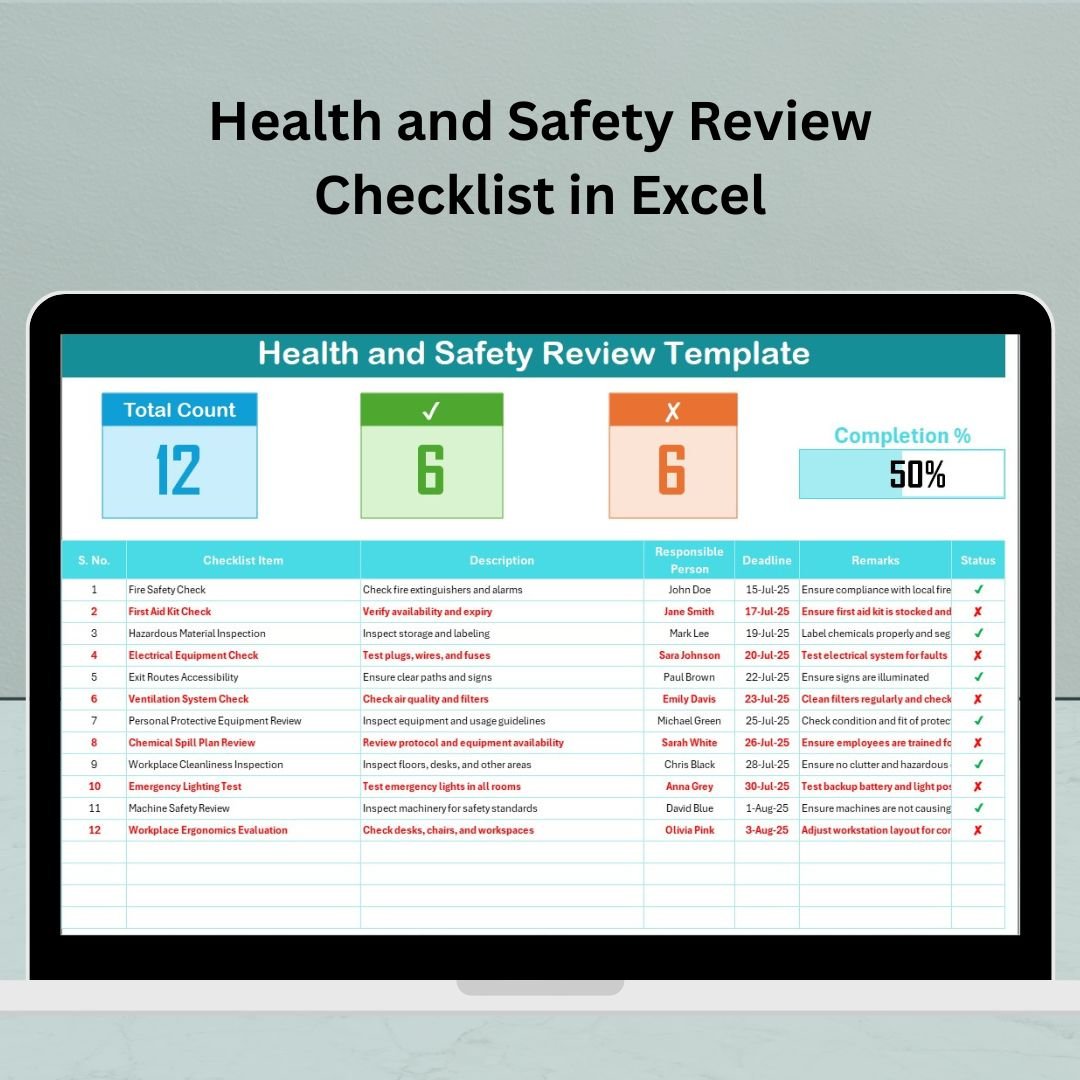

In today’s high-paced business environment, ensuring workplace safety isn’t just a legal obligation—it’s a business necessity. That’s why we created the Health and Safety Review Checklist in Excel, a powerful yet easy-to-use template designed to help businesses stay compliant, track safety protocols, and protect employees.
Whether you’re managing a manufacturing unit, office space, school, or retail store, this Excel-based tool provides a systematic way to monitor health and safety standards with real-time tracking and accountability.
✅ Key Features of Health and Safety Review Checklist 🛠️
The template includes two powerful worksheet tabs:
🧩 Health and Safety Review Checklist Sheet
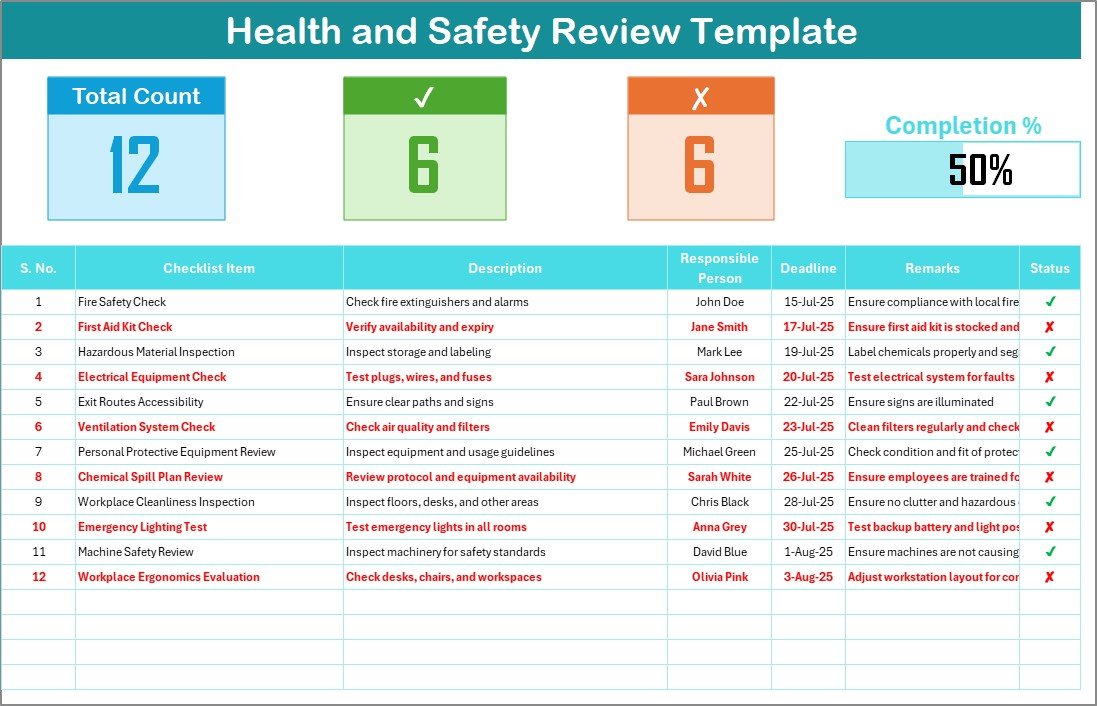
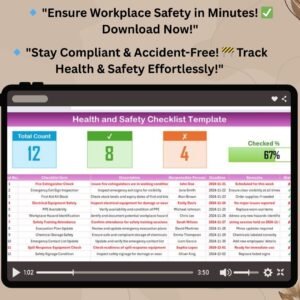
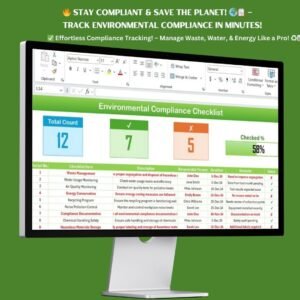
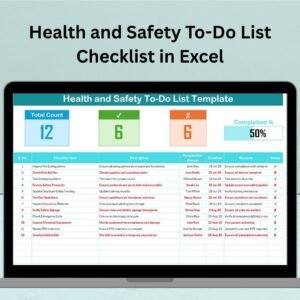
✔ Total Count / Checked / Crossed Count: Get a quick overview of how many checklist items are completed, pending, or flagged.
📊 Progress Bar for Checked %: Visually track your checklist completion status.
✅ Status Symbols: Use ✔ or ✘ to mark task status clearly.
📅 Deadline Column: Never miss critical safety task deadlines.
🧑 Responsible Person: Assign accountability with dropdown selections.
🗒️ Remarks Section: Add notes, comments, or follow-ups easily.
🗂️ List Sheet
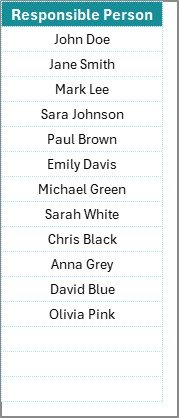
This tab includes a dynamic dropdown list of responsible persons—helping you assign safety tasks without retyping names.
✅ What’s Inside the Health and Safety Checklist Template 📦
This ready-to-use Excel template comes fully structured with:
A professionally designed main checklist table
Pre-built formulas to calculate status counts
A progress bar powered by real-time calculations
Dropdown-enabled personnel assignment
Fully customizable layout—add, remove, or modify fields as per your needs
This means your team can spend less time formatting and more time focusing on actual safety improvements.
✅ How to Use the Health and Safety Review Checklist 🧑💼
Using this Excel template is as simple as filling in a form:
Add checklist items with a brief description.
Assign tasks using the built-in dropdown of responsible persons.
Set deadlines and add remarks if needed.
Use ✔ or ✘ to mark task status.
Monitor the progress bar and item counts to track real-time performance.
Regularly update the file and share with your safety team or management.
You can also export the checklist for compliance reporting or integrate it into your internal review system.
✅ Who Can Benefit from This Template? 🎯
This template is perfect for:
🏢 Office Managers
🏭 Manufacturing and Factory Supervisors
🏫 School or Campus Safety Officers
🧑⚖️ Compliance Teams
🛠️ Maintenance Departments
👩💼 HR and Admin Managers
Whether you conduct monthly audits, daily inspections, or quarterly reviews, this Excel-based checklist simplifies your entire health and safety tracking process.
🔗 Click here to read the Detailed blog post
📺 Visit our YouTube channel to learn step-by-step video tutorials
Watch the step-by-step video tutorial:
Compatibility and Requirements
- Works in Microsoft Excel desktop (Excel 2016 or later, or Microsoft 365).
- The Responsible Person column uses an Excel dropdown list. Microsoft explains dropdowns in Create a drop-down list.
Frequently Asked Questions
What tabs does the template have?
The Health and Safety Review Checklist sheet and a List sheet with the responsible persons.
How do I mark an item?
Use a check mark for completed items and a cross for pending or flagged ones.
What does the summary show?
Total, checked and crossed counts, plus a progress bar for the checked percentage.
Can I change the fields?
Yes. You can add, remove or change fields to suit your review.
Related Health and Safety Templates
- Health and Safety Monitoring Checklist in Excel: for ongoing safety monitoring
- Health and Safety Tracking Checklist in Excel: tracks safety actions
- Health and Safety Documentation Checklist in Excel: keeps safety documents in order
- Health and Safety Checklist in Google Sheets: a safety checklist in Google Sheets
- Checklist & SOP Pack: 12 premium Excel and Google Sheets checklists in one bundle
Browse all Excel checklists or the Excel health and safety templates.


















Reviews
There are no reviews yet.