


Handling employee grievances shouldn’t be chaotic—it should be structured, fair, and confidential. That’s exactly what the Employee Grievance Tracker in Excel delivers. Built using Excel and enhanced with powerful VBA automation, this tracker is the ultimate solution for HR teams and business owners looking to manage employee complaints professionally and transparently. 🛠️📈
Whether it’s a policy violation, workplace conflict, or harassment complaint, this tool helps you log, assign, resolve, and analyze grievances with zero hassle. Forget messy email threads or hard-to-track spreadsheets—this solution centralizes your entire process in one clean, secure, and smart Excel file.
✨ Key Features of the Employee Grievance Tracker
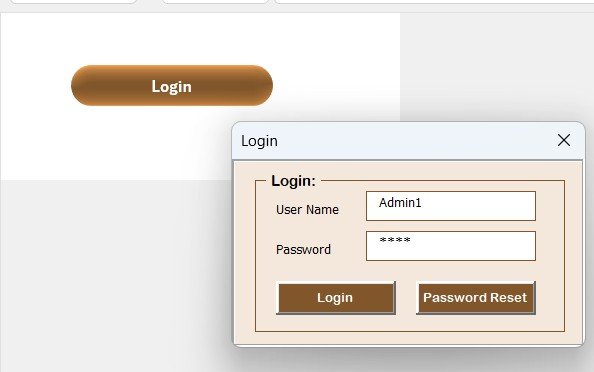
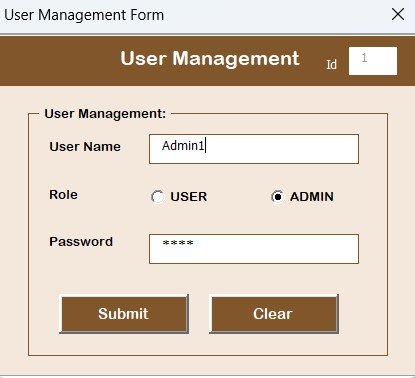
🔐 Login Form
Secure access with pre-set credentials (e.g.,
Admin1 / abcd)Prevent unauthorized access
Multi-user support with editable roles
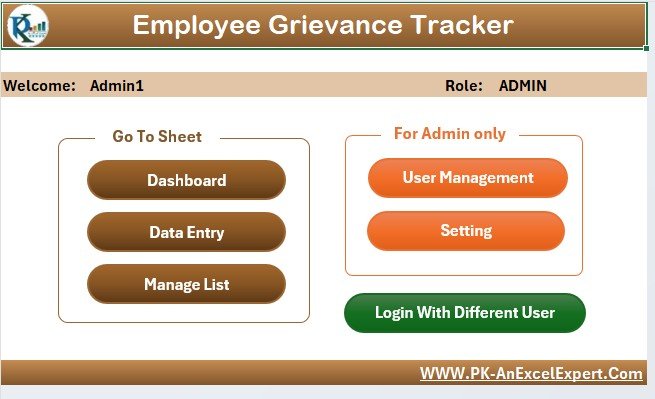
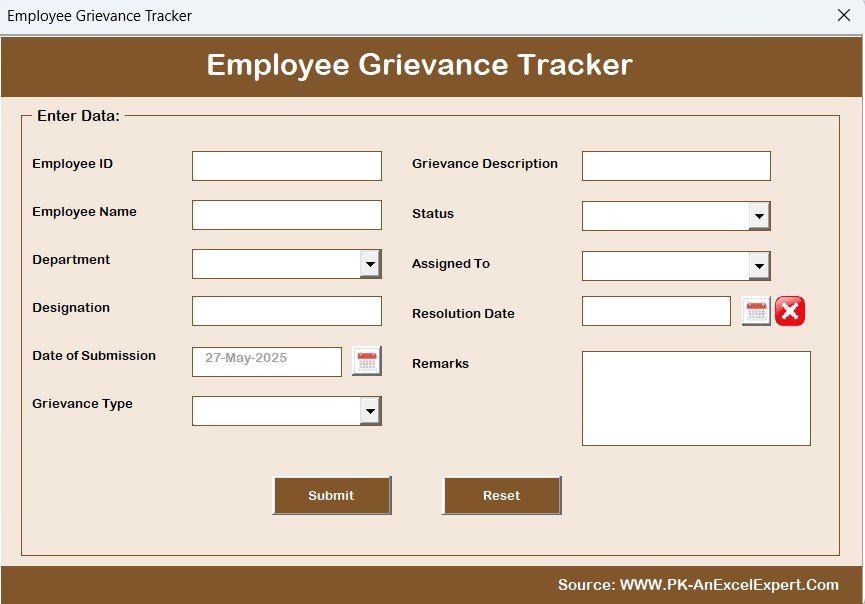
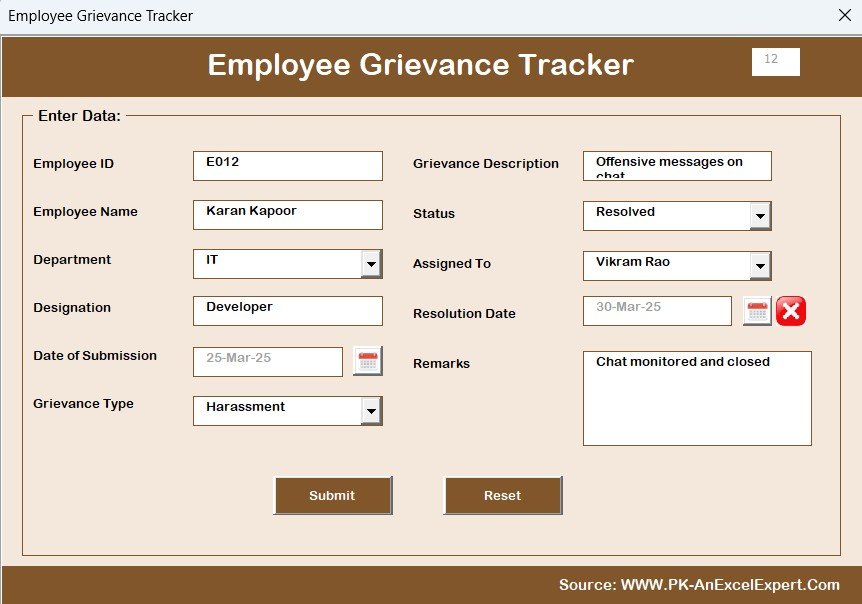
📋 Main Grievance Form
Central console to view, add, edit, or delete complaints
Beginner-friendly navigation
Real-time updates reflected across sheets
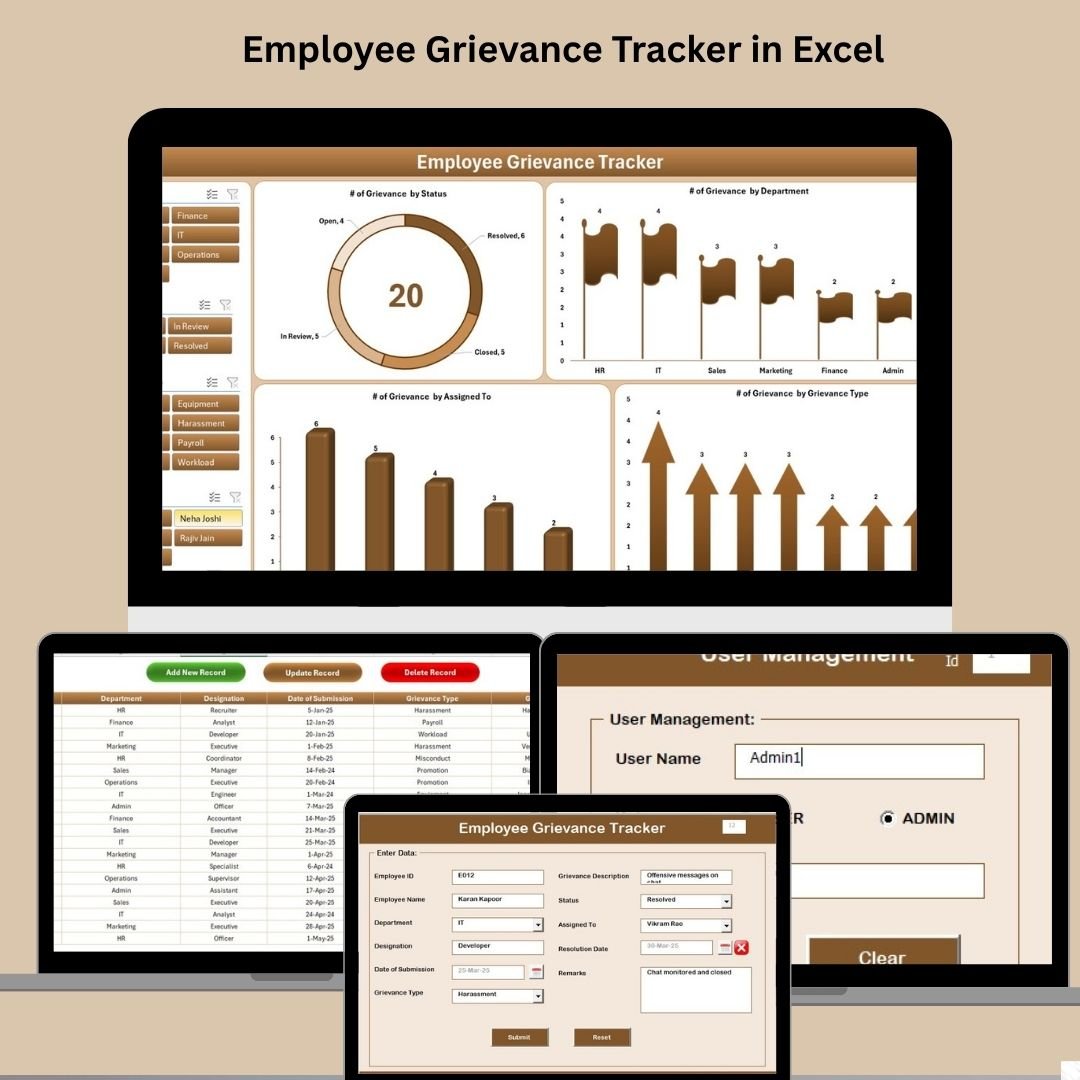
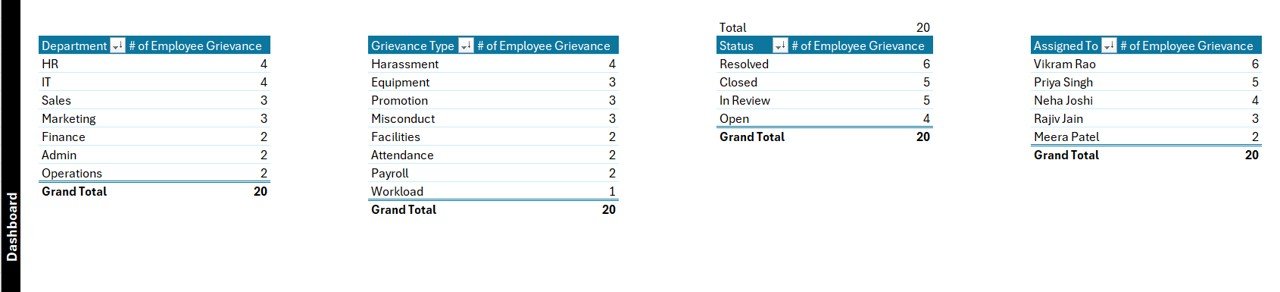
📊 Interactive Dashboard Sheet
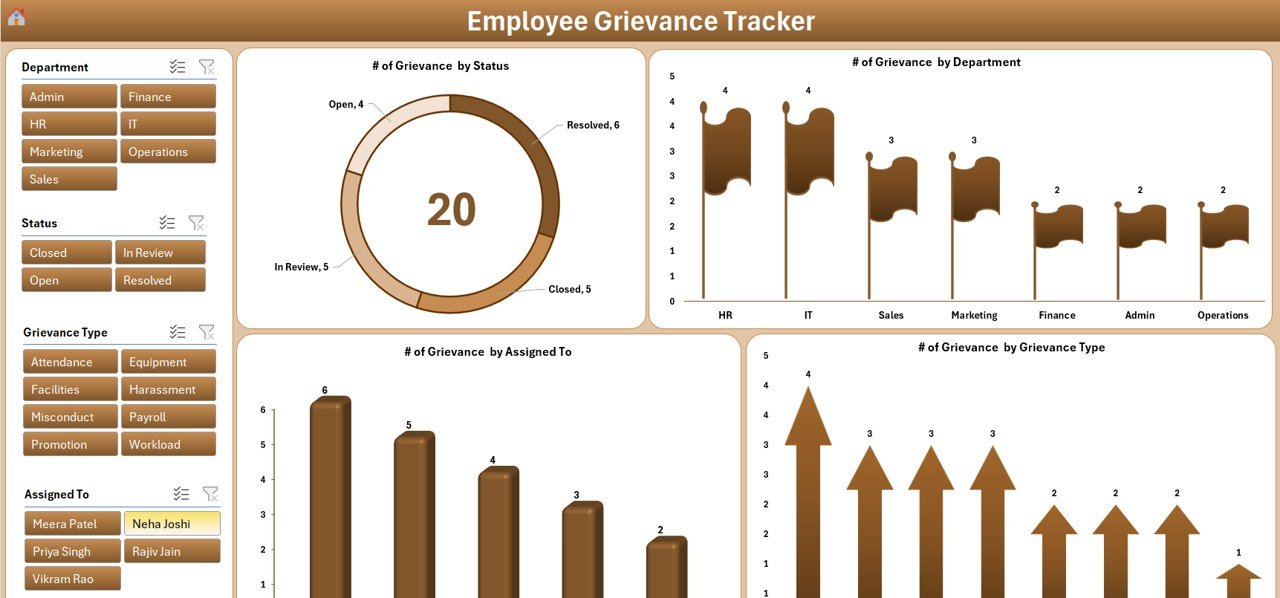
4 Slicers: Filter by Status, Department, Assigned To, Grievance Type
Charts included:
✔ Doughnut Chart: Status
✔ Bar Chart: Department
✔ Column Chart: Assigned To
✔ Pie Chart: Grievance Type
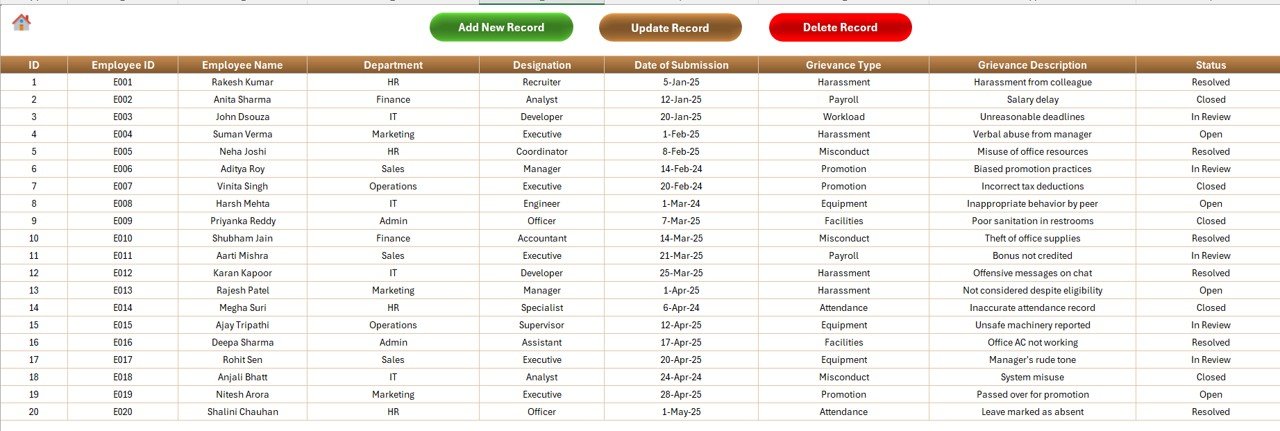
📝 Data Entry Sheet
Stores all grievance records
Fields include:
ID, Employee Name & ID, Department, Designation, Submission Date, Type, Description, Assigned To, Status, Resolution Date, and RemarksTop Buttons:
➕ Add New Record
✏️ Update Existing Record
🗑️ Delete Record
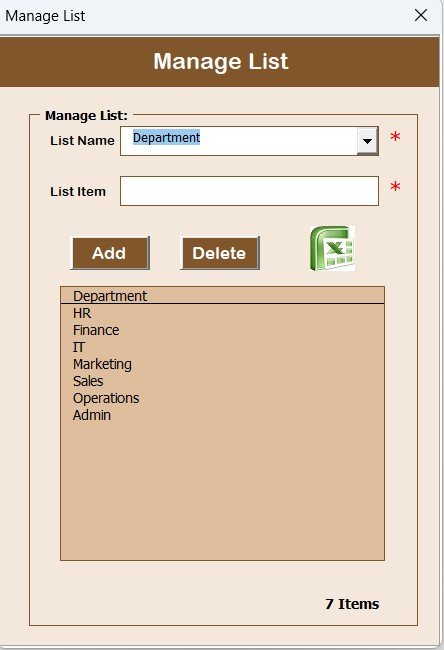
🧾 Manage List Sheet
Maintain dropdown values with ease
Categories: Department, Status, Grievance Type, Assigned To
Add/Delete with one-click buttons
📑 Support Sheet (Hidden)
Backend for charts and pivot tables
Keeps calculations accurate and auto-updating
👥 User Management Panel
Add/Edit/Delete users
Change passwords
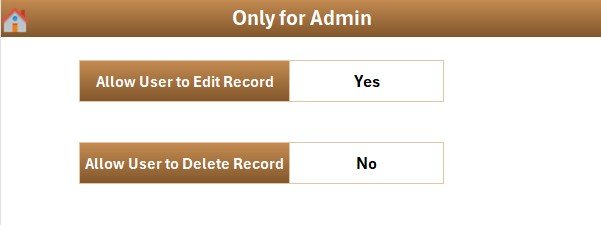
Track access and limit sensitive changes
⚙️ Settings Sheet (Optional)
Customize default dropdowns
Set initial values for fields
Configure form behavior
📂 What’s Inside the Excel Tracker?
1️⃣ Login Sheet – Secures file access
2️⃣ Main Form – Grievance management center
3️⃣ Dashboard Sheet – Visual insights & summaries
4️⃣ Data Entry Sheet – All records with easy edits
5️⃣ Manage List – Maintain dropdown values
6️⃣ User Management – Secure account controls
7️⃣ Support Sheet – Backend calculations (optional/hidden)
8️⃣ Settings Sheet – Admin customization options
Everything you need, in one file—easy to use, easy to maintain.
👨💼 Who Can Benefit from This Product?
✅ HR Managers – Manage sensitive complaints professionally
✅ Small Business Owners – Track workplace issues affordably
✅ Operations Teams – Monitor patterns and resolutions
✅ Corporate Compliance Officers – Ensure accountability and documentation
✅ Educational Institutions – Separate academic & administrative grievances
🔗 Click here to read the Detailed blog post
🎥 Visit our YouTube channel to learn step-by-step video tutorials
Watch the step-by-step video tutorial:
Compatibility and Requirements
- Made for Microsoft Excel on Windows (Excel 2016, 2019, 2021 or Microsoft 365).
- Macros must be enabled, because the login, forms and buttons run on VBA. Microsoft explains how in Enable or disable macros in Microsoft 365 files.
- Excel for the web, Google Sheets and the Excel mobile apps can’t run VBA, so use the Excel desktop app. For a browser-based option, see the Employee Grievance Tracker in Google Sheets.
Frequently Asked Questions
What is the default login for the Employee Grievance Tracker?
The file comes with pre-set credentials (for example Admin1 / abcd). Change the password and add your own users in the User Management panel before you log real grievances.
Can I add my own departments and grievance types?
Yes. The Manage List sheet holds the dropdown values for Department, Status, Grievance Type and Assigned To. Add or delete items there with the one-click buttons.
What does the dashboard show?
Four charts: grievances by status, by department, by assigned person and by grievance type. Four slicers (Status, Department, Assigned To and Grievance Type) let you filter the view.
How are grievance records kept private?
Only users with a login can open the forms, and the User Management panel controls who can change records. The data stays in the Excel file you keep, not on an outside server.
Is there a Google Sheets version?
Yes, the Employee Grievance Tracker in Google Sheets is available for teams that work in the browser.
Related HR Templates
- Employee Disciplinary Action Tracker in Excel: record warnings and actions that follow a grievance.
- Employee Complaint Resolution Tracker in Excel: another way to log and close employee complaints.
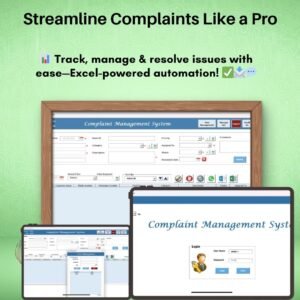
- Complaint Management System V1.0 in Excel: a full complaint management system in Excel.
- HR Dashboard in Excel: wider HR metrics in one dashboard.
- HR & Workforce Analytics Bundle: 10 HR templates across Excel, Google Sheets and Power BI.
Browse all Excel tracker templates or the HR and Payroll templates.
















Reviews
There are no reviews yet.